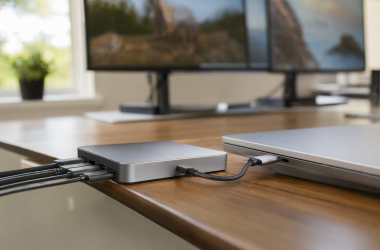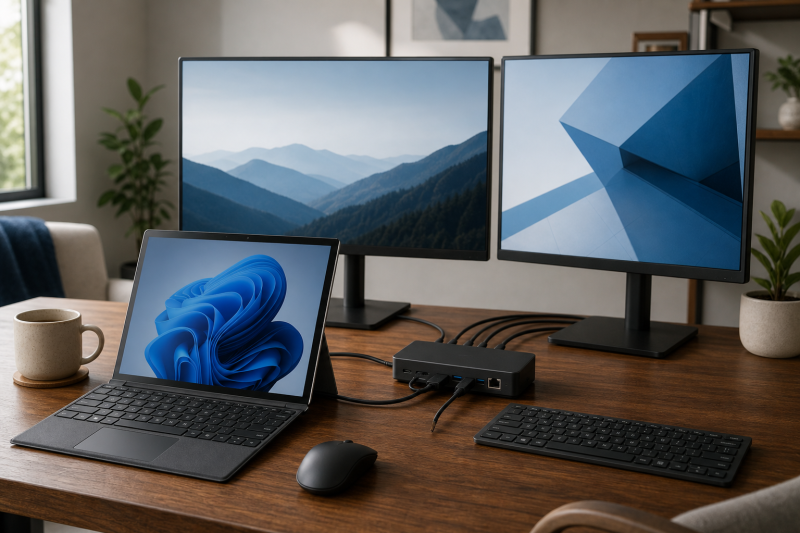
The Microsoft Surface Thunderbolt 4 Dock is the best overall current choice in this guide for a recent, explicitly supported Surface Laptop or Surface Pro. Microsoft documents a direct USB4 or Thunderbolt 4 route, up to two 4K60 external displays on compatible devices, useful desk ports, and first-party servicing and management features. That recommendation starts with a condition, though: identify your exact Surface model and generation, processor architecture, Windows version, and physical host port before choosing any dock.
Recent Surface devices may provide USB4 or Thunderbolt 4, while some models have a narrower USB-C path with DisplayPort Alt Mode. Older compatible devices may instead need the proprietary Surface Connect route. A USB-C plug by itself is not compatibility proof. The Surface host, dock, cable, monitor, display route, charging acceptance, software, and firmware all have to agree.
This post includes affiliate links, for which we may earn a commission at no extra cost to you should you make a purchase using our links. As an Amazon Associate, we can earn from qualifying purchases. Learn more.Updated July 17, 2026
The July 16 evidence review matched six exact Amazon listings to current Microsoft or dock-manufacturer documentation, and all six had an active New offer at the cutoff. A July 17 recheck returned both selected Microsoft listings again; the Surface Thunderbolt 4 Dock had a current New offer marked in stock, while Surface Dock 2 still had a limited-quantity New offer. Offer state, merchant, condition, and quantity can change.
Two listing identities need extra explanation. Microsoft documents the Surface Thunderbolt 4 Dock as hardware model 2049 and Surface Dock 2 as hardware model 1917. The selected Amazon listings match those unique product names and identify Microsoft as the brand and manufacturer, but Amazon’s retailer model fields do not appear on the checked Microsoft-owned pages. This guide therefore identifies each dock by its Microsoft product name and keeps Amazon listing identity separate from the compatibility facts Microsoft publishes.
Quick Picks
- Best overall current Surface dock: Microsoft Surface Thunderbolt 4 Dock for a supported recent Surface with a USB4 or Thunderbolt 4 host path.
- Best Designed for Surface Thunderbolt 4 alternative: Kensington SD5750T for one of Kensington’s explicitly named Surface devices.
- Best port-rich dual-monitor desk for a tested recent Intel Surface: Plugable TBT4-UDZ for Surface Laptop 7th Edition Intel or Surface Pro 11th Edition Intel.
- Best driverless Windows on Arm standards-based desk: StarTech.com 132N-TB4USB4DOCK for a documented Snapdragon Surface USB4 or Thunderbolt host path, with important display limits.
- Best plain USB-C dock for a legacy USB-C Surface: Kensington SD4850P for the documented Surface Laptop 4 USB-C and DisplayPort Alt Mode route.
- Best legacy Surface Connect dock: Microsoft Surface Dock 2 for an exact compatible Surface Connect model.
Microsoft Surface Dock Comparison
| Image | Product | Details | Check Price |
|---|---|---|---|
 | Microsoft Surface Thunderbolt 4 Dock | Exact Surface device and generation: Microsoft's exact compatibility list includes named recent Surface Laptop and Surface Pro generations Processor architecture: Exact list includes selected Snapdragon and Intel models Host port and protocol: USB4 or Thunderbolt 4; named older devices may use a narrower USB-C fallback Display route: Native Surface GPU output Article-safe display ceiling: Two external 4K60 displays on compatible USB4 or Thunderbolt 4 devices; one external 4K60 on Microsoft's USB-C fallback Video outputs: Three downstream USB4 or Thunderbolt 4 ports can carry supported display output USB and networking: Three USB-A ports, 2.5GbE, and audio Host charging: Microsoft states up to 96W USB PD from the 165W supply Included supply and cable: 165W supply and fixed 80cm host cable Windows, driver, firmware, and management scope: Windows Update, Surface app or MSI servicing; fleet features only on Microsoft's named supported combinations New-offer state: Active New offer at the July 17, 2026 recheck Best for: A supported recent Surface that needs a first-party USB4 or Thunderbolt 4 dock Key caveat: Use Microsoft's exact Surface and OS compatibility limits; do not generalize dual displays or fleet features | Check Price on Amazon |
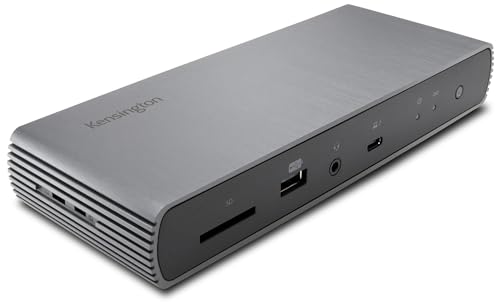 | Kensington SD5750T Thunderbolt 4 Dual 4K Dock, K37899NA | Exact Surface device and generation: Kensington's Designed for Surface list names exact Surface Laptop, Surface Pro, and Surface Laptop Studio generations Processor architecture: Use only the architecture and model combinations in the exact compatibility list Host port and protocol: Thunderbolt 4 or compatible USB4 Surface path Display route: Native Thunderbolt display output Article-safe display ceiling: Up to two 4K60 external displays; conservative single 8K30 boundary Video outputs: Three downstream Thunderbolt 4 ports USB and networking: Four USB-A ports, UHS-II SD, Gigabit Ethernet, and audio Host charging: Kensington states up to 90W USB PD Included supply and cable: 170W supply and 0.8m passive Thunderbolt 4 cable Windows, driver, firmware, and management scope: Driverless dock path; no Microsoft first-party fleet-management claim New-offer state: Active New offer with limited quantity at the July 16, 2026 cutoff Best for: A Surface explicitly listed by Kensington that needs a dual-display Thunderbolt desk Key caveat: Official material conflicts between single 8K30 and 8K60 with DSC, so the article uses 8K30 | Check Price on Amazon |
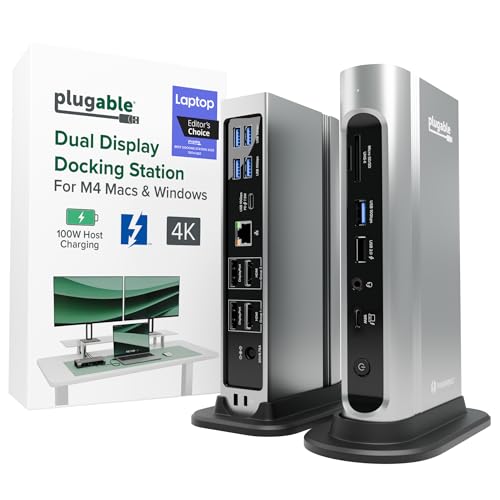 | Plugable TBT4-UDZ Thunderbolt 4 and USB4 Dock | Exact Surface device and generation: Microsoft tested it on Surface Laptop 7th Edition Intel and Surface Pro 11th Edition Intel Processor architecture: Intel for the selected tested Surface role Host port and protocol: Thunderbolt 4 or USB4 on the named recent Surface hosts Display route: Native MST, not DisplayLink Article-safe display ceiling: Up to two external 4K60 displays within the exact Surface host ceiling Video outputs: Two HDMI and two DisplayPort connectors; connector count is not the Surface display count USB and networking: 2.5GbE, USB ports, card readers, and audio Host charging: Plugable states up to 100W from the dock and 98W certified to the host Included supply and cable: 135W supply and 1m Thunderbolt 4 cable Windows, driver, firmware, and management scope: Native Windows display operation without a DisplayLink driver; no first-party Surface fleet role New-offer state: Active New offer marked in stock at the July 16, 2026 cutoff Best for: A port-rich dual-monitor desk for a tested recent Intel Surface Key caveat: Plugable's broader four-display marketing is not assigned to the selected Surface hosts | Check Price on Amazon |
 | StarTech.com Thunderbolt 4 Dock, 132N-TB4USB4DOCK | Exact Surface device and generation: Standards join for Surface Laptop 7th Edition Snapdragon or Surface Pro 11th Edition Snapdragon Processor architecture: Snapdragon Surface host path with exact Windows 11 Arm dock support Host port and protocol: Microsoft-documented USB4 or Thunderbolt host plus StarTech Thunderbolt 4 or USB4 support Display route: Native MST; not DisplayLink Article-safe display ceiling: Verify the exact Arm display combination; Intel-only quad 4K60 is not assigned to Snapdragon Video outputs: Two HDMI and two DisplayPort USB and networking: 2.5GbE, USB ports, card readers, and audio Host charging: StarTech states up to 98W USB PD Included supply and cable: 180W adapter and 1m Thunderbolt 4 cable Windows, driver, firmware, and management scope: StarTech documents Windows 11 Arm and driverless operation; Microsoft does not list this exact dock as tested New-offer state: Active New offer marked in stock at the July 16, 2026 cutoff Best for: A carefully verified driverless Windows on Arm Surface desk Key caveat: The Intel 12th-generation DP 1.4 and DSC quad-display matrix does not apply to Snapdragon Surface | Check Price on Amazon |
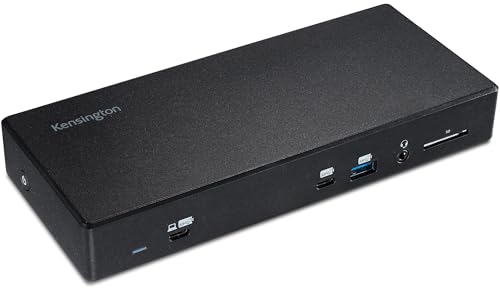 | Kensington SD4850P USB-C 10Gbps Triple Video Driverless Dock, K34115NA | Exact Surface device and generation: Surface Laptop 4 through Microsoft's exact plain USB-C compatibility route Processor architecture: Use the exact Surface Laptop 4 configuration documented by Microsoft Host port and protocol: USB-C with DisplayPort Alt Mode and USB Power Delivery Display route: Native DisplayPort Alt Mode Article-safe display ceiling: One external display up to 4K60 on the selected Surface Laptop 4 path Video outputs: HDMI, DisplayPort, and USB-C video connectors USB and networking: Six USB ports, UHS-II SD, Gigabit Ethernet, and audio Host charging: Kensington states up to 100W USB PD; the Surface accepts its negotiated ceiling Included supply and cable: Included cable and exact package contents were not established; verify before purchase Windows, driver, firmware, and management scope: Driverless Windows display path; Kensington DockWorks is optional and Windows-only New-offer state: Active New offer with limited quantity at the July 16, 2026 cutoff Best for: A legacy plain USB-C Surface desk with one external 4K60 display Key caveat: The dock's triple-display ceiling is not transferred to Surface Laptop 4 | Check Price on Amazon |
 | Microsoft Surface Dock 2 | Exact Surface device and generation: Microsoft's exact Surface Connect compatibility table Processor architecture: Varies by listed Surface Connect model; use only Microsoft's table Host port and protocol: Proprietary Surface Connect Display route: Native Surface display output through the dock's USB-C display ports Article-safe display ceiling: Use Microsoft's exact model-specific display table, including dual 4K60 only where listed Video outputs: USB-C display ports; host connection remains Surface Connect USB and networking: USB-C accessory ports, USB-A, Gigabit Ethernet, and audio Host charging: Microsoft states up to 120W through Surface Connect Included supply and cable: 199W supply and 80cm Surface Connect cable Windows, driver, firmware, and management scope: Windows Update or MSI servicing; fleet features only where Microsoft documents them New-offer state: Active New offer with limited quantity at the July 17, 2026 recheck Best for: A named compatible legacy Surface Connect device Key caveat: Legacy Surface Connect compatibility is model-specific; this is not a USB-C, USB4, or Thunderbolt host dock | Check Price on Amazon |
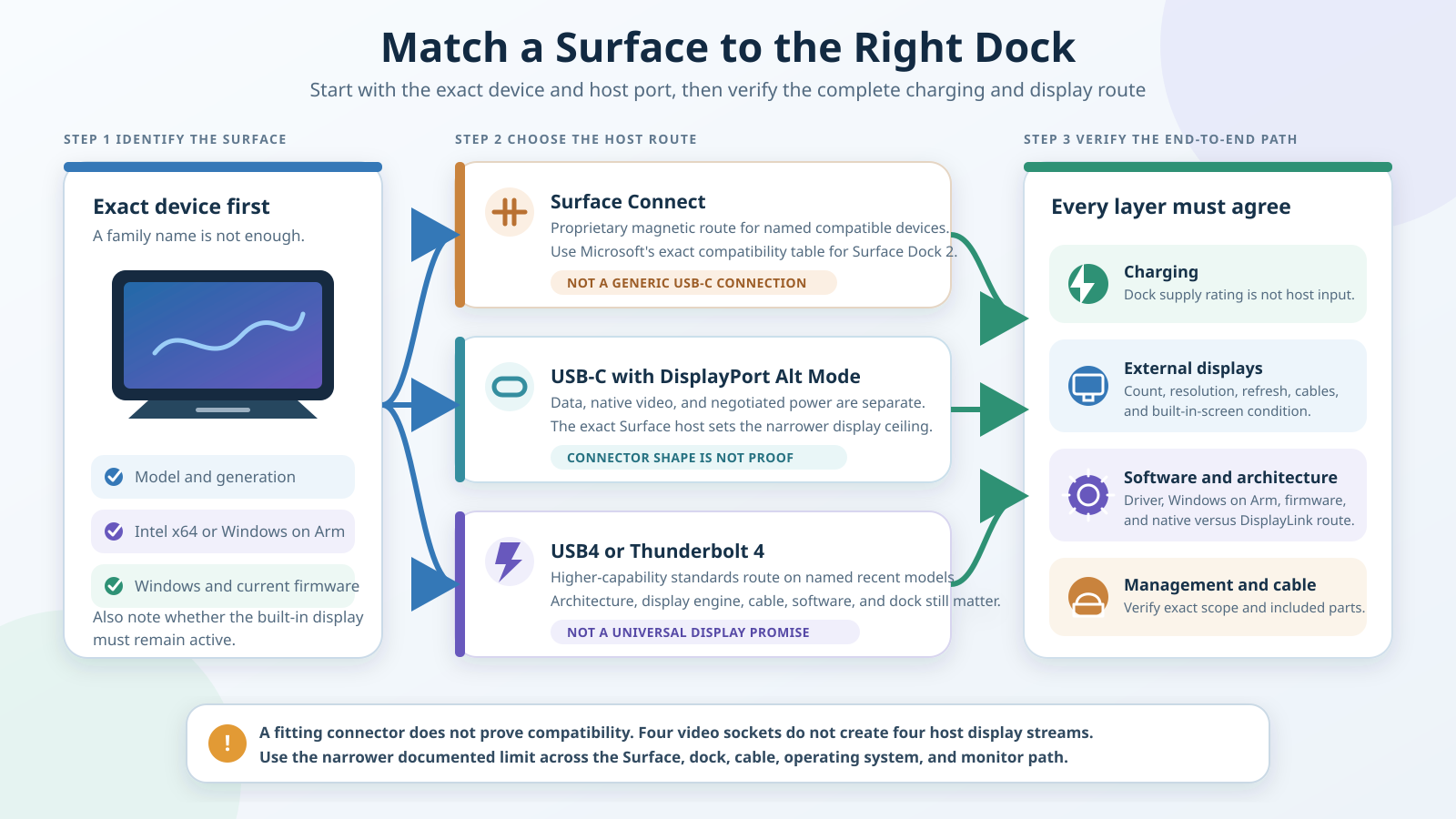
The planned diagram belongs here because the comparison table shows products, while the image explains the decision path. It starts with the exact Surface model and architecture, then separates Surface Connect, USB-C with DisplayPort Alt Mode, and USB4 or Thunderbolt 4 before checking charging, displays, cable capability, Windows requirements, and management features.
Table of Contents
- How to identify your exact Surface path
- Microsoft Surface Thunderbolt 4 Dock
- Kensington SD5750T
- Plugable TBT4-UDZ
- StarTech.com 132N-TB4USB4DOCK
- Kensington SD4850P
- Microsoft Surface Dock 2
- Surface Connect, USB-C, USB4, and Thunderbolt 4
- Windows on Arm, native graphics, and DisplayLink
- Displays, cables, charging, and management
- How to choose a dock for your Surface
- Frequently asked questions
- How we research and select
- Exclusions and adjacent intent
How to Identify Your Exact Surface Path
The model name on the lid or retail receipt is not always specific enough. A Surface Laptop 7th Edition can use a Snapdragon or Intel platform, and the supporting documents can assign different tested peripherals or display behavior to each version. Start in Windows or Microsoft’s device records and identify the full generation and processor architecture. Then confirm the installed Windows version and current firmware.
Next, identify the physical host route. Surface Connect is Microsoft’s proprietary magnetic connector and belongs to a defined list of older and current-compatible devices. USB-C with DisplayPort Alt Mode can carry native display output, data, and negotiated power only when that exact Surface and cable support those functions. USB4 and Thunderbolt 4 add a higher-capability standards route on named recent Surface models, but the labels still do not establish a universal display count or management feature set.
The monitor plan comes next. Write down the number of external displays, their resolution and refresh rate, and whether the internal Surface screen must remain active. A dock can advertise four video connectors while the Surface host supports fewer display streams. Microsoft host documentation sets the narrower ceiling when it conflicts with a dock’s broader Windows marketing. Our dual-monitor docking-station guide can help with desk layout after the Surface route is known.
Finally, separate charging from connectivity. A dock may have a large power adapter and a high USB Power Delivery ceiling, yet the Surface accepts only what its documented charging path negotiates. Surface Connect power is a different route from USB Power Delivery. The cable must also carry the intended data, video, and power features, rather than merely fitting the connector.
1. Microsoft Surface Thunderbolt 4 Dock: Best Overall Current Surface Dock
The Surface Thunderbolt 4 Dock ranks first because Microsoft documents the complete first-party route for named recent Surface devices. Its compatibility material includes Surface Laptop 7th Edition and Surface Pro 11th Edition in Snapdragon and Intel versions, Surface Laptop 6, Surface Pro 10, Surface Pro 9 Intel, Surface Pro 8, and other exact models in Microsoft’s table. Use that table rather than extending support to a similarly named device.
On a compatible USB4 or Thunderbolt 4 Surface, Microsoft states support for two external 4K displays at 60Hz. Its documented USB-C fallback is narrower at one external 4K60 display. Those are host-bounded ceilings, not measured results, and the exact monitor, cable, operating system, and Surface display engine remain part of the path. The concurrent internal-panel condition can also vary by exact model and configuration.
Microsoft documents three downstream USB4 or Thunderbolt 4 ports, three USB-A ports, 2.5GbE, and audio. A 165W supply supports up to 96W USB Power Delivery to the host through the fixed 80cm cable. That is a manufacturer ceiling, not proof that every compatible Surface accepts 96W in every state.
First-party administration sets this dock apart. Microsoft documents Windows Update, the Surface app or MSI servicing, plus scoped WMI, PXE, MAC-address passthrough, SEMM, and wake capabilities. These features apply only to Microsoft’s named supported device and operating-system combinations. Skip this dock if your Surface is outside the compatibility table, needs Surface Connect, or has only the narrower USB-C fallback and you require two external 4K60 displays.
Microsoft identifies this product as the Surface Thunderbolt 4 Dock and hardware model 2049. Amazon returned the selected ASIN with the same unique product name and Microsoft brand and manufacturer. The retailer model field is not presented as a Microsoft-confirmed part number, and Microsoft’s technical scope remains the controlling source for compatibility.
Our Take
Choose the Surface Thunderbolt 4 Dock for a recent Surface that appears in Microsoft’s exact compatibility material and has the required USB4 or Thunderbolt 4 path. It has the clearest first-party support story here, but model-specific display and management limits still control.
- Exact Microsoft compatibility tables for named Surface generations
- Two 4K60 external displays on compatible USB4 or Thunderbolt 4 devices
- First-party servicing and selected fleet-management features
- USB-C fallback is limited to one external 4K60 display
- Management support varies by exact Surface and Windows scope
- Retailer model fields are not Microsoft compatibility evidence
2. Kensington SD5750T Thunderbolt 4 Dual 4K Dock, K37899NA: Best Designed for Surface Alternative
The Kensington SD5750T is the strongest third-party alternative when your exact Surface appears on Kensington’s Designed for Surface list. Kensington names Surface Laptop 5 and 6, Surface Pro 8, Surface Pro 9 Intel, Surface Pro 10, Surface Pro 11 13-inch, Surface Laptop Studio generations, and additional specific devices. Do not extend that list to another generation by appearance alone.
Kensington documents a native Thunderbolt 4 path with up to two 4K displays at 60Hz on supported systems. The official product material conflicts on the maximum single-display mode: summary copy says 8K30, while a table includes 8K60 with DSC. This guide uses the conservative 8K30 boundary and does not try to reconcile the conflict. For two-display buying, the exact Surface host ceiling and monitor inputs still apply.
The dock provides three downstream Thunderbolt 4 ports, four USB-A ports, UHS-II SD, Gigabit Ethernet, and audio. Kensington describes the dock path as driverless. It does not inherit Microsoft’s first-party fleet-management features. Kensington states host Power Delivery up to 90W from the included 170W supply and includes a 0.8m passive Thunderbolt 4 cable. The 40Gbps interface label is a link ceiling, not measured aggregate throughput across every port.
Skip the SD5750T if your exact Surface is absent from Kensington’s list, if you need Microsoft first-party fleet features, or if you need an unresolved 8K60 claim to be guaranteed. Kensington controls the dock specifications, while Microsoft still controls the Surface host’s accepted display and charging behavior.
Our Take
Choose the SD5750T when your Surface is explicitly named and you want a Thunderbolt 4 desk with dual-display support and several downstream ports. Its Surface focus is useful, but the conservative 8K30 limit and host-specific checks matter.
- Exact Designed for Surface device list
- Native dual 4K60 path on supported systems
- Three downstream Thunderbolt 4 ports and useful desk I/O
- Official single-display wording conflicts
- Guide uses the conservative 8K30 ceiling
- No Microsoft first-party management inference
3. Plugable TBT4-UDZ Thunderbolt 4 and USB4 Dock: Best Port-Rich Dual-Monitor Desk
The Plugable TBT4-UDZ earns a narrow recommendation for two recent Intel Surface models. Microsoft’s tested-peripheral material names it for Surface Laptop 7th Edition Intel and Surface Pro 11th Edition Intel. That exact tested join is the reason to select it here, rather than a general assumption that every Surface with USB-C will support the dock’s full feature set.
Plugable documents native MST output rather than DisplayLink. The dock has two HDMI and two DisplayPort connectors, but connector count is not a promise that the named Surface can run four external displays. This article uses a maximum of two external 4K60 displays within the exact recent Surface host ceiling. Plugable’s broader Windows quad-display marketing does not override Microsoft’s host evidence.
The TBT4-UDZ is the port-rich desk option because Plugable documents 2.5GbE, card readers, audio, and its USB and video topology. The included 135W supply supports up to 100W from the dock, with 98W certified to the host. Plugable also includes a 1m Thunderbolt 4 cable. Windows display operation does not require a DisplayLink driver because this is a native MST design.
Skip it if you use a different Surface generation, a Snapdragon version that Microsoft did not name for this tested entry, or a managed environment that needs first-party Surface fleet functions. The tested listing is compatibility evidence, not proof of measured charging, throughput, or every possible display combination.
Our Take
Choose the Plugable TBT4-UDZ for a Microsoft-tested Surface Laptop 7th Edition Intel or Surface Pro 11th Edition Intel when dual monitors and broad desk I/O matter. Do not buy it for an assumed four-display Surface setup.
- Microsoft names two exact recent Intel Surface hosts
- Native MST design without DisplayLink
- 2.5GbE, card readers, audio, and several USB ports
- Recommendation is limited to the named Intel Surface paths
- Four video connectors do not prove four Surface displays
- No first-party Surface management role
4. StarTech.com Thunderbolt 4 Dock, 132N-TB4USB4DOCK: Best Driverless Windows on Arm Desk
The StarTech.com 132N-TB4USB4DOCK is the standards-based Windows on Arm choice, not a Microsoft-tested Surface accessory. Microsoft documents a USB4 or Thunderbolt host route for Surface Laptop 7th Edition Snapdragon and Surface Pro 11th Edition Snapdragon. StarTech separately documents Windows 11 Arm support and Thunderbolt 4 or USB4 host compatibility for this exact dock. The recommendation is the intersection of those two official paths.
StarTech documents MST with two HDMI and two DisplayPort outputs. Its data sheet also advertises a quad 4K60 matrix, but that mode specifically requires Windows, Intel 12th generation or later, DisplayPort 1.4, and DSC. That Intel-only quad condition does not transfer to a Snapdragon Surface. For the selected Arm route, verify the exact monitor count, resolution, refresh rate, cable, and output combination before buying.
The dock includes 2.5GbE, USB and card-reader connections, audio, a 180W adapter, and a 1m Thunderbolt 4 cable. StarTech states host charging up to 98W. The Surface negotiates what it accepts, and neither the adapter rating nor the Thunderbolt label proves a particular multi-monitor mode.
Skip this dock if you require a Microsoft tested-peripheral entry, first-party Surface management, or a pre-approved Snapdragon display matrix. Driverless Windows operation avoids DisplayLink software, but it does not remove host GPU, MST, cable, and monitor conditions.
Our Take
Choose the StarTech 132N only when you can validate the exact Snapdragon Surface, Windows 11 Arm, USB4 or Thunderbolt route, monitors, and cables as one system. It is a documented standards join, not a Microsoft-tested shortcut.
- Exact Windows 11 Arm support from StarTech
- Native MST route without DisplayLink software
- 2.5GbE, card readers, audio, and several USB connections
- Not listed by Microsoft as a tested peripheral
- Intel-only quad 4K60 matrix does not apply to Snapdragon
- Exact Arm display combination requires verification
5. Kensington SD4850P USB-C 10Gbps Triple Video Driverless Dock, K34115NA: Best Plain USB-C Legacy Surface Dock
The Kensington SD4850P is the plain USB-C choice for a Surface Laptop 4, using Microsoft’s documented USB-C compatibility route and Kensington’s requirement for Windows, DisplayPort Alt Mode, and USB Power Delivery. Kensington does not name Surface Laptop 4 on the product page. The recommendation comes from joining the exact Microsoft host path to the exact dock requirements.
Although the product name says Triple Video, this article caps the selected Surface Laptop 4 route at one external display up to 4K60. Microsoft’s host evidence sets a narrower limit than Kensington’s DP 1.4 or HBR3 display ceiling. The dock provides HDMI, DisplayPort, and USB-C video connectors, but the number of sockets does not increase the Surface display engine’s documented limit.
Kensington documents six USB ports, UHS-II SD, Gigabit Ethernet, audio, and Windows driverless operation. It states host Power Delivery up to 100W, while the Surface accepts only the power negotiated by its exact USB-C charging path. Kensington DockWorks is Windows-only and is not required for the display verdict. Neither driverless display operation nor DockWorks establishes Microsoft first-party fleet management.
The official product evidence reviewed for this guide does not confirm an included cable. Verify the exact package contents and obtain a cable that supports the required USB-C data, DisplayPort Alt Mode, and Power Delivery path. Skip this dock if you need two external displays from the selected Surface Laptop 4, if your USB-C port lacks the necessary video route, or if a fully documented included cable is a purchase requirement.
Our Take
Choose the SD4850P when a Surface Laptop 4 needs one external 4K60 display plus a full desk of USB, network, card, and audio connections. Its triple-video dock ceiling is not the Surface ceiling.
- Exact plain USB-C and DisplayPort Alt Mode standards join
- Driverless Windows display operation
- Six USB ports, card reader, Ethernet, and audio
- Selected Surface path is capped at one external 4K60 display
- Kensington does not name Surface Laptop 4 on its page
- Included cable and package details are not established
6. Microsoft Surface Dock 2: Best Legacy Surface Connect Dock
Surface Dock 2 is the legacy pick for a Surface that appears in Microsoft’s exact Surface Connect compatibility table. That table includes specific Surface Pro and Surface Laptop generations such as Surface Pro 9, Surface Pro 8, Surface Laptop 5, and Surface Laptop 4, plus other named devices. Check the full table because Surface Connect on one model does not make another model automatically compatible.
This is a proprietary Surface Connect dock. It is not a USB-C, USB4, or Thunderbolt host dock. Microsoft documents USB-C display and accessory ports on the dock, USB-A, Gigabit Ethernet, and audio, but those downstream connectors do not change the host route. Microsoft’s exact display table controls whether a compatible model can use two external 4K60 monitors.
Microsoft supplies a 199W adapter and states up to 120W through Surface Connect. The attached Surface Connect cable is 80cm. Windows Update or MSI provides the documented servicing route, and fleet features must remain within Microsoft’s named model and operating-system scope.
Microsoft identifies this product as Surface Dock 2 and hardware model 1917. Amazon returned the selected ASIN with the same unique product name and Microsoft brand and manufacturer. The retailer model field is not presented as a Microsoft-confirmed part number. Skip Surface Dock 2 for a device absent from the compatibility table, for a standards-based USB4 desk, or when you want a dock that can move to a non-Surface computer.
Our Take
Choose Surface Dock 2 when your exact Surface Connect device appears in Microsoft’s compatibility table and you value first-party servicing. Its proprietary host route makes sense for that legacy ecosystem, not as a general USB-C or Thunderbolt purchase.
- Exact Microsoft Surface Connect compatibility table
- Model-specific dual-display documentation
- First-party servicing path through Windows Update or MSI
- Proprietary Surface Connect host path
- Compatibility and display behavior remain model-specific
- Retailer model fields are not Microsoft compatibility evidence
Surface Connect, USB-C, USB4, and Thunderbolt 4
Surface Connect is a Microsoft-specific host and power route. It supports Surface Dock 2 only on Microsoft’s named compatible devices. The dock can contain USB-C ports for displays or accessories without becoming a USB-C host dock. This distinction matters when you move a desk setup between computers, because an ordinary adapter does not turn Surface Connect into a standards-based connection.
USB-C describes the connector shape. DisplayPort Alt Mode, USB data capability, and USB Power Delivery are separate functions that the exact Surface, dock, and cable must support. Surface Laptop 4 provides the documented route used for the SD4850P recommendation, but Microsoft’s display evidence limits that selected path to one external 4K60 screen.
USB4 and Thunderbolt 4 can carry data, native display output, and negotiated power on compatible recent Surface devices. They remain separate specifications and product qualifications, so neither label should be inferred from the connector alone. Our USB4 explainer and Thunderbolt 3, 4, and 5 comparison provide protocol context without replacing the model-specific Surface table.
The key buying rule is to use the narrowest proved link in the chain. A dock may support Thunderbolt 4 and a computer may have USB-C, yet the pairing may fall back to fewer displays or reduced peripheral behavior. A cable can also support charging without supporting the intended data or video path.
Windows on Arm, Native Graphics, and DisplayLink
Windows on Arm changes the evidence burden whenever a dock needs software. A product described for Windows generally is not automatically proved for a Snapdragon Surface. The selected StarTech dock has exact Windows 11 Arm documentation, while the Surface host side has a Microsoft-documented USB4 or Thunderbolt route. That is why it qualifies, even though Microsoft does not list it as a tested peripheral.
All six selected products use native display paths for their assigned roles. Some rely on MST to distribute native host output, but none of them uses DisplayLink for the recommendation. DisplayLink creates virtual displays through USB data and requires compatible software. It may be useful in another setup, but it is not native GPU output and it cannot be assumed to work on a Snapdragon Surface without exact architecture and driver support.
Displays, Cables, Charging, and Management
Display Engines and the Internal Panel
A dock does not add native display streams beyond the Surface GPU or display engine. Microsoft may support two external 4K60 screens on one USB4 or Thunderbolt model and one 4K60 screen on a USB-C fallback. A dock maker’s larger connector matrix cannot override that host ceiling. The evidence also does not establish one universal rule for keeping the internal Surface panel active with every external-display configuration.
MST can distribute native DisplayPort streams through a supported route, but it does not create GPU capacity. Plugable and StarTech use MST in their assigned roles. The exact Surface, Windows version, cable, dock firmware, monitor inputs, resolution, and refresh rate still matter.
Cable Capability
Use the supplied host cable when the manufacturer documents it, and verify every replacement against the intended protocol. The Surface Thunderbolt 4 Dock uses a fixed 80cm cable. Kensington includes a 0.8m passive Thunderbolt 4 cable with SD5750T. Plugable includes a 1m Thunderbolt 4 cable, and StarTech includes a 1m Thunderbolt 4 cable. No included cable is claimed for SD4850P.
Connector shape cannot reveal cable capability. Our Thunderbolt 4 cable guide and USB-C cable guide explain the categories, but each dock’s supplied-cable statement and the Surface host requirements control here.
Charging and Power Supplies
Keep adapter input and host charging separate. Microsoft lists a 165W supply and up to 96W host delivery for Surface Thunderbolt 4 Dock. Kensington states 170W and up to 90W for SD5750T. Plugable’s 135W supply supports up to 100W from the dock with 98W certified to the host. StarTech’s 180W adapter supports up to 98W. Kensington rates SD4850P up to 100W. Surface Dock 2 uses a 199W supply and sends up to 120W through Surface Connect.
These numbers are manufacturer ceilings for different routes, not a ranking of charging speed. The Surface negotiates what it accepts. Microsoft’s USB-C charging guidance also notes that a lower-wattage source may charge slowly or not at all, and Surface Connect takes precedence when both paths are attached.
Firmware and Management
Microsoft’s first-party docks have documented update routes. Surface Thunderbolt 4 Dock also has scoped WMI, PXE, MAC-address passthrough, SEMM, and wake features on named models and operating systems. Do not transfer those functions to Kensington, Plugable, or StarTech merely because the same Surface can connect.
Third-party docks may have their own firmware or optional utilities. Those tools do not become Microsoft fleet management. Administrators should verify the exact Surface model, Windows build, architecture, firmware package, network-boot requirements, and security policy before deployment.
How to Choose a Dock for Your Surface
For a Recent USB4 or Thunderbolt Surface
Start with Surface Thunderbolt 4 Dock when the exact device appears in Microsoft’s table and first-party servicing matters. Choose SD5750T when the Surface appears on Kensington’s Designed for Surface list and its port layout is a better fit. Use Plugable TBT4-UDZ only for the named recent Intel Surface models, or StarTech 132N only for the documented Windows 11 Arm standards join and a display plan you have verified.
For a Plain USB-C Surface
Confirm that the Surface supports DisplayPort Alt Mode and USB Power Delivery through the selected USB-C port. For Surface Laptop 4 and SD4850P, this guide uses one external 4K60 display, not Kensington’s broader triple-display dock ceiling. If your device is not in Microsoft’s exact path, use general USB-C dock coverage only as a starting point and perform a new compatibility check.
For a Surface Connect Device
Use Microsoft’s compatibility table rather than the presence of a magnetic connector. Surface Dock 2 is the selected legacy option only for listed models. Confirm the display table, Surface firmware, Windows support, and management requirements. A newer USB4 dock is not automatically a substitute when the host lacks that route.
Count the Ports You Will Actually Use
Choose around monitors, Ethernet, storage, card readers, audio, and input devices. A small branch hub and a full powered dock solve different problems; our dock-versus-hub comparison explains the distinction. More ports are not automatically better because the host connection and internal controllers remain shared resources.
Compare the Whole Desk
A monitor with a built-in dock may reduce boxes and cables, while a standalone dock can keep the display choice independent. Evaluate the desk topology only after the Surface path is known. The Surface Laptop 7 review provides device context without replacing the dock compatibility check.
Frequently Asked Questions
Which Dock Should I Buy for a Surface Laptop 7 or Surface Pro 11?
Start by identifying whether the device uses Snapdragon or Intel. Surface Thunderbolt 4 Dock is the best overall choice here for a supported recent model. Kensington SD5750T also names specific recent Surface devices. Plugable TBT4-UDZ is limited to Microsoft’s tested Intel Surface Laptop 7th Edition and Surface Pro 11th Edition paths, while StarTech’s role is a separate Windows 11 Arm standards join for Snapdragon models.
Does a USB-C Dock Work With Every Surface?
No. Some Surface devices use Surface Connect, some support USB-C with DisplayPort Alt Mode, and named recent models add USB4 or Thunderbolt 4. Even when the plug fits, data, video, charging, display count, wake, management, and cable capability can differ.
Can a Surface Run Two 4K60 Monitors Through a Dock?
Some exact models can. Microsoft documents two external 4K60 displays for compatible USB4 or Thunderbolt 4 Surface devices. Its documented USB-C fallback is one external 4K60 display. Check the exact model, processor, host port, dock, cable, monitor inputs, and internal-panel condition.
Does Windows on Arm Change Dock Compatibility?
Yes, especially when software or a driver is involved. General Windows or x64 support is not proof for a Snapdragon Surface. StarTech explicitly documents Windows 11 Arm for the selected 132N dock, but its Intel-only quad 4K60 matrix still does not apply to Snapdragon.
Is DisplayLink Native Graphics Output?
No. DisplayLink creates virtual displays through USB data and requires compatible software. All six selected docks use native display routes for their assigned Surface roles. DisplayLink remains an adjacent option and is not assigned to any selected product.
Can a USB-C Dock Provide the Full Wattage Printed on Its Adapter?
Not necessarily. The adapter also powers the dock and attached devices, while the host receives a negotiated amount through USB Power Delivery. The Surface may accept less than the dock’s ceiling. Surface Connect power is a separate route with its own documented limits.
Is Surface Dock 2 Still the Right Choice for a Surface Connect Device?
It can be when the exact Surface appears in Microsoft’s compatibility table and the proprietary route fits the desk. It is not the right choice for an unlisted device or for a buyer who needs a standards-based USB4 or Thunderbolt dock that can move between different computers.
What Do PXE, MAC-Address Passthrough, WMI, and SEMM Require?
They require the exact Microsoft-supported dock, Surface model, Windows scope, firmware, network, and management configuration. A first-party feature on one supported combination is not a generic behavior of every Thunderbolt or USB-C dock.
How We Research and Select
We required an exact Amazon listing, an active New offer on July 16, 2026, current product evidence, and a complete path from a named Surface generation or exact Microsoft host standard to the dock maker’s requirements. The final six products cover four brands and remain in the exact order used in the comparison table and product boxes.
Amazon records control listing identity, selected configuration, merchant, condition, and dated offer state. Microsoft controls Surface host compatibility, display limits, charging, Surface Connect, firmware, and first-party management. Kensington, Plugable, and StarTech control their exact dock specifications. No independent measured-review evidence was used, so the guide does not claim measured speed, display stability, charging, reliability, heat, noise, or driver behavior.
The order rewards the completeness and specificity of the Surface path, not price or customer reviews. We also preserve conflicting official evidence, including Kensington’s 8K wording, instead of choosing the more attractive number.
Exclusions and Adjacent Intent
We excluded the alternate Microsoft Surface USB4 Dock listing because its only New offer had a six-to-seven-month lead time from an overseas merchant and the exact selected configuration was not tied to a current Microsoft part number. Renewed products, failed Kensington and Targus candidates, alternate Surface Dock 2 listings, marketplace-only docks, chargers, adapters, small hubs, stands, cables, bundles, and generic docks also remain outside the ranked slate.
This page focuses on exact Surface compatibility decisions. Broader Thunderbolt, USB4, dual-monitor, and four-monitor guides retain their category focus. No excluded product receives an affiliate card or honorary recommendation here.
The Microsoft Surface USB4 Dock already covered in the USB4 category is a different listing and configuration from the excluded candidate discussed here. It should not be treated as the same Amazon configuration or silently substituted into this six-product list.