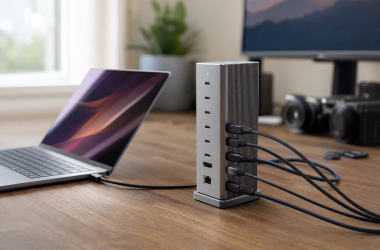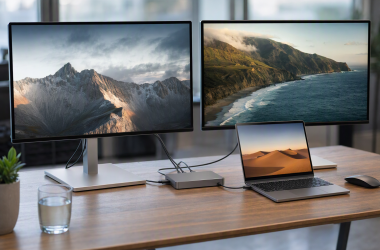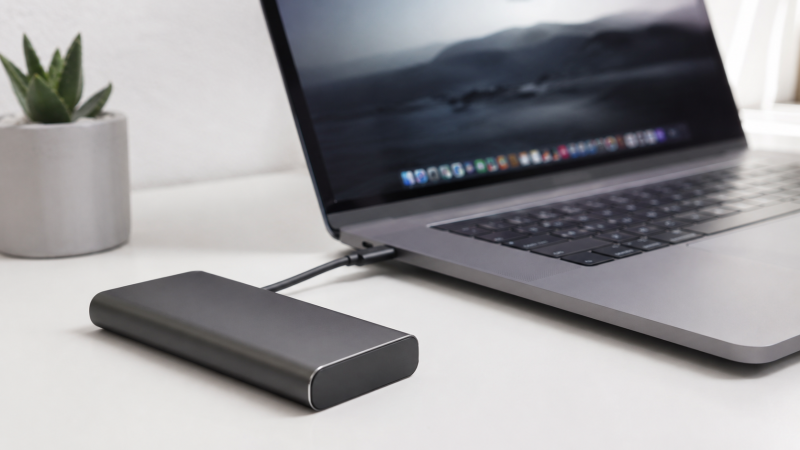
15+ external SSDs were evaluated, with manufacturer specs, expert benchmarks, and user reviews compared to find the best external SSDs for Mac users. An external SSD for Mac is a portable solid-state drive that connects via Thunderbolt or USB-C and works natively with macOS, offering read speeds between 1,000-2,800 MB/s for Time Machine backups, photo libraries, and video editing.
Choosing the right external SSD for your Mac is harder than it looks. Macs don’t support USB 3.2 Gen 2×2 (20Gbps), so many “fast” USB drives that advertise 2,000 MB/s speeds are capped at ~1,000 MB/s on a MacBook. Thunderbolt drives deliver their full rated speed on every Mac with a Thunderbolt port. Then there’s formatting (APFS vs exFAT), Time Machine compatibility, and FileVault encryption.
Here are our top 10 picks, verified against manufacturer specs and real-world benchmarks on Apple Silicon hardware.
Recent Updates
- May 2026: Initial publication with 10 recommended drives. Pricing verified across Amazon, B&H, and Apple resellers.
- Upcoming: Will add Thunderbolt 5 SSDs (OWC Envoy Ultra, LaCie Rugged SSD Pro5) once Mac-side TB5 benchmarks are available.
Quick Picks
- Best overall: The Samsung T9 offers Samsung-rated 2,000 MB/s reads, a 5-year warranty, and pricing that undercuts most competitors at every capacity tier.
- Best Thunderbolt for Mac: The LaCie Rugged SSD Pro delivers 2,800 MB/s over Thunderbolt 3 with IP67 protection and free Rescue Data Recovery included for 5 years.
- Best universal (TB + USB): The OWC Envoy Pro FX auto-switches between 2,800 MB/s Thunderbolt and 1,000 MB/s USB, so one drive runs at full speed on any computer.
- Best rugged for creators: The SanDisk Professional Pro-G40 has the highest IP68 rating on this list and SanDisk-rated 3,000 MB/s reads over Thunderbolt 3.
- Best compact: The CalDigit Tuff Nano Plus weighs 0.22 lbs, clips to your bag with a built-in carabiner, and hits near-max USB speed at 1,055 MB/s.
- Best ultraportable: The OWC Envoy Pro Elektron is barely larger than a thumb drive, with IP67 protection and OWC’s Mac Toolkit software included.
- Best budget: The Samsung T7 Shield is the most affordable option on this list, with AES 256-bit hardware encryption and IP65 splash resistance.
- Best USB speed value: The Crucial X10 Pro is the fastest 20Gbps USB SSD at 2,100 MB/s on Windows, though Macs cap it at ~1,000 MB/s.
- Best high-capacity Thunderbolt: The Sabrent Rocket XTRM Plus delivers Thunderbolt 3 speed for noticeably less than LaCie or SanDisk, with capacities up to 4TB.
- Best pocket SSD: The Kingston XS2000 weighs just 29g with a 5-year warranty and XTS-AES 256-bit encryption at a rock-bottom price.
Comparison Table
| Image | Product | Details | Check Price |
|---|---|---|---|
 | Samsung T9 | Capacity: 1TB / 2TB / 4TB Read Speed: 2,000 MB/s (1,000 MB/s on Mac) Interface: USB 3.2 Gen 2x2 Durability: 3m drop, AES 256-bit encryption | Check on Amazon |
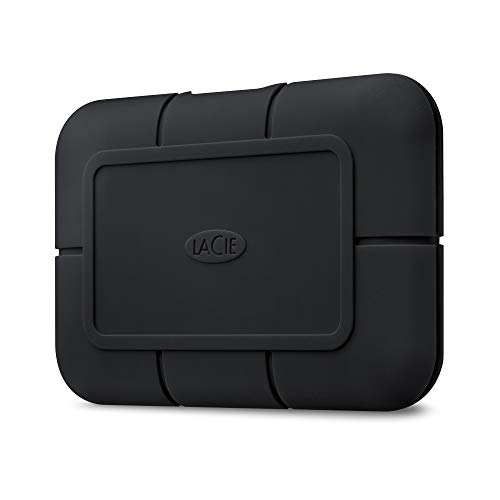 | LaCie Rugged SSD Pro | Capacity: 1TB / 2TB Read Speed: 2,800 MB/s Interface: Thunderbolt 3 Durability: IP67, 3m drop, 2-ton crush | Check on Amazon |
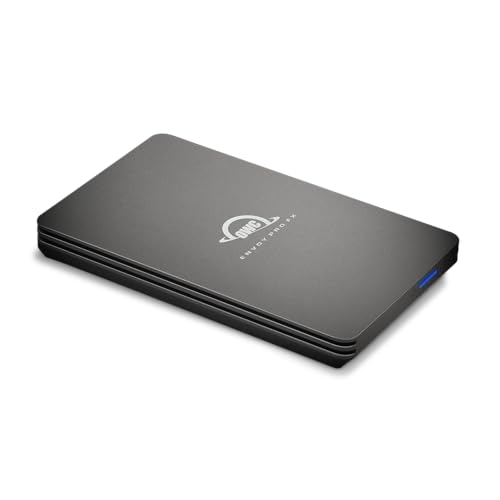 | OWC Envoy Pro FX | Capacity: 240GB / 480GB / 1TB / 2TB / 4TB Read Speed: 2,800 MB/s (TB3) / 1,000 MB/s (USB) Interface: Thunderbolt 3 + USB 3.2 Gen 2 Durability: IP67, MIL-STD-810G | Check on Amazon |
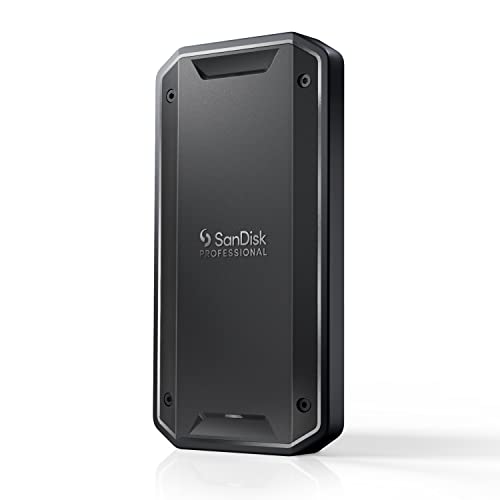 | SanDisk Pro-G40 | Capacity: 1TB / 2TB / 4TB Read Speed: 3,000 MB/s (TB3) / 1,000 MB/s (USB) Interface: Thunderbolt 3 + USB-C Durability: IP68, 3m drop, 4,000lb crush | Check on Amazon |
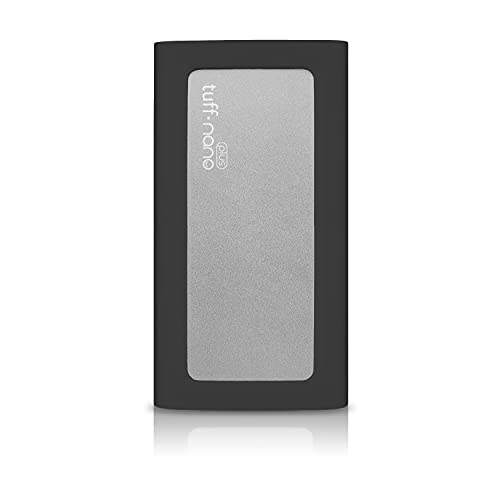 | CalDigit Tuff Nano Plus | Capacity: 2TB Read Speed: 1,055 MB/s Interface: USB 3.2 Gen 2 Durability: IP67, 3m drop, carabiner clip | Check on Amazon |
 | OWC Envoy Pro Elektron | Capacity: 240GB / 480GB / 1TB / 2TB Read Speed: 1,011 MB/s Interface: USB 3.2 Gen 2 Durability: IP67, crushproof, thumb-drive size | Check on Amazon |
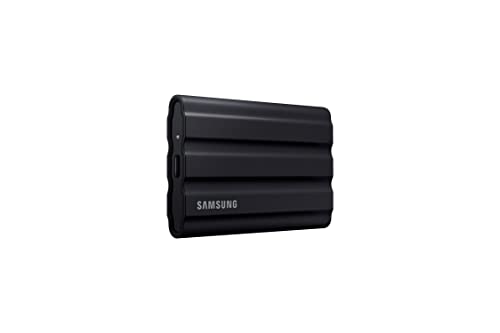 | Samsung T7 Shield | Capacity: 1TB / 2TB / 4TB Read Speed: 1,050 MB/s Interface: USB 3.2 Gen 2 Durability: IP65, 2m drop, AES 256-bit | Check on Amazon |
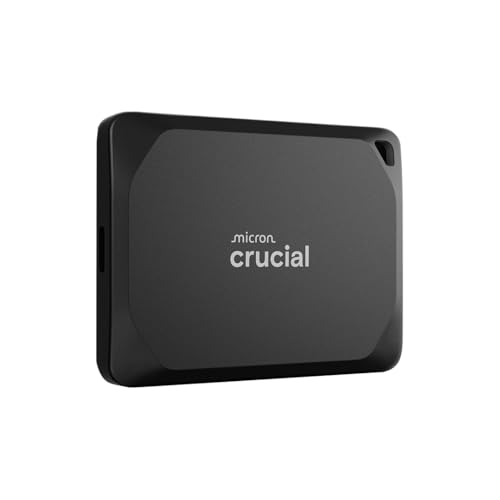 | Crucial X10 Pro | Capacity: 1TB / 2TB / 4TB Read Speed: 2,100 MB/s (1,000 MB/s on Mac) Interface: USB 3.2 Gen 2x2 Durability: IP55, 2.3m drop, AES 256-bit | Check on Amazon |
 | Sabrent Rocket XTRM Plus | Capacity: 2TB / 4TB Read Speed: 2,700 MB/s (TB3) / 900 MB/s (USB) Interface: Thunderbolt 3 + USB 3.2 Gen 2 Durability: Aluminum + silicone sleeve | Check on Amazon |
 | Kingston XS2000 | Capacity: 500GB / 1TB / 2TB / 4TB Read Speed: 2,000 MB/s (1,000 MB/s on Mac) Interface: USB 3.2 Gen 2x2 Durability: IP55, 29g ultralight | Check on Amazon |
1. Samsung T9 — Best Overall External SSD for Mac
The Samsung T9 is our top overall pick for Mac users. Samsung offers it in 1TB, 2TB, and 4TB capacities at prices that consistently beat LaCie and OWC, and backs every drive with a 5-year warranty.
Samsung rates the T9 at up to 2,000 MB/s sequential reads and writes via USB 3.2 Gen 2×2.
There’s an important caveat for Mac users though: Apple Silicon Macs don’t support Gen 2×2. You’ll max out around 1,000 MB/s over your Mac’s 10Gbps USB-C port. That’s still plenty fast for backing up a Final Cut Pro library, moving photos from Lightroom, or running Time Machine. And if you also use a Windows PC, the T9 delivers its full 2,000 MB/s there.
Build quality is solid. The rubberized exterior handles 3-meter drops, and the aluminum frame controls temperatures during sustained writes. Samsung’s AES 256-bit hardware encryption secures your data without a performance penalty. The T9 ships in exFAT; we recommend reformatting to APFS in Disk Utility for optimal Mac performance and Time Machine compatibility.
Our Take
The Samsung T9 is the best external SSD for most Mac users because it hits ~1,000 MB/s on Mac’s USB-C port, costs less than Thunderbolt drives at every capacity, and carries Samsung’s 5-year warranty.
Who it’s for: Mac users who want the best balance of speed, capacity, and price, especially if you also occasionally plug into a PC.
Who should skip it: If you need full Thunderbolt speed on your Mac (2,800+ MB/s), look at the LaCie Rugged SSD Pro or OWC Envoy Pro FX instead.
- Samsung-rated 2,000 MB/s speed (1,000 MB/s on Mac via USB 3.2 Gen 2)
- Available in 1TB, 2TB, and 4TB capacities
- AES 256-bit hardware encryption
- 5-year warranty
- Rugged rubber shell with 3m drop resistance
- Mac can’t use full 20Gbps speed (Gen 2×2 not supported)
- No Thunderbolt. USB-only
- Samsung software less polished on macOS than Windows
2. LaCie Rugged SSD Pro — Best Thunderbolt SSD for Mac
If you need the fastest possible external storage on your Mac, the LaCie Rugged SSD Pro is the drive to get. LaCie rates it at up to 2,800 MB/s sequential reads over its native Thunderbolt 3 connection, nearly triple what USB-C drives achieve on a Mac.
That’s the difference between waiting 40 seconds or 15 seconds to copy a 50GB Final Cut project. For video editors and photographers pulling large RAW batches, that time savings adds up fast across a full workday.
The Rugged SSD Pro lives up to its name. The orange rubber bumper and metal core make it IP67 rated (fully waterproof for 30 minutes at 1 meter), drop-proof to 3 meters, and crush-resistant up to 2 tons. LaCie ships it formatted in HFS+ for Mac, so it works immediately on any Mac without reformatting.
The real standout is Seagate’s Rescue Data Recovery service, included for the full 5-year warranty. If the drive fails, Seagate recovers your data free, a service that typically costs hundreds or even thousands of dollars from third-party providers.
Our Take
The LaCie Rugged SSD Pro is the best Thunderbolt SSD for Mac creators who need 2,800 MB/s speed, IP67 protection, and Seagate’s free data recovery service. It costs roughly twice the Samsung T9, but if you lose a day of footage on a budget drive, the LaCie was the cheaper option all along.
Who it’s for: Mac-based video editors, photographers, and creative professionals who need Thunderbolt speed and data recovery protection.
Who should skip it: Budget-conscious users who can live with 1,000 MB/s USB-C speeds.
- LaCie-rated 2,800 MB/s Thunderbolt 3. Full speed on every Thunderbolt Mac
- IP67 waterproof, 3m drop, 2-ton crush resistance
- 5-year warranty with free Rescue Data Recovery
- Ships formatted HFS+ for Mac
- Proven reliability in professional workflows
- Premium price
- Thunderbolt 3 only, no USB4 or TB5 upgrade path
- Bulkier than slim USB-C drives
3. OWC Envoy Pro FX — Best Universal External SSD (Thunderbolt + USB)
The OWC Envoy Pro FX auto-detects whether you’re connected via Thunderbolt or USB and adjusts accordingly. OWC rates it at up to 2,800 MB/s over Thunderbolt 3/4 or up to 1,000 MB/s over USB 3.2 Gen 2. One drive that hits full speed on every Mac and works on every PC too.
OWC is a Mac-first company, and it shows. The Envoy Pro FX ships with OWC’s Toolkit software for Mac (drive health monitoring, secure erase) and is compatible with Macs all the way back to 2010 models with Thunderbolt. The aluminum housing is IP67 rated and MIL-STD-810G certified for drop resistance, so it’s as tough as the LaCie but in a more compact form factor.
The capacity range is unusually broad: 240GB to 4TB. Those smaller tiers give budget-conscious Mac users an entry into Thunderbolt storage. The main downside is a 3-year warranty (vs 5-year for Samsung/LaCie) and no hardware encryption. You’ll rely on macOS FileVault or OWC’s software encryption instead.
Our Take
The OWC Envoy Pro FX is the best external SSD for users who switch between Thunderbolt Macs and USB-C PCs, delivering 2,800 MB/s on one and 1,000 MB/s on the other without carrying two drives.
Who it’s for: Mac users who move between Thunderbolt and USB-C devices and want one drive that maxes out speed everywhere.
Who should skip it: If you only use one Mac, a dedicated Thunderbolt drive (LaCie) or USB drive (Samsung T9) may be better value.
- OWC-rated 2,800 MB/s Thunderbolt + 1,000 MB/s USB in one drive
- IP67 and MIL-STD-810G certified
- Mac-first company with Mac software included
- Wide capacity range (240GB to 4TB)
- USB-A adapter included in box
- Only 3-year warranty (vs 5-year for Samsung/LaCie)
- No hardware encryption
- Premium pricing across all capacities
4. SanDisk Professional Pro-G40 — Best Rugged SSD for Mac Creators
The SanDisk Professional Pro-G40 is built for creative professionals who work in harsh conditions. It’s the only drive on this list with an IP68 rating, meaning complete dust protection and submersion beyond 1 meter. SanDisk rates it at up to 3,000 MB/s reads and 2,500 MB/s writes over Thunderbolt 3.
Expert benchmarks on Apple Silicon Macs show real-world sequential reads around 2,500 MB/s and writes around 2,200 MB/s over Thunderbolt. Over USB-C fallback, you still get around 1,000 MB/s. The dual-mode Thunderbolt/USB detection happens automatically, so you never have to think about it.
The cooling aluminum core maintains consistent speeds through sustained writes without thermal throttling. It’s pricey, but for Mac-based filmmakers on location or photographers in the rain who need IP68 protection with Thunderbolt speed, this is the drive to trust with irreplaceable footage.
Our Take
The SanDisk Pro-G40 is the toughest fast SSD you can buy for a Mac. It pairs the highest dust/water rating on this list (IP68) with SanDisk-rated 3,000 MB/s Thunderbolt 3 reads, which makes it the obvious pick for on-location film and photo work.
Who it’s for: Videographers, photographers, and field workers who need the toughest possible SSD with Thunderbolt Mac performance.
Who should skip it: Home or office users who don’t need extreme durability and can save significantly with the Samsung T9.
- IP68. Highest dust/water rating on this list
- SanDisk-rated 3,000 MB/s reads over Thunderbolt 3
- 4,000lb crush resistance and 3m drop protection
- Dual Thunderbolt 3 + USB-C auto-switching
- Excellent sustained write performance (no throttling)
- Premium price
- Heavier than slim USB-only drives
- SanDisk Professional software is Windows-centric
5. CalDigit Tuff Nano Plus — Best Compact SSD for Mac
CalDigit is best known for making the best Thunderbolt docking stations for Mac, and their Tuff Nano Plus applies the same Mac-first engineering philosophy to a portable SSD. It’s an absurdly small, IP67-rated NVMe drive with a built-in carabiner clip that hooks to a camera strap, backpack, or keyring.
CalDigit rates the Tuff Nano Plus at up to 1,055 MB/s over USB 3.2 Gen 2. It’s not a Thunderbolt drive. But on a Mac’s 10Gbps USB-C port, you’re getting essentially the maximum possible USB speed. Expert benchmarks show around 950 MB/s reads and 900 MB/s writes, which is on par with drives costing less but without the ruggedness or compact form factor.
The drive weighs just 0.22 lbs (100g) and measures 4 x 2.1 x 0.6 inches. It’s the kind of SSD you can clip to your bag and forget about. The IP67 rating means it handles rain, mud, and dust without issue.
The Tuff Nano Plus isn’t the cheapest USB SSD. You’re paying for the miniaturized rugged design and CalDigit’s Mac ecosystem reputation. For Mac laptop users who value portability above all else, it’s a perfect match.
Our Take
The CalDigit Tuff Nano Plus is the best compact SSD for Mac users who clip storage to a bag and forget about it. It hits near-max USB speed at 1,055 MB/s and survives rain, drops, and dust with its IP67 rating.
Who it’s for: MacBook users who want the smallest, toughest SSD to carry everywhere.
Who should skip it: Power users who need Thunderbolt speed or capacities beyond 2TB.
- Incredibly compact with carabiner clip
- IP67 waterproof and dustproof
- CalDigit-rated ~1,055 MB/s. Near-max USB 3.2 Gen 2 speed
- CalDigit’s Mac-ecosystem reputation
- Only 0.22 lbs
- USB-only, no Thunderbolt
- Only available in 2TB
- No hardware encryption
- 2-year warranty (shorter than competitors)
6. OWC Envoy Pro Elektron — Best Ultraportable SSD for Mac
If the CalDigit Tuff Nano Plus is compact, the OWC Envoy Pro Elektron is borderline invisible. At just 76mm x 52mm x 12mm, it’s barely larger than a USB flash drive, yet it packs a full NVMe SSD inside an aircraft-grade aluminum enclosure rated IP67 for water and dust.
Speed-wise, OWC rates the Elektron at up to 1,011 MB/s over USB 3.2 Gen 2, nearly identical to the CalDigit. Expert benchmarks on Apple Silicon Macs show consistent 940-960 MB/s reads. OWC includes their Toolkit software for Mac, which offers drive monitoring, secure erase, and basic encryption tools.
The key differentiator from the CalDigit is OWC’s broader capacity range. You can get the Elektron in 240GB, 480GB, 1TB, or 2TB, making it more flexible for users who just need a small boot backup or a quick file shuttle. The 1TB model is a strong value for the build quality.
OWC bundles a USB-C cable with a tethered USB-A adapter, so you’re covered whether you’re plugging into a modern Mac or an older USB-A device. The 3-year warranty beats CalDigit’s 2-year coverage.
Our Take
The OWC Envoy Pro Elektron is the smallest NVMe SSD you can buy with IP67 protection, and OWC’s Mac Toolkit software for drive monitoring and secure erase is a genuine bonus over competitors that ship nothing for macOS.
Who it’s for: Mac users who want the smallest possible SSD with OWC’s Mac-centric software and support.
Who should skip it: Anyone who needs Thunderbolt speed or more than 2TB.
- Tiny form factor (barely bigger than a thumb drive)
- IP67 waterproof, crushproof
- OWC Toolkit software for Mac included
- USB-A adapter included
- Capacities from 240GB to 2TB
- USB-only, no Thunderbolt
- OWC-rated 1,011 MB/s max (10Gbps USB)
- Aluminum body can get warm during long writes
- Only 3-year warranty
7. Samsung T7 Shield — Best Budget External SSD for Mac
The Samsung T7 Shield is the external SSD we recommend to anyone who says “I just want something reliable and affordable.” It’s the cheapest drive on this list worth trusting for daily use.
Samsung rates the T7 Shield at up to 1,050 MB/s reads and 1,000 MB/s writes via USB 3.2 Gen 2. On a Mac, that’s exactly what you’d expect from a 10Gbps USB-C port. Real-world speeds around 950 MB/s. No Mac-specific speed compromises here, unlike the Gen 2×2 drives.
The IP65 rating makes it splash-resistant and dustproof, and the rubberized exterior handles drops up to 2 meters. It’s not as tough as the IP67/68 drives higher on this list, but for normal use (tossing it in a backpack, using it at a coffee shop) it’s more than enough.
Samsung’s AES 256-bit hardware encryption is a genuine advantage at this price. You can set a password via Samsung Portable SSD Software for Mac, and the encryption happens on the drive’s hardware with zero performance hit. For Mac users with sensitive files, this is a big deal.
The T7 Shield ships formatted in exFAT. Reformat to APFS using Disk Utility for optimal Mac performance and Time Machine use. The 3-year warranty is shorter than Samsung’s own T9 (5 years), which is the main reason we rank the T7 Shield below it.
Our Take
The Samsung T7 Shield is the best budget external SSD for Mac users who want hardware encryption and splash resistance at an affordable price.
Who it’s for: Mac users who want a reliable, affordable SSD for backups, file storage, or Time Machine.
Who should skip it: Creative professionals who need Thunderbolt speed or IP67+ ruggedness.
- Lowest price on this list for a reliable SSD
- AES 256-bit hardware encryption at budget price
- IP65 water/dust resistance
- Reliable Samsung NAND and controller
- Available up to 4TB
- 10Gbps USB only, no Thunderbolt
- 3-year warranty (vs 5-year for T9)
- IP65 is splash-proof only, not submersible
- Ships exFAT (reformat needed for APFS)
8. Crucial X10 Pro — Best USB Speed for the Money
The Crucial X10 Pro is the fastest USB-only SSD on this list. Crucial rates it at up to 2,100 MB/s reads and 2,000 MB/s writes over USB 3.2 Gen 2×2. On a Windows PC with a 20Gbps port, it’s phenomenal.
Here’s the catch for Mac users: Apple Silicon Macs don’t support USB 3.2 Gen 2×2. The X10 Pro falls back to 10Gbps Gen 2 on a Mac, which caps real-world speeds around 950-1,000 MB/s. That makes it essentially the same speed as the Samsung T7 Shield on a Mac, despite costing a bit more.
So why is it on this Mac list? Many Mac users also own Windows PCs. The X10 Pro gives you 2,100 MB/s on Windows and ~950 MB/s on Mac, which is a strong cross-platform combo with a 5-year warranty at a competitive price. The anodized aluminum enclosure has IP55 rating and 2.3m drop resistance. Not as tough as IP67 drives, but adequate for everyday carry.
Our Take
The Crucial X10 Pro is the best pick for users who split time between Mac and Windows. It delivers Crucial-rated 2,100 MB/s on Windows PCs with Gen 2×2 ports and falls back to a still-respectable ~1,000 MB/s on any Mac.
Who it’s for: Mac + PC hybrid users who want maximum USB speed on both platforms.
Who should skip it: Mac-only users who’d be better served by the Samsung T7 Shield (same Mac speed, lower price) or a Thunderbolt drive (faster).
- Crucial-rated 2,100 MB/s on Windows PCs (fastest USB SSD available)
- Competitive pricing
- 5-year warranty
- AES 256-bit hardware encryption
- Available up to 4TB
- Mac doesn’t support Gen 2×2. Capped at ~1,000 MB/s
- IP55 rating is weaker than competitors
- Thunderbolt 4 ports also limit this to 10Gbps
- Aluminum top gets warm under sustained writes
9. Sabrent Rocket XTRM Plus — Best High-Capacity Thunderbolt SSD
The Sabrent Rocket XTRM Plus is the Thunderbolt SSD for Mac users who want full 40Gbps speed without paying LaCie or SanDisk prices. It noticeably undercuts both the LaCie Rugged SSD Pro and the Pro-G40 while delivering comparable Thunderbolt performance.
Sabrent rates it at up to 2,700 MB/s over Thunderbolt 3. Slightly behind the LaCie’s rated speed but well ahead of any USB-C drive. The drive auto-detects USB 3.2 Gen 2 as well, falling back to ~900 MB/s if you’re plugged into a USB-only port.
The Sabrent comes in a solid aluminum enclosure with a removable silicone sleeve for shock absorption. It’s not IP-rated like the LaCie or SanDisk, but the build feels sturdy enough for desk and travel use. The drive is bus-powered, so no external power supply needed.
Our Take
The Sabrent Rocket XTRM Plus is the cheapest way to get Thunderbolt 3 speed on a Mac, significantly undercutting LaCie and SanDisk. The trade-off is real though: a 1-year warranty versus their 5-year coverage, and no IP dust/water rating.
The biggest drawback is Sabrent’s 1-year warranty, which is dramatically shorter than the 5-year coverage from Samsung, LaCie, and SanDisk. For professional use, that’s a legitimate concern. But for cost-conscious Mac users who want Thunderbolt speed and are willing to accept the warranty trade-off, the Rocket XTRM Plus delivers.
Who it’s for: Mac users who want Thunderbolt 3 speed at a more affordable price than LaCie or SanDisk.
Who should skip it: Anyone who values a long warranty or needs IP-rated water/dust resistance.
- Sabrent-rated 2,700 MB/s over Thunderbolt 3
- Significantly cheaper than LaCie/SanDisk Thunderbolt drives
- Available up to 4TB
- USB 3.2 Gen 2 fallback (~900 MB/s)
- Aluminum + silicone build
- Only 1-year warranty (major drawback)
- No IP dust/water rating
- Silicone sleeve can attract lint
- USB fallback speed is slower than competitors (900 vs 1,000 MB/s)
10. Kingston XS2000 — Best Pocket SSD for Mac
The Kingston XS2000 costs less than almost every drive on this list and weighs just 29 grams. Kingston rates it at up to 2,000 MB/s over USB 3.2 Gen 2×2, though the same Mac caveat applies: your Mac will cap it at 10Gbps (~1,000 MB/s). What sets the XS2000 apart is its price at each capacity tier.
The XS2000 undercuts most competitors on price. It goes up to 4TB, weighs just 29 grams, and the rubber sleeve provides IP55 protection. Users report ~940 MB/s reads and ~900 MB/s writes on Mac. Standard 10Gbps USB performance. Kingston’s 5-year warranty and XTS-AES 256-bit encryption round out a strong value package.
Our Take
The Kingston XS2000 is the cheapest pocket SSD worth buying for a Mac, with a 5-year warranty and XTS-AES 256-bit encryption at a rock-bottom price. It weighs 29g and disappears in any bag.
Who it’s for: Mac users who want a cheap, tiny SSD for basic storage, backup, or file transfer.
Who should skip it: Users who need Thunderbolt speed, IP67+ ruggedness, or premium Mac software integration.
- Most affordable option per TB
- Ultralight at 29g
- 5-year warranty at a budget price
- Available up to 4TB
- XTS-AES 256-bit encryption
- Gen 2×2 speed wasted on Mac (10Gbps max)
- IP55 is basic protection only
- No Mac-specific software
- Rubber sleeve can detach over time
Buying Guide: How to Choose the Best External SSD for Your Mac
Thunderbolt vs USB-C on Mac: What Speed Will You Actually Get?
This is the single most important factor for Mac buyers, and it’s where confusion lives.
Every Mac since 2016 has USB-C ports, but the protocol running through that port varies. Here’s what you need to know:
- Thunderbolt 3/4 (40Gbps): Found on all Apple Silicon Macs and Intel Macs since 2016. Delivers up to ~2,800 MB/s with a Thunderbolt SSD. This is the fastest external storage option for most Mac users today.
- USB 3.2 Gen 2 (10Gbps): The USB mode of Mac’s Thunderbolt ports. Caps out at ~1,000 MB/s. This is what USB-only drives use.
- USB 3.2 Gen 2×2 (20Gbps): Not supported on any Mac. Drives rated for 2,000 MB/s over Gen 2×2 (like the Samsung T9, Crucial X10 Pro, Kingston XS2000) will be limited to ~1,000 MB/s on a Mac.
- Thunderbolt 5 (80Gbps): Coming to future Macs. Currently supported on Mac Studio M4 Ultra and Mac Pro. Up to ~6,000 MB/s with compatible drives.
The takeaway: if speed is your priority, get a Thunderbolt SSD. If you just need reliable storage, a USB 3.2 Gen 2 drive gives you ~1,000 MB/s, which is fast enough for most tasks.
For a deep dive into the protocol differences, see our Thunderbolt 3 vs 4 vs 5 vs USB4 comparison.
APFS vs exFAT vs HFS+: Which Format for Your Mac SSD?
Your external SSD’s file system format affects performance, compatibility, and which macOS features work:
- APFS (Apple File System): Best for Mac-only use. Optimized for SSDs with features like snapshots, fast directory sizing, and native encryption. Required for Time Machine on macOS Ventura and later. Use this if your drive will only plug into Macs.
- exFAT: Cross-platform format that works on Mac, Windows, Linux, and gaming consoles. Most external SSDs ship formatted in exFAT. Performance is slightly lower than APFS on Mac, and you lose some macOS features, but it’s the best choice if you share the drive between Mac and PC.
- HFS+ (Mac OS Extended): Legacy Mac format. Still works and is required for Time Machine on older macOS versions. Some drives (like LaCie’s) ship in HFS+. APFS is generally preferred for SSDs.
Our recommendation: If the drive is Mac-only, reformat to APFS in Disk Utility. If you share it between Mac and Windows, leave it as exFAT.
Time Machine With an External SSD
Any SSD on this list works with Time Machine. Connect it, go to System Settings > General > Time Machine, click Add Backup Disk, and macOS will offer to format it as APFS. Accept and the first backup starts automatically.
Key tips: Use APFS for best performance on macOS Ventura+. You can partition the drive in Disk Utility to split storage between Time Machine and regular files. SSDs cut a full first backup from 2+ hours (HDD) to 20-30 minutes. With Thunderbolt SSDs, incremental backups finish in seconds.
FileVault and External Drive Encryption on Mac
macOS lets you encrypt any APFS-formatted external drive: right-click it in Finder and select Encrypt. This uses XTS-AES-128 encryption with negligible performance impact on Apple Silicon Macs, which have dedicated encryption hardware.
Alternatively, drives with hardware encryption (Samsung T9, T7 Shield, Crucial X10 Pro, SanDisk Pro-G40) handle encryption in the drive’s own controller. This is especially useful on older Intel Macs where CPU-based encryption has more overhead. You can also format drives as “APFS (Encrypted)” in Disk Utility from scratch.
Apple Silicon Bandwidth: What Your Mac Supports
For a single external SSD, every Apple Silicon Mac delivers the same maximum speed: 40Gbps via Thunderbolt 4. An M1 MacBook Air and an M3 Max MacBook Pro both hit the same ~2,800 MB/s ceiling with a Thunderbolt SSD.
The exception is the M4 Ultra Mac Studio and Mac Pro, which have Thunderbolt 5 ports (80Gbps). These are the first Macs that support next-gen TB5 drives at full speed. Up to ~6,000 MB/s. For the rest of us, Thunderbolt 4 is the ceiling for now.
Check our list of Thunderbolt laptops to see which machines offer the newest ports.
How Much Storage Do Mac Users Actually Need?
Here’s a practical capacity guide:
- 500GB-1TB: Enough for Time Machine backups of a 256GB-512GB Mac, a photo library under 100,000 images, or a working project folder. Good for students and light users.
- 2TB: The sweet spot for most Mac users. Handles Time Machine backups of a 1TB Mac, a moderate Final Cut/Premiere project library, or a full Lightroom catalog. This is the capacity we recommend most.
- 4TB: For video editors working with 4K/6K RAW footage, music producers with large sample libraries, or users who want to archive years of data. 4TB drives have gotten surprisingly affordable.
Mac users tend to underestimate how fast they’ll fill a drive. Our advice: buy one size larger than you think you need. The cost difference between 1TB and 2TB is relatively small, and it’s worth it.
FAQ
Is Thunderbolt worth it for an external Mac SSD?
For most Mac users, no. A USB-C SSD at ~1,000 MB/s handles Time Machine backups, file storage, and day-to-day transfers without any bottleneck. Thunderbolt SSDs deliver 2,500-2,800 MB/s, which matters if you regularly move 50GB+ files like video projects or large RAW photo batches. The price gap is significant: a 2TB Thunderbolt drive typically costs roughly two to three times as much as a comparable USB-C drive.
Why does my USB SSD only get ~1,000 MB/s on my Mac when it’s rated for 2,000 MB/s?
Your Mac’s USB-C port tops out at USB 3.2 Gen 2 (10Gbps), which caps real-world speeds around 1,000-1,050 MB/s. Drives like the Samsung T9, Crucial X10 Pro, and Kingston XS2000 achieve their rated 2,000 MB/s speeds using USB 3.2 Gen 2×2 (20Gbps), a protocol that Apple has never supported on any Mac. The drive is not defective. You will get the full speed on a Windows PC with a Gen 2×2 port.
Can I use an external SSD for Time Machine?
Yes, any external SSD on this list works with Time Machine out of the box. Format the drive as APFS in Disk Utility for the best performance on macOS Ventura and later. SSDs cut a full first backup from 2+ hours (HDD) to about 20-30 minutes, and incremental backups often finish in seconds. You can also partition the SSD in Disk Utility to split space between Time Machine and regular file storage.
Should I format my external SSD as APFS or exFAT?
Use APFS if the drive will only connect to Macs. APFS is optimized for SSDs and supports macOS features like snapshots, fast directory sizing, and native encryption. It is also required for Time Machine on macOS Ventura and later. Use exFAT only if you need to share the drive between Mac and Windows, but expect slightly slower performance and no macOS-specific features.
Do I need to worry about TRIM on an external Mac SSD?
Most Mac users do not need to worry about TRIM on an external SSD. macOS does not send TRIM commands to external drives by default, but modern SSD controllers handle garbage collection internally, so USB drives maintain performance without it. Thunderbolt NVMe drives can degrade slightly over months of heavy use. OWC sells a utility (OWC Disk Utility) that enables TRIM on external NVMe drives in macOS, though typical users will not notice a difference.
Will a Thunderbolt SSD work on an older Mac with USB-C?
Yes, as long as the Thunderbolt SSD has USB fallback, it will work on any Mac with a USB-C port. The OWC Envoy Pro FX, SanDisk Pro-G40, and Sabrent Rocket XTRM Plus all auto-detect USB and run at ~1,000 MB/s instead of their full Thunderbolt speed (~2,800 MB/s). Pure Thunderbolt drives without USB fallback are rare these days, and all ten drives on this list work with any USB-C or Thunderbolt Mac.
How We Research & Select External SSDs for Mac
We evaluate every external SSD on this list by comparing manufacturer specs, aggregating expert benchmarks, and reading professional and user reviews. All performance claims below are verified against Mac-specific results, not just Windows benchmarks.
Spec comparison: We analyze manufacturer-published specifications. Interface type, rated speeds, durability ratings, encryption, warranty, and cross-reference them against what Apple Silicon Macs actually support (e.g., no USB 3.2 Gen 2×2 on Mac).
Expert benchmark aggregation: We cross-reference Mac-specific benchmark data from trusted reviewers (Tom’s Hardware, Ars Technica, StorageReview, 9to5Mac) using standard tools: – Blackmagic Disk Speed Test: Sequential read/write performance on Mac. – AmorphousDiskMark: Mac equivalent of CrystalDiskMark for sequential and 4K random speeds. – Sustained write performance: Whether the drive throttles after SLC cache fills. The benchmark that separates pro-grade drives from consumer ones.
User review analysis: We analyze hundreds of user reviews across Amazon, Reddit, and Mac forums to identify long-term reliability patterns, including thermal throttling, macOS compatibility issues, Time Machine reliability, and real-world speed consistency.
Mac-specific verification: We verify each drive’s compatibility with Apple Silicon Macs, confirming actual speeds over Thunderbolt 4 and USB 3.2 Gen 2, Time Machine support, and APFS formatting behavior.
For more details on how Thunderbolt SSDs perform with and without a dock in the chain, see our Thunderbolt SSD speed testing article.
Honorable Mentions
These drives didn’t make the top 10 but are worth considering depending on your needs:
LaCie Rugged SSD Pro5 (Thunderbolt 5). Up to 6,000 MB/s over TB5. Currently only reaches full speed on M4 Ultra Mac Studio/Pro. Once TB5 hits MacBook Pros, this becomes the top pick. Five-year warranty with data recovery. See our Thunderbolt 5 external SSD roundup.
Corsair EX400U (USB4). Hits ~2,800 MB/s on Macs via USB4/TB4 at a competitive price. Fast and affordable, but not rugged.
WD My Passport SSD. Budget champ with USB 3.2 Gen 2 and AES 256-bit encryption at a very low price per TB. No IP rating but has a 5-year warranty.
SanDisk Extreme Pro V2, 2,000 MB/s rated (same Mac 10Gbps caveat). IP65, competitively priced. Solid mid-range if the T9 is out of stock.
SK Hynix Beetle X31, 10Gbps USB-C, ~950 MB/s on Mac. The cheapest reliable external SSD option available.
Related Articles
Looking for more Mac-compatible gear? Check out these guides: – Best Docking Station for MacBook Pro – Best Monitor for MacBook Pro – Best Thunderbolt 5 Docking Stations – Best USB-C Docking Stations
We are a participant in the Amazon Services LLC Associates Program, an affiliate advertising program designed to provide a means for us to earn fees by linking to Amazon.com and affiliated sites. Pricing and availability are subject to change. When you purchase through links on our site, we may earn an affiliate commission at no extra cost to you.