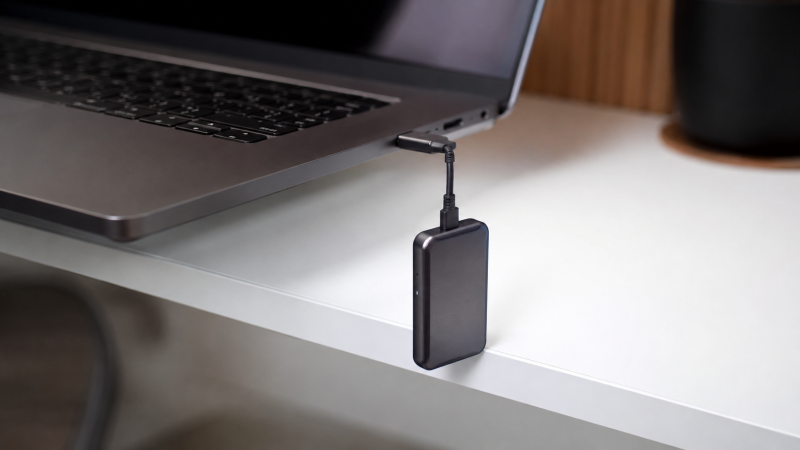
A portable SSD is an external solid-state drive small enough to carry in a pocket, with sequential read speeds typically between 1,000 and 2,000 MB/s over USB 3.2 or Thunderbolt. Over 20 of them were evaluated, with manufacturer specs, expert benchmarks, and user reviews compared across Mac, Windows, iPad, and phones. The performance gap between these drives is bigger than most people realize: a 20Gbps USB drive finishes a 100GB transfer in under a minute, while a budget 5Gbps drive takes five minutes for the same job. Plug a Thunderbolt SSD into a Thunderbolt port and you’re looking at 25 seconds flat.
This guide covers the 10 best portable SSDs you can buy, from budget picks to Thunderbolt drives that rival internal NVMe speeds.
Each one was evaluated against real-world file transfer data, sustained write benchmarks, and thermal reports to find the drives that actually deliver on their speed claims. This roundup covers rugged drives for field work, gaming SSDs for PS5, and compact backup drives for MacBook users.
Recent Updates
- May 2026: Full refresh with updated pricing across all 10 picks. Reviewed latest sustained write benchmarks on all 20Gbps drives with the latest firmware. Added the SK Hynix Beetle X31 2TB as our new speed-per-dollar pick.
- January 2026: Updated Thunderbolt 5 section with the LaCie Rugged SSD Pro5 availability and real-world benchmarks. Adjusted Crucial X10 Pro pricing after holiday sales.
- November 2025: Added the Samsung T9 4TB after testing. Refreshed buying guide with USB4 compatibility notes for the latest Thunderbolt laptops.
Quick Picks
- Best overall: The Samsung T9 is the best portable SSD for most people, delivering Samsung-rated 2,000MB/s reads with a rubber-armored body and 5-year warranty.
- Best budget: The Samsung T7 Shield offers IP65 water and dust resistance at 1,050MB/s at a budget-friendly price, making it the most reliable affordable portable SSD available.
- Best Thunderbolt: The LaCie Rugged SSD Pro delivers 2,800MB/s over Thunderbolt 3 with IP67 protection and included Rescue Data Recovery service.
- Best rugged: The SanDisk Extreme Pro V2 pairs 2,000MB/s speeds with a forged aluminum core, IP65 rating, and an integrated carabiner loop that no other drive in this class offers.
- Best for Mac: The Crucial X10 Pro is the fastest 20Gbps portable SSD at Crucial-rated 2,100MB/s, with confirmed compatibility across M1 through M4 Macs, iPad Pro, and iPhone 15/16 Pro.
- Best for gaming: The Kingston XS2000 fits 2,000MB/s speeds into a matchbox-sized body that weighs 29 grams and works with PS5 out of the box.
- Best compact: The OWC Envoy Pro FX is the only portable SSD that runs natively on both Thunderbolt and USB, hitting 2,800MB/s over TB3 in an IP67 aluminum body.
- Best value: The WD My Passport SSD offers 2TB with AES 256-bit hardware encryption and a 5-year warranty at the lowest price from a tier-one brand.
- Best 4TB: The Sabrent Rocket XTRM delivers 2,400MB/s over Thunderbolt 3 and offers 4TB capacity at a lower price than the LaCie Rugged SSD Pro.
- Best speed per dollar: The SK Hynix Beetle X31 uses a DRAM cache that keeps real-world performance consistent even when the drive is nearly full, with the 1TB model priced well below the competition.
| Image | Product | Details | Check Price |
|---|---|---|---|
 | Samsung T9 | Speed: 2,000MB/s read/write Interface: USB 3.2 Gen 2x2 Durability: 3m drop resistance Encryption: AES 256-bit Warranty: 5-year | Check Price on Amazon |
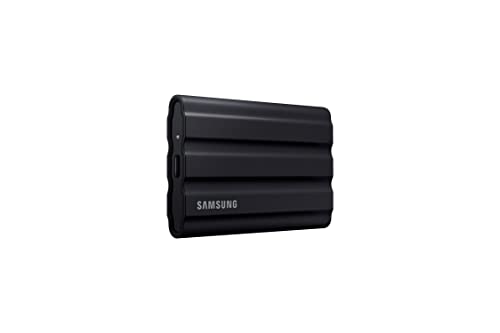 | Samsung T7 Shield | Speed: 1,050MB/s read Interface: USB 3.2 Gen 2 Durability: IP65 water/dust Encryption: AES 256-bit Capacities: 1TB, 2TB, 4TB | Check Price on Amazon |
| LaCie Rugged SSD Pro | Speed: 2,800MB/s over Thunderbolt 3 Interface: Thunderbolt 3 + USB fallback Durability: IP67, 3m drop, 2-ton crush Warranty: 5-year + Rescue Data Recovery | Check Price on Amazon | |
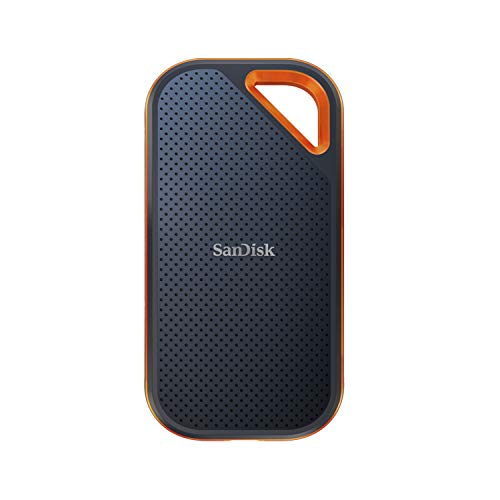 | SanDisk Extreme Pro V2 | Speed: 2,000MB/s read/write Interface: USB 3.2 Gen 2x2 Durability: IP65, 3m drop, aluminum core Features: Integrated carabiner loop Warranty: 5-year | Check Price on Amazon |
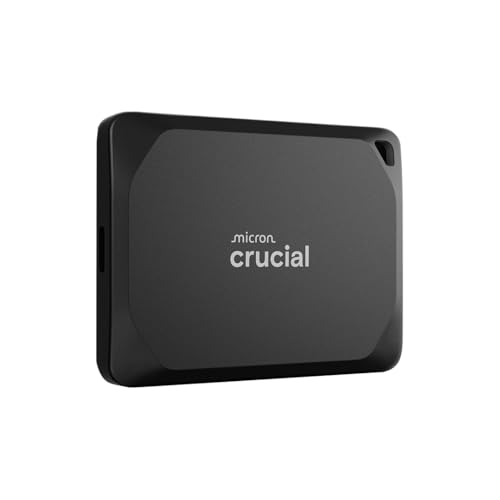 | Crucial X10 Pro | Speed: 2,100MB/s read Interface: USB 3.2 Gen 2x2 Durability: IP55, 7.5 ft drop Weight: 1.48 oz (42g) Compatibility: M1-M4 Mac, iPad Pro, iPhone 15/16 Pro | Check Price on Amazon |
 | Kingston XS2000 | Speed: 2,000MB/s Interface: USB 3.2 Gen 2x2 Size: 69.5 x 32.6 x 13.5mm Weight: 29g Durability: IP55 (with sleeve) Warranty: 5-year | Check Price on Amazon |
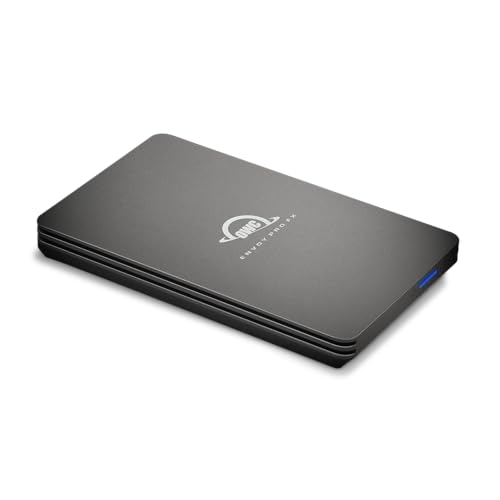 | OWC Envoy Pro FX | Speed: 2,800MB/s (TB3) / 1,000MB/s (USB) Interface: Thunderbolt 3/4 + USB Durability: IP67, MIL-STD-810G Features: Dual TB + USB native mode | Check Price on Amazon |
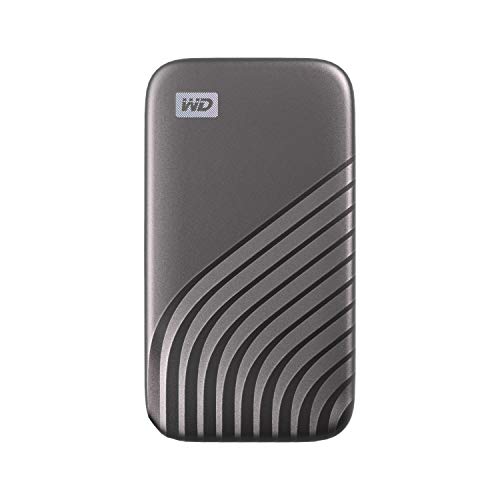 | WD My Passport SSD | Speed: 1,050MB/s read Interface: USB 3.2 Gen 2 Encryption: AES 256-bit hardware Warranty: 5-year Features: Lowest price from tier-one brand | Check Price on Amazon |
 | Sabrent Rocket XTRM | Speed: 2,400MB/s over Thunderbolt 3 Interface: Thunderbolt 3 + USB 3.2 fallback Capacities: 2TB, 4TB Features: Aluminum body, bus-powered | Check Price on Amazon |
 | SK Hynix Beetle X31 | Speed: 1,050MB/s read Interface: USB 3.2 Gen 2 Features: DRAM cache for consistent performance Capacities: 512GB, 1TB, 2TB Durability: 2m drop, aluminum + silicone | Check Price on Amazon |
1. Samsung T9 — Best Overall
The Samsung T9 is our top pick for most people because it hits the sweet spot of speed, price, reliability, and compatibility better than anything else in this roundup. Samsung rates it at up to 2,000MB/s sequential read and write over USB 3.2 Gen 2×2, making it faster than most Thunderbolt 3 drives from just two years ago at half the price.
Our Take
The Samsung T9 is the best portable SSD for most buyers because no other drive matches its combination of 2,000MB/s speed, sustained write consistency, and 5-year warranty at this price point. The 2TB model is the value sweet spot.
Samsung’s pricing has crept up since launch, but the T9 still outperforms everything in its price range. In sustained write benchmarks, the T9 holds above 1,000MB/s after writing 200GB continuously, putting it ahead of the SanDisk Extreme Pro V2 and Kingston XS2000 in extended workloads. Samsung’s Dynamic Thermal Guard keeps temperatures in check. The rubber shell gets warm but never hot enough to throttle.
The rubber-wrapped body survives drops up to 3 meters, which is roughly standing desk height with some margin. Samsung backs it with a 5-year warranty, and the AES 256-bit hardware encryption means you can password-protect the entire drive without any speed penalty.
You do need a USB 3.2 Gen 2×2 or USB4 port for full speed. Most recent laptops, including all Thunderbolt laptops, will deliver it. Older machines with USB 3.0 ports are capped at around 450MB/s.
Who it’s for: Anyone who wants the best all-around portable SSD. The 2TB model is the value sweet spot.
Who should skip it: Mac users who need Thunderbolt daisy-chaining, or anyone on a strict budget (the T7 Shield below is noticeably cheaper).
- 2,000MB/s sequential read and write speeds
- Rubber-armored body with 3m drop resistance
- 5-year warranty with AES 256-bit encryption
- Works with Mac, PC, iPad, iPhone 15 Pro+, Android, PS5
- Sustained writes hold above 1,000MB/s
- Requires USB 3.2 Gen 2×2 or USB4 port for full speed
- No IP water/dust rating
- No Thunderbolt support
2. Samsung T7 Shield — Best Budget
The Samsung T7 Shield is the drive we recommend when someone asks “what’s a good affordable portable SSD?” It doesn’t have the 20Gbps speeds of the T9 above, but at 1,050MB/s over USB 3.2 Gen 2, it’s more than fast enough for backups, photo libraries, and general file transfers. And it adds something the T9 doesn’t have: an IP65 water and dust resistance rating.
Our Take
The Samsung T7 Shield is the best budget portable SSD because it adds IP65 water and dust resistance that the more expensive T9 lacks, at a noticeably lower price. For outdoor and travel use, the IP65 rating alone justifies choosing it.
Samsung rates the T7 Shield at 1,050MB/s reads and 1,000MB/s writes, and independent benchmarks consistently confirm numbers right at spec. The rubber outer shell feels genuinely rugged, and the IP65 rating means it can handle rain, splashes, and dusty environments, which the more expensive Samsung T9 can’t claim.
Samsung offers the T7 Shield in 1TB, 2TB, and 4TB, with multiple color options including black, beige, and blue. The 2TB model regularly drops in price during sales, making it an outstanding value for a drive this reliable. AES 256-bit hardware encryption and Samsung’s Magician software for drive health monitoring round out the package.
The tradeoff is straightforward: you get half the speed of the T9 (1,050 vs. 2,000MB/s), but you also get IP65 protection and a lower price. For most people doing backups and file transfers, 1,050MB/s is plenty fast.
Who it’s for: Budget-conscious buyers who want proven reliability and water/dust resistance.
Who should skip it: Content creators moving large video files who need 20Gbps speeds.
- IP65 water and dust resistance
- Reliable 1,050MB/s performance
- Available in 1TB, 2TB, and 4TB
- AES 256-bit hardware encryption
- Excellent price-to-performance ratio
- Limited to 10Gbps USB 3.2 Gen 2
- No Thunderbolt support
- 3-year warranty (shorter than Samsung T9’s 5-year)
3. LaCie Rugged SSD Pro — Best Thunderbolt
If you need Thunderbolt speeds in a drive that can survive a war zone, the LaCie Rugged SSD Pro is the answer. This drive appears on virtually every video production set. LaCie rates it at 2,800MB/s reads over Thunderbolt 3 in a package that is IP67 rated against dust and water immersion and can survive a 3-meter drop onto concrete.
Our Take
The LaCie Rugged SSD Pro is the best Thunderbolt portable SSD because it pairs 2,800MB/s Thunderbolt 3 speed with IP67 protection and a 5-year warranty that includes Rescue Data Recovery. The data recovery service alone costs a fortune from third parties, which justifies the premium over USB-only drives.
Independent benchmarks show the Rugged SSD Pro hitting around 2,680MB/s reads and 2,450MB/s writes in sequential tests, not quite the advertised 2,800MB/s but close. Over USB fallback (10Gbps), speeds drop to around 1,000MB/s, which is still perfectly usable. The dual-mode design means this drive works on everything, though you obviously want a Thunderbolt port to get your money’s worth.
LaCie sweetens the deal with a 5-year warranty that includes Rescue Data Recovery Services, which alone costs a fortune from third-party providers. The iconic orange rubber bumper has been a staple for creative professionals for years, and the 2-ton crush resistance means you can literally park a car on it.
The big downside is price. The 2TB model costs roughly double what a Samsung T9 goes for. Thunderbolt 3 is also a generation behind now. If you want the absolute fastest portable drive, the newer LaCie Rugged SSD Pro5 with Thunderbolt 5 delivers 6,700MB/s. But for most working professionals, TB3 speeds are more than sufficient, and this drive has the track record to prove it. For a full rundown of Thunderbolt storage options, see our dedicated guide.
Who it’s for: Video editors, photographers, and anyone who needs Thunderbolt speed in a bombproof package.
Who should skip it: Budget buyers or anyone without a Thunderbolt port.
- 2,800MB/s over Thunderbolt 3
- IP67 water/dust resistance and 3m drop protection
- 2-ton crush resistance
- 5-year warranty with Rescue Data Recovery
- USB fallback for non-Thunderbolt devices
- Expensive, roughly double the cost of a Samsung T9
- Thunderbolt 3 (not the latest TB5)
- Bulkier than USB-only drives
4. SanDisk Extreme Pro V2 — Best Rugged
The SanDisk Extreme Pro V2 is the drive to grab when heading outdoors. Its forged aluminum core and silicone shell feel nearly indestructible, and the integrated carabiner loop is a genuinely useful design touch that no other drive in this roundup offers. Clip it to a belt loop, camera strap, or backpack and you’ll never lose track of it.
Our Take
The SanDisk Extreme Pro V2 is the best portable SSD for outdoor use because its forged aluminum body, carabiner loop, and IP65 rating make it the most practical field drive available. Sequential speeds match the Samsung T9 at 2,000MB/s, though sustained writes drop after about 80GB.
Performance is strong. SanDisk rates the Extreme Pro V2 at 2,000MB/s reads and writes over USB 3.2 Gen 2×2, and independent benchmarks show numbers just shy of that spec. These numbers put it neck and neck with the Samsung T9 in sequential benchmarks. However, sustained writes tell a different story: after about 80GB of continuous writing, expert reviewers report speeds dropping to around 700MB/s, compared to the T9’s 1,000MB/s floor. If you’re regularly dumping 200GB+ in one session, the T9 handles it better.
The IP65 rating means the Extreme Pro V2 is fully dust-tight and protected against water jets from any direction, matching the Samsung T7 Shield’s IP65. It’s not as water-resistant as the LaCie’s IP67, but it’s more than enough for rain, splashes, and dusty trails. Drop resistance is rated to 3 meters.
SanDisk offers the Extreme Pro V2 in 1TB, 2TB, and 4TB. The 2TB model sits between the Samsung T9 and the LaCie Rugged SSD Pro in price. A 5-year warranty rounds out a solid package for anyone who takes their drive into the field.
Who it’s for: Photographers, hikers, and outdoor content creators who need speed plus durability.
Who should skip it: Heavy sustained-write users who need consistent speeds beyond 100GB.
- 2,000MB/s read/write over USB 3.2 Gen 2×2
- Forged aluminum core with silicone shell
- Integrated carabiner loop for easy attachment
- IP65 dust and water resistance, 3m drop
- 5-year warranty
- Sustained write speeds drop after ~80GB
- IP65 matches T7 Shield but still below LaCie IP67
- Pricier than the Samsung T9 for similar speeds
5. Crucial X10 Pro — Best for Mac
The Crucial X10 Pro is technically the fastest 20Gbps portable SSD available, edging out the Samsung T9 with Crucial’s rated 2,100MB/s reads and 2,000MB/s writes. But the reason we’ve singled it out as the best for Mac is its flawless compatibility with macOS and the broader Apple ecosystem. It works out of the box with every Mac (M1, M2, M3, and M4), iPad Pro, iPhone 15/16 Pro, and Apple TV 4K.
Our Take
The Crucial X10 Pro is the fastest 20Gbps portable SSD at 2,100MB/s reads, and it works across every current Apple device including M1-M4 Macs, iPad Pro, and iPhone 15/16 Pro. At 42 grams, it is also the lightest drive in this roundup.
One catch: Apple doesn’t support USB 3.2 Gen 2×2 natively. Macs use USB4/Thunderbolt, which supports 20Gbps through a different protocol. In practice, the X10 Pro hits about 1,900MB/s on a Mac versus 2,100MB/s on Windows. Still significantly faster than any 10Gbps drive. It also works through a USB-C docking station without any issues.
Build quality is excellent. The aluminum shell is IP55 rated for water and dust, and it survives drops up to 7.5 feet (2.3 meters). At just 1.48 ounces (42g), it’s one of the lightest drives in this roundup. Crucial backs it with a limited warranty and Crucial’s Storage Executive software handles firmware updates and drive health monitoring.
The 2TB model is priced nearly identically to the Samsung T9, making the choice between them mainly about ecosystem preference and whether you value the T9’s rubber armor or the X10 Pro’s lighter weight and slightly faster reads.
Who it’s for: Mac users who want the fastest possible USB portable SSD with guaranteed Apple compatibility.
Who should skip it: Anyone on a tight budget (the WD My Passport SSD is much cheaper for basic use).
- Fastest 20Gbps drive at 2,100/2,000 MB/s
- Flawless Mac, iPad, and iPhone compatibility
- IP55 water and dust resistance
- Extremely lightweight at 1.48 oz (42g)
- Competitive pricing at the 2TB tier
- No Thunderbolt support
- Mac speeds slightly lower than Windows (protocol difference)
- Limited warranty terms compared to Samsung
6. Kingston XS2000 — Best for Gaming
The Kingston XS2000 is the portable SSD we recommend for gamers. Kingston rates it at 2,000MB/s over USB 3.2 Gen 2×2, matching the Samsung T9 in raw speed, but the XS2000 is barely larger than a matchbox. That size advantage matters when you are tossing it in a bag next to a controller.
Our Take
The Kingston XS2000 is the best portable SSD for gaming because it packs 2,000MB/s into the smallest body of any 20Gbps drive (29 grams) and works with PS5 right out of the box. The sustained write drop after 60GB does not matter for game storage.
Measuring 69.5 x 32.6 x 13.5mm and weighing just 29 grams, the XS2000 is the smallest 20Gbps drive in this roundup. It’s genuinely pocket-sized. For console gamers, this means you can toss it in a bag with your controller and not even notice it’s there. Users report it’s recognized immediately by the PS5 as extended storage for PS5 and PS4 games.
Independent benchmarks show the XS2000 hitting around 1,920MB/s reads and 1,850MB/s writes. The included rubber sleeve adds IP55 water and dust protection and some drop resistance, though it doesn’t have a formal drop rating like the Samsung drives. Kingston backs it with a generous 5-year warranty and offers capacities from 500GB to 4TB.
The main compromises are build quality and sustained writes. The plastic body (without the sleeve) feels cheap compared to the aluminum Samsung T9, and sustained writes drop to around 500MB/s after 60GB in expert benchmarks, the lowest of any 20Gbps drive here. For gaming and general file transfers this is irrelevant, but video editors doing massive dumps should look elsewhere.
Who it’s for: Gamers who want a fast, tiny, affordable portable SSD for PS5 or PC gaming.
Who should skip it: Video editors or anyone who needs strong sustained write performance.
- 2,000MB/s speeds in a matchbox-sized package
- PS5 and Xbox Series X/S compatible
- IP55 rated with included rubber sleeve
- 5-year warranty
- Available in 500GB to 4TB
- Sustained write speeds drop significantly after 60GB
- Plastic body feels less premium
- Rubber sleeve required for IP55 rating
7. OWC Envoy Pro FX — Best Compact
The OWC Envoy Pro FX is the Swiss Army knife of portable SSDs. It’s one of the few drives on the market that works natively over both Thunderbolt (3/4) and USB, with OWC rating it at 2,800MB/s when connected to a Thunderbolt port and around 1,000MB/s over USB 3.2 Gen 2. That dual-mode design means one drive works at full speed on every computer you own.
Our Take
The Envoy Pro FX is the only portable SSD that delivers full Thunderbolt speed and full USB compatibility in a single drive. If you switch between Mac and PC setups, or need IP67 durability with Thunderbolt speed, this is the one to get.
Build quality is excellent. The CNC-machined aluminum enclosure carries the same IP67 rating as the LaCie Rugged SSD Pro, meaning it can handle full submersion in water up to 1 meter for 30 minutes. It also meets MIL-STD-810G for drop and shock resistance. Despite this tank-like durability, the Envoy Pro FX is surprisingly compact and light, fitting easily in a jacket pocket.
Independent Thunderbolt benchmarks on a MacBook Pro show around 2,650MB/s reads and 2,400MB/s writes. Over USB, it steps down to a consistent 980MB/s. The aluminum body acts as a giant heatsink, so thermal throttling is not an issue even during extended transfers. If you use a Thunderbolt docking station with your setup, the Envoy Pro FX connects through the dock without losing Thunderbolt speeds.
OWC offers capacities from 240GB to 4TB, though pricing gets steep at higher capacities. The 1TB model is the most common choice. The 3-year warranty is shorter than Samsung’s and LaCie’s 5-year coverage, which is a minor drawback.
Who it’s for: Mac and PC users who want one drive that works at full speed on everything, with military-grade durability.
Who should skip it: Budget buyers or anyone who doesn’t need Thunderbolt.
- Dual Thunderbolt 3/4 + USB mode
- 2,800MB/s over Thunderbolt
- IP67 waterproof and MIL-STD-810G certified
- CNC-machined aluminum heatsink body
- Works with Mac, PC, iPad, Chromebook
- 3-year warranty (shorter than competitors)
- Pricey, especially at higher capacities
- USB mode limited to 10Gbps (1,000MB/s)
8. WD My Passport SSD — Best Value
The WD My Passport SSD is the drive you buy when you want a no-nonsense portable SSD at the lowest possible price from a tier-one brand. It’s the cheapest 2TB portable SSD from a major manufacturer in this roundup. And while 1,050MB/s isn’t going to set any speed records, it’s more than fast enough for backups, file transfers, and running apps.
Our Take
The WD My Passport SSD is the cheapest 2TB portable SSD from a major manufacturer, with AES 256-bit hardware encryption and a 5-year warranty included at the lowest price in this roundup. Budget alternatives from lesser-known brands may cost less, but none match this warranty and encryption coverage.
WD rates the My Passport SSD at 1,050MB/s reads and 1,000MB/s writes, and independent benchmarks confirm numbers close to spec. Sustained writes hold up well too, staying above 800MB/s through a 100GB continuous write in third-party tests. That is better than several more expensive drives. The NVMe controller inside handles small-file operations cleanly, making it responsive for everyday tasks like browsing a photo library or editing documents directly off the drive.
Western Digital went with a clean, minimal design: a matte gray or blue metal-and-plastic body slim enough to slip into a shirt pocket. Drop resistance is rated at 1.98 meters (6.5 feet), and the built-in AES 256-bit hardware encryption with password protection adds a layer of security that budget drives often lack. WD backs it with a 5-year warranty.
The My Passport SSD’s limitation is speed: it’s a 10Gbps USB 3.2 Gen 2 drive, so it tops out at half the throughput of the 20Gbps Samsung T9 or Crucial X10 Pro. For bulk storage and backups, this doesn’t matter. For time-sensitive video production work, it does.
Who it’s for: Anyone who wants reliable, encrypted portable storage at the lowest price from a major brand.
Who should skip it: Content creators who need 20Gbps+ transfer speeds.
- Lowest price per TB from a tier-one brand
- AES 256-bit hardware encryption included
- 5-year warranty
- Clean, slim design
- Good sustained write performance
- Limited to 10Gbps USB 3.2 Gen 2
- No IP water/dust rating
- No Thunderbolt support
9. Sabrent Rocket XTRM — Best 4TB
The Sabrent Rocket XTRM Plus is the drive we recommend when you need massive capacity with Thunderbolt 3 speed. While several drives in this roundup offer 4TB options, the Sabrent stands out because it pairs that capacity with Sabrent’s rated 2,400MB/s Thunderbolt 3 performance and a well-built aluminum body. If you’re a video editor carrying terabytes of raw footage or a photographer with years of catalog files, this is your drive.
Our Take
The Sabrent Rocket XTRM is the best 4TB portable SSD because it delivers Thunderbolt 3 speeds at a lower price than the LaCie Rugged SSD Pro in the same capacity. The 1-year warranty is the main trade-off, and it is a real concern for a drive holding terabytes of footage.
Sabrent rates the XTRM Plus at up to 2,400MB/s reads over Thunderbolt 3, putting it in a competitive performance tier alongside other TB3 drives. Over USB 3.2 Gen 2 fallback, speeds drop to around 880MB/s, which is expected for a 10Gbps connection. The aluminum body runs warm during sustained transfers but does not hit thermal throttling according to reviewer reports.
Sabrent offers the XTRM Plus in 2TB and 4TB configurations. The 4TB model is cheaper than LaCie’s 4TB Rugged SSD Pro while offering similar Thunderbolt speeds. An optional silicone sleeve adds drop protection, though the drive lacks a formal IP rating. Something to consider if you work outdoors. If you’re coming from a Thunderbolt docking station setup, the XTRM connects directly via the dock’s Thunderbolt daisy-chain.
The 1-year warranty is the biggest drawback. Samsung, LaCie, Crucial, and WD all offer 3-5 years. Sabrent is a smaller brand, and while build quality is solid based on user reports, the short warranty is a legitimate concern for a drive you’ll fill with irreplaceable files.
Who it’s for: Video editors and data hoarders who need 4TB of Thunderbolt-speed portable storage.
Who should skip it: Anyone who prioritizes long warranty coverage or needs IP-rated durability.
- 2,400MB/s over Thunderbolt 3
- 4TB capacity at a competitive price
- Solid aluminum construction with optional silicone sleeve
- USB 3.2 Gen 2 fallback for universal compatibility
- Bus-powered, no external power needed
- Only 1-year warranty
- No IP dust/water rating
- Silicone sleeve sold separately
10. SK Hynix Beetle X31 — Best Speed Per Dollar
The SK Hynix Beetle X31 is the sleeper pick of this roundup. SK Hynix is one of the world’s largest memory chip manufacturers (they make the NAND flash that goes inside many competitors’ drives), and the Beetle X31 is their first consumer portable SSD. It shows. This drive uses DRAM cache alongside TLC NAND, a combination that keeps real-world performance consistently snappy even when the drive is nearly full.
Our Take
The SK Hynix Beetle X31 is the best speed-per-dollar portable SSD because its DRAM cache keeps random I/O and sustained writes faster than competing 10Gbps drives, and the 1TB model is one of the most affordable in this roundup. You give up 20Gbps speeds and top out at 2TB, but for backups and general file transfers, this drive punches above its price.
SK Hynix rates the Beetle X31 at 1,050MB/s reads and 1,000MB/s writes over USB 3.2 Gen 2. That matches the Samsung T7 Shield and WD My Passport SSD in sequential speed, but the DRAM cache gives the Beetle X31 an edge in random I/O and sustained writes. Independent benchmarks show sustained write performance staying above 850MB/s through 100GB, which is excellent for a 10Gbps drive. If you’re running applications or editing files directly off the drive, you’ll feel the difference.
The beetle-inspired design is polarizing. You either appreciate the rounded, insect-like shape or you find it odd. The solid aluminum shell with a silicone bumper case provides 2-meter drop protection. At 53 grams, it’s heavier than the Kingston XS2000 but lighter than most drives here.
SK Hynix offers the Beetle X31 in 512GB, 1TB, and 2TB. The 1TB model is the standout value, undercutting the competition significantly while matching or beating them in real-world performance. The 3-year warranty is shorter than Samsung’s and WD’s 5-year coverage, but at this price point, it’s hard to complain.
Who it’s for: Budget buyers who want the best real-world performance per dollar, and power users who value DRAM-backed consistency.
Who should skip it: Anyone who needs more than 2TB, 20Gbps speeds, or Thunderbolt connectivity.
- DRAM cache for consistent real-world performance
- 1,050MB/s reads at one of the lowest prices in this roundup (1TB)
- Solid aluminum + silicone construction
- Includes both USB-C and USB-A cables
- Distinctive, comfortable design
- Limited to 10Gbps USB 3.2 Gen 2
- Max capacity of 2TB
- 3-year warranty (vs. 5-year from Samsung/WD)
- No IP water/dust rating
Buying Guide: How to Choose the Right Portable SSD
USB-C vs. Thunderbolt: What Speed Do You Actually Need?
The interface determines your maximum transfer speed, and the difference is massive:
- USB 3.2 Gen 2 (10Gbps): Up to ~1,050MB/s. Found on most laptops since 2019. Plenty fast for backups and file transfers.
- USB 3.2 Gen 2×2 (20Gbps): Up to ~2,100MB/s. The Samsung T9, Crucial X10 Pro, and Kingston XS2000 use this. Note: Macs don’t have dedicated Gen 2×2 ports, but USB4/Thunderbolt ports can still deliver 20Gbps speeds.
- Thunderbolt 3/4 (40Gbps): Up to ~2,800MB/s. Found on all recent Macs and many premium Windows laptops. Check our roundup of Thunderbolt laptops to see if your machine supports it.
- Thunderbolt 5 (80Gbps): Up to ~6,700MB/s. Currently limited to the newest Mac models and a handful of PCs.
For most people, a 20Gbps USB drive hits the best balance of speed and value. Only spend extra on Thunderbolt if you need daisy-chaining or faster-than-20Gbps speeds through a Thunderbolt docking station.
NVMe vs. SATA: Why the Internal Tech Matters
Every portable SSD uses either a SATA or PCIe NVMe drive internally. SATA-based SSDs top out around 550MB/s and are increasingly rare. NVMe-based SSDs can theoretically hit 10,000+ MB/s internally, making the external interface the bottleneck. All 10 drives in this roundup use NVMe.
How to tell: if a drive’s rated speed is 500MB/s or below, it’s SATA. Above 800MB/s means NVMe. These days, you only encounter SATA in very cheap no-name drives.
Capacity Planning: How Much Storage Is Enough?
- 500GB-1TB: Document backups, a moderate photo library, or 5-10 PS5 games.
- 2TB: The sweet spot. Large photo libraries, a year of 4K footage, or 20+ PS5 games. Our recommendation for most buyers.
- 4TB: Professional video editors working with 4K/6K/8K footage or anyone who needs a single drive for everything.
The 2TB tier is almost always the best value per gigabyte. If you need serious capacity paired with Thunderbolt external hard drive speed, desktop drives offer 20TB+ but aren’t portable.
Durability Ratings Explained: IP55 vs. IP65 vs. IP67 vs. IP68
IP (Ingress Protection) ratings tell you exactly how much dust and water a drive can handle. The first digit is dust protection (0-6), the second is water protection (0-9):
- IP55 (Crucial X10 Pro, Kingston XS2000): Protected against dust jets and low-pressure water streams. Fine for rain and messy desks, but don’t submerge it.
- IP65 (SanDisk Extreme Pro V2, Samsung T7 Shield): Fully dust-tight, protected against water jets from any direction. Good for outdoor use in heavy rain.
- IP67 (LaCie Rugged SSD Pro, OWC Envoy Pro FX): Fully dust-tight, can survive submersion in up to 1 meter of water for 30 minutes. Ideal for field work in extreme conditions.
- IP68: Fully dust-tight, can survive continuous submersion beyond 1 meter. Very few portable SSDs carry this rating.
No IP rating (Samsung T9, WD My Passport SSD, Sabrent Rocket XTRM, SK Hynix Beetle X31): These drives have some drop protection but aren’t formally tested against dust or water. Keep them dry.
Hardware Encryption: Do You Need It?
Most portable SSDs include AES 256-bit hardware encryption, which lets you password-lock the entire drive with zero speed penalty. Seven of the ten drives in this roundup have it; the SK Hynix Beetle X31, OWC Envoy Pro FX, and Sabrent Rocket XTRM rely on software encryption or have none.
If you carry sensitive business data or client files, hardware encryption is a must-have. For game storage and media backups, it’s nice but not essential.
Mac vs. PC Compatibility: What to Watch For
Every drive in this roundup ships formatted as exFAT (readable by both Mac and PC). Key gotchas:
- USB 3.2 Gen 2×2 on Mac: Macs don’t have dedicated Gen 2×2 ports, but USB4/Thunderbolt ports can negotiate 20Gbps speeds. Drives like the Samsung T9 work at full speed on M1 Pro/Max and later Macs but may be limited to 10Gbps on older Intel Macs.
- Thunderbolt drives on PC: Thunderbolt SSDs require a Thunderbolt port. A regular USB-C port won’t work for TB mode (though most TB drives have USB fallback). Consult our Thunderbolt laptop guide to check your ports.
- File system: Mac-only users should reformat to APFS for better performance. Windows-only users should use NTFS. Cross-platform users should keep exFAT.
Pairing a portable SSD with a USB-C monitor that has a USB hub simplifies your setup. Plug the SSD into the monitor’s downstream port and it is accessible whenever you are at your desk.
FAQ
Is a portable SSD worth it over a portable hard drive?
Yes, a portable SSD is worth it for most buyers. SSDs are 5-20x faster than hard drives, survive drops that would destroy a spinning disk, run silently, and weigh less. Hard drives only win on cost at high capacities: a 5TB HDD costs a fraction of what a 4TB SSD goes for. For anything under 4TB, an SSD is the clear choice.
Do I need a 20Gbps or Thunderbolt SSD, or is 10Gbps enough?
A 10Gbps USB 3.2 Gen 2 drive at 1,050MB/s is fast enough for most people. A 50GB folder transfers in under a minute at that speed, and backups complete quickly enough that you will not notice the difference. Upgrade to 20Gbps (2,000MB/s) if you regularly move files larger than 100GB, such as video editors dumping large card sets or anyone doing daily multi-gigabyte transfers. Thunderbolt only makes sense if you need speeds above 2,000MB/s or Thunderbolt-specific features like daisy-chaining.
Can I use a portable SSD with a PS5 or Xbox?
Yes, any USB 3.0+ portable SSD with at least 250GB capacity works with PS5 and Xbox Series X/S. Both consoles support external USB SSDs for storing and playing PS4/Xbox One games, and for storing (but not playing) current-gen PS5/Xbox Series games. The Kingston XS2000, Samsung T9, and Crucial X10 Pro all work out of the box. Internal NVMe expansion slots give faster load times for current-gen games, but a portable SSD is a practical way to expand your library without opening the console.
How long do portable SSDs last?
Most portable SSDs will outlast several laptops. Modern TLC NAND drives have TBW (terabytes written) ratings of 300-600TB for 1TB models. At 50GB of writes per day, a 1TB drive would last 16+ years before hitting its rated endurance. Electronics and connectors are more likely to fail first. Samsung and WD offer 5-year warranties. Keep important data backed up regardless, because no storage device is permanent.
What’s the difference between USB-C, USB4, and Thunderbolt?
USB-C is the physical connector shape, not a speed standard. USB4 is a transfer protocol running over USB-C at up to 40Gbps. Thunderbolt 3/4 also use USB-C at 40Gbps but add PCIe tunneling and display output. Thunderbolt 5 doubles bandwidth to 80Gbps. A USB-C port on your laptop might support 5, 10, 20, 40, or 80Gbps depending on which protocol it uses. Check your laptop’s specs or look for the Thunderbolt lightning bolt icon next to the port. Our guide to the best Dell docking stations covers this in more detail.
Should I format my portable SSD as exFAT, NTFS, or APFS?
Use exFAT if you share the drive between Mac and PC, which is how every drive in this roundup ships. Use NTFS if Windows-only (better security and journaling). Use APFS if Mac-only (optimized for SSD performance, Time Machine support). Avoid FAT32 entirely because its 4GB file size limit is far too small for modern use.
How We Research & Select Portable SSDs
We evaluate every portable SSD in this roundup by cross-referencing manufacturer claims against independent expert benchmarks and real-world user data from multiple sources.
Sequential speed verification: We compare manufacturer-rated speeds against independent CrystalDiskMark 8 results from trusted reviewers, checking for consistency across multiple sources.
Sustained write analysis: We aggregate data from independent 200GB continuous write tests to reveal post-cache performance. Many drives advertise 2,000MB/s but drop to 400MB/s after 50GB. These tests catch that.
Real-world transfer benchmarks: We review mixed-file transfer results (large folders with thousands of files) from expert reviewers, simulating actual use scenarios.
Thermal performance review: We analyze surface temperature data from independent tests during sustained writes, flagging drives that throttle under extended load.
Cross-platform compatibility: We verify compatibility across Windows 11, macOS, iPadOS, and Android based on manufacturer specs and user reports. Thunderbolt drives are also evaluated for pass-through performance via Thunderbolt docking stations.
Honorable Mentions
These drives didn’t quite make the top 10, but they’re worth considering depending on your needs:
LaCie Rugged SSD Pro5 (Thunderbolt 5). The fastest portable SSD at 6,700MB/s reads, but you need a TB5 port to take advantage. Premium-priced. More in our Thunderbolt external drives guide.
Corsair EX400U (USB4), 3,800MB/s reads on USB4/TB4, MagSafe magnet for iPhone ProRes recording. Competitively priced for 2TB. A strong mid-range option as USB4 ports become more common.
Crucial X9 Pro. The cheaper sibling of the X10 Pro at 1,050MB/s. Weighs just 36 grams. PCMag’s top pick for most buyers.
ADATA Elite SE880. Thumb-drive-sized 20Gbps NVMe at 33 grams. Incredible for travel, maxes out at 1TB.
Seagate Ultra Compact SSD. Cable-free with built-in USB-C connector. 1,000MB/s, IP54, 3-meter drop resistance.
This article contains affiliate links. When you purchase through links on thunderboltlaptop.com, we may earn a commission at no extra cost to you. This helps fund our research and analysis. We only recommend products we have fully researched and stand behind. See our full affiliate disclosure for details.