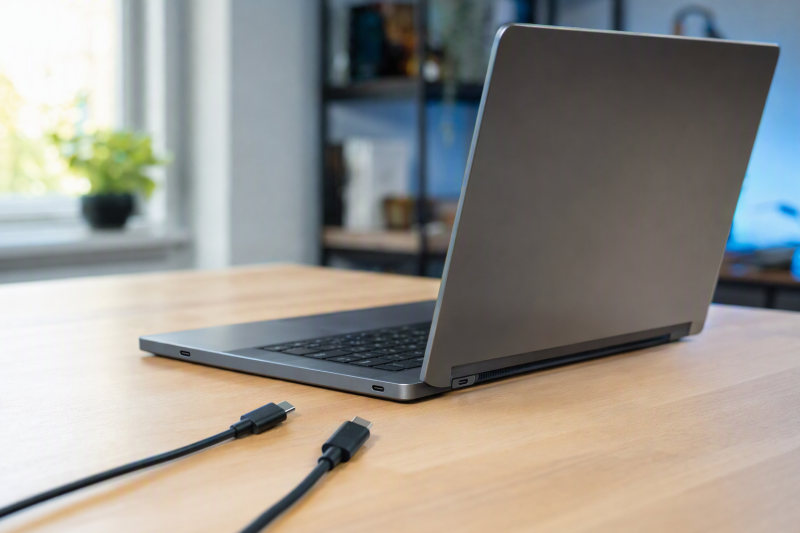
The Lenovo Legion 5 15ITH6H machine type 82JH has one USB-C receptacle on the left side and another on the rear. Lenovo documents both as Thunderbolt 4 enabled ports for data and display connections, but only the rear receptacle accepts USB-C power input. The two openings look identical, so that difference only shows up when you connect a charger, a powered dock, or a display that supplies power.
The guide for the exact machine type is the only safe starting point. This article does not verify the same map for an 82MH machine type, an AMD Legion 5, a 17-inch model, or another Legion generation. The shared family guide lists several variants, and its port entries do not apply to every one of them.
The map covers one machine type only
Lenovo’s About this guide page lists the Legion 5 15ITH6H under machine types 82JH and 82MH. The map below is limited to 82JH, so check the machine type on the laptop label or its exact Lenovo support record. A family name such as Legion 5 is too broad, because the same guide also covers different processors, sizes, and port arrangements.
The shared side-view pages contain an ordinary USB-C row and an asterisked Thunderbolt 4 row. The asterisked row is the one that applies to the 15ITH6H, and the two rows are not two separate openings. The row that applies changes with the listed model, even though the guide keeps every variant on one page.
Three identifiers belong in the first line of your notes:
- Full model:
Lenovo Legion 5 15ITH6H - Machine type:
82JH - Guide revision boundary: the Lenovo Legion 5 15-inch and 17-inch generation 6 user guide
If any identifier differs, the map stays blank until the matching manual is open. A similar case design does not prove that the internal routing is the same.
Where each receptacle sits on the chassis
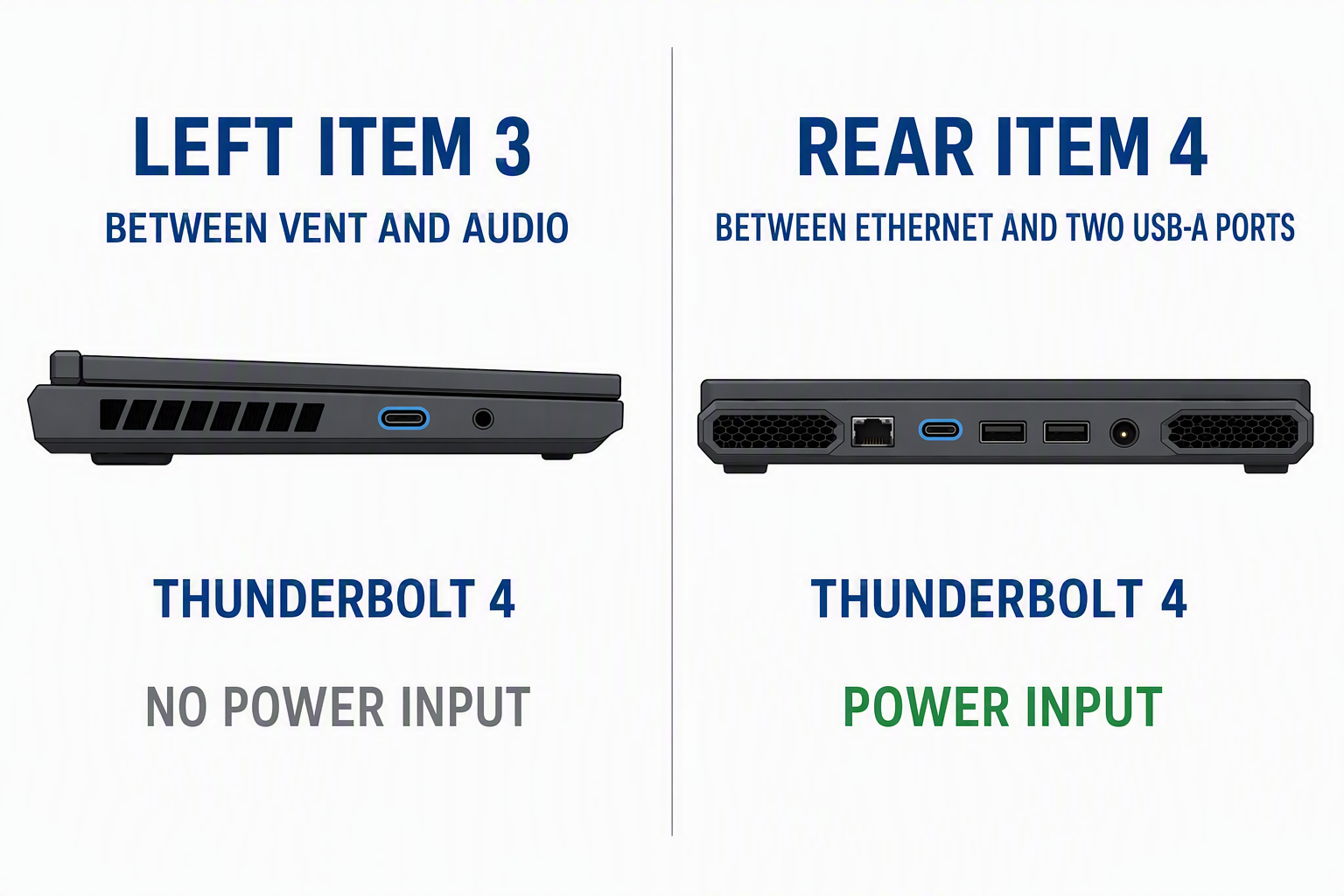
The Lenovo left-side view assigns the 15ITH6H USB-C receptacle to asterisked item 3, on the left side between the outlet vent and the combo audio jack. Lenovo identifies it as Thunderbolt 4 enabled and lists USB data, display, and Thunderbolt devices as supported uses.
The Lenovo rear view assigns the other receptacle to asterisked item 4, on the rear between the Ethernet connector and the pair of USB Type-A connectors. For this position Lenovo lists power input in addition to USB data, display, and Thunderbolt devices.
Name the two positions before you plug anything in. Left USB-C and rear USB-C are stable names for this two-row map. A note such as the port beside the lightning mark is weaker, because a mark can be missing, worn, or read without the manual’s legend.
Data and tunneling come from the connector record
Lenovo’s features and specifications page gives the Thunderbolt 4 enabled USB-C connector an upper data rate of 40 Gbps in Thunderbolt mode. Both exact 82JH positions use that connector entry because the left and rear pages select the Thunderbolt 4 row for the 15ITH6H.
The map wording is up to 40 Gbps in Thunderbolt mode, not runs at 40 Gbps. Lenovo states a ceiling and does not report the rate negotiated by a connected drive, dock, cable, or other device. A lower operating result does not change the documented port identity.
The guide calls both positions Thunderbolt 4 enabled and never uses the USB4 name for either exact receptacle. The table wording stays at Thunderbolt 4 enabled; USB4 name undocumented rather than borrowing a USB4 claim from another model or from a general standard description.
Inspecting the USB data version that Windows reports is a separate job, and the Windows USB-version procedure covers it. The Windows inventory can describe a detected controller or connection, but it cannot move a capability from one chassis position to another.
Charging input and accessory power are separate columns
Power runs in two directions, and the map needs a column for each. Charging input means the laptop receives power through the receptacle. Accessory power means the laptop supplies power to a connected device.
Lenovo limits USB-C power input to the rear side. Its USB-C power-input instructions state that the rear port accepts up to 20 V and 5 A, and that this port is not the primary power input. The outcome depends on what the source puts out. The laptop may run and charge, charge only while sleeping or off, or take no usable input at all.
The left port has no documented charging-input role, so its cell reads No, rear side only. A display or a storage device working on the left port does not change that cell, because data and video do not prove charging input.
For accessory power, Lenovo lists up to 5 V and 3 A for the Thunderbolt 4 enabled USB-C connector, and that entry applies to both mapped positions. The guide never says whether either USB-C port keeps supplying accessory power while the laptop is shut down, so the output ceiling goes in the map and the off-state behavior stays undocumented.
The video ceiling depends on the whole path
Both side-view pages name display devices as a supported use. The connector specification names DisplayPort 1.4 and gives a maximum output of 5120 by 3200 at 60 Hz with 24 bits per pixel. Lenovo warns that the actual result depends on connected devices, cables, and adapters.
The same ceiling belongs in both rows, along with the condition attached to it. The ceiling does not guarantee that every dock, cable, adapter, or monitor combination reaches that mode, and it does not answer a display-only troubleshooting question. The DisplayPort Alt Mode check covers that narrower job once the exact receptacle is confirmed.
Connector shape and Windows are cross-checks only
USB-IF’s USB Type-C language guidelines state that USB Type-C is a connector, and that USB Type-C is not USB 3.2, USB4, or USB Power Delivery. A manufacturer may implement some supported functions without implementing all of them. The oval opening therefore identifies the connector form, not the complete row in the map.
A chassis icon only counts once the exact manual defines it. The Lenovo text records used here identify the ports by side, figure item, and function, and they define no separate chassis mark for either position. The mark field therefore stays undocumented, and a lightning-like icon is not a replacement for the side view.
Windows can support a physical map after you have named the ports. Microsoft’s Universal Serial Bus Viewer in Windows says USBView shows USB controllers, hubs, attached devices, and a connection-oriented tree. Connect one known USB device to the left port, record its tree location, move the same device to the rear port, and record the second location without changing the cable or device.
The comparison can show two detected paths. It cannot prove charging input, DisplayPort support, Thunderbolt identity, or the location of a port by itself. Microsoft also notes that USBView is an older app and may not show newer USB information, so a field the tool never exposes stays blank.
What to do with a blank cell or a conflict
The exact document row is the limit of what the map can claim. An absent capability is recorded as undocumented. Silence never becomes no unless another exact statement excludes the function, as Lenovo’s rear-only power-input rule does for the left port.
A different number or order of openings means the machine type needs checking again. If the physical map matches but a connected device behaves differently, the documented map stands, and the observed device, cable, port, and operating state go in a separate note. A failed device connection can come from another part of the path.
When two official records conflict, the one tied most closely to the exact machine type and physical receptacle wins. Both statements still belong in your notes, and the manufacturer is the one who can settle the conflict. Averaging rates, combining feature lists, or borrowing a capability from the other port would invent a record that neither source supports.
Completed port map for Lenovo Legion 5 15ITH6H machine type 82JH
| Physical receptacle | Data | Charging input | Accessory power | Video | Thunderbolt or USB4 |
|---|---|---|---|---|---|
| Left side, asterisked item 3, between outlet vent and combo audio jack | Up to 40 Gbps in Thunderbolt mode; negotiated rate not measured | No; Lenovo limits USB-C input to the rear side | Up to 5 V and 3 A; off-state output undocumented | DisplayPort 1.4; maker ceiling 5120 by 3200 at 60 Hz and 24 bpp, path dependent | Thunderbolt 4 enabled; USB4 name undocumented in the exact guide |
| Rear, asterisked item 4, between Ethernet and the pair of USB Type-A connectors | Up to 40 Gbps in Thunderbolt mode; negotiated rate not measured | Up to 20 V and 5 A; not the primary power input | Up to 5 V and 3 A; off-state output undocumented | DisplayPort 1.4; maker ceiling 5120 by 3200 at 60 Hz and 24 bpp, path dependent | Thunderbolt 4 enabled; USB4 name undocumented in the exact guide |

![[All Fixes] Discord Voice Connection Issues – No Route/RTC/ICE](https://thunderboltlaptop.com/wp-content/uploads/2020/10/All-Fixes-Discord-Voice-Connection-Issues-–-No-Route_RTC_ICE-380x250.png)