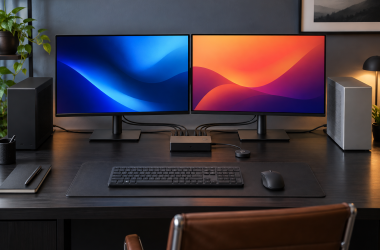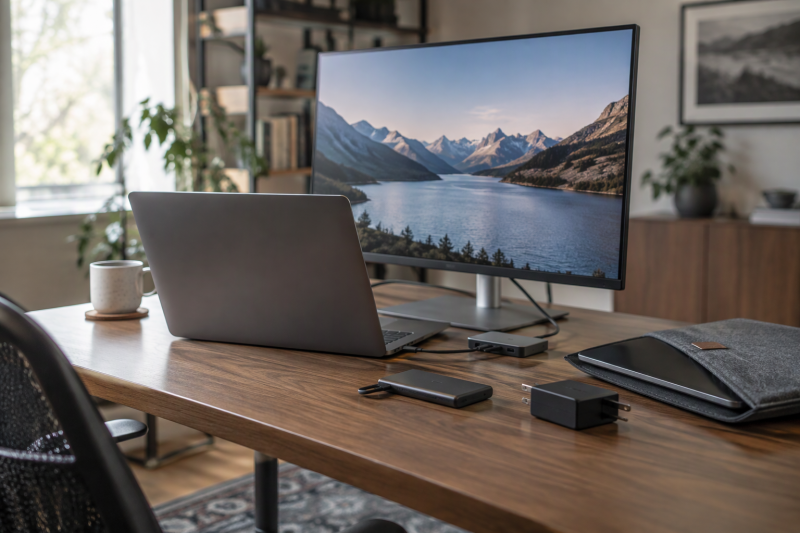
A good gift for someone who works from a laptop removes a recurring problem at the desk or on the move. More ports can simplify a work desk. A second screen adds room for documents. Portable storage carries a project archive, and a compact charger cuts the number of bricks in the bag.
The picks below treat the jobs separately, because USB-C accessories are not interchangeable. Five products cover those jobs: two docks with different display paths, a 14-inch Lenovo USB-C screen, a 2TB SanDisk drive, and a UGREEN charger. The right pick depends on the laptop’s ports, the number of displays, and where the recipient works.
Laptop Work Gifts Compared
| Image | Product | Details | Check Price |
|---|---|---|---|
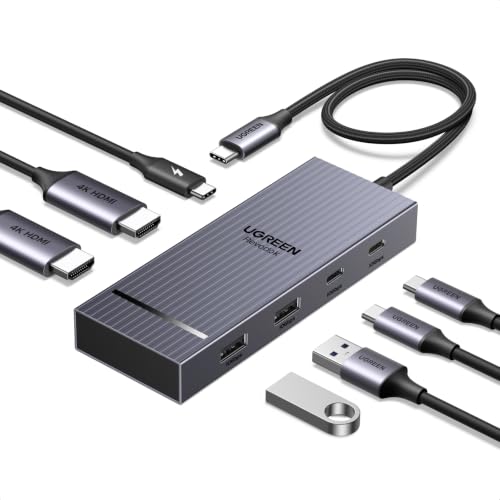 | UGREEN Revodok Pro 7-in-1 Dock | Best fit: A Windows laptop with two HDMI screens Main spec: Two HDMI outputs at 4K 60Hz with a DP1.4 laptop Connection: Full-function USB-C or Thunderbolt 3/4 port Also listed: Four 10Gbps USB ports and a 100W PD port Check first: macOS shows the same content on both screens | Check Price on Amazon |
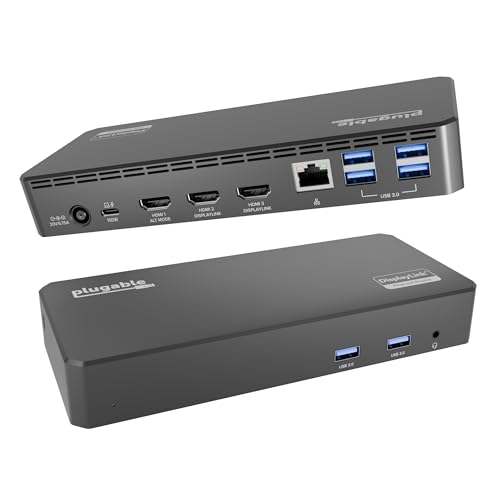 | Plugable UD-3900PDZ Triple Display Dock | Best fit: Three HDMI screens on a supported system Main spec: One 4K 30Hz and two 1080p 60Hz HDMI outputs Connection: USB-C, USB4 or Thunderbolt laptop Also listed: Six 5Gbps USB ports, Gigabit Ethernet and 100W PD Check first: DisplayLink software is required and HDCP is not supported | Check Price on Amazon |
 | Lenovo ThinkVision M14d | Best fit: A 14-inch USB-C second screen Main spec: 14-inch 2240 x 1400, 16:10, 60Hz Connection: USB Type-C Also listed: 0.88 pounds, 0.2 inches deep, 3-year warranty Check first: The listing does not say which laptop ports can drive it | Check Price on Amazon |
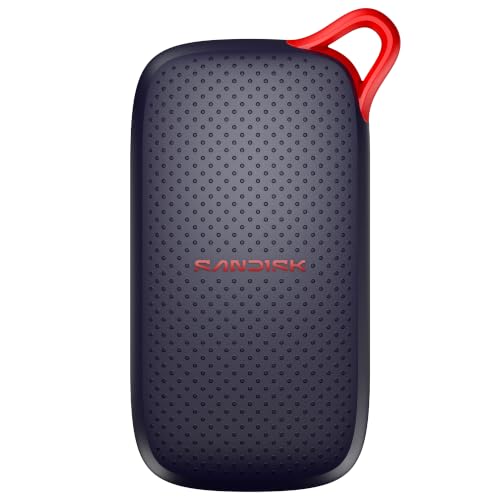 | SanDisk Portable SSD 2TB | Best fit: A larger portable project archive Main spec: 2TB with up to 1000MB/s read Connection: USB-C Also listed: No moving parts and up to 2 meters of drop protection Check first: The speed is a read maximum, so keep a second copy of the files | Check Price on Amazon |
 | UGREEN Nexode 100W GaN Charger | Best fit: One compact charger for a MacBook, phone and tablet Main spec: 100W maximum from a single USB-C port Connection: Three USB-C ports and one USB-A port Also listed: GaN chip and foldable plug Check first: Dell and Lenovo laptops cannot charge at full speed | Check Price on Amazon |
1. UGREEN Revodok Pro 7-in-1 Dock — Best for a compact dual-4K desk
UGREEN’s Amazon listing for the Revodok Pro gives the dock two HDMI ports, two 10Gbps USB-A ports, two 10Gbps USB-C ports, and a 100W PD port. The listing states dual 4K at 60Hz and asks that the laptop support DP1.4. Dual 4K output suits a recipient whose work routinely uses two external screens rather than one more USB port.
UGREEN’s listing sets the conditions. It says the laptop needs a full-function USB-C or Thunderbolt 3/4 port, and the 10Gbps rate also needs a 10Gbps cable. Windows can extend two screens, but UGREEN says macOS limits make both monitors show the same content and does not recommend the dock to a Mac owner who wants two different pictures. Two HDMI ports are not a promise of two independent screens on every laptop. The listing also says the PD port only charges and the charger and cable are not included. It adds that 100W needs a 100W-plus charger.
UGREEN lists two HDMI outputs, four 10Gbps data ports, and a 100W PD port for the Revodok Pro, a fit for a Windows laptop with two screens.Our Take Pick the Revodok Pro for a recipient with a Windows laptop and two HDMI monitors who wants fast ports for peripherals. Skip it for a Mac owner who wants two different pictures, and plan to include a 100W charger.
- UGREEN’s listing gives the Revodok Pro two HDMI outputs at 4K 60Hz when the laptop supports DP1.4, a fit for a Windows desk with two external screens.
- UGREEN’s listing gives the dock four 10Gbps data ports, two USB-A and two USB-C, and says the full rate needs a 10Gbps cable.
- UGREEN’s listing gives the dock a 100W PD port, and the dock needs a 100W-plus charger that is not included.
- UGREEN says the laptop needs a full-function USB-C or Thunderbolt 3/4 port, and two HDMI ports do not promise two screens on every laptop.
- UGREEN says macOS shows the same content on both extended monitors and does not recommend the dock to a Mac owner who wants two different pictures.
- UGREEN says the dock does not include a charger or cable, and its PD port only charges.
2. Plugable UD-3900PDZ Triple Display Dock — Best for three HDMI displays
Plugable’s UD-3900PDZ is the dock for a recipient with three HDMI screens. Plugable’s product page and the Amazon listing describe the same layout, with one 4K 30Hz output through USB-C Alt Mode and two 1080p 60Hz outputs through DisplayLink. Both also list six USB 5Gbps ports, Gigabit Ethernet, a 3.5mm audio port, and 100W PD, so the dock fills a fixed desk.
DisplayLink software is the part to understand before gifting it. Plugable says macOS needs a manual install and a Screen Recording permission, and that without DisplayLink only the Alt Mode HDMI port works. It also says HDCP is not supported on the DisplayLink screens and lists games and 3D graphics applications as unsupported. Plugable does not recommend its DisplayLink docks with Linux. The 4K 30Hz plus two 1080p 60Hz layout is three screens of different capability, not three identical outputs. Plugable also says DisplayLink lets the dock drive three displays from a Mac that supports only one on its own.
The UD-3900PDZ gives a recipient three HDMI screens, with one 4K at 30Hz through USB-C Alt Mode and two 1080p at 60Hz through DisplayLink.Our Take Choose this dock for a Windows or Mac laptop owner whose desk already has three HDMI monitors. For two screens and faster data ports, the Revodok Pro is the simpler gift.
- Plugable states the dock has three HDMI outputs, one at 4K 30Hz and two at 1080p 60Hz, a layout that fits a desk with three HDMI screens.
- Plugable states six USB 5Gbps ports, Gigabit Ethernet, audio, and 100W PD, a set that fills a fixed desk.
- Plugable says DisplayLink lets the dock drive three displays from a Mac that supports only one on its own.
- Plugable lists the single 4K output at 30Hz rather than 60Hz, so the three screens are not equal in capability.
- Plugable says macOS needs a manual DisplayLink install and a Screen Recording permission, and that without DisplayLink only the Alt Mode HDMI port works.
- Plugable says HDCP is not supported on the DisplayLink screens and does not recommend its DisplayLink docks with Linux.
3. Lenovo ThinkVision M14d — Best for a 14-inch USB-C second screen
Lenovo’s Amazon listing for the ThinkVision M14d states a 14-inch viewable screen with a 2240 x 1400 maximum resolution and a 16:10 aspect ratio. It also states a 60Hz refresh rate, 375 nits of brightness, and a USB Type-C connection. The listing gives the weight as 0.88 pounds and the size as 8.5 by 12.4 by 0.2 inches, so the monitor is a thin, light screen for documents, chat, and reference material beside a laptop. The listing’s warranty entry says 3 years from the manufacturer.
The listing leaves two questions open. It says USB Type-C carries data for the monitor but does not say which laptop ports can send it a picture. It mentions VESA mount compatibility but no stand, battery, or carrying case. Check that the laptop’s USB-C port supports video output before giving this screen.
Our Take Pick the M14d for someone who works on a laptop alone and wants a second document screen at a kitchen table or a client desk, provided the laptop sends video over USB-C. A dock is the better gift for a permanent multi-monitor desk.
- Lenovo’s listing states a 14-inch viewable screen at 2240 x 1400 and 16:10, a size that fits documents, chat, and reference material beside a laptop.
- Lenovo’s listing states a USB Type-C connection and a 60Hz refresh rate for the screen.
- Lenovo’s listing gives the weight as 0.88 pounds and the depth as 0.2 inches.
- Lenovo’s listing gives the monitor a 3-year manufacturer warranty.
- Lenovo’s listing does not say which laptop USB-C ports can drive the screen, so check the laptop’s video output first.
- Lenovo’s listing mentions VESA mount compatibility but no stand, battery, or carrying case.
4. SanDisk Portable SSD 2TB — Best for a larger portable project archive
SanDisk’s Amazon listing for the 2TB Portable SSD states read speeds up to 1000MB/s and a USB-C connection. It also states no moving parts, drop protection up to 2 meters, and a pocket-sized body. The listing adds that no drivers or setup are needed and gives a 3-year limited manufacturer warranty. The drive suits a person whose work files have outgrown a laptop drive or a pile of small flash drives.
The speed is a read maximum, and the listing does not name the drive’s USB standard, so the laptop’s port and cable decide what the recipient gets. The 2TB capacity is the gift, with room for a project archive and a separate copy of working files. A portable drive does not change the laptop’s own storage and is not a backup routine on its own.
Our Take Choose this drive for someone who carries large project files between a desk and other places, or who needs a separate archive. When the daily problem is workspace rather than file space, a dock or a screen is the better gift.
- SanDisk’s listing states 2TB of storage and a USB-C connection, room for a project archive and a separate copy of working files.
- SanDisk’s listing states read speeds up to 1000MB/s.
- SanDisk’s listing states no moving parts and drop protection up to 2 meters, both of which help with carrying the drive.
- SanDisk’s listing gives the drive a 3-year limited manufacturer warranty.
- SanDisk’s listing gives 1000MB/s as a read maximum and does not name the drive’s USB standard, so the laptop’s port and cable set the transfer speed.
- A single SanDisk drive holds one copy of the files, and irreplaceable work needs a second copy elsewhere.
5. UGREEN Nexode 100W GaN Charger — Best for one compact multi-port charger
UGREEN’s Amazon listing for the Nexode 100W charger gives it three USB-C ports, one USB-A port, a GaN chip, and a foldable plug that it says fits in the palm of a hand. The listing names MacBook Pro and Air, iPad, iPhone, Galaxy, and Steam Deck among the devices it charges. The port mix suits a recipient who wants one charger for a laptop plus smaller devices.
The 100W figure has conditions. UGREEN says reaching 100W needs a 100W 5A cable and a single USB-C port in use. It also says Dell and Lenovo laptops cannot charge at full speed from this charger because of their charging protocols. A ThinkPad or Dell owner should not get this as a full-speed replacement for the charger in the box.
Our Take Pick the Nexode for someone who carries a MacBook, phone, and tablet and wants one charger for all three. For a Dell or Lenovo owner, choose a different gift.
- UGREEN’s listing states a 100W maximum at up to 5A from a single USB-C port.
- UGREEN’s listing gives the charger three USB-C ports and one USB-A port and names MacBook, iPad, iPhone, Galaxy, and Steam Deck among its devices.
- UGREEN’s listing states a GaN chip and a foldable plug that it says fits in the palm of a hand.
- UGREEN says reaching 100W needs a 100W 5A cable and a single USB-C port in use.
- UGREEN says Dell and Lenovo laptops cannot charge at full speed from it, a risk for a ThinkPad or Dell owner.
Buying Guide
Begin with the work location
The best gift differs between a fixed desk and work that changes location. UGREEN’s two-HDMI dock and Plugable’s three-HDMI dock belong at a defined desk, while the ThinkVision M14d is a 14-inch USB-C screen listed at 0.88 pounds. A laptop worker who stays in one office gets more from a dock than from a screen carried in a bag.
For travel, screen space, storage, and power are separate needs. The USB-C portable monitor guide covers screen choices, and the portable SSD guide covers storage. Give the accessory that solves the routine, not the product with the longest port list.
Check the host before choosing a dock
UGREEN says the Revodok Pro needs a full-function USB-C or Thunderbolt 3/4 port and a laptop that supports DP1.4 for its dual 4K 60Hz claim. UGREEN also says macOS shows the same content on both extended screens. A dock cannot add display outputs the laptop does not have.
Plugable’s layout has its own conditions. One HDMI display runs at 4K 30Hz through Alt Mode, and two run at 1080p 60Hz through DisplayLink. The host, operating system, DisplayLink software, cable, and displays work as one system. Confirm those parts before choosing a three-screen gift for a particular person. The home-office dock guide compares more options.
Match display count with the connection path
The UGREEN Revodok Pro suits a compatible two-screen desk. UGREEN lists two HDMI outputs and four 10Gbps data ports for it. The Plugable UD-3900PDZ is a different gift. Plugable names one 4K 30Hz output plus two 1080p 60Hz DisplayLink outputs.
Neither dock suits every laptop. Choose a dock from the monitor count and the stated mode, then check host support. Matching the dock to the screen count avoids giving a three-screen dock to someone with one monitor, or a two-screen dock to someone who needs three.
Choose a second screen for document work
The Lenovo ThinkVision M14d lists a 14-inch 2240 x 1400 16:10 display and a USB Type-C connection. A screen that size suits a second document, chat, or reference panel beside the laptop. The listing’s 8.5 by 12.4 by 0.2 inches are the unit’s outer dimensions, not a second screen size.
Before buying, check the laptop’s USB-C display capability. A second screen adds workspace only when the laptop sends it a picture over USB-C. It also does a different job from a dock. A dock adds outputs for monitors the recipient already owns, and the M14d adds one physical screen.
Keep project storage separate from laptop capacity
The SanDisk Portable SSD 2TB gives a recipient 2TB of external USB-C storage with a listed read speed of up to 1000MB/s. It suits a creator, consultant, or student who carries large files between locations. The drive does not change the laptop’s installed SSD, and the laptop’s port and cable decide whether transfers reach the listed maximum.
Use it with a simple routine: name folders clearly, keep another copy of important work, and eject the drive before unplugging it. The extra capacity helps only when files are organized and copied elsewhere. The listing’s no moving parts and 2-meter drop protection help with carrying, but neither replaces a second copy.
Match the charger to the laptop
The UGREEN Nexode 100W charger is for a recipient with a MacBook, phone, and tablet who wants one charger. UGREEN lists three USB-C ports and one USB-A port for it, and says 100W needs a single USB-C port in use and a 100W 5A cable. It also says Dell and Lenovo laptops cannot charge at full speed from it.
Check the laptop maker and the cable before choosing a charger. The 100W charger guide compares other options for laptops the Nexode does not suit.
FAQ
Can any USB-C laptop use a dual-monitor dock?
No. UGREEN’s listing calls for a full-function USB-C or Thunderbolt 3/4 port and a laptop that supports DP1.4 for dual 4K at 60Hz. A USB-C connector alone does not establish multi-monitor video output. The laptop’s specification and operating system decide what the dock can show.
Check the laptop’s external-display documentation and the monitor inputs before buying. UGREEN says macOS shows the same content on both extended monitors. A Mac owner who wants two different pictures should look at a DisplayLink dock such as the Plugable instead.
Why does the Plugable dock use DisplayLink?
Plugable states one 4K 30Hz HDMI output through Alt Mode and two 1080p 60Hz outputs through DisplayLink. DisplayLink drives the two additional screens, which is why Plugable says the software must be installed and, on a Mac, given Screen Recording permission.
Plugable also says DisplayLink lets the dock drive three displays from a Mac that supports only one on its own. Read the host requirements first, because Plugable says HDCP is not supported and does not recommend the dock with Linux.
Will the ThinkVision M14d work with any USB-C laptop?
Lenovo’s listing does not say. It states a USB Type-C connection and describes it as carrying data, but it does not name DisplayPort Alt Mode or list which laptop ports can send the screen a picture.
Check the laptop maker’s display-output specification before gifting it. The listing also mentions no stand, battery, or carrying case, so confirm what ships in the box.
Does the SanDisk drive change the laptop’s internal storage?
No. The SanDisk is a 2TB external USB-C SSD. It can hold files, project archives, and a second copy of work, but it does not replace the SSD inside the laptop.
Treat it as a separate device with its own folders and backup plan. The listed read speed of up to 1000MB/s is a maximum, and the listing does not name the drive’s USB standard, so the laptop and cable set the transfer speed.
Can the UGREEN Nexode charge a laptop at 100W?
Only under UGREEN’s stated conditions. The listing says 100W needs a 100W 5A cable and a single USB-C port in use, so a laptop sharing the charger with a phone should not be expected to reach 100W.
UGREEN also says Dell and Lenovo laptops cannot charge at full speed from it because of their charging protocols. Check the laptop maker’s charging requirements and the cable rating before buying.
Bottom Line
The UGREEN Revodok Pro is the best compact desk gift for a compatible two-screen setup, while the Plugable UD-3900PDZ is the pick for a three-HDMI DisplayLink desk. Choose the Lenovo ThinkVision M14d for a 14-inch USB-C second screen, the SanDisk Portable SSD 2TB for a larger work archive, or the UGREEN Nexode 100W for a MacBook, phone, and tablet charging kit.