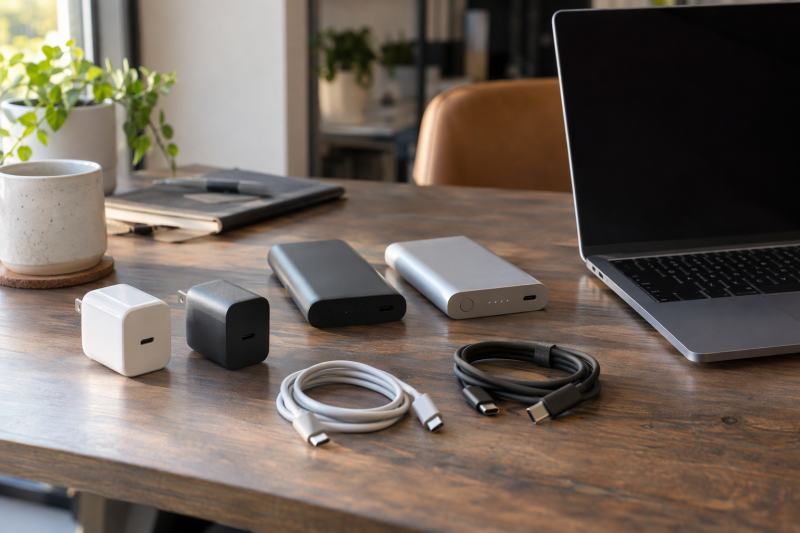
Baseus sells wall chargers and power banks that can charge a laptop, and the two behave differently. Three chargers (70W, 100W and 140W) plug into an outlet, while two power banks (20,000mAh at 100W and 25,000mAh at 145W) carry their own battery. Each wattage below comes with a condition Baseus states, e.g., a single port.
The list runs wall chargers by rising output, then the two power banks by rising capacity. Baseus phone chargers and cables are left out, because each product here is described on Amazon as charging a MacBook or another laptop.
Check the charging input on your laptop’s own adapter first, then compare it with the single-port figure Baseus gives, not the total.Baseus Chargers and Power Banks Compared
| Image | Product | Details | Check Price |
|---|---|---|---|
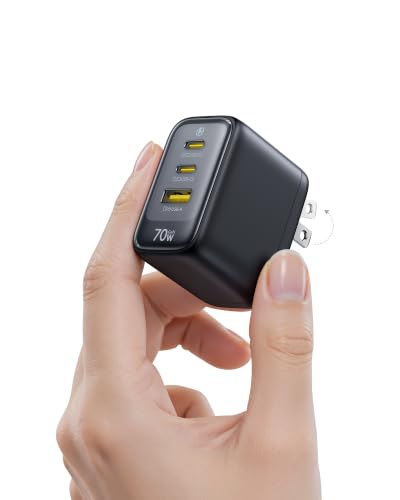 | Baseus Enerfill 70W | Best fit: Compact wall charger Type and ports: Wall charger; 2 USB-C, 1 USB-A Maximum output: Up to 70W; no per-port split Laptop condition: Amazon names MacBook Pro and Air Carry or desk role: Foldable plug; 2.13 x 1.30 x 1.81 in | Check Price on Amazon |
 | Baseus 100W 3-Port | Best fit: Three-device wall charging Type and ports: Wall charger; 2 USB-C, 1 USB-A Maximum output: 100W peak on one C1 or C2 port Laptop condition: PD 3.0 device and 100W cable Carry or desk role: 200g; 3.2 x 1.7 x 1.7 in | Check Price on Amazon |
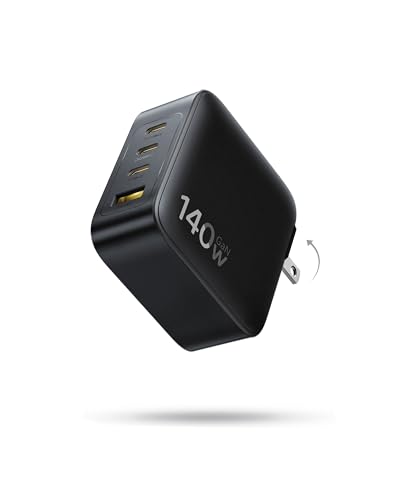 | Baseus 140W PD3.1 | Best fit: Four-port wall charging Type and ports: Wall charger; 3 USB-C, 1 USB-A Maximum output: Up to 140W separately; 70W each for two MacBooks Laptop condition: Amazon names MacBook and Pixelbook Carry or desk role: Foldable prongs; about 35% smaller than Apple's 140W adapter | Check Price on Amazon |
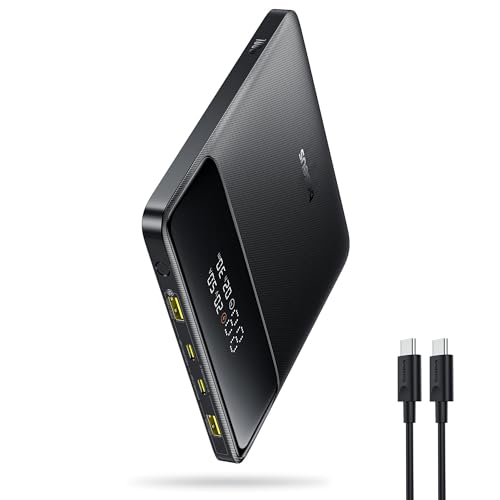 | Baseus Blade 100W 20,000mAh | Best fit: Travel power bank Type and ports: Power bank; 2 USB-C, 2 USB-A Maximum output: 100W USB-C PD Laptop condition: Amazon names MacBook Pro and Air Carry or desk role: 20,000mAh; 0.99 lb; no watt-hour rating given | Check Price on Amazon |
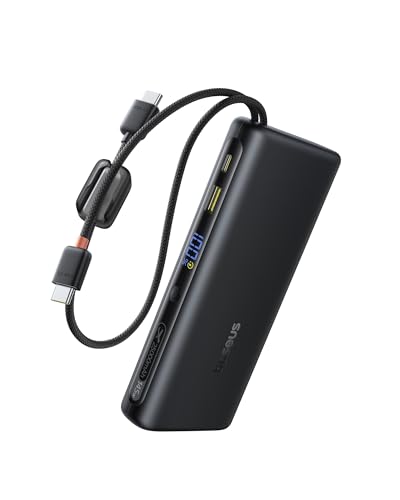 | Baseus 145W 25,000mAh | Best fit: Built-in cables and large battery Type and ports: Power bank; 2 built-in USB-C cables Maximum output: 145W total; 140W on USB-C1 Laptop condition: Amazon names MacBook, Dell XPS and HP Spectre Carry or desk role: 25,000mAh at 91.25Wh; about 517 g | Check Price on Amazon |
1. Baseus Enerfill 70W — Best for Compact Three-Port Wall Charger
Baseus lists the Enerfill at up to 70W across two USB-C ports and one USB-A port. The Amazon listing names PD 3.0, PPS and QC 3.0 and says it charges a MacBook Air to 50% in 30 minutes, an iPhone 17 Pro to 70% and an iPad Pro to 50%. The same listing gives 2.13 by 1.30 by 1.81 inches and a foldable plug.
Baseus says the charger uses smart power distribution when several devices are connected, but neither the Baseus page nor the Amazon listing gives a wattage for two or three devices at once. The Baseus page names an iPad Pro, an iPhone Pro and a Galaxy S25 Ultra, and the Amazon title names a MacBook Pro. Neither source names a Windows laptop.
70W is the only output figure Baseus gives for this charger.Our Take Pick the Enerfill when a MacBook Air or a similar laptop shares one compact plug with a phone and a tablet. Compare its 70W with the laptop’s own adapter rating before buying.
- Baseus lists up to 70W across two USB-C ports and one USB-A port.
- The Amazon listing says the Enerfill charges a MacBook Air to 50% in 30 minutes.
- Per the Amazon listing, the Enerfill measures 2.13 by 1.30 by 1.81 inches and has a foldable plug.
- Neither Baseus’s page nor the Amazon listing gives a wattage for two or three devices charging from the Enerfill at once.
- Baseus lists the Enerfill at 70W, the lowest output of the three wall chargers here.
2. Baseus 100W 3-Port — Best for 100W Three-Device Wall Charging
Baseus rates this charger at a 100W peak and attaches conditions to it. The Amazon listing says full power comes through a single C1 or C2 port, with a device and data cable that support PD 3.0 and 100W, at an optimal ambient temperature. The other two ports are one more USB-C and one USB-A, and Baseus says its BPS 3.0 technology allocates power to each connected device.
The listing gives no wattage split when devices share the three ports. It does give 3.2 by 1.7 by 1.7 inches and 200g (0.44 lb), and says the GaN body uses a temperature monitor Baseus calls BCT. The listing also names QC 3.0 and PPS support. It names a MacBook Pro, iPad Air, iPhone 17, Galaxy S24 Ultra and Steam Deck as fast-charging devices, and no Windows laptop appears among them.
Single-port condition: Baseus states 100W for one C1 or C2 connection with a PD 3.0 device and a 100W cable.Our Take Choose it for a MacBook Pro or a laptop that takes 100W over PD 3.0, with a phone on another port. Check what the laptop receives once the phone is plugged in, because Baseus states 100W for a single port.
- Baseus lists a 100W peak on a single C1 or C2 port.
- Per the Amazon listing, the charger’s body is 3.2 by 1.7 by 1.7 inches and 200g.
- The Amazon listing names PD 3.0 and PPS support for this charger.
- Baseus gives no per-port wattage for this charger when devices share its three ports.
- Baseus ties the 100W figure to a PD 3.0 device, a 100W cable and an optimal ambient temperature.
3. Baseus 140W PD3.1 — Best for Four-Port Wall Charging at Up to 140W
Baseus says two of this charger’s USB-C ports can each deliver up to 140W when used separately, and that two MacBooks can charge at up to 70W each. The Amazon listing describes three USB-C ports and one USB-A port and says the charger charges four devices at once, but it gives no wattage for the four-device case. The listing also says a MacBook charges from 0% to 100% in 97 minutes, without naming the model.
Baseus lists AVS, PD3.1 and PPS support, and its page gives 28V at 5A, which is 140W. The Amazon listing says the charger is about 35% smaller than Apple’s 140W adapter and has foldable prongs. The Amazon title names the MacBook Air, MacBook Pro and Pixelbook, and the Baseus page adds a Steam Deck and a ROG Ally. Neither source names another laptop line.
Our Take Buy it when a laptop that takes up to 140W over PD3.1 sits beside a phone, a tablet or a second laptop. Baseus lists it with the highest wall-charger output here, and it is the only wall charger with three USB-C ports.
- Baseus lists up to 140W from two USB-C ports used separately.
- The Amazon listing describes three USB-C ports and one USB-A port that charge four devices at once.
- The Amazon listing gives AVS, PD3.1 and PPS support and a body about 35% smaller than Apple’s 140W adapter.
- Baseus’s two-MacBook example gives 70W each, half the 140W ceiling.
- The Amazon title names only Apple laptops and the Pixelbook.
4. Baseus Blade 100W 20,000mAh — Best for 100W Travel Power Bank
The Blade stores its power. Baseus lists 20,000mAh and 100W USB-C PD across two USB-C and two USB-A ports, with a 100W USB-C cable in the box and a power display on the pack. The Amazon listing says it charges a MacBook Pro to 50% in 30 minutes and gives most 13-inch to 15-inch laptops about 70% or more of a battery.
For packing, the Amazon listing gives 5.27 by 5.27 by 0.78 inches and 0.99 lb. Baseus’s page for the Blade H1 lists a 60W input, a 1.5 hour recharge and pass-through charging. The Amazon listing calls the pack FAA-compliant and TSA-approved and gives no watt-hour rating, so check the airline’s rule for a 20,000mAh pack. The listing names MacBook Pro and Air, Galaxy phones, iPad and Steam Deck, and no Windows laptop.
Away from an outlet: the Blade gives 20,000mAh and 100W PD in a pack Baseus lists at 0.99 lb.Our Take Take the Blade when a MacBook or another laptop that takes up to 100W over USB-C PD needs backup power on a trip. Recharge it before leaving, since Baseus lists 1.5 hours at a 60W input.
- Baseus lists 20,000mAh capacity and 100W USB-C PD.
- The Amazon listing says a 100W USB-C cable comes in the box and the pack carries a power display.
- Baseus’s Blade H1 page lists pass-through charging and a 1.5 hour recharge.
- The Amazon listing calls the pack FAA-compliant and TSA-approved but gives no watt-hour rating.
- Baseus’s Blade H1 page lists a 60W input against 100W of output.
5. Baseus 145W 25,000mAh — Best for Built-In Cables and 25,000mAh Capacity
Baseus lists 145W total output and a 140W USB-C1 port, so the larger figure is a total and not what one laptop receives. The Amazon listing describes two built-in USB-C cables, braided so they can serve as a carrying strap, and says the pack charges four devices at once with pass-through charging. Baseus’s page adds that customers report the advertised specs are best reached using a single USB-C port at a time.
The listing says the 140W port takes a 13.3-inch MacBook Air to 50% in 30 minutes, and it names the MacBook Pro and Air, Dell XPS and HP Spectre. For flights it gives 25,000mAh as 91.25Wh, under the 100Wh airline limit, and calls the battery airline-compliant. Baseus’s page gives the pack’s weight as about 517 g, against the 451 g it lists for the Blade H1.
Our Take Pick it when built-in cables and 25,000mAh count for more than the Blade’s lower weight, and the laptop takes up to 140W over PD 3.1. A laptop that needs more than 140W is beyond the single-port figure Baseus lists.
- Baseus lists 25,000mAh as 91.25Wh, and the Amazon listing calls the battery airline-compliant.
- The Amazon listing describes two built-in braided USB-C cables that double as a carrying strap.
- The Amazon listing names Dell XPS and HP Spectre laptops along with MacBooks.
- Baseus’s 145W is a total, with 140W on the USB-C1 port.
- Baseus’s page says customers report the advertised specs are best reached with one USB-C port at a time.
Buying Guide
1. Separate outlet power from stored power
Wall chargers draw from an outlet, and power banks carry a finite battery. The Enerfill 70W, Baseus 100W and Baseus 140W are wall chargers. The Blade and the 25,000mAh pack are power banks.
A power bank has to be recharged before a trip. Baseus’s Blade H1 page lists a 60W input and a 1.5 hour recharge, and the Amazon listing for the 25,000mAh pack says pass-through charging lets a device keep running while the pack refills. Other brands are compared on the laptop power bank page.
2. Read maximum and shared output together
Baseus ties its peak figures to one port. The 100W charger states its peak for a single C1 or C2 connection, and the 140W charger gives 70W each in its two-MacBook example. Baseus gives no per-port split for the 70W charger, the 100W charger or the Blade when several devices charge at once, so each figure is a ceiling Baseus states.
On the 25,000mAh pack, 145W is a total and the USB-C1 port is listed at 140W. Baseus’s page says customers report the advertised specs are best reached using one USB-C port at a time. The Baseus 100W lists PD 3.0 and the 140W charger lists PD3.1, so a laptop’s required PD version belongs in the same check.
3. Match the laptop to what Baseus names
Every product here names a MacBook, and only the 25,000mAh pack names Windows laptops. The pack’s Amazon listing names the Dell XPS and HP Spectre. The 140W charger adds the Pixelbook, and the 70W charger, 100W charger and Blade name MacBook Pro or Air with phones and tablets.
A laptop Baseus does not name needs its own check. Compare the charging input printed on the laptop’s adapter with the single-port wattage, the PD version and the cable rating Baseus gives. For cross-brand 100W options, see the 100W charger page.
4. Make travel capacity a separate decision
Capacity is stored energy, and the figure does not count laptop charges. Baseus lists 20,000mAh for the Blade and 25,000mAh (91.25Wh) for the larger pack. The Amazon listing for the Blade gives about 70% or more of a battery for most 13-inch to 15-inch laptops, and a larger laptop battery falls outside that figure.
Check the airline before you fly. The Amazon listings call the Blade FAA-compliant and TSA-approved and the larger pack airline-compliant at 91.25Wh, and the Blade listing gives no watt-hour rating. An airline sets its own rule, and a wall charger has no battery to declare.
FAQ
Is a 140W charger always faster than a 100W charger?
No. Baseus gives 140W for two ports of the 140W charger used separately and 70W each in its two-MacBook example, while the 100W charger gives 100W on one C1 or C2 port. A laptop takes only what its own charging input accepts.
Compare the laptop adapter’s rating with the single-port figure. The larger number on a label is a ceiling for a compatible device and cable, as Baseus’s own conditions show.
Can a 20,000mAh power bank replace a wall charger?
It can power a laptop away from an outlet, but it holds a finite charge. Baseus lists 100W USB-C PD for the Blade and, on its Blade H1 page, a 1.5 hour recharge at a 60W input.
Use a power bank for travel and a wall charger for a desk. The Amazon listing for the Blade gives about 70% or more of a battery for most 13-inch to 15-inch laptops, and says nothing about powering one all day.
Do built-in USB-C cables make every laptop compatible?
No. The 25,000mAh pack has two built-in USB-C cables, and its listing names MacBooks, the Dell XPS and the HP Spectre. A laptop the listing does not name needs a check of its own.
Confirm the laptop charges over USB-C and accepts up to 140W. Baseus lists 140W for the USB-C1 port and 145W as a total across ports.
Why do multi-port chargers list several wattage figures?
The figures cover different situations. Baseus describes 100W on one compatible C1 or C2 connection for its 100W charger, and 70W each for two MacBooks on its 140W charger. The 70W charger gives only its 70W ceiling.
Read the single-device and multi-device figures separately. Where Baseus gives no split, the ceiling is the only number to plan around.
Can a Baseus power bank go on a plane?
Both Amazon listings say the packs meet airline rules. The Blade listing calls the pack FAA-compliant and TSA-approved, and the 25,000mAh listing gives 91.25Wh, under the 100Wh airline limit.
Ask the airline about the Blade’s rating. The Blade listing gives 20,000mAh and no watt-hour figure, and an airline can apply its own rule.
Bottom Line
The Enerfill 70W suits a compact wall charger, and the Baseus 100W suits a three-port charger with a single-port 100W figure. The Baseus 140W is for up to 140W and three USB-C ports. For travel, take the Blade at 20,000mAh, or the 25,000mAh pack for built-in cables and the larger battery.