The six Lenovo Chromebook listings here run from 11.6 to 15.3 inches, and one carries the Chromebook Plus name. Four state a touchscreen, and three describe a 2-in-1 or convertible design.
The Lenovo name does not settle the configuration. The listings differ in processor, memory, storage and ports, and three of them give memory or storage only in the title. Read the display, ports and memory lines of the listing you are buying, and read the notes below on the Plus, Flagship and 500e listings, where the title or fields leave something unstated.
Choose the shape first. The Plus 2-in-1, the 2-in-1 and the 500e Gen 5 describe a 2-in-1 or convertible design, while the two Chromebook m listings do not state touch.Lenovo Chromebooks Compared
| Image | Product | Details | Check Price |
|---|---|---|---|
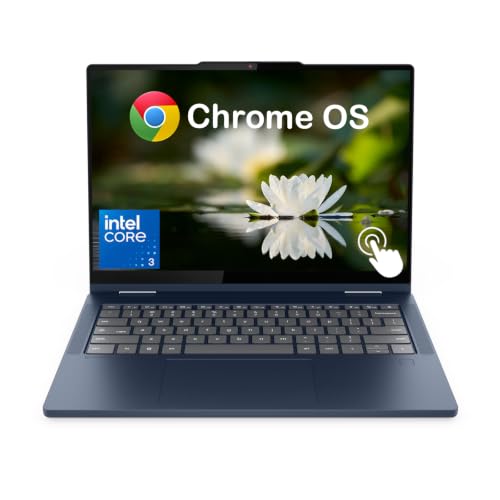 | Lenovo Chromebook Plus 2-in-1 14-Inch | Best fit: Chromebook Plus with 2x 10Gbps USB-C Display: 14-inch WUXGA touch, 300 nits Processor: Intel Core 3 N355 Ports: 2x USB-C 10Gbps, 2x USB-A, HDMI 1.4b, microSD Touch and flip: Touch stated; 2-in-1 in title | Check Price on Amazon |
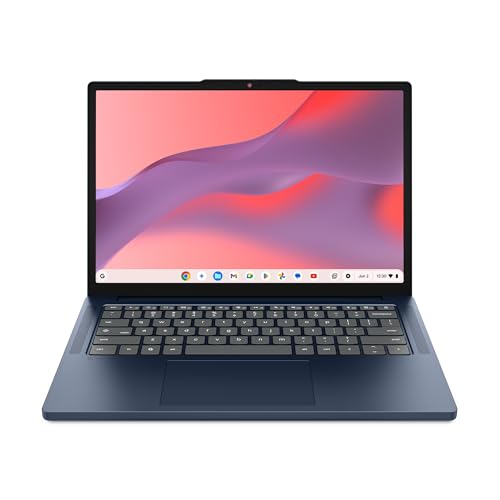 | Lenovo Chromebook m 14-Inch | Best fit: 14-inch, just under 3 lb Display: 14-inch WUXGA IPS Processor: MediaTek Kompanio 540 Ports: USB-C, USB-A, HDMI Touch and flip: No touch stated | Check Price on Amazon |
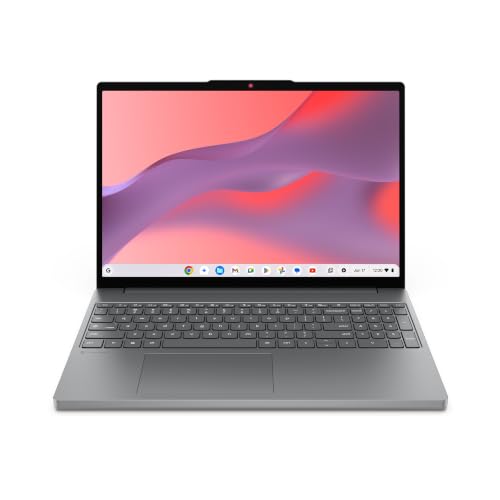 | Lenovo Chromebook m 15-Inch | Best fit: 15.3-inch, 400 nits Display: 15.3-inch WUXGA, 400 nits Processor: MediaTek Kompanio 540 Ports: Port types not stated Touch and flip: No touch stated | Check Price on Amazon |
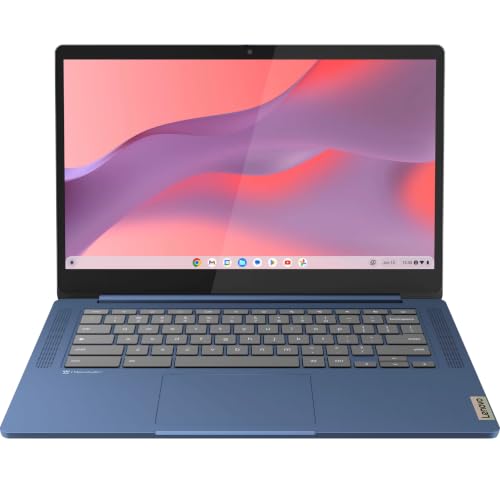 | Lenovo Flagship Chromebook 14-Inch | Best fit: Light 14-inch touchscreen Display: 14-inch Full HD IPS touch Processor: MediaTek Kompanio 520 Ports: 1x USB-C 3.2 Gen 1, 1x USB-A 3.2 Gen 1, microSD Touch and flip: Touch stated, no flip mode stated | Check Price on Amazon |
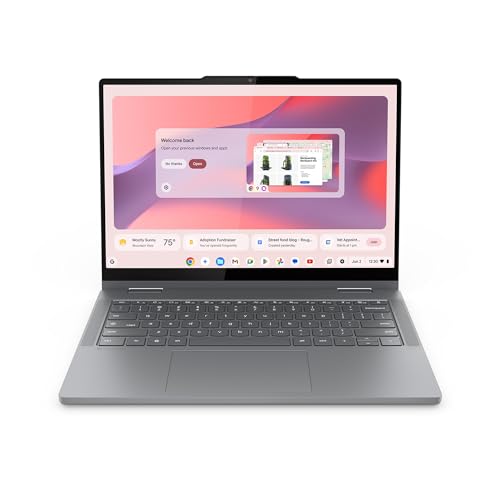 | Lenovo Chromebook 2-in-1 14-Inch | Best fit: Stated tent and tablet modes Display: 14-inch WUXGA touch Processor: Intel Core (N150 in title) Ports: 2x USB-C, 2x USB-A, HDMI Touch and flip: Laptop, tent and tablet modes | Check Price on Amazon |
 | Lenovo Chromebook 500e Gen 5 11.6-Inch | Best fit: 11.6-inch convertible Display: 11.6-inch HD touch, 60Hz Processor: MediaTek Kompanio 540 Ports: Not stated Touch and flip: Touch; convertible 2 in 1 in title | Check Price on Amazon |
1. Lenovo Chromebook Plus 2-in-1 14-Inch — Chromebook Plus With a Fingerprint Reader and Two 10Gbps USB-C Ports
The listing’s title calls this a Chromebook Plus 2-in-1 with a 14-inch WUXGA touchscreen. The bullets name an Intel Core 3 N355 with 8 cores and speeds up to 3.9GHz, and a 14-inch WUXGA 1920 x 1200 IPS display at 300 nits with a glossy anti-fingerprint finish, 60Hz and Corning Gorilla Glass. They also state touch, a backlit keyboard, a fingerprint reader, an HD webcam with a microphone, Wi-Fi 6E and Bluetooth 5.3.
The memory is 8GB of soldered LPDDR5-4800 and the storage is 128GB of UFS 2.2 on the system board. For ports the bullets state two USB-C at 10Gbps with USB Power Delivery of 45 to 65W and DisplayPort 1.4, two USB-A at 5Gbps, one HDMI 1.4b, a headphone and microphone jack and a microSD reader.
Three details are unstated or inconsistent. The title ends with the word Accessories, and the bullets do not say what is included. The title names a Core i3 N355 where the bullets name a Core 3 N355. The model field reads Intel, so the listing gives no Lenovo model code, and no bullet states a flip mode or battery life.
Our Take Choose the Plus 2-in-1 for the Chromebook Plus name with two 10Gbps USB-C ports and HDMI. Ask the seller what the accessories are and whether the screen flips before buying, or choose the Chromebook 2-in-1 for bullets that state the flip modes.
- The Plus listing gives a buyer who wants touch a 14-inch WUXGA screen at 300 nits with Corning Gorilla Glass.
- The Plus listing names two USB-C ports at 10Gbps with DisplayPort 1.4, two USB-A ports, HDMI 1.4b and a microSD reader.
- The Plus listing pairs a fingerprint reader and Wi-Fi 6E with 8GB of LPDDR5 memory and 128GB of UFS storage.
- A buyer cannot tell from the Plus listing what the Accessories in its title include, because the bullets do not say.
- A buyer sees Core i3 N355 in the Plus title and Core 3 N355 in its bullets.
- The Plus title says 2-in-1, but a buyer finds no flip mode or battery life in its bullets.
2. Lenovo Chromebook m 14-Inch — WUXGA Screen in a 14-Inch Chromebook
A bullet on the Chromebook m 14 puts its weight at just under 3 pounds, while the listing’s weight field reads 1.35 pounds, so ask the seller to confirm the weight. The same bullet says the build has military-grade durability against bumps, drops and spills. The Amazon model field reads 83SX000VUS.
The bullets state a 14-inch WUXGA 1920 x 1200 display in a 16:10 shape, MaxxAudio speakers, a webcam with a physical privacy shutter and a MediaTek Kompanio 540. The listing names USB-C, USB-A and HDMI ports for charging and presenting, a start-up time under 10 seconds and Gemini. Battery life is called all-day, with no hour figure.
The title names 8GB RAM and 64GB UFS storage, and the bullets do not repeat them, so those figures may be a seller configuration. No bullet states a touchscreen.
What sets it apart: The Chromebook m 14 listing states a 1920 x 1200 display on a 14-inch Chromebook.Our Take Choose the Chromebook m 14 for a light 14-inch laptop when touch is not needed. Choose the Chromebook 2-in-1 for a 14-inch screen with stated touch and flip modes.
- A buyer who carries the laptop gets military-grade durability against bumps, drops and spills, stated in the Chromebook m 14 listing.
- The Chromebook m 14 listing pairs a 14-inch WUXGA display in a 16:10 shape with MaxxAudio speakers.
- The Chromebook m 14 listing names USB-C, USB-A and HDMI ports for charging and presenting, plus a webcam privacy shutter.
- A buyer who needs touch will not find it stated in the Chromebook m 14 listing, while the Chromebook 2-in-1 listing does state it.
- The Chromebook m 14 title names 8GB RAM and 64GB UFS storage that its bullets do not repeat, so the figures may be a seller configuration.
3. Lenovo Chromebook m 15-Inch — 15.3-Inch Display With 400 Nits
Screen size sets the Chromebook m 15 apart from the m 14. The bullets state a 15.3-inch WUXGA display in a 16:10 shape with a 400-nit panel, and a larger touchpad and full-sized keyboard. A bullet gives the weight as 3.44 pounds, and the weight field reads 3.43 pounds.
A MediaTek Kompanio 540 is named in the bullets, with a start-up time under 10 seconds and automatic background updates. The listing names Wi-Fi 6E, a webcam privacy shutter, MaxxAudio and ChromeOS security, and it says the build follows military-standard durability and stands up to bumps and dust. Ports are described as expanded or plentiful, and no bullet lists their types.
The title names 8GB RAM and 128GB UFS storage, and the bullets do not repeat them, so those figures may be a seller configuration. The listing gives no model code, and no bullet states a touchscreen.
What sets it apart: The Chromebook m 15 listing states a 15.3-inch 400-nit display and a larger touchpad.Our Take Choose the Chromebook m 15 for a large 400-nit screen and a full-sized keyboard when touch is not needed. Choose the Plus 2-in-1 for a 14-inch touch display with the Chromebook Plus name.
- The Chromebook m 15 listing gives a buyer who wants a large screen a 15.3-inch WUXGA display with 400 nits and a larger touchpad.
- The Chromebook m 15 listing names a full-sized keyboard, Wi-Fi 6E and a webcam privacy shutter.
- The Chromebook m 15 listing gives its weight as 3.44 pounds.
- The Chromebook m 15 listing does not name its port types, while the m 14 listing names USB-C, USB-A and HDMI.
- A buyer who needs touch or a Lenovo model code will find neither in the Chromebook m 15 listing.
4. Lenovo Flagship Chromebook 14-Inch — Touchscreen at 2.86 Pounds
The Flagship listing reads differently from the other five. Its model field says Newest Flagship Lenovo Chromebook, where the Chromebook m 14 and 2-in-1 fields give codes beginning 83, and a bullet ends with the text Authorized HubxcelAccessories. The listing is for a Lenovo-branded Chromebook, but it gives no Lenovo model code to match.
The bullets state a 14-inch Full HD 1920 x 1080 IPS touchscreen, a 720p webcam with a privacy shutter and a dual-array microphone. The processor is a MediaTek Kompanio 520, described as octa-core with four A73 and four A53 cores at 2.0GHz. The memory and storage are given in a bullet as 4GB RAM and 64GB eMMC.
A specifications bullet gives 2.86 pounds, one USB-A 3.2 Gen 1 port, one USB-C 3.2 Gen 1 port, a microSD reader, a headphone and microphone jack, Wi-Fi 6 and Bluetooth 5.1. Amazon’s release-date field for this listing is earlier than the dates on the Chromebook m and 2-in-1 listings.
Our Take Choose the Flagship listing for a light 14-inch touchscreen when the 4GB of memory is enough. Choose the Plus 2-in-1 for the 8GB of memory and 10Gbps USB-C ports that its listing states.
- A buyer who wants touch on a 14-inch screen gets Full HD IPS at 1920 x 1080 in the Flagship listing.
- The Flagship listing gives a weight of 2.86 pounds and names a microSD reader.
- The Flagship listing states a 720p webcam with a privacy shutter and a dual-array microphone.
- The Flagship listing states 4GB RAM and 64GB eMMC, while the Plus 2-in-1 listing states 8GB and 128GB UFS.
- The Flagship listing states a 720p webcam, while the 2-in-1 listing states an FHD webcam.
- The Flagship listing gives no Lenovo model code and names no HDMI port.
5. Lenovo Chromebook 2-in-1 14-Inch — Flips to Tablet and Tent Modes
A bullet on the 2-in-1 says a responsive touchscreen flips between laptop, tent and tablet modes. Another bullet gives the thickness as 0.69 inches and the weight as 3.3 pounds, but the listing’s weight field reads 1.5 pounds, so ask the seller to confirm the weight. The Amazon model field reads 83LN001EUS.
The bullets name two USB-C ports, two USB-A ports and an HDMI port. They also state a WUXGA display, MaxxAudio speakers, an FHD webcam with a physical shutter, a start-up time under 10 seconds and Gemini. Battery life is called long-lasting with fast charging, with no hour figure.
The title names an Intel N150 and 4GB RAM, while the bullets say only an Intel Core processor. The 128GB storage figure appears in a bullet, but the 4GB memory figure and the processor name appear only in the title, so they may be a seller configuration.
Our Take Choose the 2-in-1 for stated tent and tablet modes with two USB-C ports and HDMI. Confirm the processor and memory with the seller before buying.
- A buyer who wants a flip gets laptop, tent and tablet modes on a responsive touchscreen, stated in the 2-in-1 listing.
- The 2-in-1 listing names two USB-C ports, two USB-A ports and an HDMI port.
- The 2-in-1 listing states an FHD webcam with a physical shutter and 128GB of storage.
- A buyer reading the 2-in-1 title sees an Intel N150 and 4GB RAM, while its bullets say only an Intel Core processor.
- The 2-in-1 listing gives no battery hours, only a long-lasting claim with fast charging.
6. Lenovo Chromebook 500e Gen 5 11.6-Inch — Touchscreen Convertible With a Kompanio 540
The 500e Gen 5 is the smallest listing here. Its title names the model 83TA0002US and describes an 11.6-inch touchscreen convertible 2 in 1 with an HD display at 60Hz, 4GB of memory, 64GB of flash storage and an English (US) keyboard. The Amazon model field repeats 83TA0002US.
The bullets are a short specification list. They state a MediaTek Kompanio 540 with eight cores, two A78 at 2.6GHz and six A55 at 2.0GHz, an Arm Mali-G57 MC2 GPU, 4GB of soldered LPDDR5X-6400 and 64GB of UFS 2.2. The size field gives 0.80 by 11.4 by 8.3 inches and the weight field gives 2.84 pounds.
The listing does not state ports, a webcam, wireless standards or battery life, so those need a check with the seller. The title says HD where the other five listings state Full HD or WUXGA panels.
What sets it apart: The 500e Gen 5 listing states an 11.6-inch touchscreen convertible with a Kompanio 540 and 64GB of UFS 2.2 storage.Our Take Choose the 500e Gen 5 for a small 11.6-inch convertible when an HD display and 4GB of memory are enough. Confirm the ports and webcam with the seller, or choose the Chromebook 2-in-1 for a 14-inch WUXGA screen with stated ports.
- A buyer who wants a small machine gets an 11.6-inch touchscreen convertible 2 in 1 at 60Hz, according to the 500e listing’s title.
- The 500e listing states a Kompanio 540 with 4GB of LPDDR5X and 64GB of UFS 2.2.
- The 500e listing’s weight field gives 2.84 pounds, and its model field repeats the title’s 83TA0002US.
- The 500e listing does not state ports, a webcam, wireless standards or battery life.
- The 500e listing’s title says HD, while the other five listings state Full HD or WUXGA.
- The 500e listing states 4GB of memory, while the Plus listing states 8GB.
Buying Guide
1. Start with screen size and touch
The Chromebook m 15 states a 15.3-inch display. The Plus 2-in-1, the m 14, the Flagship and the 2-in-1 are 14 inches, and the 500e Gen 5 is 11.6 inches.
Touch is stated in the Plus 2-in-1, Flagship, 2-in-1 and 500e listings. The two Chromebook m listings do not state it, so confirm the touch line in a Chromebook m listing before buying if you need a touchscreen. The touchscreen laptop guide covers touch models with Thunderbolt or USB4 ports.
2. Decide between a laptop and a flip
The 2-in-1 bullets state laptop, tent and tablet modes. The Plus 2-in-1 title calls it a 2-in-1 and the 500e Gen 5 title calls it a convertible 2 in 1, and neither listing’s bullets name the modes. The two Chromebook m listings and the Flagship do not state a flip mode.
Weight is stated for five of the six. The m 14 bullet says just under 3 pounds against 1.35 pounds in its weight field, the Flagship 2.86 pounds, the 500e Gen 5 2.84 pounds, the 2-in-1 bullet 3.3 pounds against 1.5 pounds in its weight field and the m 15 bullet 3.44 pounds. The Plus listing gives none. The 2-in-1 laptop guide covers more convertibles.
3. Compare processor, memory and storage by listing
The processors named are an Intel Core 3 N355 on the Plus 2-in-1, a MediaTek Kompanio 540 on both Chromebook m listings and the 500e Gen 5, a Kompanio 520 on the Flagship and an Intel N150 in the 2-in-1 title. The Flagship bullets describe the Kompanio 520 as four A73 and four A53 cores.
The Plus bullets state 8GB of LPDDR5 and 128GB of UFS 2.2, the 500e bullets state 4GB of LPDDR5X and 64GB of UFS 2.2, and the Flagship bullet states 4GB and 64GB of eMMC. The m 14, m 15 and 2-in-1 name memory only in the title, so treat those figures as a possible seller configuration. The 2-in-1 bullets do state 128GB of storage.
4. Check ports and webcams
The 2-in-1 states two USB-C ports, two USB-A ports and HDMI, and the Plus 2-in-1 states two USB-C ports at 10Gbps, two USB-A ports at 5Gbps and HDMI 1.4b. The m 14 names USB-C, USB-A and HDMI without counts or speeds. The Flagship states one USB-A and one USB-C at 3.2 Gen 1 and names no HDMI port. The m 15 and the 500e Gen 5 name no port types.
Webcams are stated as HD on the Plus 2-in-1, FHD on the 2-in-1 and 720p on the Flagship, and the m listings name a privacy shutter. None of the six listings states Thunderbolt or USB4, so a Thunderbolt dock or monitor needs a separate check. The Thunderbolt laptop list and the Chromebook dock guide cover accessories.
5. Compare the update and battery claims
None of the six listings states an update period. The m 15 bullets say updates run automatically in the background and give no date, and no other listing gives an update schedule.
No listing states battery hours either. The m 14 bullets say all-day battery life and the 2-in-1 bullets say long-lasting, and the Plus 2-in-1, Flagship, m 15 and 500e listings give no figure. Ask the seller for a battery figure if runtime decides the purchase.
FAQ
Which Lenovo Chromebook here has the largest screen?
The Chromebook m 15 states a 15.3-inch WUXGA display with 400 nits. The Plus 2-in-1, m 14, Flagship and 2-in-1 state 14 inches, and the 500e Gen 5 states 11.6 inches.
The m 15 does not state touch, while the Plus 2-in-1, Flagship and 2-in-1 do. Choose by whether size or touch is the deciding feature.
Is the Chromebook m a Chromebook Plus?
The two Chromebook m listings do not use the Chromebook Plus name, and their bullets name a MediaTek Kompanio 540. The Plus 2-in-1 listing uses the name and names an Intel Core 3 N355.
Check the name in the listing title before buying if you need a Chromebook Plus. The Flagship, 2-in-1 and 500e listings do not use it either.
Which listing states a flip mode?
The 2-in-1 bullets state laptop, tent and tablet modes. The Plus 2-in-1 title calls it a 2-in-1, and the 500e Gen 5 title calls it a convertible 2 in 1, and neither listing’s bullets name the modes.
The m 14, m 15 and Flagship listings do not state a flip mode. Choose the 2-in-1 listing if you want the modes stated in the bullets.
Does any listing state Thunderbolt or USB4?
No. The 2-in-1 names two USB-C ports and the Plus 2-in-1 names two USB-C ports at 10Gbps with DisplayPort 1.4. Neither names Thunderbolt or USB4.
Check the laptop’s own documentation before pairing one with a Thunderbolt dock. The Chromebook dock guide covers docks for Chromebooks.
Which listings need a closer look before buying?
The Plus 2-in-1 title ends with the word Accessories and says Core i3 where its bullets say Core 3, and it gives no Lenovo model code. The Flagship gives no Lenovo model code and names no HDMI port, and the 500e Gen 5 does not state ports, a webcam or battery life.
The m 14, m 15 and 2-in-1 titles name memory that the bullets do not repeat. Match the model, memory and storage in the cart to the listing before buying.
Bottom Line
The Chromebook Plus 2-in-1 is the pick for the Chromebook Plus name with two 10Gbps USB-C ports, a fingerprint reader and 8GB of memory. Choose the Chromebook m 15 for a 15.3-inch 400-nit screen, the Chromebook m 14 for a 14-inch laptop under 3 pounds, the Flagship for a light 14-inch touchscreen, the 2-in-1 for stated tent and tablet modes, or the 500e Gen 5 for an 11.6-inch convertible once its ports are confirmed.