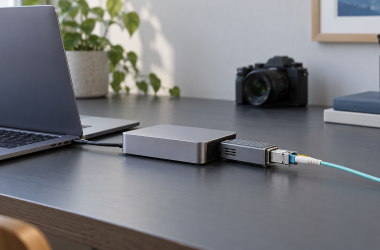
For photographers who work in the field, OWC Envoy Ultra 2TB is the best USB4 external SSD in this frozen slate. It is a fanless prebuilt 2TB drive with OWC’s conditional IP67 protection, but the port cannot be used while wet and the rating is not a data-safety guarantee. The others cover the rest of the field kit: SABRENT Rocket XTRM 5 2TB is the removable-cable prebuilt alternative, OWC Express 1M2 80G 2TB adds a serviceable configured drive, and Satechi DotDisk plus UGREEN 95583 are diskless enclosures that require compatible buyer-supplied NVMe storage.
No link ceiling or named review result becomes a promised ingest, preview, export, catalog, or RAW-editing result. Host, cable, card reader, source card, bridge, SSD controller, NAND, firmware, format, free space, cache, thermal environment, workload, and file mix all matter. One rule matters most: a portable drive is not a backup. Preserve a second verified copy before erasing a memory card. Our broader Thunderbolt 5 external SSD guide covers the category outside field-photo priorities.
Quick picks
- OWC Envoy Ultra 2TB: Best fanless prebuilt field drive with conditional IP67.
- SABRENT Rocket XTRM 5 2TB: Best removable-cable prebuilt alternative.
- OWC Express 1M2 80G 2TB: Best serviceable configured 2TB route.
- Satechi DotDisk: Best diskless field-workflow enclosure branch.
- UGREEN 95583: Best alternate diskless buyer-supplied-drive route.
Compare USB4 external SSDs for photographers
| Image | Product | Details | Check Price |
|---|---|---|---|
 | OWC Envoy Ultra 2TB | Storage state: Fanless sealed prebuilt 2TB Photo role: Field working drive Protection: Conditional IP67; port not usable while wet Safety boundary: Ingress rating is not a backup guarantee Buyer check: Dry connection, host, cable, copy verification, backup | Check Price on Amazon |
 | SABRENT Rocket XTRM 5 2TB | Storage state: Prebuilt 2TB Photo role: Removable-cable field drive Protection: Silicone sleeve; no formal ingress rating Cable: Replaceable with correct supported cable Buyer check: Host, reader, format, file mix, and backup | Check Price on Amazon |
 | OWC Express 1M2 80G 2TB | Storage state: Prebuilt configured 2TB Photo role: Serviceable field capacity Serviceability: User-serviceable NVMe path Performance boundary: No ingest or RAW-editing guarantee Buyer check: Drive support, cooling, host, cable, and backup | Check Price on Amazon |
 | Satechi DotDisk 80Gbps Enclosure | Storage state: Diskless; buyer supplies compatible NVMe Photo role: DIY field-workflow storage Link boundary: 80Gbps name is not ingest throughput Added work: Drive choice, assembly, cooling, and format Buyer check: Host, card path, compatibility, and backup | Check Price on Amazon |
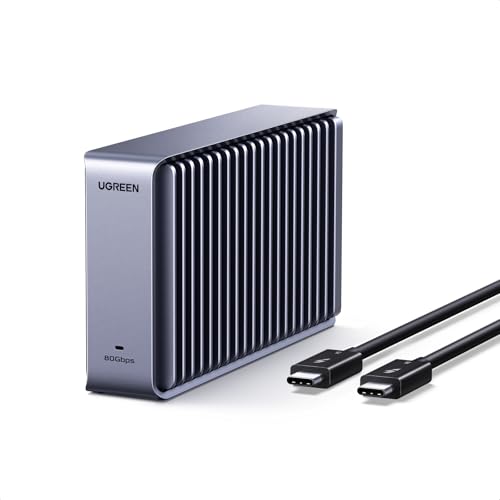 | UGREEN 80Gbps M.2 NVMe SSD Enclosure 95583 | Storage state: Diskless; buyer supplies compatible NVMe Photo role: Alternate DIY capacity route Protection: No retained ingress claim Added work: Compatibility, assembly, cooling, and format Buyer check: Reader, host, cable, cache, thermals, and backup | Check Price on Amazon |
1. OWC Envoy Ultra 2TB — best overall
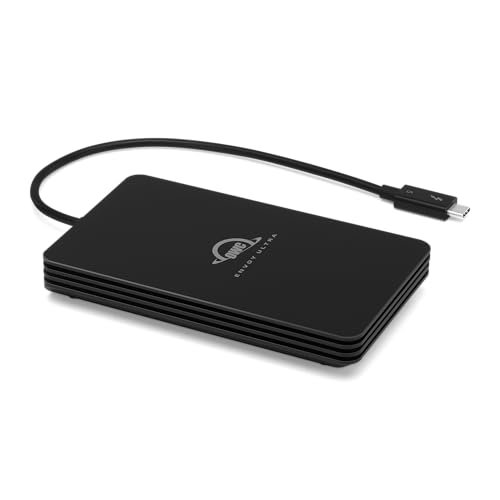
OWC Envoy Ultra 2TB leads because the frozen gate combines a prebuilt 2TB configuration, fanless design, and conditional IP67 protection. It suits photographers who want configured storage without selecting an internal NVMe drive and expect the device to move between locations.
The protection claim has strict boundaries. The port is not usable while wet, and IP67 does not guarantee file integrity, connector health, recovery, or survival outside OWC’s conditions. Dry and inspect the connection according to the manufacturer’s instructions before use. Protection also does not replace careful cable handling or a separate copy.
Fanless is a cooling design, not a temperature, noise, or sustained-performance measurement. Exact host, cable, bridge, SSD, cache, free space, file mix, and ambient conditions can change an ingest or export. No RAW-editing benchmark is retained.
Our Take
Choose Envoy Ultra when a sealed prebuilt 2TB field drive and conditional ingress protection fit the workflow. Treat it as one copy, keep the port dry during use, and maintain independent backup.
- Prebuilt 2TB field-storage role
- Fanless design
- Conditional IP67 protection retained from OWC
- Port cannot be used while wet
- Ingress rating is not a data-safety guarantee
2. SABRENT Rocket XTRM 5 2TB — best removable-cable prebuilt choice

SABRENT Rocket XTRM 5 2TB is a prebuilt 2TB external SSD with a removable cable and silicone sleeve in the retained gate. A replaceable cable earns its place in a field kit where repeated packing, tight bends, or a lost lead should not retire the storage device.
The sleeve is not a formal ingress rating. Do not infer water or dust protection from its presence, and do not transfer OWC’s IP67 statement to SABRENT. The sleeve also does not prove drop survival or data integrity.
Cable replacement requires the correct high-speed cable. Connector fit alone does not establish the intended protocol or power. The host, card reader, source card, format, file set, SSD, bridge, cache, free space, and thermals control ingest and preview behavior; no benchmark is retained.
Our Take
Choose Rocket XTRM 5 when a compact prebuilt 2TB device, removable cable, and sleeve match the field kit. Keep ingress protection and photo-performance claims out of the decision.
- Prebuilt 2TB configuration
- Removable host cable
- Silicone sleeve retained in the evidence
- No formal ingress rating is retained
- No promised ingest or RAW-editing result
3. OWC Express 1M2 80G 2TB — best serviceable configured route
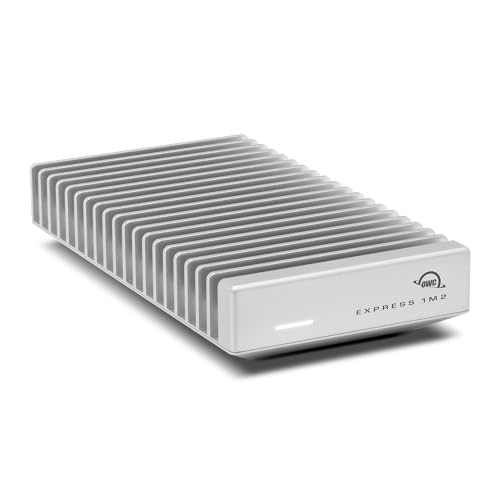
OWC Express 1M2 80G 2TB is a prebuilt configured 2TB external SSD with a user-serviceable NVMe path. It suits a photographer who wants a ready drive now but values future replacement or capacity planning more than a sealed enclosure.
Serviceability creates responsibilities. Verify the exact supported NVMe formats and capacities, installation steps, thermal assembly, enclosure closure, firmware, and formatting before replacing the configured drive. The frozen gate does not make every NVMe compatible.
The 80G label is not an ingest benchmark. Card speed, reader path, host, cable, bridge, SSD, cache, file sizes, free space, and thermals can all set lower limits. An independent copy is still required before card erasure.
Our Take
Choose Express 1M2 when configured 2TB storage plus NVMe serviceability matters more than sealed simplicity. Confirm the supported drive path and build backup into the field workflow.
- Prebuilt configured 2TB drive
- User-serviceable NVMe path
- Supports future drive-replacement planning
- No formal ingress claim retained for this role
- Replacement compatibility and cooling need recheck
4. Satechi DotDisk 80Gbps Enclosure — best diskless field-workflow branch
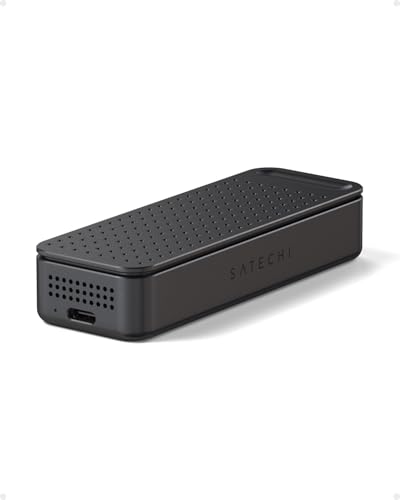
Satechi DotDisk is a diskless enclosure. It contains no SSD in the frozen product definition, so a photographer must select and install a compatible NVMe drive. That suits anyone who wants capacity, drive brand, or later replacement to stay under their own control.
Confirm Satechi’s exact NVMe compatibility, form factor, capacity, thermal assembly, closure, cable, host modes, and formatting instructions. Do not infer an included drive or copy a compatibility list from another enclosure. The completed field drive includes both the enclosure and chosen SSD.
The 80Gbps name is a link ceiling, not promised ingest or editing throughput. The gate mentions a PCWorld thermal result only for the video page and requires it to remain test-specific; no number or universal photo result is transferred here.
Our Take
Choose DotDisk when you want a diskless enclosure and are prepared to qualify the NVMe, cooling, cable, and format. Price and pack the complete drive, not the empty shell.
- Diskless buyer-configured capacity route
- Buyer controls the compatible NVMe selection
- Drive and enclosure can be replaced separately
- No SSD is included
- No ingest, preview, or RAW-editing result is promised
5. UGREEN 80Gbps M.2 NVMe SSD Enclosure 95583 — best alternate diskless route
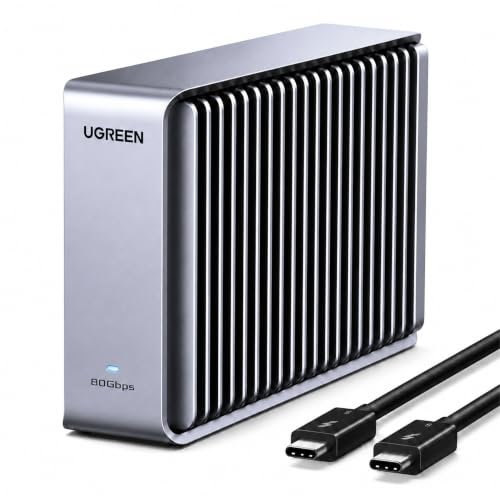
UGREEN 95583 is also a diskless enclosure with no included SSD. Take this alternate DIY route when UGREEN’s exact drive compatibility, construction, cable, or thermal design better fits the photographer’s selected NVMe and packing plan.
The buyer must confirm supported form factors, capacities, keying, installation, thermal parts, closure, firmware, host modes, and format. A mistake in any of those can matter more than the link label. The device also has no retained ingress claim for this article.
The 80Gbps product name is not a file-copy result. Camera card, reader, host, cable, bridge, chosen SSD, cache, free space, file mix, and temperature can set the real limit. Preserve another verified copy before erasing source media.
Our Take
Choose UGREEN 95583 when its exact DIY requirements fit the selected NVMe better than Satechi’s. Do not mistake an empty enclosure or a link ceiling for a complete protected workflow.
- Diskless buyer-supplied-drive route
- Independent enclosure and SSD replacement
- Alternate DIY capacity choice
- No SSD or ingress protection is established
- Compatibility and thermal assembly are buyer tasks
How to choose a USB4 SSD for photography
Start with the copy plan
Define source card, reader, laptop, destination drive, verification step, and second independent copy. Do not erase a card until at least two verified copies exist in separate storage. A portable SSD is one working copy, even when its enclosure has an ingress rating.
Keep those copies in different physical places whenever the field workflow allows it.
Choose sealed, serviceable, or diskless
Envoy Ultra and SABRENT are prebuilt; Envoy is sealed, while SABRENT’s retained advantage is its removable cable. Express is configured but serviceable. Satechi and UGREEN are diskless and add NVMe compatibility, assembly, cooling, formatting, and total-cost work.
Keep the connection dry and correct
Envoy Ultra’s port is not usable while wet. Any removable replacement cable must support the exact link, not just fit. See our USB-C cable guide for the separate cable decision.
Refuse performance shortcuts
A peak link, manufacturer claim, or named review setup is not a promised ingest, preview, export, catalog, or RAW-editing result. Card, reader, host, cable, bridge, SSD, controller, NAND, firmware, cache, free space, workload, and thermals remain material.
Frequently asked questions
Is an IP67 external SSD a backup?
No. Protection is conditional and does not guarantee data safety. Keep a separate verified copy before erasing cards.
Can Envoy Ultra be connected while wet?
No. The frozen gate explicitly says the port is not usable while wet.
Do Satechi DotDisk and UGREEN 95583 include storage?
No. Both are diskless enclosures that require compatible buyer-supplied NVMe drives.
Final recommendation
For field photography, OWC Envoy Ultra 2TB is the best overall choice because of its fanless prebuilt design and conditional IP67 protection, provided the port stays dry during use. Take SABRENT for a removable cable, Express for serviceability, or Satechi and UGREEN when you want to select and install the NVMe drive yourself. In every case, maintain a second verified copy.