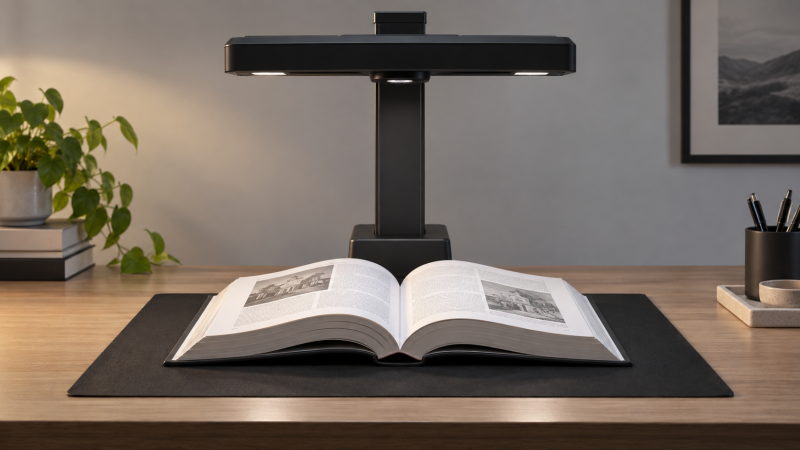
An overhead scanner can photograph a bound book without feeding pages through rollers. A sharp sample of a flat sheet, though, does not prove it can capture your thick reference volume. Before buying, test three separate jobs: fit the full spread under the camera, straighten text near the gutter, and turn the resulting image into searchable text you can trust.
Ask for a sample made from a book like yours, not just a flat page. Check the outer edges, the gutter and the extracted text.Measure the book in its scanning position
Measure the open spread, including cover and any pages that extend beyond it. Then check the scanner’s stated capture area in the same orientation. A scanner sold as “A3” may fit an A3 sheet but leave little margin around a thick book or oversize foldout. The book must sit in the maker’s intended capture area with enough space for edge detection and any supplied scan mat. The IRIScan Desk 7 guide gives a documented capture area in the A3 class for its Pro and Business models. Use the exact model sheet for your candidate.
Height and geometry affect the fit too. A large hardcover arches toward the camera and may cast its own shadow into the gutter. Check how high the camera sits, where the light falls, and whether you can place the whole book under it without pressing the binding flat. CZUR’s ET series description describes overhead capture of bound books with a process that flattens curves, but the buyer needs to check the exact supported footprint and page shape.
If your material includes glossy photos, colored diagrams, tiny footnotes or foldouts, capture those as separate test cases. A text-only sample on matte white paper will not reveal glare, clipped diagrams or lost marginal notes. IRIS’s scanning advice warns that reflections and shadows can reduce quality and that hiding fingers cannot restore content covered by a hand.
Inspect curve correction at the gutter
Open a thick book to a page where lines bend visibly into the spine. Capture a spread, then compare the raw image with the scanner’s corrected result. Read a full line from the outer edge through the inner margin. Curve correction should make the text more usable, but it is software inference from the photographed page, not recovery of letters hidden in the binding.
Look for stretched letters, warped tables, cut-off footnotes and page halves swapped or unevenly split. IRIS’s Desk user guide distinguishes Book mode, which fits curved pages, from Magazine mode, which fits straight pages, and documents manual versus automatic capture. The mode choice is part of the workflow. A flat-page setting is not a substitute for a bound-book sample.
Check how much manual repair is possible after a poor automatic crop. ScanSnap’s correction help lists book distortion correction, spread splitting and captured-finger correction for the SV600 workflow. Its detailed guidance shows that adjusting the detected page corners and outline may improve a difficult scan. A correction button is useful, and it also means some pages may need operator time.
Test OCR with the pages you will search
OCR is a separate stage from image capture. Export a searchable PDF or text file, search for a phrase near the gutter, and copy a paragraph into plain text. Compare it character by character with the printed page. Look especially at page numbers, punctuation, two-column layouts, italic text, tables and diacritics. An attractive page image can have a poor hidden text layer.
Check which OCR languages, output formats and operating systems are included for the exact hardware/software package. IRIS’s Desk 7 product page describes searchable PDF and editable text outputs. The page’s description is a feature claim and not a measured error rate for your book. Software licensing and platform support can vary by bundle, so verify the terms rather than assuming a quoted feature works on every computer.
Repeat the test on pages with photos, charts and decorative headings. IRIS’s support note says glare, shadows, watermark placement and very small or light fonts can hurt OCR results. The right sample is therefore your hardest page, not the cleanest one. If your archive is mostly images, faithful image capture may be more important than editable text. If you need research searchability, inspect the text layer first.
Our overhead book-scanner buying guide compares options for bound material. Use the same three-test sample with every candidate so a claim of fast page capture does not hide correction or OCR work later.
Count the time after the shutter
Capture speed is only one part of digitizing a book. Time a small chapter from page placement through scan, page turn, correction, OCR and final file naming. Automatic page-turn detection can help, but only if it captures the intended spread without hand shadows or skipped pages. IRIS’s book-scanning instructions describe manual and automatic capture options and searchable-PDF output.
Make a spot-check routine for page order and missing leaves. Confirm the export preserves readable page edges, rotates pages correctly and keeps a consistent file structure. If the book cannot open without stressing the spine, prioritize a gentle setup and consider whether an overhead camera with a cradle or other professional preservation workflow is more appropriate. Do not force a valuable binding flat merely to satisfy an automatic correction algorithm.
Frequently asked questions
Does an A3 capture area guarantee a large book will fit?
No. The stated area usually describes a flat document footprint. A thick bound spread has height, curvature and possibly a cover wider than its pages. Measure the book open and check the exact model’s stated capture field, scan-mat requirement and clearance.
Ask for a sample from a similar book if possible. A broad paper-size label is a starting clue, not a proof that gutter text and outer margins will both survive.
Will curve flattening make every page look flat?
No. Correction can improve a photographed curve, but it depends on the page outline and visible content. Deep gutters, covered letters, glare and complicated layouts can produce distortion or missing content.
Inspect corrected pages at normal reading size and zoom into the spine area. Check whether manual corner or page-outline adjustment is supported before assuming every page will process automatically.
Is a searchable PDF the same as accurate OCR?
No. A file can contain a text layer while misreading words, page numbers or columns. Search for a known phrase and copy text from a difficult page to see what the OCR engine produced.
Keep the original images when accuracy is required. OCR text is a convenience for discovery and editing. Verify quotations or research details against the page image.
Bottom line
Bring a representative thick book or demand a matching sample. Verify full-spread coverage, inspect gutter correction, and test OCR on the hardest page before choosing a scanner by megapixels or capture speed alone.