Latitude, Dell Pro and Dell Pro Max are all Dell business laptops. The five Amazon listings below span the three names in 14-inch, 15.6-inch and 16-inch sizes. Dell’s own pages describe the Pro Max 16 Plus and the Pro Max 14 Premium as workstations, which is the clearest dividing line between Pro Max and the other two names.
Ports and screens differ more than the names suggest. Each section says which port list comes from Dell’s page and which comes from the Amazon listing.
Every laptop here has at least one Thunderbolt 4 port, according to its Amazon listing or Dell’s page.Dell Latitude, Dell Pro and Dell Pro Max Laptops Compared
| Image | Product | Details | Check Price |
|---|---|---|---|
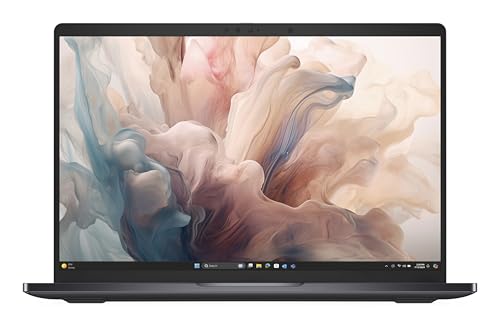 | Dell Pro 14 Premium PA14250 | Best fit: A 14-inch non-touch Dell Pro with a 400-nit screen Screen: 14-inch 1920 x 1200, 400 nits, 100% sRGB Processor: Core Ultra 7 268V vPro Memory and storage: 32GB LPDDR5x and 512GB SSD, from the listing Ports: 2x Thunderbolt 4, HDMI 2.1, USB 3.2 Gen 1 (Dell's page) | Check Price on Amazon |
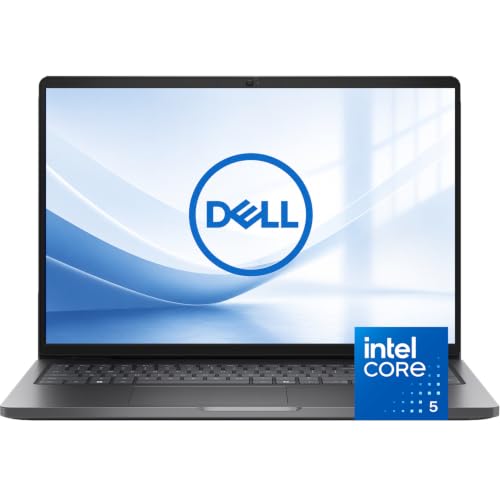 | Dell Pro 16 PC16250 | Best fit: A 16-inch Dell Pro with built-in Ethernet Screen: 16-inch 1920 x 1200 IPS, 300 nits Processor: Core 5 120U Memory and storage: 16GB DDR5 and 512GB NVMe SSD, from the listing Ports: Thunderbolt 4, USB-C, 2x USB-A, HDMI 2.1, 1 GbE (Dell's page) | Check Price on Amazon |
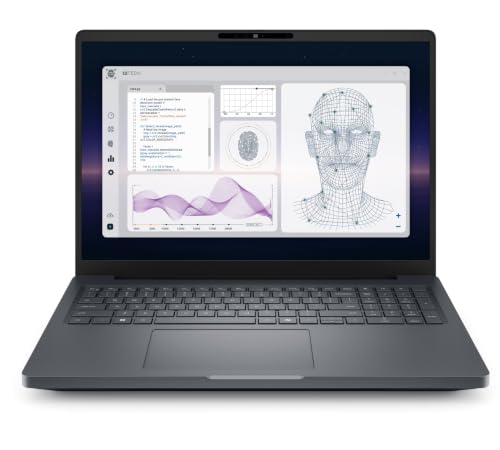 | Dell Pro Max 16 Plus | Best fit: Dedicated RTX PRO 1000 graphics and Thunderbolt 5 Screen: 16-inch 1920 x 1200 IPS, 400 nits Processor: Core Ultra 9 285H vPro Memory and storage: 32GB and 512GB Gen4 SSD, from the listing Ports: 2x Thunderbolt 5, Thunderbolt 4, HDMI 2.1, 2x USB-A, 2.5 GbE, SD (Dell's page) | Check Price on Amazon |
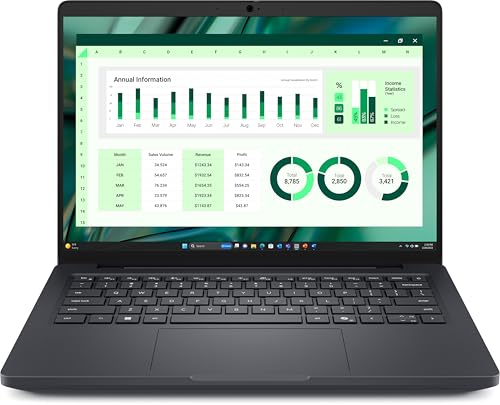 | Dell Pro Max 14 Premium MA14250 | Best fit: A 14-inch OLED touchscreen Screen: 14-inch 2880 x 1800 OLED touch, 400 nits Processor: Core Ultra 7 265H vPro Memory and storage: 32GB LPDDR5X and 1TB SSD, from the listing Ports: 2x Thunderbolt 5, 2x Thunderbolt 4, microSD (Dell's page) | Check Price on Amazon |
 | Dell Latitude 5550 | Best fit: A 15.6-inch Latitude with Ethernet and a number pad Screen: 15.6-inch 1920 x 1080 IPS, 250 nits Processor: Core Ultra 7 155U Memory and storage: 64GB DDR5 and 1TB SSD, from the listing Ports: 2x Thunderbolt 4, HDMI 2.1, RJ-45, microSD (listing) | Check Price on Amazon |
1. Dell Pro 14 Premium PA14250 — Best for a 14-Inch 400-Nit Dell Pro
techpointnycom’s listing describes a Dell Pro 14 Premium with a non-touch 1920 x 1200 anti-glare screen rated at 400 nits and 100% sRGB. The processor is a Core Ultra 7 268V with vPro, and the listing adds 32GB of LPDDR5x memory, a 512GB M.2 SSD, Wi-Fi 7 and Windows 11 Pro. The bullets also name an 8MP infrared camera with a shutter and a fingerprint reader in the palmrest.
The listing writes its ports as “Thunderbolt 4 | HDMI 2.1 | USB-A” without a count. Dell’s Pro 14 Premium page lists two Thunderbolt 4 ports with USB4 and Power Delivery, one USB 3.2 Gen 1 port with PowerShare, HDMI 2.1 and a headset jack. The same page lists no Ethernet port and gives a minimum weight of 2.52 pounds. Its sample build uses a Core Ultra 7 266V with 16GB, so the listing’s processor, memory and sRGB figure come from the seller.
Our Take Choose the Pro 14 Premium for a light 14-inch Dell Pro with a 400-nit screen and no touch layer. Confirm the 32GB and 512GB in the cart, because Dell’s own page shows a different build.
- Dell’s page gives the Pro 14 Premium two Thunderbolt 4 ports and HDMI 2.1, a count the listing’s port line leaves out.
- techpointnycom’s listing rates the anti-glare screen at 400 nits and 100% sRGB, with no touch layer.
- The listing names an 8MP infrared camera with a shutter, and a fingerprint reader sits in the palmrest.
- A buyer who wants touch input gets a non-touch screen here, as techpointnycom’s listing describes it.
- Dell’s page lists no Ethernet port for the Pro 14 Premium.
2. Dell Pro 16 PC16250 — Best for a 16-Inch Laptop With Built-In Ethernet
Oydisen WOWPC’s listing for the Dell Pro 16 starts with connectors: Thunderbolt 4, a USB-C port with Power Delivery, two USB-A ports, HDMI and Gigabit Ethernet. The screen is a 16-inch 1920 x 1200 IPS panel in 16:10, anti-glare, at 300 nits. Inside are a Core 5 120U, 16GB of DDR5 and a 512GB NVMe SSD, and the listing adds Windows 11 Pro, a backlit keyboard, an infrared camera and a privacy shutter.
Dell’s Pro 16 page agrees on the connectors and gives counts: one Thunderbolt 4 port, a second USB-C port at 10 Gbps, two USB-A ports, HDMI 2.1 and a 1 GbE RJ45 jack. Dell lists Wi-Fi 6E, a 55Wh battery, a minimum weight of 4.23 pounds, no fingerprint reader and no vPro management. Its sample build has 8GB and 256GB, so the listing’s 16GB and 512GB come from the seller. The listing’s warranty field reads 1 Year Seller.
Our Take Choose the Pro 16 for an office desk that wants wired Ethernet and a 16-inch screen without a dock. Skip it if you need a fingerprint reader or vPro management.
- Oydisen WOWPC’s listing states Thunderbolt 4, HDMI, two USB-A ports and Gigabit Ethernet for an office desk that wants no dock.
- Dell’s Pro 16 page confirms the connectors with a 1 GbE RJ45 jack and a USB-C port at 10 Gbps.
- The listing from Oydisen WOWPC states a 16-inch 1920 x 1200 IPS screen at 300 nits.
- Dell’s page lists one Thunderbolt 4 port on the Pro 16, while Oydisen WOWPC’s listing gives no count.
- Oydisen WOWPC’s listing says Wi-Fi 6 and Dell’s page lists Wi-Fi 6E, and neither source names Wi-Fi 7.
- The warranty field in the listing reads 1 Year Seller, not a Dell term.
3. Dell Pro Max 16 Plus — Best for Dedicated RTX PRO 1000 Graphics
VIVI CICI’s listing names NVIDIA RTX PRO 1000 Blackwell graphics with 8GB of GDDR7 alongside a Core Ultra 9 285H with vPro Enterprise, 32GB of RAM and a 512GB PCIe Gen4 SSD. The 16-inch 1920 x 1200 IPS screen is non-touch at 400 nits, and the battery is 96Whr. The listing also states Wi-Fi 7 and a mini-LED backlit keyboard.
The ports bullet runs together but names an SD card reader, HDMI 2.1, one Thunderbolt 4 port and two Thunderbolt 5 ports with Power Delivery and DisplayPort 2.1. Dell’s Pro Max 16 Plus page lists the same three Thunderbolt ports, plus two USB-A ports, a 2.5 GbE RJ45 jack and a starting weight of 5.63 pounds. Dell’s page shows a Core Ultra 9 285HX and RTX PRO 3000 build, so the 285H and RTX PRO 1000 rest on the listing alone. The listing states a 3-year Dell warranty.
Our Take Choose the 16 Plus when graphics work or a Thunderbolt 5 dock decides the purchase. The Pro 16 listing names no dedicated graphics.
- VIVI CICI’s listing states RTX PRO 1000 Blackwell graphics with 8GB of GDDR7 for graphics work.
- Dell’s page confirms the three Thunderbolt ports on the Pro Max 16 Plus, two Thunderbolt 5 and one Thunderbolt 4, and adds a 2.5 GbE RJ45 jack.
- VIVI CICI’s listing states a 3-year warranty from Dell.
- A touchscreen is not on offer here, since VIVI CICI’s listing describes a non-touch screen.
- Dell’s page gives a starting weight of 5.63 pounds, above the 4.23-pound minimum it gives for the Pro 16.
- The 285H and RTX PRO 1000 rest on the listing alone, because Dell’s page shows a 285HX and RTX PRO 3000 build.
4. Dell Pro Max 14 Premium MA14250 — Best for a 14-Inch OLED Touchscreen
olecto’s listing gives the Dell Pro Max 14 Premium a 14-inch 2880 x 1800 Tandem OLED touchscreen at 60Hz, 400 nits, 100% DCI-P3 and VESA HDR TB 500. The processor is a Core Ultra 7 265H with vPro Enterprise and Intel Arc Pro graphics, with 32GB of LPDDR5X memory and a 1TB self-encrypting Gen 4 SSD. The listing also states Wi-Fi 7, a 72Whr battery and a 3-year Dell ProSupport term, and its warranty field says 3 years Pro Support.
The listing names no ports. Dell’s Pro Max 14 Premium page lists two Thunderbolt 5 ports and two Thunderbolt 4 ports, all with DisplayPort 2.1 and Power Delivery, plus a headset jack and a microSD slot. Dell’s page does not list an HDMI port or a USB-A port, and it gives a starting weight of 3.55 pounds. The same page offers the OLED touch panel, the 265H and a 1TB SSD. The listing’s camera line says No Shutter.
Dell’s page lists no HDMI port on this model, so a monitor connects through a Thunderbolt port or a dock.Our Take Choose the Pro Max 14 Premium when the OLED touchscreen and four Thunderbolt ports decide it. Pass if you plug straight into an HDMI monitor or USB-A accessories.
- Buyers who choose on the OLED touchscreen get a 14-inch 2880 x 1800 Tandem OLED panel with 100% DCI-P3, as olecto’s listing states.
- Dell’s page, not the listing, gives the Pro Max 14 Premium four Thunderbolt ports, two Thunderbolt 5 and two Thunderbolt 4.
- The listing adds a 1TB self-encrypting SSD and a 3-year Dell ProSupport term.
- Dell’s page lists neither an HDMI nor a USB-A port on the Pro Max 14 Premium, so a plain HDMI monitor connects through a Thunderbolt port or a dock.
- The camera line in olecto’s listing says No Shutter.
5. Dell Latitude 5550 — Best for a 15.6-Inch Latitude With Ethernet and a Number Pad
J-Tech Digital’s listing describes the Latitude 5550 with a 15.6-inch 1920 x 1080 IPS screen, non-touch, anti-glare, 60Hz and 250 nits. The listing names a Core Ultra 7 155U, 64GB of DDR5 and a 1TB PCIe NVMe SSD, along with Wi-Fi 6, a fingerprint reader, Windows 11 Pro and a 99-key backlit keyboard with a numeric keypad. The bullets also say a mouse is included.
The ports bullet lists two Thunderbolt 4 ports at 40 Gbps with USB4 and Power Delivery, two USB 3.2 Gen 1 ports (one with PowerShare), HDMI 2.1, an RJ-45 Ethernet port, a microSD slot and an audio port. The listing gives no warranty term in its bullets or its structured fields. Its bullets contain garbled text such as “Inte Processor” and “Befectoy”, and the Dell page for the 5550 gives no specs, so every figure here is the seller’s.
Our Take Choose the Latitude 5550 for a 15.6-inch desk laptop that needs Ethernet, a number pad and two Thunderbolt 4 ports. Look at the Pro Max 14 Premium if a sharper screen outranks the port list.
- J-Tech Digital’s listing states two Thunderbolt 4 ports, HDMI 2.1, an RJ-45 port and a microSD slot, a port list that fits a desk laptop needing Ethernet.
- The listing states 64GB of DDR5 and a 1TB SSD, both from the seller alone because Dell’s page gives no specs.
- The listing states a numeric keypad on a backlit keyboard and a fingerprint reader.
- The 250-nit, 1920 x 1080 non-touch screen in J-Tech Digital’s listing is a reason to look elsewhere for a sharper screen.
- J-Tech Digital’s listing gives no warranty term in its bullets or its structured fields.
Buying Guide
Choose between Latitude, Dell Pro and Dell Pro Max by the work
Dell’s pages describe both Pro Max models here as workstations, and the 16 Plus listing names RTX PRO 1000 graphics, so the 16 Plus is the graphics-heavy pick. The Pro Max 14 Premium listing names Intel Arc Pro graphics instead, so read the graphics line rather than trusting the name.
The Latitude 5550 is the one Latitude in this comparison. Its listing gives a 15.6-inch screen with RJ-45 and a number pad, so it suits a desk that needs wired networking and a full keyboard. The Pro 14 Premium and Pro 16 listings name no dedicated graphics.
Compare the screens, not only the sizes
Three listings state 400 nits: the Pro 14 Premium, the Pro Max 16 Plus and the Pro Max 14 Premium. The Pro 16 is stated at 300 nits and the Latitude 5550 at 250 nits, so the 5550 has the dimmest screen of the five.
One of the five is a touchscreen, the Pro Max 14 Premium at 2880 x 1800 OLED. The Pro 14 Premium, Pro Max 16 Plus and Latitude 5550 listings describe non-touch screens, and Dell’s page shows the Pro 16 as non-touch, so touch means the Pro Max 14 Premium.
Match the port list to your dock and monitors
The Pro Max 16 Plus and Pro Max 14 Premium each have two Thunderbolt 5 ports on Dell’s pages, and no other laptop here lists Thunderbolt 5. Dell’s pages list two Thunderbolt 4 ports on the Pro 14 Premium and one on the Pro 16, while the Pro 14 Premium listing says only “Thunderbolt 4”.
For a wired network, Dell’s pages list a 1 GbE jack on the Pro 16 and a 2.5 GbE jack on the Pro Max 16 Plus, and the Latitude 5550 listing states RJ-45. The Pro Max 14 Premium page lists neither an Ethernet nor an HDMI port, so a dock covers both on that model.
Check memory, storage and the warranty term in each listing
Each listing states its own memory and storage, and none says the seller changed them. Dell’s sample builds differ from the listings. The Pro 16 page shows 8GB and 256GB against the listing’s 16GB and 512GB, and the Pro 14 Premium page shows 16GB against 32GB. Compare the memory and storage in the cart with the listing before you pay.
Warranty terms also differ. The Pro 14 Premium warranty field reads Dell 3 Years Onsite Service, the Pro Max models state 3 years, the Pro 16 field reads 1 Year Seller, and the Latitude 5550 gives none. Ask for the written warranty term on the Pro 16 and Latitude 5550 listings.
Confirm the seller and New condition at checkout
All five listings are sold by Amazon marketplace sellers, not by Dell: techpointnycom, Oydisen WOWPC, VIVI CICI, olecto and J-Tech Digital. Amazon lists each as New, and none of the five listings uses seal-opened, resealed, upgraded or customized wording.
Check the condition line on the page you open and leave any listing that changes to opened, resealed, upgraded, refurbished or renewed wording.
FAQ
Which Dell here has dedicated RTX graphics?
The Dell Pro Max 16 Plus does. VIVI CICI’s listing names NVIDIA RTX PRO 1000 Blackwell graphics with 8GB of GDDR7 beside a Core Ultra 9 285H.
No other listing names an RTX card. The Pro Max 14 Premium listing names Intel Arc Pro graphics, and the other three name no dedicated graphics.
Which of the five has built-in Ethernet?
The Dell Pro 16 and the Pro Max 16 Plus have it on Dell’s pages, with a 1 GbE jack on the Pro 16 and a 2.5 GbE jack on the 16 Plus. The Latitude 5550 listing also states an RJ-45 port.
The Pro 14 Premium and Pro Max 14 Premium pages list no Ethernet port. The 16 Plus listing’s bullets do not mention Ethernet, so its jack rests on Dell’s page.
Which has the sharpest screen?
The Dell Pro Max 14 Premium, with a 2880 x 1800 Tandem OLED touchscreen at 400 nits and 100% DCI-P3 in olecto’s listing.
The other four list 1920 x 1200 or 1920 x 1080 and non-touch screens in their listings or on Dell’s page, so the Pro Max 14 Premium is also the only touchscreen here.
Which is the lightest?
The Pro 14 Premium has the lowest weight stated for any of the five, a 2.52-pound minimum on Dell’s page. Dell’s Pro Max 14 Premium page gives a 3.55-pound starting weight.
Dell’s pages give a 4.23-pound minimum for the Pro 16 and a 5.63-pound starting weight for the Pro Max 16 Plus. The Latitude 5550 listing gives 5 pounds in its dimensions field and does not say whether that is the laptop’s weight.
Are the memory and storage amounts the factory build?
None of the five listings says. The Pro 16 and Pro 14 Premium pages show smaller builds than their listings, so those amounts are the seller’s stated figures.
Compare the cart’s memory and storage lines with the listing, and leave the listing if the seller’s wording changes to upgraded or customized.
Bottom Line
The Dell Pro 16 is the pick for a 16-inch screen with Ethernet, the Dell Pro Max 16 Plus is the pick for dedicated graphics and Thunderbolt 5, and the Dell Pro Max 14 Premium is the pick for a 14-inch OLED touchscreen. For adjacent decisions, see the Dell laptop guide and the business laptop guide.