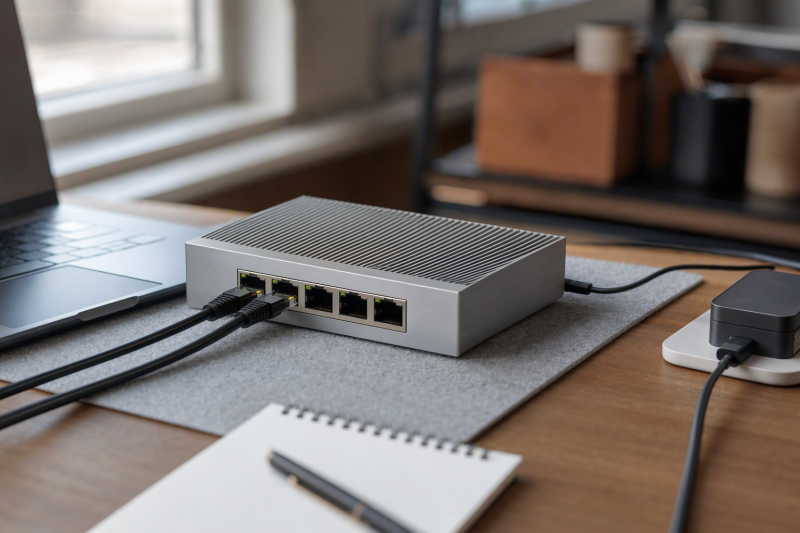
A tiny Ethernet switch can turn one wired network drop into ports for a laptop, a second computer, a printer, and a small lab device. The detail that catches travelers is that five ports means four downstream devices after one port connects upstream. A switch also needs power. A metal box small enough for a bag is not automatically battery-operated, and a switch does not replace a router or create another Internet entitlement on a restricted hotel network.
These six unmanaged, five-port Gigabit switches have active New Amazon US offers. They cover conventional models with a wall adapter and one miniature option that explicitly uses USB-C power. Throughput, power draw, heat, and travel durability were not independently measured. Pick by port need, power source, case footprint, and whether the network allows multiple downstream devices. None of the six is presented as a PoE-powered travel switch.
Before packing, count the upstream cable as one port, check the power plug you will use, and confirm the location’s network permits a switch.Compact Five-Port Gigabit Switches Compared
| Image | Product | Details | Check Price |
|---|---|---|---|
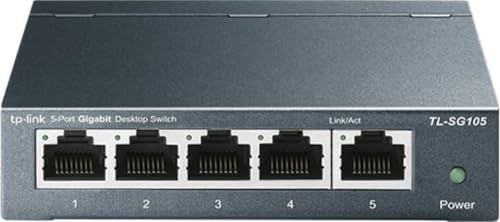 | TP-Link TL-SG105 | Ports: 5 x Gigabit Power: External 5-V adapter per maker Body: Fanless metal Best fit: General travel desk | Check Price on Amazon |
 | NETGEAR GS305 | Ports: 5 x Gigabit Power: External adapter; US/CA listing Body: Fanless metal; wall mount Best fit: Wall-mount alternative | Check Price on Amazon |
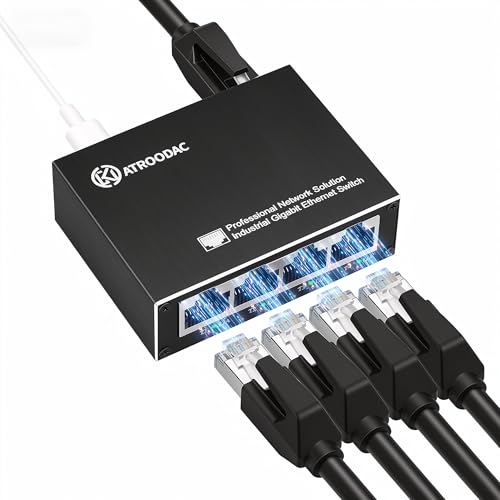 | ATROODAC Mini | Ports: 5 x Gigabit Power: USB-C input; plug included Body: 2.79 x 2.12 x 0.90 in. Best fit: USB-power packing | Check Price on Amazon |
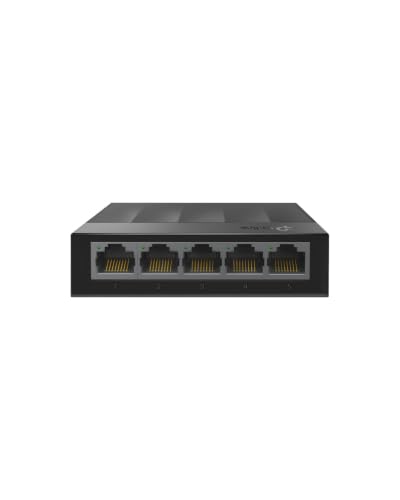 | TP-Link LS1005G | Ports: 5 x Gigabit Power: External 5-V adapter per maker Body: Small, light, fanless Best fit: Lightweight spare | Check Price on Amazon |
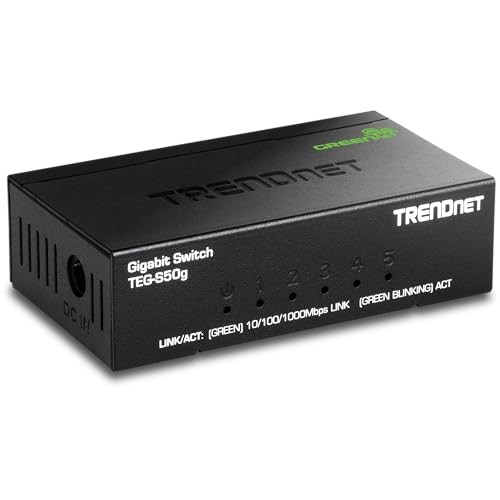 | TRENDnet TEG-S50g | Ports: 5 x Gigabit Power: External adapter; revision varies Body: 3.24 x 1.84 x 0.9 in. metal Best fit: Narrow metal footprint | Check Price on Amazon |
 | UGREEN 5-port | Ports: 5 x Gigabit Power: Separate power; input not stated Body: Fanless; wall holes Best fit: Plain backup switch | Check Price on Amazon |
1. TP-Link TL-SG105 — Best Metal Desk Default
TP-Link lists five auto-negotiating 10/100/1000-Mbps RJ45 ports, a fanless metal shell, and desktop or wall-mount placement for the TL-SG105. It needs an external power adapter. TP-Link lists a 5-V DC, 0.6-A supply for the US product version it documents. The switch is unmanaged, so there is no setup page or VLAN plan to configure for a simple temporary desk. It can sit behind a router to add wired endpoints.
TP-Link’s listing mentions port-based priority/QoS and IGMP snooping, but those features do not turn an unmanaged switch into a traffic-policy system you can administer in a hotel. A Gigabit port gives a link rate, not guaranteed Internet throughput. The uplink and upstream service remain bottlenecks. For travel, measure the space for the box and the adapter together, not just the metal case.
Our Take Choose the TL-SG105 if you can carry its power adapter and want a conventional metal switch. It solves port count, not routing or network access restrictions.
- Five Gigabit ports in a fanless metal case.
- Manufacturer documents its power supply.
- Separate adapter adds bag bulk.
- Unmanaged; no user-configurable VLANs.
2. NETGEAR GS305 — Best Wall-Mount Alternative
NETGEAR’s GS305 offers five Gigabit ports, a compact metal housing, and desktop or wall mounting. The checked listing says it is fanless and uses energy-efficient Ethernet. For a temporary workspace with a reachable network drop but little clear desk surface, the wall-mount option can keep cables from crowding the keyboard area. It is an unmanaged plug-and-play switch, not a router.
The listing specifies US and Canada regional use. Check the actual adapter and plug if you travel internationally. Do not assume a universal input merely because the switch itself is low power. As with every five-port switch here, one Ethernet socket normally connects back to the existing LAN, leaving four for local devices. No PoE-in or PoE-out function is stated for this GS305 listing.
Our Take Choose the GS305 if you want silent, uncomplicated expansion at a desk or a temporary mounted location. Check its regional power wording before an overseas trip.
- Fanless metal body.
- Desktop and wall-mount placement listed.
- US/Canada regional warning in listing.
- No listed PoE or router functions.
3. ATROODAC Mini — Best USB-C Power Option
ATROODAC’s mini switch is listed at 2.79 by 2.12 by 0.90 inches and explicitly uses USB-C for power. The package includes a charging plug and USB-C cable, according to its listing. USB-C power can simplify a travel kit if a suitable USB power source is already packed. The listing says its five RJ45 ports auto-negotiate 10/100/1000-Mbps links and describes the aluminum-alloy shell as fanless.
The listing says a laptop USB port can power the switch. The USB-C link is a power connection, not a USB-C data connection to the laptop. The laptop still needs an Ethernet adapter or native RJ45 port to join the LAN. Required power and operation from different laptop ports were not independently measured. A laptop source can drain its battery, and a low-power source may not be reliable. Use the included adapter or a source that meets the switch’s specified input.
Our Take Choose ATROODAC if you want USB-C power in a small travel pouch. Check the USB-C source and remember the computer still needs a separate Ethernet connection.
- Very small dimensions and USB-C power.
- USB-C cable and plug listed in the box.
- Laptop-powered operation unverified here.
- USB-C is for power, not computer networking.
4. TP-Link LS1005G — Best Lightweight Basic Switch
The LiteWave LS1005G is a small, light five-port Gigabit unmanaged switch. Its listing gives approximately 3.5 by 2.8 by 0.9 inches and 2.8 oz for the switch body. TP-Link documents an external 5-V DC, 0.6-A adapter for the model. The light chassis does not eliminate the need to pack power. It is a practical way to add wired endpoints to a workspace that already connects to a router, as long as you don’t need a metal case.
The title’s “Ethernet splitter” is shorthand. The LS1005G is a switch, and one port goes upstream and four can serve local devices. It does not duplicate a single Internet login or replace NAT/DHCP. The listing does not offer managed functions or PoE. If the upstream network grants only one device or blocks extra MAC addresses, adding a switch may not work as expected. Verify the venue’s policy first.
Our Take Choose the LS1005G if low switch weight is a priority and a conventional adapter is acceptable. Its simple role is local wired expansion behind an allowed network connection.
- Lightweight, small body.
- TP-Link documents adapter requirements.
- External adapter still required.
- No routing, management, or PoE.
5. TRENDnet TEG-S50g — Best Tiny Metal Case
TRENDnet’s TEG-S50g lists a metal, fanless body around 3.24 by 1.84 by 0.9 inches, five Gigabit RJ45 ports, and wall-mounting. Its narrow footprint may fit beside a travel dock or behind a monitor where a wider switch is awkward. LED link indicators can help spot a disconnected cable quickly. The manufacturer’s product page lists a 5-V DC, 1-A power adapter for a listed revision, but hardware revisions can vary.
TRENDnet advertises a 10-Gbps switching capacity, an internal aggregate figure rather than a promise of 10-Gbps speed on any one port. Each RJ45 port is Gigabit, and the uplink limits traffic to the rest of the network. The listing’s lifetime manufacturer protection is restricted to the US and Canada. Verify the terms in the travel region. The TEG-S50g is another conventional powered switch, not a battery device.
Our Take Choose the TEG-S50g if a narrow metal box fits your packing layout. Check the adapter for the exact hardware revision rather than copying an older datasheet’s number.
- Narrow metal, fanless housing.
- Link LEDs and wall-mounting listed.
- Power specs can vary by revision.
- Regional warranty limits stated.
6. UGREEN Five-Port Gigabit Switch — Best Simple Spare
UGREEN lists five auto-negotiating 10/100/1000-Mbps ports, indicator lights, a fanless body, and holes for wall mounting. It requires no software installation, so it is a straightforward spare when a travel workspace needs one more wired drop for a printer, laptop, or other LAN device. The checked bullets do not establish a particularly small footprint or a USB-C power input, so do not buy it for either claim without checking the current product details.
The listing explicitly says PoE is not supported. It cannot power an access point, camera, or other PoE endpoint merely because the Ethernet plugs fit. No advanced configuration is described. If a venue provides a single wall jack but expects one authenticated client, confirm whether an unmanaged switch is allowed. The switch extends a LAN and does not negotiate the venue’s access rules for additional devices.
Our Take Choose UGREEN if you want a plain backup switch with clear no-PoE wording. It makes sense when availability and a simple five-port layout come before an especially small case.
- Unmanaged five-port Gigabit expansion.
- Wall-mount holes and link lights listed.
- No PoE support.
- Travel-size and power-input detail unclear in checked bullets.
Buying Guide: Pack the Power and Count the Ports
Count the upstream port and confirm network permission
A five-port unmanaged switch gives you five physical RJ45 sockets, not five additional devices. One usually connects to the router or permitted upstream jack, leaving four for local computers and other endpoints. All traffic heading upstream shares that connection. A Gigabit switch cannot make a slow hotel connection faster or add subscriptions to a one-device network. Think through the exact cable layout before buying a five-port model.
Confirm the venue’s policy. Some guest or enterprise networks restrict extra devices, use per-device authentication, or prevent a switch from working as you expect. A switch forwards Ethernet frames, and a router handles IP address assignment, NAT, and often Wi-Fi. If you need to share a single allowed uplink through a private LAN, the right answer may be an approved travel router, not one of these switches. Do not use a switch to bypass a network’s rules.
Compare USB-C power with a wall adapter
ATROODAC is the only model here whose checked listing explicitly describes USB-C power input. It may be convenient if you already carry a suitable supply. A USB-C cable does not make the switch an Ethernet adapter for the laptop. A powered hub, small charger, or laptop port must meet the switch’s input need. Power draw was not independently measured, so check the exact rating before relying on a battery bank or laptop port for long sessions.
The others are conventional powered switches. TP-Link specifies a 5-V DC, 0.6-A external supply for TL-SG105 and LS1005G in its product documentation. TRENDnet lists a 5-V, 1-A adapter for a TEG-S50g hardware revision. Check the exact hardware version and included adapter before international travel. The NETGEAR listing explicitly limits regional use to the US and Canada. Pack the adapter with its switch so a tiny case does not become unusable on arrival.
Distinguish silent switching from advanced network features
All six are listed as fanless, which suits a quiet call or editing room. Unmanaged means simple plug-and-play switching, and it also means you cannot assume user-configurable VLANs, per-port security, or diagnostic logs. The TL-SG105 listing mentions traffic-priority features, but such features are not the same as a managed console. If your work involves segmented lab networks, choose a managed switch instead of expecting hidden controls here.
None of these ordinary Gigabit switches should be assumed to supply Power over Ethernet to devices, and UGREEN expressly says it does not. A PoE switch has a separate power budget and port specification. Check a dock or laptop’s Ethernet adapter too. Our USB-C docking station guide covers desk connectivity, while the USB-C hub guide covers lighter laptop expansion. A dock or hub and a switch do different jobs in the network path.
Frequently Asked Questions
Does a five-port switch give me five free device ports?
Usually not, because one port connects upstream, leaving four local device ports. Every cable still needs a working Ethernet interface at its far end. If four downstream ports are not enough, choose an eight-port switch rather than planning around a nonexistent sixth socket.
The switch also shares the upstream link. Two local devices can communicate on the LAN, but traffic to the Internet still passes through the upstream router and service. A five-port Gigabit label is not a promise of five separate Gigabit Internet connections.
Can I power a USB-C-powered switch from my laptop?
The ATROODAC listing says a laptop USB port can supply it, but not every laptop’s port output was verified. Check the switch’s input rating, the laptop port’s available power, and the effect on battery life. A stable dedicated adapter is safer for a long working day.
USB-C on that switch is for power in the checked listing. To connect the laptop to one of its Ethernet ports, the laptop still needs native RJ45 or a USB-to-Ethernet adapter. The power cable alone does not carry the laptop’s network traffic into the switch.
Will one of these switches power a PoE access point?
Do not assume so. Five Gigabit ports do not imply PoE output. UGREEN explicitly says PoE is unsupported, and the other five listings here do not establish a PoE power budget for endpoints. A device that expects power over its Ethernet cable needs an appropriately rated PoE switch or injector.
Switches that are powered by PoE are another category, and they themselves take power from an upstream PoE source. None of these six is presented as that solution. Check both the power source and the endpoint’s PoE standard before packing for a site without a convenient outlet.
Bottom Line
ATROODAC Mini is the distinctive pick for travel power, TP-Link TL-SG105 is the familiar metal desk default, and TRENDnet TEG-S50g has a narrow metal shell. All six are simple LAN switches. Bring the right power source, count one port for upstream, and confirm the network permits the connections you plan to make.