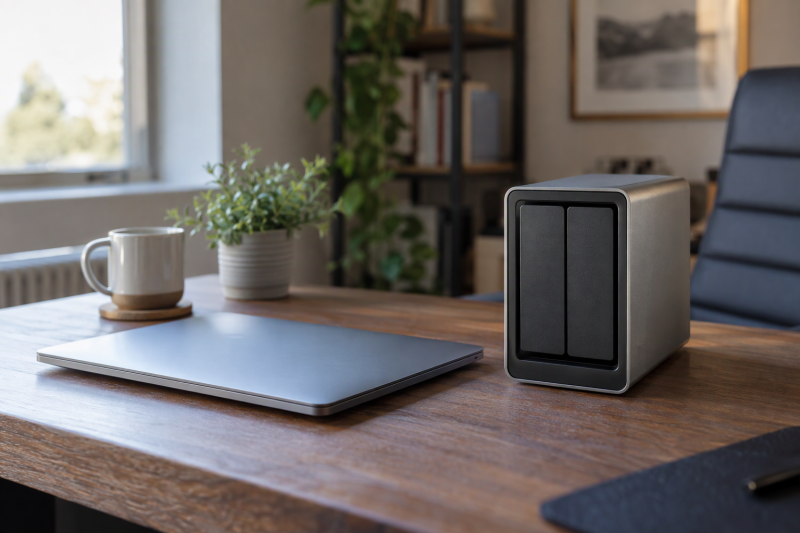
A two-bay NAS can be a Time Machine destination for a Mac, and each maker documents the setup differently. Synology publishes general DSM steps for Time Machine, UGREEN’s DH2300 page names Time Machine directly, and Buffalo’s Japan page for the LS720D0802 lists Time Machine support.
The six models below are four Synology enclosures, the UGREEN DH2300 and a Buffalo LinkStation 720 with drives. A mirrored pair of drives protects against a drive failure, so keep a second copy of anything the NAS holds.
Five of the six NAS systems below are sold without drives. Only the Buffalo LinkStation 720 includes two.Two-Bay NAS Systems Compared
| Image | Product | Best fit | Drives and capacity | Network and ports | Mac backup | Watch-outs | Check Price |
|---|---|---|---|---|---|---|---|
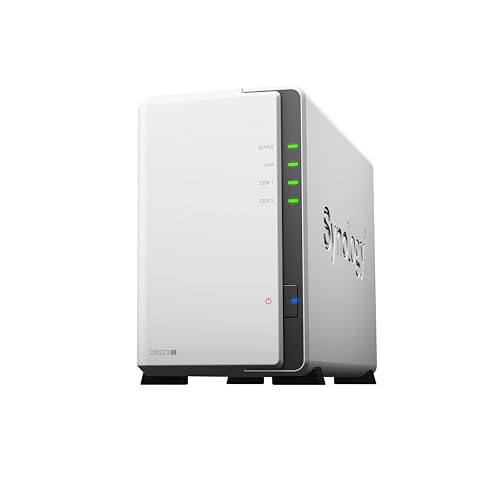 | Synology DS223j | Synology DSM with 1GB of memory | Diskless; two SATA bays | 1GbE; two USB 3.2 Gen 1 (Synology) | Synology Time Machine article: shared folder, SMB | 2.5-inch drives need optional holder | Check Price on Amazon |
 | Synology DS223 | Synology DSM with 2GB of memory | Diskless; two SATA bays | 1GbE; three USB 3.2 Gen 1 (Synology) | Synology Time Machine article: shared folder, SMB | Buy compatible drives separately | Check Price on Amazon |
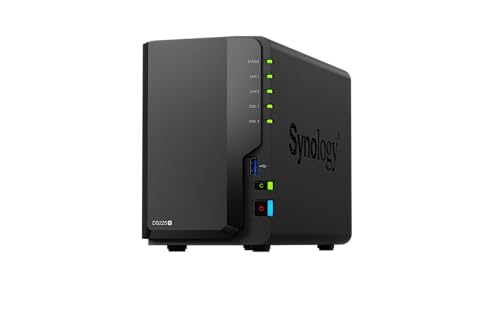 | Synology DS225+ | A 2.5GbE network | Diskless; two SATA bays | One 2.5GbE and one 1GbE; two USB 3.2 Gen 1 (Synology) | Synology Time Machine article: shared folder, SMB | Synology guarantees full functionality only for drives on its compatibility list | Check Price on Amazon |
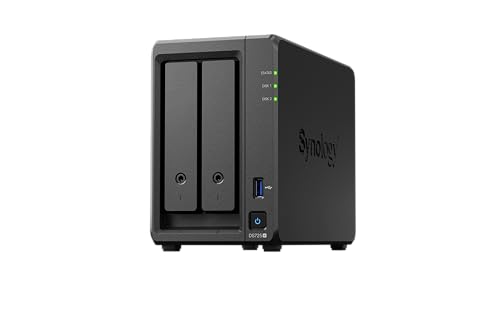 | Synology DS725+ | Adding bays later with a DX525 | Diskless; two SATA bays | One 2.5GbE and one 1GbE; one USB; two M.2 slots (Synology) | Synology Time Machine article: shared folder, SMB | DX525 and drives sold separately | Check Price on Amazon |
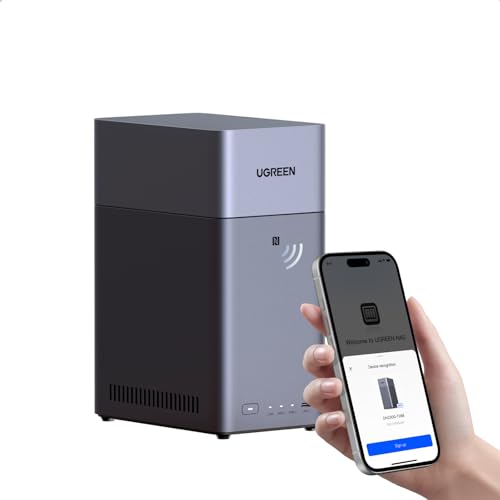 | UGREEN NASync DH2300 | Phone photo backup and Mac backup | Diskless; two SATA bays | 1GbE; USB-C, two USB-A, 4K HDMI (UGREEN) | UGREEN gives Time Machine steps: SMB, Bonjour | No official Docker or virtual machines (UGREEN) | Check Price on Amazon |
 | Buffalo LinkStation 720 8TB | Drives included in the box | 8TB total; two drives included | 2.5GbE (Buffalo Japan page) | Time Machine listed on Buffalo's Japan page | RAID 1 leaves 4TB usable of 8TB | Check Price on Amazon |
1. Synology DS223j — Best Basic Diskless Option
Synology lists the DS223j with a four-core Realtek RTD1619B processor at 1.7GHz, 1GB of DDR4 memory, one 1GbE port and two USB 3.2 Gen 1 ports. Its two bays take 3.5-inch SATA hard drives or 2.5-inch SATA SSDs. Synology says 2.5-inch drives need an optional Type C drive holder, sold separately. Amazon sells this offer without drives.
The Amazon listing describes “set-and-forget backups for Macs, PCs and mobile devices” to destinations that include cloud services and external drives, and mentions IP-camera recording. For a Mac, Synology’s Time Machine article says to confirm your system supports Time Machine, then create a shared folder, enable SMB and set a quota. Synology recommends against enabling the recycle bin or using an encrypted shared folder as the Time Machine destination.
Synology’s page for the DS223 lists the same processor model and 1GbE port, with 2GB of memory and three USB 3.2 Gen 1 ports.
Drive holder: Synology says the DS223j needs an optional Type C drive holder before 2.5-inch drives can be installed. Our TakeThe DS223j suits a Mac owner who wants Synology’s DSM software, plans to use 3.5-inch hard drives and has a 1GbE network. Of the four Synology models here, Synology lists the least memory for it, 1GB against 2GB, 2GB and 4GB.
- Synology lists the same four-core 1.7GHz Realtek processor as the DS223, with 1GB of DDR4 memory.
- The Amazon listing describes DS223j backups for Macs, PCs and mobile devices.
- Synology lists two USB 3.2 Gen 1 ports on the DS223j.
- Amazon sells the DS223j without drives, a purchase to plan before your first backup.
- Synology says 2.5-inch drives need an optional Type C drive holder, sold separately.
- Synology lists 1GB of memory for the DS223j, the lowest of its four models here.
2. Synology DS223 — Best for More Built-In Memory
Synology lists the DS223 with 2GB of DDR4 memory, one 1GbE port and three USB 3.2 Gen 1 ports, one of them with a USB copy button. Its processor is the same four-core Realtek RTD1619B at 1.7GHz as in the DS223j. The bays hold 3.5-inch SATA hard drives or 2.5-inch SATA SSDs.
The Amazon listing describes backups for Macs and other devices, plus file sharing with version control for teams. Synology’s page says DSM runs on the Btrfs file system, which Synology describes as self-healing against file corruption. Synology’s DS223 page does not name Time Machine, so the shared-folder and SMB steps in the Buying Guide apply only after you confirm support.
Synology lists 1GB more memory for the DS223 than for the DS223j (2GB against 1GB) and one more USB port (three against two). Neither Synology page gives a Time Machine speed, so treat both differences as specifications rather than measured backup gains.
The DS223 suits a buyer who wants Synology’s DSM on a 1GbE network and more memory than the DS223j. It adds no faster network port. Among its models here, Synology lists a 2.5GbE port only on the DS225+ and DS725+.
- Synology lists 2GB of DDR4 memory for the DS223, double the 1GB on the DS223j.
- Synology lists three USB 3.2 Gen 1 ports, one with a copy button, against two on the DS223j.
- Teams get file sharing with version control, according to the Amazon listing for the DS223.
- Amazon sells the DS223 without drives. You choose SATA drives for its bays.
- Synology lists one 1GbE port here and a faster 2.5GbE port on the DS225+.
3. Synology DS225+ — Best for a 2.5GbE Network
Synology lists the DS225+ with one 2.5GbE port and one 1GbE port, an Intel Celeron J4125 processor, 2GB of DDR4 memory and two USB 3.2 Gen 1 ports. Synology’s own performance figures for the DS225+ are over 282MB/s sequential read and 217MB/s sequential write. The Amazon listing repeats the 282MB/s read figure.
The DS225+ has one memory slot. Synology lists a maximum of 6GB (2GB plus 4GB) and says it will not provide complete product warranty or technical support if non-Synology memory modules are used for memory expansion. Synology also says it guarantees full functionality only for drives on its compatibility list.
The Amazon listing describes automated backups to cloud services, external drives and a remote NAS. Synology’s Time Machine article covers the other direction, in which a Mac backs up to a Synology shared folder over SMB. A Mac without a 2.5GbE port needs an adapter, and the site’s USB-C to 2.5GbE adapter guide covers adapters.
Check the rest of the path: the 2.5GbE port gives a faster link only when the Mac, the switch and the cable also run at 2.5GbE. Our TakeThe DS225+ suits a buyer with a 2.5GbE switch and a Mac that has or can add a 2.5GbE connection. On a 1GbE-only network, its faster port runs at 1GbE, as the ports on the DS223 and DS223j do.
- Synology lists one 2.5GbE port and one 1GbE port, and a faster link needs a matching Mac, switch and cable.
- Synology lists an Intel Celeron J4125 and 2GB of memory, expandable through one slot to a 6GB maximum.
- To copy the NAS elsewhere, the Amazon listing describes automated backup to cloud services, external drives and a remote NAS.
- Amazon sells the DS225+ without drives, and you buy them separately.
- Synology says it guarantees full functionality only for drives on its compatibility list, a limit on drive choice.
- Synology says it will not provide complete product warranty or technical support if you use non-Synology expansion memory.
4. Synology DS725+ — Best for Expansion Planning
Synology lists the DS725+ with an AMD Ryzen R1600 processor at 2.6GHz base, 4GB of DDR4 memory in a two-slot design with a 32GB maximum, one 2.5GbE port, one 1GbE port and one USB 3.2 Gen 1 port. Its spec table shows a USB Type-C expansion port, and Synology gives up to 276MB/s sequential read and 224MB/s write for the model.
The Amazon listing says one DX525 expansion unit adds five drive bays. Synology’s page says the DX525 is sold separately and lists seven bays as the maximum with it. Neither the DX525 nor any drives come with this offer.
Besides the SATA bays, the DS725+ has two M.2 2280 NVMe slots. Synology describes them for SSD caching or storage pools with its Enterprise Series M.2 NVMe drives, which are sold separately. Synology says M.2 slots do not support hot swapping. Synology’s drive-policy page covers models released in 2025 and later and separates drives by whether they appear on its compatibility list. Check the list for the DS725+ before buying SATA drives or SSDs.
The DS725+ suits a buyer who expects to add storage later through a DX525, or who wants M.2 slots for SSD caching. A buyer who needs only a Time Machine destination for one Mac can look at the DS223 or DS225+ here, whose Synology pages do not list an expansion port.
- Synology lists a 2.6GHz AMD Ryzen R1600 and 4GB of memory, with two slots and a 32GB maximum.
- Synology lists 2.5GbE and 1GbE ports, plus two M.2 2280 NVMe slots for caching or storage pools with its Enterprise Series drives.
- For later growth, the Amazon listing says one DX525 adds five bays, and Synology lists seven as the maximum.
- Amazon sells the DS725+ without drives or the DX525 needed for expansion.
- Synology lists one USB 3.2 Gen 1 port here, against three for the DS223 and two for the DS225+.
- Synology says M.2 slots do not support hot swapping, a limit on how you swap those drives.
5. UGREEN NASync DH2300 — Best for Photos and Phone Backup
UGREEN lists the DH2300 with an eight-core Rockchip processor at 2.2GHz, 4GB of LPDDR4X memory, two SATA bays, one 1GbE port, one USB-C port and two USB-A ports at 5Gbps, and 4K 60Hz HDMI output. UGREEN says each bay supports drives up to 32TB, that the NAS has no M.2 slots, and that it is sold without drives.
UGREEN describes the DH2300 as a home NAS for automatic phone photo backup, and says its app copies photos and videos from an iPhone, not apps, messages or settings. For a Mac, UGREEN says to enable SMB and Bonjour in UGOS, create a dedicated shared folder, set it as the Time Machine destination and set a quota so Time Machine does not use all the capacity.
UGREEN lists Basic, JBOD, RAID 0 and RAID 1 storage pools, and says you can start with one drive and change to RAID 1 after adding a second, which erases the data on the new drive. UGREEN says two 8TB drives in RAID 1 give about 7.3TB usable. The Amazon listing says its advertised capacity assumes RAID 0.
The DH2300 suits a Mac owner who wants phone-photo backup and a Time Machine destination from one two-bay box and does not need Docker. UGREEN lists a 1GbE port only, where Synology lists 2.5GbE for the DS225+ and DS725+ and Buffalo’s Japan page lists it for the LinkStation 720.
- UGREEN gives Mac owners DH2300 Time Machine steps using SMB, Bonjour and a quota.
- UGREEN lists one USB-C port, two USB-A ports and 4K HDMI output.
- UGREEN says you can start with one drive and change to RAID 1 after adding a second, erasing the new drive’s data.
- Amazon sells the DH2300 without drives, and you supply your own.
- UGREEN says the DH2300 has no official Docker support, does not support virtual machines, and points Docker users elsewhere.
- UGREEN lists a 1GbE port and no 2.5GbE port, a limit on network speed.
6. Buffalo LinkStation 720 8TB — Best With Drives Included
The Amazon listing for the Buffalo LinkStation 720 8TB (LS720D0802) says it includes two drives with 8TB total capacity, ships in RAID 1 with 4TB usable, and can be set to RAID 0 to use the full 8TB. Buffalo’s Japan page for the LS720D0802 agrees and lists two 4TB drives, RAID 1, RAID 0 and normal modes, RAID 1 as the shipped setting, and a 2.5GbE wired port.
Buffalo’s Japan page says RAID 1 does not guarantee complete data protection and tells owners to keep backups as well. The Amazon listing calls RAID 1 an “Automatic Backup”. A mirror is not a second copy on another device, so treat the 4TB of mirrored space as one copy of your Mac backups.
Buffalo’s Japan page says the LS720D0802 supports Time Machine. It lists Windows PCs and Macs with Intel CPUs as supported computers, while the Amazon listing says the NAS is compatible with macOS 26 and that Buffalo’s US support offers installation walkthroughs. Confirm Apple-silicon Mac support with Buffalo before buying. The Amazon listing also says folder access can be restricted for individual users.
Drives included: the Amazon listing says the LS720D0802 ships with two drives in RAID 1, which gives 4TB usable out of the 8TB total. Our TakeThe LinkStation 720 suits a buyer who wants drives included and a 2.5GbE port in one purchase and who will keep a second backup. The 4TB of usable space in the shipped RAID 1 setup is half of the 8TB total.
- Buyers who want drives get two with 8TB total capacity, according to the Amazon listing.
- For Mac backups, Buffalo’s Japan page lists Time Machine support and a 2.5GbE port for the LS720D0802.
- On a shared LinkStation, the Amazon listing says folder access can be restricted for individual users.
- The Amazon listing says RAID 1 leaves 4TB usable of the 8TB total, half your drive space.
- Buffalo’s Japan page lists Intel-CPU Macs as supported, while the Amazon listing says macOS 26. Confirm Apple-silicon support with Buffalo.
- Buffalo’s Japan page says RAID 1 does not guarantee complete data protection and tells owners to keep backups.
Buying Guide: Choose a NAS for Mac Backup
Decide whether drives should be included
Amazon sells five of the six NAS systems without drives: the four Synology models and the UGREEN DH2300. Synology says it guarantees full functionality only for drives on its compatibility list, and UGREEN’s page points buyers to its own compatibility list for the DH2300. The site’s NAS hard drive comparison covers drive choices.
The Buffalo LinkStation 720 is the one package that includes drives. The Amazon listing says it holds 8TB total with 4TB usable in RAID 1. UGREEN says two 8TB drives in RAID 1 give about 7.3TB usable on the DH2300. Work out how much space your Mac backups need before choosing drive sizes.
Set up the Mac backup destination
UGREEN’s DH2300 page and Synology’s Time Machine article describe nearly the same steps: enable SMB, create a dedicated shared folder and set a quota. UGREEN adds Bonjour, and Synology’s article adds a Bonjour broadcast option for DSM. Buffalo’s Japan page lists Time Machine support for the LinkStation 720.
Synology says to confirm that your system supports Time Machine before you start and recommends against the recycle bin or encrypted shared folders on the backup folder. Synology says to use the encrypt backup option in Time Machine on the Mac instead. After the first backup finishes, restore a test file. If you would rather attach a drive to the Mac than use a network box, the Mac and Time Machine external-drive guide covers that.
Treat RAID and backup as separate jobs
Buffalo’s Japan page says RAID 1 does not guarantee complete data protection and tells owners to keep backups as well. UGREEN says RAID 1 can tolerate one drive failure but does not replace a backup, and that RAID protects against a drive failure, not fire, theft or accidental deletion. A mirror is one copy, held in one enclosure.
The Amazon listings for the DS225+ and DS725+ describe RAID, automated backups and snapshots together as data protection. Keep a second copy on another device and test a restore. The portable external drive comparison covers drives that can hold that second copy.
Match network speed and ports
Synology and UGREEN list one 1GbE port for the DS223j, DS223 and DH2300. Synology lists one 2.5GbE port for the DS225+ and DS725+, and Buffalo’s Japan page lists a 2.5GbE port for the LinkStation 720. Synology’s own figures are over 282MB/s read and 217MB/s write for the DS225+ and up to 276MB/s and 224MB/s for the DS725+. Neither set is a Time Machine result.
A faster port helps only when the Mac, the switch and the cable also run at that speed. Beyond the network port, Synology lists a USB Type-C expansion port and two M.2 slots for the DS725+, and UGREEN lists one USB-C port, two USB-A ports and 4K HDMI output on the DH2300. Choose by the ports you will use.
Check disk support and software features
Synology’s drive-policy page, which covers models released in 2025 and later, separates drives by whether they appear on its compatibility list. Synology’s DS225+ and DS725+ pages tell buyers to check that list before buying drives, and the DS725+ page adds that SSD caching works with select compatible SSDs.
UGREEN says the DH2300 has no official Docker support, no virtual machines and no M.2 slots, and points buyers who want Docker to its DXP2800 GT. If the NAS should run apps as well as hold backups, check the software list for the model before ordering.
Frequently Asked Questions
Can a two-bay NAS be a Time Machine destination?
Yes, when the specific NAS and its software support it. UGREEN says the DH2300 supports Time Machine over SMB and Bonjour, Buffalo’s Japan page lists Time Machine support for the LinkStation 720, and Synology gives DSM steps for systems that support it.
Create the backup shared folder and set a quota, then check that the Mac completes a backup and can restore a file.
Is RAID 1 a backup?
No. UGREEN says RAID 1 does not replace a backup, and Buffalo’s Japan page says it does not guarantee complete data protection. A mirror tolerates one drive failure but sits in one enclosure.
Keep a second copy on another device and test restoring from it.
Do these NAS products include hard drives?
Only the Buffalo LinkStation 720. The Amazon listing says it includes two drives with 8TB total capacity and 4TB usable in the shipped RAID 1 setup.
The four Synology enclosures and the DH2300 are sold without drives. Check the maker’s compatibility list before buying drives.
Will a 2.5GbE NAS back up at 2.5Gbps?
Not necessarily. Synology lists a 2.5GbE port for the DS225+ and DS725+, and Buffalo’s Japan page lists one for the LinkStation 720, but the Mac, the switch and the cable must also run at 2.5GbE.
Synology’s own read and write figures for the DS225+ and DS725+ are sequential figures from its testing, not Time Machine results.
Can the DS725+ expand beyond two bays?
Yes. Synology says the DS725+ supports up to seven bays with one DX525 expansion unit, and the Amazon listing says the DX525 adds five bays.
The DX525 is sold separately, and Amazon sells this DS725+ offer without drives.