Choose a NAS hard drive by the bay count its maker rates it for, the workload it is rated to handle and the exact model at the capacity you want. Capacity comes last. The five drives below are the WD Red Plus at 10TB and 12TB, the WD Red Pro at 20TB, the Seagate IronWolf at 16TB and the Toshiba N300 Pro at 10TB.
WD rates the Red Plus for NAS systems with up to eight bays, Seagate rates IronWolf for one to eight bays, and Toshiba rates the N300 Pro for up to 24. WD describes the Red Pro for systems with any number of bays. For each drive, we check the maker’s data sheet against the model number in the Amazon title, because several capacities come in more than one model.
Start with the bay rating. WD says up to eight bays for the Red Plus, Toshiba says up to 24 for the N300 Pro, and WD says any number of bays for the Red Pro.NAS Hard Drives Compared
| Image | Product | Details | Check Price |
|---|---|---|---|
 | WD Red Plus 12TB | Best fit: 12TB NAS of up to eight bays Capacity: 12TB Bay scope: WD: up to 8 bays Workload: WD: 180TB/year Core specs: WD120EFGX; 7200RPM; CMR; 512MB cache | Check Price on Amazon |
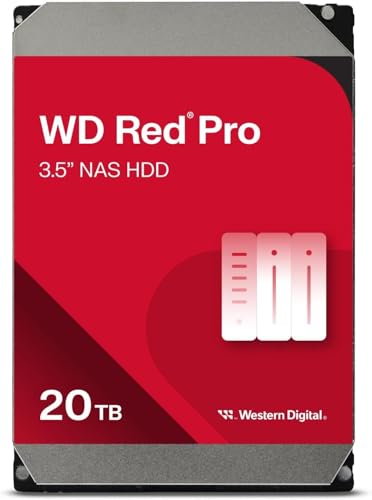 | WD Red Pro 20TB | Best fit: 20TB for large or busy NAS Capacity: 20TB Bay scope: WD: any number of bays Workload: WD: 550TB/year Core specs: WD202KFGX; 7200RPM; CMR; 512MB cache | Check Price on Amazon |
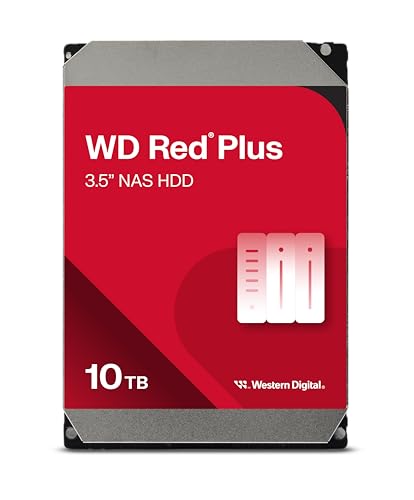 | WD Red Plus 10TB | Best fit: 10TB NAS of up to eight bays Capacity: 10TB Bay scope: WD: up to 8 bays Workload: WD: 180TB/year Core specs: WD100EFGX; 7200RPM; CMR; 512MB cache | Check Price on Amazon |
 | Seagate IronWolf 16TB | Best fit: 16TB NAS of one to eight bays Capacity: 16TB Bay scope: Seagate: 1 to 8 bays Workload: Seagate: 180TB/year Core specs: ST16000VN001; 7200RPM; CMR; 256MB cache | Check Price on Amazon |
 | Toshiba N300 Pro 10TB | Best fit: 10TB NAS of up to 24 bays Capacity: 10TB Bay scope: Toshiba: up to 24 bays Workload: Toshiba: 300TB/year Core specs: HDWG71AXZSTB; 7200RPM; CMR; 512 MiB buffer | Check Price on Amazon |
1. WD Red Plus 12TB — Up to Eight Bays at 12TB
WD’s data sheet lists the WD120EFGX as a 12TB, CMR, air-filled drive with 512MB cache, 7200 RPM and a 260MB/s maximum internal transfer rate. The Amazon title names the same model number, cache and speed. WD rates the Red Plus line for RAID-optimized NAS systems with up to eight bays. WD lists a 180TB/year workload, 1M hours MTBF and a 3-year limited warranty for the line, against 550TB/year and a 5-year limited warranty for the Red Pro.
WD lists 34 dBA at idle and 39 dBA average seek for this model. A footnote on the data sheet says the drive’s spindle speed is 7200 RPM even though its device ID may report 5400. When this page was checked, Amazon.com was the seller of the 12TB offer.
WD lists a second 12TB Red Plus, the WD120EFBX, with 256MB cache and a 196MB/s transfer rate, so match the model number on the label and not only the 12TB.Our Take Choose the 12TB Red Plus for a NAS of up to eight bays when WD’s 180TB/year rating covers your workload. For a larger enclosure or a busier one, look at the Red Pro or the N300 Pro below.
- WD lists the WD120EFGX with 512MB cache, 7200 RPM and a 260MB/s maximum internal transfer rate, and the Amazon title names the same cache and speed.
- WD rates the Red Plus line for NAS systems with up to eight bays and lists 1M hours MTBF for it.
- The seller of this 12TB offer was Amazon.com when the page was checked.
- WD rates the Red Plus at 180TB/year, a lower workload than the 550TB/year WD rates the Red Pro for.
- WD gives the Red Plus a 3-year limited warranty, a shorter term than the 5 years WD gives the Red Pro.
2. WD Red Pro 20TB — 20TB for Any Number of Bays
The Red Pro is WD’s higher tier. WD’s data sheet lists the WD202KFGX as a 20TB, CMR, helium-filled drive with 512MB cache and 7200 RPM, rated for 550TB/year, up to 2.5M hours MTBF and a 5-year limited warranty. WD rates the Red Plus at 180TB/year, 1M hours and 3 years.
WD describes the Red Pro for RAID-optimized NAS systems with an unlimited number of bays, and the Amazon listing says the same. WD’s data sheet also lists rotational vibration sensors, a multi-axis shock sensor and noise figures of 20 dBA at idle and 32 dBA average seek, lower at idle than the 34 dBA WD lists for the 12TB Red Plus. When the page was checked, Amazon.com was the seller of this offer.
WD also lists a 20TB Red Pro with the model number WD201KFGX and a 268MB/s transfer rate. The Amazon listing is the WD202KFGX at 285MB/s, so check the label.Our Take Choose the 20TB Red Pro for a large or busy NAS where you want WD’s 550TB/year rating, its rating for any number of bays and the 5-year limited warranty. A NAS of eight bays or fewer is already inside the range WD rates the Red Plus for.
- WD rates the Red Pro at 550TB/year and up to 2.5M hours MTBF, both higher than WD’s Red Plus ratings.
- WD describes the Red Pro for NAS systems with an unlimited number of bays, a wider range than the eight bays WD rates the Red Plus for.
- WD gives the Red Pro a 5-year limited warranty, a longer term than WD gives the Red Plus.
- WD lists a second 20TB Red Pro, the WD201KFGX, with a different transfer rate, so the model number needs a check.
- WD rates the Red Plus for up to eight bays, so a NAS of eight bays or fewer is already inside that range.
3. WD Red Plus 10TB — Same WD Speed and Cache at 10TB
Amazon showed ALL4COMPUTERS, a third-party seller, as the seller of the 10TB WD100EFGX when this page was checked, while Amazon.com sold the 12TB and 20TB WD drives above. Read the seller name and return terms on the listing before you order.
WD’s data sheet lists two 10TB Red Plus models. The WD100EFGX in the Amazon title has 512MB cache and a 260MB/s transfer rate, and the WD101EFBX has 256MB cache and a 215MB/s transfer rate. WD rates both for up to eight bays, 180TB/year, 1M hours MTBF and a 3-year limited warranty.
Our Take Choose the 10TB Red Plus when a smaller array needs the WD100EFGX’s 512MB cache and 7200 RPM without the extra 2TB per drive. Buyers who want a larger capacity per bay should look at the 12TB Red Plus above.
- WD lists the WD100EFGX with the same 512MB cache and 260MB/s transfer rate as the 12TB WD120EFGX, so the choice between the two is capacity.
- WD rates the Red Plus for up to eight bays, 180TB/year and a 3-year limited warranty.
- Amazon showed ALL4COMPUTERS, a third-party seller, on the 10TB offer when the page was checked, so read the seller’s return terms before you order.
- WD lists a second 10TB Red Plus model, the WD101EFBX, with 256MB cache, so the label needs a check.
4. Seagate IronWolf 16TB — 16TB for One to Eight Bays
The Amazon title names the ST16000VN001. Seagate’s data sheet lists that model as a 16TB, CMR, helium-filled drive with 7200 RPM and 256MB cache. Seagate rates it for one to eight bays and lists a 180TB/year workload limit, 1M hours MTBF and a 3-year limited warranty. The model-number field on the Amazon listing reads ST16000VNZ01, a number that is not on Seagate’s data sheet.
Seagate lists a second 16TB IronWolf, the ST16000VN003, with 512MB cache. Seagate says IronWolf drives include three years of Rescue Data Recovery Services, which are not available in every country, and rotational vibration sensors. For IronWolf Health Management, Seagate tells buyers to check with their NAS vendor. When the page was checked, MAPOGO LION LLC, a third-party seller, was the seller of this offer.
Our Take Choose the 16TB IronWolf for a NAS of one to eight bays when you want Seagate’s Rescue Data Recovery Services and the 16TB size, and the label on the drive reads ST16000VN001. Buyers who cannot confirm that label should choose one of the WD or Toshiba drives above and below.
- Seagate’s data sheet lists the ST16000VN001 at 16TB with 7200 RPM and CMR recording, and the Amazon title names that model.
- Seagate says IronWolf drives include three years of Rescue Data Recovery Services, not available in every country, and a 3-year limited warranty.
- Seagate rates IronWolf for one to eight bays, 180TB/year and 1M hours MTBF.
- Amazon’s model-number field reads ST16000VNZ01, which Seagate’s data sheet does not list, so compare the label on the drive with ST16000VN001.
- Seagate lists 256MB cache for the ST16000VN001, half the 512MB it lists for the ST16000VN003.
5. Toshiba N300 Pro 10TB — 10TB for Up to 24 Bays
Toshiba’s data sheet rates the N300 Pro for RAID-optimized NAS systems with up to 24 bays, and the Amazon title for the HDWG71AXZSTB says the same. The standard N300 is a different drive. Toshiba’s N300 page lists support for one to eight and one to twelve bays and a 180TB/year workload.
For the 10TB, Toshiba’s data sheet lists CMR recording, an air-filled design, 7200 RPM and a 512 MiB buffer. Toshiba also lists a 281MB/s sustained transfer rate, 1.2M hours MTTF/MTBF and a 300TB/year workload rating, with rotational vibration and shock sensors. Toshiba’s N300 Pro page says up to 550TB/year for the line and a five-year limited warranty. When the page was checked, Adorama was the seller of this offer.
Our Take Choose the 10TB N300 Pro for a medium or large business NAS that Toshiba’s bay rating covers. Buyers with a small enclosure of eight bays or fewer can compare it with the 10TB Red Plus above, which WD rates at 180TB/year against Toshiba’s 300TB/year here.
- Toshiba rates the N300 Pro for NAS systems with up to 24 bays, three times the eight bays WD rates the Red Plus for.
- Toshiba’s data sheet lists the 10TB at 300TB/year, 1.2M hours MTTF/MTBF and 7200 RPM with a 512 MiB buffer.
- Toshiba gives the N300 Pro a five-year limited warranty on its product page.
- Toshiba’s data sheet lists a 300TB/year rating for the 10TB, below the up to 550TB/year on its N300 Pro page.
- Adorama, a third-party seller, was the seller of this offer when the page was checked.
Buying Guide
1. Match the model number, not only the capacity
WD, Seagate and Toshiba each list more than one model at some capacities. WD lists two 12TB Red Plus models with 512MB and 256MB cache, two 10TB Red Plus models with 512MB and 256MB cache, and two 20TB Red Pro models with 285MB/s and 268MB/s transfer rates. Seagate lists two 16TB IronWolf models, with 256MB and 512MB cache.
Compare the model number in the Amazon title, the label on the drive and the maker’s data sheet before you rely on a spec. The IronWolf listing’s model-number field disagrees with its title, which makes it the first one to check.
2. Check the bay rating against your enclosure
WD rates the Red Plus for RAID-optimized NAS systems with up to eight bays, and Seagate rates IronWolf for one to eight bays. WD describes the Red Pro for systems with an unlimited number of bays, and Toshiba rates the N300 Pro for up to 24.
Toshiba’s own N300 page lists support for one to eight and one to twelve bays, so the N300 and the N300 Pro have different bay ratings. A maker’s bay rating is the number of bays the maker lists the drive for, and your NAS vendor’s drive list is the check that applies to your enclosure.
3. Read the workload rating for the capacity you buy
WD rates the Red Plus at 180TB/year and the Red Pro at 550TB/year, and Seagate’s data sheet gives IronWolf a 180TB/year workload limit. Toshiba’s data sheet gives the 10TB N300 Pro 300TB/year, while its N300 Pro page lists up to 550TB/year for the line.
WD defines workload rate as the user data transferred to or from the drive in a year, and says it varies with hardware and software. WD and Toshiba both footnote their MTBF figures as statistical values, and WD adds that MTBF does not predict an individual drive’s reliability. A workload rating is a maker’s ceiling, not a measured result.
4. Compare cache and speed on the same basis
WD lists 512MB cache for the WD120EFGX, WD100EFGX and WD202KFGX, Toshiba lists a 512 MiB buffer for the 10TB N300 Pro, and Seagate lists 256MB cache for the ST16000VN001. Every drive here runs at 7200 RPM according to its maker.
The transfer figures are stated on different bases. WD lists an internal transfer rate of 260MB/s for the Red Plus models and 285MB/s for the WD202KFGX, Seagate lists a 240MB/s maximum sustained rate, and Toshiba lists a 281MB/s sustained rate. The makers do not state these as a like-for-like speed test.
5. Read the seller and the warranty
When this page was checked, Amazon.com was the seller of the 12TB Red Plus and the 20TB Red Pro, and third-party sellers sold the other three offers. Read the seller name and return terms on each Amazon listing before you order.
WD lists a 3-year limited warranty for the Red Plus and 5 years for the Red Pro. Seagate lists 3 years plus three years of Rescue Data Recovery Services, and Toshiba lists five years for the N300 Pro. Warranty terms differ by maker, and each is the maker’s own statement.
FAQ
Is a bigger NAS drive always the better choice?
No. A larger drive is the better choice only when its bay rating, workload rating and model number also fit your NAS. A NAS with eight bays or fewer is inside the range WD rates the 12TB Red Plus for, while WD rates the 20TB Red Pro for any number of bays and 550TB/year.
Start from the enclosure’s bay count and the workload you expect, then choose the capacity. WD’s data sheet gives the 10TB and 12TB Red Plus the same speed and cache figures, so the smaller one is a capacity decision.
How do the 10TB and 12TB WD Red Plus differ?
On WD’s data sheet they differ in capacity. WD lists the same 7200 RPM, 512MB cache, 260MB/s transfer rate, 180TB/year rating and 3-year limited warranty for the WD100EFGX and the WD120EFGX.
The offers differ in seller. When this page was checked, Amazon.com was the seller of the 12TB offer and ALL4COMPUTERS was the seller of the 10TB offer. Read the seller’s return terms on the listing.
Which of these drives suits a NAS with more than eight bays?
The WD Red Pro and the Toshiba N300 Pro are the two rated above eight bays. WD describes the Red Pro for systems with any number of bays, and Toshiba rates the N300 Pro for up to 24.
WD rates the Red Plus for up to eight bays, and Seagate rates IronWolf for one to eight. Check your NAS vendor’s drive list before you buy either one for a larger enclosure.
Are these drives CMR or SMR?
All five are CMR according to the makers’ data for each model. WD lists CMR for the WD120EFGX, WD100EFGX and WD202KFGX, Seagate says all IronWolf drives use CMR, and Toshiba lists CMR for the N300 Pro.
WD’s Red Pro page says CMR gives consistent write performance in RAID systems. Check the recording type on the data sheet for any other model number you consider.
Does a NAS drive replace a backup?
No. A NAS keeps your files in one place, and the ratings above describe the drive, not a second copy of your data. Keep a copy of important files outside the NAS.
The two-bay NAS guide and the four-bay NAS guide cover the enclosure side of the decision.
Bottom Line
Choose by bay rating first. The 12TB or 10TB WD Red Plus suits a NAS that WD rates for up to eight bays. The 20TB WD Red Pro suits a larger or busier NAS that WD rates for any number of bays and 550TB/year. The 10TB Toshiba N300 Pro suits a NAS that Toshiba rates for up to 24 bays. The 16TB Seagate IronWolf suits a NAS of one to eight bays once the label on the drive reads ST16000VN001, since Amazon’s model-number field and title disagree.