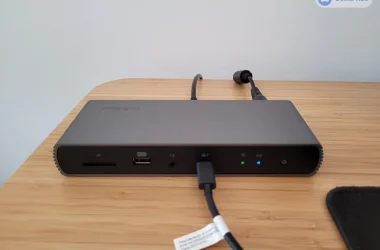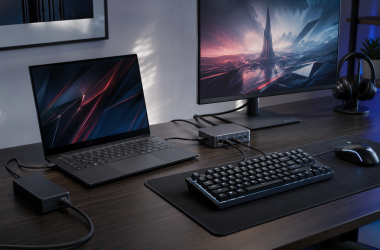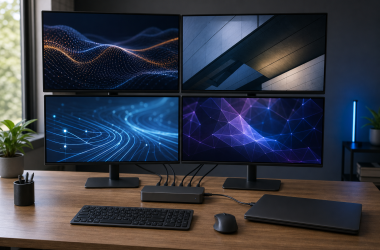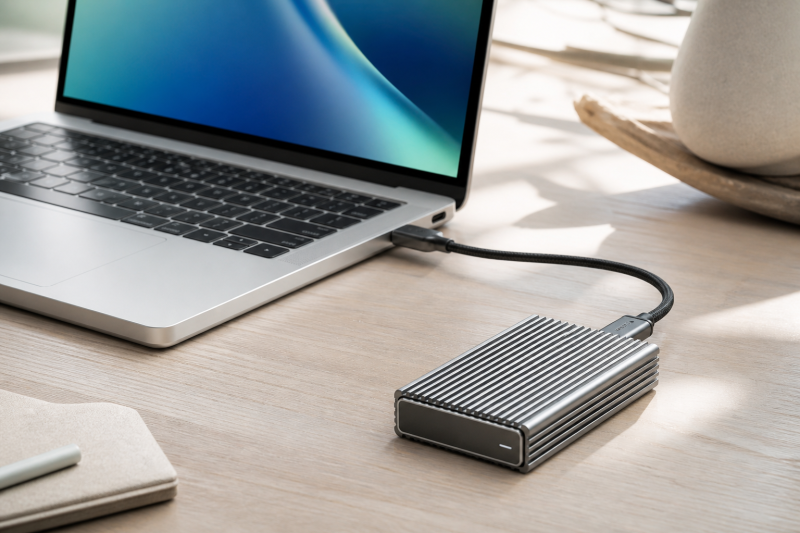
Our best Thunderbolt 5 external SSD for Mac is the OWC Envoy Ultra, because OWC lists it as a prebuilt 2TB, APFS-formatted, TB5-certified drive with explicit support for newer and older Mac Thunderbolt paths. The OWC Express 1M2, which OWC rates for USB4 80G, answers a different want: a removable cable and user-serviceable NVMe design. The Satechi DotDisk is the compact active-cooled enclosure, though it requires a separately purchased compatible SSD.
Thunderbolt 5’s 80Gbps link rating does not prove an 80Gbps Mac storage route. The exact Mac model and chip, macOS version, Thunderbolt or USB4 generation, cable, enclosure bridge, SSD, file system, free space, workload, and thermals all shape the result, and base versus Pro or Max chip names alone do not settle it. Our broader Mac SSD guide covers mixed-speed drives.
Quick picks
- OWC Envoy Ultra: Best prebuilt Mac choice.
- OWC Express 1M2 80G: Best serviceable Mac choice.
- Satechi DotDisk: Best compact active-cooled Mac enclosure.
- SABRENT Rocket XTRM 5: Best removable-cable prebuilt alternative.
- UGREEN 80Gbps-rated enclosure: Best multi-size fanless DIY choice.
- TerraMaster D1 SSD Pro: Best quiet desk enclosure.
- ACASIS TB501 Pro: Best adjustable-fan multi-size choice.
| Image | Product | Details | Check Price |
|---|---|---|---|
 | OWC Envoy Ultra 2TB | Type: Prebuilt 2TB, APFS-formatted, Thunderbolt 5-certified SSD Mac host path: Explicit TB5, TB4, TB3, and USB4 Mac paths; older hosts negotiate lower SSD / capacity: Included 2TB SSD Cooling: Fanless aluminum Cable: Captive 9.2-inch cable; OWC now calls it user-serviceable Best for: The simplest prebuilt Mac-first setup | Check Price on Amazon |
 | OWC Express 1M2 80G 2TB | Type: Prebuilt, user-serviceable USB4 80G and Thunderbolt-compatible SSD Mac host path: Explicit TB5, USB4, TB4, and TB3 Mac paths; not TB5-certified SSD / capacity: Included 2TB M.2 NVMe; NVMe only Cooling: Fanless aluminum heat sink Cable: Removable cable Best for: Mac owners who want replaceable storage and cable | Check Price on Amazon |
 | Satechi DotDisk 80Gbps | Type: Diskless USB4 v2 80Gbps enclosure Mac host path: Named recent Macs, macOS 14.6+, TB5/TB4/USB4; no standard USB 3 SSD / capacity: Single-sided M.2 2280 NVMe up to 8TB; no attached heat sink Cooling: Active fan Cable: Removable 30cm Thunderbolt 5 cable Best for: A compact actively cooled recent-Mac enclosure | Check Price on Amazon |
 | SABRENT Rocket XTRM 5 2TB | Type: Prebuilt 2TB portable SSD Mac host path: TB5/TB4/TB3, USB4, and named USB fallback; lower modes lower the ceiling SSD / capacity: Included 2TB SSD Cooling: Aluminum heat-sink body with silicone sleeve Cable: Removable 50cm Thunderbolt 5 cable Best for: A prebuilt Mac alternative with a removable cable | Check Price on Amazon |
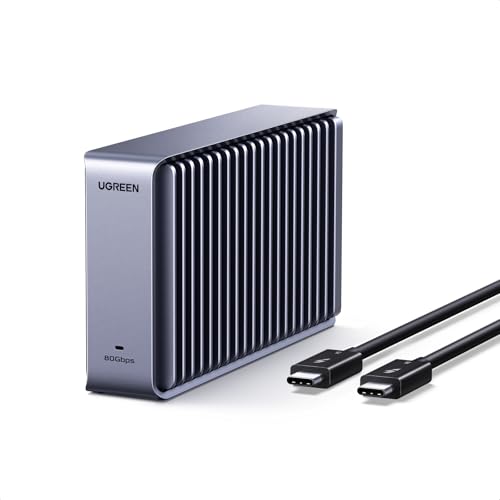 | UGREEN 80Gbps M.2 NVMe SSD Enclosure | Type: Diskless USB4 v2 80Gbps enclosure Mac host path: Official Mac/Apple scope with TB5, TB4, and USB4; verify legacy path SSD / capacity: 2230/2242/2260/2280 M-key or M+B-key NVMe up to 8TB Cooling: Fanless double-sided finned aluminum Cable: Supplied-cable facts not frozen; confirm package contents Best for: A fanless DIY build across several NVMe lengths | Check Price on Amazon |
 | TerraMaster D1 SSD Pro | Type: Diskless 80Gbps M.2 NVMe enclosure Mac host path: Mac and Time Machine support; exact host OS and port still control SSD / capacity: M.2 2280 PCIe Gen 3/4/5 NVMe up to 8TB Cooling: Fanless 38-fin aluminum body Cable: Removable 0.3m 80Gbps cable Best for: A quiet Mac desk; official weight is 300g | Check Price on Amazon |
 | ACASIS TB501 Pro | Type: Diskless multi-size NVMe enclosure Mac host path: macOS formatting guidance; use TB5/TB4/USB4 conservatively; TB3 conflicts SSD / capacity: 2230/2242/2260/2280 NVMe up to 8TB Cooling: Adjustable active fan Cable: Removable cable Best for: A configurable active-cooled Mac DIY build | Check Price on Amazon |
1. OWC Envoy Ultra 2TB – Best prebuilt Mac choice
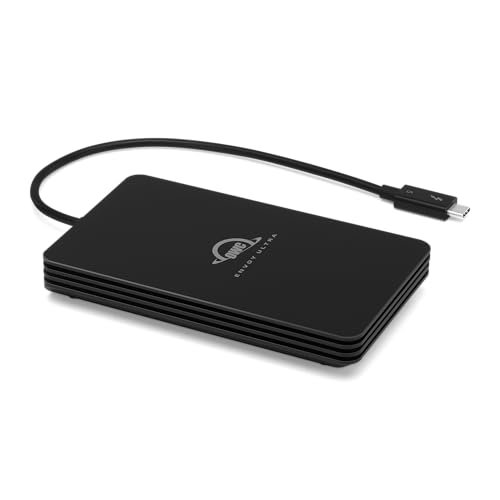
The Envoy Ultra is for the buyer who wants the fewest setup decisions. OWC identifies it as a prebuilt, bus-powered, Thunderbolt 5-certified SSD and ships it formatted for APFS. OWC explicitly supports Mac and older Thunderbolt 4, Thunderbolt 3, and USB4 paths. An older Mac negotiates the supported lower path rather than gaining an 80Gbps route from the drive.
OWC lists dimensions of 5.1 by 3.0 by 0.8 inches and a weight of 0.75 lb. OWC states that the built-in 9.2-inch cable is captive, though its support material calls that cable user-serviceable. Treat that as different from a normal removable cable you can swap in seconds.
OWC states a performance ceiling over 6000MB/s on a suitable host, which is not a measured sustained workflow result. Cache, fill level, file system, temperature, cable condition, host, and workload remain the visible limits.
Our Take
The Envoy Ultra makes the Mac decisions for you, because the SSD, the APFS setup, and the explicit Mac paths are already defined. Move to a removable-cable or DIY model when field serviceability matters more.
- Prebuilt 2TB, APFS-formatted drive
- Thunderbolt 5-certified with explicit older Mac paths
- Fanless bus-powered design
- Captive cable is not quickly swappable
- 0.75 lb is heavier than compact enclosures here
- Manufacturer peak is not sustained performance
2. OWC Express 1M2 80G 2TB – Best serviceable Mac choice
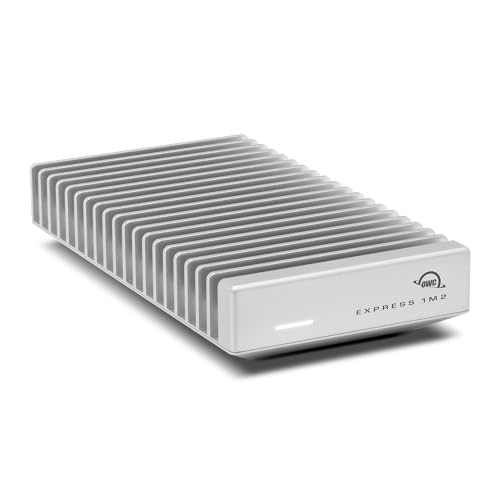
The Express 1M2 delivers a ready 2TB drive with a user-serviceable M.2 NVMe path and a removable cable. OWC markets it as USB4 80G and Thunderbolt-compatible, not Thunderbolt 5-certified. OWC explicitly documents Mac paths through Thunderbolt 5, USB4, Thunderbolt 4, and Thunderbolt 3, with lower manufacturer ceilings on older generations.
According to OWC, the fanless aluminum heat sink measures 5.2 by 2.8 by 0.9 inches and weighs about 9.9 oz. OWC supports PCIe Gen 3, Gen 4, and Gen 5 NVMe drives, but recommends Gen 5 models drawing 11W or less for sustained workloads. It does not support SATA drives.
OWC’s sequential figures are maker ceilings, not a guarantee for your Finder copy, cache-exhausted write, or editing workload. Serviceability lets you replace the drive or cable, yet the SSD you choose, thermal load, format, host, and free space still set the result.
Our Take
For Mac serviceability, the Express 1M2 is the one to buy. It trades TB5 certification for a removable cable and a replaceable NVMe drive with unusually explicit older-Mac paths.
- Prebuilt 2TB configuration with user-serviceable NVMe
- Removable cable and fanless heat sink
- Explicit Mac TB5, USB4, TB4, and TB3 paths
- USB4 80G and Thunderbolt-compatible, not TB5-certified
- NVMe only, not SATA
- Maker ceilings are not sustained results
3. Satechi DotDisk 80Gbps – Best compact active-cooled Mac enclosure
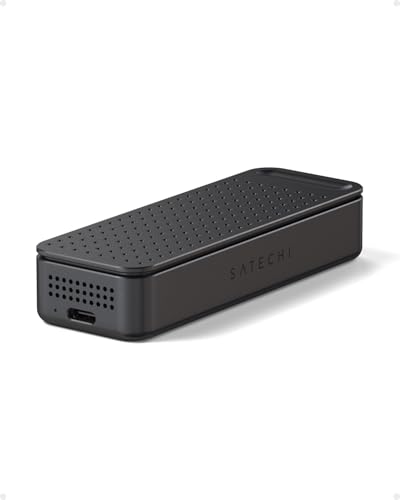
Compact dimensions plus active cooling define the DotDisk, and it assumes you are comfortable installing an SSD. Satechi lists it at 3.9 by 1.4 by 0.7 inches and 93.2g. It includes a removable 30cm Thunderbolt 5 cable and an active fan.
Satechi requires an M.2 2280 NVMe drive and supports up to 8TB, while excluding SATA, other M.2 lengths, SSDs with attached heat sinks, and double-sided SSDs. The enclosure is diskless, so capacity and NAND behavior come from the drive you install.
Mac compatibility here is unusually specific. Satechi names recent Mac models and macOS 14.6 or later, supports TB5, TB4, and USB4 hosts, but says there is no standard USB-C or USB 3 fallback. Verify the exact Mac rather than inferring support from the connector.
Our Take
Matched to a qualified recent host, the DotDisk is the compact actively cooled Mac enclosure. Its strict 2280, sidedness, heat-sink, macOS, and fallback limits make the SSD choice part of the purchase.
- Published 3.9 by 1.4 by 0.7-inch size
- 93.2g listed weight
- Active fan and removable 30cm cable
- SSD is not included
- Only compatible 2280 single-sided NVMe drives fit
- No standard USB 3 fallback
4. SABRENT Rocket XTRM 5 2TB – Best removable-cable prebuilt alternative

The Rocket XTRM 5 pairs a prebuilt 2TB SSD with an ordinary removable cable. SABRENT publishes a 50cm TB5 cable, a 4.13 by 1.77 by 0.57-inch body, and a 3.35 oz weight. Its aluminum body and silicone sleeve give physical protection, not a formal ingress claim.
SABRENT explicitly lists Thunderbolt 5, 4, and 3, USB4, and named USB 20, 10, and 5Gbps fallback paths, and each lower mode carries the lower negotiated ceiling. macOS file-system setup still matters, so a new drive may require Disk Utility and an APFS or exFAT choice before use.
SABRENT states an 80Gbps connection and an up-to-64Gbps transfer ceiling, and neither figure is a sustained file-copy result. The removable cable improves field replacement, but it cannot overcome a slower Mac port, unsuitable cable, cache limit, or thermal condition.
Our Take
When removable-cable ownership and broad fallback matter, the Rocket XTRM 5 is the prebuilt alternative. Expect the Mac and the file system to determine the negotiated path.
- Prebuilt 2TB drive
- Removable 50cm TB5 cable
- Broad explicit Thunderbolt, USB4, and USB fallback
- macOS formatting may be required
- Fallback lowers the available ceiling
- No retained sustained-workload result
5. UGREEN 80Gbps M.2 NVMe SSD Enclosure – Best multi-size fanless DIY choice
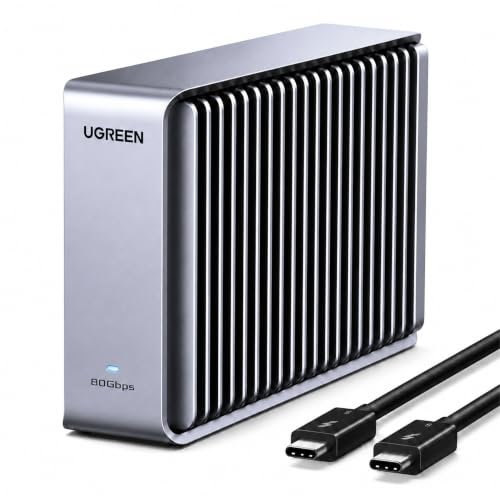
One enclosure, several NVMe lengths, no fan: that is the UGREEN’s argument. UGREEN documents M-key and M+B-key NVMe support for 2230, 2242, 2260, and 2280 drives up to 8TB. The vertical, double-sided finned aluminum body is fanless.
UGREEN lists macOS and Apple-device support alongside Windows, iOS, Linux, and Android. Its first-party page centers USB4 v2 80Gbps, Thunderbolt 5, Thunderbolt 4, and USB4. It does not cleanly establish every legacy mode or supplied-cable fact shown elsewhere, so confirm the exact older-host route and package contents.
The enclosure is diskless. Drive length is only one compatibility dimension; keying, capacity, power, heat, file system, and firmware still matter. Our sources establish no exact dimensions, weight, or cable specification, and this guide does not invent them.
Our Take
For a fanless DIY build across different NVMe lengths, the UGREEN is the flexible pick. Confirm the supplied cable and your exact Mac’s protocol path before buying.
- Supports four common NVMe lengths
- Fanless dual-sided fin design
- Official Mac and Apple-device scope
- SSD is not included
- Exact dimensions and weight are not confirmed
- Supplied cable and legacy modes require confirmation
6. TerraMaster D1 SSD Pro – Best quiet desk enclosure
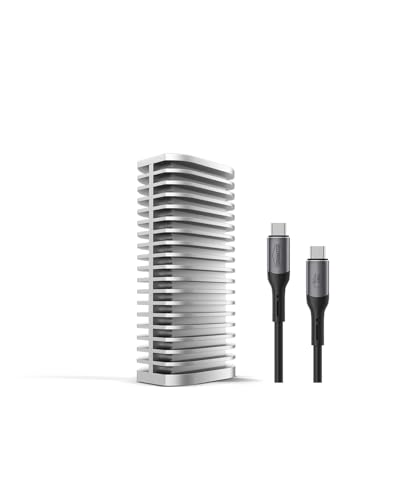
The D1 SSD Pro belongs on a fanless desk where acoustic simplicity outranks minimum weight. TerraMaster specifies a 38-fin aluminum body, a removable 0.3m 80Gbps cable, and an official 300g product weight. It describes the enclosure as pocketable and roughly 80 percent of comparable 80Gbps products, though our sources do not include exact dimensions.
TerraMaster documents support for M.2 2280 PCIe Gen 3, 4, and 5 NVMe drives up to 8TB, plus Mac and Time Machine support and an M4 Pro evaluation path. TerraMaster’s published performance figures remain manufacturer results from that stated setup, not universal sustained performance.
Fanless construction avoids fan noise, yet it proves nothing about throttling with every SSD, ambient temperature, or workload. Confirm the exact macOS, port, cable, drive, and format before relying on a peak.
Our Take
Quiet desk duty is where the D1 SSD Pro wins, with a removable cable and broad NVMe generation support. Its 300g weight and missing exact dimensions make it less attractive for weight-sensitive carry.
- Fanless 38-fin aluminum body
- Removable 0.3m cable
- Mac and Time Machine support documented
- SSD is not included
- Official weight is 300g
- Exact dimensions are not confirmed
7. ACASIS TB501 Pro – Best adjustable-fan multi-size choice
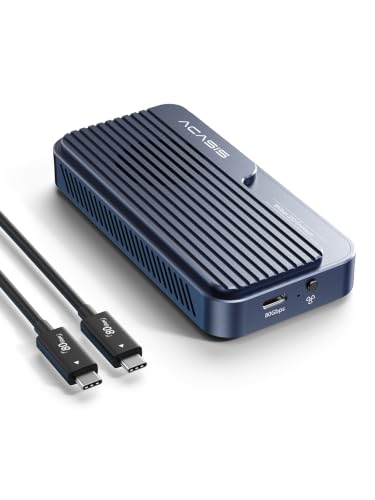
Active cooling plus several NVMe lengths is what the TB501 Pro is for. ACASIS documents an adjustable fan and M.2 2230, 2242, 2260, and 2280 NVMe support up to 8TB for the family. The enclosure is diskless and uses a removable cable.
ACASIS provides macOS formatting guidance. For compatibility, stay on the conservative path: Thunderbolt 5, Thunderbolt 4, USB4, and supported USB fallback. The family page and the exact product record conflict on Thunderbolt 3, so this guide does not promise TB3 support for this listing.
Adjustable cooling lets you choose a cooling approach, but it is not proof of superior sustained speed. SSD power, thermal pad installation, fan setting, ambient conditions, host, format, and workload remain material.
Our Take
The TB501 Pro rewards buyers willing to configure both the hardware and the Mac formatting. Avoid it when conflict-free TB3 support is required.
- Adjustable active fan
- Supports 2230 through 2280 NVMe lengths
- ACASIS provides macOS formatting guidance
- SSD is not included
- Thunderbolt 3 support conflicts across the records
- Cooling design is not a sustained-speed result
How to choose an 80Gbps-class Mac SSD
First, identify the exact Mac and port. A USB-C connector alone does not prove Thunderbolt 5 or USB4 80Gbps. Older Macs negotiate a supported slower path, and a base, Pro, or Max chip name is not enough without the model’s technical documentation.
Second, choose prebuilt or DIY ownership. The manufacturers list the Envoy Ultra and Rocket XTRM 5 as including 2TB SSDs. Express 1M2 is prebuilt but user-serviceable. Satechi, UGREEN, TerraMaster, and ACASIS require a compatible NVMe drive. Drive length, keying, sidedness, attached heat sink, power, and capacity rules differ.
Third, plan the cable. A removable cable is quick to replace and easier to change for desk routing. Envoy Ultra’s cable is captive, though OWC calls it user-serviceable. The cable must support the intended mode, because connector shape does not establish the rating.
For formatting, APFS is normally the Mac-only working format, while exFAT is a cross-platform compromise. Formatting does not change link speed. Back up data before reformatting. Our Envoy Ultra review covers the prebuilt choice, and the 80Gbps storage parent guide covers the whole category.
Finally, separate peaks from sustained work. Maker sequential ceilings describe controlled conditions. Cache exhaustion, a fuller SSD, thermal limits, file system, cable, host bridge, workload, and free space can lower a long transfer. We hold no single comparable sustained test across these seven products.
Mac storage FAQ
Will every recent Mac reach the full 80Gbps path?
No. Confirm the exact Mac model, chip, macOS version, Thunderbolt or USB4 generation, cable, and enclosure support. A newer product name or a USB-C connector is not enough.
Should a Mac drive use APFS or exFAT?
Use APFS for a Mac-only working drive when the workflow supports it, and exFAT when regular Windows interchange is necessary. The file system affects features and interoperability, not the negotiated link rate.