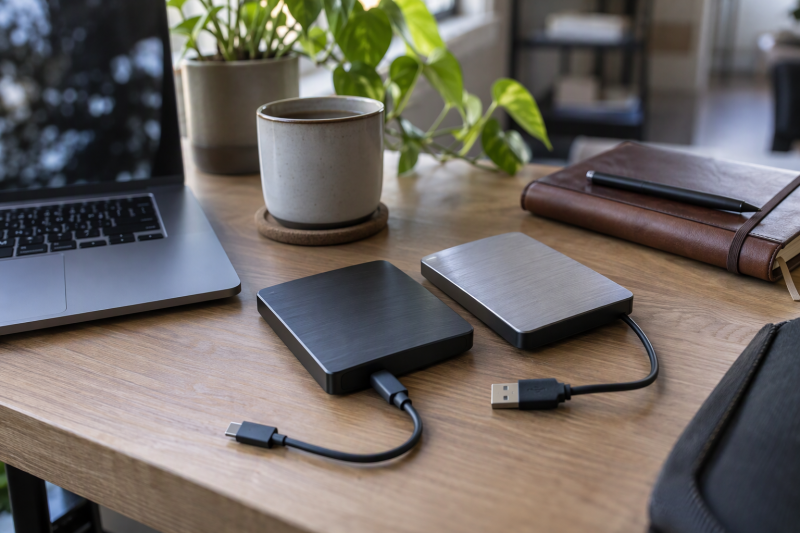
All six are portable hard drives, not SSDs and not desktop units. Each Amazon listing states its capacity in the title and size field, 4TB for five of them and 5TB for the WD Ultra. USB 3.0 appears in the title of only one of the six, so the sections below quote each maker’s own interface wording where it has any.
| Image | Product | Details | Check Price |
|---|---|---|---|
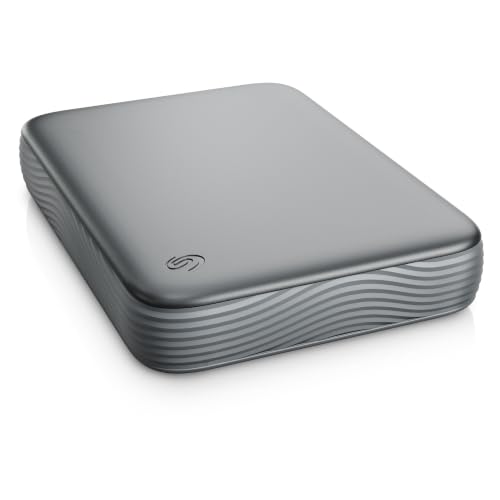 | Seagate Expansion Portable 4TB | Best fit: Plain 4TB storage Capacity: 4TB Connection: Micro-B to USB-C (Amazon title) Operating systems: Windows and macOS (Amazon title) Listed speed: Not stated | Check Price on Amazon |
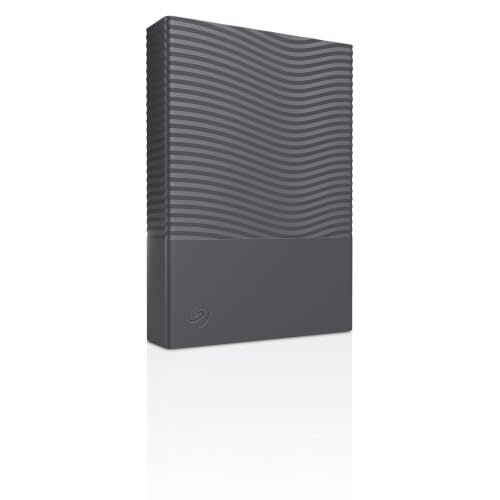 | Seagate One Touch 4TB | Best fit: USB-C with backup software and hardware encryption Capacity: 4TB Connection: USB-C (Amazon listing) Operating systems: Not named in the listing Listed speed: Not stated | Check Price on Amazon |
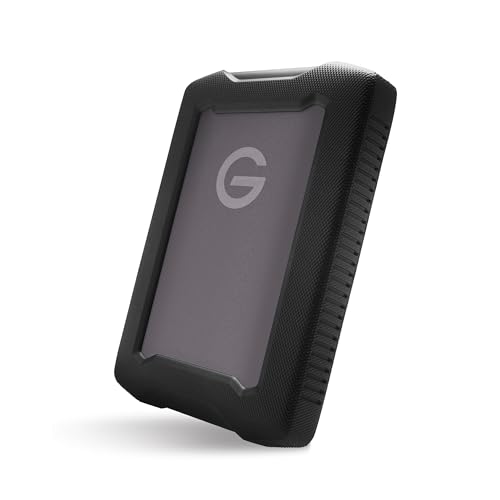 | G-DRIVE ArmorATD 4TB | Best fit: Rugged drive for a daily bag Capacity: 4TB Connection: USB-C, 5Gbps (Amazon listing) Operating systems: Not named in the listing Listed speed: Up to 130MB/s (Amazon title) | Check Price on Amazon |
 | WD My Passport 4TB | Best fit: USB-C and USB-A across many devices Capacity: 4TB Connection: USB-C and USB-A (Amazon title) Operating systems: Windows PC, Mac, Chromebook (Amazon) Listed speed: Not stated for this model | Check Price on Amazon |
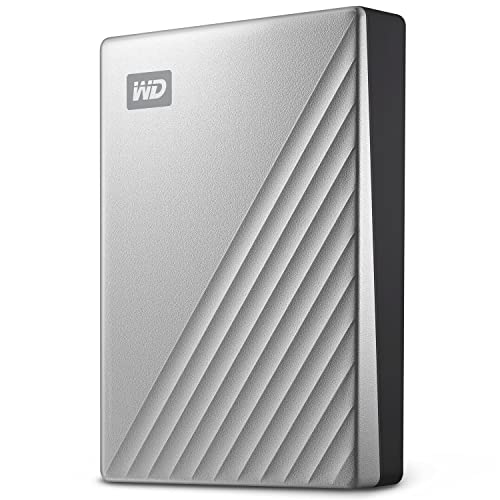 | WD My Passport Ultra for Mac 5TB | Best fit: Mac-formatted 5TB drive Capacity: 5TB Connection: USB-C, USB 3.2 Gen 1 (WD page) Operating systems: Formatted for Mac, macOS 11 or later (WD) Listed speed: Up to 5Gb/s (WD page) | Check Price on Amazon |
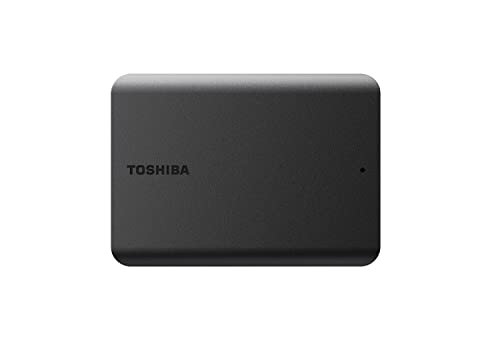 | Toshiba Canvio Basics 4TB | Best fit: Plain USB 3.0 Windows drive Capacity: 4TB Connection: USB 3.0 and USB 2.0 (Amazon) Operating systems: NTFS for Windows, reformat for Mac Listed speed: Not stated for this model code | Check Price on Amazon |
1. Seagate Expansion Portable 4TB — Best for simple 4TB everyday storage
Amazon’s title for model STNN4000400 reads “MicroB to USB-C” and “Windows & macOS,” and the bullets call the drive lightweight and compact enough for home, school, work and travel. Amazon’s item details give about 0.59 pounds and a footprint near 4.6 by 3.3 inches. The bullets add that Rescue Data Recovery Services are included.
Seagate’s support page lists STNN4000400 as an Expansion portable external hard drive with a 1-year limited warranty. Neither that page nor the Amazon listing gives a USB version or a transfer rate, so this drive is a choice about capacity and cable, not about a speed class. Amazon’s title names a Micro-B end for the drive and a USB-C end for the computer, so a computer with only USB-A ports needs an adapter.
Seagate’s Expansion page lists a 1-year limited warranty, half the 2 years it lists for One Touch.Our Take Choose Expansion Portable when the job is plain file storage on a Windows or macOS computer with a USB-C port. Move up to One Touch if you want Seagate’s backup software or password protection, which this listing does not mention.
- Seagate states a 1-year limited warranty for the STNN4000400 on its support page, a term tied to the exact model code.
- Amazon’s title names a Micro-B-to-USB-C cable with Windows and macOS, so a USB-C computer on either system is the stated fit.
- Amazon’s bullets list Rescue Data Recovery Services as included with this drive.
- Neither Seagate’s page nor Amazon’s listing gives a transfer rate for the STNN4000400, so a speed comparison with other drives is not possible.
- Seagate’s pages give the Expansion a 1-year limited warranty, half the 2 years listed for One Touch.
2. Seagate One Touch 4TB — Best for USB-C with stated hardware encryption
The Amazon listing for STNR4000400 leads with “USB-C simplicity” and adds two points about software and security. It says Seagate Toolkit backup software handles scheduled backups and that built-in password protection comes with hardware encryption. Amazon’s item details give a Space Grey case about 4.6 by 3.3 inches and 0.59 pounds, and the bullets include Rescue Data Recovery Services.
Seagate’s One Touch support page lists STNR4000400 in Space Grey with a 2-year limited warranty, and shows the same 4TB drive in Dark Blue and White under other model codes. The Amazon listing does not name any operating systems and gives no USB version or speed.
Seagate’s One Touch page lists a 2-year limited warranty for this Space Grey 4TB model.Our Take Choose One Touch if you want a scheduled backup tool and a password on the drive, and your computer has USB-C. Check operating-system support on Seagate’s product page before buying, since the Amazon listing does not name one.
- Amazon’s listing names USB-C as the connection for the 4TB STNR4000400, so a computer with a USB-C port is the match.
- Amazon’s listing says Seagate Toolkit backup software handles scheduled backups.
- Amazon’s listing describes built-in password protection with hardware encryption.
- Seagate’s support page gives the Space Grey STNR4000400 a 2-year limited warranty.
- Amazon’s listing for One Touch does not name any supported operating system, unlike the Expansion listing, so Seagate’s product page is the place to confirm one.
3. G-DRIVE ArmorATD 4TB — Best for a rugged USB-C portable drive
Amazon’s title for SDPH81G-004T-GZA1D reads “Up to 130MB/s, USB-C, Thunderbolt 3 Compatible,” and a bullet adds “USB-C-ready (5Gbps).” Amazon’s byline names Western Digital Technologies as the manufacturer, which is why a G-DRIVE sits in a page about WD, Seagate and Toshiba. The bullets describe an anodized aluminum enclosure, an easy-grip bumper and a rain, dust and crush resistant build.
Amazon’s listing is the source for both speed figures, and the title states 130MB/s as an “up to” ceiling. One bullet says “Up to 6TB,” so the title’s 4TB and the model code SDPH81G-004T are what to match.
Our Take Choose ArmorATD if the drive goes in a bag daily and you want the listed resistance to rain, dust and crush. It is the only drive here whose listing states Thunderbolt 3 compatibility.
- Amazon’s listing for the ArmorATD names an anodized aluminum enclosure and an easy-grip bumper for a drive that goes in a bag.
- The ArmorATD listing states rain, dust and crush resistance, the protection to look at if the drive travels in a bag every day.
- Amazon’s title gives up to 130MB/s and a bullet gives USB-C-ready 5Gbps, so the listing supplies both a speed ceiling and a port rate.
- Amazon’s listing says the ArmorATD is Thunderbolt 3 compatible, and it is the only drive here whose listing states that.
- One bullet says up to 6TB while the title and model code SDPH81G-004T describe 4TB, so match the model code before ordering.
4. WD My Passport 4TB — Best for USB-C and USB-A device coverage
Amazon’s title for WDBRMD0040BGY-WESN says it “Works with USB-C and USB-A,” and the first bullet extends that to Windows PCs, Macs, Chromebooks, gaming consoles, phones and tablets. The listing also names password protection with 256-bit AES hardware encryption and included device-management software. The listing has the broadest device list of the six drives, and its title is the only one that names a USB-A path.
A second bullet says buyers can store “up to 5TB,” which describes the My Passport range, while the title and Amazon’s size field say 4TB for this model code. WD’s My Passport product page lists a different set of Micro-B models and does not list WDBRMD0040BGY-WESN. The page’s USB 3.2 Gen 1 and up to 5Gb/s wording therefore cannot be applied to this USB-C and USB-A version.
Our Take Choose this My Passport when one drive has to connect to a mix of computers, tablets and consoles through either port type. Look at the 4TB in the title, not the 5TB in the bullet.
- Amazon’s title for the 4TB WDBRMD0040BGY-WESN says it works with USB-C and USB-A, the only title among the six drives that names a USB-A path.
- Amazon’s listing names Windows PCs, Macs, Chromebooks, gaming consoles, phones and tablets, the broadest device list of the six drives.
- Amazon’s listing, not a WD page for this model code, states password protection with 256-bit AES hardware encryption and included device-management software.
- WD’s My Passport page does not list WDBRMD0040BGY-WESN, so no USB version or transfer rate is confirmed for this USB-C and USB-A version.
5. WD My Passport Ultra for Mac 5TB — Best for a Mac-formatted 5TB drive
Amazon’s title for WDBPMV0050BSL-WESN says “5TB,” “USB-C and USB 3.1,” and the bullets add “Formatted for Mac” and 256-bit AES password protection. WD’s My Passport Ultra for Mac page gives the interface as USB 3.2 Gen 1 and USB 3.0 with a USB-C connector and up to 5Gb/s, so the USB 3.1 in Amazon’s title is not WD’s wording. WD lists a 3-year limited warranty, macOS 11 or later, and a USB-C-to-USB-C cable (5Gbps) plus a USB-C-to-USB-A adapter in the box.
WD also says a downloadable HFS+ driver lets Windows 10 or later read and write the drive without reformatting. Amazon’s listing shows a New unit sold by Amazon.com and a second offer on the same listing, Used and factory-recertified, from another seller, so check the condition and seller at checkout. Amazon’s item details give about 0.51 pounds.
Our Take Choose the Ultra for Mac when a Mac is the main computer and you want the largest capacity on this page. The Windows driver is WD’s own answer for a second computer.
- Amazon’s title and size field list 5TB for WDBPMV0050BSL-WESN, the only 5TB drive on this page.
- WD’s product page lists USB 3.2 Gen 1, USB 3.0 and up to 5Gb/s over a USB-C connector, wording that comes from WD and differs from the Amazon title.
- WD’s page lists a 3-year limited warranty and 256-bit AES hardware encryption with password protection for the Ultra for Mac.
- WD states that a downloadable HFS+ driver gives Windows 10 or later read and write access without reformatting, WD’s own answer for a Windows computer beside the main Mac.
- WD requires a downloaded HFS+ driver before Windows 10 or later can read and write the drive, an added step on a Windows computer.
- Amazon shows a used, factory-recertified offer from another seller on this listing alongside the New offer, so check the condition and seller at checkout.
6. Toshiba Canvio Basics 4TB — Best for a straightforward USB 3.0 Windows drive
Amazon’s title for HDTB540XK3CA says “4TB Portable External Hard Drive USB 3.0,” and the bullets add USB 2.0 compatibility with no external AC power cord, plug-and-play use with no software to install, and a matte finish. They also say it comes pre-formatted NTFS for Windows PCs and needs reformatting for Mac computers.
Toshiba’s own Canvio Basics page describes the 4TB as part number HDTB540EK3CA with USB 3.2 Gen 1, USB 2.0 compatibility, a maximum rate of about 5.0 Gbit/s, NTFS, and reformatting required for macOS. Amazon sells the XK3CA code, which that page does not list, so Toshiba’s USB 3.2 Gen 1 and 5.0 Gbit/s wording describes the sibling code. The buy box on Amazon shows prime bay as the seller, not Amazon.com, with a New condition and no opened, resealed or refurbished wording.
Amazon’s title says USB 3.0, while Toshiba’s page for the sibling code says USB 3.2 Gen 1 at about 5.0 Gbit/s.Our Take Choose Canvio Basics for a Windows computer when you want no bundled software and no external AC power cord. Pick another model for a Mac unless you are comfortable reformatting.
- Amazon’s title lists USB 3.0, and its bullets add USB 2.0 compatibility with no external AC power cord.
- Toshiba’s page for the sibling HDTB540EK3CA lists USB 3.2 Gen 1 and about 5.0 Gbit/s, a figure for the sibling code rather than the XK3CA sold on Amazon.
- Amazon’s bullets describe plug-and-play use with no software to install, a fit for a buyer who wants no bundled software.
- Toshiba and Amazon both say the drive is pre-formatted NTFS and needs reformatting for a Mac, so a Mac buyer must reformat it or choose another model.
- Amazon’s buy box lists prime bay as the seller of HDTB540XK3CA, not Amazon.com, although the offer shows New condition.
Buying Guide
Read each maker’s interface wording
USB 3.0 appears on one title, and the makers use other names. Toshiba’s page and WD’s pages call the interface USB 3.2 Gen 1, and WD’s Ultra for Mac page lists USB 3.0 beside it. Both pair that wording with up to 5Gb/s. Amazon’s Toshiba title says USB 3.0, and Amazon’s WD Ultra title says USB 3.1.
Seagate gives no interface name at all. Its support pages for STNN4000400 and STNR4000400 list a warranty and a model code, not a USB version or speed. Read the cable end instead. Amazon’s Expansion title names Micro-B to USB-C, and the One Touch listing names USB-C.
Match the exact model code and capacity
Check capacity in the title, the size field and the model code. Amazon’s size field lists 4TB for five of these drives and 5TB for the WD Ultra. WD’s Ultra page shows 5TB in its range, and Toshiba’s page lists 1TB, 2TB and 4TB.
A range maximum is not your capacity. The Amazon bullet for My Passport says up to 5TB, and the one for G-DRIVE says up to 6TB, while each title says 4TB. Match the model code in the title, such as WDBRMD0040BGY-WESN or SDPH81G-004T, before you order.
Choose the operating-system setup first
Toshiba and WD handle Macs in opposite ways. Toshiba’s page says the NTFS Canvio Basics requires reformatting for macOS. WD’s Ultra for Mac page lists macOS 11 or later and a downloadable HFS+ driver for Windows 10 or later.
Two listings name several systems, and One Touch names none. Amazon’s WD My Passport bullet names Windows PCs, Macs and Chromebooks, and Amazon’s Expansion title names Windows and macOS. Amazon’s One Touch listing does not name an operating system. The Mac and Time Machine drive guide covers backup setups for a buyer whose main computer is a Mac.
Compare encryption and software features
Three drives list hardware encryption. Amazon’s One Touch listing names password protection with hardware encryption, and Amazon’s two WD listings name 256-bit AES hardware encryption. The Amazon bullets for Expansion, ArmorATD and Canvio Basics name no encryption.
Backup software comes in different forms. Seagate names Toolkit for scheduled backups on One Touch, and WD names device-management software on My Passport. Toshiba’s bullets state that Canvio Basics needs no software to install.
Decide how the drive will travel
G-DRIVE is the only listing with a stated resistance rating. Amazon’s ArmorATD bullets list rain, dust and crush resistance and an easy-grip bumper. The Seagate, WD and Toshiba listings describe size, finish or a metal cover, not a resistance rating. A plain drive can travel in a case, and the hard-drive carrying-case guide covers that option.
Warranty terms differ by model. Seagate’s support pages list 1 year for Expansion and 2 years for One Touch, and WD’s Ultra page lists 3 years. Check the warranty for the exact code on the maker’s page before you decide.
FAQ
Is USB 3.0 the same as USB 3.2 Gen 1 on these drives?
Each maker words it differently. Toshiba’s page calls Canvio Basics USB 3.2 Gen 1 with about 5.0 Gbit/s, and WD’s Ultra for Mac page lists USB 3.2 Gen 1 and USB 3.0 together with up to 5Gb/s. Amazon’s Toshiba title says USB 3.0 for the XK3CA code.
Seagate’s support pages give neither wording for Expansion or One Touch. Treat a USB version as stated only where a maker or listing says it.
Is a 5TB drive better than a 4TB one?
Only the WD Ultra for Mac is 5TB here, and Amazon’s size field and title list it at 5TB. The other five drives are 4TB in Amazon’s title and size field.
The Ultra for Mac suits a buyer whose main computer is a Mac, because WD says it is formatted for Mac and offers an HFS+ driver for Windows. A 4TB drive makes more sense when you want USB-A coverage from My Passport or a rugged case from G-DRIVE.
Which drive works with both a Mac and a Windows PC?
WD’s Ultra for Mac page lists macOS 11 or later and a downloadable HFS+ driver for read and write on Windows 10 or later. Amazon’s My Passport bullet names Windows PCs, Macs and Chromebooks. Seagate’s Expansion title names Windows and macOS.
Toshiba’s Canvio Basics is the one that needs a step: its page and Amazon bullets say reformatting is required for a Mac.
Which drives list password protection and encryption?
Amazon’s One Touch listing names built-in password protection with hardware encryption. Amazon’s WD My Passport and Ultra for Mac listings name password protection with 256-bit AES hardware encryption.
Amazon’s Expansion, ArmorATD and Canvio Basics listings do not name encryption.
Are the listed speeds what I will get?
No. G-DRIVE’s listing says up to 130MB/s and USB-C-ready 5Gbps, and WD’s page says up to 5Gb/s. Both are ceilings, and the figures do not describe a file copy on your computer.
No speed is listed for Seagate Expansion, One Touch, the WD My Passport 4TB or the Amazon Toshiba code, so a speed comparison among them is not possible from the maker pages.
Bottom Line
Choose Seagate One Touch 4TB for USB-C with Seagate’s backup software and hardware encryption, or Seagate Expansion Portable 4TB for the plain version with a Micro-B-to-USB-C cable. G-DRIVE ArmorATD 4TB is the one with a listed resistance rating and a 130MB/s ceiling in Amazon’s title. WD My Passport 4TB covers USB-C and USB-A, WD My Passport Ultra for Mac 5TB is the only 5TB drive and is formatted for Mac, and Toshiba Canvio Basics 4TB is the plain USB 3.0 Windows drive.