A college laptop goes to class every day, so its this page compares weight and battery first. The six laptops below all state Thunderbolt 4 on Amazon, and their weights run from 2.7 to 3.37 pounds. Apple and Lenovo give battery ratings for three of them, while ASUS and HP list a battery size and no runtime.
The page gives no prices, so check each price on Amazon against your budget. Course software also narrows the choice, because only the MacBook Air runs macOS.
Compare weight and battery first, then the screen and the ports you will use.College Laptops With Thunderbolt or USB4 Compared
| Image | Product | Details | Check Price |
|---|---|---|---|
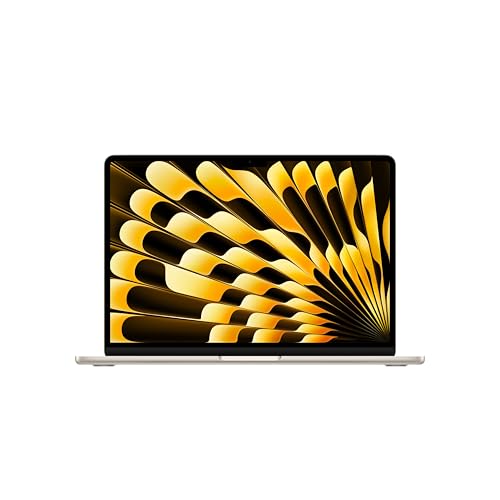 | Apple MacBook Air 13-inch with M5 | Best fit: Lightest carry Screen: 13.6-inch Liquid Retina Thunderbolt 4 ports: 2 (Apple) Weight: 2.7 lb (Apple) Battery: 53.8Wh, up to 18 hr video streaming (Apple) | Check Price on Amazon |
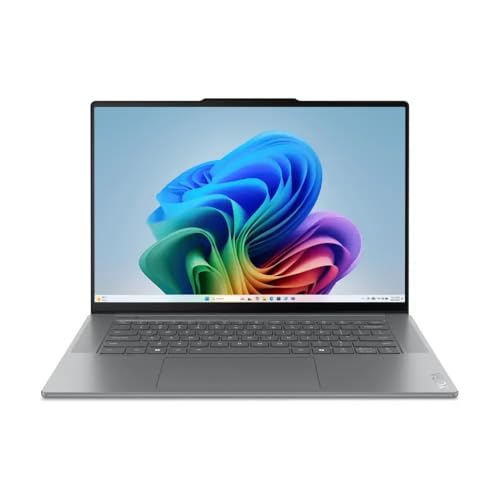 | Lenovo Yoga Slim 7i Aura Edition | Best fit: Largest screen Screen: 15.3-inch 2.8K touch, 120Hz Thunderbolt 4 ports: 2 (Lenovo) Weight: 3.22 lb (listing), 3.37 lb (Lenovo) Battery: 70Wh, up to 22 hr local video (Lenovo) | Check Price on Amazon |
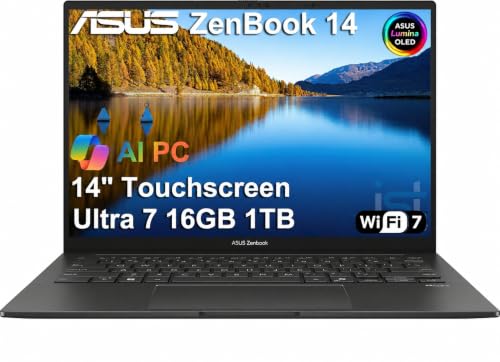 | ASUS Zenbook 14 UX3405 | Best fit: OLED touchscreen on Windows Screen: 14-inch WUXGA OLED touch Thunderbolt 4 ports: 2 (ASUS) Weight: 2.82 lb (listing) Battery: 75Wh, no runtime given (ASUS) | Check Price on Amazon |
 | Lenovo ThinkBook 14 Gen 8 | Best fit: Ethernet and SD card reader Screen: 14-inch FHD+ anti-glare Thunderbolt 4 ports: 1 (Lenovo) Weight: 3.0 lb (listing) Battery: 45Wh or 60Wh (Lenovo) | Check Price on Amazon |
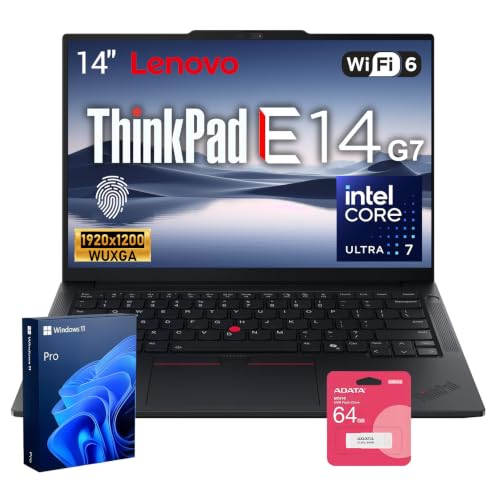 | Lenovo ThinkPad E14 Gen 7 | Best fit: Replaceable memory and storage Screen: 14-inch, resolution not stated Thunderbolt 4 ports: 1 (Lenovo) Weight: 2.97 lb (listing) Battery: 48Wh or 64Wh (Lenovo) | Check Price on Amazon |
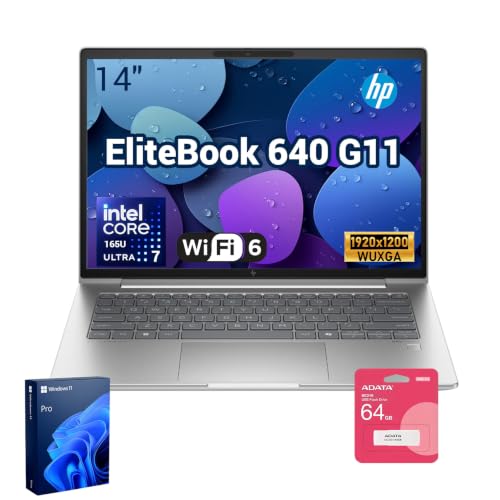 | HP EliteBook 640 G11 | Best fit: Two Thunderbolt 4 ports and Ethernet Screen: 14-inch 1920x1200 anti-glare Thunderbolt 4 ports: 2 (listing) Weight: 3.08 lb (listing) Battery: 56Wh, no runtime given (HP) | Check Price on Amazon |
1. Apple MacBook Air 13-inch with M5 — Best Lightweight Pick at 2.7 Pounds
The 13-inch MacBook Air is the lightest laptop here, so compare it first for daily carry. Apple lists it at 2.7 pounds with a 53.8Wh battery rated for up to 18 hours of video streaming and up to 15 hours of wireless web use. Apple also lists two Thunderbolt 4 ports, a MagSafe 3 charging port, and support for up to two external displays.
The Amazon listing is the 24GB memory and 1TB SSD version. Apple’s 13-inch base model has 16GB and 512GB, and Apple lists 24GB and 1TB as higher options, so the listing matches an Apple configuration.
Our Take A student who carries a laptop all day gets the lightest one here, with two Thunderbolt 4 ports for a dock or display at home. Check that macOS runs the software your courses require.
- Apple lists the 13-inch MacBook Air at 2.7 pounds, the lowest weight among these six laptops.
- Apple rates its 53.8Wh battery at up to 18 hours of video streaming and up to 15 hours of wireless web use.
- Apple lists two Thunderbolt 4 ports and support for up to two external displays.
- Apple lists two Thunderbolt 4 ports, a MagSafe 3 port, and a headphone jack, with no USB-A, HDMI, or card reader.
- The Amazon listing is for macOS, so check each course’s software list for Windows-only programs.
2. Lenovo Yoga Slim 7i Aura Edition — Best Larger Campus Screen
The Yoga Slim 7i Aura Edition has the largest screen here, a 15.3-inch 2.8K touchscreen with a 120Hz refresh rate, according to the Amazon listing. Lenovo’s specification sheet for the Yoga Slim 7 15ILL9 lists the same 2880×1800 panel at 500 nits with 100% DCI-P3 and 100% sRGB coverage. Only the listing adds a Delta E under 1 claim.
Weight is the trade-off. The listing states 3.22 pounds, while Lenovo’s sheet says starting at 3.37 pounds and notes that the figure is approximate, so the Yoga is the heaviest laptop here on either number. Lenovo lists a 70Wh battery rated at up to 13.5 hours of web browsing and 22 hours of local video playback, both at 150 nits. The listing says only “all-day battery life.”
Lenovo lists two Thunderbolt 4 ports with 45 to 65W power delivery, one USB-A port, and one HDMI 2.1 port, and the listing says the Thunderbolt ports are on both sides. Lenovo lists the memory as soldered and not upgradable, in 16GB or 32GB sizes, and lists 512GB and 1TB SSDs, so the listing’s 16GB and 1TB are both Lenovo options.
Lenovo lists a 70Wh battery and two Thunderbolt 4 ports, at 3.22 pounds on the listing and 3.37 pounds on Lenovo’s sheet.Our Take Pick the Yoga when a large built-in touch screen and Lenovo’s rating of 22 hours of local video playback outweigh carrying the heaviest laptop here. Choose the MacBook Air or Zenbook for a lighter bag.
- Lenovo rates its 70Wh battery at up to 13.5 hours of web browsing and 22 hours of local video playback at 150 nits.
- The Amazon listing states a 15.3-inch 2.8K touchscreen with a 120Hz refresh rate.
- Lenovo lists two Thunderbolt 4 ports with 45 to 65W power delivery, plus USB-A and HDMI 2.1.
- The Amazon listing gives 3.22 pounds and Lenovo’s sheet gives 3.37 pounds, the highest weights among these six laptops.
- Lenovo lists the memory as soldered and not upgradable.
- The Amazon listing gives no battery runtime.
3. ASUS Zenbook 14 UX3405 — Best OLED Touchscreen on Windows
The Zenbook 14 UX3405 has a 14-inch WUXGA OLED touchscreen with 500 nits and 100% DCI-P3 coverage, according to the Amazon listing. ASUS’s page for the UX3405 lists a Core Ultra 7 255H, two Thunderbolt 4 ports with display and power delivery at up to 40Gbps, HDMI 2.1, one USB-A port, Wi-Fi 7, and a 75Wh battery.
The listing gives 2.82 pounds, and ASUS lists weights from 2.65 to 2.82 pounds across UX3405 versions, so this laptop sits at the top of that range. The listing title claims 18 hours of battery life, and ASUS’s page lists no runtime.
The seller says it resealed the computer to upgrade the memory and SSD. The listing gives the seller’s three-year warranty for the upgraded memory and SSD and the manufacturer’s one-year warranty for the other parts.
ASUS lists a 75Wh battery and weights from 2.65 to 2.82 pounds, and this listing states 2.82 pounds with seller-upgraded memory and SSD.Our Take Pick the Zenbook for an OLED touch screen on Windows at 2.82 pounds, with two Thunderbolt 4 ports and a direct HDMI port. Read the seller’s reseal and warranty terms before ordering.
- ASUS lists two Thunderbolt 4 ports with display and power delivery, plus HDMI 2.1 and one USB-A port.
- The Amazon listing states a 14-inch WUXGA OLED touchscreen with 100% DCI-P3 coverage.
- ASUS lists a 75Wh battery, and the listing gives a weight of 2.82 pounds.
- The seller states it resealed the computer to upgrade the memory and SSD, with warranty split between the seller and the manufacturer.
- ASUS lists no battery runtime, and the 18 hours in the listing title is the only runtime figure.
- ASUS’s port list has two Thunderbolt 4 ports, HDMI, one USB-A port, and an audio jack, with no Ethernet jack or card reader.
4. Lenovo ThinkBook 14 Gen 8 — Best for Wired Network and SD Card Needs
The ThinkBook 14 Gen 8 suits a student who needs a wired network or an SD card slot. The Amazon listing states a 14-inch FHD+ anti-glare display, Thunderbolt 4, RJ45 Ethernet, and a 4-in-1 SD card reader. Lenovo’s specification sheet lists the Ethernet jack, an SD card reader, HDMI 2.1, and two USB-A ports, but only one Thunderbolt 4 port, beside a second USB-C port at 10Gbps.
The listing gives 3.0 pounds, and Lenovo says starting at 2.99 pounds. Lenovo lists two battery sizes for this model, 45Wh and 60Wh, and the listing does not say which one it has. Lenovo rates the 45Wh battery at 6.1 hours of MobileMark 30 use and 12.63 hours of local video playback, and the 60Wh battery at 8.5 hours and 16.65 hours.
The listing states a Core Ultra 5 225U, 16GB memory, and a 512GB SSD.
Our Take Pick the ThinkBook when a wired network or an SD card slot saves carrying an adapter and 3.0 pounds is acceptable. Ask the seller which battery size this laptop has before ordering.
- The Amazon listing states Thunderbolt 4 and RJ45 Ethernet, and Lenovo lists an Ethernet jack.
- Lenovo lists an SD card reader, and the listing calls it a 4-in-1 reader.
- Lenovo rates the 60Wh battery at up to 16.65 hours of local video playback.
- Lenovo lists HDMI and two USB-A ports on the ThinkBook.
- Lenovo lists one Thunderbolt 4 port, against two on the MacBook Air, Yoga, Zenbook, and EliteBook listings.
- The Amazon listing does not say whether the battery is 45Wh or 60Wh, and Lenovo rates them at 6.1 and 8.5 hours of MobileMark 30 use.
5. Lenovo ThinkPad E14 Gen 7 — Best 14-Inch With Replaceable Memory and Storage
The ThinkPad E14 Gen 7 listing states a 14-inch display, Thunderbolt 4, Ethernet, and 32GB DDR5 memory with a 1TB SSD. The listing says the memory, storage, and battery are user-replaceable. Lenovo’s specification sheet lists two memory slots and two M.2 SSD slots for models with this Core Ultra 7 255H processor. The Amazon listing also states Wi-Fi 6.
Lenovo lists one Thunderbolt 4 port on this model. Lenovo’s optional second USB-C port on these processors runs at 20Gbps and is not Thunderbolt, and the listing does not say whether it has that port.
The listing gives 2.97 pounds, and Lenovo says starting at 2.95 pounds. The listing says “long-lasting battery” without a capacity or runtime. Lenovo lists 48Wh and 64Wh batteries, and its runtime ratings cover Core Ultra 5 and Core 3 configurations but not the Core Ultra 7 255H. The listing gives no screen resolution, and Lenovo lists 14-inch WUXGA (1920×1200) panels in touch and non-touch versions.
Our Take Pick the E14 for a 14-inch Windows laptop with built-in Ethernet, where memory and storage can be swapped later. Ask the seller about the battery size before ordering.
- Lenovo lists two memory slots and two M.2 SSD slots, and the listing says memory, storage, and battery are user-replaceable.
- The Amazon listing states Thunderbolt 4, Ethernet, and Wi-Fi 6.
- The listing gives 2.97 pounds, close to Lenovo’s starting weight of 2.95 pounds.
- Lenovo lists one Thunderbolt 4 port, against two on the MacBook Air, Yoga, Zenbook, and EliteBook listings.
- The Amazon listing does not state a battery capacity or runtime.
- Lenovo lists touch and non-touch 14-inch panels, and the listing does not say which one this laptop has.
6. HP EliteBook 640 G11 — Best With Two Thunderbolt 4 Ports and Ethernet
The EliteBook 640 G11 listing states a 14-inch 1920×1200 anti-glare display at 300 nits, a Core Ultra 7 165U, 32GB memory and a 1TB SSD, two Thunderbolt 4 ports at 40Gbps, two USB-A ports, HDMI, and an RJ-45 Ethernet jack. HP’s maintenance guide for the 640 G11 lists HDMI 2.1, the RJ-45 jack, a Thunderbolt 4 Type-C port at 40Gbps, and USB-A ports at 5Gbps. The Amazon listing also states Wi-Fi 6E and a 5MP IR camera.
The listing gives 3.08 pounds. HP’s guide lists a 56Wh battery with fast charge to 50% in 30 minutes, and gives no weight or runtime.
The listing says the original seal was opened to upgrade the memory and SSD, with a one-year HP US warranty on the upgraded parts and the original one-year manufacturer warranty on the rest. The bundle includes an A-DATA UC310 64GB USB flash drive.
Our Take Pick the EliteBook for two Thunderbolt 4 ports and built-in Ethernet at 3.08 pounds. Choose the MacBook Air or Zenbook for a lighter bag.
- The Amazon listing states two Thunderbolt 4 ports and an RJ-45 Ethernet jack.
- HP’s guide lists a 56Wh battery with fast charge to 50% in 30 minutes.
- The listing states a 14-inch 300-nit anti-glare display, Wi-Fi 6E, and a 5MP IR camera.
- The listing’s bundle includes an A-DATA UC310 64GB USB flash drive.
- The seller states it opened the original seal to upgrade the memory and SSD, and gives a one-year HP US warranty for those parts.
- HP’s guide and the Amazon listing give no battery runtime.
- The listing gives 3.08 pounds, and only the Yoga is heavier among these six laptops.
Buying Guide
1. Start with the course software and operating system
The MacBook Air runs macOS, and the other five listings state Windows 11 Pro. Check the operating system first, because a required program, proctoring tool, engineering package, or campus VPN can rule out a laptop before weight or ports do. A course page or department should name the supported systems and any minimum processor, memory, or storage.
A Thunderbolt 4 port connects hardware and does not change which software runs. Application licensing and compatibility are separate checks from the port list.
2. Weigh screen size against weight
The lightest laptop is the MacBook Air at 2.7 pounds (Apple), followed by the Zenbook at 2.82, the ThinkPad E14 at 2.97, the ThinkBook at 3.0, and the EliteBook at 3.08, according to their Amazon listings. The Yoga Slim 7i is the heaviest, at 3.22 pounds on its listing and 3.37 pounds on Lenovo’s sheet.
Screens run from 13.6 inches on the MacBook Air to 15.3 inches on the Yoga. The Zenbook has an OLED touch panel, and the ThinkBook and EliteBook have anti-glare panels. The E14 listing gives no resolution. A larger built-in screen can reduce the need for an external monitor, while a lighter laptop is easier to carry between classes. Pick the weight you will carry every day first, then the largest screen that fits within it.
3. Read battery ratings with their test conditions
Apple rates the MacBook Air at up to 18 hours of video streaming. Lenovo rates the Yoga at up to 13.5 hours of web browsing and 22 hours of local video playback at 150 nits, and rates the ThinkBook at 6.1 hours of MobileMark 30 use on its 45Wh battery and 8.5 hours on its 60Wh battery. ASUS lists 75Wh for the Zenbook and HP lists 56Wh for the EliteBook, and neither gives a runtime.
The test names differ, so compare a rating only with the same maker’s other ratings. The ThinkBook and ThinkPad E14 listings do not say which battery is fitted or give a runtime, so ask the seller for the battery size before ordering.
4. Check the ports against what you already own
Apple and ASUS list two Thunderbolt 4 ports on the MacBook Air and Zenbook, Lenovo lists two on the Yoga, and the EliteBook listing states two. Lenovo lists one Thunderbolt 4 port each on the ThinkBook and ThinkPad E14. The ThinkBook adds RJ45 Ethernet and an SD card reader, the E14 and EliteBook add Ethernet, and the Yoga and Zenbook add HDMI and USB-A.
The laptop, dock, cable, display, and operating system have to work together. Our Thunderbolt 4 docking-station guide and USB4 hubs and docks guide cover accessory types, and a port count is useful only after you decide what will plug in.
5. Check memory, storage, price, and warranty on the offer you buy
The MacBook Air listing states 24GB and 1TB, the Yoga and Zenbook listings state 16GB and 1TB, the ThinkBook listing states 16GB and 512GB, and the ThinkPad E14 and EliteBook listings state 32GB and 1TB. The ThinkBook has the smallest SSD, at 512GB, so compare its Amazon price first when budget is the limit. The Zenbook and EliteBook sellers say they upgraded the memory and SSD after opening the seal.
Read the title, seller notes, warranty, and return terms together, because the checkout page, not the model name, describes what you buy. The Thunderbolt laptop list gives category context, and the guide to identifying a Thunderbolt port helps you check the ports on a laptop you already own.
FAQ
Does a college laptop need Thunderbolt 4?
No. Many courses need only a charger and one small display. Thunderbolt 4 helps when you plan to use a dock or an external monitor through one cable.
Check the laptop, dock, cable, display, and software together. All six laptops here state Thunderbolt 4, and their port counts, weights, and batteries differ.
Is a 13-inch or 15-inch laptop better for college?
Neither size is better for everyone. The 13-inch MacBook Air is the lightest here at 2.7 pounds (Apple), and the Yoga has a 15.3-inch screen at 3.22 pounds on its listing or 3.37 pounds on Lenovo’s sheet.
A larger screen can replace an external monitor, and a lighter laptop is easier to carry between classes. Think about where you read, take notes, and write most.
Are 16GB, 24GB, or 32GB of memory enough?
It depends on your programs. The MacBook Air listing states 24GB, the Yoga, Zenbook, and ThinkBook listings state 16GB, and the ThinkPad E14 and EliteBook listings state 32GB. The Zenbook and EliteBook sellers say they upgraded the memory.
Start with the course’s stated requirement and leave room for several programs at once. Lenovo lists the Yoga’s memory as soldered and not upgradable, while Lenovo lists two memory slots for the E14.
Can one Thunderbolt port run a monitor and charge the laptop?
Often yes, with a compatible dock or display that supplies power, but a port label does not guarantee it. Apple lists charging and DisplayPort on the MacBook Air’s Thunderbolt 4 ports, Lenovo lists 45 to 65W power delivery with DisplayPort 2.1 on the Yoga, and ASUS lists display and power delivery on the Zenbook.
Read the accessory’s host requirements and power-delivery rating before buying it. Our USB-C monitor guide covers monitor options.
Should a student buy a laptop with Ethernet and an SD reader?
Buy them only if you will use them often. The ThinkBook lists Ethernet and an SD card reader, and the ThinkPad E14 and EliteBook list Ethernet. You would use them in a residence hall or lab with wired networking, or with a camera that records to SD cards.
Otherwise a USB-C adapter can add either port. Match an SD reader to your camera’s card type before you count it as a reason to buy.
Bottom Line
The MacBook Air 13-inch with M5 suits a student who carries a laptop every day, because Apple lists it at 2.7 pounds, the lowest weight here, with up to 18 hours of video streaming and two Thunderbolt 4 ports. Check that macOS runs your course software first. Pick the Yoga Slim 7i Aura Edition for the larger touch screen, the ASUS Zenbook 14 UX3405 for an OLED Windows laptop, or the ThinkBook 14 Gen 8 when RJ45 Ethernet and an SD reader are needed.