Three of these six 2-in-1 laptops name a pen: the HP OmniBook 7 Flip 16, the Lenovo Yoga 9i, and the Samsung Galaxy Book5 Pro 360. All six have a touchscreen, a convertible design, and Thunderbolt 4, according to the Amazon listings and Samsung’s page.
The other three, the HP OmniBook X Flip 16, the Dell 14 Plus, and the Dell Latitude 7450, have touchscreens and 360-degree hinges, but their listings do not mention a pen. Memory and SSD sizes come from the Amazon listings, which say where a seller upgraded a laptop.
Pick the screen size and the pen first, then check the Thunderbolt 4 port count against the dock and monitors you plan to connect.2-in-1 Laptops With Thunderbolt or USB4 Compared
The table gives each laptop’s screen, Thunderbolt 4 port count, memory and SSD, and pen as the Amazon listing or Samsung states them.
| Image | Product | Details | Check Price |
|---|---|---|---|
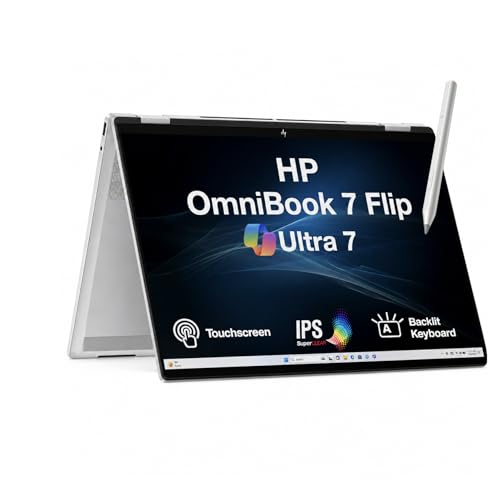 | HP OmniBook 7 Flip 16 | Best fit: 16-inch convertible with a pen Screen: 16-inch 2K IPS touch Thunderbolt 4 ports: Thunderbolt 4, count not stated Memory and SSD: 32GB, 1TB (seller upgrade) Pen: HP USB-C rechargeable pen (Amazon listing) | Check Price on Amazon |
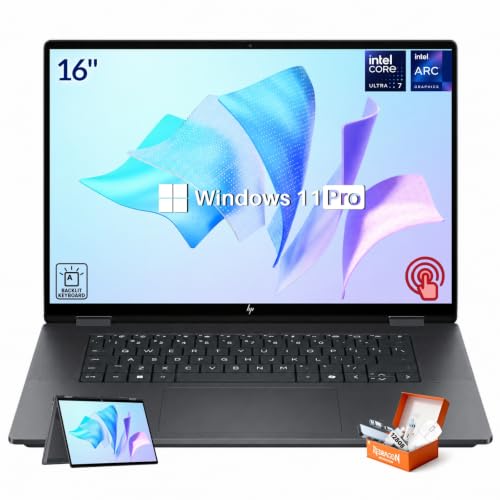 | HP OmniBook X Flip 16 | Best fit: 16-inch touch convertible Screen: 16-inch 2K IPS touch Thunderbolt 4 ports: Thunderbolt 4, count not stated Memory and SSD: 16GB, 1TB (Amazon listing) Pen: Not mentioned by the listing | Check Price on Amazon |
 | Dell 14 Plus 2-in-1 | Best fit: 14-inch convertible, one port Screen: 14-inch 2K touch Thunderbolt 4 ports: 1 Memory and SSD: 16GB, 1TB (Amazon listing) Pen: Not mentioned by the listing | Check Price on Amazon |
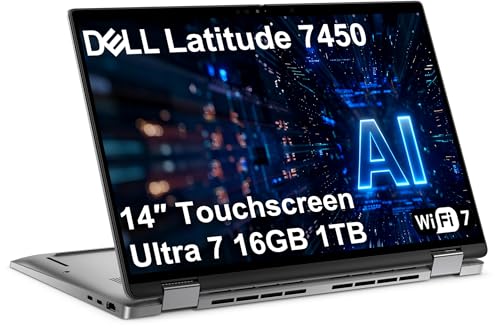 | Dell Latitude 7450 2-in-1 | Best fit: 14-inch business convertible, 3 monitors Screen: 14-inch FHD+ touch Thunderbolt 4 ports: 2 Memory and SSD: 16GB, 1TB (seller SSD upgrade) Pen: Not mentioned by the listing | Check Price on Amazon |
 | Lenovo Yoga 9i 2-in-1 Aura Edition | Best fit: 14-inch OLED with a pen Screen: 14-inch 4K OLED touch Thunderbolt 4 ports: 2, plus one 20Gbps USB4 port Memory and SSD: 32GB, 1TB (Amazon listing) Pen: Yoga Pen (Amazon title) | Check Price on Amazon |
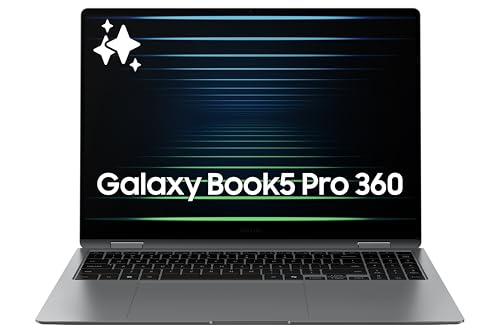 | Samsung Galaxy Book5 Pro 360 | Best fit: 16-inch AMOLED with S Pen Screen: 16-inch 3K AMOLED touch Thunderbolt 4 ports: 2 Memory and SSD: Not in the Amazon listing Pen: S Pen included (Samsung) | Check Price on Amazon |
1. HP OmniBook 7 Flip 16 — Best 16-Inch Pick With a Rechargeable Active Pen
The HP OmniBook 7 Flip 16 is a 16-inch convertible that comes with a pen. Its Amazon listing states a 16-inch 2K IPS touchscreen at 1920 x 1200 and 400 nits, laptop, tent, stand, and tablet modes, and an HP USB-C Rechargeable MPP 2.0 Tilt Pen that comes with the laptop. The ports are Thunderbolt 4, USB Type-C, HDMI, and a headphone and microphone jack, and the listing gives no port count for Thunderbolt 4.
Amazon lists ME2 MichaelElectronics2 as the brand, not HP. The seller says it opened the original seal to upgrade the RAM and SSD, so the 32GB of memory and 1TB SSD are the seller’s configuration, with a 3-year seller warranty on the upgraded parts. The seller says the other hardware keeps a 1-year warranty through it. The listing gives a 68Wh battery with up to 14 hours of mixed use and a weight of 4.3 pounds.
The 32GB of memory and 1TB SSD on this laptop are the seller’s upgrade, so read the warranty terms before ordering.Our Take Choose the OmniBook 7 Flip 16 when you want a 16-inch touchscreen and a pen in one purchase. The listing weight of 4.3 pounds is above the 4.15 pounds on the OmniBook X Flip 16 and the 3.73 pounds on the Galaxy Book5 Pro 360.
- The Amazon listing for this HP convertible states a 16-inch 2K IPS touchscreen with laptop, tent, stand, and tablet modes.
- The listing says the HP USB-C Rechargeable MPP 2.0 Tilt Pen comes with the laptop, which puts it among the three picks that name a pen.
- The listing names Thunderbolt 4, USB Type-C, and HDMI ports but gives no port count for them.
- The seller states it upgraded the RAM and SSD and gives a 3-year warranty on those parts, so read the warranty terms before ordering.
- The Amazon listing gives a weight of 4.3 pounds, the highest weight on the page for a 16-inch model.
2. HP OmniBook X Flip 16 — Best 16-Inch Convertible for Touch Note-Taking and Reading
The HP OmniBook X Flip 16 is a 16-inch HP convertible with a touchscreen and no pen mentioned. Its Amazon listing states a 16-inch 2K touchscreen at 1920 x 1200 and 400 nits, a 360-degree hinge with laptop, tent, stand, and tablet modes, Thunderbolt 4 at up to 40Gbps, Wi-Fi 6E, 16GB of LPDDR5X memory, and a 1TB SSD. It also gives a thickness of 0.61 inches, a weight of about 4.15 pounds, and a 65W adapter.
The listing says tablet mode suits note-taking, sketching, and reading. It does not mention a pen, so confirm which pen works with this model before you plan to write or draw on it. The listing does not give a Thunderbolt 4 port count either.
The listing gives no pen and no Thunderbolt 4 port count, so confirm both before ordering.Our Take Choose the OmniBook X Flip 16 when you want a 16-inch HP convertible for touch, reading, and presenting and will not rely on a bundled pen.
- HP’s listing for the OmniBook X Flip says the 360-degree hinge gives laptop, tent, stand, and tablet modes.
- The listing states a 16-inch 2K touchscreen and Thunderbolt 4 at up to 40Gbps.
- HP lists 16GB of LPDDR5X memory, a 1TB SSD, and a 65W adapter on the Amazon listing.
- The OmniBook X Flip listing does not mention a pen, so confirm which pen works with it before you plan to write or draw.
- The listing gives a weight of about 4.15 pounds, above both Dell listings.
3. Dell 14 Plus 2-in-1 — Best 14-Inch Pick When One Thunderbolt 4 Port Is Enough
The Dell 14 Plus 2-in-1 is a 14-inch convertible with one Thunderbolt 4 port. Its Amazon listing states a 14-inch 2K touchscreen at 1920 x 1200, 300 nits, and 45% NTSC color coverage, a 360-degree hinge with laptop, tent, stand, and tablet modes, Wi-Fi 7, and a backlit keyboard. It lists 16GB of DDR5 memory, a 1TB SSD, Windows 11 Home, and a weight of 3.55 pounds.
The listing does not mention a pen. The Latitude 7450 and Galaxy Book5 Pro 360 name two Thunderbolt 4 ports. The 14 Plus suits a buyer whose dock or display connects through a single port.
Our Take Choose the Dell 14 Plus 2-in-1 when you want a 14-inch touch convertible and one Thunderbolt 4 port covers your dock or display.
- Dell’s listing for this convertible states a 14-inch 2K touchscreen and a 360-degree hinge with four modes.
- The listing adds Wi-Fi 7, a backlit keyboard, 16GB of DDR5 memory, and a 1TB SSD.
- The listing gives a weight of 3.55 pounds for the 14-inch size, below the three larger models.
- This listing names one Thunderbolt 4 port, which suits a dock or display that connects through a single port.
- The listing does not mention a pen, so confirm a compatible pen before ordering it for writing or drawing.
4. Dell Latitude 7450 2-in-1 — Best 14-Inch Pick for Two Thunderbolt 4 Ports and Three Monitors
The Dell Latitude 7450 2-in-1 is a 14-inch business convertible with two Thunderbolt 4 ports. Its Amazon listing states a 14-inch FHD+ touchscreen at 1920 x 1200 and 300 nits, a 360-degree hinge with four modes, two USB Type-A ports, HDMI 2.1, Wi-Fi 7, a backlit keyboard, a fingerprint reader, and an IR camera with a privacy shutter. It also states support for 3 external monitors through HDMI or Thunderbolt 4, up to 4K at 60Hz without a docking station. The 14 Plus listing calls its 1920 x 1200 panel 2K, and this listing calls the same resolution FHD+.
The title calls this laptop the previous generation of the Dell Pro 14 Plus and names a Core Ultra 7 165U. The seller says it resealed the laptop to upgrade the SSD, with a 3-year seller warranty on the SSD and Dell support for the other parts until January 2029. The listing gives 16GB of memory, a 1TB SSD, and a weight of 3.36 pounds, and it does not mention a pen.
Our Take Choose the Latitude 7450 when you want a 14-inch business convertible with two Thunderbolt 4 ports and several external monitors, and a pen is not required.
- Dell’s Latitude listing states two Thunderbolt 4 ports, two USB Type-A ports, and HDMI 2.1.
- The listing states support for 3 external monitors, up to 4K at 60Hz without a docking station.
- At 3.36 pounds, the Latitude is the lightest laptop on the page, and the listing adds a fingerprint reader and an IR camera with a privacy shutter.
- The seller states it resealed the laptop to upgrade the SSD and gives a seller warranty on that part.
- The listing title calls the Latitude the previous generation of the Dell Pro 14 Plus.
- The Latitude listing does not mention a pen, so it suits buyers who do not need one.
5. Lenovo Yoga 9i 2-in-1 Aura Edition — Best 14-Inch OLED Touchscreen With a Yoga Pen
The Lenovo Yoga 9i 2-in-1 Aura Edition is a 14-inch OLED convertible with a pen named in its title. Its Amazon listing states a 14-inch 4K OLED touchscreen with 100% DCI-P3 and up to 600 nits, a Core Ultra 7 258V, 32GB of memory, and a 1TB SSD. A bullet describes the Yoga Pen with tilt and pressure detection, low latency, and magnetic attachment to the lid. The listing calls the laptop unopened retail packaging, sold as configured by Lenovo.
The listing gives the ports as one USB-A, one USB-C at 20Gbps (USB4 Gen 2×2), and two USB-C ports labeled Thunderbolt 4 and USB4 at 40Gbps, with USB Power Delivery and DisplayPort.
Our Take Choose the Yoga 9i when you want a 14-inch OLED touchscreen with a pen and two Thunderbolt 4 ports. The listing names the pen in its title and a bullet, so confirm that it ships with the laptop.
- Lenovo’s listing for this Yoga states a 14-inch 4K OLED touchscreen with 100% DCI-P3 and up to 600 nits.
- The listing describes the Yoga Pen with tilt and pressure detection and magnetic attachment to the lid.
- The listing names two Thunderbolt 4 ports and one USB4 Gen 2×2 port, along with USB Power Delivery and DisplayPort.
- The Yoga listing has no box-contents line for the Yoga Pen, so confirm that it ships with the laptop.
6. Samsung Galaxy Book5 Pro 360 — Best AMOLED Screen and Included S Pen
Samsung describes the Galaxy Book5 Pro 360 as a 2-in-1 with an included S Pen. Its page lists a 16-inch 3K Dynamic AMOLED 2X touchscreen with refresh rates up to 120Hz, two Thunderbolt 4 ports, HDMI 2.1, a USB 3.2 port, a microSD slot, and a headphone and microphone jack. The Amazon listing adds a 16-inch 3K AMOLED touchscreen, an S Pen with enhanced tilt sensitivity, USB-A, and a weight of 3.73 pounds.
Samsung’s page lists 16GB or 32GB of memory with a 1TB SSD, and 16GB with a 512GB SSD. The Amazon listing gives no memory or SSD size, so confirm the configuration before ordering. Samsung states up to 25 hours of video runtime.
Samsung says the S Pen is included, and its page lists two Thunderbolt 4 ports.Our Take Choose the Galaxy Book5 Pro 360 when you want a 16-inch AMOLED touchscreen with an included S Pen and two Thunderbolt 4 ports.
- Samsung lists a 16-inch 3K Dynamic AMOLED 2X touchscreen with refresh rates up to 120Hz.
- Samsung’s page says the S Pen is included and lists two Thunderbolt 4 ports.
- Samsung lists HDMI 2.1 and a microSD slot beside the Thunderbolt 4 ports.
- The Amazon listing for this laptop gives no memory or SSD size, so confirm the configuration before ordering.
- The listing gives a weight of 3.73 pounds, above the 14-inch Dell listings.
Buying Guide
1. Choose the screen size and weight first
Three of the six laptops have 16-inch screens: the HP OmniBook 7 Flip, the HP OmniBook X Flip, and the Samsung Galaxy Book5 Pro 360. The Dell 14 Plus, the Dell Latitude 7450, and the Lenovo Yoga 9i have 14-inch screens. The weights we cite run from 3.36 pounds for the Latitude to 4.3 pounds for the OmniBook 7 Flip. We do not cite the 6-pound figure on the Yoga listing, because it looks like a shipping weight.
A 16-inch screen gives more room for a page or a sketch, and the 14-inch Dell listings give lower weights. Samsung’s 3.73 pounds is the lowest weight on the page for a 16-inch model. Read the weight on the listing you order, because it is the carry figure for tablet-mode use.
2. Confirm which laptops name a pen
The HP OmniBook 7 Flip listing says an HP USB-C Rechargeable MPP 2.0 Tilt Pen comes with the laptop, Samsung says the Galaxy Book5 Pro 360 includes an S Pen, and the Yoga 9i title lists a Yoga Pen. The OmniBook X Flip, Dell 14 Plus, and Dell Latitude 7450 listings do not mention a pen, so confirm a compatible pen before ordering one of them for writing or drawing.
A pen in the box does not settle application support. Check the pen features in the note-taking, drawing, or PDF app you use, such as pressure and tilt, because the listings do not say which apps use them.
3. Count Thunderbolt 4 ports and monitors
The Dell 14 Plus listing names one Thunderbolt 4 port, and the Latitude 7450, Yoga 9i, and Galaxy Book5 Pro 360 name two. The two HP listings name Thunderbolt 4 without a port count. The Yoga lists a third USB-C port as USB4 Gen 2×2 at 20Gbps, a lower speed than its two 40Gbps Thunderbolt 4 ports. The Latitude 7450 listing states support for 3 external monitors, and the other five listings give no monitor count.
Read the dock’s manual before you buy it, because the laptop, dock, cable, and monitors together set the result. The Thunderbolt 4 docking-station guide and USB4 hubs and docks guide cover dock types, and how to identify the Thunderbolt port on a laptop shows which port is which. A dock’s host requirements come first.
4. Compare the panel figures as listed
The Yoga 9i lists a 14-inch 4K OLED panel with 100% DCI-P3 and up to 600 nits, and Samsung lists a 16-inch 3K Dynamic AMOLED 2X panel with refresh rates up to 120Hz. The four other listings give the panel as 1920 x 1200, with 400 nits on the two HP models and 300 nits on the two Dell models.
Color figures use different standards. The Latitude lists 100% sRGB, the Dell 14 Plus lists 45% NTSC, and the Yoga lists 100% DCI-P3, so the numbers do not compare directly. Samsung describes a wide color gamut without a figure, and the HP listings give none.
5. Check memory, SSD, and who sold it
Seller upgrades appear in two listings. The OmniBook 7 Flip seller opened the seal to upgrade the RAM and SSD, and the Latitude 7450 seller resealed the laptop to upgrade the SSD. Both sellers state a 3-year warranty on the upgraded parts. The Dell 14 Plus and OmniBook X Flip list 16GB and 1TB, and the Yoga lists 32GB and 1TB as unopened retail packaging.
The Samsung listing gives no memory or SSD size, so read the title and bullets for the configuration you are buying, along with the warranty terms. The Thunderbolt laptop list covers more models if none of these six fits.
FAQ
Is a 2-in-1 laptop good for handwritten notes?
Yes, when the model comes with a pen and your app supports it. The OmniBook 7 Flip, Yoga 9i, and Galaxy Book5 Pro 360 name a pen, and the other three listings do not mention one.
Confirm pressure and tilt support in the app you use. The listings describe the pens, and they do not say which note-taking or PDF apps use those features.
Does Thunderbolt 4 make a 2-in-1 better with a dock?
It makes a Thunderbolt dock possible, and the dock sets the result. The OmniBook X Flip listing states Thunderbolt 4 at up to 40Gbps for high-resolution displays and data transfers.
Confirm the host support, cable, monitors, and power delivery in the dock’s manual. The Dell 14 Plus names one Thunderbolt 4 port, and the Latitude 7450, Yoga 9i, and Galaxy Book5 Pro 360 name two.
Should I choose a 14-inch or 16-inch 2-in-1?
Choose 16 inches for more screen room and 14 inches for a lower listed weight. The Dell Latitude 7450 gives 3.36 pounds and the Dell 14 Plus gives 3.55, against 3.73 to 4.3 pounds for the 16-inch models.
Compare the carry weight on the listing you order before treating a screen size as the decision.
Do I need an OLED or AMOLED screen for pen work?
No. The listings do not tie pen use to a panel type. The OmniBook 7 Flip lists an IPS panel with a pen, the Yoga 9i lists OLED, and the Galaxy Book5 Pro 360 lists AMOLED.
Choose the panel for the brightness and color figures you need. The listings give 300 to 400 nits on the 1920 x 1200 models and up to 600 nits on the Yoga.
Can a 2-in-1 be my only laptop?
Yes, when laptop mode covers your daily work and touch or pen mode adds to it. The Dell 14 Plus and Samsung’s page list Windows 11 Home, and the other four listings name Windows 11 Pro.
Match the ports and memory to your accessories first. The Latitude 7450 lists two USB Type-A ports and HDMI 2.1, and the Galaxy Book5 Pro 360 lists HDMI 2.1 and a microSD slot.
Bottom Line
Choose the HP OmniBook 7 Flip 16 for a 16-inch convertible that comes with a pen, the Lenovo Yoga 9i for a 14-inch OLED touchscreen with a Yoga Pen, or the Samsung Galaxy Book5 Pro 360 for a 16-inch AMOLED touchscreen with an included S Pen. Pick the Dell Latitude 7450 when two Thunderbolt 4 ports and three external monitors come before a pen.