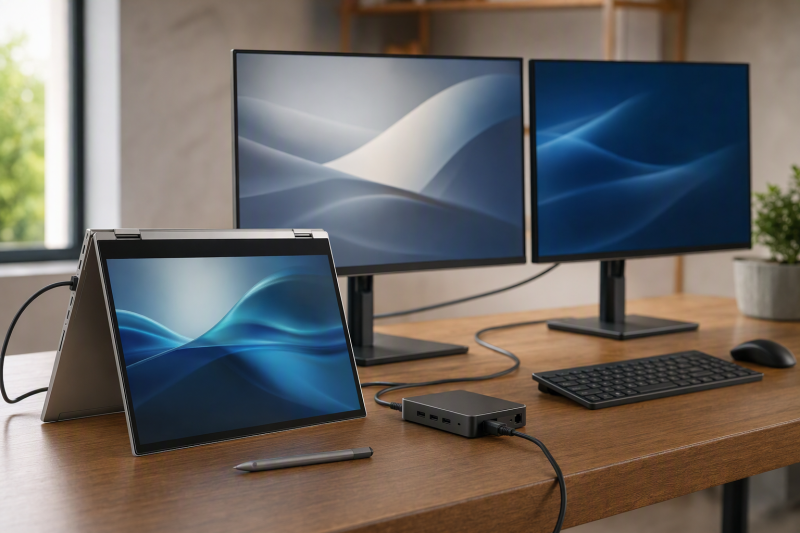
For a qualifying Lenovo Yoga, the Lenovo USB-C Slim Travel Dock, model 4X11N40213, is the best dock in this frozen slate. Its compact body, integrated cable, single-display route, and Lenovo-rated up-to-65W pass-through fit a convertible that moves between rooms and bags. Each alternative answers one different need: Targus DOCK425GLZ adds portable USB4 dual-video expansion, Lenovo USB4 Dock 5000 is the official desk choice, Plugable TBT-UDM fits a documented Thunderbolt 4 or USB4 Yoga, and Lenovo USB4 Smart Dock 5500 is the managed-office branch.
Yoga is a product family, not a port standard. Exact generation, machine type, processor branch, USB-C DisplayPort Alt Mode, USB Power Delivery, USB4 or Thunderbolt support, native display count, firmware, OS, cable, charger, and monitor chain all matter. A convertible’s included charger may also differ from the dock’s pass-through needs. Our broader USB-C docking station guide helps only after the exact Yoga port is identified.
Quick picks
- Lenovo USB-C Slim Travel Dock: Best compact official one-display option.
- Targus DOCK425GLZ: Best portable USB4 dual-video branch.
- Lenovo ThinkPad USB4 Dock 5000: Best official full-size desk choice.
- Plugable TBT-UDM: Best driverless third-party TB4/USB4 desk dock.
- Lenovo USB4 Smart Dock 5500: Best managed-office alternative.
Compare Lenovo Yoga docks
| Image | Product | Details | Check Price |
|---|---|---|---|
 | Lenovo USB-C Slim Travel Dock 4X11N40213 | Best for: Official one-display travel setup Host path: Video/data/power-capable USB-C Display route: One HDMI Laptop power: Up to 65W pass-through Buyer check: Integrated cable and exact Yoga host conditions | Check Price on Amazon |
 | Targus DOCK425GLZ | Best for: Portable USB4 dual-video branch Host path: USB4 40Gbps Display route: DP 1.4 and HDMI 2.1; host/OS dependent Laptop power: Bus-powered or up to 85W pass-through Buyer check: USB-C charger not included | Check Price on Amazon |
 | Lenovo ThinkPad USB4 Dock 5000 40BF0100US | Best for: Official full-size Yoga desk Host path: USB4 intended; reduced USB-C fallback Display route: 2x DP 1.4, HDMI 2.1, full-function USB-C Laptop power: 65W included setup; up to 100W with optional adapter Buyer check: Exact Yoga generation controls support | Check Price on Amazon |
 | Plugable TBT-UDM | Best for: Driverless third-party desk Host path: Thunderbolt 4 or USB4 Display route: Two HDMI and downstream Thunderbolt Laptop power: Up to 100W Buyer check: Driverless does not guarantee two displays | Check Price on Amazon |
 | Lenovo ThinkPad USB4 Smart Dock 5500 40BC0135US | Best for: Managed Yoga office Host path: USB4 on qualifying machine type Display route: 2x DP 1.4, HDMI 2.1, full-function USB-C Laptop power: Up to 100W on selected configuration Buyer check: ThinkPad branding does not prove Yoga support | Check Price on Amazon |
1. Lenovo USB-C Slim Travel Dock 4X11N40213 — best overall

Lenovo’s Slim Travel Dock leads because its compromises match a mobile Yoga. Lenovo documents an integrated host cable, HDMI, two USB-A ports, two 10Gbps USB-C data ports, and a separate USB-C power input. The dock is driver-free and built around one external display.
Lenovo publishes a single-display ceiling up to 4K60 and power pass-through up to 65W under its conditions. The Yoga’s host port has to supply the required video, data, and power functions. When the dock runs without an AC adapter, Lenovo also states that the host must provide 5V/3A.
Pass-through power requires a suitable USB-C charger, and the laptop accepts only a supported negotiated mode. The integrated cable saves one packing item but is harder to replace than a detachable lead. This is not a multi-monitor desk dock in a smaller shell.
Our Take
Choose the Slim Travel Dock for a video-capable USB-C Yoga, one external screen, and a charger that fits the pass-through path. Buy a full dock when the desk needs several monitors or high-speed expansion.
- Compact official Lenovo travel design
- Integrated cable and two 10Gbps USB-C data ports
- Up-to-65W pass-through under Lenovo conditions
- One external display only
- Host and charger must supply the required USB-C functions
2. Targus DOCK425GLZ — best portable USB4 dual-video option
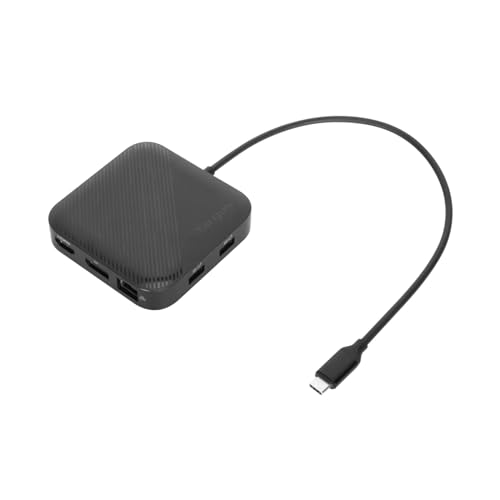
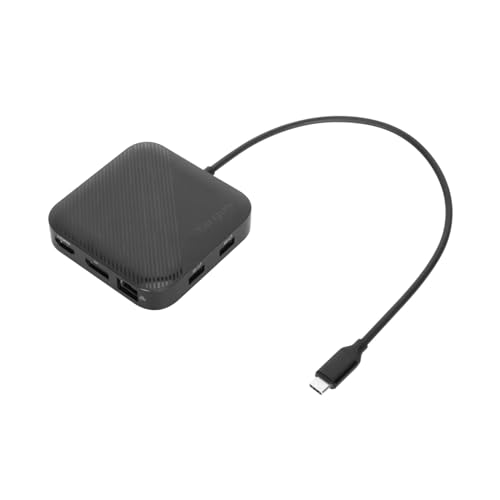
Targus DOCK425GLZ is the portable step up when a qualifying Yoga needs more than one display route. Targus documents a USB4 40Gbps host path, DisplayPort 1.4, HDMI 2.1, and a dual-video role subject to the host and operating system.
The dock can run bus-powered. For laptop charging, it accepts a separately supplied USB-C charger and is rated by Targus to pass up to 85W under the product’s conditions. No charger is included. That distinction matters for a travel bag: bus power reduces parts but draws from the Yoga, while pass-through adds a charger and cable.
Targus publishes display ceilings, but physical DP and HDMI outputs do not prove that every Yoga can run both. One- versus two-display behavior is controlled by the exact processor branch, native display resources, port mode, OS, cable, monitor inputs, and internal-panel state.
Our Take
Choose Targus when portable dual-video flexibility matters and the Yoga has a documented USB4 path. Add a suitable charger only if pass-through power is part of the plan.
- Portable USB4 40Gbps design
- DisplayPort 1.4 and HDMI 2.1
- Bus-powered or up-to-85W pass-through operation
- USB-C charger is not included
- One- versus two-display result is host and OS dependent
3. Lenovo ThinkPad USB4 Dock 5000 40BF0100US — best official desk option
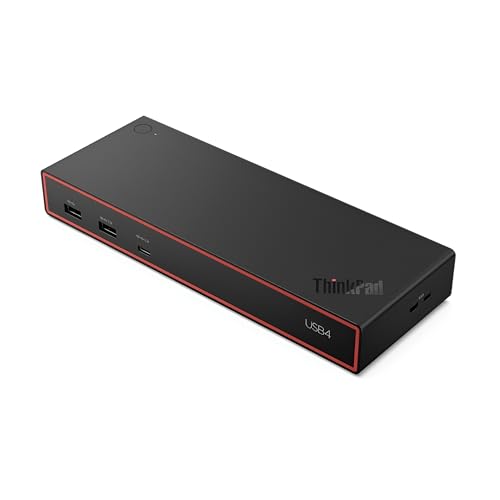
The USB4 Dock 5000 is the full-size official Lenovo branch for a Yoga whose exact generation supports its USB4 or USB-C host path. Lenovo names it the successor to the Universal USB-C Dock and documents two DisplayPort 1.4 outputs, HDMI 2.1, a full-function USB-C video connection, six USB data ports, and Gigabit Ethernet.
Yoga branding does not prove compatibility. Lenovo’s display ceilings depend on the connected laptop, graphics, operating system, cable, and monitor chain. A USB-C-only Yoga uses a reduced fallback path and cannot expose the intended USB4 bandwidth simply because the connector fits.
Power depends on the adapter configuration. Lenovo says the included 100W adapter supplies a 65W laptop path, while reaching up to 100W requires the optional 135W adapter and a qualifying host. Compare that against the exact Yoga’s accepted input before buying another adapter.
Our Take
Choose Dock 5000 for a qualifying Yoga that spends most of its time at a permanent desk. Confirm whether the included 65W setup is enough before planning the optional power path.
- Official Lenovo USB4 desk choice
- Several native display routes
- Six USB data ports and Gigabit Ethernet
- Included adapter setup supplies 65W to the laptop
- USB-C fallback and display ceilings are host-specific
4. Plugable TBT-UDM — best third-party desk dock

Plugable TBT-UDM fits a Yoga whose exact specification documents Thunderbolt 4 or USB4. Plugable documents a driverless native display route with two HDMI outputs, downstream Thunderbolt, SD and microSD UHS-II readers, Ethernet, audio, USB-A, USB-C, and host charging up to 100W.
Driverless does not mean universal. Whether one or two displays work at a requested format is decided by the Yoga’s processor branch, native display count, USB4/TB4 implementation, OS, firmware, cable, and monitors. Do not transfer Plugable’s supported-host dual-display ceiling to a basic USB-C Yoga.
The dock suits a permanent creator or office desk that benefits from media readers and downstream Thunderbolt. Its 100W power ceiling remains offered power, not accepted draw, and may be more than a light Yoga needs or less than another configuration requires.
Our Take
Choose TBT-UDM when the exact Yoga has TB4 or USB4 and the desk needs readers, downstream Thunderbolt, and native HDMI outputs. Skip it for basic USB-C.
- Driverless TB4/USB4 native-display route
- Two HDMI outputs and downstream Thunderbolt
- UHS-II readers and up-to-100W charging
- Intended capability requires TB4 or USB4
- Dual-display behavior remains exact-host dependent
5. Lenovo ThinkPad USB4 Smart Dock 5500 40BC0135US — best managed-office choice
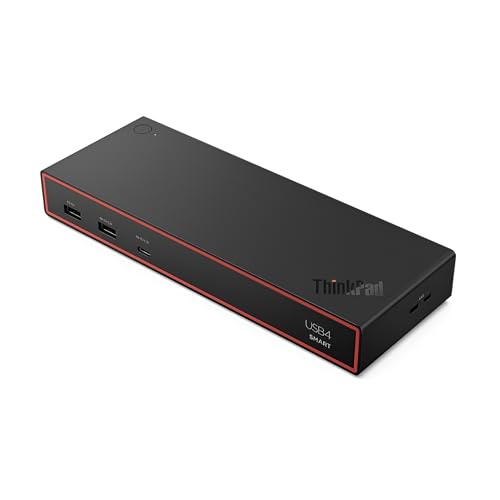
The USB4 Smart Dock 5500 is the managed branch for a Yoga deployment whose exact systems qualify. Lenovo documents HDMI 2.1, two DisplayPort 1.4 outputs, full-function USB-C video, six USB data ports, Gigabit Ethernet, and management functions for supported ThinkPads.
The selected 40BC0135US configuration uses a 135W adapter and has an up-to-100W host ceiling. The Yoga still negotiates its own accepted input, and display count and management behavior also depend on the exact machine type, processor branch, port, firmware, and OS.
Product-family branding is not a support record. This dock belongs last for a mobile Yoga buyer because it prioritizes managed desktop deployment over portability. It moves up only when IT management is the central decision.
Our Take
Choose Smart Dock 5500 for a verified USB4 Yoga fleet that needs Lenovo management. For one mobile convertible, the Travel Dock or Targus is usually the clearer role match.
- Official managed USB4 dock
- Several display and USB routes
- Up-to-100W ceiling on selected configuration
- Large desk role rather than travel role
- Yoga compatibility is not implied by ThinkPad branding
How to choose a Yoga dock
Identify the generation and processor branch
Use the machine type and Lenovo PSREF row, and record processor platform, USB-C DP Alt Mode, USB Power Delivery, USB4 or Thunderbolt generation, native external-display count, accepted power, firmware, and OS. Yoga models can change port behavior across generations and processor branches.
Decide whether the dock travels
The Slim Travel Dock is the smallest one-display branch, and Targus provides more portable video flexibility but may add a charger. Dock 5000, TBT-UDM, and Smart Dock 5500 are permanent-desk products. Port count is useful only if the size, supply, and cable setup still fit the mobile job.
Count charger pieces honestly
Lenovo’s travel dock needs a suitable charger for pass-through. Targus includes no charger and can either run from the host or accept separate power. Lenovo states the Dock 5000 includes a supply for the 65W laptop configuration, while its up-to-100W route requires an optional adapter. Offered power and Yoga accepted draw remain separate.
Trace the display path
One HDMI socket on the Travel Dock is one intended external display. Targus offers DP and HDMI, but host/OS controls one versus two. Full-size docks publish wider ceilings, yet the exact Yoga GPU and port remain the limit. Physical outputs never override host-native display count. Our USB4 versus Thunderbolt 4 guide helps classify the port.
Treat driverless as a software statement
Driverless native-display docks still depend on the host’s GPU, port mode, OS, cable, and monitors. The word by itself does not guarantee two displays, charging, or every downstream feature. Firmware updates and Lenovo support records remain part of setup.
Frequently asked questions
Will any USB-C dock work with any Yoga?
No. The connector can fit while the display, high-speed data, or charging functions are absent. Check the exact machine type and processor branch.
Does Targus DOCK425GLZ include a charger?
No. Targus states it can run bus-powered, or use a separately supplied compatible USB-C charger for up-to-85W pass-through.
Can the Slim Travel Dock run two monitors?
Lenovo documents it as a single-display dock. If two displays are required, choose a different product and verify the Yoga host matrix.
Final recommendation
Lenovo’s USB-C Slim Travel Dock is the best overall Yoga choice for one external display and a compact official setup. After that, one requirement picks each alternative: Targus for portable USB4 dual-video flexibility, Dock 5000 for a permanent official desk, Plugable TBT-UDM for a verified TB4/USB4 third-party route, Smart Dock 5500 for a managed fleet. Whichever you buy, exact generation, processor, port, power, firmware, OS, charger, and display topology remain controlling.