Best 16-Channel USB Logic Analyzers for Protocol Debugging

Best 16-Channel USB Logic Analyzers for Protocol Debugging
This post includes affiliate links, for which we may earn a commission at no extra cost to you should you make a purchase using our links. As an Amazon Associate, we can earn from qualifying purchases. Learn more.

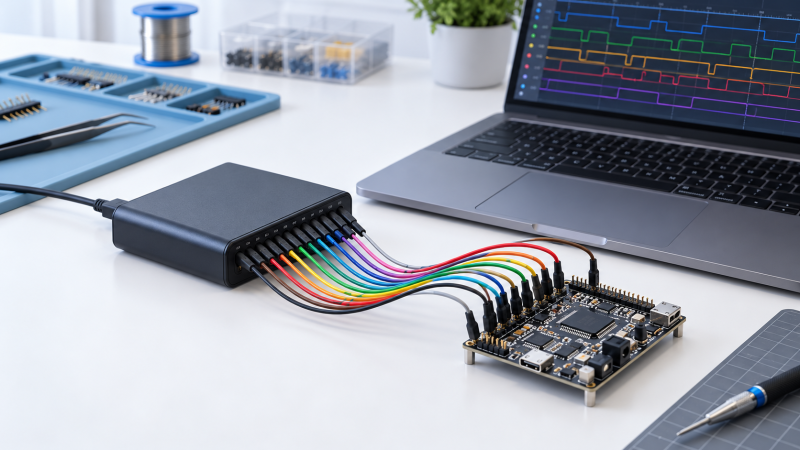
A 16-channel USB logic analyzer helps you see several digital signals at once while the laptop decodes a bus or captures timing. The useful differences are sample rate, depth, per-channel mode, USB connection, supported operating systems, and whether the device also captures analog signals.

These seven analyzers all provide sixteen digital channels for protocol and timing work. Start by counting the signals you must capture together, then compare the sample-rate and memory figures at that channel count instead of relying on a headline maximum.

The right logic analyzer is the one whose stated rate, depth, channel count, and software support match the signals you need to debug together.

Best 16-Channel USB Logic Analyzers for Protocol Debugging Compared

ImageProductDetailsCheck Price
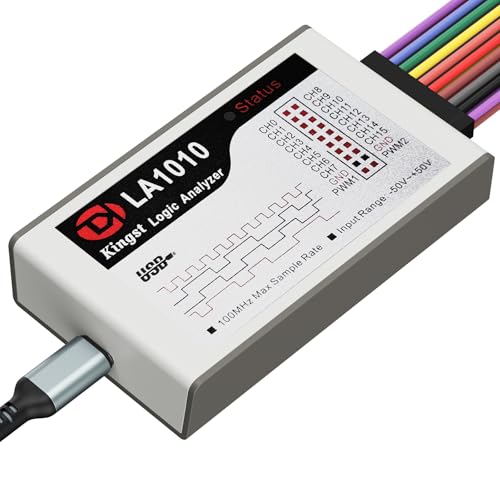
innomaker LA1010 on Amazon
innomaker LA1010Best fit: Entry-level protocol debugging
Channels: 16 input channels
Capture: 100MHz per channel; 30+ stated protocol decoders
Check Price on Amazon
innomaker LA2016 on Amazon
innomaker LA2016Best fit: Balanced 200MHz protocol analysis
Channels: 16 digital channels
Capture: 200MHz; 1Gbit memory; 20+ stated decoders
Check Price on Amazon
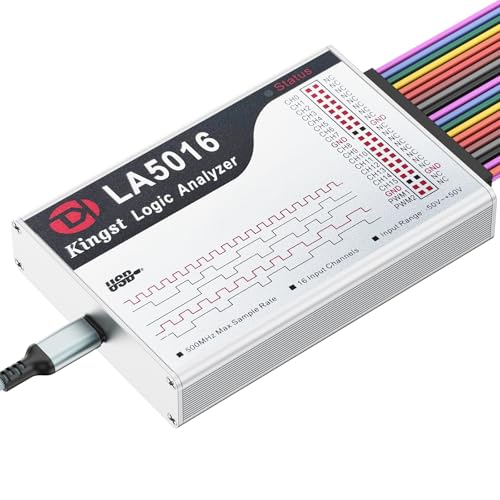
innomaker LA5016 on Amazon
innomaker LA5016Best fit: 500MS/s digital debugging with PWM generation
Channels: 16 digital channels
Capture: 500MS/s; 10G deep memory
Check Price on Amazon
BINGOX 400MHz on Amazon
BINGOX 400MHzBest fit: Straightforward USB-C 400MHz analyzer
Channels: 16 digital channels
Capture: 400MHz; 256Mbit on-board memory
Check Price on Amazon
DreamSourceLab DSLogic Plus on Amazon
DreamSourceLab DSLogic PlusBest fit: Channel-specific stream and buffer rate control
Channels: 16 digital channels
Capture: 400MHz at 4 buffer channels; 100MHz at 16
Check Price on Amazon
Saleae Logic Pro 16 on Amazon
Saleae Logic Pro 16Best fit: Mixed digital and analog debugging
Channels: 16 multi-use digital or analog inputs
Capture: 500MS/s digital; 50MS/s analog
Check Price on Amazon
DreamSourceLab DSLogic U3Pro16 on Amazon
DreamSourceLab DSLogic U3Pro16Best fit: High-rate sixteen-channel digital capture
Channels: 16 digital channels
Capture: 500MHz at 16 buffer channels; 2Gbits DDR3
Check Price on Amazon

1. innomaker LA1010 — Best Entry-Level 100MHz Capture

The innomaker LA1010 is the simpler sixteen-channel choice for digital waveform inspection and common protocol work. It states a 100MHz per-channel sampling rate and KingstVIS PC software that shows sixteen captured digital signals on a computer screen.

The description names more than thirty standard protocols including I2C, SPI, UART, and CAN, plus support for Windows, macOS, and Linux. That list makes the LA1010 appropriate when broad protocol coverage and a lower-rate portable instrument count for more than deep memory figures.

Decision point: A stated 100MHz per-channel rate and thirty-plus standard protocol decoders fit common microcontroller bus debugging.

For supporting bench gear, see our USB-C power meter guide and our precision screwdriver-kit guide.

Our Take

Buy the innomaker LA1010 if sixteen channels, 100MHz sampling, and thirty-plus stated decoders fit the buses you use most. Choose the LA2016 or LA5016 if the same workflow needs a higher stated sample rate and deeper capture memory.

PROS
  • Sixteen input channels let the LA1010 display a full group of related digital signals on one PC view.
  • The description states a 100MHz per-channel sampling figure for this portable logic-analysis workflow.
  • Thirty-plus stated protocol decoders include I2C, SPI, UART, and CAN for human-readable data extraction.
  • Windows, macOS, and Linux support gives a mixed-computer bench a defined cross-platform software option.
  • KingstVIS PC software is included, reducing the need to select separate capture software before basic debugging.
  • The 100MHz sampling rate is lower than LA2016’s 200MHz and LA5016’s 500MS/s stated specifications.
  • The description does not state a deep on-board memory figure comparable with the 1Gbit LA2016 capture memory.
  • Buyers who need analog input should prefer Saleae Logic Pro 16, which states sixteen multi-use digital or analog inputs.

2. innomaker LA2016 — Best Balanced 200MHz Option

The innomaker LA2016 sits between basic and very-high-rate analyzers with a stated 200MHz sample rate and 1Gbit deep memory. It captures sixteen digital signals simultaneously, and the hardware comes with English PC software for protocol decoding, waveform compression, export, and a built-in PWM generator.

Its protocol list includes I2C, SPI, UART, CAN, I2S, USB 1.1, JTAG, and Modbus among more than twenty decoders. The LA2016 is the balanced pick for a buyer who needs clearly stated capture depth and practical PC software features without prioritizing the highest rate on the page.

For related bench decisions, see our USB-C soldering iron guide and our USB-C power meter guide.

Our Take

Buy the innomaker LA2016 if 200MHz sampling, 1Gbit memory, export features, and a built-in PWM generator give your laptop workflow the right balance. Skip it for the LA5016 or U3Pro16 if the capture needs their higher stated sample-rate figures.

PROS
  • The 200MHz rate and 1Gbit deep memory give the buyer explicit midrange capture figures for complex debugging.
  • More than twenty stated decoders include I2C, SPI, UART, CAN, I2S, USB 1.1, JTAG, and Modbus.
  • Waveform compression, export and save functions, and a PWM generator support more than a simple screenshot workflow.
  • USB bus power and Windows, macOS, and Linux support keep laptop connection and cross-platform use straightforward.
  • The 200MHz sample rate is lower than 400MHz, 500MS/s, and 1GHz figures stated by faster analyzers here.
  • The 1Gbit memory figure is smaller than U3Pro16’s stated 2Gbits of on-board DDR3 memory.

3. innomaker LA5016 — Best 500MS/s Protocol Tool

The LA5016 raises the stated capture scale to 500MS/s and 10G deep memory and keeps sixteen simultaneous digital channels. It also names a PWM generator, English software, PC export and save functions, and protocol decoding for several common interfaces.

The question is whether the project needs the larger stated rate and depth. For MCU, ARM, and FPGA debugging where the listing’s UART, I2C, SPI, CAN, USB 1.1, and HDMI CEC decoders fit the work, LA5016 makes a stronger case than a basic 100MHz instrument.

For supporting repair work, see our USB oscilloscope guide and our USB microscope guide.

Our Take

Buy the innomaker LA5016 if its stated 500MS/s rate, 10G deep memory, PWM generator, and common protocol support fit faster digital debugging. Choose Saleae if analog input is required, or U3Pro16 if a stated 1GHz sixteen-channel rate is the deciding figure.

PROS
  • 500MS/s sampling gives fast digital signals a higher stated rate than innomaker’s 100MHz and 200MHz options.
  • The 10G deep-memory figure supports a larger stated capture capacity for detailed laptop-based protocol analysis.
  • Sixteen simultaneous channels let the buyer observe several related buses or control lines at the same time.
  • UART, RS-232/485, I2C, SPI, CAN, USB 1.1, and HDMI CEC are named as supported protocol decoders.
  • A built-in PWM generator adds a stated signal-generation function alongside capture and analysis capabilities.
  • The 500MS/s digital figure is below U3Pro16’s stated 1GHz sampling rate for selected capture modes.
  • The listing describes digital signals, so buyers needing stated analog capture should choose Saleae Logic Pro 16.
4. BINGOX 400MHz — Best USB-C 400MHz Alternative

BINGOX offers sixteen channels, a stated 400MHz sampling rate, 256Mbit on-board memory, and a USB-C computer connection. Its feature set is direct. It captures sixteen signals, keeps data in local memory, and decodes common digital communication protocols on Windows, macOS, or Linux.

The BINGOX is a sensible alternative when you want a USB-C connected 400MHz analyzer but don’t need the stream and buffer mode details stated by DreamSourceLab DSLogic Plus. The tradeoff is a simpler declared feature set against those named capture modes.

Our Take

Buy the BINGOX 400MHz analyzer if sixteen channels, 400MHz sampling, 256Mbit memory, and USB-C meet a straightforward digital-debugging need. Choose a DSLogic model if you need the stated stream versus buffer modes and their channel-specific rates.

PROS
  • Sixteen channels and 400MHz stated sampling support simultaneous digital-signal capture for embedded and FPGA troubleshooting.
  • 256Mbit on-board memory provides a stated local capture store for protocol-analysis and timing work.
  • USB-C connection gives laptop users a direct modern physical interface for analyzer-to-computer operation.
  • Windows, macOS, and Linux compatibility is explicitly stated for a mixed development or teaching environment.
  • The 256Mbit figure is lower than innomaker LA2016’s 1Gbit and U3Pro16’s 2Gbit stated on-board memory.
  • BINGOX does not state the channel-specific stream and buffer modes detailed for the DSLogic Plus models.
  • There is no stated analog-input mode, unlike Saleae’s sixteen multi-use digital or analog inputs.

5. DreamSourceLab DSLogic Plus — Best Detailed 400MHz Mode Control

DreamSourceLab spells out the per-mode limits of the DSLogic Plus. The device lists sixteen digital channels, 400MHz sampling, 256Mbits of SDRAM, a USB 2.0 Type-C connection, and stream modes from 100MHz at three channels through 20MHz at sixteen channels.

In buffer mode it states 400MHz at four channels, 200MHz at eight channels, and 100MHz at sixteen channels. The channel-specific figures let you compare the rate with the number of signals you need at once, instead of assuming the 400MHz headline applies everywhere.

Decision point: Buffer mode states 100MHz at sixteen channels, while stream mode states 20MHz at sixteen channels for longer captures.

Our Take

Buy the DreamSourceLab DSLogic Plus if you want stated rate limits at three, six, eight, twelve, and sixteen-channel capture modes. Skip it for U3Pro16 if your sixteen-channel workload needs the higher 500MHz buffer-mode figure that U3Pro16 states.

PROS
  • Sixteen digital channels and two capture modes let a buyer choose long stream capture or higher-rate buffered capture.
  • Buffer-mode figures state 400MHz at four channels, 200MHz at eight, and 100MHz at all sixteen channels.
  • Stream-mode figures state up to 16G sample depth with defined rates from three through sixteen channels.
  • DSView supports nearly one hundred protocol decoders and runs on Windows, macOS, and Linux according to the listing.
  • Adjustable threshold in 0.1 steps and shielded fly wires target cleaner waveforms during difficult digital capture.
  • At sixteen channels, the stated 100MHz buffer figure is below U3Pro16’s stated 500MHz sixteen-channel buffer mode.
  • The USB 2.0 interface offers less bandwidth than the USB 3.0 Type-C interface named for DreamSourceLab U3Pro16.

6. Saleae Logic Pro 16 — Best for Digital and Analog Work

Saleae Logic Pro 16 is the different choice here because its sixteen inputs are stated as multi-use digital or analog inputs. It lists digital sampling up to 500MS/s, analog sampling up to 50MS/s, and more than ten billion digital samples plus 500 million analog samples using PC memory and USB 3.0.

The listing also names SPI, I2C, and twenty-three-plus additional decoders on Windows, Mac, and Linux. Choose it when the same investigation needs a stated analog view as well as digital protocol decoding, rather than an analyzer with sixteen digital channels only.

Our Take

Buy the Saleae Logic Pro 16 if the debugging job needs sixteen stated multi-use digital or analog inputs and USB 3.0 PC-memory capture. Choose the DSLogic U3Pro16 if sixteen digital channels at its stated 1GHz rate count for more than analog capability.

PROS
  • Sixteen multi-use inputs can be used for digital or analog work, a stated capability unavailable on the digital-only alternatives.
  • Digital sampling up to 500MS/s and analog sampling up to 50MS/s support two distinct measurement workflows on one device.
  • More than ten billion digital and 500 million analog samples use PC memory over USB 3.0 for long stated capture capacity.
  • SPI, I2C, and twenty-three-plus additional decoders support common protocol inspection alongside raw waveform timing.
  • The 500MS/s digital rate is lower than U3Pro16’s stated 1GHz rate for selected digital capture modes.
  • PC-memory capture over USB 3.0 makes the computer connection part of the stated large-sample workflow.

7. DreamSourceLab DSLogic U3Pro16 — Best for High-Rate 16-Channel Capture

DreamSourceLab DSLogic U3Pro16 has the highest stated sample rate on this page. It lists sixteen channels, a USB 3.0 Type-C interface, 1GHz sampling, 2Gbits of DDR3 memory, and 16G stream sample depth with several channel-specific stream and buffer modes.

For a sixteen-channel buyer, the buffer-mode table states 500MHz at sixteen channels. This figure is more useful for comparison than a headline rate because it covers the all-channel job this article is about.

Decision point: U3Pro16 states 500MHz buffer capture at all sixteen channels, plus 2Gbits DDR3 memory and USB 3.0 Type-C.

Our Take

Buy the DreamSourceLab DSLogic U3Pro16 if your sixteen-channel capture needs its stated 500MHz buffer-mode rate, 2Gbits DDR3 memory, and USB 3.0 Type-C connection. Skip it for Saleae when you need analog input more than the highest stated digital rate.

PROS
  • At sixteen channels, the stated 500MHz buffer-mode rate is the highest all-channel buffer-mode rate any product in this guide names.
  • The 1GHz headline sampling rate and 2Gbits DDR3 memory give buyers high stated rate and memory figures.
  • USB 3.0 Type-C supports the analyzer’s PC-connected capture workflow with a newer stated interface than USB 2.0 alternatives.
  • Stream modes reach 1GHz at three channels and 125MHz at sixteen, giving long captures defined channel-rate limits.
  • DSView software supports nearly one hundred decoders plus Windows, macOS, and Linux according to the product description.
  • The product description focuses on digital channels, so buyers requiring stated analog measurement should select Saleae Logic Pro 16.
  • Higher stated 1GHz and 2Gbit figures may exceed the needs of basic I2C or UART work handled by LA1010.

Buying Guide

Compare the rate at all sixteen channels

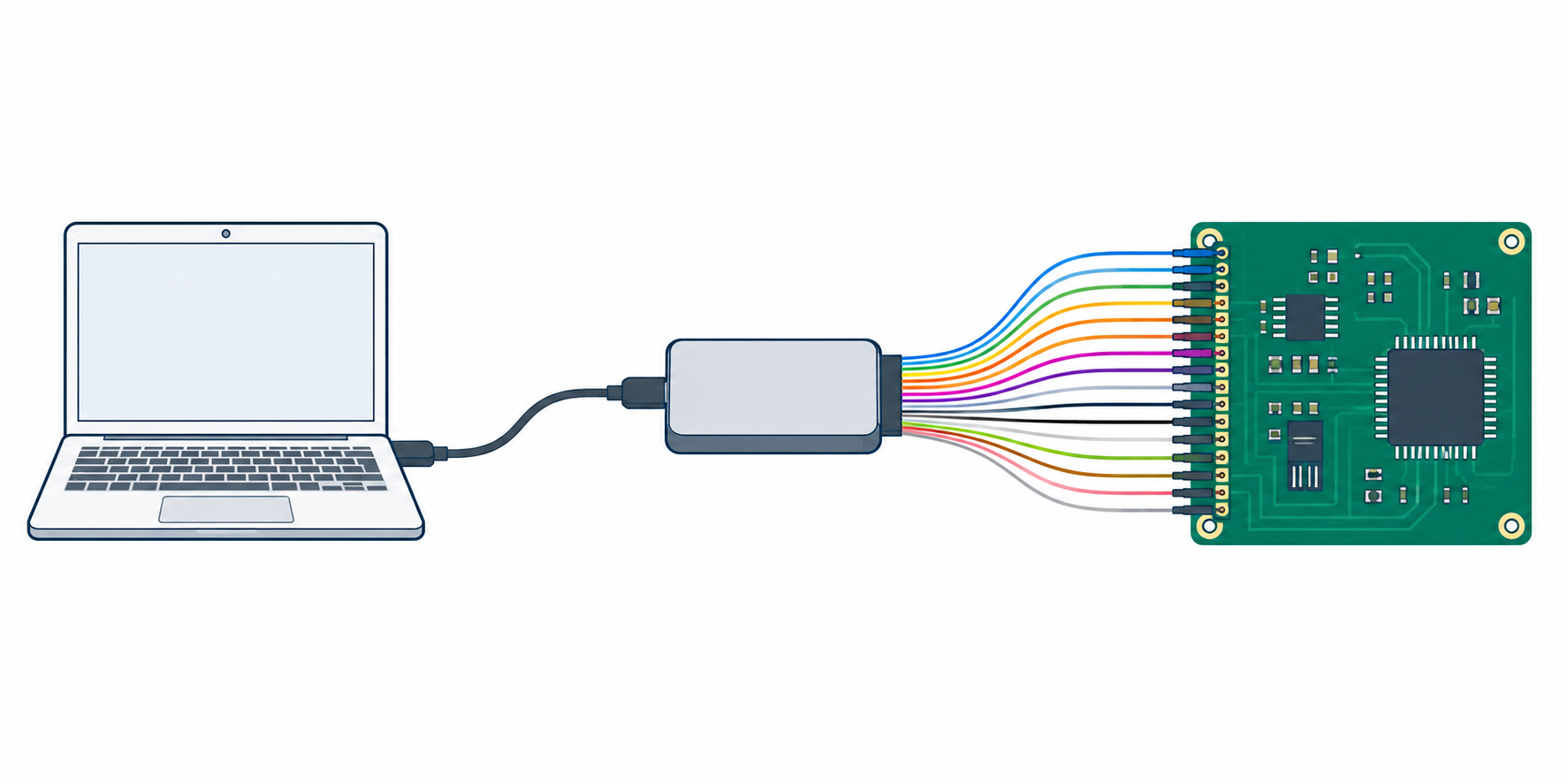
Diagram of a sixteen-channel logic analyzer connecting a circuit board to a laptop.
Match the stated rate to the signals captured across all sixteen channels.

Start with the rate the analyzer states when all sixteen signals are active. DreamSourceLab DSLogic U3Pro16 specifies 500MHz in sixteen-channel buffer mode, while DreamSourceLab DSLogic Plus specifies 100MHz in that mode. The all-channel figures are more actionable than a maximum advertised for fewer channels.

Use a lower all-channel figure when the buses themselves do not need high-rate capture. innomaker LA1010 states 100MHz per channel, while LA2016 states 200MHz and LA5016 states 500MS/s. Match the stated sampling capability to the timing detail your protocol debugging actually requires.

Separate long stream capture from buffered bursts

Choose stream mode when the useful event may arrive far after capture begins. DreamSourceLab DSLogic Plus describes streaming data directly into PC memory and states up to 16G sample depth. Its channel-specific stream rates show the cost of keeping more signals active for a longer duration. For a capture computer with stable external storage, see our portable SSD guide.

Choose buffer mode when a short fast event needs the stated higher rate. DSLogic Plus stores data in its 256Mbits SDRAM and states 400MHz at four channels, 200MHz at eight, and 100MHz at sixteen. U3Pro16 extends that table to 1GHz at eight channels and 500MHz at sixteen.

Choose software around the protocols you actually decode

Use listed protocol support as a concrete software filter. innomaker LA1010 states thirty-plus standard protocols including I2C, SPI, UART, and CAN. LA2016 names more than twenty decoders with I2S, USB 1.1, JTAG, and Modbus in addition to common serial buses.

DSLogic buyers should consider the stated DSView decoder depth. Both DreamSourceLab products say DSView supports nearly one hundred decoders and works across Windows, macOS, and Linux. Choose that expanded stated decoder library only when it covers work your typical device actually needs.

Decide whether analog input changes the tool choice

Choose Saleae Logic Pro 16 when the same debug session needs stated analog and digital inputs. It lists sixteen multi-use inputs, up to 500MS/s digital sampling, and up to 50MS/s analog sampling. No other listed model states that mixed-input capability.

Choose a digital-only analyzer when sixteen digital signals and protocol decoding are the complete job. DSLogic U3Pro16, DSLogic Plus, BINGOX, and the innomaker analyzers focus on digital channels, so their rate, memory, and decoder figures are easier to compare without paying for an analog function.

Confirm the laptop connection and operating system

Check the interface named by the product before choosing a laptop workflow. DSLogic Plus states USB 2.0 Type-C, BINGOX states USB-C, Saleae states USB 3.0 PC-memory capture, and U3Pro16 states USB 3.0 Type-C. The named interface shows the intended connection path before any capture begins. For adding ports at the bench, see our Thunderbolt dock guide.

All seven products state some combination of Windows, macOS, and Linux support, but their software names and requirements differ. innomaker names KingstVIS or English PC software, while DreamSourceLab names DSView. Confirm the product’s stated operating-system support against the laptop that will run the analysis.

FAQ

Why does a sixteen-channel rate differ from the headline rate?

A sixteen-channel rate can differ because some analyzers allocate rate or memory differently as more signals become active. DreamSourceLab DSLogic Plus states 400MHz at four buffer channels, 200MHz at eight, and 100MHz at sixteen, so the all-channel figure is the relevant one for a full bus group.

U3Pro16 shows how the channel count changes the rate. Its stated buffer modes reach 1GHz at eight channels and 500MHz at sixteen. The lower figure belongs to the full sixteen-channel capture, so compare the mode and channel count that your planned debug session actually uses.

Is 100MHz enough for protocol debugging?

100MHz can be enough when the signals and timing detail fit that stated rate. innomaker LA1010 lists 100MHz per channel and thirty-plus protocol decoders, including I2C, SPI, UART, and CAN, making it a defined option for common embedded bus analysis.

It is not the right default for every digital job. LA2016 states 200MHz, LA5016 states 500MS/s, and U3Pro16 lists 500MHz at sixteen buffered channels. Choose the rate that serves the fastest meaningful transition you need to examine, not the biggest specification without context.

Do I need stream mode or buffer mode?

You need stream mode when a longer capture duration is more important than the highest stated burst rate. DreamSourceLab DSLogic Plus states stream capture into PC memory and up to 16G sample depth, which suits an event that may occur later in a system run.

You need buffer mode when a short sequence needs the product’s higher rate and on-board memory. DSLogic Plus describes 256Mbits SDRAM and per-channel buffer figures, while U3Pro16 raises the stated buffer capability with 2Gbits DDR3 and 500MHz at sixteen channels.

Which model supports analog signals?

Saleae Logic Pro 16 is the model here that explicitly supports analog signals because it lists sixteen multi-use digital or analog inputs. It also states up to 50MS/s analog sampling alongside up to 500MS/s digital sampling, letting one tool cover both types of observation.

The other products are described around digital channels, digital protocol decoders, and logic waveform capture. They can be better choices when analog measurement is not part of the task and their stated digital rate, memory, or decoder features are the deciding factors.

What should I check before connecting a logic analyzer to a laptop?

Check the stated operating-system support, software name, physical USB interface, and the channel and rate mode you plan to use. DreamSourceLab products state DSView on Windows, macOS, and Linux, innomaker states cross-platform PC software, and Saleae lists Windows, Mac, and Linux support.

Then match the connection to the capture plan. U3Pro16 states USB 3.0 Type-C, DSLogic Plus states USB 2.0 Type-C, and BINGOX specifies USB-C. The decision is whether the product’s stated connection and software support fit the laptop you will use for the session.

Bottom Line

DreamSourceLab DSLogic U3Pro16 is the strongest stated option for fast sixteen-channel digital capture, while Saleae Logic Pro 16 is the differentiated choice for mixed digital and analog input. innomaker LA2016 balances 200MHz sampling, 1Gbit memory, and useful stated decoding and software features for broad protocol work.

We selected products whose descriptions state sixteen digital channels and a USB-connected logic-analysis workflow. Choose by the rate and depth at your actual channel count, supported protocol decoding, operating-system support, and whether analog input belongs in the job.
Leave a Reply

Your email address will not be published. Required fields are marked *

Related Posts