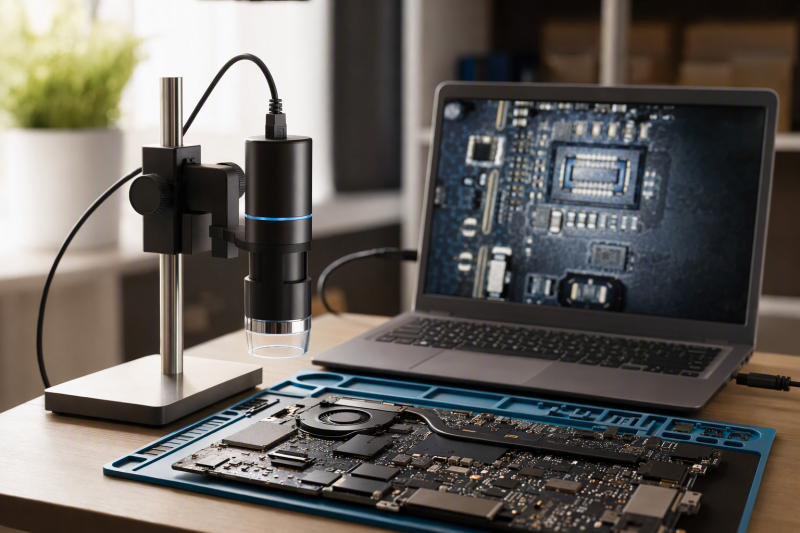
A USB microscope can put a tiny connector or solder joint on a computer screen for inspection and documentation. It is not automatically a good tool for soldering while watching that screen. Working distance, stand stability, and live-video behavior are more important than a huge magnification number in a product title.
This guide covers six Amazon US microscopes with a stated wired computer-viewing route. They differ in stands, USB connection, OS claims, and whether they also offer phone Wi-Fi. Sensor resolution, frame rate, lag, focus distance, and optical magnification were not measured for this guide. Before buying, decide whether you need to inspect a finished joint, capture a photo, or work with tools under a live lens. The three jobs need different microscopes.
A phone’s Wi-Fi resolution claim does not prove the same image quality through USB on a laptop. Read the computer-mode specification separately.USB Microscopes Compared
| Image | Product | Details | Check Price |
|---|---|---|---|
 | Skybasic Wi-Fi and USB | Computer link: USB; 720p PC claim Mobile link: Wi-Fi; 1080p phone claim Focus: 3-60 mm claim Best fit: Phone preview plus PC inspection | Check Price on Amazon |
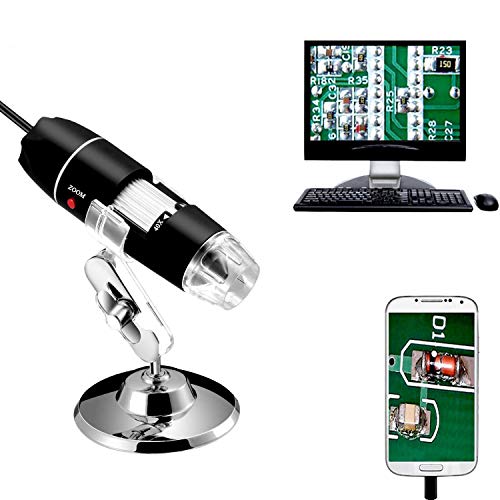 | Jiusion USB microscope | Computer link: USB 2.0; Windows/Mac/Linux/ChromeOS claim Stand: Metal stand and OTG adapter Light: Eight LEDs, adjustable Best fit: Broad wired OS support | Check Price on Amazon |
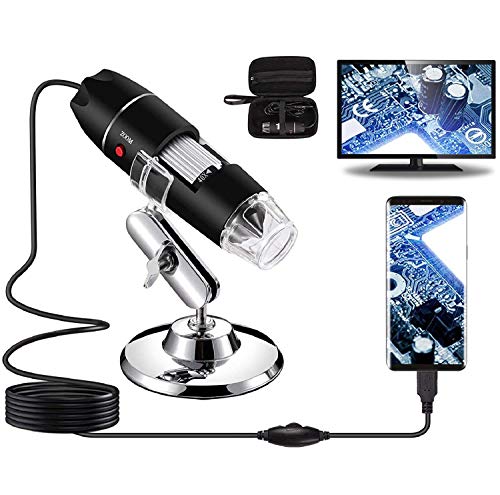 | Bysameyee USB kit | Computer link: USB; Windows/Mac/Linux claim Stand: Metal stand, case, ruler Software: Windows-only measurement claim Best fit: Transportable inspection kit | Check Price on Amazon |
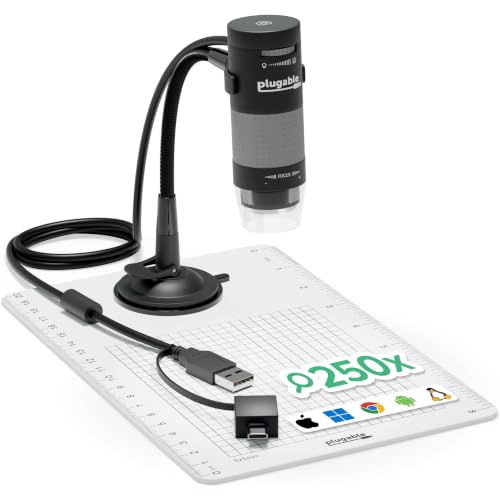 | Plugable 250x 2MP | Computer link: USB-A and USB-C; webcam chipset Stand: Flexible arm and observation pad Imaging: 2MP; 60-250x claim Best fit: Simple PC webcam workflow | Check Price on Amazon |
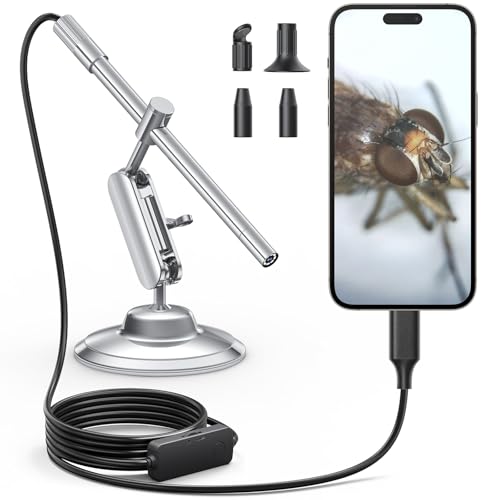 | Teslong USB-C 10-200x | Computer link: USB-C to phone or PC claim Stand: Rotating weighted metal base Focus: Manual wheel; 10-200x claim Best fit: Bench-mounted manual focus | Check Price on Amazon |
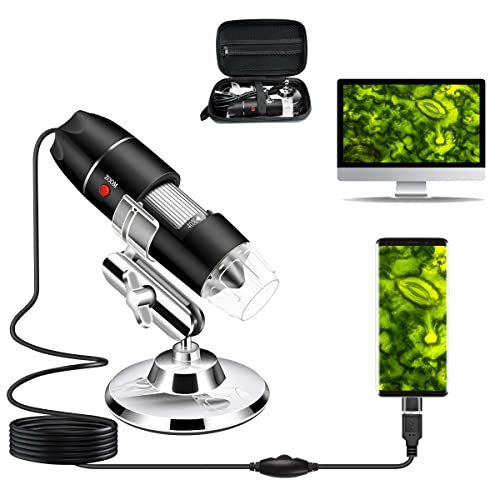 | Cainda wired USB kit | Computer link: Wired USB; Windows/Mac/Linux claim Stand: Metal stand, OTG adapter, bag Mobile: Android OTG; no iPhone/iPad claim Best fit: Basic wired inspection | Check Price on Amazon |
1. Skybasic Wi-Fi and USB — Best Phone Plus PC Option
Skybasic advertises both a Wi-Fi phone mode and USB viewing on Windows or Mac. Its listing is unusually clear about the difference. 1080p is claimed for the phone path, 720p for the computer path. Do not buy it for a 1080p laptop feed based on the mobile figure. Eight adjustable LEDs, a portable body, and a small stand are described. The seller gives a 3-to-60-millimeter focal range, a useful clue that working space may become very limited at close focus.
In phone mode, the microscope creates its own Wi-Fi hotspot and works through an app. The listing says some capture buttons only work in Wi-Fi mode and describes camera-permission and default-camera setup for computer use. Neither connection path nor current OS support was independently tested. Its 50X-to-1000X title claim is not an independently measured optical scale. Treat the Skybasic as a portable inspection camera first. A small stand and short focal range are a poor basis for assuming tool clearance during active rework.
Our Take Choose Skybasic if you want one microscope for both phone and PC viewing during occasional inspection. Keep its connection modes separate and verify the PC feed you need.
- Phone Wi-Fi and computer USB paths listed.
- Focal range and PC-mode resolution stated.
- PC resolution is lower than phone claim.
- Small stand and short focus may limit tool access.
2. Jiusion USB Microscope — Best Broad Wired OS Claims
Jiusion lists a wired USB 2.0 microscope with a metal stand, OTG adapter, and eight adjustable LEDs. Its compatibility claim covers Windows, Mac, Linux, and ChromeOS. It also mentions Android phones with OTG support, but specifically excludes iPhone and iPad. Excluding iPhone and iPad by name is a clearer platform boundary than a generic “works with phones” promise. The title’s 40X-to-1000X range was not verified and should not be treated as proof of a useful wide working field.
The seller describes focus and brightness knobs and software for screenshots and video. A metal stand is included, yet the checked bullets do not establish its arm height, weight, or rigidity. A light, short stand can be adequate for examining a removed laptop board after repair while remaining frustrating for soldering under the camera. Check how the device appears as a camera on your OS and whether the stated software still supports your version before making it a regular workbench tool.
Our Take Choose Jiusion if you want a wired microscope with a broad cross-platform claim. Its stand geometry and live feed still need proof on the computer you will use.
- Several desktop OSs claimed.
- Metal stand, OTG adapter, and adjustable LEDs listed.
- No iPhone or iPad support per listing.
- Stand clearance and stability not specified.
3. Bysameyee USB Kit — Best Carry Case and Measurements
Bysameyee lists a USB microscope with a metal stand, carrying case, ruler, and OTG adapter. Eight LEDs have an inline brightness control. The seller says it can capture stills and video on Windows, Mac, Linux, or a compatible Android OTG phone. Its measurement software is Windows-only according to the listing, a relevant constraint if you want to annotate connector spacing on another OS. The stated 40X-to-1000X range is a claim, not a measured optical comparison here.
The included case is useful if electronics inspection happens between a workbench and another room. Portability does not prove stability at the board. The seller says an LED diffuser softens the light, but its effect on shiny solder joints was not compared here. For Linux or Mac use, confirm current camera support and distinguish basic video from Windows-only measurement. As with the other small USB cameras, do not infer enough clearance for soldering tools from a title that says “PCB.”
The listing separates basic cross-platform viewing from Windows-only measurement software.Our Take Choose Bysameyee if you want an inspection kit with a case and ruler for carrying between rooms. Its measurement feature is limited to Windows, and its stand still needs a bench fit check.
- Case, stand, ruler, and OTG adapter listed.
- Explicit Windows measurement boundary.
- Measurement is not stated for Mac or Linux.
- Working distance not stated in checked bullets.
4. Plugable 250x 2MP — Best Simple Computer Workflow
Plugable says its 2MP USB microscope uses a webcam chipset, with USB-A and USB-C connectors and a flexible-arm stand. A webcam chipset suggests a simpler computer-camera workflow than a proprietary phone app, though compatibility on current OS releases was not independently tested. The seller claims broad webcam-software compatibility and names ChromeOS 108 or newer. A small observation pad is included. The stated 60X-to-250X range is more restrained than several rivals’ title figures but is still unmeasured here.
The integrated LED halo has brightness control. The listing states 7000K and a 0-to-38-lumen range. Neither figure shows what a reflective solder joint will look like at your chosen distance. A flexible arm may position the camera quickly for inspecting a connector or photographing a damaged trace, but it can also move when touched. Confirm feed smoothness and stand stability if you intend to guide a tool while watching the laptop screen.
Our Take Choose Plugable if you want the cleanest stated PC-camera path here. It looks especially suitable for inspection and documentation, but live tool work depends on stand and lag tests.
- Webcam-chipset and USB-A/USB-C claims.
- 2MP sensor and light specifications stated.
- Flexible arm may move during bench work.
- Actual frame rate and latency untested.
5. Teslong USB-C 10-200x — Best Manual-Focus Stand
Teslong describes a USB-C microscope with a manual focus wheel, eight LEDs, and a rotating metal arm on a weighted base. Manual focus can be preferable when a camera would otherwise keep refocusing as your hand crosses a laptop board, but focus precision was not tested. The listing claims 10X-to-200X viewing on a compatible phone, Android device, or PC and says no app is needed for basic viewing. Confirm the actual PC-camera mode and connector before relying on it with a specific laptop.
The weighted stand can keep the camera in one place while you move a board beneath it, but its checked bullets do not give working height, base footprint, or stability measurements. The box also includes ear-inspection accessories that are irrelevant to laptop repair. Do not confuse the accessories with an electronics-specific stand design. The cable’s LED dial offers three brightness levels, useful if a shiny connector reflects too much of the ring light.
Our Take Choose Teslong if you want manual focus and a weighted base for bench placement. Check working height and PC mode before assuming it can serve live rework.
- Manual focus and weighted rotating stand.
- USB-C and LED brightness choices listed.
- Stand height not stated in checked bullets.
- Included health accessories add no repair value.
6. Cainda Wired USB Kit — Best Basic Cable-Only Setup
Cainda is explicit that this microscope works by wired USB only, not Wi-Fi. Its listing claims Windows, Mac, Linux, and Android OTG viewing, while excluding iPhone, iPad, and Android devices without OTG. The kit contains a metal stand, OTG adapter, ruler, and carrying bag. Wired-only operation makes it a simple candidate when the inspection laptop is always near the bench and wireless phone viewing is unnecessary.
The seller warns that a transparent protective cover must be removed from the lens before use or the camera may not focus. The cover removal is a useful setup detail, not a performance advantage. The checked bullets do not give sensor resolution, live frame rate, or actual stand clearance. Software support on current OS releases was not independently tested. If you want to compare fine solder joints over time, verify image capture quality and stable positioning rather than buying only on the broad compatibility list.
Our Take Choose Cainda if the microscope will stay wired to a laptop near the bench. Its basic inspection role is plausible, but core imaging and stand numbers are missing from the checked evidence.
- Wired-only behavior and OS exclusions stated.
- Stand, adapter, ruler, and bag listed.
- No sensor or frame-rate figure in checked bullets.
- No iPhone or iPad support.
Buying Guide: Choose for Inspection, Not a Title Number
Check working distance and stand geometry
Working distance is the space from lens to circuit board at focus. A short distance may be fine for photographing a completed repair, yet leave no room for tweezers or a soldering iron during work. Skybasic’s listing states a focal range, but the manufacturer’s documentation does not specify a figure for tool clearance. Several other manufacturer listings omit one. Ask for sample measurements at the magnification you intend to use rather than accepting a headline magnification claim.
The stand must also hold the camera over the exact area you need. A flexible arm is quick to aim but can vibrate. A weighted base takes up bench space. A short metal stand may only fit a tiny board. Measure the board and the intended tool approach before choosing. For a different hands-on repair aid, our USB-C electric screwdriver guide covers tool selection rather than optical inspection.
Verify the actual computer feed
A phone app and a USB computer connection can expose different resolutions and controls. Skybasic’s listing specifies a lower resolution for computer viewing than for phone viewing. Some of its device buttons only work over Wi-Fi. Do not copy a mobile capture figure into a Windows or Mac table. Likewise, Bysameyee’s documentation lists measurements only through Windows software, even while claiming basic viewing on other systems.
Check the laptop’s ports, the exact cable or adapter included, current OS camera permissions, and whether the microscope appears in ordinary camera software. Plugable’s specifications claim a path that acts like a webcam. That path is useful if your OS accepts it, but current compatibility was not independently tested. Frame rate and latency are especially important if your hand will move a tool while watching the display. No listing figures here establish that live rework will feel natural.
Separate claimed magnification from useful detail
Large magnification labels may mix optical scale, screen size, and digital enlargement. The 10X-to-1000X ranges stated by the manufacturers were not independently verified. For a laptop board, useful detail means readable pads and connector pins without losing orientation, plus light that does not wash out shiny metal. The included eight LEDs and brightness dial can help, but the resulting image depends on sensor, optics, focus, and board angle.
Compare a known component at center and edge if you can take sample images. See whether you can relocate the same joint after moving the board. A USB microscope is often best for inspection and documentation. An optical stereo microscope may suit continuous tool work better if depth perception and clearance are critical. For adjacent powered connection choices, our USB-C hub guide covers ports rather than magnification.
Frequently Asked Questions
Does a 1000X USB microscope show more useful detail than a 250X model?
Not necessarily. The number may reflect digital enlargement and display size, not a direct comparison of optics or sensor detail. A narrow, blurry image at a very high claimed number may be less useful than a stable, sharp view of the whole connector.
Focus distance and light are important too. If the camera must nearly touch the board to reach a high setting, you may lose tool access. Compare sample images and actual working distances for the exact task instead of ranking products by the largest title number.
Can I solder while watching the laptop screen?
Maybe, but the stand, working distance, frame rate, and lag must all suit the job. A USB microscope can be excellent for inspecting a joint after soldering yet awkward for guiding the iron live. The listings here do not establish comfortable real-time soldering performance.
Try the camera over a cold board first. Move a tool through the space beneath the lens and watch whether the feed tracks it without distracting delay. Keep hot tools clear of plastic camera bodies and cables, and use appropriate soldering safety practices separately.
Will a Wi-Fi phone microscope have the same resolution on USB?
Do not assume the same resolution. Skybasic’s listing separates its phone Wi-Fi and computer USB resolution specifications. The same hardware can expose different modes, compression paths, or controls to different devices. Verify the route you intend to use.
Other microscopes here are described as wired-only or acting like a webcam. Check the product’s exact computer-mode specification and current software support before buying, especially if your workflow depends on photos at a particular resolution.
Bottom Line
Choose Plugable for the simplest stated computer route that works like a webcam, Teslong for manual focus on a weighted stand, and Skybasic if you also want a phone Wi-Fi mode, which has a clearly different PC resolution claim. Decide by the actual connection, stand, and working distance, not by the largest magnification number.