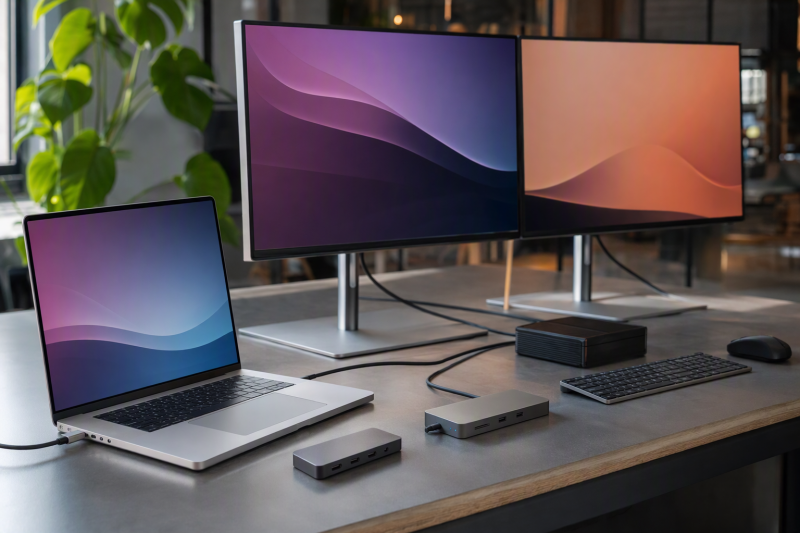
For a MacBook Pro desk that needs full desktop I/O, CalDigit TS4 is the best Thunderbolt 4 dock in this frozen slate. The rest of the slate splits by role: OWC Thunderbolt Go Dock is the built-in-power travel and clean-desk branch, Sonnet Echo 20 SuperDock adds an internal-NVMe role, UGREEN Revodok Max 208 favors downstream Thunderbolt expansion, and Kensington SD5760T supplies native dual HDMI for supported Macs.
Choose the host before the dock. What decides the result is the exact MacBook Pro model, Apple chip, macOS version, native external-display support, clamshell state, input adapters, cable, resolution, refresh, and monitor inputs. Base, Pro, and Max chips cannot borrow one another’s display limits, and Windows MST ceilings do not become Mac ceilings. Physical sockets only show possible routes. Our broader Thunderbolt 4 docking-station guide helps compare dock roles after the Mac display path is known.
Quick picks
- CalDigit TS4: Best full desktop I/O choice.
- OWC Thunderbolt Go Dock: Best built-in-power travel or clean-desk choice.
- Sonnet Echo 20 SuperDock: Best internal-NVMe and deep-I/O branch.
- UGREEN Revodok Max 208: Best downstream-Thunderbolt expansion route.
- Kensington SD5760T: Best native dual-HDMI route for supported Macs.
Compare Thunderbolt 4 docks for MacBook Pro
| Image | Product | Details | Check Price |
|---|---|---|---|
 | CalDigit TS4 | Best for: Full MacBook Pro desktop I/O Host boundary: Exact Apple chip and macOS path Display boundary: Native Mac count; adapters may be required Laptop power: Verify dock ceiling and Mac acceptance Buyer check: Ports, displays, clamshell, cable, and power | Check Price on Amazon |
 | OWC Thunderbolt Go Dock | Best for: Built-in-power travel or clean desk Host boundary: Exact Apple chip and macOS path Power design: Built-in supply; accepted Mac power separate Display boundary: Does not increase native display count Buyer check: Physical fit, ports, adapters, and modes | Check Price on Amazon |
 | Sonnet Echo 20 Thunderbolt 4 SuperDock | Best for: Internal-NVMe and deep-I/O desk Host boundary: Exact Apple chip and macOS path Storage boundary: Included SSD and measured speed unknown Display boundary: Storage does not change Mac display limits Buyer check: Drive support, cooling, ports, power, and displays | Check Price on Amazon |
 | UGREEN Revodok Max 208 | Best for: Downstream-Thunderbolt expansion Host boundary: Exact Apple chip and macOS path Connection role: Adapter-led display and peripheral plan Display boundary: Downstream ports are not extra display rights Buyer check: Required adapters, ports, cable, and power | Check Price on Amazon |
 | Kensington SD5760T K34110NA | Best for: Native dual-HDMI route Host boundary: Supported MacBook Pro chip and macOS Display boundary: Two sockets do not guarantee two displays Laptop power: Retained ceiling unknown Buyer check: Chip, clamshell, cable, resolution, and refresh | Check Price on Amazon |
1. CalDigit TS4 — best overall
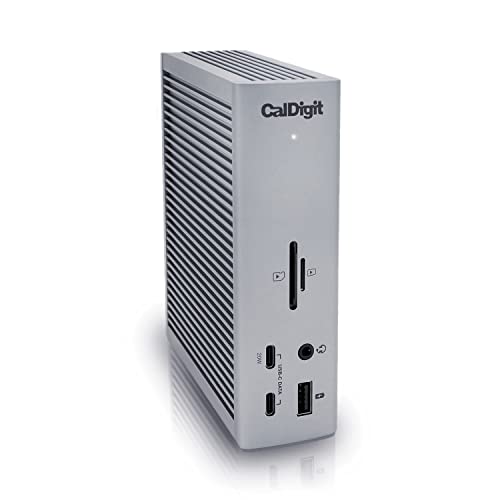
CalDigit TS4 leads because the frozen manager gate assigns it the full desktop I/O role. That suits a MacBook Pro that stays at a permanent desk and needs one central Thunderbolt 4 connection for a broad peripheral setup.
The retained gate does not repeat TS4’s complete port list, laptop-power ceiling, adapter requirements, or Mac display matrix, so verify the exact CalDigit model record rather than transferring specifications from another dock. Match every required peripheral to an exact port before buying.
Display count comes from the Mac, not from the dock’s connector total. Check Apple’s support record for the exact chip and macOS path, then map each monitor through a native dock output or a supported adapter. Windows MST figures are not Mac extended-display promises, and clamshell behavior should be confirmed for the exact system.
Our Take
Choose TS4 for a full MacBook Pro desktop after the chip, display count, adapters, power, and port inventory are verified. It is the broad desk pick, not a way around Apple display limits.
- Full desktop I/O role
- Thunderbolt 4 desk choice in the frozen slate
- Good fit for a permanent peripheral setup
- Does not increase the Mac’s native display count
- Exact retained ports, power, and Mac modes require recheck
2. OWC Thunderbolt Go Dock — best built-in-power travel choice
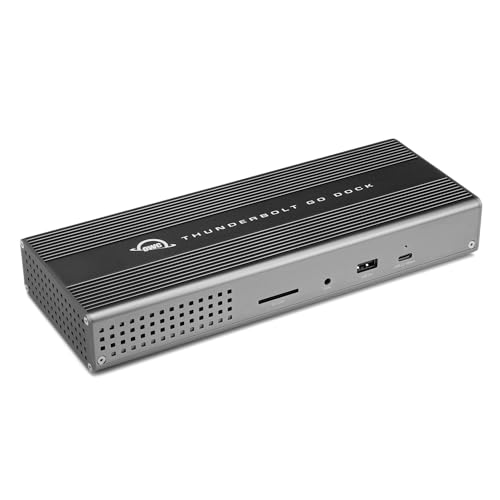
OWC Thunderbolt Go Dock is the frozen built-in-power branch. Integrating the dock supply can pull a separate power brick out of a travel kit or make a clean desk easier to cable. Read that as a packaging advantage, not as a claim that the dock is smaller than every alternative.
Built-in power also does not tell you how much power the MacBook Pro accepts. The manager gate does not repeat the exact OWC host-power ceiling, port list, display matrix, or physical dimensions. Check each one against the exact model before deciding it replaces a charger or fits a bag.
The external-display result still follows the exact Apple chip and macOS path. Any adapter, cable, clamshell, resolution, refresh, or monitor-input conditions remain in force. A travel-oriented power design cannot create another native display stream.
Our Take
Choose Thunderbolt Go Dock when its built-in supply removes a real packing or desk problem. Verify size, weight, host power, ports, adapters, and Mac display support first.
- Built-in dock power supply
- Travel and clean-desk role
- Avoids a separate dock power brick
- Built-in power is not accepted MacBook power
- Exact physical and display details are not repeated in the gate
3. Sonnet Echo 20 Thunderbolt 4 SuperDock — best internal-NVMe branch
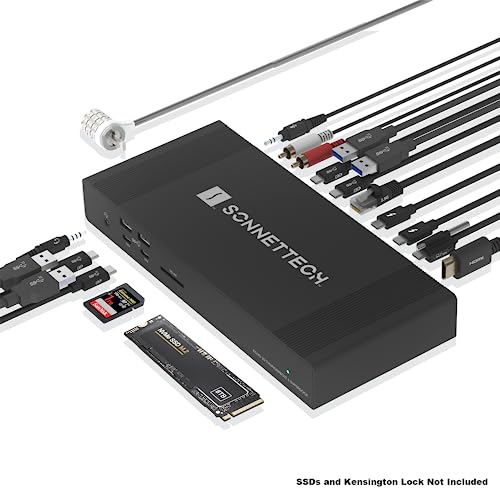
Sonnet Echo 20 SuperDock is the internal-NVMe and deep-I/O choice. It suits a MacBook Pro desk where putting local storage inside the dock can remove another enclosure and cable while the dock stays the peripheral center.
The frozen gate does not establish that an SSD is included, the supported SSD formats and capacities, measured storage throughput, thermal behavior, port inventory, or host-power ceiling. Treat the internal-NVMe reference as a role, then verify the exact Sonnet specification and supply the correct drive if required.
Storage does not change the Mac’s display support. Exact chip, macOS, native external-display count, cable, adapters, clamshell conditions, and monitor inputs remain the display checks. Shared Thunderbolt resources also mean link labels are ceilings, not measured simultaneous performance.
Our Take
Choose Echo 20 when the internal-NVMe and deep-I/O role removes separate desk hardware. Confirm whether a drive is included, supported drive details, cooling, ports, power, and Mac display paths.
- Internal-NVMe role
- Deep-I/O desk branch
- Can reduce separate enclosure clutter when correctly configured
- Included SSD and measured performance are not established
- Storage role does not change Mac display limits
4. UGREEN Revodok Max 208 — best downstream-Thunderbolt expansion route

UGREEN Revodok Max 208 is the downstream-Thunderbolt expansion choice. The retained gate separates its role from docks built around conventional display and card-reader ports, so it suits a buyer who already plans to connect Thunderbolt devices or display adapters downstream.
That architecture makes adapter planning part of the purchase. The gate does not repeat an exact port list, charging ceiling, Mac display matrix, or supported adapter set. Verify the exact UGREEN 25053 identity and map every monitor and peripheral before checkout.
Downstream Thunderbolt sockets are not extra display entitlements. The MacBook Pro chip and macOS path control native external displays, while cable, adapter, resolution, refresh, clamshell state, and monitor input control each route.
Our Take
Choose Revodok Max 208 when downstream Thunderbolt expansion matches the devices you already own. Add the cost and complexity of required display or card-reader hardware to the decision.
- Downstream-Thunderbolt expansion role
- Useful for an adapter-led Mac desk
- Exact frozen identity is UGREEN 25053
- Requires planning for conventional display and card connections
- Downstream ports do not increase native display count
5. Kensington SD5760T K34110NA — best native dual-HDMI route

Kensington SD5760T is the native dual-HDMI branch for supported Macs. It is the direct fit when two HDMI monitor connections are desirable and the exact MacBook Pro chip and macOS support the intended extended-display setup.
Two HDMI sockets do not guarantee two extended desktops. Apple’s chip-specific display limit, macOS version, clamshell conditions, cable, resolution, refresh, and monitor inputs remain controlling. A Windows MST ceiling must not be transferred to macOS.
The manager gate does not repeat SD5760T’s exact host-power ceiling, complete port inventory, or per-Mac display table. Verify those details and the required USB/video routing before choosing it over a downstream-Thunderbolt adapter plan.
Our Take
Choose SD5760T when native dual HDMI matches a Mac that Apple documents for the desired displays. Do not use the two sockets as the compatibility test.
- Native dual-HDMI route
- Reduces the need for HDMI adapters
- Clear role for a supported two-monitor Mac desk
- Two sockets do not prove two extended displays
- Exact Mac and power matrix must be checked
How to choose a Thunderbolt 4 dock for MacBook Pro
Identify the exact Apple chip
Work from the Mac model and chip, not only screen size or purchase year. Record Apple’s supported external-display count and modes for that chip and macOS version. Base, Pro, and Max branches can differ, so do not transfer a higher-tier result to another model.
Draw one route per monitor
List each monitor’s resolution, refresh, and input. Map it to a native dock connector, a downstream Thunderbolt adapter, or another documented route, then add any clamshell and cable conditions. Physical sockets and Windows MST figures do not establish the macOS result.
Count adapters and power pieces
TS4 is the full desktop branch, OWC integrates its supply, Sonnet centers internal NVMe, UGREEN expects downstream expansion, and Kensington centers native HDMI. Count the cables, adapters, storage parts, and power pieces the whole setup requires rather than comparing dock bodies alone.
Compare offered charging with Mac acceptance
The dock’s power supply, its USB PD ceiling, and the MacBook Pro accepted draw are different things. The retained gate does not repeat each third-party ceiling, so verify the exact model and keep the Apple adapter when the laptop or workload requires it. The USB4 versus Thunderbolt 4 guide explains the link distinction without promising a display count.
Frequently asked questions
Can a Thunderbolt 4 dock add more displays than a MacBook Pro supports?
Not through the native paths established here. The exact Apple chip and macOS support record controls the native display count.
Do two HDMI ports guarantee two extended displays on macOS?
No. Exact chip, macOS, clamshell state, cable, resolution, refresh, and monitor inputs remain controlling.
Does Sonnet Echo 20 include an SSD?
The frozen manager gate does not establish an included drive. Verify the exact package and supported SSD requirements before purchase.
Final recommendation
For a full MacBook Pro desktop, CalDigit TS4 is the best overall choice once the exact chip, display path, ports, and charging are checked. Take OWC for built-in power, Sonnet for internal NVMe, UGREEN for downstream Thunderbolt expansion, or Kensington for native dual HDMI on a supported Mac.