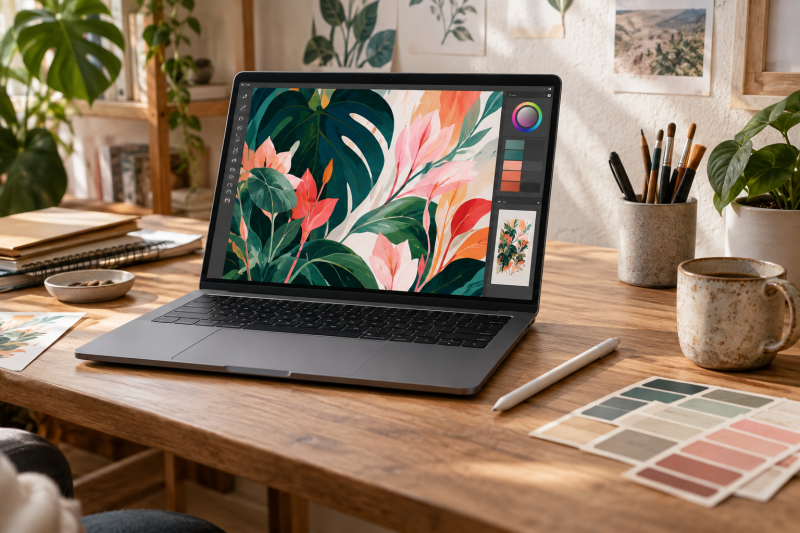
You get more from an illustration screen whose color behavior is documented before you buy, but a label alone is no guarantee of the colors on your individual laptop. Factory calibration, a display controller’s calibration and third-party color validation are different claims. You still need the right profile, app settings and viewing light when color is important.
These five exact Amazon US laptops had active New offers when selected. Each laptop has an OLED screen and either a color-control route documented by the maker or, in one case, accurate supplied profiles measured by a reviewer. No retail unit was measured for this comparison. Choose by drawing workflow, screen size and software fit, then verify the precise panel and profile on the unit delivered.
Treat factory color claims as a starting point, and still check the display in your own illustration workflow.Color-Focused OLED Laptops Compared
| Image | Product | Details | Check Price |
|---|---|---|---|
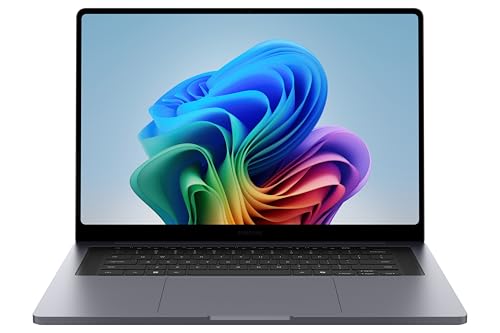 | Galaxy Book6 Ultra | Screen: 16-inch AMOLED Color route: Reviewer-tested supplied profiles Illustration fit: GPU-heavy large desk Main catch: Verify unit profile | Check Price on Amazon |
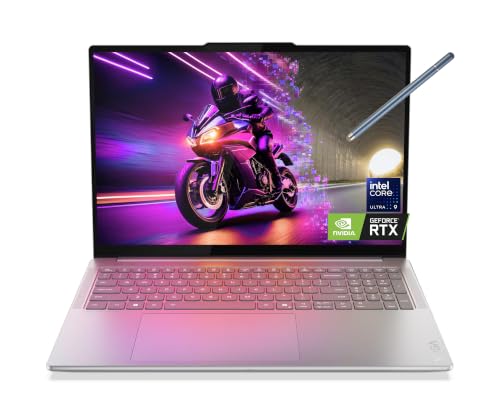 | Yoga Pro 9i Aura | Screen: 16-inch 3.2K OLED touch Color route: X-Rite factory calibration Illustration fit: Large creator workspace Main catch: Check exact panel | Check Price on Amazon |
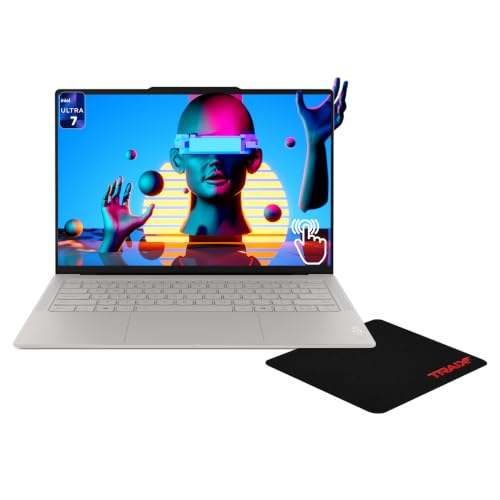 | Yoga Slim 7i Ultra | Screen: 14-inch 3K OLED touch Color route: TCON calibration listed Illustration fit: Compact high-detail canvas Main catch: Seller bundle variant | Check Price on Amazon |
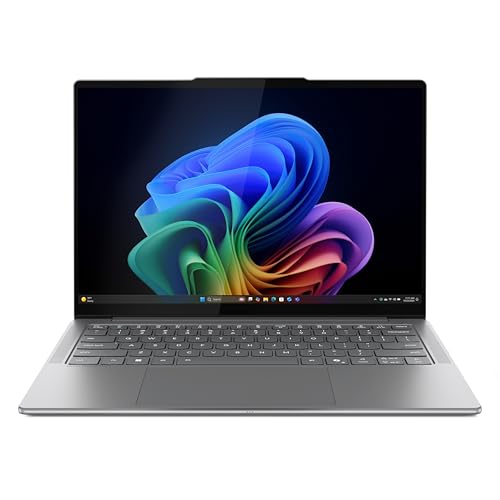 | Yoga Slim 7i Aura | Screen: 14-inch WUXGA OLED Color route: X-Rite factory calibration Illustration fit: Compact basic canvas Main catch: Lower pixel area | Check Price on Amazon |
 | Zenbook A14 | Screen: 14-inch FHD+ OLED Color route: Pantone Validated family Illustration fit: Lightweight ARM travel Main catch: Check ARM app support | Check Price on Amazon |
1. Samsung Galaxy Book6 Ultra — Best 16-Inch GPU Illustration Desk
The exact Galaxy Book6 Ultra offer names a 16-inch AMOLED screen, RTX 5070 graphics, 32GB memory and 1TB storage. The saved model review found its supplied P3 and sRGB profiles accurate on the tested unit. With accurate profiles, it is a credible starting point for a large illustration desk, particularly if the same work also uses 3D or video tools that use the GPU heavily. The review is not proof that every shipped panel matches the review sample.
Check which profile your illustration app uses. P3 and sRGB are not interchangeable, and a print can look unexpectedly dull next to a bright OLED image if the workflow is not managed. The touch screen is a navigation feature, not proof that a pressure-sensitive pen is included. If you need a precise drawing input, price that separately. Our desktop-monitor guide is about adding a second screen, but you must check its color independently.
Buy the Book6 Ultra for the large AMOLED and a GPU workload that justifies it. One review is no substitute for checking your unit.Our Take Choose Book6 Ultra when a 16-inch illustration canvas and RTX 5070 fit your software. Use the supplied profile deliberately and verify the delivered panel before color-critical work.
- Reviewer measured accurate supplied profiles on a sample unit.
- 16-inch AMOLED provides a large built-in canvas.
- Exact offer lists dedicated RTX 5070 graphics.
- A review sample is not your individual screen.
- GPU hardware may be unnecessary for 2D-only illustration.
- Pen input must be checked separately.
2. Lenovo Yoga Pro 9i Aura Edition — Best 16-Inch X-Rite OLED Option
Lenovo’s Yoga Pro 9i 16IAH10 specification lists X-Rite factory color calibration for its OLED panels. The exact Amazon offer identifies a 16-inch 3.2K OLED touch screen, Core Ultra 9 285H, RTX 5060, 32GB memory and 1TB SSD. This model is the large alternative for creators when factory calibration is an explicit maker feature rather than an inference from OLED’s wide gamut.
The family includes display variants, so compare the Amazon offer’s 3.2K panel with the exact Lenovo panel specification before ordering. The maker lists average Delta E below one for some panels, but the figure is a factory target, not a new measurement of this seller’s unit. For illustration, keep a working profile with the file and check print output under suitable light. An external portable monitor can extend a workspace, but you won’t get the Yoga’s calibration on it.
Our Take Choose Yoga Pro 9i if you need its 16-inch workspace and X-Rite factory-calibrated panel class. Confirm the exact panel and the supplied profile when it arrives.
- Lenovo explicitly documents X-Rite factory calibration.
- 16-inch 3.2K OLED touch display is named in the offer.
- Dedicated RTX 5060 can serve supported visual workloads.
- Family panel variations require exact-match checking.
- Large machine is less convenient in a small travel bag.
3. Lenovo Yoga Slim 7i Ultra Aura Edition — Best Compact 3K OLED Option
The seller’s offer describes a 14-inch 3K OLED touchscreen with Core Ultra 7 355, 32GB memory and 1TB SSD. Lenovo’s Yoga Slim 7i Ultra 14IPH11 family documentation lists TCON color calibration for its OLED configurations. This model is the small choice with more pixel density for an illustrator who edits on trains, in studios or across a flexible desk setup.
The Amazon title omits the Lenovo machine code and adds a mousepad bundle. Ask the seller for the exact 14IPH11 configuration and panel before relying on its calibration method. TCON calibration is not identical to an X-Rite profile, and the seller’s prose is not an independent color measurement. Check the screen’s mode and your app’s color settings. Our monitor-arm roundup can help at a fixed desk, but no arm improves the laptop’s factory profile.
The exact seller model and panel are the purchase boundary. A 3K OLED title alone is not proof of its calibration path.Our Take Consider the Slim 7i Ultra for a compact 3K OLED canvas if the seller confirms the precise panel. Verify its TCON color mode on delivery instead of assuming it equals X-Rite calibration.
- 14-inch 3K OLED offer provides a compact high-detail canvas.
- Lenovo family documentation lists TCON color calibration.
- Amazon title omits the Lenovo SKU.
- TCON calibration is not the same claim as an X-Rite profile.
- Seller bundle should not obscure the actual laptop configuration.
4. Lenovo Yoga Slim 7i Aura Edition — Best Simpler 14-Inch Factory-Profile Route
The active New offer lists a 14-inch WUXGA OLED screen, Core Ultra 7 256V, 16GB memory and 1TB storage. Lenovo describes X-Rite factory color calibration for the Yoga Slim 7i Aura Edition 14ILL10 OLED family, including WUXGA panels. It is the simpler compact option here when color-managed illustration is more important than the denser 3K workspace of the newer Slim 7i Ultra.
Do not confuse WUXGA with the family’s optional 2.8K OLED panel. The exact offer is WUXGA, so expect less room for palettes, layers and a large preview. Confirm the 14ILL10 machine code and the included profile with the seller. An external screen can add space, but a USB-C cable chosen for displays is only a connection detail, and you must still match colors across two screens yourself.
Our Take Choose this Slim 7i if a portable WUXGA OLED laptop with Lenovo’s route to a factory profile fits your budget and canvas needs. Check the exact panel before treating the whole Yoga name as one display.
- Lenovo documents X-Rite factory calibration for the OLED family.
- 14-inch format suits travel and smaller desks.
- WUXGA offers less pixel area than the 3K option.
- Exact machine code and profile need seller confirmation.
- 16GB memory may limit large layered files.
5. ASUS Zenbook A14 — Best Lightweight Pantone-Validated Route
The Amazon offer is a 14-inch FHD+ OLED Zenbook A14 with Snapdragon X Plus X1P-42-100, 16GB memory and a 512GB laptop SSD bundled with a separate 1TB docking-station set. ASUS lists Pantone validation for this UX3407 OLED class. Pantone validation is a claim about the display class, not proof that the panel in the retail box has been freshly measured or that every drawing program supports this ARM-based Windows machine.
The Amazon title omits UX3407, so confirm the seller’s exact model and panel. The bundle’s advertised 1.5TB is not all internal laptop storage. Do not plan portable work as if it were. ARM software and peripheral compatibility are important for brushes, plugins, colorimeters and printers. If your illustration setup uses an external screen, our USB4 laptop list is about a different connection question, not this Zenbook’s app support.
Our Take Consider the A14 if a light OLED laptop and a family display with Pantone validation suit your work. Verify the exact seller model and that your software runs on Windows on ARM before ordering.
- ASUS documents Pantone validation for the OLED UX3407 class.
- Compact 14-inch format is travel-friendly.
- Seller title does not state UX3407 code.
- ARM app and peripheral support needs checking.
- Bundled external storage is not internal SSD capacity.
Buying Guide
1. Separate color claims from a measured unit
Factory calibration is a process claim. Lenovo specifies X-Rite factory calibration on the Yoga Pro 9i and Yoga Slim 7i family, and TCON calibration on the Slim 7i Ultra family. ASUS identifies Pantone validation for the A14 OLED class. Those labels are different routes, so don’t stack them into one imaginary accuracy ranking.
Your delivered panel still needs checking. Profiles can be wrong, removed by a reinstall or mismatched to a replacement panel. A saved review of Galaxy Book6 Ultra measured its own sample, not the one you receive. If color is critical to a contract, measure the laptop with a compatible colorimeter and keep a controlled working profile.
2. Pick the right color space for the final output
sRGB and P3 are for different targets. A wide-gamut OLED can display saturated colors, but an unmanaged app may show an sRGB illustration too vividly. Select a profile and export color space that match the intended web, client or print destination. Do not assume a P3 display makes the final file P3 automatically.
Print needs another check. Soft-proof with the printer or lab profile, then inspect a physical proof under appropriate light. You can’t count on the laptop’s factory calibration to model every paper, ink or viewing condition. A second portable monitor may help with layout, but it is another screen to profile.
3. Match software and drawing input
The Zenbook A14 is an ARM compatibility decision. Check your illustration app, brushes, plugins, colorimeter driver and printer before buying the Snapdragon laptop. The Intel and Samsung options have different compute choices. A dedicated GPU is important only where your software uses it.
A touch screen is not automatically a pen display. Verify pen protocol, pressure levels and included accessories on the exact model if direct drawing is essential. These laptops can all be used with external input devices, but the cost and cable setup belong in the budget. Our docking-station guide is about desk connections, not pen compatibility.
4. Size the canvas and keep the workspace usable
Resolution changes available room. The 16-inch Yoga Pro 9i offers a 3.2K OLED panel, Slim 7i Ultra a 14-inch 3K OLED, and the older Slim 7i here a 14-inch WUXGA OLED. Samsung’s 16-inch AMOLED offers a larger physical canvas. Scale interface text for comfort rather than making palettes unreadable to gain more pixels.
OLED has practical care questions. Static toolbars, high brightness and changing lighting affect day-to-day use. Follow the maker’s guidance on caring for the display and keep color judgments under consistent light. A monitor arm can improve an external screen’s position but does not alter laptop OLED wear or color drift.
FAQ
Does factory calibration mean I never need a colorimeter?
No. It means the maker applied or validated a color process to that model or panel class. Calibration is not proof that your unit has not drifted, been repaired or lost its profile, and it is no replacement for a printer proof.
For casual illustration, the supplied profile may be a good start. For paid color-critical work, verify with a compatible instrument and the software and lighting you use. Keep the profile backed up with your workflow notes.
Is every OLED laptop automatically accurate for illustration?
No. OLED is the name of the display technology, not a statement about its calibration, color space or behavior in your app. Two OLED models can have different factory profiles and different panel options within one family.
Check the exact screen in the seller’s offer and a maker or independent source for its color route. Then use managed software and a suitable output profile. A vivid demo image is not evidence of accurate color.
Will the Zenbook A14 run my art software and calibration device?
It depends on the specific software and driver versions. This offer uses Snapdragon X Plus on Windows, so confirm native ARM support or a documented working compatibility path for your illustration app, plugins, tablet and colorimeter.
Also verify the exact UX3407 model code and OLED panel. The seller’s bundled 1TB docking-station storage is separate from the laptop’s stated 512GB internal SSD, and the difference is important when you carry large projects away from a desk.
Bottom Line
Choose Galaxy Book6 Ultra for a large setup built around a GPU, Yoga Pro 9i for Lenovo’s explicit path to X-Rite factory calibration, or Yoga Slim 7i Ultra for a smaller 3K OLED canvas. Confirm the exact panel, profile and software fit on the unit you buy.