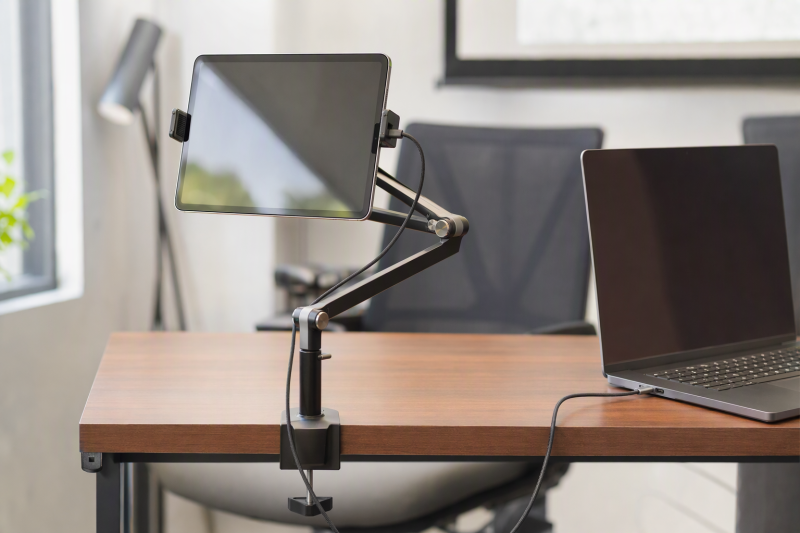
A tablet beside a laptop can show notes, chat, a camera preview or a live dashboard. A desk mount keeps it off the work surface, but the purchase decision is whether the clamp grips your desk and the holder grips your cased tablet. An arm that reaches the perfect spot in a photo may sag or hit a wall in the actual setup.
These six exact Amazon US mounts provide different ways to place a tablet beside a laptop. None was independently installed or load-tested. Decide whether the tablet is for passive reference or repeated tapping before picking a flexible neck. For a separate computer display rather than a tablet, see our home-office monitor guide.
Measure desk thickness and the clear underside for the clamp, then measure the tablet with its case. Check the arm path around your laptop screen and cables.Tablet Desk Mounts Compared
| Image | Product | Details | Check Price |
|---|---|---|---|
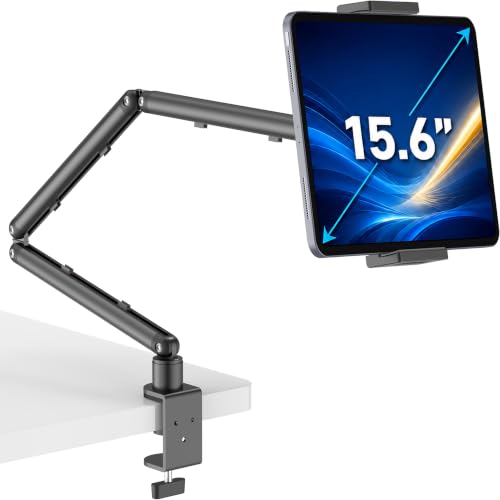 | Three-stage clamp arm | Desk clamp: Up to 2.16 in Device: 4.7-15.6 in; up to 2.2 lb Arm: 30.3 in reach claimed Best fit: Long rigid reach for light tablet | Check Price on Amazon |
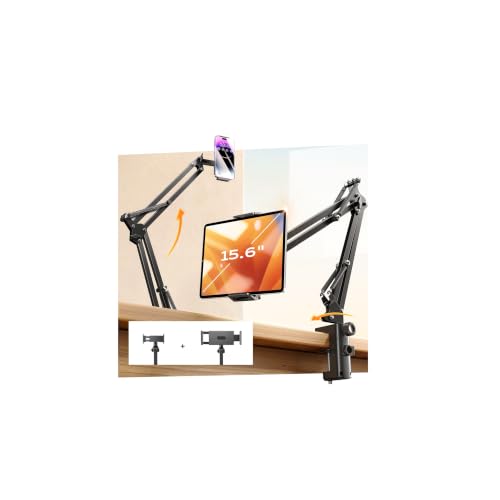 | LISEN tablet mount | Desk clamp: Up to 2.83 in Device: 4-13 in; phone/tablet holders Arm: Multi-joint; tension knob Best fit: Mixed phone and tablet desk | Check Price on Amazon |
 | ARKON gooseneck mount | Desk clamp: Up to 2.25 in Device: Adjustable support legs Arm: 12 in gooseneck Best fit: Short-reach adjustable grip | Check Price on Amazon |
 | MAGIPEA gooseneck | Desk clamp: 0.2-3 in Device: 4.7-13 in; <=0.78 in thick Arm: 30 in; view-only warning Best fit: Hands-free long-reach reference | Check Price on Amazon |
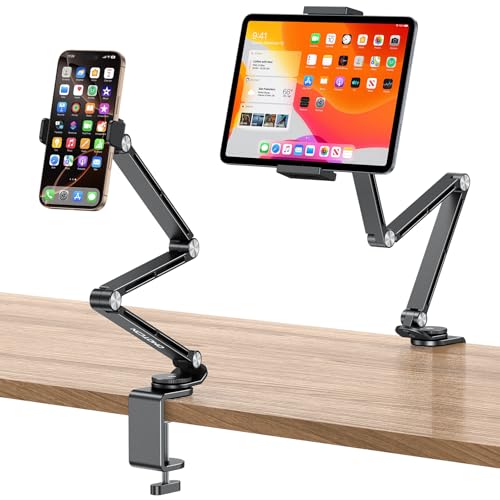 | OMOTON GH03 | Desk clamp: Up to 2.55 in Device: 4-13 in; phone/tablet clamps Arm: Four rotating joints Best fit: Desk with changing device sizes | Check Price on Amazon |
 | VIVO STAND-V001UVM | Desk clamp: Up to 3.3 in; grommet option Device: Up to 15.6 in; <=0.75 in thick; 5.5 lb Arm: Pole height and rotation Best fit: Larger 2-in-1 or portable screen | Check Price on Amazon |
1. Three-Stage Clamp Arm — Best Long Rigid Reach
This listing specifies a 30.3-inch maximum reach, a 31.1-inch height claim and a C-clamp opening to 2.16 inches. It describes three rigid arm sections with joints tightened by the included Allen key. The rigid sections are a more defined structure than a bendable gooseneck when placing a reference screen near a laptop. The device limit is 2.2 pounds, so a 15.6-inch portable monitor in the seller’s size range may still be too heavy.
Check the desk edge first. A 2.16-inch thickness opening says nothing about an underside apron that blocks the clamp pad. The claimed rigidity at full extension was not independently tested. Keep the tablet over a safe section of the desk and route its charging cable through the arm’s listed cable channels without pulling on the device. If the laptop already uses a dock, our USB-C docking guide helps keep other desk cables organized.
Our Take Choose this arm when the cased tablet weighs under the listed 2.2 pounds and the desk offers a clean clamp edge. Long reach is useful only after the joints and desk attachment pass a stability test.
- Long reach and precise load boundary are stated.
- Tension-adjustable rigid joints are described.
- Integrated cable routing is listed.
- 2.2-pound device limit excludes heavier 2-in-1s.
- Full-extension sag and desk grip are untested here.
2. LISEN Tablet Mount — Best Phone-and-Tablet Swap
LISEN supplies separate phone and tablet holders and claims compatibility with devices from 4 to 13 inches. The two holders are useful if the reference spot switches between a phone video call and an iPad dashboard during the day. The listing gives a desk-clamp opening up to 2.83 inches and multiple joints with a tension knob. It also says the mount is not recommended on metallic surfaces, so check your actual desk edge and mounting instructions.
The seller claims a high load figure and dramatic stability improvements. Neither claim was tested here. A clamp and articulated joints can still shift when repeatedly tapped, especially with a large tablet at full reach. Check the tablet’s case thickness and whether either holder blocks charging or volume buttons. The two-holder kit adds parts to store. Our USB-C hub guide can help when the laptop must charge both devices, but it does not certify a safe clamp installation.
Two supplied holders make device swapping easier only if both fit the cased devices and the desk edge is compatible.Our Take LISEN fits a mixed phone/tablet reference station with a suitable nonmetal desk edge. Verify its actual holder dimensions and loaded stability instead of relying on the listing’s percentage-based improvement claims.
- Separate phone and tablet holders are included.
- 2.83-inch desk thickness allowance is stated.
- Joint tension can be adjusted.
- Seller warns against metallic mounting surfaces.
- Quoted stability and load claims need a real test.
3. ARKON Gooseneck Mount — Best Short-Reach Grip Options
ARKON’s listing describes a 12-inch gooseneck, a steel C-clamp for surfaces up to 2.25 inches thick and ten adjustable support legs. The short neck may fit a tablet placed just to the side of a laptop without sweeping across half the desk. The interchangeable supports are meant to leave access to buttons and ports. Check the exact tablet shape and case before ordering.
Unlike the rigid three-stage arm, a bendable neck is quick to reshape but holds a position less firmly. ARKON does not specify movement during active typing or drawing. At a desk, keep the clamp away from an apron or cable tray that prevents full pad contact. The listing also mentions carts and benches, but this guide is about a laptop desk. Our shared-desk docking guide covers nearby computer connections separately.
A short gooseneck is easy to reposition, but may not reach around a deep monitor or wall shelf.Our Take ARKON is a short-reach option for a desk with a usable 2.25-inch-or-thinner edge and a tablet whose buttons can clear the support legs. Test interaction wobble before using it as a touch-heavy control screen.
- Steel desk clamp and 12-inch neck are described.
- Adjustable support legs offer more grip layouts.
- Short neck limits reach into a deep workstation.
- Stability during touch use is not specified.
- Support-leg setup adds a fit check.
4. MAGIPEA Gooseneck — Best Long View-Only Placement
MAGIPEA lists a 30-inch gooseneck and a clamp for surfaces about 0.2-3 inches thick. Its holder is described for devices from 4.7 to 13 inches and up to 0.78 inch thick. Those dimensions let you check a cased tablet against both the jaw and desk edge. The seller says the neck is intentionally stiff and should be bent with two hands, which may make frequent repositioning less convenient.
The listing explicitly warns that the arm may move when the screen is tapped and suggests an S-shape for better support. It calls this a hands-free reading and video mount, not a frequent typing or drawing support. The seller’s warning marks the use case as passive reference near the laptop, not an active pen display. The charging cable still needs slack and a route clear of the keyboard. Our home-office monitor guide is relevant if the job needs a truly stable full-day second screen.
Our Take Choose MAGIPEA if the tablet is mainly a read-only reference or call display and the long arm is necessary. Do not buy it for rapid typing or illustration beside the laptop.
- 30-inch reach and 0.2-3-inch clamp range are given.
- 0.78-inch device thickness limit aids case checks.
- Seller acknowledges touch movement and offers setup advice.
- Not suited to frequent typing or drawing.
- Stiff neck may take two hands to reposition.
5. OMOTON GH03 — Best Adjustable Two-Holder Arm
OMOTON’s GH03 includes separate phone and tablet clamps on a multi-joint arm. It lists four rotating shafts, a tension-control knob and a desk C-clamp opening up to 2.55 inches. For a laptop workspace that changes between reading a phone and using a tablet on calls, those parts may be useful without moving the base.
The checked bullets give a broad 4-13-inch device range but no precise tablet thickness or weight limit. A case-friendly claim does not answer whether a rugged shell clears the holder. Ask for the actual jaw span and load capacity, and test the arm at the intended reach. Rubber padding may protect the desk finish, but check that the clamp’s lower pad has unobstructed contact beneath the tabletop. Our USB-C docking guide can help with the laptop side of a desk full of attached devices.
Our Take GH03 is a flexible mixed-device option if both supplied clamps fit and the desk is no thicker than 2.55 inches. Confirm the omitted tablet load and thickness figures before mounting a large tablet.
- Two holders support changing phone/tablet use.
- Four joints and tension control are stated.
- Desk clamp thickness limit is clear.
- Checked bullets lack precise tablet load and case thickness limits.
- More joints require careful tension setup.
6. VIVO STAND-V001UVM — Best Larger 2-in-1 Device
VIVO’s STAND-V001UVM is the larger-device option here. The listing says it holds many tablets and 2-in-1 laptops or portable monitors up to 15.6 inches, 0.75 inch thick and 5.5 pounds. It has a C-clamp for tabletops up to 3.3 inches thick and an optional grommet method for a desk with a suitable hole. The spring-loaded holder uses thumb screws. Check that its contact points miss ports, buttons and the screen edge.
VIVO also describes pole-height adjustment, tilt, swivel and rotation. Those movements are useful for a heavier reference screen near the laptop, but an articulated mount still needs a strong desk and correct assembly. A grommet option is not permission to drill a shared desk without approval. We have not verified VESA support on this product. It grips the device directly. Our portable monitor guide can help choose a display whose body falls inside the holder’s limits.
The stated 5.5-pound device limit is useful, but desk strength, thickness and holder geometry still decide safe mounting.Our Take VIVO is the best starting point here for a larger 2-in-1 or portable monitor, provided the desk supports its clamp or approved grommet attachment. Do not assume a 15.6-inch diagonal alone guarantees a safe fit.
- 5.5-pound load and 0.75-inch thickness limits are stated.
- C-clamp and optional grommet paths are described.
- Supports larger device categories than phone-first arms.
- Shared desks may not allow grommet installation.
- Large-device fit requires more than diagonal size.
Buying Guide
1. Confirm the Desk Edge Before Buying an Arm
Measure the tabletop’s thickness and clear underside depth where the clamp will sit. The sellers list clamp openings from around 2.16 to 3.3 inches across these six mounts, but a rear apron, cable tray or wall can stop the clamp from reaching the surface. Some desks use fragile hollow-core or glass sections where concentrated clamp pressure may be inappropriate. Follow the desk maker’s mounting guidance.
Try the arm path with the chair and laptop in place. A clamp that fits physically can still block a drawer or screen. The VIVO option offers a grommet path only if the desk has an approved hole and enough structural strength. Never assume a more expensive tablet holder can compensate for an unsuitable desk attachment point.
2. Match the Device With Its Case Attached
Measure the cased tablet’s width, thickness and weight, then compare with the exact holder. MAGIPEA’s listing specifies a 0.78-inch thickness limit; VIVO’s lists 0.75 inch and 5.5 pounds; the three-stage arm’s seller rates it for 2.2 pounds. A listing that says “up to 13 inches” may mean screen diagonal, not a guarantee that a rugged case fits between the jaws.
Check buttons, charging ports and cameras once the device is gripped. Do not clamp over a fragile display edge or route a charging cord taut across the hinge. Test the tablet at the actual working height with the arm fully tightened, and recheck after moving it several times.
3. Pick a Rigid Arm or a View-Only Gooseneck
A multi-joint rigid arm can hold an intended angle after tension is set, while a gooseneck bends quickly into unusual positions. Frequent touch changes the decision. MAGIPEA warns that its long neck can move during tapping, so it is an option for reference viewing rather than an active drawing surface. ARKON’s shorter neck reduces reach but still needs wobble testing.
For heavier devices, the listed load and desk attachment are more important than appearance. Keep the center of mass near the support when possible and avoid pulling the arm past the maker’s allowed position. Our home-office monitor guide may be more appropriate if you need a large, stable second screen all day.
FAQ
Can a tablet desk mount hold a portable monitor without VESA holes?
Some can. VIVO rates the STAND-V001UVM for portable monitors up to 15.6 inches, 0.75 inch thick and 5.5 pounds when it grips the body. The three-stage arm’s seller also names portable monitors but gives a lower 2.2-pound load limit. Neither statement means every 15.6-inch monitor fits.
Measure the monitor body and check that the holder does not block USB-C or HDMI ports. A VESA adapter is a different mounting approach. Do not assume these tablet jaws are VESA plates.
Will an articulated arm stay still when I draw on the tablet?
Not necessarily. Arm stiffness, reach, tablet weight and desk attachment all affect movement. MAGIPEA explicitly says its gooseneck may shift during taps and is better for passive viewing than frequent drawing. Other listings promise stability, but we have not tested them under pen pressure.
If drawing is the main job, test your tablet at full working reach before relying on the mount. A desktop drawing stand or a purpose-built pen-display arm may be a better choice if the screen moves under normal strokes.
What if my desk has a thick apron or no exposed edge?
A desk-clamp mount may simply be the wrong form factor. Clamp opening alone does not describe underside clearance. Look underneath for aprons, cable trays, glass edges or delicate veneer before ordering. Do not force a clamp onto a surface that cannot support it.
VIVO mentions a grommet option, but use it only where a suitable hole already exists or a desk owner approves one. Otherwise choose a freestanding tablet stand or a floor stand with verified stability and safe clearance.
Bottom Line
First prove the desk clamp and tablet fit, then choose reach and stiffness. The three-stage arm has defined long reach for a light device, MAGIPEA is candid about view-only use, and VIVO handles a broader larger-device range on paper. None is a safe blind purchase for an apron-backed or fragile desk edge.