Kensington sells these six docks on three different display designs. Kensington lists the SD5700T and SD5760T as Thunderbolt 4 docks that send video through Thunderbolt or HDMI, and the SD5000T5 and SD5010T5 as Thunderbolt 5 docks. It lists the SD5900T and SD4790P with DisplayLink, a method that needs a driver and sends extra screens over USB.
A dock’s count of video sockets does not tell you how many monitors a laptop will drive. Kensington ties each display figure to the laptop’s port type, its operating system and, for MacBooks, the exact Apple chip. Each product section below keeps that condition next to the number.
Check your laptop’s port type and Apple chip against the display lines below before you compare screen counts.Kensington Docking Stations Compared
| Image | Product | Details | Check Price |
|---|---|---|---|
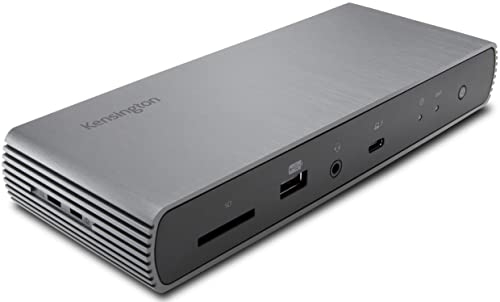 | Kensington SD5700T | Best fit: Downstream Thunderbolt 4 ports Host: Thunderbolt 4 Displays: Up to dual 4K 60Hz listed Power: 90W laptop charging Ports: 3 downstream TB4, UHS-II SD, Gigabit Ethernet | Check Price on Amazon |
 | Kensington SD5760T | Best fit: Two HDMI monitors and card readers Host: Thunderbolt 4, USB4, USB-C Displays: 2 HDMI, dual 4K 60Hz listed Power: Up to 96W (Amazon title says 100W) Ports: TB4, UHS-II SD/microSD, Gigabit Ethernet | Check Price on Amazon |
 | Kensington SD5900T | Best fit: Thunderbolt 4 and DisplayLink hybrid for MacBooks Host: Thunderbolt 4 + DisplayLink, macOS Displays: Up to quad 4K 60Hz listed Power: 100W, 96W certified Ports: 2 TB4, HDMI/DP, 2.5GbE, card readers | Check Price on Amazon |
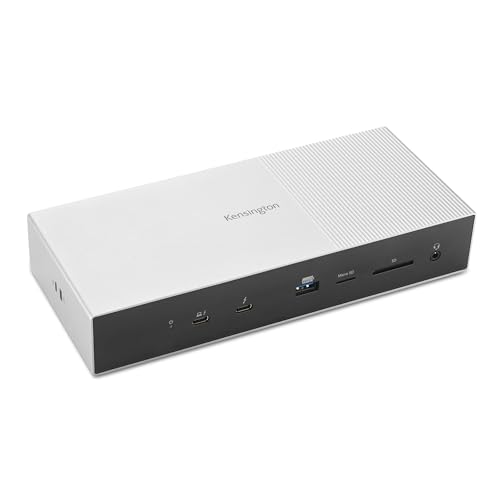 | Kensington SD5000T5 | Best fit: Thunderbolt 5 with 3 downstream ports Host: Thunderbolt 5 Displays: Up to triple 4K 144Hz on Windows TB5 Power: Up to 140W PD 3.1 Ports: 3 downstream TB5, 2.5GbE, UHS-II readers | Check Price on Amazon |
 | Kensington SD5010T5 | Best fit: Thunderbolt 5 with dual HDMI Host: Thunderbolt 5 Displays: 2 HDMI plus TB5 display Power: Up to 140W dynamic PD Ports: 1 downstream TB5, 2.5GbE, card readers | Check Price on Amazon |
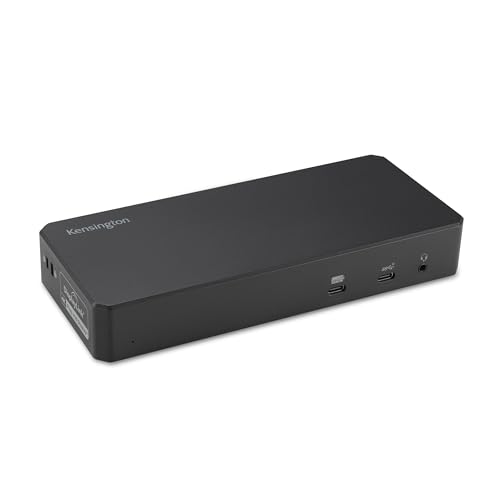 | Kensington SD4790P | Best fit: Broad-host DisplayLink desk Host: TB4, USB4, USB-C, USB-A Displays: Up to 4 Windows/Chrome, 3 Mac displays Power: Up to 100W PD Ports: 3 HDMI, 3 DP, 6 USB, Gigabit Ethernet | Check Price on Amazon |
1. Kensington SD5700T — Best for downstream Thunderbolt 4 ports
Kensington’s product page describes the SD5700T as the first of a generation. It has three downstream Thunderbolt 4 ports, four USB-A ports, a UHS-II SD card slot, Gigabit Ethernet and a combo audio jack. The Amazon listing says the 180W power supply gives the laptop 90W and that each Thunderbolt port supplies 15W without cutting the laptop’s share. A 0.8 m Thunderbolt 4 cable comes in the box.
The dock has no HDMI or DisplayPort socket, so each monitor connects to a Thunderbolt port through a USB-C to HDMI or DisplayPort cable or adapter, which the Amazon listing says is not included. Kensington lists one 8K display or two 4K displays at 60Hz on a Thunderbolt 4 laptop. On a MacBook the display count depends on the Apple chip. Kensington lists two displays for M4 and M5 base chips and for M1 through M4 Pro and Max chips, and one 4K display for base M1, M2 and M3 chips. The Amazon listing says a Thunderbolt 3 Windows laptop is not the right host.
The Amazon listing says the SD5700T gives the laptop its full 90W even when every other port is in use.Our Take Pick the SD5700T for a desk built around Thunderbolt storage and displays that connect by USB-C cable, with a Thunderbolt 4 Windows laptop or a MacBook with a Pro, Max or M4 chip. Two HDMI monitors are a better match for the SD5760T, which has the HDMI sockets built in.
- Kensington’s product page lists three downstream Thunderbolt 4 ports, and the Amazon listing says each supplies 15W.
- The Amazon listing says the laptop keeps its full 90W while the other ports are in use.
- The Amazon listing says a 0.8 m Thunderbolt 4 cable is included.
- The SD5700T has no HDMI or DisplayPort socket, so each monitor needs a cable or adapter, and the Amazon listing says none is included.
- Kensington lists one 4K display for base M1, M2 and M3 MacBooks.
- Kensington lists an SD card slot and does not list a microSD slot.
2. Kensington SD5760T — Best for two HDMI monitors and card readers
Kensington’s product page lists two HDMI ports, one downstream Thunderbolt 4 port and a Thunderbolt 4 host port. It adds one 10Gbps USB-C port, two 10Gbps USB-A ports, two 5Gbps USB-A ports, Gigabit Ethernet, a combo audio jack and UHS-II readers for SD and microSD cards. A 0.8 m Thunderbolt 4 cable is included.
Power is where the two sources differ. Kensington’s page says up to 96W of Power Delivery, while Amazon’s title and bullets say up to 100W.
The Amazon listing says Windows laptops get one 8K display at 60Hz over Thunderbolt 4 or two 4K displays at 60Hz over the HDMI ports. For MacBooks, Kensington lists two 4K 60Hz displays over HDMI on M4 and M5 base chips and on M1 through M5 Pro and Max chips, with an M3 base MacBook needing its lid closed. Base M1 and M2 MacBooks and USB-C Alt Mode laptops get one external display. The Amazon listing adds that a USB-C Gen2 laptop transfers at 10Gbps and a Gen1 laptop at 5Gbps, not at Thunderbolt’s 40Gbps.
Our Take Pick the SD5760T for two HDMI monitors at a desk that also takes SD and microSD cards, with a Thunderbolt 4 Windows laptop or a MacBook on the chip list above. Kensington’s SD5700T page points base M1 and M2 MacBook owners who want more screens to its DisplayLink docks.
- Kensington lists two HDMI ports for two 4K displays at 60Hz on supported laptops.
- Kensington lists separate UHS-II SD and microSD readers.
- Kensington and the Amazon listing both say a 0.8 m Thunderbolt 4 cable is included.
- Kensington lists one 10Gbps USB-C port and two 10Gbps USB-A ports beside two 5Gbps USB-A ports.
- Kensington lists base M1 and M2 MacBooks for one external display.
- Kensington states up to 96W of Power Delivery while Amazon’s title says 100W.
- Kensington lists one downstream Thunderbolt 4 port on the SD5760T, against three on the SD5700T.
3. Kensington SD5900T — Best DisplayLink hybrid for MacBooks
Kensington’s product page says the SD5900T is optimized for M-series MacBook Air and MacBook Pro models and lists macOS 11 or later as the operating system. It does not list Windows. The dock combines Thunderbolt 4 with DisplayLink, and Kensington notes that a typical Thunderbolt 4 dock supports a single display on base M1, M2 and M3 MacBooks.
Kensington says video from the two downstream Thunderbolt 4 ports and the DisplayPort 1.4 socket is plug and play. Two more outputs, each HDMI 2.0 or DisplayPort 1.2, need the DisplayLink driver. For MacBooks with M4 or M5 base chips and M1 through M5 Pro or Max chips, Kensington lists up to four 4K displays at 60Hz, with an M3 base MacBook needing its lid closed. A base M1 or M2 MacBook gets up to three.
The dock also has one 10Gbps USB-C port, three USB-A ports, SD and microSD readers and 2.5Gbps Ethernet. Kensington lists 100W charging with 96W certified.
Our Take Choose the SD5900T for a MacBook that needs three or four screens, especially a base M1 or M2 model that a plain Thunderbolt 4 dock would limit to one. A Windows laptop owner should look at the SD4790P, which lists Windows.
- Kensington lists up to four 4K displays at 60Hz for MacBooks with M4 or M5 base chips and M1 through M5 Pro or Max chips.
- Kensington lists up to three 4K displays for base M1 and M2 MacBooks, where it says a typical Thunderbolt 4 dock gives one.
- Kensington lists two downstream 40Gbps Thunderbolt 4 ports and 2.5Gbps Ethernet.
- Kensington lists macOS 11 or later and does not list Windows.
- Kensington says two of the video outputs need the DisplayLink driver installed.
4. Kensington SD5000T5 — Best Thunderbolt 5 dock with three downstream ports
The SD5000T5 has one Thunderbolt 5 host port and three downstream Thunderbolt 5 ports. Kensington’s product page lists 80Gbps of bandwidth, with Bandwidth Boost up to 120Gbps for video, plus three 10Gbps USB-A ports, UHS-II SD and microSD readers, 2.5Gbps Ethernet and a front combo audio jack. Kensington’s support page lists up to 140W of PD 3.1 charging and macOS 14.5 or later, or Windows 11 (23H2 or later).
For Windows Thunderbolt 5 laptops, Kensington lists up to three 4K displays at 144Hz or two 8K displays at 60Hz. For MacBooks it lists up to two external displays through the dock, at up to dual 6K 60Hz on M4 and M5 base chips and on M1 through M4 Pro and Max chips. Kensington also says an M4 Max owner can connect more monitors directly to the MacBook, and that the dock supports up to three video streams over the one host cable, but the screen count depends on the laptop maker’s Thunderbolt 5 port. There is no HDMI socket, so an HDMI monitor needs a cable or adapter on a Thunderbolt 5 port.
Our Take Pick the SD5000T5 for a Thunderbolt 5 laptop and a desk that needs several fast downstream ports. The dock has three Thunderbolt 5 ports, three 10Gbps USB-A ports and 2.5Gbps Ethernet. A Thunderbolt 4 laptop with two HDMI monitors is better matched to the SD5760T, which has the HDMI sockets built in.
- Kensington lists three downstream Thunderbolt 5 ports with 80Gbps bandwidth and up to 120Gbps Bandwidth Boost for video.
- Kensington’s support page lists up to 140W of PD 3.1 laptop charging.
- Kensington lists three 10Gbps USB-A ports, UHS-II SD and microSD readers and 2.5Gbps Ethernet.
- Kensington lists up to three 4K displays at 144Hz or two 8K displays at 60Hz for Windows Thunderbolt 5 laptops.
- Kensington’s support page lists 140W charging for a Windows 11 Thunderbolt 5 laptop with PD 3.1 EPR support and does not state the charging level for other laptops.
- The SD5000T5 has no HDMI port, so an HDMI monitor needs a cable or adapter.
- Kensington lists up to two external displays through the dock for MacBooks.
5. Kensington SD5010T5 — Best Thunderbolt 5 dock with two HDMI ports
Kensington’s product page lists a Thunderbolt 5 host port and one 15W downstream Thunderbolt 5 port and two HDMI 2.1 ports. It also lists two 10Gbps USB-C ports rated 30W and 7.5W, one 10Gbps USB-A port, two 5Gbps USB-A ports, SD and microSD readers, a combo audio jack and 2.5Gbps Ethernet.
Charging is up to 140W of dynamic PD 3.1, and Kensington says KonstantCharge lets connected devices charge while the laptop is undocked. On Windows, Kensington lists up to three 4K displays at 144Hz or two 8K displays at 60Hz through the two HDMI ports and the Thunderbolt 5 port. MacBooks with M4 or M5 base chips or Pro and Max chips get two 4K 60Hz displays over HDMI, or one of the two can switch to a display up to 6K on the Thunderbolt 5 port. Kensington lists base M1 and M2 MacBooks for one external display and an M3 base MacBook for two with the lid closed.
The SD5010T5 has two HDMI ports and one downstream Thunderbolt 5 port. Kensington lists three downstream ports and no HDMI socket for the SD5000T5.Our Take Choose the SD5010T5 for a Thunderbolt 5 laptop connected to two HDMI monitors, where the downstream Thunderbolt 5 port can feed a third screen or a fast drive. The SD5000T5 is the better buy when several Thunderbolt 5 devices need to connect to the dock.
- Kensington lists two HDMI 2.1 ports plus a Thunderbolt 5 port for a third display, up to three 4K screens at 144Hz on Windows.
- Kensington lists up to 140W of dynamic PD 3.1, with KonstantCharge for connected devices while the laptop is undocked.
- Kensington lists two 10Gbps USB-C ports, one rated 30W, and 2.5Gbps Ethernet.
- The SD5010T5 has one downstream Thunderbolt 5 port, against three on the SD5000T5.
- Kensington lists base M1 and M2 MacBooks for one external display.
6. Kensington SD4790P — Best DisplayLink dock for mixed laptops
The SD4790P is the dock here for laptops that may lack Thunderbolt. Kensington’s product page lists Thunderbolt 4, USB4, USB-C and legacy USB-A laptops running Windows 10 or later, macOS 11 or later, or Chrome OS 114 or later. It has six video sockets, three HDMI 2.0, one DisplayPort++ 1.4 and two DisplayPort 1.2++, for up to four external displays at once, so the socket count is not the screen count.
The SD4790P uses DisplayLink. Kensington’s spec table says DisplayLink driver installation is required, and its FAQ says the first two video outputs work plug and play. Kensington lists up to four displays on Windows or Chrome OS and up to three on macOS. Its page names M1, M2 and M3 MacBooks for the figure of three displays, and the Amazon listing says all M1 through M4 versions.
Kensington’s spec table lists two 10Gbps USB-C ports and four USB 3.2 Gen1 USB-A ports, while the Amazon bullet describes all six as up to 10Gbps. The dock also has Gigabit Ethernet and up to 100W of Power Delivery. Kensington says a USB-A host laptop cannot receive Power Delivery without the optional K38310 power splitter.
Our Take Pick the SD4790P for an office with mixed laptops, including older USB-A models and Chromebooks, that needs three or four screens from one dock. A Thunderbolt laptop that needs fast storage is better served by a Thunderbolt dock, because Kensington lists no Thunderbolt port on the SD4790P.
- Kensington lists support for Thunderbolt 4, USB4, USB-C and USB-A laptops on Windows, macOS and Chrome OS.
- Kensington lists up to four external displays on Windows or Chrome OS and up to three on M1, M2 and M3 MacBooks.
- Kensington lists six video sockets, three HDMI and three DisplayPort.
- Kensington says HDCP-protected streaming needs the DisplayLink driver turned off, which leaves one external monitor.
- Kensington’s spec pages list Gigabit Ethernet on the SD4790P and 2.5Gbps Ethernet on the SD5900T, SD5000T5 and SD5010T5.
- Kensington says a USB-A host laptop needs the optional K38310 power splitter for Power Delivery.
Buying Guide
1. Select the display technology before selecting a display count
Kensington lists the SD5700T and SD5760T as Thunderbolt 4 docks, the SD5000T5 and SD5010T5 as Thunderbolt 5 docks, and the SD5900T and SD4790P as DisplayLink docks. The same headline screen count can describe a different technical path, and a DisplayLink result is not a native Thunderbolt result.
The SD4790P accepts the most laptop types, including USB-A, but Kensington lists no Thunderbolt port on it. The SD5700T and SD5000T5 rely on downstream Thunderbolt ports for expansion instead. Start with the laptop and its accessories. The DisplayLink dock guide explains that separate display path.
2. Keep MacBook chip conditions attached to HDMI claims
Kensington lists the SD5760T for two HDMI displays on M4 and M5 base chips and M1 through M5 Pro or Max chips, while base M1 and M2 MacBooks get one display. Kensington lists the SD5700T for one display on base M1, M2 and M3 MacBooks. The SD5900T and SD4790P use DisplayLink and list three or four displays for MacBooks.
Thunderbolt 5 does not remove the MacBook chip limits. Kensington lists up to two external displays through the SD5000T5 on a MacBook, and one display on base M1 and M2 chips with the SD5010T5. Compare the exact Mac, then use the SD5700T review for a Thunderbolt 4 reference.
3. Choose built-in HDMI or downstream Thunderbolt deliberately
Kensington lists two HDMI ports on the SD5760T in the Thunderbolt 4 pair and on the SD5010T5 in the Thunderbolt 5 pair. Both docks suit desks that already use HDMI monitors.
Kensington lists three downstream Thunderbolt ports on each of the SD5700T and SD5000T5 for expansion. Downstream Thunderbolt ports suit storage and adapters, but an HDMI monitor needs the right cable or adapter. The SD5000T5 review covers the K35201NA host decision.
4. Read charging and Ethernet figures as separate limits
Kensington lists laptop power from 90W on the SD5700T to up to 140W on both Thunderbolt 5 docks. The SD5760T is listed at up to 96W by Kensington and 100W by Amazon, the SD5900T at 100W with 96W certified, and the SD4790P at 100W. For the SD5000T5, Kensington’s support page lists the 140W case for a Windows 11 laptop with PD 3.1 EPR support.
Kensington lists 2.5Gbps Ethernet on the SD5900T, SD5000T5 and SD5010T5, and Gigabit Ethernet on the SD5700T, SD5760T and SD4790P. Kensington says Ethernet on Apple devices reached about 1.6Gbps in testing on the Thunderbolt 5 docks.
5. Treat DisplayLink as a buyer choice rather than a hidden extra
The SD5900T and SD4790P both use DisplayLink, and both need the driver for their full display counts. The SD5900T pairs it with two downstream Thunderbolt 4 ports and lists macOS only. The SD4790P lists Windows, macOS and Chrome OS but no downstream Thunderbolt.
Choose the path the laptop can support. The SD4790P suits an office with mixed laptops, with the HDCP streaming limit in mind.
FAQ
Which model has three downstream Thunderbolt ports?
The SD5700T lists three downstream Thunderbolt 4 ports and the SD5000T5 lists three downstream Thunderbolt 5 ports. Both connect to the laptop through a separate host port.
Kensington lists the SD5700T at 90W and the SD5000T5 at up to 140W.
Can the SD5760T drive two HDMI monitors from every MacBook?
No. Kensington lists its dual HDMI display for M4 and M5 base chips and M1 through M5 Pro or Max chips, with a closed-lid condition for the M3 base. It lists base M1 and M2 MacBooks for one external display.
The two HDMI sockets do not change a MacBook’s display limit. Check the chip and the display arrangement together.
What separates the SD5900T from the SD4790P?
Both use DisplayLink. Kensington lists the SD5900T with Thunderbolt 4, two downstream ports, 2.5Gbps Ethernet, card readers and macOS only. It lists the SD4790P for USB-A hosts and for Windows, macOS and Chrome OS, with three HDMI and three DisplayPort sockets.
Kensington lists no downstream Thunderbolt port on the SD4790P.
Does the SD5000T5 have HDMI ports?
No. Kensington lists one host and three downstream Thunderbolt 5 ports, three USB-A ports, card readers, Ethernet and audio, and no HDMI. An HDMI monitor needs a cable or adapter on a Thunderbolt 5 port.
Kensington lists the SD5010T5 as the Thunderbolt 5 model with two built-in HDMI ports and one downstream Thunderbolt 5 port instead of the SD5000T5’s three.
Which model supports the broadest mix of laptop connections?
The SD4790P supports the broadest mix. Kensington lists Thunderbolt 4, USB4, USB-C and legacy USB-A laptops across Windows, macOS and Chrome OS, and its multi-display path is DisplayLink.
The SD5900T lists macOS only, while the SD5000T5 and SD5010T5 list Windows 11 (23H2 or later) or macOS 14.5 or later.
Bottom Line
By Kensington’s listings, choose the SD5760T for a compatible dual-HDMI desk, the SD5700T for three downstream Thunderbolt 4 ports, and the SD5900T for a MacBook that needs three or four screens. The SD5000T5 is the Thunderbolt 5 option with three downstream ports and a 140W ceiling, while the SD5010T5 has two built-in HDMI ports. The SD4790P is the DisplayLink choice for mixed laptops.