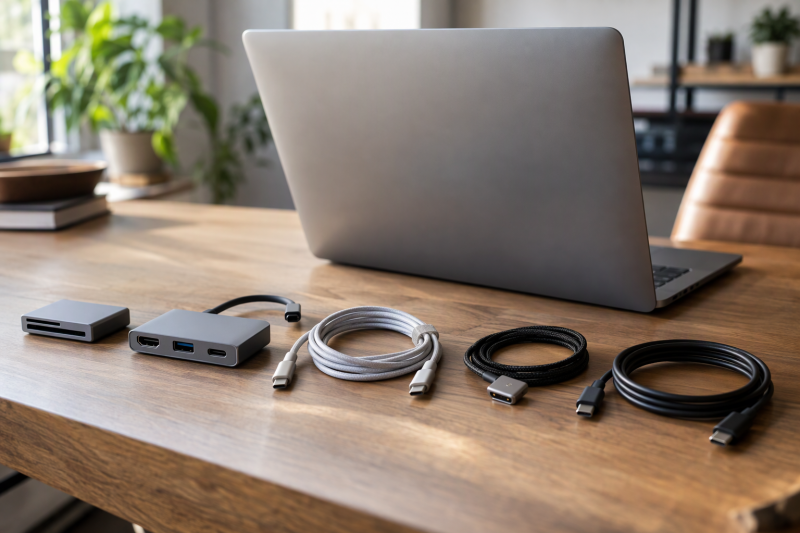
Apple makes six USB-C accessories that a MacBook owner is likely to compare: an SD card reader, an HDMI adapter, a MagSafe 3 cable, a 240W charge cable and two Thunderbolt Pro Cables. Each does a different job, and a USB-C plug on the end does not say which one. Every rating below comes from Apple’s product page for the model number, checked against the Amazon listing for the same model number. Amazon.com held the New offer on all six when the page was checked.
Start with the job: reading SD cards, reaching an HDMI display, charging through MagSafe 3, charging through USB-C, or moving data fast over Thunderbolt.Apple USB-C Adapters and Cables Compared
| Image | Product | Details | Check Price |
|---|---|---|---|
 | Apple USB-C to SD Card Reader | Best fit: UHS-II SD cards Connects: USB-C to SD card Speed or output: UHS-II speeds, no MB/s figure Charging: None listed Seller: Amazon.com | Check Price on Amazon |
 | Apple USB-C Digital AV Multiport Adapter | Best fit: One HDMI display Connects: HDMI, standard USB, USB-C charging port Speed or output: HDMI video and audio Charging: USB-C charging input Seller: Amazon.com | Check Price on Amazon |
 | Apple USB-C to MagSafe 3 Cable | Best fit: MagSafe 3 charging Connects: MagSafe 3 to USB-C, 2m Speed or output: No data rate listed Charging: Compatible USB-C adapter, sold separately Seller: Amazon.com | Check Price on Amazon |
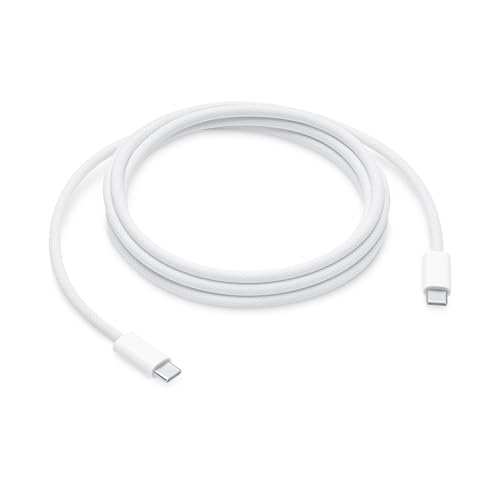 | Apple 240W USB-C Woven Charge Cable | Best fit: 240W USB-C charging Connects: USB-C to USB-C, 2m Speed or output: USB 2 data rates Charging: Up to 240W Seller: Amazon.com | Check Price on Amazon |
 | Apple Thunderbolt 4 Pro Cable | Best fit: 40Gb/s data and display Connects: USB-C to USB-C, 1.8m Speed or output: Up to 40Gb/s, DisplayPort HBR3 Charging: Up to 100W Seller: Amazon.com | Check Price on Amazon |
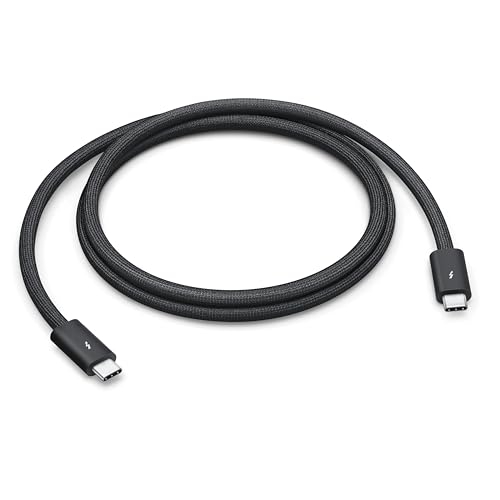 | Apple Thunderbolt 5 Pro Cable | Best fit: 120Gb/s data and display Connects: USB-C to USB-C, 1m Speed or output: Up to 120Gb/s, DisplayPort 2.1 Charging: Up to 240W Seller: Amazon.com | Check Price on Amazon |
1. Apple USB-C to SD Card Reader — Best for UHS-II SD Cards
Apple’s page says the reader transfers high-resolution photos and videos at UHS-II speeds to a USB-C Mac, iPad or iPhone. Apple says it works with UHS-II SD cards, is backward compatible with other SD cards and adapters, and is designed so it does not block neighboring ports. Apple’s compatibility list names MacBook Neo, MacBook Air (M1) and every MacBook Air with an M2, M3, M4 or M5 chip, plus MacBook Pro models.
Apple’s page gives the connection only as UHS-II speeds and names no megabytes-per-second figure, so a card’s own rating has to tell you how fast an import will run. Amazon’s manufacturer field gives an Apple one-year limited warranty.
Apple lists the reader for USB-C Macs, iPads and iPhones, with a design that leaves neighboring ports free.Our Take Choose the reader when the camera records to SD cards and the Mac needs a card slot without a second accessory. Apple’s page lists no HDMI, USB-A or charging connection on it, so the Digital AV Multiport Adapter below is the one that covers a display.
- Apple says the SD Card Reader transfers photos and videos at UHS-II speeds to a USB-C Mac, iPad or iPhone.
- Apple designs the reader so it does not block neighboring ports.
- Apple says the reader works with UHS-II SD cards and is backward compatible with other SD cards and adapters.
- Apple’s page lists no HDMI, USB-A or charging connection on the SD Card Reader, so a display needs the Digital AV Multiport Adapter.
- Apple’s page gives the speed only as the UHS-II label, so each card’s own rating decides how fast an import runs.
2. Apple USB-C Digital AV Multiport Adapter — Best for One HDMI Display
Apple’s page says the adapter connects a USB-C Mac, iPad or iPhone to an HDMI display. It also takes a standard USB device and a USB-C charging cable, and Apple says it mirrors the screen to an HDMI TV or display. The Amazon title adds 4K video output, high-speed data transfer and power delivery pass-through. Apple says the adapter supports both video and audio output and needs an HDMI cable, sold separately, for a TV or projector.
The 4K figure depends on the Mac. Apple’s page lists 3840×2160 at 60Hz for models such as the MacBook Pro (16-inch, 2019) and MacBook Air (2020), and 1080p at 60Hz or 3840×2160 at 30Hz for models such as the MacBook Air (2018 and later) and MacBook Pro (13-inch, 2016 and later). Find your Mac in Apple’s lists. Apple gives macOS Mojave 10.14.6 or later as the system requirement, and Amazon’s manufacturer field gives a one-year warranty.
Our Take Pick the adapter for a MacBook that has to reach one HDMI TV or monitor, plug in a flash drive or camera and keep a charger connected. Apple’s page lists no Ethernet port, second display or card reader, so a desk that needs those calls for a larger adapter.
- Apple’s page lists HDMI, a standard USB port and a USB-C charging connection on the Digital AV Multiport Adapter, so one adapter covers a display, a USB device and a charger.
- Apple says the adapter supports both video and audio output.
- Apple says the adapter’s standard USB port takes a flash drive, a camera or a cable for syncing and charging an iOS device.
- Apple’s page says the HDMI cable for a TV or projector is sold separately.
- Apple’s display-mode lists for the adapter give the MacBook Air (2018 and later) and MacBook Pro (13-inch, 2016 and later) either 3840×2160 at 30Hz or 1080p at 60Hz.
3. Apple USB-C to MagSafe 3 Cable — Best for MagSafe 3 Charging
Apple’s page says the 2-meter cable has a magnetic MagSafe 3 connector that helps guide the plug to the charging port of a Mac laptop, with USB-C at the other end for a compatible USB-C power adapter. Apple says the magnetic connection resists most unintended disconnects but releases if someone trips on the cable, and that an LED turns amber while the battery charges and green when it is full.
Apple’s compatibility list is shorter than for the other five accessories. It names MacBook Air (13-inch and 15-inch) with M2, M3, M4 and M5 chips and MacBook Pro 14-inch and 16-inch models from 2021, 2023 and 2024, plus the 14-inch and 16-inch M5 Pro or M5 Max models, the 14-inch M5 and the 14-inch M6. MacBook Neo, MacBook Air (M1) and MacBook Pro (13-inch, M2, 2022) are on Apple’s lists for the other five accessories but not on this one.
Our Take Choose this cable for a MacBook Air or MacBook Pro on Apple’s MagSafe 3 list when a magnetic charging connection is the goal. Apple’s page lists no data rate for it and says the USB-C power adapter is sold separately. Drives and displays belong on a Thunderbolt cable, and the MagSafe 3 cable roundup compares this one with third-party cables.
- Apple says the cable’s magnetic MagSafe 3 connector helps guide the plug to the charging port of a Mac laptop.
- Apple says the cable releases if someone trips on it, and an LED shows amber while the battery charges and green when it is full.
- Apple and Amazon both list the cable at 2 meters, longer than Apple’s 1.8-meter Thunderbolt 4 Pro Cable and 1-meter Thunderbolt 5 Pro Cable.
- Apple’s MagSafe 3 list leaves out MacBook Neo, MacBook Air (M1) and MacBook Pro (13-inch, M2, 2022), which Apple’s pages list for the other five accessories.
- Apple says the compatible USB-C power adapter for the cable is sold separately.
4. Apple 240W USB-C Woven Charge Cable — Best for 240W USB-C Charging
Apple’s page says the 2-meter woven cable has USB-C connectors on both ends and supports charging of up to 240 watts with data at USB 2 rates. Apple names charging, syncing and transferring data between USB-C devices as its use, and says it pairs with a compatible USB-C power adapter that is sold separately. Apple’s page mentions fast-charging capabilities without naming a model.
Apple’s compatibility list names more device types than any other accessory here: iPhone, iPad, Mac, Apple Vision Pro, Apple HomeView, AirPods and Studio Display models. Apple’s page for this cable does not mention the MagSafe 3 connector, and the MagSafe 3 cable above is the one Apple lists for it.
Our Take Choose the woven cable for a 2-meter USB-C to USB-C charging lead on a Mac, iPad, iPhone or another device on Apple’s list. A Thunderbolt Pro Cable is the match when the same cable also has to carry a drive or a display.
- Apple says the woven cable supports charging of up to 240 watts with a compatible USB-C power adapter.
- Apple lists USB-C connectors on both ends of the 2-meter woven cable and names charging, syncing and data transfer between USB-C devices as its use.
- Apple’s compatibility list for the woven cable covers more device types than any other accessory here, including iPhone, iPad, Mac, Apple Vision Pro, AirPods and Studio Display models.
- Apple’s page says the woven cable transfers data at USB 2 rates, below the Thunderbolt data rates Apple lists for its two Thunderbolt Pro Cables.
- Apple says the compatible USB-C power adapter is sold separately from the woven cable.
5. Apple Thunderbolt 4 Pro Cable — Best for 40Gb/s Connections
Apple’s page describes a black braided 1.8-meter cable that supports Thunderbolt 3, Thunderbolt 4 and USB 4 data at up to 40Gb/s, USB 3.2 data at up to 10Gb/s, DisplayPort video output (HBR3) and charging up to 100 watts. Apple names Studio Display, Pro Display XDR, docks and hard drives as devices to connect, calls it an active cable and says up to six Thunderbolt 3 devices can be daisy-chained.
Apple says the cable connects a Mac with Thunderbolt 3 or 4 ports to Thunderbolt and USB displays and devices, and that an iPhone 15 Pro or later can connect to a Mac through it. Apple’s Mac list names MacBook Neo and every MacBook Air from the M1 through the M5, plus MacBook Pro models.
Our Take Pick the Thunderbolt 4 Pro Cable for a Mac connected to a dock, a hard drive or a Studio Display at Apple’s 40Gb/s rating. Apple lists it at 0.8 meter longer than the 1-meter Thunderbolt 5 Pro Cable, and the Thunderbolt 4 cable roundup covers other makers.
- Apple’s page lists Thunderbolt 3, Thunderbolt 4 and USB 4 data at up to 40Gb/s.
- Apple lists DisplayPort video output (HBR3) and charging up to 100 watts on the same cable.
- Apple says the cable is 1.8 meters long, 0.8 meter longer than the Thunderbolt 5 Pro Cable.
- Apple’s page lists charging up to 100 watts, below the 240 watts Apple lists for the Thunderbolt 5 Pro Cable and the 240W Woven Charge Cable.
- Apple’s page lists data at up to 40Gb/s, while the Thunderbolt 5 Pro Cable is the one Apple rates for Thunderbolt 5 data.
6. Apple Thunderbolt 5 Pro Cable — Best for 120Gb/s Connections
Apple’s page describes a black braided 1-meter passive cable that supports Thunderbolt 5 data at up to 120Gb/s, along with Thunderbolt 3, Thunderbolt 4 and USB 4 data, USB 3 data at up to 10Gb/s, DisplayPort 2.1 video output and charging up to 240 watts. Apple’s highlights give the DisplayPort rating as UHBR20.
Apple says the cable connects a Mac with Thunderbolt 3, 4 or 5 ports to displays, docks and external drives, and that it can connect USB-C iPhone and iPad models to a Mac. Apple marks the 120Gb/s figure with a footnote, and the overview text does not say which Macs reach that rate. The Mac’s own Thunderbolt 5 specification has to settle it.
Our Take Choose the Thunderbolt 5 Pro Cable for a dock, display or drive that is rated for Thunderbolt 5, or when the 240W charging rating and DisplayPort 2.1 are required. Apple lists the Thunderbolt 4 Pro Cable at 1.8 meters, so it is the pick for more reach, and the Thunderbolt 5 cable roundup compares other makers.
- Apple’s page lists Thunderbolt 5 data at up to 120Gb/s.
- Apple lists DisplayPort 2.1 video output and charging up to 240 watts on the same cable.
- Apple says the cable can connect USB-C iPhone and iPad models to a Mac.
- Apple lists the cable at 1 meter, shorter than the 1.8-meter Thunderbolt 4 Pro Cable and the 2-meter MagSafe 3 and woven cables.
- Apple’s overview does not say which Macs reach the 120Gb/s rate and marks that figure with a footnote.
Buying Guide
Pick the accessory by the job
Apple’s page lists the SD Card Reader for UHS-II SD cards and the Digital AV Multiport Adapter for HDMI. Neither page lists the other’s connection, so Apple does not list the reader for a display or the adapter for a card slot.
The four cables split the same way. Apple lists the MagSafe 3 Cable for magnetic laptop charging, the woven cable for 240W USB-C charging and the two Pro Cables for data and display output.
Match the charging rating at both ends
Apple says the MagSafe 3 Cable and the 240W Woven Charge Cable both need a compatible USB-C power adapter that is sold separately. Apple lists charging up to 240 watts for the woven cable and the Thunderbolt 5 Pro Cable and up to 100 watts for the Thunderbolt 4 Pro Cable. Apple’s MagSafe 3 page gives no wattage.
The Mac and the power adapter set the rest. Apple’s page for the woven cable mentions fast charging without naming a Mac, and the Amazon bullet limits it to select iPhone and Mac models. Check the adapter’s own wattage and the Mac’s own charging specification before expecting a 240W rating to apply. The MagSafe 3 cable roundup lists third-party options for the same port.
Read the data rate apart from the charging rate
Apple lists the woven cable at USB 2 data rates, the Thunderbolt 4 Pro Cable at up to 40Gb/s and the Thunderbolt 5 Pro Cable at up to 120Gb/s. A 240W rating on the woven cable says nothing about data, and the two Pro Cables are the ones Apple names for docks, displays and drives.
Apple describes the Thunderbolt 4 Pro Cable for a Mac with Thunderbolt 3 or 4 ports and the Thunderbolt 5 Pro Cable for a Mac with Thunderbolt 3, 4 or 5 ports. Apple labels the 120Gb/s figure as Thunderbolt 5 data, and its overview does not say which Macs have a Thunderbolt 5 port. Check the Mac’s and the device’s own Thunderbolt rating, because Apple’s page does not say a cable adds a rate the devices lack. The Thunderbolt 5 cable roundup shows what other makers offer.
Find your Mac on Apple’s list
Apple’s page for the Digital AV Multiport Adapter gives 3840×2160 at 60Hz for some Macs and 3840×2160 at 30Hz or 1080p at 60Hz for others. Amazon’s title says 4K video output without that split. Find your Mac in Apple’s lists, and plan on the HDMI cable Apple says is sold separately.
Apple’s MagSafe 3 list leaves out MacBook Neo, MacBook Air (M1) and MacBook Pro (13-inch, M2, 2022), which Apple’s pages list for the other five accessories. For those Macs Apple’s pages list the woven cable and the Thunderbolt Pro Cables, each with its own ratings. The MacBook Pro monitor guide helps once the cable and the port are settled.
FAQ
Which Apple cable charges a MacBook?
Apple lists the MagSafe 3 Cable for MacBook Air models with M2, M3, M4 and M5 chips and MacBook Pro 14-inch and 16-inch models from 2021 on. Apple lists the woven cable for charging through USB-C on a wider set of Macs, and the Amazon bullet adds fast charging on select Mac models.
Both cables need a USB-C power adapter that Apple says is sold separately. Choose by the port on the Mac, then check the adapter’s wattage against the Mac’s own specification.
Is a 240W cable the same as a Thunderbolt cable?
No. Apple lists the woven cable at charging up to 240 watts with USB 2 data rates, the Thunderbolt 4 Pro Cable at data up to 40Gb/s with charging up to 100 watts and the Thunderbolt 5 Pro Cable at data up to 120Gb/s with charging up to 240 watts.
The wattage and the data rate are separate ratings on Apple’s pages. Pick the woven cable for a charging lead and a Pro Cable when a drive, dock or display is on the other end.
Can the Digital AV Multiport Adapter charge a Mac while using HDMI?
Apple says a USB-C charging cable connects to the adapter’s USB-C port to charge a Mac, iPad or iPhone while the adapter connects an HDMI display and a standard USB device.
Apple says the HDMI cable is sold separately, and its page lists no charger in the box. The display mode also depends on the Mac, because Apple’s lists give 60Hz for some models and 30Hz for others at 3840×2160.
What does the SD Card Reader do that the HDMI adapter does not?
Apple lists UHS-II SD card transfer for the reader and HDMI output, a standard USB port and a USB-C charging connection for the adapter.
Use the reader for camera cards and the adapter for a display or a USB device. Apple lists both for USB-C Macs.
Do I need the Thunderbolt 5 Pro Cable for an external drive or dock?
Not always. Apple lists the Thunderbolt 4 Pro Cable for docks, displays and hard drives at up to 40Gb/s, and the Thunderbolt 5 Pro Cable for the same devices with Thunderbolt 5 data at up to 120Gb/s.
Apple labels the 120Gb/s figure as Thunderbolt 5 data. Check the Mac’s and the drive or dock’s own Thunderbolt rating first, because Apple’s page does not say a cable adds a rate the devices lack.
Bottom Line
Choose the SD Card Reader for UHS-II SD cards, the Digital AV Multiport Adapter for one HDMI display with a USB device and a charger, the MagSafe 3 Cable for a MacBook on Apple’s MagSafe 3 list, the 240W Woven Charge Cable for USB-C charging, the Thunderbolt 4 Pro Cable for Apple’s 40Gb/s rating and the Thunderbolt 5 Pro Cable for Apple’s 120Gb/s rating. The job and the Mac’s own ports decide which one fits.