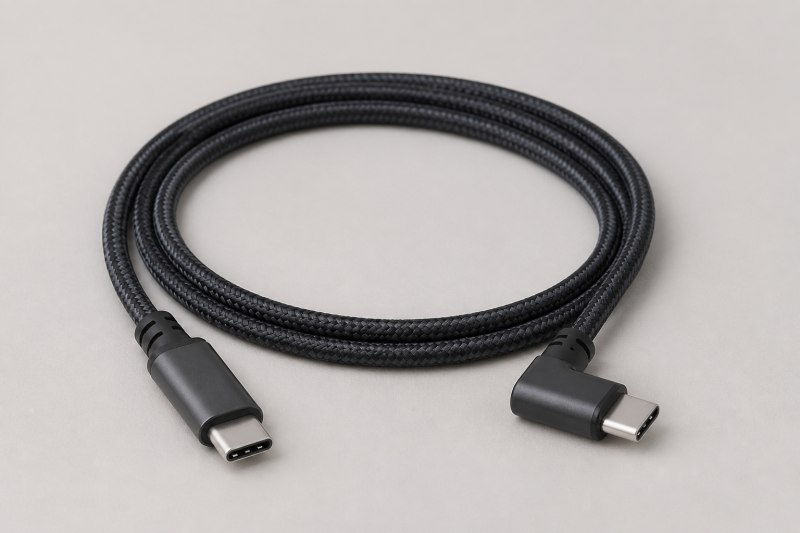
A straight USB-C plug sticking out of a handheld, or a laptop wedged against a couch arm, puts constant side load on the port. A 90-degree connector routes the cable flat against the device instead, and pairing that shape with a 240W-rated USB-C to USB-C cable means the same cable can also cover a laptop charger. This roundup covers ten right-angle, USB-C to USB-C cables that each carry an explicit 240W rating on their own Amazon listing.
None of these cables have a separate manufacturer spec sheet published outside their Amazon listing, so every spec below traces back to what the brand itself wrote in that listing’s title and bullet points. Where a listing’s documentation is thin, we say so in that product’s pros and cons instead of filling the gap with a guess.
Key Takeaway: A 240W rating on the packaging only means the cable can carry that much power. Your charging speed still depends on your USB-C charger and your device’s own maximum input, and a “240W-rated” cable is not automatically capable of high-speed data or video, several below are charging-only.
Quick Picks
- Best documented durability claim: Silkland 5FT Monitor Cable, rated by Silkland for 45,000 bend cycles with an aluminum shell.
- Best for data and display in one cable: Cuntech 3.3FT USB4 Cable, documented for 40Gbps transfer and 8K/4K video output.
- Best for tracking charging status at a glance: VisionSync 4FT Cable, with an inline display showing real-time charging power.
- Best for replacing a charger and a data cable at once: AINOPE 10FT 3-in-1 Cable, shipped with a USB-A adapter attached.
- Best from a name-brand maker with a stated warranty: Anker 6FT 2-Pack, backed by Anker’s stated 24-month warranty.
- Best for the tightest space behind a desk or outlet: XAOSUN 1.6FT Cable, the shortest cable in this group.
Comparison Table
| Image | Product | Details | Check Price |
|---|---|---|---|
 | Anker 240W Right-Angle USB-C Cable (2-Pack, 6FT) | Length / pack: 6ft; 2-pack Power: 240W Clearance: Up to 3mm phone case; heavy or bulky cases not recommended Durability / warranty: >10,000 bends; 24-month warranty | Check Price on Amazon |
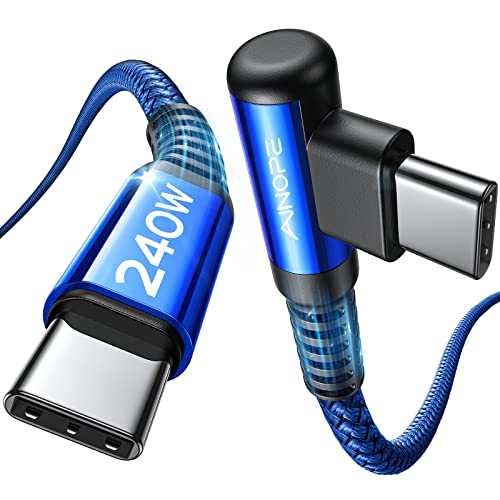 | AINOPE 240W High-Speed Right-Angle USB-C Cable (10FT, Blue) | Length / design: 10ft; right-angle design Power: 240W Construction: Nylon braided Data / durability: Not stated in packet | Check Price on Amazon |
 | AINOPE 240W Right-Angle USB-C Cable (10FT, Black) | Length / design: 10ft; right-angle design Power: Up to 240W; PD 3.0/PD 3.1 and QC 3.0 listed Data / video: USB 2.0; 480Mbps; no USB 3.0/4K Durability: 40,000 bends; 175 lbs tensile strength | Check Price on Amazon |
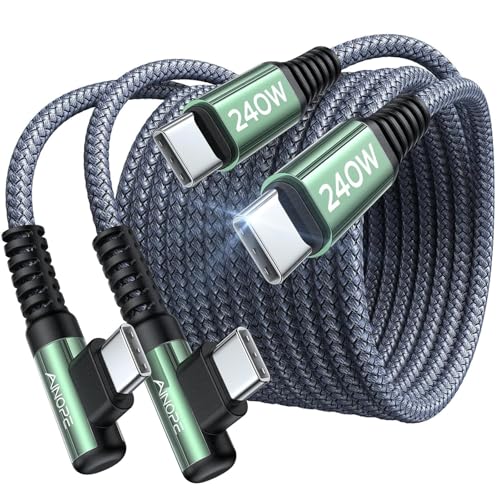 | AINOPE 240W Chubby Right-Angle USB-C Cable (6.6FT, 2-Pack) | Length / pack: 6.6ft; 2-pack Power / design: 240W; right-angle USB-C to USB-C Additional listing detail: No feature bullets retained in packet | Check Price on Amazon |
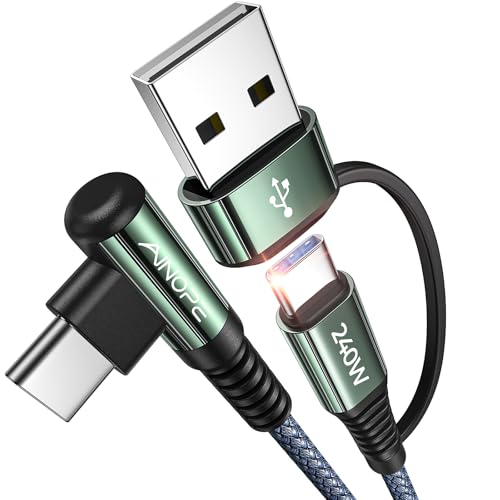 | AINOPE 240W 3-in-1 Right-Angle USB-C Cable with Adapter (10FT) | Length / adapter: 10ft; USB-A adapter included Power / design: 240W USB-C to USB-C; right-angle design Charging control: Super E-Mark chip; trickle mode after 80% stated Durability: 40,000 bends; laser-welded joints | Check Price on Amazon |
 | VisionSync 240W Right-Angle USB-C Cable with Display (4FT, 2-Pack) | Length / pack: 4ft; 2-pack Power: 240W (48V/5A); USB PD 3.1 Data / video: USB 2.0; no video output Display / durability: Real-time charging display; 40,000+ bends | Check Price on Amazon |
| Cuntech 240W Right-Angle USB4 Cable (3.3FT, 2-Pack) | Length / pack: 3.3ft; 2-pack Power: 240W PD 3.1; 28V/140W, 36V/180W, 48V/240W Data: 40Gbps USB4; Thunderbolt 3/4 compatibility listed Video: 8K/5K/4K output; DisplayPort Alt Mode required | Check Price on Amazon | |
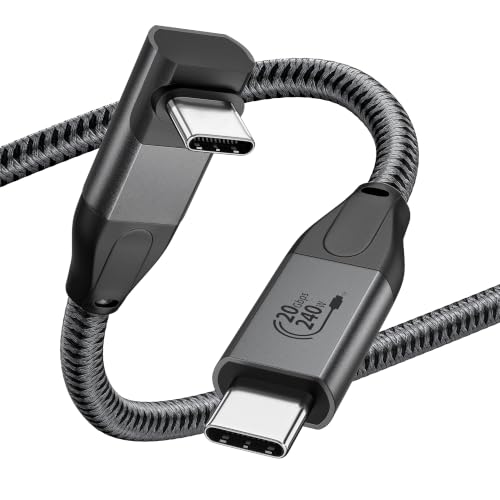 | XAOSUN 240W Right-Angle USB-C Video Cable (1.6FT) | Length / design: 1.6ft; 90-degree right-angle cable Power: Up to 240W; 180W/140W/100W/60W compatibility listed Data / video: 20Gbps USB 3.2 Gen 2; 4K@60Hz Compatibility: Thunderbolt 3; DisplayPort Alt Mode caveat | Check Price on Amazon |
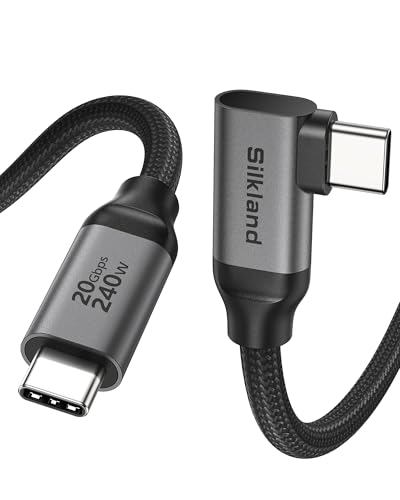 | Silkland 240W Right-Angle USB-C Monitor Cable (5FT) | Length / power: 5ft; 240W (48V/5A) Data: USB 3.2 Gen 2; 20Gbps Video: 8K@30Hz, 5K@60Hz, 4K@144Hz; DisplayPort Alt Mode required Durability / warranty: 45,000 bends; 2-year warranty | Check Price on Amazon |
| Silkland 240W Right-Angle USB-C Monitor Cable (3.3FT) | Length / power: 3.3ft; 240W (48V/5A) Data / video: USB 3.2 Gen 2x2 at 20Gbps; 4K output listed Construction: Aluminum shell; about 86% tinned copper Durability / warranty: 45,000 bends; 2-year warranty | Check Price on Amazon |
1. Anker 240W Right-Angle USB-C Cable (2-Pack, 6FT)
Anker’s listing describes this as a braided 6-foot right-angle USB-C to USB-C cable sold as a 2-pack, rated for 240W. Anker states the cable is compatible with phone cases up to 3mm thick and notes it is not recommended for heavy or bulky cases, a more conservative clearance figure than most of this list. Anker rates the braided cable at over 10,000 bends, and states it can bring an iPhone 15 Pro to 57 percent or a MacBook Air 15-inch (M2) to 44 percent in 30 minutes with an appropriately rated charger, figures Anker frames as an illustration rather than a guarantee. Anker backs the pack with a stated 24-month warranty and customer service.
Our Take
The only cable here from a brand most buyers already recognize, and Anker is specific about both the case-thickness limit and the warranty term, details often vague or missing on the smaller listings.
- Anker backs the 2-pack with a stated 24-month warranty and customer support, longer than most other listings here mention.
- Anker gives a concrete charging example (iPhone 15 Pro to 57 percent, MacBook Air 15-inch M2 to 44 percent in 30 minutes) rather than only the maximum wattage.
- A 2-pack includes a spare if one cable end wears out first, without a second purchase.
- At 6 feet, shorter than the 10-foot AINOPE cables here if you need to reach across a room.
- Anker states the case-clearance limit at 3mm and advises against heavy or bulky cases, so check your case thickness if you charge through one.
2. AINOPE 240W High-Speed Right-Angle USB-C Cable (10FT, Blue)
AINOPE’s listing for this blue 10-foot cable is short on detail: it states “240W super fast charging,” a right angle design, a “10ft comfortable size,” nylon braiding, and general compatibility with USB-C devices. AINOPE does not publish a bend rating, an E-Mark chip claim, or a data-transfer speed for this listing the way it does for its better-documented cables here.
Our Take
The core claims, 240W, right angle, 10 feet, nylon braid, line up with AINOPE’s better-documented cables, but this listing publishes less supporting detail. Don’t assume the bend-rating or E-Mark claims from AINOPE’s other listings carry over.
- AINOPE states the same 240W rating and 10-foot length as its better-documented cables.
- Nylon braiding is stated in the listing, which generally resists fraying better than a bare rubber jacket over time.
- The blue colorway distinguishes this cable from a black or grey one in a shared setup.
- AINOPE’s own listing publishes no bend-cycle rating, tensile strength figure, or E-Mark chip claim.
- No data-transfer speed is stated, so treat it as a charging cable first rather than assuming a USB data rate.
3. AINOPE 240W Right-Angle USB-C Cable (10FT, Black)
This is a separate AINOPE listing documenting essentially the same specification as the first AINOPE entry: a 10-foot cable rated for 240W with PD 3.0/3.1 and QC 3.0 support, a built-in E-Mark chip, a 40,000-bend lab rating, and 175 lbs of stated tensile strength, sold here in black. AINOPE again states USB 2.0 rather than USB 3.0, so no high-speed data transfer or external video output, and again notes compatible phone-case thickness tops out around 5.5mm.
Our Take
If you already compared the blue AINOPE 10-foot cable here, this listing documents the same specs in black. Pick whichever color and price suits you.
- AINOPE documents the same 40,000-bend and 175 lb tensile-strength figures as on its other 10-foot listing, a specific durability number instead of a vague claim.
- The black finish matches most laptops and chargers if you want the cable to blend in.
- AINOPE states the E-Mark chip and the same 240W PD 3.0/3.1 and QC 3.0 support as its better-documented cables.
- AINOPE states this is USB 2.0 only, so like the other AINOPE cables here it cannot handle high-speed storage transfers or drive an external display.
- Because this listing overlaps almost entirely with AINOPE’s other 10-foot right-angle cable above, there is little reason to buy both rather than compare price and color.
4. AINOPE 240W Chubby Right-Angle USB-C Cable (6.6FT, 2-Pack)
AINOPE’s listing title identifies a 6.6-foot, 2-pack “Chubby” USB-C to USB-C cable rated for 240W with a right-angle connector. Unlike AINOPE’s other cables here, this listing publishes no bullet-point feature text beyond the title, so there is no separately stated bend rating, E-Mark chip claim, or data-speed figure to cite. The title does state device compatibility for iPhone 16 charger cords, MacBook Pro, iPad, and Samsung Galaxy S25, which we can only take as AINOPE’s own stated claim rather than something independently verified.
Our Take
The “Chubby” naming suggests a thicker jacket than AINOPE’s other listings, but AINOPE does not spell out what that means in measurable terms. Treat this as a 240W, right-angle, 2-pack option and confirm durability or data-speed questions on the live listing, since the documentation is limited to the title.
- A 2-pack includes a backup without a second purchase, useful if you keep one at a desk and one in a bag.
- At 6.6 feet, it splits the difference between AINOPE’s shorter and longer listings, which may suit a nightstand or car charging setup.
- AINOPE’s title states the same 240W right-angle spec that anchors every cable here, at a per-cable price a 2-pack often makes competitive.
- AINOPE’s listing provides no feature bullets beyond the title, so there is no bend rating, E-Mark chip claim, or data speed to evaluate here.
- Because the device-compatibility list (iPhone 16, MacBook Pro, iPad, Galaxy S25) comes only from the listing title, confirm your own device and charger against the live listing.
5. AINOPE 240W 3-in-1 Right-Angle USB-C Cable with Adapter (10FT)
AINOPE describes this 10-foot, grey cable as a “3-in-1” package: a USB-C to USB-C cable rated for 240W, plus an included USB-A adapter that AINOPE states turns it into a USB-A to USB-C charging option. AINOPE states a “Super E-Mark” chip that adjusts voltage and current to the connected device and detects an 80 percent charge point to switch into trickle-charge mode. AINOPE markets the 90-degree “L” shaped connector as reducing strain associated with “gamer’s thumb” during extended handheld charging, and pairs the cable with a Velcro strap for coiling the extra length. AINOPE states the cable passed a 40,000-bend lab test using laser-welded joints and a double-braided nylon jacket.
Our Take
The only cable here that AINOPE frames specifically around extended handheld gaming comfort, and the USB-A adapter is a genuine two-in-one if you still own older USB-A chargers.
- AINOPE markets the right-angle grip as reducing “gamer’s thumb” strain during extended handheld charging, the most directly gaming-focused language of any cable here.
- The included adapter means one purchase covers both a USB-C to USB-C and a USB-A to USB-C connection, useful if your charger or power bank still uses USB-A.
- AINOPE states a 40,000-bend rating with laser-welded joints, plus a Velcro strap for managing the 10-foot length.
- AINOPE’s listing states no data-transfer speed, so treat it as charging-focused rather than a data or display cable.
- The bundled adapter adds bulk near the connector, worth considering if your outlet or power strip has tightly spaced ports.
6. VisionSync 240W Right-Angle USB-C Cable with Display (4FT, 2-Pack)
VisionSync’s listing describes a 4-foot, 2-pack right-angle USB-C to USB-C cable rated for 240W (48V/5A) over USB PD 3.1, with a 90-degree connector on one end. The standout documented feature is a built-in display that VisionSync states shows real-time charging power level and status, though VisionSync notes the display only shows charging power and does not itself change the actual charging current. VisionSync states 40,000-plus bend testing, zinc alloy connectors, and laser-welded joints, wrapped in reinforced nylon braiding. VisionSync is explicit that this is a USB 2.0 cable with no video output, and describes the right-angle design as comfortable “to play games, watch videos and read e-Books while charging.”
Our Take
The inline charging-power display is a distinct feature among these ten cables, useful for a quick check that a wall charger or power bank is delivering meaningful wattage rather than trickle charging.
- VisionSync states a built-in display shows real-time charging status and power level, a feature none of the other ten cables document.
- VisionSync’s listing describes the right-angle shape as comfortable for gaming, video, and reading while charging, matching this roundup’s handheld use case.
- VisionSync states a 40,000-plus bend rating with zinc alloy connectors and laser-welded joints, backed by a stated 24-month warranty.
- At 4 feet, one of the shorter cables here, which may not reach a wall outlet from a couch or bed.
- VisionSync states this is a USB 2.0 cable that does not support video output, so it cannot substitute for a USB-C display cable.
7. Cuntech 240W Right-Angle USB4 Cable (3.3FT, 2-Pack)
Cuntech, listed under the manufacturer name Cunyu Technology, documents this 3.3-foot, 2-pack right-angle cable as combining 240W PD 3.1 charging with 40Gbps data transfer, stating compatibility with Thunderbolt 3 and 4 devices and backward compatibility down through USB 3.2, 3.1, 3.0, and 2.0. Cuntech states support for USB PD 3.1’s Extended Power Range tiers, listing 28V/140W, 36V/180W, and 48V/240W. On video, Cuntech states single 8K@60Hz, 5K@60Hz, or 4K@144Hz output, or dual 4K@60Hz, with the explicit caveat that both connected devices must support DisplayPort Alt Mode. Cuntech states an aluminum alloy connector housing for heat dissipation, wrapped in a nylon braid rated for more than 20,000 bends.
Our Take
The one to reach for if you want a single short cable that can move large files fast or drive an external display, provided both ends support the modes Cuntech lists.
- Cuntech documents both 40Gbps data transfer and up to 8K video output on one cable, the widest feature set here beyond charging alone.
- Cuntech explicitly lists the USB PD 3.1 Extended Power Range voltage tiers, a clearer picture of how the cable steps up to its full rating than most listings here provide.
- A 2-pack at 3.3 feet each suits keeping one short cable at a desk and one in a travel bag.
- Cuntech notes video output only works when both the source device and the display support DisplayPort Alt Mode, so the video and 40Gbps claims will not apply to every laptop, dock, or handheld.
- At 3.3 feet, one of the shorter cables here, which limits reach if you charge from across a room rather than at a desk.
8. XAOSUN 240W Right-Angle USB-C Video Cable (1.6FT)
XAOSUN’s listing describes a compact 1.6-foot right-angle USB-C cable, the shortest in this roundup, rated for up to 240W charging with stated compatibility down to 180W, 140W, 100W, and 60W chargers. XAOSUN states the cable is built to USB 3.2 Gen 2 specification with a 20Gbps transfer rate and supports 4K@60Hz video output over a Thunderbolt 3 port, with the same DisplayPort Alt Mode caveat. XAOSUN’s listing names handheld gaming devices, stating the right-angle design is “perfect for macbook, tablet, phone, [Steam Deck], [ROG Ally].” XAOSUN states laser-welded connectors and a stated 1-year warranty, shorter than the 2-year terms some other cables here state.
Our Take
The cable to reach for when the port sits in a tight spot, a cramped power strip, a car charging port, or next to a handheld’s grip, since it leaves almost no slack.
- XAOSUN’s own listing names Steam Deck and ROG Ally directly, the most explicit handheld-gaming device naming in this roundup.
- At 1.6 feet, by far the shortest cable here, ideal for a cramped power strip, a car port, or a handheld’s grip without excess cable.
- XAOSUN documents a 20Gbps USB 3.2 Gen 2 data rate and 4K@60Hz video output alongside the 240W charging rating, multi-use value in a small package.
- The 1.6-foot length is too short for general charging across a room, and works comfortably only when charger and device sit close together.
- XAOSUN’s stated warranty term is 1 year, shorter than the 2-year terms Anker, VisionSync, and Silkland state for their cables in this roundup.
9. Silkland 240W Right-Angle USB-C Monitor Cable (5FT)
Silkland markets this 5-foot cable around external-display use, stating support for 8K@30Hz, 5K@60Hz, 4K@144Hz, and 1080p@240Hz output, and lists compatibility with named USB-C monitors including several Dell and HP models, again with the caveat that both laptop and monitor need DisplayPort Alt Mode support. Silkland states USB 3.2 Gen 2 spec at 20Gbps for data transfer and rates charging at up to 240W (48V/5A). Silkland states the cable passed 45,000 bend tests, the highest bend figure documented here, with an aluminum shell and what Silkland describes as 86 percent tinned copper conductors for reduced interference. Silkland states a built-in E-marker chip and a stated 2-year warranty.
Our Take
Between the 45,000-bend rating, the aluminum shell, and the documented 8K/5K/4K video support, this is the most heavily specified cable here on paper, a fit if your setup mixes handheld charging with a laptop-to-monitor connection.
- Silkland states 45,000 bend cycles, the highest documented durability figure here, paired with an aluminum shell and tinned copper conductors.
- Silkland documents a wide range of supported display resolutions (8K@30Hz down through 1080p@240Hz) plus a named compatibility list of specific Dell and HP USB-C monitors.
- Silkland states a 2-year warranty with an 18-hour support response commitment, among the more specific service terms in this roundup.
- Silkland’s listing notes charging a phone through a case requires the case under roughly 2.5mm thick and a charger supporting PD 3.1, tighter than several other cables here state.
- The monitor-specific marketing means this listing is positioned around display use, so if you only need a charging cable, the simpler cables here may be a more direct fit.
10. Silkland 240W Right-Angle USB-C Monitor Cable (3.3FT)
This is Silkland’s shorter, 3.3-foot version of the cable above, documenting largely the same specification set: USB 3.2 data transfer Silkland describes here as Gen 2×2 at 20Gbps, support for 4K@60/30Hz and 1080p output on compatible portable monitors, 240W (48V/5A) charging, a 45,000-bend rating, an aluminum shell, roughly 86 percent tinned copper conductors, a built-in E-marker chip, and a stated 2-year warranty. Silkland’s feature bullets for this listing lean toward external SSDs, hubs, and docking stations (naming Samsung, SanDisk, and WD) rather than large external monitors, alongside the same portable-monitor compatibility Silkland states for its 5-foot cable.
Our Take
If Silkland’s 5-foot cable is longer than your setup needs, this 3.3-foot version documents the same durability and charging figures, positioned toward external drives and docks rather than only monitors.
- Silkland states the same 45,000-bend rating, aluminum shell, and tinned-copper construction as its 5-foot cable, in a shorter length that suits a tighter desk setup.
- Silkland’s listing names external SSD brands (Samsung, SanDisk, WD) as tested-compatible for data transfer, useful if you also connect external storage.
- The same stated 2-year warranty and 18-hour support commitment as Silkland’s longer cable carries over to this listing.
- At 3.3 feet, reach is limited across a desk or room, similar to the shorter Cuntech and XAOSUN cables here.
- Silkland’s own data-speed language differs between this listing (Gen 2×2) and its 5-foot cable (Gen 2), so confirm the exact figure on the live listing if that spec affects your use.
Buying Guide
Why the Right-Angle Connector Matters for Handhelds and Tight Setups
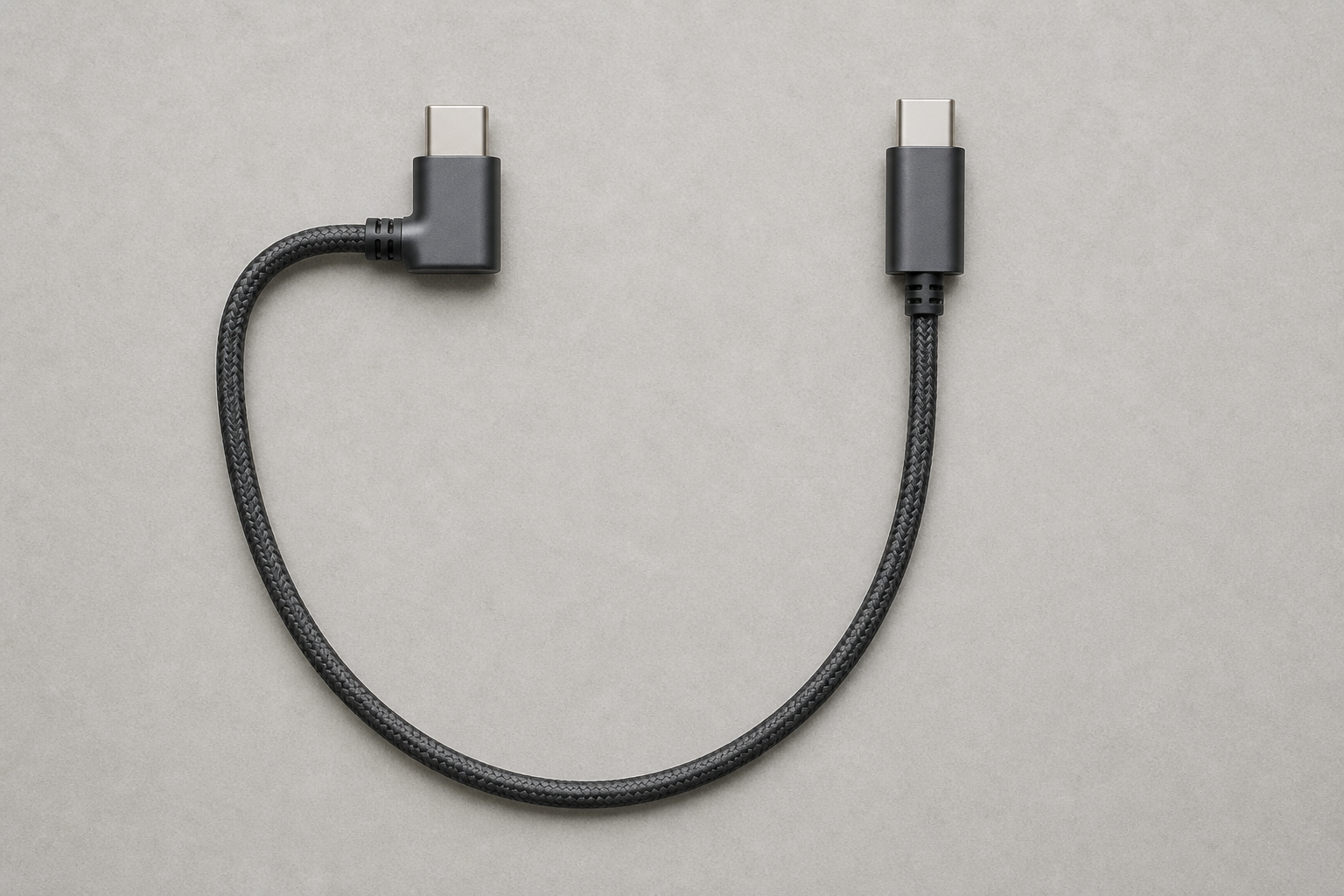
Repeated flexing at that exact point is one of the more common ways a USB-C port loosens over time. A 90-degree connector routes the cable flat against the back or side of the device instead. AINOPE, VisionSync, and XAOSUN all market the angle as making it more comfortable to hold and play a game while the cable stays plugged in.
The tradeoff is that a right-angle head is a fixed shape, not an adjustable one. It solves strain in one direction (the direction the elbow points) and does nothing for strain from the opposite side, so the port on your wall charger, power strip, or dock still counts. If your outlet or USB-C power bank forces the cable to bend immediately the other way, a right-angle plug can occasionally make routing harder rather than easier, so check it against your actual setup before buying.
Confirm the 240W / PD 3.1 Power Path Before You Buy
Every cable here carries an explicit 240W rating from its manufacturer, but a 240W-rated cable is only one link in a chain that also includes your wall charger, your device’s own maximum input, and, for charging through a case, the clearance around the port. Anker, AINOPE, and Silkland state that the cable’s 240W ceiling requires a charger that itself supports USB PD 3.1’s Extended Power Range, and that a lower-wattage charger simply charges at its own rate.
Cuntech is the most specific of these manufacturers, stating the exact PD 3.1 Extended Power Range voltage tiers (28V/140W, 36V/180W, 48V/240W) that a compatible charger steps through. AINOPE and Anker instead give example charging results for specific devices as a proxy for real-world speed. Neither approach tells you exactly what your own laptop or handheld will draw, since that number comes from your device’s own charging controller, not the cable.
USB 2.0 Data-Only vs USB 3.2/USB4 Video-Capable Cables
The charge-only versus data-capable distinction matters if you plan to use the cable for anything besides a wall charger. AINOPE’s cables and Anker’s cable are explicitly stated as USB 2.0, meaning they carry charging power and basic low-speed data (AINOPE states 480Mbps) but cannot drive an external monitor or move large files quickly from an external drive.
At the other end, Cuntech, XAOSUN, and both Silkland cables document USB 3.2 or USB4-class data speeds (20Gbps for the USB 3.2 cables, 40Gbps for Cuntech) alongside video output from 4K up to 8K depending on the listing. Every one of these manufacturers attaches the same caveat to video output: both the source device and the display need to support DisplayPort Alt Mode over USB-C.
For charging a handheld or phone alone, the USB 2.0 cables here do the job without paying for data or video you won’t use. To also plug the same cable into an external SSD, a dock, or a portable monitor, the higher-spec USB-C cables from Cuntech, XAOSUN, and Silkland document that support.
Cable Length and Pack Size for Your Setup
Length here ranges from XAOSUN’s compact 1.6-foot cable up to the two 10-foot AINOPE cables, with most of the rest between 3.3 and 6.6 feet. A short cable under 4 feet (XAOSUN, Cuntech, Silkland’s 3.3-foot version) leaves almost no slack, which suits a cramped power strip, a car charging port, or a handheld in a stand near the outlet. A longer cable at 6 feet and up (Anker, the AINOPE Chubby cable, both 10-foot AINOPE cables) fits charging from a couch or bed across the room.
Several listings sell as a 2-pack rather than a single cable: Anker, the AINOPE Chubby cable, VisionSync, and Cuntech all include two in the box. Factor that into a price comparison against a single-cable listing, since it gives you a spare or a second location, desk and bag for example, without a separate purchase later.
Durability Claims: Bend Ratings, Braiding, and Connector Materials
Several manufacturers here publish a specific bend-cycle rating as their durability claim: AINOPE states 40,000 bends on two of its listings, Cuntech states 20,000, VisionSync states 40,000-plus, and both Silkland cables state 45,000, the highest in this group. The AINOPE blue cable and the AINOPE Chubby 2-pack publish no bend rating at all, which doesn’t mean they are less durable, only that the figure isn’t documented on those listings.
Nylon braiding, mentioned on the AINOPE, Anker, Cuntech, and VisionSync listings, is generally a more fray-resistant jacket than bare rubber over daily use, though none of these listings publish an independent comparison between their own braided jacket and a plain rubber-jacketed cable.
Case and Port Clearance With a Right-Angle Head
If you charge a phone or handheld through a protective case, the thickness of that case at the charging port determines whether a right-angle connector, which sits flush against the device, can seat fully. AINOPE states a compatible case thickness around 5.5mm at the port on several listings, Anker a tighter 3mm limit with an explicit warning against heavy or bulky cases, and Silkland roughly 2.5mm for its charging-speed claims to hold. These figures are not interchangeable between brands, so match the number against your own case.
A right-angle connector also sits closer to the surrounding device housing than a straight plug does, so a raised bezel, a thick bumper case, or a grip attachment on a handheld can sometimes block the elbow from seating fully even when the case-thickness figure alone looks fine. Checking the product photos on the listing, alongside the case thickness the brand states, confirms fit more reliably than the number by itself.
FAQ
Will a right-angle 240W cable damage my phone or laptop’s charger?
No, a higher cable rating is safe with a lower-wattage charger. USB Power Delivery negotiation happens between the charger and the device, and the cable is simply the ceiling that connection is allowed to reach. AINOPE, Anker, and Silkland each describe a built-in E-Mark or E-marker chip whose job is to identify the charger and device and manage voltage and current accordingly.
The concern runs the other way, toward an unrated cable in a high-wattage chain. That combination is the one that raises safety questions, not a high-rated cable on a small charger. Every cable here carries an explicit 240W rating from its manufacturer.
Can these cables also transfer data and video, or just charge?
It depends entirely on which cable you pick. The AINOPE cables and the Anker cable are documented as USB 2.0, meaning they handle charging and only slow, basic data, with no display support at all.
The higher-spec cables document real additional capability:
- Cuntech states 40Gbps USB4-class transfer and up to 8K video output, the widest feature set here.
- XAOSUN states 20Gbps USB 3.2 Gen 2 data transfer with 4K@60Hz video output.
- Silkland’s 5-foot cable states 20Gbps transfer with support up to 8K@30Hz, 5K@60Hz, or 4K@144Hz.
- Silkland’s 3.3-foot cable states 20Gbps Gen 2×2 transfer with 4K support geared toward portable monitors and external drives.
Video output still depends on both connected devices. Every one of these higher-spec listings requires both the source device and the display to support DisplayPort Alt Mode over USB-C, so confirm that on your own hardware.
Do right-angle cables work with thick phone cases or Steam Deck/ROG Ally grips?
Case clearance varies by product, so check it before buying. AINOPE, Anker, and Silkland each state a different compatible case thickness at the charging port, listed brand by brand in the buying guide above. Those numbers come from each brand’s own listing, not independent testing, and are not interchangeable.
For a handheld, elbow direction remains the unresolved fit detail. XAOSUN’s listing is the most direct, naming Steam Deck and ROG Ally as devices the right-angle shape suits. AINOPE’s 10-foot cables and 3-in-1 cable, and VisionSync’s cable, describe the head as comfortable for playing games and reading while charging, without naming handheld models. None of the ten listings publish a diagram showing which direction the elbow points, so if your charging port sits in an unusual spot, the product photos on the live listing confirm fit more reliably than the description.
Is 240W overkill for a handheld like a Switch or Steam Deck?
For a handheld alone, 240W is usually more headroom than you need. Most handheld consoles charge from a wall adapter well under 240W, so the cable’s rating isn’t the bottleneck for that device. The reason to buy one anyway is versatility:
- A cable rated at the top of the USB-C Power Delivery range works with any lower-wattage charger and device too, since the cable’s rating is a ceiling, not a requirement.
- The same cable can double as your laptop charging cable if that laptop draws closer to 100W or more.
- Several cables here (Cuntech, XAOSUN, both Silkland cables) also carry data or video capability beyond charging, so the 240W rating often comes bundled with a cable you’d want for other reasons.
Buy a 240W cable for future laptop headroom, not because a handheld demands it. If a handheld is the only thing you will ever plug it into, a lower-wattage cable would suffice. The 240W rating mainly buys headroom for whatever else you connect later, plus the right-angle comfort this roundup is built around.
How do I know a cable actually supports the full 240W rating?
Start with the manufacturer’s declared rating on the exact listing. That is the only figure tracing back to the brand rather than a third party. Cuntech’s listing is the most transparent, spelling out the PD 3.1 Extended Power Range voltage tiers a compatible charger steps through to reach the full rating.
Then check the complete charging chain:
- Use a charger that itself supports PD 3.1 Extended Power Range. A cable rated for 240W cannot exceed what your charger delivers.
- Check whether the cable includes a charging-status display, like VisionSync’s cable here, which lets you confirm the power level a session actually reaches.
- Confirm your device’s own maximum charging input. No cable or charger will push a device to draw more than its own charging controller allows.
Final Word
If you’re buying primarily to protect a handheld’s port during long charging sessions, start with how each brand frames gaming comfort: XAOSUN names Steam Deck and ROG Ally directly, AINOPE’s 3-in-1 cable markets reduced grip strain, and AINOPE’s and VisionSync’s other cables describe general gaming comfort without naming a device. From there, match length to your setup (short for a tight power strip or car charger, long for a couch or bed), and decide whether you need the USB 2.0 charging-only cables or the USB 3.2/USB4 cables from Cuntech, XAOSUN, and Silkland that also handle data or an external display. Whichever you land on, confirm price, stock status, and your exact case or grip clearance on the live Amazon listing before you buy, since every clearance number above is specific to that one product.