A laptop webcam privacy cover gives you a physical way to close the built-in camera between calls without changing the computer. For a shared office, thickness is only one factor. The cover also has to fit the bezel, clear the screen when the lid closes, and open easily when the next call begins.
The seven active listings here include adhesive slides, multi-size packs, and a clip-on option with no adhesive. Check the camera location, bezel shape, screen protector, and laptop generation before choosing. A cover is distinct from a screen privacy filter, which limits the viewing angle of the display rather than closing the camera.
Start with the laptop bezel and lid clearance, then choose a single thin slide, a varied multi-pack, or a removable clip that does not use adhesive.Best Laptop Webcam Privacy Covers Compared
| Image | Product | Details | Check Price |
|---|---|---|---|
 | CloudValley KZ-02 Webcam Cover Slide | Best fit: Thinnest metal slide Thickness: 0.023 inches, 0.6mm Material: Space aluminum alloy Pack: 2 covers | Check Price on Amazon |
 | California JOS Super Package Webcam Cover Slide | Best fit: Multi-size pack Thickness: 0.03 inches Sizes: 3 large ovals, 3 medium rectangles, 3 standard ovals Pack: 9 covers | Check Price on Amazon |
 | Gadget Ray Clip-On Webcam Cover | Best fit: No-adhesive option Attachment: Slide-on clip, no adhesive Fit: Standard bezels and slim devices Pack: 4 covers | Check Price on Amazon |
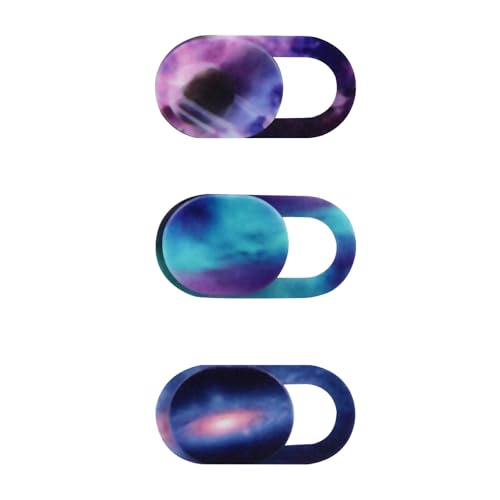 | Cuxnoo B0DGXXWKH5 Webcam Cover Slide | Best fit: Micro camera fit Thickness: 0.7mm Size: 0.7 by 0.35 by 0.026 inches Pack: 3 covers | Check Price on Amazon |
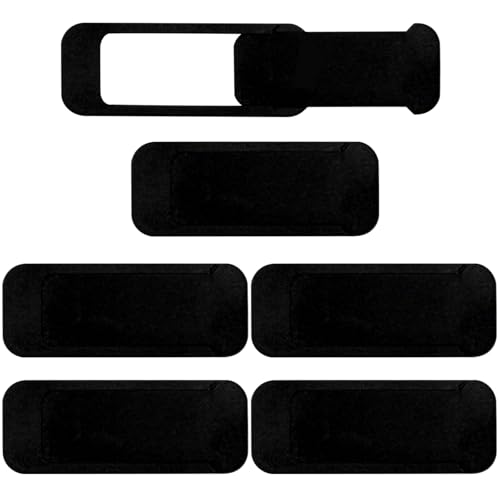 | Brvlsoc BC0107 Webcam Cover Slide | Best fit: Extra-large six-pack Attachment: Adhesive slide Compatibility: Not suitable for full-screen or curved devices Pack: 6 covers | Check Price on Amazon |
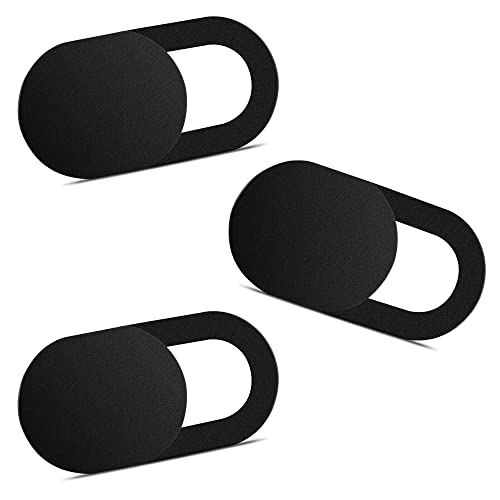 | Yilador YL0211172803 Webcam Cover Slide | Best fit: Explicit compatibility warnings Thickness: 0.027 inches Compatibility: Not for post-2023 MacBooks or protruding cameras Pack: 3 covers | Check Price on Amazon |
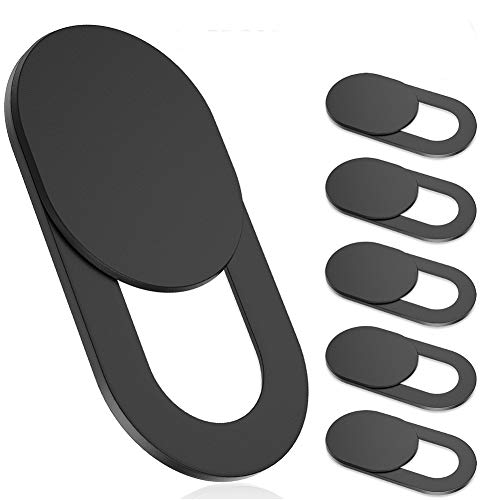 | Toojcc ysg-model-6b Webcam Cover Slide | Best fit: Thin-bezel clearance Thickness: 0.022 inches Material: Flexible ABS Pack: 6 covers | Check Price on Amazon |
1. CloudValley KZ-02 Webcam Cover Slide — Best Thinnest Metal Slide
When a thin metal slide is the goal, CloudValley’s KZ-02 is a two-pack made from space aluminum alloy. Its listing states a 0.023-inch, or 0.6mm, thickness and says the cover does not interfere with closing the laptop or device. Only Toojcc’s six-pack states a thinner profile.
The listing names MacBook, HP, Dell, Asus, Acer, Lenovo, all-in-one PCs, iPad, Surface Pro, Galaxy Tab, Fire HD, and Google Pixel Tablet compatibility examples. Installation is stated as aligning the cover over the webcam, attaching it, and pressing for 15 seconds. It also says the cover does not interfere with the indicator light.
The stated 0.023-inch metal body is the reason to choose CloudValley when lid clearance is the first concern. Our TakeBuy the CloudValley KZ-02 when you want the thinnest stated metal slide and only need two covers. Its listing names a 0.023-inch profile, broad device examples, and a simple 15-second attachment process. Confirm the camera bezel is flat enough for an adhesive slide before applying it.
- States a 0.023-inch, 0.6mm ultra-thin profile.
- Space aluminum alloy construction.
- Two covers and an installation guide are named in the package.
- Only two covers are included.
- Uses an adhesive attachment rather than a removable clip.
2. California JOS Super Package Webcam Cover Slide — Best Multi-Size Pack
When coworkers carry different devices, California JOS supplies nine covers in three size and shape groups: three large ovals, three medium rectangles, and three standard ovals. The listing states a 0.03-inch ultra-thin design, so it is slightly thicker on paper than CloudValley and Toojcc but gives more fit options for a shared office or a device drawer.
Its compatibility list includes laptops, smartphones, iPads, MacBooks, tablets, PS4, and all-in-one desktops. The listing says to clean the device camera surface, remove the adhesive tape, align the cover, and press for 15 seconds. It also says the adhesive can be removed without traces.
Three size groups are the practical advantage here when coworkers use different laptops, tablets, or desktop cameras rather than one identical device. Our TakeBuy the California JOS Super Package when one pack needs to cover several camera sizes. The listing gives nine covers split among large, medium, and standard shapes. Pick a thinner single-style option if you have already measured one laptop and do not need the extra sizes.
- Nine covers in three stated size and shape groups.
- States a 0.03-inch ultra-thin design.
- Names removable adhesive without traces.
- The stated 0.03-inch profile is the thickest of any figure stated on this page.
- Uses adhesive rather than a clip-on design.
3. Gadget Ray Clip-On Webcam Cover — Best No-Adhesive Option
If you cannot leave adhesive on shared laptops, Gadget Ray’s slide-on cover clips over the laptop or tablet bezel instead of using tape. The listing states there is zero adhesive, zero tape, and zero residue, and that the flexible material grips the bezel without scratching the screen. It also says the cover slides open or closed and is reusable.
The four-pack is aimed at MacBook Pro, MacBook Air, iPad, Dell, HP, Lenovo, and most standard-bezel laptops and tablets. The listing says the best fit is slim devices used without heavy cases and that the cover is designed for use while the laptop is open, with removal and reattachment in seconds when needed.
Buy the Gadget Ray cover when a reusable, no-adhesive attachment is a higher priority than an ultra-thin fixed slide. The listing gives four flexible clip-on covers for standard bezels. Check that the device has a suitable bezel and plan to remove the cover before closing the laptop if the fit requires it.
- States no adhesive, tape, or residue.
- Reusable slide-on design with four covers.
- Flexible material is stated to grip without scratching the screen.
- Best fit is stated for slim devices without heavy cases.
- The listing says it is designed for use while the laptop is open.
4. Cuxnoo B0DGXXWKH5 Webcam Cover Slide — Best Micro Camera Fit
For a laptop or tablet with a small camera area, Cuxnoo is sized to fit. Its listing gives dimensions of 0.7 by 0.35 by 0.026 inches and says to choose a larger webcam cover if the camera lens is not micro size. It is made of plastic and is stated at 0.7mm thin.
The listing says to remove the backing and stick the cover over the webcam. Compatibility examples include MacBook Pro, MacBook Air, Retina, iPad Pro, iPad Air, and iPad mini, along with most laptops and tablets. The three-pack is for one small camera size, not a mix of sizes.
The stated 0.7 by 0.35-inch footprint makes Cuxnoo the one to consider when the camera space is genuinely small, not merely when you want a general-purpose pack. Our TakeBuy the Cuxnoo when the device has a micro-size camera area and a standard adhesive cover would be too large. Its listing gives an exact small footprint and three covers. Do not choose it without measuring, because the listing itself advises a larger cover for a non-micro lens area.
- States an exact 0.7 by 0.35-inch cover size.
- 0.7mm plastic construction is stated.
- Three covers for a micro-size camera area.
- The listing says to choose a larger cover for a non-micro camera.
- Uses adhesive attachment.
5. Brvlsoc BC0107 Webcam Cover Slide — Best Extra-Large Six-Pack
Brvlsoc supplies six extra-large covers for laptops, tablets, PCs, smartphones, MacBooks, iMacs, and iPads. The listing says the cover has an ultra-thin construction that sits flush without interfering with screen closure, webcam use, or indicator lights. It also names an adhesive backing that slides open and closed.
The key limitation is that the listing says the cover is not suitable for full-screen or curved devices. The cover is a practical bulk choice for conventional bezels, but it does not replace checking whether a modern thin-bezel display has enough flat border around its camera.
Six extra-large covers are useful for several conventional-bezel devices, but the listing’s full-screen and curved-device warning should decide the purchase before pack size does. Our TakeBuy the Brvlsoc BC0107 when you need six extra-large adhesive covers for compatible conventional-bezel devices. Its listing states a flush, slide-open design and broad device examples. Skip it for full-screen or curved devices because the listing explicitly excludes them.
- Six extra-large covers are included.
- States a flush ultra-thin construction.
- Adhesive slide is stated to open and close over the camera.
- Not suitable for full-screen or curved devices according to the listing.
- The listing states no thickness figure.
6. Yilador YL0211172803 Webcam Cover Slide — Best Explicit Compatibility Warnings
Yilador’s listing stands out for naming where its cover should not go. It says the cover is not suitable for MacBooks released after 2023, devices with a protruding front camera, full-screen or notch-style tempered-glass screen protectors, and the rear camera of a phone. A list of exclusions is more useful than a broad compatibility statement when a shared office contains several modern laptop generations.
The listing states three covers at 0.027 inches thick and describes its adhesive application as clean, apply, align, press for 10 seconds, then slide closed. It names laptops, phones, tablets, and desktops among the compatible device categories, subject to the stated exclusions.
Yilador is the careful pick when you need clear exclusion rules, especially for post-2023 MacBooks, protruding cameras, or notch-style tempered glass. Our TakeBuy the Yilador when compatibility warnings are more valuable than a vague universal claim. Its listing gives three 0.027-inch covers and names several device configurations to avoid. Do not use it on a post-2023 MacBook or the other excluded devices named by the listing.
- States a 0.027-inch ultra-thin profile.
- Clear warnings for post-2023 MacBooks and several screen types.
- Three-pack with a stated 10-second press step.
- The listing excludes MacBooks released after 2023.
- The listing excludes protruding cameras and full-screen or notch-style tempered glass.
7. Toojcc ysg-model-6b Webcam Cover Slide — Best Six-Pack for Thin Bezel Clearance
When lid clearance is tight across several shared laptops, Toojcc’s ysg-model-6b is a six-pack with the thinnest stated measurement on this page, 0.022 inches. The listing says the flexible ABS construction is not fragile and will not affect laptop closing or scratch the laptop. Six covers suit a shared office with several compatible devices.
The listing says to keep the screen clean, remove the adhesive backing, align it with the camera, and press for 10 seconds. It names laptop, tablet, computer, Echo Show, MacBook Pro, MacBook Air, iMac, Mac mini, iPad, and iPhone front-camera examples.
Buy the Toojcc ysg-model-6b when you want six covers with the thinnest stated profile in this group. The listing gives 0.022 inches, flexible ABS, and a 10-second adhesive step. Check the exact camera border before applying any adhesive cover to a modern narrow-bezel laptop.
- States a 0.022-inch ultra-thin profile.
- Six flexible ABS covers are included.
- Listing says it will not affect laptop closing or scratch the laptop.
- Uses adhesive attachment.
- The exact camera-border fit needs checking before installation.
Buying Guide
1. Check the camera bezel before buying
Whether any slide can sit flat without covering a sensor, interfering with a lid, or overlapping a screen protector depends on the camera bezel. Measure the flat space around the camera, not only the lens opening. Cuxnoo states a 0.7 by 0.35-inch cover and says to choose a larger option for a non-micro camera area.
Exclusions are as useful as broad compatibility lists. Yilador excludes post-2023 MacBooks, protruding cameras, and full-screen or notch-style tempered glass, while Brvlsoc excludes full-screen and curved devices. Those limits make an exact device check necessary in a shared office with mixed hardware.
Avoid treating one cover as universal just because it comes in a multi-pack. Different bezels need different physical clearances. For other laptop setup components that need the same device-specific checks, see our guides to laptop docking stations and USB-C hubs.
2. Choose adhesive or clip-on deliberately
Adhesive slides stay on the device until removed. CloudValley, California JOS, Cuxnoo, Brvlsoc, Yilador, and Toojcc use an adhesive process in their listings. Most tell you to clean the surface, align the cover, and press it for 10 to 15 seconds.
Gadget Ray is different because it clips over the bezel. Its listing states no adhesive, no tape, and no residue, with a reusable slide-on design. It also says the best fit is a slim device without a heavy case and that the cover is designed for use while the laptop is open.
The better choice is the one that fits how the device is shared. A removable clip uses no adhesive, while a fixed slide can stay aligned on a compatible bezel. For a temporary setup that also needs display privacy, see our guide to laptop privacy screens.
3. Compare thickness with lid clearance
A small difference in thickness can make a difference on a laptop with tight lid clearance. Toojcc states 0.022 inches, CloudValley 0.023 inches, Yilador 0.027 inches, and California JOS 0.03 inches. These figures come from the listings and are not a promise that every laptop lid will close with every cover.
Product materials differ too. CloudValley states space aluminum alloy, Toojcc flexible ABS, and Cuxnoo plastic. The materials are what the listings say, but fit depends on the camera position and the flat bezel.
Do not choose only by the smallest number. A cover must fit the device’s actual camera area and screen edge. Our guide to portable monitors covers another screen-related accessory that needs size and placement checks.
4. Buy the right pack size for the office
Pack size is useful when the office has several compatible devices, but only after the fit is confirmed. California JOS has nine covers in three shape groups, Toojcc and Brvlsoc each have six, Gadget Ray has four, and CloudValley, Cuxnoo, and Yilador each have smaller packs.
A multi-size pack and a multi-unit pack serve different needs. California JOS gives large, medium, and standard shapes, while Toojcc gives six of one stated thin construction. Choose sizes for different devices and duplicate units for a room of similar laptops.
Keep spare covers with the device records, not loose in a communal drawer. The useful office standard is a known fit for each laptop model. For managing the physical desk space around those devices, see our guides to under-desk cable trays and cable management sleeves.
FAQ
Will a webcam privacy cover work on every laptop?
No, webcam covers do not fit every laptop bezel or screen design. Yilador specifically excludes MacBooks released after 2023, protruding front cameras, and full-screen or notch-style tempered glass, while Brvlsoc excludes full-screen and curved devices.
Measure the camera area and check the listing exclusions first. A broad compatibility list is not a substitute for the device-specific warnings.
Are adhesive webcam covers removable?
Some listings say their adhesive covers can be removed. California JOS states that its adhesive can be applied and removed without traces, while Brvlsoc describes its adhesive backing as removable without sticky residue.
Follow the listing instructions for cleaning, alignment, and pressing time. Gadget Ray is the alternative when you want to avoid adhesive entirely.
What is the thinnest webcam cover in this group?
Toojcc has the thinnest stated measurement here at 0.022 inches. CloudValley follows at 0.023 inches, then Yilador at 0.027 inches and California JOS at 0.03 inches.
Thickness is only one part of compatibility. The camera location, bezel, and screen protector decide whether the cover fits safely.
Can a webcam cover block an indicator light?
It depends on the device and cover placement. CloudValley states that its cover does not interfere with the indicator light, and Brvlsoc says its cover sits flush without interfering with indicator lights. The other listings here do not make that statement.
Align the cover only over the camera area. Check the indicator and camera function after fitting before relying on any cover in a shared office workflow.
Should a shared office buy a multipack?
Yes, if the team has several devices with compatible bezels. California JOS gives nine covers in three sizes, and Toojcc and Brvlsoc each give six covers.
Buy a multipack for confirmed fits, not as a generic solution for every laptop. Mixed device generations may need different cover shapes or no adhesive cover at all.
Bottom Line
CloudValley is the thin metal choice, California JOS is the multi-size pack, and Gadget Ray is the no-adhesive option. Choose Cuxnoo for a stated micro camera fit, Brvlsoc for compatible extra-large devices, Yilador when its explicit exclusions match the laptop fleet, or Toojcc for six covers with a stated 0.022-inch profile. Measure the bezel and check every exclusion before installing an adhesive cover.