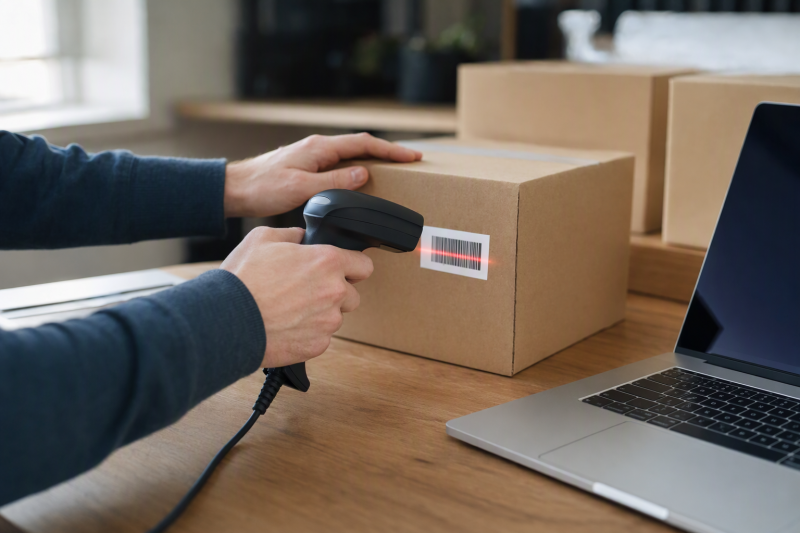
An inventory scanner should put the right code into the right laptop field, every time. The decisive questions are whether your stock labels are 1D bars or 2D squares, whether scans arrive as keyboard input your app accepts, and whether staff need to move away from the desk. Wireless range claims come after that.
These six scanners cover distinct Amazon US inventory-entry options. Their operation with a specific inventory system is not independently verified. A scanner can type into a spreadsheet yet fail a particular retail app’s hardware policy. Check that distinction before buying. If your inventory laptop has limited ports, our USB-C hub guide can help reserve a stable scanner connection.
Test the actual SKU label in your actual inventory field. A successful beep or text scan does not prove that a quantity was saved to the correct stock record.Barcode Scanners Compared
| Image | Product | Details | Check Price |
|---|---|---|---|
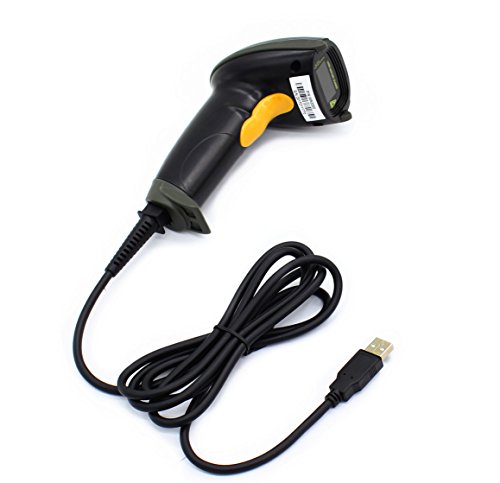 | WoneNice WN3300 | Codes: 1D laser Laptop link: USB cable Screen codes: Not stated Best fit: Printed 1D stock labels | Check Price on Amazon |
 | Eyoyo EY-H2 | Codes: 1D and 2D Laptop link: USB cable Screen codes: Claimed with bright screen Best fit: Mixed printed and QR inventory | Check Price on Amazon |
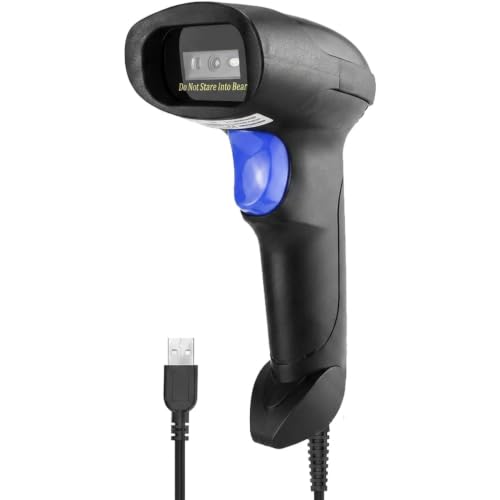 | NetumScan L3 | Codes: 1D CCD Laptop link: USB cable Screen codes: Claimed Best fit: Paper and screen 1D labels | Check Price on Amazon |
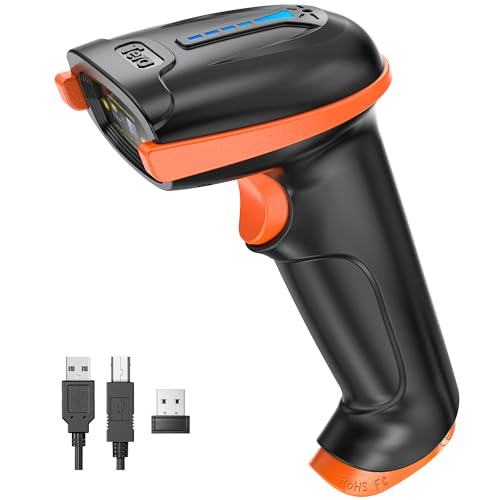 | Tera 5100 | Codes: 1D laser Laptop link: 2.4 GHz receiver or USB cable Screen codes: Not stated Best fit: Wireless printed-code counting | Check Price on Amazon |
 | Inateck BCST-21 | Codes: 1D laser Laptop link: Bluetooth, 2.4 GHz, wired Screen codes: Not stated Best fit: Multi-mode 1D laptop fleet | Check Price on Amazon |
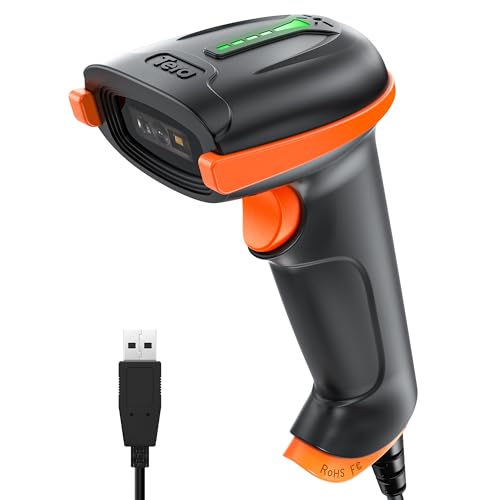 | Tera D5100Y | Codes: 1D and 2D Laptop link: USB cable Screen codes: Claimed Best fit: Wired 2D stock and screen codes | Check Price on Amazon |
1. WoneNice WN3300 — Best Basic Printed 1D Labels
The WN3300 listing describes a USB-wired laser scanner for 1D barcodes such as UPC, EAN, Code 39 and Code 128. This symbol set is enough for many printed shelf and inventory labels, provided the stock system expects keyboard-like code entry. It names Windows, Mac and Linux and a roughly six-foot straight cable. A cable can be welcome for a fixed receiving desk because there is no pairing step or battery to manage.
The seller claims configurable prefixes, suffixes and terminators. Prefix and terminator settings are useful when the inventory app expects an Enter key after each SKU, or needs a prefix to identify scanner input. We have not verified the configuration method or seller’s speed figure. The WN3300 is a laser 1D pick. Its listing does not establish QR/Data Matrix or phone-screen reading. For a shared desk, see our DisplayLink hot-desk guide for stable laptop connections around the scanner.
Our Take Choose WN3300 when every required label is printed 1D and the work happens within cable reach of one laptop. Do not use its broad OS list as proof that your particular inventory software will accept or save a scan.
- Wired USB path avoids batteries and receiver pairing.
- Many printed 1D code families are named.
- Prefix, suffix and termination options are listed.
- No 2D or screen-reading capability is established.
- Work area is limited by the stated cable length.
2. Eyoyo EY-H2 — Best Wired Mixed 1D and 2D
Eyoyo’s EY-H2 is a USB-wired imager described as reading both 1D labels and 2D QR, Data Matrix and PDF417. That broader symbol set makes sense when incoming goods use different suppliers or codes appear on device screens. The listing claims screen scanning if the display is bright enough, plus Windows, Mac, Android and Linux connection. We have not checked each code family or host pairing.
The EY-H2 names more symbol types than the WN3300 or NetumScan L3, but 2D capability is only useful if your software handles the decoded data correctly. A QR code might contain a URL rather than the SKU field your inventory database expects. Test the actual labels, including damaged packaging and a screen at the brightness staff normally use. The seller lists a muting option for quiet counters. Our USB-C docking guide covers a laptop that also runs monitors and other inventory peripherals.
A scanner can read a 2D symbol yet send contents your stock app does not recognize. Inspect the captured string before bulk entry.Our Take EY-H2 is the first model to check for a wired desk with genuinely mixed 1D and 2D labels. Test whether the app accepts the data separately from the advertised barcode coverage.
- Listing names 1D, QR, Data Matrix and PDF417.
- Screen codes are claimed, subject to brightness.
- USB avoids charging and wireless setup.
- Wired range may limit shelf-to-laptop work.
- Reading a 2D code does not prove inventory-app mapping.
3. NetumScan L3 — Best 1D CCD for Paper and Screen
The L3 listing describes a USB CCD reader for 1D codes on paper and screens. It claims support for UPC, EAN, Code 128 and other common linear symbols and offers trigger, auto-sensing and continuous scan modes. That mix may help at a receiving table where barcodes arrive on printed cartons and order screens. It is not a 2D QR reader. Its screen claim applies to 1D codes.
Continuous or auto-sensing mode can reduce trigger presses, but can also send repeated input if a label remains in view. Test the scan mode with the inventory app’s focus and duplicate-handling behavior before using it for a whole pallet. The seller claims damaged-label reading and drop tolerance. Neither was measured here. If staff sometimes use a laptop with only USB-C, our USB-C hub roundup explains the port tradeoff.
Choose the L3 for 1D screen and paper labels; choose a verified 2D model if QR or Data Matrix is required.Our Take NetumScan L3 fits a wired 1D workflow where some codes appear on displays and hands-free scan modes are useful. Verify the mode that prevents double-entry in your stock app.
- CCD 1D reading from paper and screens is stated.
- Trigger, automatic and continuous modes are listed.
- USB connection keeps a fixed desk simple.
- No 2D QR/Data Matrix reading is claimed.
- Hands-free modes need duplicate-entry testing.
4. Tera 5100 — Best Wireless Printed-Code Counting
Tera’s 5100 listing offers a 2.4 GHz USB receiver or wired USB cable for a 1D laser scanner. The receiver and cable combination is a practical arrangement when staff count goods a few steps from the laptop but want a wired fallback for setup or battery trouble. The seller claims a battery-status light, dust resistance and long open-area radio range. Range through racks or busy wireless networks is not independently verified.
It claims support for common printed linear codes, including UPC, Code 128 and Code 39, and says it can read some smudged labels. It does not establish 2D or screen scanning. Test a typical damaged label rather than expecting every torn sticker to work. Check whether the scanner buffers readings when away from the receiver. These listing bullets do not establish that behavior. For a shared laptop station, our hot-desk dock guide helps keep the receiver in a consistent port.
Our Take Tera 5100 is for printed 1D counting within a verified receiver range. Use its USB cable fallback and test every shelf position where scanning will happen.
- Receiver and cable give two connection paths.
- Battery indicator is useful on a counting shift.
- Protective cover and dust-resistance are seller-described.
- Only 1D codes are claimed.
- Actual range and offline buffering were not established.
5. Inateck BCST-21 — Best Multiple Wireless Modes
Inateck lists Bluetooth, 2.4 GHz receiver and wired connection modes for this 1D laser model. The mix of modes can fit a stockroom where one laptop is on a fixed desk and another goes onto a cart. Its seller says Windows, Mac, Linux and mobile systems are supported, with an Inateck Office app for configuration and battery information. Confirm the exact laptop’s pairing mode and keyboard layout before adopting it across machines.
The listing quotes a 2,000 mAh battery and long life under its own usage assumptions. The battery capacity and the life claim do not guarantee a number of shifts in your warehouse. It also makes strong damaged-code claims that should be tested with your printed labels. This model remains a 1D product, and extra radio modes do not add QR or Data Matrix reading. If your inventory workstation also needs a large dashboard, our home-office monitor guide can help plan that display without confusing it with scanner compatibility.
Our Take Choose BCST-21 if the stock codes are definitely 1D and the team benefits from both Bluetooth and receiver options. Verify the app’s scan handling in every connection mode before relying on its battery estimate.
- Bluetooth, receiver and cable modes are listed.
- Configuration app and battery monitoring are described.
- One model may serve different laptop setups.
- No 2D capability is claimed.
- Wireless pairing and app mapping need separate checks.
- Seller battery-life numbers are not field-tested here.
6. Tera D5100Y — Best Wired 2D Screen Codes
D5100Y is a wired 2D USB model, distinct from Tera’s wireless 1D 5100 above. Its listing names 1D codes plus QR, Data Matrix, PDF417 and Aztec, and claims reading from both printed labels and screens. Those capabilities fit a fixed receiving laptop facing varied supplier labels, provided the inventory application understands each decoded value.
The seller also calls out keyboard-language alignment. A scanner’s output can differ from what the app expects if the host keyboard layout and scanner setting disagree. Test letters, punctuation and prefixes in a sample SKU as well as digits. The listing specifically says this model is not compatible with Square POS. Do not mistake general USB input for certified checkout hardware. For a USB-C-only desk, see our USB-C docking guide and leave a dedicated data path for the scanner.
A 2D scanner helps only if the software stores the intended identifier, not a URL or an unparsed product payload.Our Take D5100Y is a useful wired 2D candidate when labels and screen codes vary. Verify keyboard layout and application acceptance with actual stock records before rolling it out.
- 1D and several 2D families are named.
- USB cable avoids battery maintenance.
- Listing explicitly addresses keyboard-language setup.
- Wired reach is limited by its cable.
- Square POS compatibility is explicitly denied.
Buying Guide
1. Start With the Symbol on Your Stock
Examine actual incoming labels and ask whether they are linear 1D bars or 2D squares. UPC, EAN and Code 128 are common 1D families. QR and Data Matrix need a 2D-capable scanner. A 1D laser will not gain 2D reading through a software update. Shopify’s scanner guidance also separates devices by symbol type, though its hardware support list is specific to Shopify’s own workflow.
Read the decoded value into a plain text field before connecting the inventory app. A readable symbol may contain the wrong identifier for your SKU database, such as a supplier URL, serial or batch payload. Check printed and on-screen labels separately. WoneNice and the wireless 1D models do not claim the same screen capability as the 2D Eyoyo and D5100Y models.
2. Test the App’s Keyboard-Wedge Flow
Many USB and Bluetooth scanners present scans as keyboard-like text input, but the app still controls where that text goes. Focus the SKU field, scan a test item, inspect the exact characters and confirm the stock record actually changes. Check whether the app expects Enter, Tab, a prefix or a manual confirmation. The exact WoneNice listing names configurable terminators. Check the other models’ setup in their respective manuals.
Run the test with a normal user account, a duplicate SKU, a missing SKU and the busiest receiving screen. A scan beep is not an inventory transaction. Wireless units add the risk of an out-of-range scan that seems successful at the handle but never reaches the laptop. Keep a reconciliation habit until that path is proven.
3. Pick a Connection for the Physical Count
A fixed receiving desk favors a wired USB scanner if staff stay within cable reach. WoneNice, Eyoyo, NetumScan and D5100Y are wired picks. Tera 5100 adds a USB receiver and cable. Inateck adds Bluetooth as a third mode. Choose wireless only if staff actually scan across shelves and the range survives the building’s racks and other radios.
Check battery charging, receiver storage and what happens during a disconnected scan. Do not equate a claimed open-area range with stockroom coverage. Record the exact connection mode that worked with the laptop and the app. Our USB-C hub guide can help preserve a physical receiver port across desk changes.
FAQ
Can a barcode scanner enter items directly into Excel or a web inventory app?
Often a keyboard-style scanner can type decoded text into the focused cell or field, but text entry alone does not update stock. The spreadsheet formula or web app must recognize the code and submit the intended quantity change. These listings contain broad compatibility claims, not results from a tested inventory workflow.
Try one item, check the exact string, then verify the saved stock record. Test both a valid and an unknown label. If the cursor jumps to the wrong field, inspect suffix and keyboard-layout settings rather than assuming the scanner is defective.
Do I need a 2D scanner if my current labels are all UPC?
Not necessarily. A 1D scanner fits a strictly linear-code workflow and may be simpler if there is no plan to read QR, Data Matrix, phone-screen or supplier 2D labels. WoneNice, NetumScan, Tera 5100 and Inateck are 1D picks here, though NetumScan claims 1D screen reading.
Choose 2D if the actual receiving mix demands it or you have a documented near-term migration. Eyoyo and Tera D5100Y list 1D and 2D families. Even then, confirm that the inventory system maps the encoded data to a stock item rather than storing an unusable string.
Will a wireless scan still count if the laptop is out of range?
Do not assume it will. Radio reach and offline memory are separate features. The exact Amazon listing bullets for Tera 5100 and Inateck do not establish reliable batch buffering for disconnected scans. The handheld may beep, but the laptop application might not receive the code. Test at the farthest actual shelf.
Walk back to the laptop, reconcile the scanned count against the saved entries, and decide whether staff need a wired fallback. If a stockroom needs genuine offline batch collection, buy only after verifying that specific mode and its transfer procedure in the model documentation.
Bottom Line
Match the scanner to the printed or screen code, then prove that the laptop inventory app saves it correctly. Eyoyo EY-H2 and Tera D5100Y cover mixed 1D/2D wired work. NetumScan L3 addresses 1D paper and screen labels. Inateck BCST-21 adds connection flexibility for 1D work. No seller scan-rate or radio-range figure replaces a stock-entry trial.