When laptop charging of at least 96W is a central requirement, the Dell UltraSharp U2725QE is the best Thunderbolt monitor in this frozen slate. It combines a 27-inch 4K panel, Thunderbolt 4 hub functions, 2.5GbE, downstream display routes, and a Dell-stated ceiling up to 140W EPR. Each alternative answers one different need: Dell U3225QE provides the same power class on a larger 31.5-inch 4K screen, U4025QW adds a 39.7-inch 5120 x 2160 workspace, ViewSonic VP2776T-4K offers up to 100W, and ASUS PA32QCV pairs true 6K with up to 96W.
Every wattage is a manufacturer ceiling, not constant draw or guaranteed laptop input. The computer must support the required USB Power Delivery mode, the cable must carry it, and the monitor’s active hub load, power setting, battery state, and system policy can change negotiation. A high-power Thunderbolt monitor may still not replace a workstation’s supplied adapter. See our broader Thunderbolt monitor guide for models where charging is not the primary filter.
Quick picks
- Dell U2725QE: Best 27-inch 4K 140W-class hub monitor.
- Dell U3225QE: Best larger 31.5-inch 4K choice.
- Dell U4025QW: Best 5K2K ultrawide workspace.
- ViewSonic VP2776T-4K: Best 100W 4K daisy-chain branch.
- ASUS PA32QCV: Best true-6K 96W creator option.
Compare high-power Thunderbolt monitors
| Image | Product | Details | Check Price |
|---|---|---|---|
 | Dell UltraSharp U2725QE | Panel: 27-inch 3840 x 2160 Host input: Thunderbolt 4 upstream with DP 1.4/DSC Laptop power: Up to 140W EPR Hub role: 2.5GbE, USB, DP out, downstream TB4 Buyer check: Host EPR, cable, load, and chain matrix | Check Price on Amazon |
 | Dell UltraSharp U3225QE | Panel: 31.5-inch 3840 x 2160; 120Hz ceiling Host input: Thunderbolt 4 upstream Laptop power: Up to 140W EPR Hub role: KVM, 2.5GbE, USB, downstream display Buyer check: Larger panel is not higher resolution | Check Price on Amazon |
 | Dell UltraSharp U4025QW | Panel: 39.7-inch 5120 x 2160 5K2K Host input: Thunderbolt 4 upstream Laptop power: Up to 140W EPR Hub role: KVM, 2.5GbE, USB hub Buyer check: Input/GPU/DSC control native refresh | Check Price on Amazon |
 | ViewSonic ColorPro VP2776T-4K | Panel: 27-inch 3840 x 2160 Host input: Thunderbolt 4 in and out Laptop power: Up to 100W depending on source Hub role: Exact-model downstream display chain Buyer check: Graphics, internal panel, and TB4 cables | Check Price on Amazon |
 | ASUS ProArt PA32QCV | Panel: 31.5-inch 6016 x 3384 true 6K Host input: Dual Thunderbolt 4; DP/HDMI alternatives Laptop power: Up to 96W Hub role: USB hub and KVM Buyer check: GPU, DSC, OS, scaling, cable, and chain | Check Price on Amazon |
1. Dell UltraSharp U2725QE — best overall

Dell U2725QE is the most balanced high-power monitor here for a laptop desk that still wants 27-inch 4K density. Dell documents Thunderbolt 4 upstream with DisplayPort 1.4, DSC, and up-to-140W EPR, plus two- or four-lane switching. It also documents 2.5GbE, USB hub functions, DisplayPort output, and downstream Thunderbolt for supported display chains.
Read the 140W figure as offered power under Dell’s conditions. The laptop must support USB PD 3.1 EPR and accept a matching mode, while the cable and monitor configuration must qualify. The monitor and attached USB devices also consume part of the system power budget. No charging time or steady 140W draw is claimed.
Dell does not publish one universal daisy-chain resolution table for every computer on the retained page. Use DisplayPort out for a supported Windows MST path or downstream Thunderbolt for a supported Thunderbolt route, then check exact GPU, DSC, OS, cable, monitor, and internal-display limits.
Our Take
Choose U2725QE when a compact 4K desk needs a strong Thunderbolt hub and a 140W-class ceiling. Verify EPR and the exact display chain before treating it as one-cable workstation power.
- 27-inch 4K Thunderbolt 4 hub monitor
- Up-to-140W EPR ceiling
- 2.5GbE and downstream display routes
- Host and cable must support the negotiated EPR mode
- No universal chain topology is supported
2. Dell UltraSharp U3225QE — best larger 4K choice
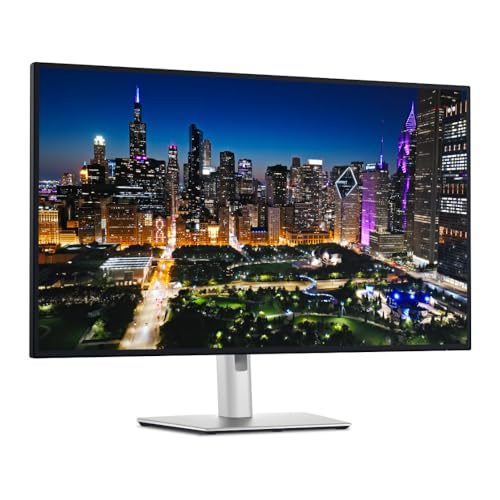
U3225QE moves the same charging decision onto a 31.5-inch 3840 x 2160 panel. Dell documents a 120Hz ceiling, Thunderbolt 4 upstream offering up to 140W EPR, downstream Thunderbolt and DisplayPort output, KVM, 2.5GbE, and USB hub ports.
The larger screen does not add pixels over a 27-inch 4K monitor. It makes interface elements physically larger at the same scaling choice, which turns this into a size decision rather than a resolution upgrade. Exact refresh mode still depends on the host GPU, input, cable, DSC, OS, and other active displays.
Charging is negotiated separately from display. A laptop that accepts only a lower USB PD mode will not draw 140W, and an attached hub load can affect the available budget. The KVM also needs the correct video and USB upstream routing for both computers; a Thunderbolt cable alone does not complete a two-host setup.
Our Take
Choose U3225QE when 31.5-inch 4K size, KVM, Ethernet, and a 140W-class upstream path fit the desk. Pick U2725QE when higher pixel density and a smaller footprint matter more.
- 31.5-inch 4K panel with 120Hz ceiling
- Up-to-140W Thunderbolt 4 upstream
- KVM, 2.5GbE, and downstream display routes
- Larger size is not higher resolution
- Maximum refresh and power remain path-dependent
3. Dell UltraSharp U4025QW — best 5K2K ultrawide

Dell U4025QW is the workspace-first branch. Dell documents a 39.7-inch curved 5120 x 2160 panel, a 120Hz-class mode under its stated paths, Thunderbolt 4 upstream with up-to-140W EPR, KVM, USB hub functions, and 2.5GbE.
This is 5K2K, not standard 5120 x 2880 5K. It keeps 5120 horizontal pixels but has 2160 vertical pixels and much lower pixel density than a 27-inch standard 5K panel. Buy it for a wide timeline, several windows, or a single-screen workspace, not because the “5K” label implies the same density.
Dell conditions native resolution and refresh on the complete input path. Thunderbolt, DisplayPort with DSC, and HDMI routes do not automatically produce the same mode on every host, and EPR negotiation is similarly conditional. Check GPU, port, cable, DSC, OS, monitor input, and accepted laptop power.
Our Take
Choose U4025QW when a broad 5K2K workspace and 140W-class hub matter more than standard-5K density. Verify the exact native-mode and charging path together.
- 39.7-inch 5120 x 2160 workspace
- Up-to-140W EPR Thunderbolt 4 path
- KVM, 2.5GbE, and USB hub
- 5K2K is not standard 5120 x 2880 5K
- Native refresh depends on the complete path
4. ViewSonic ColorPro VP2776T-4K — best 100W chain branch
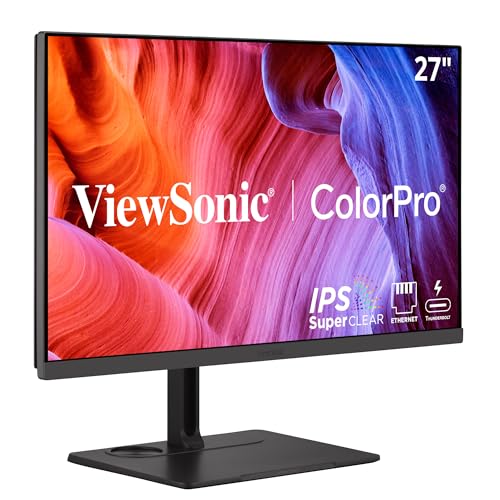
ViewSonic VP2776T-4K is the 27-inch 4K option for buyers who need a downstream Thunderbolt route but do not require a 140W-class ceiling. ViewSonic documents Thunderbolt input carrying video, data, and up to 100W depending on the source device, plus Thunderbolt output.
The exact-model manual documents a chain of up to two VP2776T-4K displays at 3840 x 2160 and 60Hz. Graphics compatibility controls the number of displays, a laptop’s internal panel can count against the limit, and ViewSonic requires Thunderbolt 4-certified cables for its documented chain.
That chain record is exact to this monitor and stated setup. It does not establish the same result with another ColorPro model or any laptop. The downstream port is also a display-chain route that ViewSonic rates for a 15W ceiling, rather than a second host input.
Our Take
Choose VP2776T-4K when 100W is enough and the exact host qualifies for ViewSonic’s documented TB4 chain. Keep the internal-display and cable rules in the plan.
- 27-inch 4K Thunderbolt 4 monitor
- Up-to-100W source-device-dependent ceiling
- Exact-model downstream Thunderbolt chain documentation
- Graphics and internal-display count control the chain
- Requires qualified Thunderbolt 4 cables
5. ASUS ProArt PA32QCV — best true-6K 96W choice
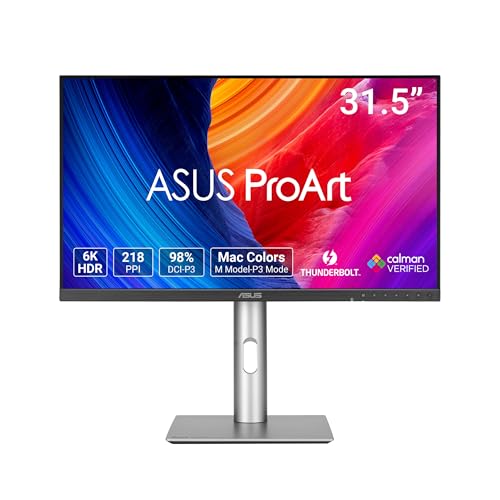
ASUS PA32QCV is the resolution-first creator branch. ASUS documents a 31.5-inch 6016 x 3384 panel, dual Thunderbolt 4, DisplayPort and HDMI alternatives, USB hub functions, KVM, Mac-tested scope, and charging up to 96W.
The true-6K mode is conditional. Windows GPU, DSC, driver, cable, scaling, and application support all matter, and exact Mac model and macOS behavior must be checked too. ASUS says MacBook daisy-chain capability varies by model. A downstream port is not a universal second-display promise.
ASUS’s color, calibration, brightness, and HDR statements are manufacturer claims, not measurements of the delivered unit. Charging carries the same boundary: 96W is offered power, and the host, cable, monitor settings, active hub load, and system policy determine accepted draw.
Our Take
Choose PA32QCV when true 6K matters more than reaching a 140W ceiling and the exact computer qualifies. Keep scaling, DSC, chain, and charging checks separate.
- 31.5-inch true 6016 x 3384 panel
- Dual Thunderbolt 4 and alternative inputs
- Up-to-96W charging ceiling
- 6K needs a qualifying GPU, cable, DSC, OS, and app path
- Daisy chaining varies by exact Mac model
How to choose a high-power Thunderbolt monitor
Match offered power to accepted input
Start with the laptop’s supplied adapter and its documented USB-C charging modes. Dell’s three monitors offer ceilings up to 140W EPR, ViewSonic up to 100W, and ASUS up to 96W. A laptop without USB PD 3.1 EPR cannot use Dell’s highest mode, and no monitor forces a computer to accept its ceiling.
Check the cable and monitor power mode
High-power negotiation needs an appropriate cable. Monitor settings can also reserve power for the panel and hub, while attached USB and downstream devices consume part of the budget. Use the cable specified by the monitor maker, then confirm the high-power mode in both monitor and laptop documentation. Our USB-C cable guide covers the separate cable decision.
Choose resolution and size independently
U2725QE and VP2776T-4K are 27-inch 4K, U3225QE is 31.5-inch 4K, U4025QW is a 39.7-inch 5120 x 2160 ultrawide, and PA32QCV is 31.5-inch 6016 x 3384. Screen size, pixel density, native resolution, refresh, scaling, and power are different specifications.
Trace the exact display input
A maximum panel mode may be available through one input and not another. Host GPU, Thunderbolt generation, DisplayPort version, DSC, cable, OS, internal display, and other active monitors each matter. Do not turn a panel specification into a universal laptop result.
Treat daisy chaining as a topology
U2725QE, U3225QE, VP2776T-4K, and PA32QCV all expose downstream display paths under their exact conditions. Chain support depends on host display count, OS, cable, and the second monitor. Monitors with built-in docking remain useful only when that full topology qualifies.
Frequently asked questions
Will a 140W monitor always charge a laptop at 140W?
No. The host has to support and accept the required EPR mode, and cable, monitor setting, hub load, battery state, and system policy all affect negotiation.
Can high-power monitor charging replace a workstation adapter?
Only when the laptop maker documents that the accepted USB-C input meets the workload. A proprietary adapter may still be required.
Is Dell U4025QW a standard 5K monitor?
No. Its native 5120 x 2160 format is 5K2K ultrawide. Standard 5K is 5120 x 2880.
Final recommendation
Dell U2725QE is the best overall high-power Thunderbolt monitor here for its 27-inch 4K format, 140W-class EPR ceiling, 2.5GbE, and downstream display routes. After that, one requirement picks each alternative: U3225QE for a larger 4K panel, U4025QW for 5K2K workspace, ViewSonic for a documented 100W chain, ASUS for true 6K at 96W. In every case, treat power, display mode, and chain topology as separate negotiated paths.