Six 32-inch monitors differ more by resolution, refresh rate, stand adjustment and inputs than by size. We compare them by 4K or QHD, the refresh rate on each connection, USB-C and the supplied stand. LG, Sceptre and ViewSonic list a 31.5-inch viewable screen, and Samsung lists a 32 size class, so read 32 inches as a size class and not an exact diagonal.
32-inch monitors compared
| Image | Product | Best fit | Resolution | Refresh | Inputs | Stand or ports | Check Price |
|---|---|---|---|---|---|---|---|
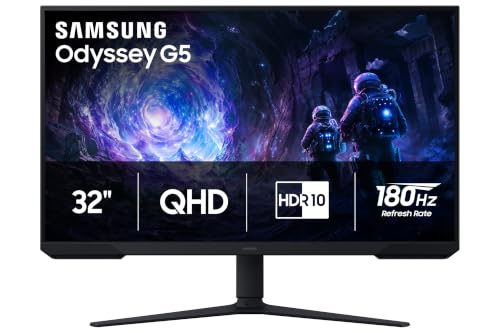 | Samsung Odyssey G5 G51F | QHD gaming with an adjustable stand | 2560 x 1440 QHD | 180Hz | 2x HDMI, DP 1.4, USB-A, headphone | Height, tilt, swivel and pivot | Check Price on Amazon |
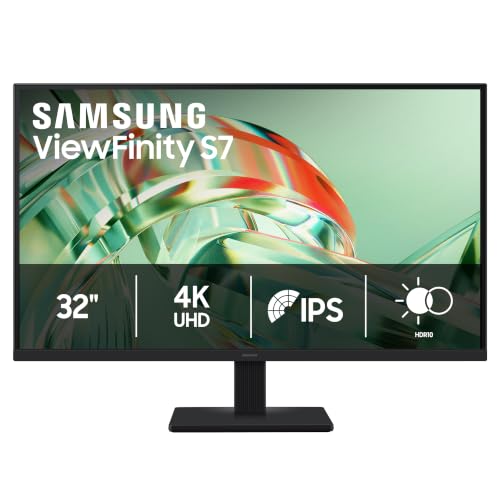 | Samsung ViewFinity S7 S71H | 4K IPS desktop work | 3840 x 2160 4K | 60Hz | HDMI 2.0, DP 1.4, headphone | Tilt stand; PiP/PbP | Check Price on Amazon |
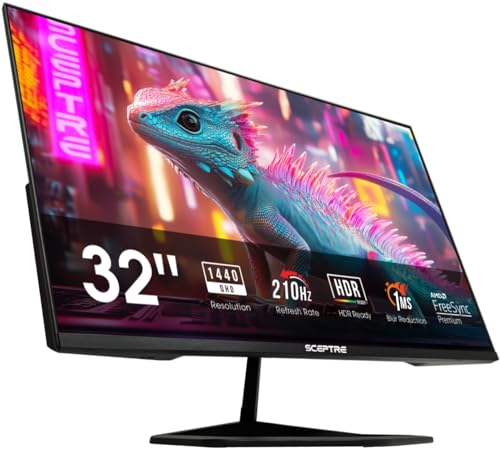 | Sceptre E325B-QW200D | USB-C QHD high-refresh gaming | 2560 x 1440 QHD VA | Up to 210Hz on DP/USB-C | 2x HDMI, DP, USB-C, audio out | Tilt and VESA; speakers | Check Price on Amazon |
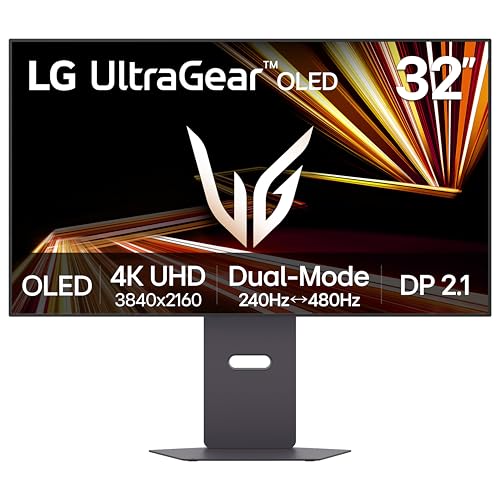 | LG UltraGear 32GX870A-B | Dual-mode OLED competitive play | 4K or FHD Dual Mode OLED | 4K 240Hz / FHD 480Hz | USB-C 90W, DP 2.1, HDMI 2.1 | Height, tilt, swivel and pivot | Check Price on Amazon |
 | LG UltraGear 32GS60QC-B | 1000R curved QHD gaming | 2560 x 1440 QHD curved | 180Hz | 2x HDMI, DP | Tilt stand and VESA | Check Price on Amazon |
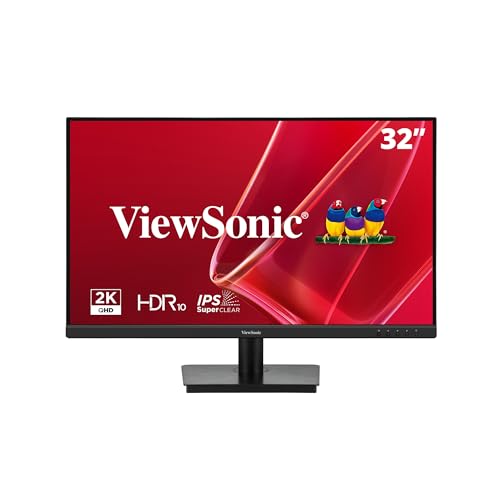 | ViewSonic VS3225-2K | Basic QHD work with speakers | 2560 x 1440 QHD VA | 75Hz | 2x HDMI 1.4, DP, audio out | Tilt and VESA; 2x 2.5W speakers | Check Price on Amazon |
1. Samsung Odyssey G5 G51F — Best for a Height-adjustable QHD Gaming Desk
Samsung lists the Odyssey G5 G51F with a 2560 x 1440 QHD VA panel, a 180Hz maximum refresh rate and 1ms MPRT response. Samsung also names FreeSync, HDR10, Black Equalizer and Virtual Aim Point, and the Amazon listing for the US model LS32FG510ENXZA gives the same QHD, 180Hz and 1ms figures and adds Auto Source Switch+. Samsung’s specification page is written for the European model LS32FG510EUXEN, so the port and stand figures below are Samsung’s figures for that model.
Samsung lists one DisplayPort 1.4 input, two HDMI 2.0 inputs, a headphone output and one USB-A 2.0 downstream port, with no USB-C input and no speakers. Samsung lists a stand with 120mm of height adjustment, tilt, swivel and pivot, and the Amazon listing also names tilt and height adjustment. A laptop without a DisplayPort or HDMI output needs an adapter or dock for this monitor.
Limit: Samsung lists no USB-C input and no speakers for the Odyssey G5 G51F, and lists QHD rather than 4K.Our Take Choose the Odyssey G5 G51F for QHD at Samsung’s 180Hz maximum and a stand with listed height, tilt, swivel and pivot adjustment. LG lists the same 180Hz for the 32GS60QC-B on a curved panel with a tilt-only stand, and Sceptre adds USB-C for the E325B-QW200D but lists tilt only.
- Samsung lists QHD resolution, a 180Hz maximum and 1ms MPRT response for the Odyssey G5 G51F, and the Amazon listing gives the same three figures.
- Samsung lists a stand with 120mm of height adjustment, tilt, swivel and pivot, and the Amazon listing also names tilt and height adjustment.
- Samsung lists three video inputs for the Odyssey G5 G51F, one DisplayPort 1.4 and two HDMI 2.0, plus one USB-A 2.0 downstream port.
- Samsung lists no USB-C input, and a laptop without a DisplayPort or HDMI output needs an adapter or dock for the Odyssey G5 G51F.
- Samsung lists no built-in speakers for the Odyssey G5 G51F, though it does list a headphone output.
- Samsung lists QHD for the Odyssey G5 G51F, a lower resolution than the 4K that the ViewFinity S7 S71H and LG 32GX870A-B list.
2. Samsung ViewFinity S7 S71H — Best for a 4K Productivity Screen
Samsung lists the ViewFinity S7 S71H as a 3840 x 2160 4K IPS monitor with HDR10, a 60Hz maximum refresh rate, 5ms GTG response, 99% sRGB coverage and up to 1.07 billion colors. Samsung gives 178-degree viewing angles in both directions, and the Amazon listing for model LS32H710EANXZA states the same 4K IPS and HDR10 specification.
Samsung lists one HDMI 2.0 input, one DisplayPort 1.4 input and a headphone output. Samsung also lists picture-in-picture, picture-by-picture, Eye Saver Mode and Flicker Free. The stand is a simple type with a tilt range of -2 to 18 degrees, and Samsung lists no height, swivel or pivot adjustment. Samsung’s page lists a Game Mode but no refresh rate above 60Hz, and it names neither USB-C nor speakers.
Limit: Samsung lists a 60Hz maximum for the ViewFinity S7 S71H and a stand that tilts only.Our Take Pick the ViewFinity S7 S71H for 4K IPS desk work with picture-in-picture and picture-by-picture. Samsung’s 60Hz maximum is below the 180Hz that Samsung lists for the Odyssey G5 G51F and the 240Hz that LG lists for the 32GX870A-B at 4K, so the gaming picks are elsewhere on this page.
- Samsung lists the ViewFinity S7 S71H at 3840 x 2160 4K on an IPS panel with 99% sRGB coverage, and the Amazon listing also names 4K UHD and IPS.
- Samsung lists HDMI 2.0 and DisplayPort 1.4 inputs along with picture-in-picture and picture-by-picture modes.
- Samsung lists Eye Saver Mode and Flicker Free for the ViewFinity S7 S71H.
- Samsung lists a 60Hz maximum for the ViewFinity S7 S71H, and its page lists a Game Mode with no higher refresh rate.
- Samsung lists a simple tilt-only stand for the ViewFinity S7 S71H, with no height, swivel or pivot adjustment.
- Samsung’s page names neither USB-C nor built-in speakers for the ViewFinity S7 S71H.
3. Sceptre E325B-QW200D — Best for USB-C QHD Gaming at Up to 210Hz
Sceptre lists the E325B-QW200D as a 31.5-inch 2560 x 1440 VA monitor with up to 210Hz refresh. Sceptre’s page title says 200Hz while its key features and specifications say up to 210Hz, and the Amazon listing also says up to 210Hz. Sceptre lists FreeSync Premium and 115% sRGB, and its specification gives a 12ms G-to-G response with overdrive, while the Amazon listing gives 1ms blur reduction.
Sceptre lists two HDMI 2.0 ports up to 2560 x 1440 at 144Hz, plus one DisplayPort 1.4 and one USB-C 3.1 port that each reach 2560 x 1440 at 210Hz. Sceptre also lists a headphone jack, two 3W speakers, 5 degrees of forward tilt, 15 degrees of backward tilt and a 100 x 100mm VESA pattern. Sceptre lists no height adjustment and no USB-C power-delivery figure.
Limit: Sceptre lists HDMI at 144Hz and gives the 210Hz figure for DisplayPort and USB-C only, and its stand lists tilt without height adjustment.Our Take Choose the E325B-QW200D for a USB-C video input and 210Hz over DisplayPort or USB-C. Sceptre lists more inputs than LG lists for the 32GS60QC-B, but Sceptre lists tilt where Samsung lists height adjustment for the Odyssey G5 G51F.
- Sceptre lists a USB-C video input and a DisplayPort input that each reach 210Hz at QHD, alongside two HDMI 2.0 ports.
- Sceptre lists FreeSync Premium and 115% sRGB for the E325B-QW200D on a VA panel.
- Sceptre lists two 3W speakers for built-in sound, a headphone jack and a 100 x 100mm VESA pattern for an arm.
- Sceptre lists HDMI at up to 144Hz and gives the 210Hz figure for USB-C and DisplayPort only.
- Sceptre lists tilt and VESA mounting for the E325B-QW200D but no height adjustment.
- Sceptre gives no power-delivery figure for the USB-C port.
4. LG UltraGear 32GX870A-B — Best for Dual-mode 4K OLED Competitive Gaming
LG lists the 32GX870A-B as a 4K OLED Dual Mode monitor that runs 3840 x 2160 at up to 240Hz or Full HD at up to 480Hz, and the Amazon listing states the same two modes. LG also lists 0.03ms GtG response, G-SYNC Compatible and FreeSync Premium Pro support, DisplayHDR True Black 400, 275 cd/m2 typical brightness, a 1.5M:1 contrast ratio and a 31.5-inch screen. LG’s footnote says a graphics card with DisplayPort 1.4 or HDMI 2.1 is required for up to 240Hz.
LG lists USB-C with 90W power delivery and data transmission, DisplayPort 2.1, two HDMI 2.1 ports, two USB 3.0 downstream ports and a 4-pole headphone output with DTS Headphone:X. LG lists a speaker without giving its wattage. The stand lists 110mm of height adjustment, tilt, swivel and pivot, and LG lists 21.6 pounds with the stand.
Our Take Buy the 32GX870A-B for 4K at up to 240Hz and a Full HD mode at 480Hz. It is the only 4K monitor here with a listed refresh rate above 60Hz, and the only one here with a listed USB-C power-delivery figure.
- LG lists Dual Mode, with 4K at up to 240Hz and Full HD at up to 480Hz.
- LG lists USB-C with 90W power delivery and data transmission, along with DisplayPort 2.1 and two HDMI 2.1 ports.
- LG lists height, tilt, swivel and pivot adjustment, the same four movements Samsung lists for the Odyssey G5 G51F.
- LG lists 0.03ms GtG response and G-SYNC Compatible support, plus DisplayHDR True Black 400.
- LG lists the 480Hz mode at Full HD only, so the highest refresh rate means giving up 4K.
- LG’s footnote says up to 240Hz requires a graphics card with DisplayPort 1.4 or HDMI 2.1.
- LG lists 21.6 pounds with the stand, a figure to check against your desk or arm before buying.
5. LG UltraGear 32GS60QC-B — Best for a 1000R Curved QHD Gaming View
LG lists the 32GS60QC-B as a QHD VA monitor with a 1000R curve, a 180Hz refresh rate and 1ms GtG response. LG also lists HDR10, FreeSync, up to 99% sRGB, 300 cd/m2 typical brightness and a 3000:1 typical contrast ratio. LG’s product name says 32 Inch while its page title says 31.5 inches, and the Amazon listing describes the 1000R curve as dramatic and steep.
LG lists two HDMI 2.0 ports, one DisplayPort 1.4 and a 3-pole headphone output. LG lists tilt of -5 to 20 degrees for the stand and no height, swivel or pivot adjustment, plus a 100 x 100mm VESA pattern. LG lists no USB-C input, no speakers and no 4K mode.
Our Take Choose the 32GS60QC-B for a 1000R curve at QHD and 180Hz. Samsung lists the same 180Hz for the Odyssey G5 G51F with a height-adjustable stand, and Sceptre lists USB-C and up to 210Hz on DisplayPort and USB-C.
- LG lists a 1000R curve with QHD resolution and a 180Hz refresh rate.
- LG lists 1ms GtG response and FreeSync support, plus HDR10 and up to 99% sRGB coverage.
- LG lists two HDMI 2.0 ports and one DisplayPort 1.4 as video inputs.
- LG lists a stand with tilt only and no height, swivel or pivot adjustment.
- LG lists no USB-C input and no speakers, and it lists QHD with no 4K mode.
6. ViewSonic VS3225-2K — Best for a Straightforward QHD Work Screen with Speakers
ViewSonic lists the VS3225-2K as a 32-inch 2560 x 1440 monitor with a 75Hz variable refresh rate, HDR10, 250 cd/m2 typical brightness, 4ms GTG response and a 31.5-inch viewable area. ViewSonic’s United Kingdom page lists an IPS panel with a 1,200:1 static contrast ratio, while the Amazon listing describes a SuperClear VA panel, so the two sources disagree on panel type. ViewSonic lists Flicker-Free and a software low-blue-light mode, and describes the monitor for business and home use.
ViewSonic lists two HDMI 1.4 ports, one DisplayPort, an audio output, two 2.5W speakers and a 100 x 100mm VESA pattern. ViewSonic lists tilt of -5 to 20 degrees for the stand, with no height adjustment and no USB-C. ViewSonic’s 75Hz maximum is below the 180Hz or higher that Samsung, LG and Sceptre list for their gaming models here.
Our Take Choose the VS3225-2K for QHD with built-in speakers and HDMI plus DisplayPort inputs. The ViewFinity S7 S71H is the 4K alternative, and the Samsung, Sceptre and LG gaming models list 180Hz or higher.
- ViewSonic lists two 2.5W built-in speakers and an audio output for a different sound setup.
- ViewSonic lists QHD resolution, HDR10 and Flicker-Free, and describes the monitor for business and home use.
- ViewSonic lists a 100 x 100mm VESA pattern alongside two HDMI 1.4 ports and one DisplayPort.
- ViewSonic lists a 75Hz maximum, below the 180Hz that the Samsung, LG and Sceptre gaming monitors list.
- ViewSonic lists a tilt-only stand with no height adjustment, and no USB-C input.
- ViewSonic’s United Kingdom page lists IPS while the Amazon listing says VA, so the two sources disagree on panel type.
Buying Guide
1. Pick 4K or QHD for the actual workload
Samsung lists 3840 x 2160 for the ViewFinity S7 S71H and LG lists 4K UHD for the 32GX870A-B, while Samsung, Sceptre, LG and ViewSonic list 2560 x 1440 QHD for the other four. At this size, 4K gives more room for documents, detailed editing and side-by-side windows, and QHD asks less of the graphics card in games.
Resolution sets how much fits on screen, and refresh rate sets how many frames the screen shows each second. A 4K monitor at 60Hz and a QHD monitor at 180Hz are built for different jobs.
2. Match refresh claims to the input that carries them
Sceptre lists 210Hz for USB-C and DisplayPort and 144Hz for HDMI. LG lists 4K at 240Hz or Full HD at 480Hz for its Dual Mode OLED and says a graphics card with DisplayPort 1.4 or HDMI 2.1 is required for 240Hz. Samsung lists 180Hz for the Odyssey G5 G51F, and LG lists 180Hz for the 32GS60QC-B.
For office work, Samsung’s 60Hz for the ViewFinity S7 S71H and ViewSonic’s 75Hz for the VS3225-2K can be enough when resolution and color consistency come first. Confirm that your computer can output the resolution and rate you plan to use before buying.
3. Check the stand before assuming an arm will fix it
Samsung and LG list height, tilt, swivel and pivot for the Odyssey G5 G51F and 32GX870A-B, while Samsung, Sceptre, LG and ViewSonic list tilt only for the ViewFinity S7 S71H, E325B-QW200D, 32GS60QC-B and VS3225-2K. All six models list a 100 x 100mm VESA pattern, so any of them can go on a compatible arm.
A 32-inch screen has a large footprint. If eye height or desk depth is uncertain, pick a model with a listed height adjustment or plan on an arm.
4. Separate USB-C video from USB-C charging
Sceptre lists USB-C up to 210Hz but no USB-C power-delivery figure. LG lists USB-C with 90W power delivery for the 32GX870A-B, the only power-delivery figure among the six. Samsung and ViewSonic do not list USB-C for their monitors, and neither does LG for the 32GS60QC-B.
A USB-C port is not automatically a one-cable dock. Confirm video mode, refresh limit and charging output separately, then compare LG’s 90W with what your laptop needs.
5. Treat curve and panel choice as desk-use decisions
LG lists a 1000R curve for the 32GS60QC-B, and none of the other five list a curve. LG lists OLED with 0.03ms GtG response and a 1.5M:1 contrast ratio for the 32GX870A-B. Samsung lists IPS for the ViewFinity S7 S71H and VA for the Odyssey G5 G51F, LG and Sceptre list VA, and ViewSonic’s page lists IPS where the Amazon listing says VA.
Panel labels do not replace the published model specifications. Choose a curve only if it fits your normal seating position, and choose the OLED’s Dual Mode only if you will use both modes.
FAQ
Which 32-inch monitor here has 4K resolution?
Samsung’s ViewFinity S7 S71H and LG’s UltraGear 32GX870A-B are the two 4K choices. Samsung lists a 60Hz IPS panel, while LG lists 4K at up to 240Hz in Dual Mode.
4K gives the most workspace at this size when text, design detail or several windows are the priority. LG’s 32GX870A-B is the gaming-focused 4K model, and Samsung’s ViewFinity S7 S71H is the 60Hz desk-work model.
Which models have USB-C?
Sceptre lists USB-C for the E325B-QW200D and LG lists it for the 32GX870A-B. Sceptre lists USB-C operation up to 210Hz, and LG lists USB-C with 90W power delivery.
Samsung, ViewSonic and LG’s 32GS60QC-B list no USB-C input. Check power delivery separately from video support if the monitor will connect directly to a laptop.
Is a 32-inch curved monitor better for gaming?
LG lists the 32GS60QC-B with a 1000R QHD 180Hz curved panel. A curve can suit a single centered gaming position, but nothing the makers list shows it is better for every game or desk.
Samsung lists a height-adjustable stand for the Odyssey G5 G51F, Sceptre lists USB-C for the E325B-QW200D, and LG lists Dual Mode for the 32GX870A-B. Choose a curve by seating distance and personal preference.
Which monitor has built-in speakers?
Sceptre, LG and ViewSonic list speakers for the E325B-QW200D, 32GX870A-B and VS3225-2K. Sceptre lists two 3W speakers and ViewSonic lists two 2.5W speakers, while LG lists a speaker for the 32GX870A-B without giving a wattage.
Samsung’s pages for both of its monitors and LG’s page for the 32GS60QC-B list no speakers. Use the headphone or audio-out connection on any of the six when you want a different sound setup.
Which option has the most stand adjustment?
Samsung’s Odyssey G5 G51F and LG’s 32GX870A-B both list height, tilt, swivel and pivot. Samsung lists 120mm of height adjustment for the Odyssey G5 G51F and LG lists 110mm for the 32GX870A-B.
The other four list tilt only, though each lists a 100 x 100mm VESA pattern for an arm. Check your desk height and eye line before choosing a tilt-only model.
Bottom Line
Choose the Samsung Odyssey G5 G51F for an adjustable QHD gaming desk, because Samsung lists 180Hz QHD and a height-adjustable stand. Samsung lists 4K IPS at 60Hz for the Samsung ViewFinity S7 S71H, so choose it for 4K desk work. Sceptre lists USB-C and DisplayPort at up to 210Hz for the Sceptre E325B-QW200D, so choose it for QHD gaming with USB-C. For dual-mode OLED play, choose the LG UltraGear 32GX870A-B, which LG lists at 240Hz in 4K or 480Hz in Full HD. LG lists a 1000R curve at QHD for the LG UltraGear 32GS60QC-B, so choose it for a curved gaming view. ViewSonic lists QHD with two 2.5W speakers for the ViewSonic VS3225-2K, so choose it for a straightforward work screen.
The 4K monitor guide covers broader high-resolution choices, while the portable 4K monitor guide covers a second display you can carry. Pick a 32-inch monitor by its resolution, inputs and stand adjustment before its headline refresh rate.