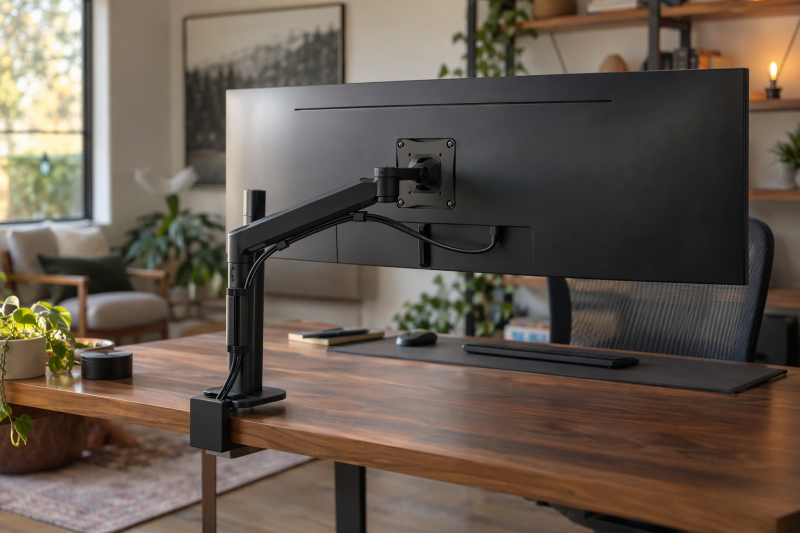
A monitor arm fits when the monitor and the desk both meet its listed limits, and the screen diagonal confirms neither one. Check the display’s weight without its stand, its VESA pattern (the VESA guide explains the hole spacing), whether it is flat or curved, and how thick the desk is at the clamp point. A monitor with no VESA holes needs an adapter plate first. Desks that hold two ultrawide screens are covered in the dual ultrawide monitor mounts guide.
Check VESA pattern, weight without the stand, flat or curved shape, and desk thickness against the same arm’s own limits.Single Monitor Arms Compared
| Image | Product | Details | Check Price |
|---|---|---|---|
 | MSI MAG MT101G | Best fit: 17 to 32 inch monitor with a quick-release plate Monitor compatibility: 17 to 32 inches; 2.2 to 22 lb (MSI) VESA: 75 by 75 mm or 100 by 100 mm Motion: Tilt +80/-45; swivel +/-90; rotation +/-180 (Amazon) Desk mount: Clamp 10 to 75 mm; grommet 10 to 45 mm | Check Price on Amazon |
 | Amazon Basics Gas Spring Arm | Best fit: Light monitor within 4.4 to 15.4 lb Monitor compatibility: 4.4 to 15.4 lb; the title says 15 to 27 inches VESA: 75 by 75 mm or 100 by 100 mm Motion: Tilt -90/+85; swivel +/-90; 360 rotation; 20.5 inch extension Desk mount: C-clamp or grommet for 0.39 to 4 inch desks | Check Price on Amazon |
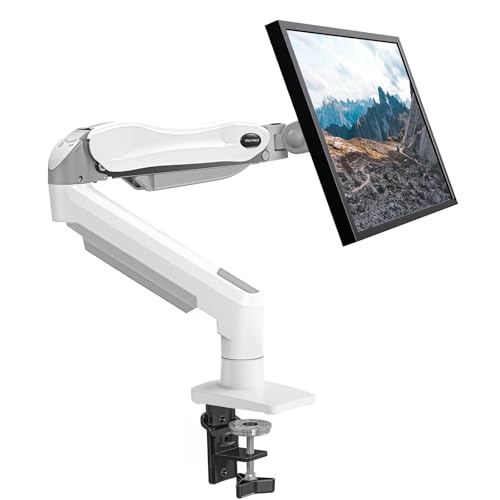 | HUANUO Single Monitor Mount | Best fit: 13 to 32 inch monitor within 4.4 to 19.8 lb Monitor compatibility: 13 to 32 inches; 4.4 to 19.8 lb VESA: 75 by 75 mm or 100 by 100 mm (Amazon) Motion: Tilt -50/+30 (Amazon) or +80/-50 (HUANUO); swivel +/-90; 360 rotation; lift 39.6 cm (Amazon) or 15.75 inches (HUANUO) Desk mount: C-clamp or grommet; C-stand 0.59 to 3.54 inches (HUANUO) | Check Price on Amazon |
 | WALI GSM001XLN | Best fit: Heavy flat or 1800R curved screen up to 49 inches Monitor compatibility: Up to 49 inches; 33 lb; flat or 1800R curved VESA: 75 by 75 mm or 100 by 100 mm Motion: 21.14 inch extension; 20.59 inch rise; tilt +/-75; swivel +/-90; 360 rotation Desk mount: Clamp or grommet for 0.39 to 1.96 inch desks; wooden desk recommended | Check Price on Amazon |
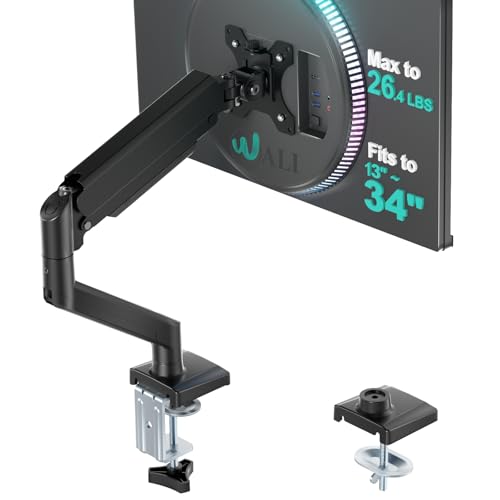 | WALI GSMP001N | Best fit: Screen up to 34 inches; 19.8 lb limit when curved Monitor compatibility: Flat or curved up to 34 inches; 26.4 lb flat, 19.8 lb curved VESA: 75 by 75 mm or 100 by 100 mm Motion: 19.3 inch extension; 17.3 inch rise; tilt +70/-45; swivel +/-180; 360 rotation Desk mount: Clamp or grommet for 0.39 to 2.76 inch desks; wooden desk recommended | Check Price on Amazon |
 | Mount-It! Single Monitor Arm | Best fit: Flat 13 to 32 inch monitor up to 17.6 lb Monitor compatibility: 13 to 32 inches; 17.6 lb; not curved or ultrawide VESA: 75 by 75 mm or 100 by 100 mm Motion: Tilt +90/-45; swivel +/-90; 360 rotation Desk mount: C-clamp and grommet base included; no thickness range stated | Check Price on Amazon |
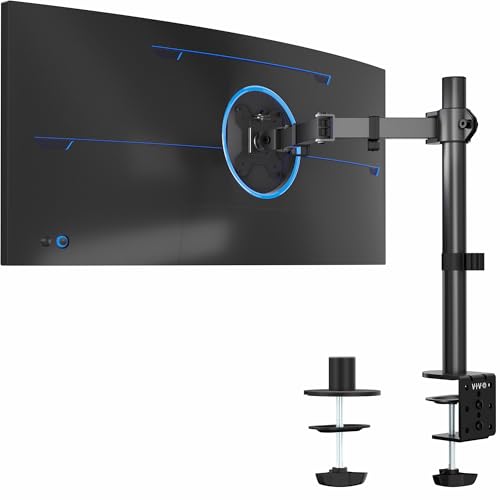 | VIVO STAND-V001 | Best fit: Pole-mounted monitor up to 22 lb, ultrawides to 38 inches Monitor compatibility: Up to 22 lb; 13 to 32 inches or ultrawide up to 38 inches VESA: 75 by 75 mm or 100 by 100 mm Motion: Tilt +/-90; 360 swivel and rotation; 16 inch pole height adjustment Desk mount: C-clamp for desks up to 3.25 inches; grommet included | Check Price on Amazon |
1. MSI MAG MT101G — Best Quick-Release Arm for 17 to 32 Inch Monitors
MSI’s product page lists the MAG MT101G for 17-to-32-inch screens, a capacity of 2.2 to 22 lb per screen, VESA 75 by 75 mm or 100 by 100 mm, and desk thickness of 10 to 75 mm for the clamp and 10 to 45 mm for the grommet base. The Amazon listing repeats the 17-to-32-inch, 22 lb and desk figures and adds a quick-release VESA plate, the only plate of the seven that a listing calls quick-release.
Amazon states tilt of +80/-45 degrees, swivel of +/-90 degrees, and screen rotation of +/-180 degrees. Its title calls the product a single monitor arm, but the first bullet says “Dual Monitor Stand Arms.” MSI’s page gives capacity per screen and does not say how many arms ship in the box.
MSI’s page and the Amazon listing agree on 17 to 32 inches, 22 lb, VESA 75/100 and a 10-to-75-mm clamp range.Our Take Pick the MT101G for a 17-to-32-inch monitor between 2.2 and 22 lb when taking the display on and off the arm is a regular job. Pass for a screen above 32 inches.
- MSI’s page lists 2.2 to 22 lb per screen, a minimum and a maximum, for 17-to-32-inch monitors.
- The Amazon listing names a quick-release VESA plate, the only quick-release plate among the seven.
- MSI’s page gives the clamp a desk thickness range of 10 to 75 mm and the grommet base a narrower one of 10 to 45 mm.
- MSI’s Amazon title says single monitor arm while its first bullet says Dual Monitor Stand Arms.
- MSI lists the grommet base for desks up to 45 mm, below its 75 mm clamp limit.
2. Amazon Basics Gas Spring Arm — Best Light-Screen Gas Spring Arm
The Amazon listing for the Amazon Basics Gas Spring Arm gives a 4.4-to-15.4-lb range, the lowest maximum of the seven, with VESA 75 by 75 mm and 100 by 100 mm. Its title says it fits 15-to-27-inch monitors, but its bullets give weight and VESA and no screen size.
Amazon states -90/+85-degree tilt, +/-90-degree swivel, 360-degree rotation, and extension up to 20.5 inches. Amazon lists clamp and grommet mounting for desks 0.39 to 4 inches thick, the thickest desk range any of the seven states. The listing says tension must be set for the monitor’s weight and the joints can feel stiff out of the box.
Our Take Pick it for a light monitor within 4.4 to 15.4 lb on a thick desk. Pass for a heavier panel, because 15.4 lb is the lowest maximum of the seven.
- Amazon lists adjustable gas-spring tension for a 4.4-to-15.4-lb range.
- Amazon lists clamp and grommet mounting for desks 0.39 to 4 inches thick.
- The listing gives 20.5 inches of extension and -90/+85-degree tilt.
- Amazon’s 15.4 lb maximum is the lowest of the seven arms.
- The Amazon Basics bullets give no screen size, and only its title mentions 15 to 27 inches.
3. HUANUO Single Monitor Mount — Best Gas-Spring Arm for 13 to 32 Inch Screens
HUANUO’s SS6 page lists 13-to-32-inch screens, a capacity up to 19.8 lb, 360-degree rotation, +80/-50-degree tilt, +/-90-degree swivel, height adjustment up to 15.75 inches, and a desk thickness of 0.59 to 3.54 inches for the C-stand. HUANUO’s page shows the black HNSS6B, and the Amazon listing is the white HNSS6W sold by Bestergo Direct. The SS6 page does not list a VESA pattern, so VESA 75 by 75 mm or 100 by 100 mm and the 4.4 lb lower weight come from Amazon alone.
The two sources agree on 13 to 32 inches, 19.8 lb, 360-degree rotation and +/-90-degree swivel. They differ on tilt, where Amazon states -50 to +30 degrees and HUANUO’s page states +80/-50 degrees. They also differ slightly on lift, where Amazon states 39.6 cm and HUANUO’s page states 15.75 inches.
HUANUO and Amazon agree on 13 to 32 inches and 19.8 lb, and differ on tilt and lift.Our Take Pick the SS6 for a 13-to-32-inch monitor between 4.4 and 19.8 lb on a desk up to the 3.54 inches HUANUO lists for the C-stand. Pass for a display above 19.8 lb, or when one specific tilt angle decides the purchase, because HUANUO and Amazon give different tilt ranges.
- HUANUO’s page and the Amazon listing agree on the 13-to-32-inch size range and the 19.8 lb limit.
- HUANUO’s page states a C-stand desk thickness of 0.59 to 3.54 inches.
- The Amazon listing gives VESA 75 by 75 mm and 100 by 100 mm with a clamp or grommet base.
- Amazon states -50/+30-degree tilt, while HUANUO’s page states +80/-50 degrees.
- HUANUO’s 19.8 lb limit is lower than the 22 lb that MSI and VIVO state.
4. WALI GSM001XLN — Best Heavy-Duty Arm for 49 Inch Ultrawides
WALI’s Amazon listing for the GSM001XLN says the arm is designed to fit most flat or 1800R curved screens up to 49 inches, with a 33 lb maximum and VESA 75 by 75 mm or 100 by 100 mm. The 49-inch and 33 lb figures are the highest of the seven, and 1800R is the only curve rating any listing here names.
The listing gives 21.14 inches of extension, up to 20.59 inches of rise, +/-90-degree swivel, +/-75-degree tilt and 360-degree rotation. Clamp and grommet mounting are both listed for desks 0.39 to 1.96 inches thick, and WALI says it only recommends installing the arm on a wooden desk, preferably with no crossbeam under the mounting point.
Our Take Pick the GSM001XLN for a heavy ultrawide whose weight, VESA pattern and curve fall inside those figures, on a wooden desk up to 1.96 inches thick. Pass when the desk is not wooden or is thicker.
- WALI’s listing states the highest limits of the seven arms, 49 inches and 33 lb.
- WALI’s listing names 1800R curved screens as well as flat ones, and gives VESA 75 by 75 mm and 100 by 100 mm.
- WALI lists 21.14 inches of extension and 20.59 inches of rise.
- WALI names only the 1800R curve rating and says it is designed to fit “most” such screens.
- WALI says it only recommends a wooden desk, preferably with no crossbeam beneath the mounting point.
5. WALI GSMP001N — Best Flat-or-Curved Compatibility Split
The Amazon listing for WALI’s GSMP001N says the arm is designed to fit most flat or curved screens up to 34 inches, separately names a “regular screen” size of 32 inches, and sets weight limits of 26.4 lb for flat screens and 19.8 lb for curved screens. VESA 75 by 75 mm or 100 by 100 mm applies to both. The listing does not say which diagonal goes with the curved limit.
WALI states 19.3 inches of extension, 17.3 inches of rise, +/-180-degree swivel, +70/-45-degree tilt and 360-degree rotation. Clamp or grommet installation covers desks 0.39 to 2.76 inches thick, and WALI again says it only recommends a wooden desk, preferably with no crossbeam beneath it.
Our Take Pick the GSMP001N for a flat monitor up to 34 inches and 26.4 lb, or a curved one up to 19.8 lb. Pass for a curved monitor above 19.8 lb, where WALI’s GSM001XLN lists 33 lb for flat or 1800R curved screens.
- WALI’s listing gives separate weight limits for flat (26.4 lb) and curved (19.8 lb) screens.
- WALI states +/-180-degree swivel and 19.3 inches of extension.
- WALI’s listing gives one desk range for both the clamp and the grommet, 0.39 to 2.76 inches.
- WALI’s curved-screen limit of 19.8 lb is lower than its 26.4 lb flat limit.
- WALI does not say whether the 32-inch or 34-inch size applies to curved screens.
6. Mount-It! Single Monitor Arm — Best Flat 13 to 32 Inch Gas-Spring Pick
Mount-It! lists the arm for 13-to-32-inch screens up to 17.6 lb with VESA 75 by 75 mm or 100 by 100 mm. Its listing says it is compatible with most flat-panel LCD and LED monitors and not compatible with curved or ultrawide monitors, so the 32-inch limit applies to flat panels, a condition the diagonal alone does not show.
Mount-It! states +90/-45-degree tilt, +/-90-degree swivel and 360-degree rotation. The listing describes an automotive-grade gas spring arm that is adjusted once with a tension hex bolt to match the screen weight, and its title says a C-clamp and a grommet base are both included. The title and bullets give no desk-thickness range, so measure the desk against the hardware before ordering.
Mount-It! states flat panels only, 13 to 32 inches and 17.6 lb, with both mounting bases included.Our Take Pick it for a flat monitor up to 17.6 lb once the desk thickness has been measured against the clamp. Pass for any curved or ultrawide display.
- Mount-It! lists 13 to 32 inches and 17.6 lb for flat-panel monitors with VESA 75 by 75 mm or 100 by 100 mm.
- Mount-It!’s title says both a C-clamp and a grommet base are included.
- Mount-It! says the gas spring is adjusted once with a tension hex bolt to match the screen weight.
- Mount-It! says the arm is not compatible with curved or ultrawide monitors.
- Mount-It! lists a 17.6 lb limit, and only the Amazon Basics listing, at 15.4 lb, states a lower one among these seven arms.
7. VIVO STAND-V001 — Best Pole Mount for a Compatible 38 Inch Ultrawide
VIVO’s Amazon listing states a 22 lb limit with VESA 75 by 75 mm or 100 by 100 mm, says it covers most monitors between 13 and 32 inches, and adds ultrawide monitors up to 38 inches. The 38-inch figure comes with the same 22 lb and VESA conditions, so a heavy ultrawide has to meet the weight limit as well as the diagonal.
Instead of an extension figure, the listing gives height adjustment up to 16 inches along the center pole, +/-90-degree tilt, 360-degree swivel and rotation. The clamp is listed for desks up to 3.25 inches thick and tightens by hand, an optional grommet mount is included, and detachable cable clips fit the arms and pole. The listing does not mention a gas spring.
VIVO’s listing combines a 22 lb limit, ultrawides up to 38 inches, 16 inches of pole height adjustment, and a clamp for desks up to 3.25 inches.Our Take Pick the STAND-V001 for a monitor up to 22 lb that needs its height set along a pole and cables clipped to the arm. Pass for a display above 22 lb or an ultrawide above 38 inches.
- VIVO’s listing states a 22 lb limit with VESA 75 by 75 mm and 100 by 100 mm.
- VIVO lists a hand-tightened clamp for desks up to 3.25 inches thick and an included optional grommet mount.
- VIVO lists detachable cable clips for both the arms and the center pole.
- VIVO states 22 lb, below the 33 lb WALI states for the GSM001XLN.
- VIVO’s listing does not mention a gas spring.
Buying Guide
Start with VESA and stand-free weight
VESA 75 by 75 mm or 100 by 100 mm is the hole-spacing check, not the whole fit. All seven Amazon listings state those two patterns, and a monitor with no VESA holes needs an adapter plate first. The panel’s weight without its stand then has to sit inside the arm’s own range.
The listed weight limits differ. The Amazon listings state a maximum of 15.4 lb for Amazon Basics, 17.6 lb for Mount-It!, 19.8 lb for HUANUO, 22 lb for MSI and VIVO, and 33 lb for the WALI GSM001XLN, while WALI’s GSMP001N lists 26.4 lb for flat and 19.8 lb for curved screens. Amazon Basics and HUANUO also state a 4.4 lb lower figure.
Read curved-screen language literally
A curved-screen rule can be narrower than a flat-screen one. WALI’s listing for the GSMP001N states 26.4 lb for flat screens and 19.8 lb for curved screens, and the GSM001XLN listing names 1800R curved screens up to 49 inches.
Mount-It! excludes curved and ultrawide monitors outright. The Amazon listings for Amazon Basics, MSI, HUANUO and VIVO say nothing about curved screens, so a curved monitor needs its own radius, weight and diagonal checked against each listing’s other limits, because silence is not a stated approval.
Measure the desk, not only the screen
Clamp and grommet ranges differ by arm. MSI’s page states 10 to 75 mm for the clamp and 10 to 45 mm for the grommet base, Amazon Basics states 0.39 to 4 inches for both, HUANUO’s page states 0.59 to 3.54 inches for the C-stand, and VIVO states a clamp for desks up to 3.25 inches. WALI states 0.39 to 1.96 inches for the GSM001XLN and 0.39 to 2.76 inches for the GSMP001N.
Check under the desktop too. WALI says for both of its arms that it only recommends a wooden desk, preferably with no crossbeam blocking the underside. Mount-It!’s title and bullets state no desk-thickness range at all.
Choose a movement mechanism deliberately
Four listings name a gas spring. Amazon Basics, HUANUO, MSI and Mount-It! name one in their titles or bullets, and Amazon Basics and Mount-It! add that tension is set for the screen’s weight. HUANUO’s Amazon listing states a 39.6 cm lift and its page states 15.75 inches.
VIVO adjusts along a pole instead. VIVO lists 16 inches of height adjustment along the center pole and does not mention a gas spring, while WALI states extension and rise figures (21.14 and 20.59 inches for the GSM001XLN, 19.3 and 17.3 inches for the GSMP001N) without naming a spring type. An arm that also carries a laptop tray is covered in monitor arms with laptop stands.
Compare motion by direction
Tilt, swivel, extension and lift are separate figures. Amazon states tilt of +80/-45 degrees for MSI, +90/-45 for Mount-It!, +70/-45 for the WALI GSMP001N, -90/+85 for Amazon Basics, +/-75 for the WALI GSM001XLN and +/-90 for VIVO, while HUANUO’s tilt differs between Amazon and its own page.
Swivel and rotation vary too. WALI’s GSMP001N states +/-180-degree swivel and VIVO states 360-degree swivel, while the other five state +/-90 degrees. Six listings state 360-degree rotation and MSI states +/-180 degrees.
FAQ
Is VESA 100 by 100 enough?
No, VESA only confirms the hole spacing. Every Amazon listing here states 75 by 75 mm and 100 by 100 mm, so the choice comes down to weight, flat or curved shape, and desk thickness.
For example, a 100 by 100 mm monitor that weighs 18 lb is above the 17.6 lb Mount-It! lists and the 15.4 lb Amazon Basics lists, but under HUANUO’s 19.8 lb limit.
Can any 32-inch arm hold a curved monitor?
No. Mount-It! excludes curved monitors, and WALI lists 19.8 lb for curved screens on the GSMP001N. WALI’s GSM001XLN names 1800R curved screens only.
Confirm the curve and the weight. Amazon Basics, MSI, HUANUO and VIVO say nothing about curved screens in their listings, so check the monitor’s radius and stand-free weight against each limit.
Why check desk thickness?
The clamp or grommet has to fit the desktop. MSI’s page lists 10 to 75 mm for the clamp and 10 to 45 mm for the grommet base, and VIVO’s Amazon listing lists a clamp for desks up to 3.25 inches.
Look under the desktop as well. WALI says it only recommends a wooden desk, preferably with no crossbeam blocking the underside, for both of its arms.
Does a gas spring remove adjustment?
No. Amazon Basics says tension adjustment is required based on monitor weight, Mount-It! names a tension hex bolt to set once for the screen weight, and HUANUO’s Amazon listing includes adjusting tension to the monitor’s weight as an installation step.
Tension works inside the listed range. Amazon Basics lists a maximum of 15.4 lb and Mount-It! lists 17.6 lb.
Which arm handles the largest compatible screen?
WALI’s GSM001XLN lists the largest limits: 49 inches and 33 lb. Its Amazon listing says it is designed to fit most flat or 1800R curved screens with VESA 75 by 75 mm and 100 by 100 mm.
The largest figures come with conditions. VIVO’s listing covers ultrawides up to 38 inches at 22 lb, and WALI’s GSM001XLN listing recommends a wooden desk 0.39 to 1.96 inches thick. Compare the monitor’s own weight, curve, VESA pattern and desk first.
Bottom Line
MSI MAG MT101G is the pick for a 17-to-32-inch monitor up to 22 lb with a quick-release plate, as MSI’s page and the Amazon listing state. The other six, by their Amazon listings: Amazon Basics Gas Spring Arm for a monitor up to 15.4 lb, HUANUO Single Monitor Mount for a 13-to-32-inch monitor up to 19.8 lb, WALI GSM001XLN for a heavy ultrawide up to 33 lb, WALI GSMP001N for flat screens up to 26.4 lb or curved screens up to 19.8 lb, Mount-It! Single Monitor Arm for a flat panel up to 17.6 lb, and VIVO STAND-V001 for a monitor up to 22 lb on a pole.