Dell’s S and UltraSharp monitor names cover different desk jobs. Dell lists the three S models in this guide from a 23.8-inch Full HD panel to two 27-inch QHD displays, and Amazon lists the two UltraSharp models as Thunderbolt hub monitors with built-in KVM.
Start with how the monitor connects to the computer. Dell’s pages list no USB-C port on S2425HSM or S2725DSM and one USB-C input with up to 65W on S2725DC. Amazon lists Thunderbolt hubs with KVM on both UltraSharp models. Screen size and refresh rate come after the connection.
Start with the connection and workspace, then choose the screen size and refresh rate that support that job.Dell Monitors Compared
| Image | Product | Details | Check Price |
|---|---|---|---|
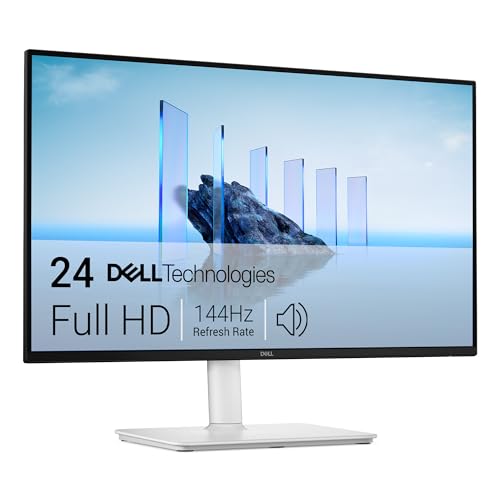 | Dell S2425HSM | Best fit: Compact FHD desk monitor Panel and refresh: 23.8-inch FHD, 144Hz Connections: 2x HDMI 1.4, no USB-C Hub and power: No hub, no USB-C charging Also listed: Height, tilt, pivot, swivel; 2x 3W speakers | Check Price on Amazon |
 | Dell S2725DSM | Best fit: QHD display for work and play Panel and refresh: 27-inch QHD, 144Hz Connections: HDMI and DisplayPort 1.4 Hub and power: No hub, no USB-C charging Also listed: Height, tilt, pivot, swivel; 2x 3W speakers | Check Price on Amazon |
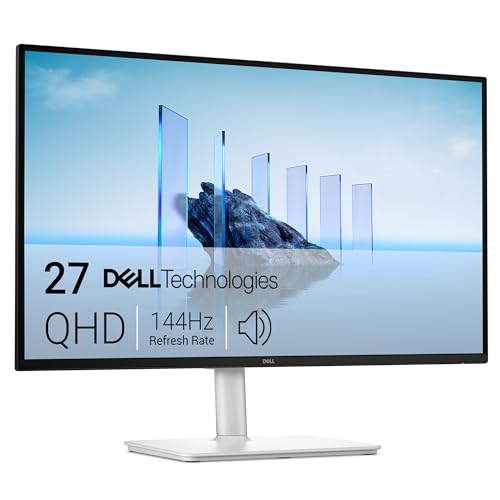 | Dell S2725DC | Best fit: QHD monitor with USB-C charging Panel and refresh: 27-inch QHD, 144Hz Connections: USB-C, HDMI and DisplayPort 1.4 Hub and power: USB-C up to 65W; 2x USB-A, USB-C downstream Also listed: Height, tilt, pivot, swivel; 2x 3W speakers | Check Price on Amazon |
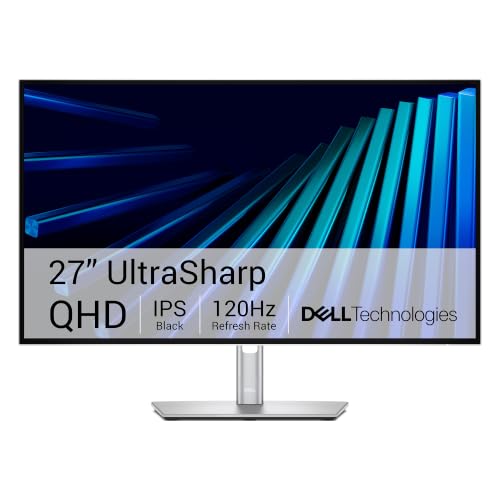 | Dell UltraSharp U3226QER | Best fit: 4K Thunderbolt creator workspace Panel and refresh: 32-inch 4K IPS Black, 120Hz Connections: Thunderbolt hub, DisplayPort, USB Hub and power: Built-in KVM and Ethernet; wattage not listed Also listed: 99% Display P3, 100% sRGB | Check Price on Amazon |
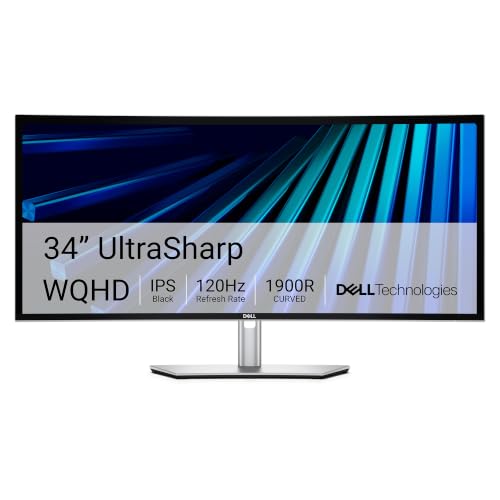 | Dell UltraSharp U3426WER | Best fit: Curved ultrawide hub workspace Panel and refresh: 34-inch 3440x1440 IPS Black, 120Hz Connections: Thunderbolt hub Hub and power: Built-in KVM and Ethernet; wattage not listed Also listed: Height, tilt, swivel; 98% Display P3 | Check Price on Amazon |
1. Dell S2425HSM — Best Compact FHD Desk Monitor
Amazon’s listing for the Dell S2425HSM gives a 23.8-inch Full HD panel at 144Hz with 1ms MPRT, AMD FreeSync and two 3W speakers. Dell’s product page adds an IPS panel, 300 nits of brightness and 99% sRGB. The same page lists two HDMI 1.4 inputs and no USB-C, USB or DisplayPort connections.
Amazon’s features list a 1500:1 contrast ratio and TÜV 4-star eye comfort, and its title lists height, tilt, pivot and swivel adjustment. Dell gives 21.17 inches of width with the stand, the narrowest of the five monitors here. Pick it for a small desk fed over HDMI, because Dell lists no USB-C port to charge a laptop.
Our Take Pick S2425HSM for a small desk fed over HDMI that wants 144Hz, speakers and a pivoting stand. Move to S2725DSM for QHD, or to S2725DC when the laptop should charge over USB-C.
- Amazon lists the S2425HSM as a 23.8-inch Full HD panel at 144Hz with 1ms MPRT, and Dell gives it the narrowest width of the five monitors here.
- Two 3W speakers are built into the S2425HSM according to Amazon, and the Our Take names speakers among the reasons to pick it.
- Amazon’s title for the S2425HSM lists height, tilt, pivot and swivel adjustment, and the Our Take counts the pivoting stand as a reason to pick it.
- Dell lists the S2425HSM with two HDMI 1.4 inputs and no USB-C, USB or DisplayPort connections, so a laptop cannot charge from it.
- Amazon lists the S2425HSM as Full HD, a lower resolution than the QHD and 4K models in this guide.
2. Dell S2725DSM — Best QHD Display for Work and Play
Dell S2725DSM is the 27-inch model that works as a display without a hub. Amazon lists QHD at 144Hz (2560 by 1440) with 1500:1 contrast, 1ms MPRT, AMD FreeSync and two 3W speakers. Dell’s page adds an IPS panel, 350 nits of brightness and 99% sRGB, with one HDMI input that supports 2560 by 1440 at 144Hz and one DisplayPort 1.4 input.
Dell’s page lists no USB-C port and no USB ports, so the S2725DSM is a display without a hub and does not charge a laptop. Amazon’s title and Dell’s page list the same height, tilt, pivot and swivel stand as the S2425HSM, and Dell gives a 4.33-inch maximum height adjustment. A desktop, or a dock that already handles charging and USB, pairs well with the S2725DSM.
S2725DSM moves to 27-inch QHD and keeps 144Hz, speakers, and a stand that pivots and swivels.Our Take Choose S2725DSM for a desktop, or a setup with a dock, that wants QHD at 144Hz and has no need for a USB-C hub in the monitor. It is the QHD model among the S monitors here that has no hub.
- Amazon lists a 2560 by 1440 panel at 144Hz for the S2725DSM, more desktop room than the S2425HSM, which Dell lists at 1920 by 1080.
- Dell’s page lists the S2725DSM with an IPS panel, 350 nits of brightness and 99% sRGB.
- Dell’s page lists one HDMI input and one DisplayPort 1.4 input for a desktop or a dock to connect to.
- Amazon lists two 3W speakers on the S2725DSM, and its title lists a stand with height, tilt, pivot and swivel adjustment.
- Dell’s page lists no USB-C or USB ports on the S2725DSM, so it does not charge a laptop or add USB ports.
- Amazon lists the S2725DSM as QHD, fewer pixels than the 4K UltraSharp U3226QER.
3. Dell S2725DC — Best QHD USB-C Charging Monitor
Dell’s S2725DC adds a USB-C input with up to 65W power delivery to a 27-inch QHD 144Hz IPS panel. Dell’s page lists that USB-C upstream port with DisplayPort 1.4 Alt Mode, plus HDMI, DisplayPort 1.4, 350 nits of brightness and 99% sRGB. Amazon lists two 3W speakers, AMD FreeSync, and a stand with height, pivot, swivel and tilt movement.
On the downstream side, Dell lists two 5Gbps USB-A ports, one with Battery Charging 1.2, and a 5Gbps USB-C port with up to 15W. Amazon describes the USB-C and one USB-A as a pop-out quick-access port. With a USB-C input the S2725DC suits a laptop better than the S2725DSM, but Dell lists no Ethernet port or DisplayPort output.
S2725DC pairs a QHD 144Hz screen with USB-C charging up to 65W and quick-access USB ports.Our Take S2725DC is the all-around laptop pick if its 65W USB-C connection covers the computer’s charging requirement. The U3226QER suits a desk that needs KVM, Ethernet and a Thunderbolt hub more than a single USB-C cable.
- Dell’s page lists the S2725DC with 2560 by 1440 at 144Hz on a 27-inch IPS panel and a USB-C input.
- Dell lists up to 65W power delivery on the S2725DC USB-C upstream port, the figure to compare with the laptop’s charging requirement.
- Dell lists two USB-A downstream ports and a USB-C downstream port with up to 15W, and Amazon names the pop-out quick-access port.
- Amazon lists two 3W speakers on the S2725DC and a stand with height, pivot, swivel and tilt adjustment.
- Dell’s 65W figure for the S2725DC is the number to compare with the laptop’s own charger rating before buying.
- Neither Dell nor Amazon lists an Ethernet port or a DisplayPort output for the S2725DC.
4. Dell UltraSharp U3226QER — Best 4K Thunderbolt Creator Workspace
The Amazon listing for UltraSharp U3226QER describes a 32-inch 3840 by 2160 IPS Black display at 120Hz with 100% sRGB, 99% Display P3, a 3000:1 contrast ratio and 1.07 billion colors. The listing title names a Thunderbolt hub with DisplayPort and USB, and the listing bullets describe built-in KVM for switching one keyboard and mouse between two computers, and fast Ethernet.
Amazon states factory-calibrated color accuracy at Delta E below 1.5 and gives 28.08 inches of width, wider than the S models. The listing gives no power delivery wattage and no port count, so confirm the charging a laptop receives over Thunderbolt before buying. A hub monitor does not make every laptop connection identical, because the host, cable and accessories all affect the connection.
U3226QER combines 4K at 120Hz with a Thunderbolt hub, KVM, Ethernet, 99% Display P3, and 100% sRGB.Our Take Choose U3226QER when 4K detail, a Thunderbolt hub and a two-computer KVM workspace justify a 32-inch display. The S2725DC is the simpler choice for a single laptop that needs only QHD and USB-C charging.
- Amazon lists the U3226QER as a 32-inch 3840 by 2160 IPS Black panel at 120Hz, the highest pixel count in this guide.
- Amazon lists a Thunderbolt hub, built-in KVM and fast Ethernet for a two-computer desk.
- Amazon states 99% Display P3, 100% sRGB and factory-calibrated Delta E below 1.5 for the U3226QER.
- Amazon lists a 3000:1 contrast ratio for the U3226QER, against the 1500:1 that Dell lists for the S2725DSM.
- Amazon lists no power delivery wattage for the U3226QER Thunderbolt hub, so the charging it gives a laptop has to be confirmed before buying.
- At 28.08 inches wide per Amazon, the U3226QER takes more desk width than the S models.
5. Dell UltraSharp U3426WER — Best Curved Ultrawide Hub Workspace
The UltraSharp U3426WER trades 4K for a 34-inch curved 3440 by 1440 ultrawide panel. Amazon lists IPS Black at 120Hz, a Thunderbolt hub, built-in KVM, Ethernet, and height, tilt and swivel adjustment. The listing bullets describe one continuous ultrawide canvas for an editor, terminal and browser, and KVM switching between two machines.
Amazon also lists 98% Display P3, factory-calibrated Delta E below 2 and a 2000:1 IPS Black contrast ratio. Amazon does not list pivot adjustment or a power delivery wattage, and it gives 32.03 inches of width. Choose between this curved panel and the U3226QER’s 4K panel by asking whether continuous horizontal space or pixel density is the better work surface.
Our Take Pick U3426WER for a desk built around one wide screen, where you use the Thunderbolt hub and KVM to share peripherals between two computers. Pick U3226QER when 4K pixel density is the deciding display requirement.
- Amazon lists a 34-inch curved 3440 by 1440 panel and describes it as one continuous ultrawide canvas.
- Amazon lists a Thunderbolt hub, built-in KVM and Ethernet for the U3426WER.
- Amazon lists IPS Black at 120Hz, 98% Display P3 and 2000:1 contrast for the U3426WER.
- Amazon lists 3440 by 1440 for the U3426WER, fewer pixels than the 3840 by 2160 Amazon lists for the U3226QER.
- At 32.03 inches wide per Amazon, the curved U3426WER takes more desk width than every other monitor here.
Buying Guide: Choosing a Dell Monitor
Decide whether the screen or hub is the job
The S2425HSM and S2725DSM are plain displays with no hub. Dell lists two HDMI inputs for S2425HSM, and one HDMI plus one DisplayPort 1.4 input for S2725DSM, with no USB-C or USB ports on either. Pair them with a desktop, or with a laptop dock that already provides charging and ports.
The S2725DC is the model to choose when the cable to the laptop comes first. Dell lists up to 65W USB-C power delivery plus two USB-A ports and a downstream USB-C port. Compare that wattage with the laptop’s own charger rating before choosing resolution.
Match resolution to the actual workspace
The S2425HSM is Full HD, while the two S2725 models are QHD, according to Dell and Amazon. The gap in pixels sets desktop space before a refresh-rate number does.
Amazon lists the U3226QER as 4K and the U3426WER as 3440 by 1440 ultrawide. A 4K panel and an ultrawide panel suit different layouts, and neither is a step up from the other. For a broader view of USB-C display choices, see our USB-C monitor guide.
Use refresh rate as a stated capability
Amazon lists 144Hz and 1ms MPRT for the S2425HSM, S2725DSM and S2725DC, and Dell’s pages list the same 144Hz. Amazon lists the same height, tilt, pivot and swivel stand on all three. A listed refresh rate does not establish the same game result on every connected computer.
Amazon lists 120Hz for both UltraSharp models, next to KVM, Ethernet and Thunderbolt hub features. Comparing the UltraSharp models with the S models is about creator and two-computer desk features as much as refresh rate, so choose the feature set that fits the desk instead of assuming the highest listed refresh rate is best.
Separate laptop power from a general USB-C claim
Dell lists up to 65W through the S2725DC USB-C upstream port. Compare that figure with the laptop’s own charger rating, because a USB-C connector alone does not say how much power the laptop receives.
Amazon lists a Thunderbolt hub on the UltraSharp models but gives no power delivery wattage, so confirm the charging a laptop receives with Dell. For a Mac-specific display decision, see our monitor guide for MacBook Pro.
Plan a two-computer desk around KVM
Amazon lists a built-in KVM on both UltraSharp models for sharing one keyboard and mouse between two computers. Sharing a keyboard and mouse differs from adding a monitor to one laptop. Amazon also lists Ethernet and a Thunderbolt hub for both models, a wider feature set than the S series has.
The U3226QER and U3426WER differ in screen shape, one 32-inch 4K panel and one curved 34-inch ultrawide. Amazon gives no power delivery wattage for either, so check the host ports, cable, keyboard, mouse and desired layout as a set before deciding that a KVM feature alone settles the choice.
FAQ
Which Dell monitor here is best for a single USB-C laptop cable?
S2725DC is the only USB-C choice among the S models because Dell lists USB-C power delivery up to 65W. Dell also lists HDMI and DisplayPort 1.4 inputs, and Amazon lists speakers and a height-adjustable stand, so the S2725DC works as a normal monitor when the laptop is away.
The UltraSharp models are the other option for one-cable setups. Amazon lists a Thunderbolt hub on each but no power delivery wattage, so check that figure before relying on either to charge a laptop.
Do the S models all have built-in speakers?
Amazon lists two 3W speakers for S2425HSM, S2725DSM and S2725DC, and Dell’s pages list two 3W speakers on each. Two speakers cover basic desktop audio without a separate speaker pair, though they do not suit a buyer with specific audio requirements.
The Amazon listings for the two UltraSharp models do not mention speakers, so plan on separate audio there.
What is the difference between U3226QER and U3426WER?
Amazon lists U3226QER as a 32-inch 4K IPS Black display at 120Hz with 99% Display P3. It lists U3426WER as a 34-inch curved 3440 by 1440 IPS Black display at 120Hz with 98% Display P3. Both listings name Thunderbolt hubs, built-in KVM and Ethernet.
The decision is screen shape and pixel count. Choose the 4K panel for its detail, or the curved ultrawide when one long horizontal canvas suits the work better.
Which of these monitors have no USB-C port?
Dell’s pages list no USB-C and no USB ports on S2425HSM and S2725DSM. Both take video over HDMI, and S2725DSM adds DisplayPort 1.4.
A laptop that charges over USB-C needs its own charger with either monitor. S2725DC is the S model to pick when the monitor should supply charging.
Is a Thunderbolt monitor necessary for ordinary office work?
Not necessarily. S2425HSM and S2725DSM are conventional display choices, while S2725DC adds USB-C laptop support without the UltraSharp Thunderbolt hub.
The UltraSharp models make more sense when the KVM, Ethernet, Thunderbolt and larger workspace features Amazon lists solve a named two-computer or creator-desk requirement. The UltraSharp features are tools for that job, not universal requirements.
Bottom Line
Choose the S2725DC for QHD with the USB-C charging Dell lists at up to 65W, and the U3226QER for the 4K Thunderbolt hub, KVM and Ethernet Amazon lists. The S2425HSM suits a compact FHD desk, the S2725DSM a QHD desk with no hub, and the U3426WER a curved ultrawide desk.