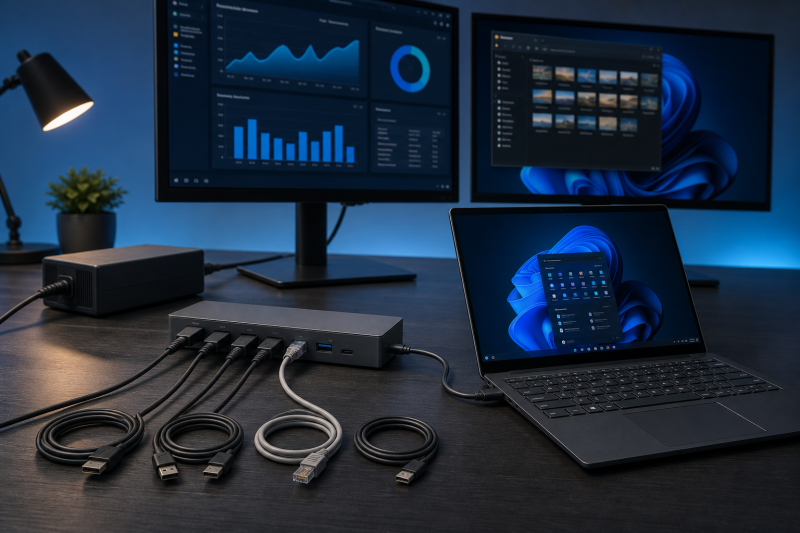
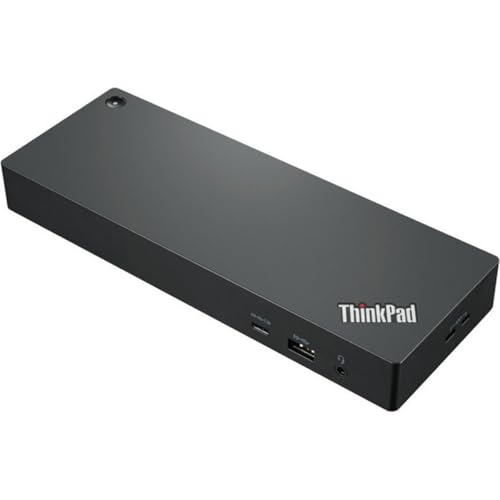
The Lenovo ThinkPad Universal Thunderbolt 4 Dock is easiest to misunderstand when the listing shows only 40B0. That is Lenovo’s support type, not a complete retail identity. The exact product reviewed here is the Lenovo-branded Universal model and part 40B00135US, ASIN B09GJJ5C32, supplied with a 135W power adapter.
Confirm the complete identity, because Lenovo also sells a Thunderbolt 4 Workstation Dock under Type 40B0. The Workstation package uses part 40B00300US, a 300W adapter, and a split-cable power path. It is not the same purchase.
This review has a narrower job than our guide to the best docking stations for ThinkPad. It helps you decide whether the exact 135W Universal package matches your host, charging requirement, display plan, and need for Lenovo-specific management features.
Quick verdict
Buy the Lenovo ThinkPad Universal Thunderbolt 4 Dock when your exact supported ThinkPad or Lenovo system needs native DisplayPort and HDMI outputs, one downstream Thunderbolt branch, Gigabit Ethernet, ordinary USB expansion, and up to 100W host charging. It makes the most sense when Lenovo’s display matrix and management documentation name the machine path you intend to use.
The main risk is the word “Universal.” Lenovo’s brochure describes support for select non-Lenovo systems through standard USB-C Alt Mode or Thunderbolt protocols. Its current support-listed setup guide is much stricter and says to use the dock only with qualifying Lenovo or ThinkPad notebooks. Those statements do not combine into a blanket non-Lenovo recommendation.
Also treat Lenovo’s up to four 4K60 and single 8K30 language as ceilings, not default outcomes. The current display matrix varies by exact machine type, GPU path, Thunderbolt and DisplayPort generation, DSC state, connector combination, and whether the laptop panel remains active.
Skip the dock if you cannot establish the exact host path, if your supported workstation needs Lenovo’s higher-power split-cable package, or if 2.5GbE and card readers are more important than Lenovo management. Do not buy it by matching 40B0 alone.

The decision in one table
| Buyer check | Universal 40B00135US answer |
What you must verify |
|---|---|---|
| Retail identity | Lenovo Universal package with 135W adapter | Model and part both say 40B00135US; ASIN is B09GJJ5C32 |
| Support type | 40B0 |
Type alone also covers a Workstation configuration |
| Host input | Dedicated Thunderbolt 4 host connector | Exact host supports the required Thunderbolt or qualified USB-C path |
| Host charging | Up to 100W | Laptop accepts USB Power Delivery through that exact port |
| Native video | Two DP1.4, one HDMI2.1, plus qualified downstream TB display | Exact machine, GPU, DP generation, DSC, panel state, and connector combination |
| Downstream Thunderbolt | One branch, up to 15W | It is not a second host input |
| Network | Gigabit Ethernet | Choose another dock if 2.5GbE is required |
| Card readers | None | Choose another dock if SD or microSD is essential |
| Non-Lenovo use | First-party sources conflict | Get an exact host answer before checkout |
| Management | PXE, WOL, MAC pass-through, vPro, power-button behavior, and Dock Manager are qualified | Confirm every required feature for the exact system |
If the identity, host, or display row is unresolved, the dock’s connector list cannot rescue the purchase.
Start with the complete part number
Lenovo’s current support page calls the product the ThinkPad Universal Thunderbolt 4 Dock, Type 40B0. The official brochure identifies the Universal regional family as 40B00135xx. The current Amazon listing supplies the last step for the US item: model and part 40B00135US, under ASIN B09GJJ5C32.
Keep those layers separate:
40B0sends you to the shared support family.40B00135xxidentifies the Universal regional family.40B00135USidentifies the selected US Universal package.B09GJJ5C32identifies the selected Amazon listing.
This protects against several wrong purchases. A listing can use a third-party brand, bundle different cables, describe a renewed unit, or point to Lenovo’s newer Smart Dock Gen 2. Another Lenovo-branded result can be the Workstation Dock 40B00300US. Read the exact model and part instead of relying on a title that contains “40B0.”
The older Universal USB-C Dock v2 review covers a different product. Its USB-C identity, package, and observations do not transfer to this Thunderbolt 4 model.
What comes with the 135W Universal package
Lenovo’s Universal brochure and user guide state that the package includes the dock, a 135W power adapter and power cord, a 0.7m Thunderbolt 4 cable, and documentation. The dock requires its adapter for operation.
The 0.7m cable is part of the expected host path. If that length does not work for your desk, choose a replacement by Thunderbolt certification and required power support, not by connector shape. Our Thunderbolt 4 cable guide explains the buying checks.
Do not accept a listing photo as proof of the package. Confirm the complete part, adapter rating, cable, condition, and seller description at checkout. A marketplace bundle may add accessories, but those additions do not change Lenovo’s model identity or compatibility limits.
The separate Workstation Dock uses a 300W adapter and a passive split cable. Lenovo rates that package for up to 230W to supported workstations. Neither the adapter nor the 230W path belongs to the Universal 40B00135US.
Port topology: one host, one downstream Thunderbolt branch
Lenovo’s documents establish the primary port roles:
- one dedicated Thunderbolt 4 connector for the host computer;
- one separate downstream Thunderbolt 4 connector;
- two DisplayPort 1.4 outputs;
- one HDMI 2.1 output;
- four USB 3.2 Gen 2 Type-A ports, including one always-on port;
- one ordinary USB-C data port;
- one 3.5mm combination audio jack;
- one Gigabit Ethernet port;
- two security-lock slots and VESA mounting holes.
The host and downstream Thunderbolt connectors have the same physical shape, but they are not interchangeable. Lenovo’s guide says the downstream connector can transfer data, power a compatible device, or connect a display. It also says not to connect the computer there.
Lenovo rates the downstream branch at up to 5V/3A, or 15W. The always-on USB-A port is rated at up to 5V/2.4A. These are stated electrical ceilings, not measurements of sustained output with every device attached.
The downstream branch is useful when you have Thunderbolt storage, a Thunderbolt display path, or another compatible device. It does not create a second upstream connection, add another independent bandwidth pool, or give the host more GPU display streams.
The native video mix is a practical reason to choose this dock. Two DisplayPort sockets and one HDMI socket reduce adapter dependence for many desks. If your monitor inputs differ, use an appropriate active conversion path and verify the target mode. Our USB-C and DisplayPort adapter guide covers the distinction between connector conversion and a host that can actually produce the requested signal.
Up to 100W charging is a host-qualified ceiling
Lenovo markets up to 100W dynamic charging from the Universal dock to the notebook. That is a useful ceiling for many business laptops, but it is not a promise that every connected computer receives 100W.
The exact laptop must accept USB Power Delivery through the port used for the dock. Some systems cap their USB-C or Thunderbolt input below 100W. Others require a proprietary or separate adapter for their full performance envelope. A powerful mobile workstation may connect for data and displays while still needing its original charger.
Check three things:
- the exact host port supports charging input;
- the laptop accepts enough power for your intended workload;
- Lenovo lists the required system and dock behavior, or the host maker confirms it.
Do not infer charging from a USB-C connector. The same warning applies when comparing USB4 and Thunderbolt 4: a protocol label does not disclose every optional display, PCIe, or charging capability on the exact machine.
The 135W adapter has to power the dock and its attached devices as well as the host output. Lenovo’s “dynamic” wording is a stated design description, not an independently measured result. If your laptop needs more than the dock can provide, keep the correct laptop charger in the plan or move to the exact Workstation package.
Display support depends on the whole path
Lenovo’s brochure markets a single 8K display at 30Hz or up to four 4K displays at 60Hz. The user guide also presents broad one, two, three, and four-output ceilings. Those statements describe what the dock family can reach in qualifying configurations. They do not establish what your computer will produce.
The current Lenovo display workbook is the controlling checkout tool because it separates paths that marketing compresses into one sentence. It varies results by:
- exact Lenovo machine type;
- host GPU and exposed display streams;
- Thunderbolt 4 or Thunderbolt 3;
- DisplayPort 1.4 or DisplayPort 1.2;
- non-Thunderbolt USB-C MFDP;
- DSC enabled or disabled;
- internal laptop display on or off;
- exact combination of HDMI, DisplayPort, and downstream Thunderbolt outputs.
The exact matrix row changes the result. In some qualifying Thunderbolt 4 DP1.4 rows, four external outputs are possible, but the display attached through downstream Thunderbolt is limited to 4K30 while other native outputs can remain at 4K60. Thunderbolt 3 DP1.2 paths can top out at three external displays. Non-Thunderbolt MFDP rows can also top out at three and can fall to much lower per-screen resolutions as outputs are added.
If you need only two screens, our dual-monitor docking guide provides broader alternatives. If four screens are mandatory, compare the exact matrix result with our four-monitor dock guide instead of treating four physical video paths as four guaranteed outputs.
The HDMI 2.1 label does not make 8K30 automatic. Lenovo’s documents place that ceiling on a qualifying single-HDMI route. The host GPU, link, monitor, cable, DSC behavior, and current matrix row still control. A buyer choosing a new panel can start with our Thunderbolt monitor guide, then work backward from the exact monitor input and mode.
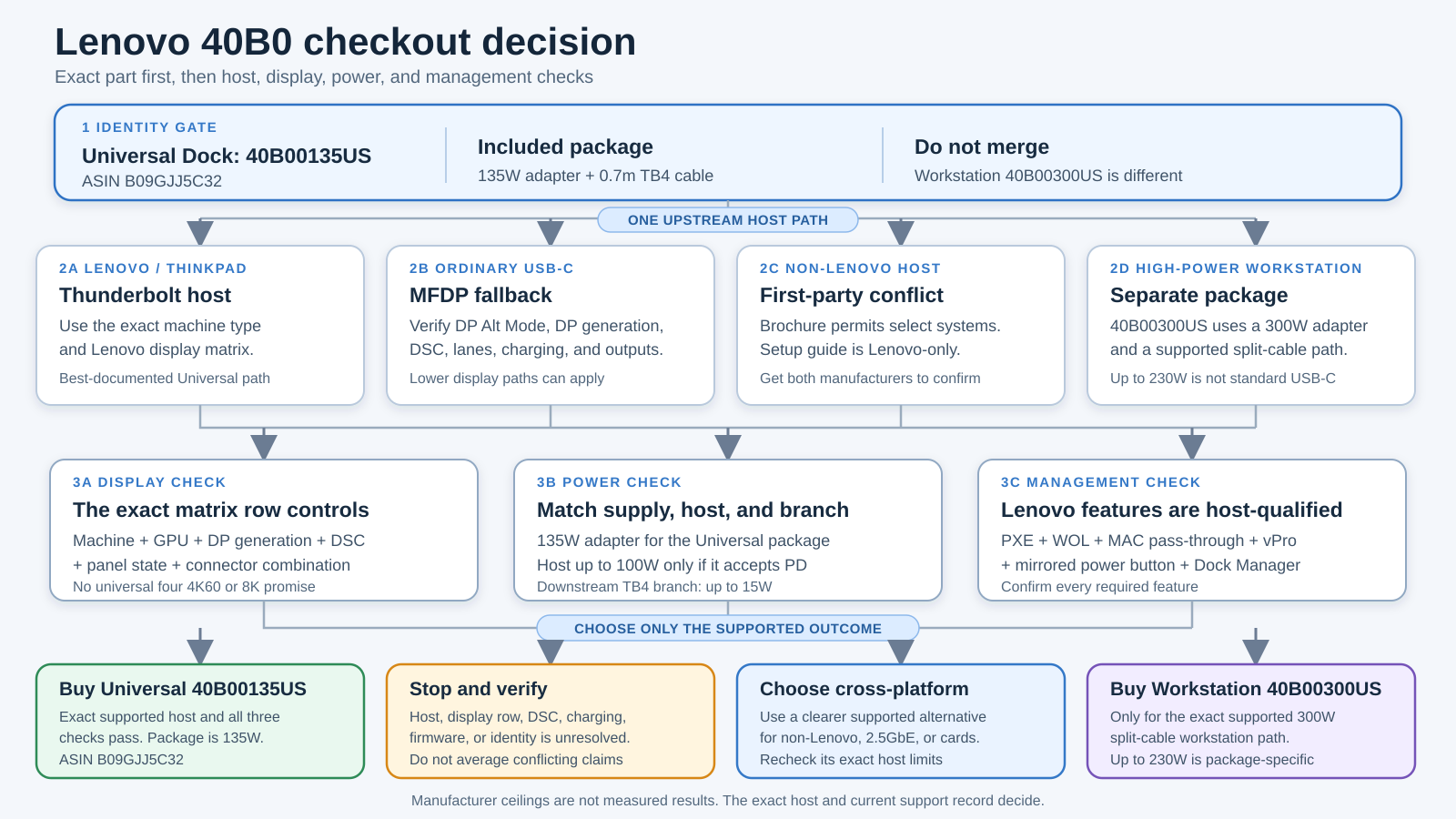
The diagram separates identity from capability. 40B00135US establishes the Universal package. The host, display matrix, and power checks establish what that package can do on a particular desk.
DSC and firmware can change the display answer
Lenovo’s current Type 40B0 support pages list dock firmware 1.0.19 and DSC Switcher 1.0.19. The DSC utility can enable or disable Display Stream Compression by updating the dock’s DisplayPort firmware, but Lenovo requires a matching dock firmware version and an external monitor during the process.
The utility also warns that disabling DSC may reduce display resolution. A normal dock firmware update restores DSC enabled by default, so a previously changed state may need to be handled again. Host DSC capability still controls the result after the dock-side setting is changed.
This does not mean every unit arrives with firmware 1.0.19. Check the installed version, exact Type 40B0 support page, and Lenovo’s update instructions before you plan the highest display modes. Do not run a firmware or DSC tool merely because a marketing ceiling is not appearing. First confirm that the host, GPU, panel state, monitor, cable, and connector combination support the target row.
Ordinary USB-C fallback is a different topology
Lenovo’s brochure says its USB-C and Thunderbolt docks can function with notebooks that expose industry-standard USB-C Alt Mode or Thunderbolt protocols. On an ordinary USB-C host, however, the connection is not transformed into Thunderbolt by the dock.
The display matrix has separate non-Thunderbolt MFDP paths. Their screen counts and resolutions can be lower, and DSC state changes the available modes. Downstream Thunderbolt behavior also cannot be promised from a host that provides only ordinary USB-C data and DisplayPort Alt Mode.
Before using this dock as a USB-C fallback, verify:
- DisplayPort Alt Mode on the exact host port;
- the DP generation and lane arrangement;
- DSC support and current state;
- USB Power Delivery input;
- the intended number and combination of outputs;
- which dock features remain available without a Thunderbolt host.
If the host is fundamentally a USB-C system, one of our best USB-C docking stations may offer a clearer compatibility and value decision. Do not pay for a Thunderbolt topology that the host cannot use.
The non-Lenovo conflict is a reason to pause
Lenovo’s first-party sources do not give one clean answer for non-Lenovo systems. The brochure says the dock supports select ThinkPad, Lenovo, and non-Lenovo systems. Its footnote explains that standards-level USB-C Alt Mode or Thunderbolt operation can function while Lenovo-specific extras may be missing.
The current support-listed setup guide is narrower. It says to use the dock only with Lenovo or ThinkPad notebook computers that meet its stated fireproofing requirement. That is not a minor wording difference. It prevents this review from recommending the dock as a universal non-Lenovo choice.
For a non-Lenovo laptop:
- ask the host maker whether the exact port supports the required Thunderbolt or USB-C display and charging path;
- ask Lenovo whether the exact dock and host combination is supported under the current setup guidance;
- assume that mirrored power-button behavior and Lenovo management features are unavailable unless documented;
- compare a manufacturer-supported cross-platform dock before checkout.
This review does not turn standards compatibility into warranty, safety, or full-feature support. If the two manufacturers cannot resolve the path, choose a dock with a clearer exact-host claim.
Management, Ethernet, security, and warranty
Lenovo documents Gigabit Ethernet, not 2.5GbE, on the Universal dock. The user guide identifies 10, 100, and 1000Mbps network operation. That is enough for a managed office built around Gigabit networking, but it is a clear reason to choose another dock when the desk and network are already 2.5GbE.
Lenovo also documents PXE boot, wake-on-LAN, MAC address pass-through, vPro support, and Dock Manager. Every one of those needs a qualifier. The brochure says MAC pass-through, WOL, and mirrored power-button behavior may be absent on some Lenovo or non-Lenovo systems. Its vPro footnote limits pass-through to select 11th Gen Intel Core vPro computers.
The physical power button can turn the dock on or off. Mirroring that button to control the host is a separate system-dependent function. Do not treat the dock LED or button as proof that host-level power control works.
For physical deployment, Lenovo documents two security-lock slots and VESA mounting holes. The family brochure states a three-year CRU warranty. The current support route also lists a generic Lenovo warranty poster, but that generic document does not establish the exact condition-specific coverage of every marketplace offer. Confirm region, condition, seller, and warranty at checkout.
Who should buy the Universal 40B00135US
Buy it for an exact supported ThinkPad desk
The strongest case is a ThinkPad or Lenovo system whose machine type has a clear support and display-matrix path. You can then plan native DP, HDMI, downstream Thunderbolt, charging, and management as one documented system instead of assembling assumptions from connector labels.
Buy it when the 135W package and up to 100W host output fit
The Universal package is sensible for a laptop designed to accept no more than the dock can provide. It is less convincing for a high-power workstation that still needs its proprietary charger.
Buy it for native DisplayPort and HDMI
Two DP1.4 sockets and one HDMI2.1 socket suit desks that already use those monitor inputs. You may avoid several video adapters, provided the exact host matrix supports the intended output combination.
Buy it when Lenovo management is part of the requirement
On a qualified system, the combination of Dock Manager, Ethernet management features, security-lock options, and a supported power-button path can be more important than headline port speed. Confirm each function instead of assuming the Lenovo badge enables it automatically.
Who should skip it
Skip it if the listing stops at 40B0
Type 40B0 can lead to Universal and Workstation configurations. Require model and part 40B00135US, the 135W adapter, and ASIN B09GJJ5C32 for this exact review.
Skip it for an unresolved non-Lenovo host
The brochure and setup guide conflict. Standards-level function is not enough to promise safety guidance, warranty support, charging, displays, or Lenovo management on the exact machine.
Skip it when four displays or 8K is non-negotiable but unproven
Marketing ceilings are not a matrix row. If Lenovo does not show the exact host, GPU path, panel state, connectors, and DSC condition that produce the target mode, do not buy on the headline.
Skip it if 2.5GbE or card readers are central
The primary has Gigabit Ethernet and no SD or microSD reader. Adding adapters can erase the reason to choose it over a dock that includes those functions.
Skip it for a supported high-power ThinkPad workstation
If the workstation requires Lenovo’s split-cable power path, the 300W Workstation Dock is the correct family to evaluate. The Universal model does not become a 230W dock by sharing Type 40B0.
Three verified alternatives
Lenovo ThinkPad Thunderbolt 4 Workstation Dock: the high-power ThinkPad path
The Lenovo Workstation Dock is the closest alternative and the easiest product to confuse with the primary. Its official family is 40B00300xx; the current Amazon model and part are 40B00300US, ASIN B09N3TNH3K.
Lenovo supplies that package with a 300W adapter and passive split cable and markets up to 230W to supported workstations. That power path is specific to the supported workstation and cable arrangement, not general USB-C Power Delivery. Choose it only when the exact Lenovo workstation documentation calls for it.
CalDigit TS4: a cross-platform port-mix alternative
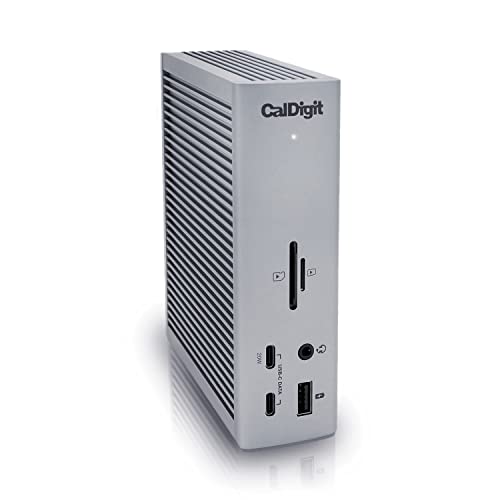
CalDigit’s TS4, current Amazon model and part TS4-US 500971, is the alternative for buyers who prioritize a broader ordinary port mix and two downstream Thunderbolt 4 branches. CalDigit states up to 98W host charging, native DisplayPort 1.4, SD and microSD UHS-II readers, and 2.5GbE.
Its displays and USB-C fallback still depend on the host. It also does not reproduce Lenovo-specific PXE, WOL, MAC, power-button, or management behavior. Compare those tradeoffs in our best Thunderbolt 4 docking stations before choosing by port count alone.
Plugable TBT4-UDZ: native video for a qualifying Windows desk
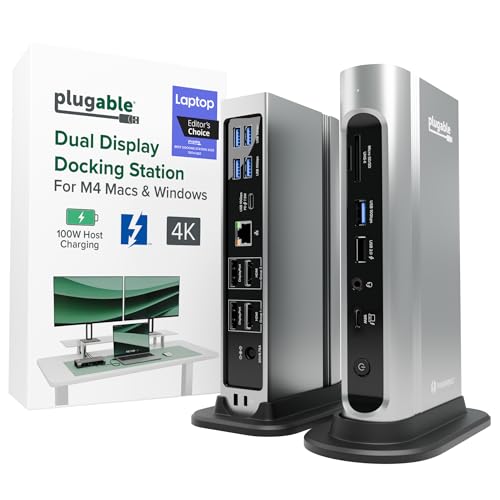
Plugable’s TBT4-UDZ, ASIN B0BQJWKBMF, has two HDMI and two DisplayPort outputs, 2.5GbE, card readers, and up to 100W marketed host charging with 98W certified. It has no downstream Thunderbolt branch.
Plugable limits four external displays to qualifying Windows Thunderbolt 4 or USB4 hosts. Thunderbolt 3, ordinary USB-C, and Mac paths have lower display limits. Choose it when several built-in video connectors are more important than downstream Thunderbolt, then verify the exact host and display matrix on Plugable’s current page.
Checkout checklist
Confirm every item before ordering:
- Product is the Lenovo ThinkPad Universal Thunderbolt 4 Dock.
- Support type is
40B0, but the complete model and part are40B00135US. - ASIN is
B09GJJ5C32. - Brand and manufacturer are Lenovo, not a reseller rebrand.
- Package includes the 135W adapter, power cord, and 0.7m Thunderbolt 4 cable.
- Listing is not the
40B00300USWorkstation Dock, Universal USB-C Dock v2, Smart Dock Gen 2, or a renewed bundle. - Exact host port supports the required Thunderbolt or USB-C path.
- Laptop accepts the required charging input, up to the dock’s 100W ceiling.
- Lenovo’s current matrix covers the machine type and display topology.
- GPU, DP generation, DSC state, internal-panel state, and connector combination produce the required mode.
- Downstream Thunderbolt at up to 15W is enough for the intended device.
- Gigabit Ethernet is enough, and no SD or microSD reader is required.
- Every needed PXE, WOL, MAC, vPro, Dock Manager, and mirrored power-button function is documented for the exact system.
- Installed dock firmware and DSC state are known.
- Non-Lenovo support conflict is resolved before purchase.
- Region, condition, seller, and warranty match the intended offer.
If one identity, host, display, or power line remains uncertain, stop and verify it. Do not average conflicting first-party statements.
Frequently asked questions
Is 40B0 the model number?
It is Lenovo’s support type, but it is not a complete retail identity. This review covers the Universal US model and part 40B00135US, ASIN B09GJJ5C32. The Workstation model 40B00300US also uses Type 40B0.
What power adapter comes with 40B00135US?
Lenovo’s Universal brochure and user guide specify a 135W adapter and power cord. The 300W adapter belongs to the separate Workstation Dock package.
Can it charge a laptop at 100W?
Lenovo states up to 100W dynamic host charging. The exact laptop must accept USB Power Delivery through the connected port, and some systems still require their original adapter for full performance.
Does it support four 4K60 displays?
That is a Lenovo marketing ceiling for qualifying configurations, not a universal result. The exact machine type, GPU, Thunderbolt and DP generation, DSC state, internal panel, and output combination control. Some four-output rows reduce one path to 4K30.
Can it drive an 8K display?
Lenovo documents up to 8K30 on a qualifying single-HDMI path. Confirm the exact host matrix, GPU, monitor, cable, DSC behavior, and connector route before treating that mode as available.
Is the HDMI port enough to prove 8K support?
No. HDMI 2.1 identifies the dock connector generation. It does not establish what the host GPU and complete link can deliver.
Can I use the downstream Thunderbolt port for the laptop?
No. Lenovo’s guide says the computer connects to the dedicated host connector and specifically says not to connect it to the downstream connector.
How much power does the downstream Thunderbolt port provide?
Lenovo states up to 5V/3A, or 15W. That is a stated ceiling, not a measured result with every device and host load.
Does it work on an ordinary USB-C laptop?
Some standards-level function may be possible when the exact port supports DisplayPort Alt Mode and the required USB features. The non-Thunderbolt display matrix has lower paths, and downstream Thunderbolt cannot be assumed. A connector match is not enough.
Is it supported on non-Lenovo laptops?
Lenovo’s sources conflict. The brochure says select non-Lenovo systems can use standards-level protocols, while the current support-listed setup guide restricts use to qualifying Lenovo or ThinkPad notebooks. Get an exact answer from Lenovo and the host maker before purchase.
Does it have 2.5GbE or card readers?
No. Lenovo documents Gigabit Ethernet, and the primary has no SD or microSD reader.
Does every unit have firmware 1.0.19?
Lenovo currently offers firmware 1.0.19 for Type 40B0, but availability of the package does not prove the installed version on a particular unit.
Evidence boundary
This review uses Lenovo’s current Type 40B0 support page, official Universal and Workstation brochures, user guide, current support-listed setup and warranty documents, current firmware and DSC records, and the detailed display workbook. CalDigit and Plugable supply the exact alternative facts. Amazon identity and active-offer presence were checked for all four listed ASINs on July 28, 2026.
Those sources establish identities, package contents, stated port roles, electrical ceilings, display conditions, management boundaries, and offer presence at the recorded time. They do not establish independently observed performance, throughput, temperature, noise, wake behavior, reliability, hot-plug behavior, current price, rating, stock quantity, delivery, or universal compatibility.
Final recommendation
The Lenovo ThinkPad Universal Thunderbolt 4 Dock is worth buying when the exact 40B00135US package and your supported ThinkPad or Lenovo host form a documented system. Its native DP and HDMI mix, downstream Thunderbolt branch, Gigabit Ethernet, ordinary USB ports, and up to 100W charging can make a clean managed desk when the display matrix and management requirements line up.
Do not buy it because 40B0, “Universal,” four displays, or 8K appears in a title. Confirm the complete part, 135W adapter, host charging, exact display row, firmware, and every required Lenovo management feature. For a non-Lenovo system, the unresolved first-party conflict is a reason to pause. If the host needs the high-power Lenovo split-cable path, choose the Workstation package. If cross-platform ports, 2.5GbE, card readers, or several native video outputs are more important, compare the CalDigit and Plugable alternatives.