The six laptops below are entry-level by processor class. Each listing names a chip from the lowest numbered tier of its line: Intel Core 3, Intel Core i3, the N-series i3-N305, or AMD Ryzen 3. None of the six listings names Thunderbolt or USB4, so the comparison below rests on screens, memory, storage, keyboards, and the ports each listing names.
Entry-Level Laptops Compared
| Image | Product | Details | Check Price |
|---|---|---|---|
 | Dell 15 | Best fit: Core 3 with a numeric keypad Processor: Intel Core 3 100U Screen: 15.6-inch Full HD anti-glare IPS WVA Memory and SSD: 8GB, 512GB (title only) Ports: None named | Check Price on Amazon |
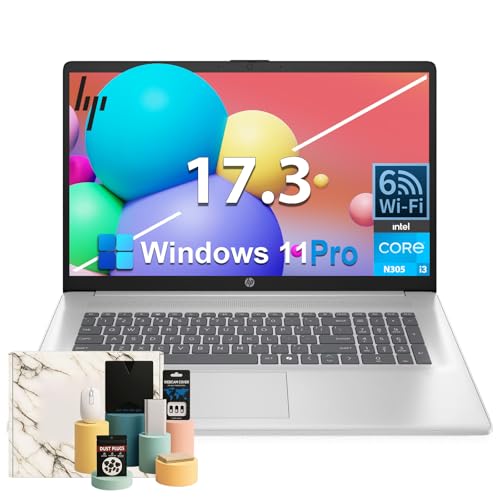 | HP 17.3-inch i3-N305 Laptop | Best fit: Largest screen with a full-size keyboard Processor: Intel i3-N305 Screen: 17.3-inch HD+ anti-glare Memory and SSD: 16GB, storage figures conflict Ports: None named | Check Price on Amazon |
 | Lenovo V15 G4 IRU | Best fit: 13th Gen Core i3 with Full HD Processor: Core i3-1315U Screen: 15.6-inch Full HD Memory and SSD: 8GB, 256GB Ports: None named | Check Price on Amazon |
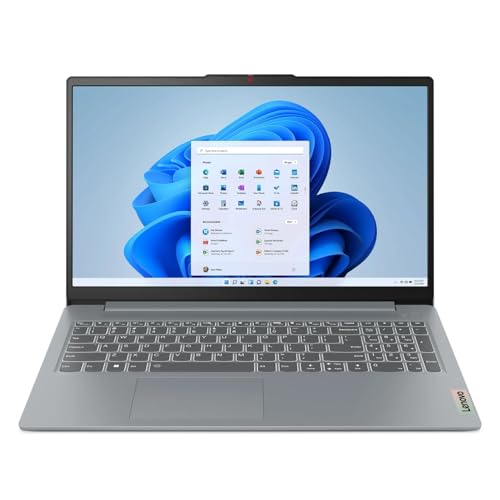 | Lenovo IdeaPad Slim 3i | Best fit: i3-N305 at 15.6 inches Processor: Intel Core i3-N305 Screen: 15.6-inch Full HD Memory and SSD: 8GB, 256GB Ports: None named | Check Price on Amazon |
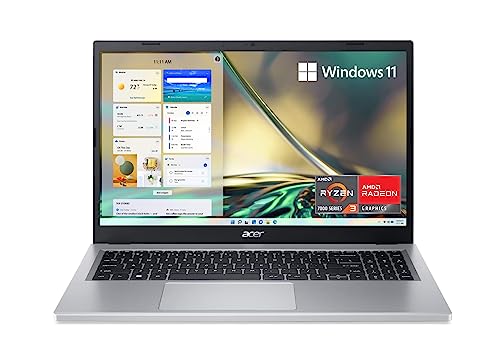 | Acer Aspire 3 A315-24P-R7VH | Best fit: Ryzen 3 with IPS and Wi-Fi 6 Processor: AMD Ryzen 3 7320U Screen: 15.6-inch Full HD IPS Memory and SSD: 8GB LPDDR5, 128GB NVMe Ports: None named | Check Price on Amazon |
 | ASUS Vivobook Go 15 | Best fit: Named USB-C, HDMI and USB-A ports Processor: AMD Ryzen 3 7320U Screen: 15.6-inch Full HD Memory and SSD: 8GB DDR5, 128GB Ports: USB-C, USB-A, USB 2.0, HDMI 1.4 | Check Price on Amazon |
1. Dell 15 — Core 3 Model With a Numeric Keypad
The Dell 15 DC15250 is the one laptop in this group with a Core 3 chip, the Intel Core 3 100U. Amazon’s title states a 15.6-inch Full HD anti-glare IPS WVA screen at 250 nits, Intel UHD Graphics, Wi-Fi 6, Bluetooth, and Windows 11 Home. Dell’s feature text adds a separate numeric keypad with a calculator hotkey, lifted hinges for a typing angle, and ComfortView software for blue light.
The title also gives 8GB of DDR4 memory and a 512GB SSD, and Amazon’s size field repeats 512GB. The feature text mentions neither, so treat both as possibly a seller configuration and confirm them before buying. Dell’s listing does not name any ports.
Dell’s title is the only one here that names a Core 3 chip, and its feature text names a numeric keypad for typing numbers.Our Take Pick the Dell 15 if you want a Core 3 laptop with a separate numeric keypad for spreadsheets and forms. Confirm the memory and SSD before ordering, because the feature text does not state them.
- Dell’s title names an Intel Core 3 100U processor, a chip no other laptop in this group uses.
- Dell’s feature text names a separate numeric keypad and a calculator hotkey, useful for spreadsheets and forms.
- Dell’s title states a 15.6-inch Full HD anti-glare IPS WVA screen at 250 nits.
- Dell’s title gives 8GB of memory and a 512GB SSD that the feature text does not repeat, so confirm both before buying.
2. HP 17.3-inch i3-N305 Laptop — 17.3-Inch Screen With a Full-Size Keyboard
The HP 17.3-inch laptop has the largest screen in the group, a 17.3-inch HD+ anti-glare display, and a full-size keyboard. Amazon’s title states an Intel 8-Core i3-N305 processor, Wi-Fi 6, Intel UHD Graphics, and Windows 11 Pro. The feature text adds a webcam with a physical privacy shutter, a dedicated Copilot key, up to 10 hours of video playback, and a fast charge to 50% in 45 minutes.
Amazon gives three different answers on storage. The title says 512GB SSD, the size field says 128GB eMMC plus a 1TB SSD, and the feature text says the laptop supports 512GB SSD expansion. The 16GB of memory appears in the title and the size field, and the feature text says the laptop supports 16GB. Treat the memory and storage as possibly a seller configuration and confirm the drive before buying.
Three Amazon fields disagree about this HP’s storage, so confirm the drive before buying.Our Take Choose this HP when a 17.3-inch screen and a full-size keyboard are the point of the purchase and you can confirm the drive. Pick one of the 15.6-inch laptops if you carry the laptop every day.
- HP’s listing names an i3-N305 processor and the largest screen in the group, a 17.3-inch HD+ anti-glare display.
- HP’s feature text names a full-size keyboard and a webcam with a physical privacy shutter.
- HP’s title states Wi-Fi 6 and names Windows 11 Pro as the operating system.
- HP’s listing gives three different storage figures in its title, size field, and feature text, so confirm the drive before buying.
- HP’s display is the largest in the group, so pick a smaller laptop if you carry it every day.
3. Lenovo V15 G4 IRU — 13th-Gen Core i3 With Full HD
The Lenovo V15 G4 IRU, model 83A10028US, has a 13th Gen Core i3-1315U, a hexa-core chip at 1.20 GHz. Amazon’s title states a 15.6-inch Full HD display at 1920 x 1080, 8GB of total memory with 8GB on-board, and a 256GB SSD. The feature text repeats the memory, storage, and screen, and gives 7.50 hours of battery run time.
Its 256GB SSD matches the Slim 3i and is larger than the 128GB drives in the Acer and ASUS listings. The listing does not name an operating system, ports, or a wireless standard. Ask the seller about any of them that you need.
Our Take Choose the V15 for a Core i3-1315U with a Full HD screen and a model number to confirm. Pick the Dell 15 or the Acer Aspire 3 instead if you need a listing that names Windows 11 Home.
- Lenovo’s title names the 83A10028US model, a number you can check at checkout, and a 13th Gen Core i3-1315U.
- Lenovo’s title states a 15.6-inch Full HD display at 1920 x 1080.
- Lenovo’s feature text gives 7.50 hours of battery run time.
- Lenovo’s V15 listing does not name an operating system, ports, or a wireless standard, so ask the seller about any you need.
4. Lenovo IdeaPad Slim 3i — i3-N305 in a 15.6-Inch Full HD Laptop
The Lenovo IdeaPad Slim 3i is the second i3-N305 laptop and the only one of the two with a 15.6-inch screen. Amazon’s title and feature text state an Intel Core i3-N305 processor, 8GB of RAM, and a 256GB SSD, and the title states a 15.6-inch Full HD display. The feature text calls the chassis slim and portable in Arctic Grey and describes the laptop as made for multitasking, browser tabs, and everyday computing. Amazon’s model field reads 21HFS1D300.
The feature text says the laptop runs Windows, with Microsoft 365 trial applications potentially pre-installed, and it names no Windows version. A trial is not a license, so confirm a Microsoft 365 plan separately if you need one. The listing does not name any ports.
Our Take Consider the Slim 3i for an i3-N305 laptop with a 15.6-inch Full HD screen. Pick the Dell 15 instead if you want the larger 512GB SSD stated in its title.
- Lenovo’s feature text states an Intel Core i3-N305 processor for multitasking and everyday computing.
- Lenovo’s title and feature text both state 8GB of RAM and a 256GB SSD.
- Lenovo’s title states a 15.6-inch Full HD display.
- Lenovo’s feature text says Microsoft 365 trial applications may be pre-installed, and a trial is not a license, so confirm a plan separately if you need one.
5. Acer Aspire 3 A315-24P-R7VH — Ryzen 3 With an IPS Screen and Wi-Fi 6
The Acer Aspire 3 A315-24P-R7VH is a Ryzen 3 laptop with an IPS display and Wi-Fi 6. Acer’s listing names an AMD Ryzen 3 7320U quad-core processor with Radeon Graphics, a 15.6-inch Full HD IPS display with a 16:9 aspect ratio and narrow bezels, 8GB of LPDDR5 on-board memory, a 128GB NVMe SSD, Wi-Fi 6, and Windows 11 Home. The feature text adds an HD camera with Temporal Noise Reduction and PurifiedVoice noise filtering for video calls.
The 128GB SSD is the smallest drive in the group, tied with the ASUS. Acer’s listing does not name any ports, and Amazon’s model field reads NX.JK8AA.001.
Our Take Choose the Aspire 3 for a Ryzen 3 laptop with an IPS display and Wi-Fi 6. Pick a laptop with a larger stated SSD, such as the Dell 15 or either Lenovo, if you expect to keep many files on the laptop.
- Acer’s listing names a quad-core Ryzen 3 7320U with Radeon Graphics.
- Acer’s listing states a 15.6-inch Full HD IPS display and Wi-Fi 6.
- Acer’s feature text states 8GB of LPDDR5 on-board memory and a 128GB NVMe SSD.
- Acer’s 128GB SSD is smaller than the 256GB and 512GB drives stated for the Lenovo and Dell laptops, so it suits you less if you expect to keep many files on the laptop.
6. ASUS Vivobook Go 15 — Ryzen 3 With Listed USB-C, HDMI and USB-A Ports
The ASUS Vivobook Go 15 E1504FA-AS33 is the only laptop here whose listing names its ports. ASUS lists one USB 3.2 Gen 1 Type-C port for power and display, one USB 3.2 Gen 1 Type-A port, one USB 2.0 Type-A port, one HDMI 1.4 port, a 3.5mm combo audio jack, and a DC-in jack. A 45W AC adapter is listed as included.
ASUS also lists an AMD Ryzen 3 7320U quad-core processor, 8GB of DDR5 memory, and a 128GB SSD. The 15.6-inch Full HD NanoEdge display runs at 60Hz with 250-nit sustained brightness and a 45% NTSC color gamut. The listing adds Wi-Fi 5, Bluetooth 5.1, a 180-degree hinge, and a 720p camera with a privacy shutter. It says the Type-C port is for power and display but does not say which display modes the port supports, so check the monitor and cable you plan to use before buying.
ASUS lists a USB-C port for power and display, an HDMI 1.4 port, and a USB-A port, which is more port detail than any of the other five listings gives.Our Take Pick the Vivobook Go 15 if a named HDMI port and a USB-C port for power and display fit the monitor and charger you already own. The Aspire 3 lists Wi-Fi 6 where ASUS lists Wi-Fi 5.
- ASUS is the only maker in this group that names its ports, including a USB-C port for power and display, a USB-A port, and an HDMI 1.4 port.
- ASUS lists a 180-degree hinge and a 720p camera with a privacy shutter.
- ASUS gives a Ryzen 3 7320U, 8GB of DDR5 memory, and a 128GB SSD in the same listing.
- ASUS’s 128GB SSD is smaller than the 256GB and 512GB drives stated for the Lenovo and Dell laptops.
- ASUS lists Wi-Fi 5, while Acer’s listing states Wi-Fi 6.
Buying Guide
1. Start with the processor name, then read the rest of the listing
Core 3, Core i3, i3-N305, and Ryzen 3 are the entry tier of Intel’s and AMD’s naming, and the listings name them differently. Dell’s title names a Core 3 100U. Lenovo’s V15 title names a 13th Gen Core i3-1315U. The HP and the Slim 3i name an i3-N305, and Acer and ASUS name a Ryzen 3 7320U. No listing says how a Core 3 compares with a Core i3, so compare the other specs instead.
Compare screen, memory, storage, and ports next. A processor name does not tell you whether a laptop has a Full HD panel, an IPS display, a numeric keypad, or a USB-C port for display. Use the chip to build a short list, then read those details for each model.
2. Give storage as much weight as the processor
Acer and ASUS each state a 128GB SSD, Lenovo’s V15 and Slim 3i state 256GB, and Dell’s title states 512GB. The HP title states 512GB as well, but Amazon’s size field gives 128GB eMMC plus a 1TB SSD. A smaller drive holds fewer files and installed programs, so add up your downloads, photos, and applications before choosing.
Memory or storage that only a title states is possibly a seller configuration. Dell’s feature text does not state the memory or drive that its title gives, and the HP listing disagrees with itself on storage. Ask the seller to confirm the memory and drive in the unit you are buying.
3. Choose the screen size for the desk
Five of the six listings state a 15.6-inch Full HD screen. The five are the Dell, the Lenovo V15, the Slim 3i, the Acer, and the ASUS. Acer states an IPS panel, Dell states an anti-glare IPS WVA panel, and Dell and ASUS both state 250 nits of brightness.
The HP is the only laptop here with a 17.3-inch HD+ anti-glare screen. A larger screen takes more desk and bag space, so choose it only if you work mostly in one place and want the larger display and full-size keyboard.
4. Check the ports against what you plug in
ASUS is the only one of the six whose listing names its ports. It lists one USB-C port for power and display, one USB 3.2 Gen 1 USB-A port, one USB 2.0 USB-A port, one HDMI 1.4 port, and a 3.5mm combo audio jack. None of the six listings names Thunderbolt or USB4, so do not assume a fast external drive or a dock will work at full speed on any of them.
A connector shape does not promise a display or charging result. For the other five laptops, ask the seller which ports the laptop has. The USB-C cable guide and the dual-monitor docking station guide cover cable and dock choices, and you should check the laptop, cable, charger, and monitor specifications together.
5. Keep everyday work separate from demanding programs
The listings describe everyday tasks. Dell’s feature text says everyday computing, Lenovo’s Slim 3i text says multitasking and browser tabs, ASUS’s text says browsing and productivity, and the HP text names Zoom meetings and Chrome multitasking. None of the six gives a benchmark.
For a named program, use the developer’s system requirements. Compare its processor, memory, graphics, storage, and operating-system needs with the laptop’s listing, and confirm the unit’s memory and drive with the seller.
FAQ
Is a Core i3 better than a Ryzen 3 or an i3-N305?
The six listings do not rank them. Dell names a Core 3 100U, Lenovo’s V15 names a Core i3-1315U, the HP and the Slim 3i name an i3-N305, and Acer and ASUS name a Ryzen 3 7320U. No listing compares one chip with another.
Compare the whole configuration instead. Screen, storage, ports, and keyboard also differ across the six listings.
Is 128GB enough for an entry-level Windows laptop?
Acer and ASUS list 128GB, the two Lenovo laptops list 256GB, and Dell’s title lists 512GB. The HP listing gives conflicting storage figures.
Add up the files and programs you plan to keep on the laptop. If the total is close to 128GB, pick a larger drive.
Which laptop has a numeric keypad?
Dell’s feature text names a separate numeric keypad and a calculator hotkey on the Dell 15. The HP listing names a full-size keyboard, and the other four listings do not say whether the keyboard has a number pad.
Check the product photos and ask the seller if a number pad is a requirement for any of the other five.
Which laptop names its ports?
The ASUS Vivobook Go 15 listing names USB-C for power and display, USB-A, USB 2.0, HDMI 1.4, and a 3.5mm combo audio jack. The other five listings do not name any ports.
Even so, a port list does not settle a monitor or charging result. Check the laptop, cable, charger, and display as one connection.
Which HP 17.3-inch storage figure is correct?
Amazon’s page does not settle it. The title says 512GB SSD, the size field says 128GB eMMC plus a 1TB SSD, and the feature text says the laptop supports 512GB SSD expansion.
Ask the seller which drive ships in the unit you are buying before you order.
Bottom Line
The Dell 15 suits you if you want the only Core 3 chip in the group and a numeric keypad. The Acer Aspire 3 suits a Ryzen 3 laptop with an IPS screen and Wi-Fi 6, and the ASUS Vivobook Go 15 suits you if you need the USB-C, HDMI, and USB-A ports its listing names. Confirm the memory and storage on the Dell and the HP before ordering.