A 64GB flash drive is a portable way to move documents, photos and other files between compatible devices. The capacity is the same across this comparison, but the connector, package size and stated read speed differ. A five-pack contains five independent 64GB drives rather than one larger volume.
The six choices below include USB-A, USB-C and dual-connector designs. Check the laptop or phone port first, then decide how many individual drives you need and whether a stated maximum read speed suits your transfers.
64GB USB Flash Drives Compared
| Image | Product | Best fit | Package | Connection | Stated speed | Watch-outs | Check Price |
|---|---|---|---|---|---|---|---|
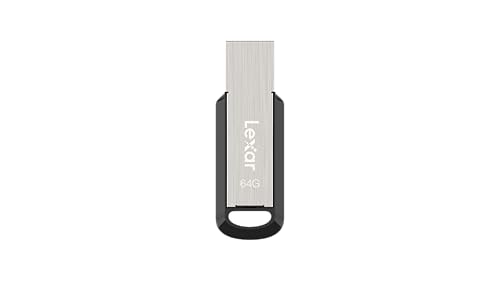 | Lexar JumpDrive M400 64GB | Single metal USB-A drive | One 64GB drive | USB-A, USB 3.2 Gen 1 | Up to 150 MB/s read | Lexar says write speeds are lower | Check Price on Amazon |
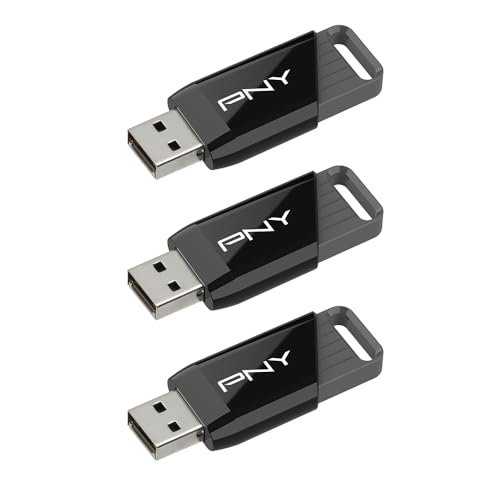 | PNY Attaché X 64GB 3-Pack | Three Type-A drives | Three 64GB drives | USB-A, USB 3.2 Gen 1 | Up to 130 MB/s read | PNY says the speed needs a USB 3.2 Gen 1 or 3.0 host | Check Price on Amazon |
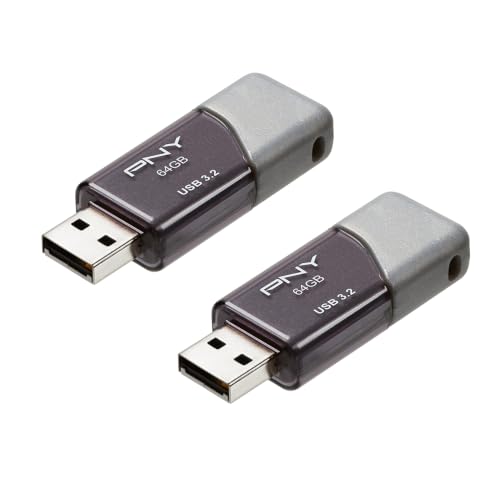 | PNY Elite Turbo Attaché 3 64GB 2-Pack | Two sliding-collar drives | Two 64GB drives | USB-A, USB 3.2 Gen 1 | Up to 100 MB/s read | No write speed in MB/s from PNY or Amazon | Check Price on Amazon |
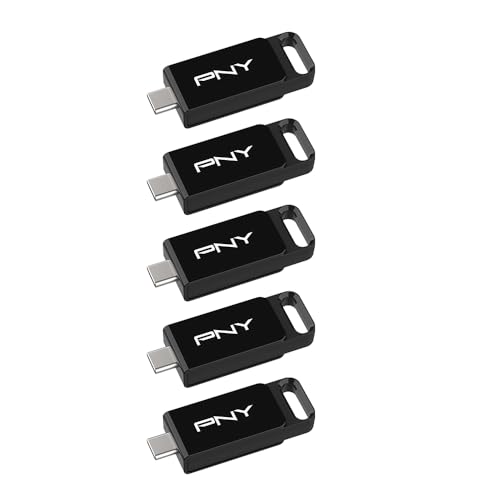 | PNY Elite Type-C 64GB 5-Pack | USB-C devices and multiple drives | Five 64GB drives | USB-C, USB 3.2 Gen 1 | Up to 120 MB/s read | USB-A-only computers need an adapter | Check Price on Amazon |
 | SanDisk Ultra 64GB 2-Pack | Two drives with password protection | Two 64GB drives | USB-A, USB 3.0 | Up to 130 MB/s read | SanDisk says USB 3.0 port required for the speed | Check Price on Amazon |
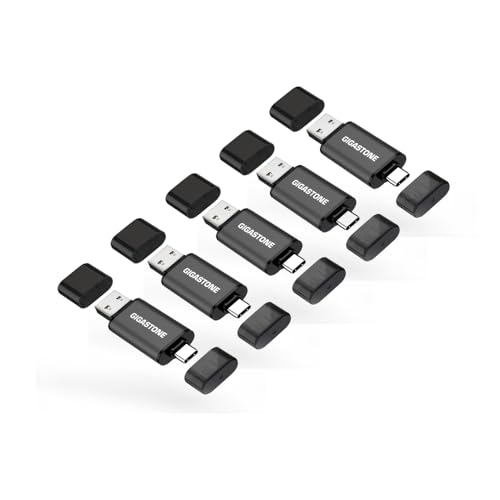 | Gigastone Z40 64GB 5-Pack | USB-C and USB-A connectors | Five 64GB drives | USB-C and USB-A, USB 3.2 Gen 1 | Amazon title: up to 100 MB/s | Only the Amazon title gives a speed | Check Price on Amazon |
1. Lexar JumpDrive M400 — Best Single Metal USB-A Drive
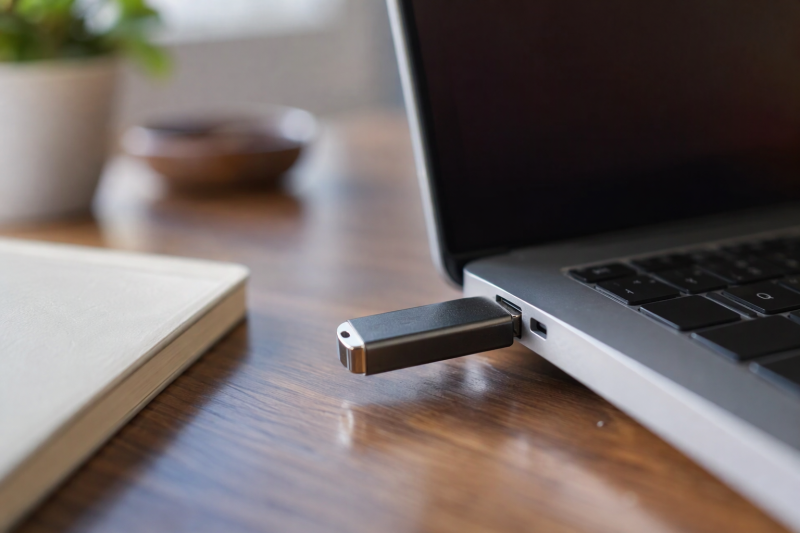
The Lexar JumpDrive M400, part LJDM400064G-BNBNU, is a single 64GB drive with a USB Type-A plug. Lexar’s product page names that part and gives USB 3.2 Gen 1 with up to 150 MB/s read across its 64GB to 256GB sizes. Lexar also lists a 4.82 g weight, a body of 47.2 mm by 16.3 mm by 6.2 mm, and a five-year limited warranty. The Amazon listing adds backward compatibility with USB 3.1, 3.0 and 2.0.
Lexar’s footnote qualifies the speed. The read figure requires USB 3.2 support, and write speeds are lower. The body is metal, and Lexar includes a key ring. Lexar says DataShield uses 256-bit AES encryption, and that the encryption software works only with Windows 7, 8 and 10 and Mac OS X 10 and above. A laptop with only USB-C ports needs an adapter for the Type-A plug.
Decision point: choose the M400 for one metal USB-A drive with Lexar’s 150 MB/s read maximum. Our TakeThe M400 suits a USB-A laptop when one metal drive on a key ring is the goal. The 150 MB/s figure is Lexar’s read maximum, and Lexar says writes are lower.
- Lexar’s page names the 64GB part LJDM400064G-BNBNU and gives up to 150 MB/s read, a read maximum rather than a write figure.
- Lexar describes a metal body and includes a key ring for a buyer who wants one metal drive on a key ring.
- Lexar names DataShield for the M400 and says it uses 256-bit AES encryption.
- The Amazon listing says the M400 is backward compatible with USB 3.1, 3.0 and 2.0.
- Lexar says the M400’s 150 MB/s read maximum needs USB 3.2 support, and that write speeds are lower.
- Lexar says the DataShield encryption software works only with Windows and Mac OS X systems.
- The Lexar M400 is a single drive, while the PNY, SanDisk and Gigastone Amazon listings each name a pack of two to five drives.
2. PNY Attaché X 3-Pack — Best Three-Pack for USB-A
The PNY Attaché X, part P-FD64GX3ATTXCN-GE, is a three-pack of 64GB Type-A drives. PNY’s Attaché X page lists 64GB in five- and ten-packs and does not name this three-pack part, so the Amazon listing is the source for the pack and the part. PNY gives USB 3.2 Gen 1 and up to 130 MB/s read, and describes a plastic sliding collar with a cap-less design.
PNY’s footnote says the noted speed requires USB 3.2 Gen 1 or USB 3.0 devices and may be lower on earlier hosts, and that write speed may be lower. PNY states write speed only as up to 10x faster than its 3 MB/s USB 2.0 drive. Three drives suit files kept apart for different people or purposes. Each drive is a separate 64GB device, not one 192GB volume. A USB-C-only device needs an adapter for the Type-A plug.
The Attaché X fits when three Type-A drives are the right count. PNY ties its 130 MB/s read figure to a USB 3.2 Gen 1 or USB 3.0 host.
- The Amazon listing supplies three separate 64GB drives, which suit files kept apart for different people or purposes.
- PNY gives the Attaché X up to 130 MB/s read on USB 3.2 Gen 1 or USB 3.0 hosts.
- PNY describes the Attaché X with a plastic sliding collar and a cap-less design.
- The Attaché X pack holds three separate 64GB drives, and they do not combine into one 192GB volume.
- PNY says the Attaché X’s 130 MB/s figure requires a USB 3.2 Gen 1 or USB 3.0 host.
- PNY says Attaché X write speed may be lower than the read figure.
3. PNY Elite Turbo Attaché 3 2-Pack — Best Two-Pack With Sliding Collars
The P-FD64GX2TBOP-GE is a two-pack of 64GB PNY Elite Turbo Attaché 3 drives. PNY’s Turbo Attaché 3 sheet covers 32GB to 512GB and gives a Type-A connector. It lists 64GB part numbers for single, three-pack and five-pack sizes but not this two-pack, so the Amazon listing names the pack and part. The Amazon listing states up to 100 MB/s read, USB 3.2 Gen 1 and USB 3.0 compatibility, and backward compatibility with USB 2.0.
PNY’s sheet says the speed is quoted for USB 3.0 devices, that write speed may be lower, and that the drive performs at USB 2.0 speeds on USB 2.0 devices. Neither the sheet nor the Amazon listing gives a write figure in MB/s, so the Turbo Attaché 3 cannot be compared with another drive’s write speed. The two drives use a sliding collar with a cap-less design, per PNY.
Decision point: select this two-pack for two 64GB drives with sliding collars. Our TakeThe Turbo Attaché 3 makes sense when two drives are the right count and USB-A fits the computer. PNY gives a 100 MB/s read maximum and no write number.
- The Amazon listing supplies two independent 64GB drives for a buyer whose right count is two.
- The Amazon listing states up to 100 MB/s read, and PNY’s sheet quotes the speed for USB 3.0 devices.
- PNY says the two drives use a sliding collar with a cap-less design.
- The Amazon listing says the two drives are backward compatible with USB 2.0.
- Neither PNY’s sheet nor the Amazon listing gives a write speed in MB/s.
- PNY says the drive performs at USB 2.0 speeds on USB 2.0 devices.
- The two-pack holds fewer drives than the Attaché X three-pack and the Elite Type-C five-pack.
4. PNY Elite Type-C 5-Pack — Best for USB-C Devices
PNY’s P-FD64GX5ELC-EF is a five-pack of 64GB USB-C drives, and PNY’s Elite Type-C page names this part. PNY states USB 3.2 Gen 1, up to 120 MB/s read and a plastic sliding collar. The page names iPhone 15, 3rd Gen iPad and newer, and Android phones and tablets as Type-C sources, and newer-generation PC and Mac laptops and desktops as the full-size destinations. PNY’s page lists a one-year limited warranty for this part.
PNY advises that a device case allow unobstructed access to the Type-C port. A computer with only USB-A ports needs an adapter for these drives. PNY states write speed as up to 10x faster than its 3 MB/s USB 2.0 drive and says write speed may be lower. Each of the five drives is its own 64GB device.
Decision point: choose the Elite Type-C 5-Pack when the devices have accessible USB-C ports. Our TakeThe Elite Type-C is the five-drive choice for a group of devices that use USB-C. Check case clearance and the destination computer’s port before buying the pack.
- PNY’s Elite Type-C page names the part P-FD64GX5ELC-EF and gives up to 120 MB/s read.
- PNY lists iPhone 15, 3rd Gen iPad and newer, and Android phones and tablets as Type-C source devices.
- PNY advises that a device case leave the Type-C port unobstructed, so check case clearance before buying.
- PNY and the Amazon listing name backward compatibility with USB 2.0.
- A computer with only USB-A ports needs an adapter for the Elite Type-C connector.
- The Elite Type-C pack holds five drives, more than a buyer needs when one or two separate devices are enough.
- PNY says the Elite Type-C write speed may be lower than its 120 MB/s read figure.
5. SanDisk Ultra 2-Pack — Best for Password-Protected Files
The SanDisk Ultra two-pack, part SDCZ48-064G-GAM462, holds two 64GB USB-A drives. SanDisk’s Ultra page covers the single 64GB drive, SDCZ48-064G-A46, and does not name this two-pack part, so the Amazon listing is the source for the pack. SanDisk’s page gives up to 130 MB/s read, USB 3.0 and backward compatibility with USB 2.0, and lists a five-year limited warranty for the single drive. The Amazon title adds a retractable design.
SanDisk’s footnote says the read figure is based on internal testing, needs a USB 3.0 port and varies with the host. The Amazon bullet lists secure file encryption and password protection. SanDisk says a software download is required for password protection and encryption, and that the drive works without the software. SanDisk’s compatibility list names Windows 10 and later, macOS 12 and later, Android 8 and later and iOS 13 and later. The two drives are independent 64GB devices, not one 128GB volume.
The SanDisk pack pairs two drives with password protection that SanDisk says needs a software download. SanDisk says the 130 MB/s read figure needs a USB 3.0 port, and keep another copy of important files.
- The Amazon listing names secure file encryption and password protection for the Ultra pack.
- SanDisk says the Ultra works without the software that password protection and encryption need.
- SanDisk gives the Ultra up to 130 MB/s read on a USB 3.0 port.
- The Amazon title adds a retractable design to the two USB-A drives.
- SanDisk says the Ultra’s 130 MB/s read figure needs a USB 3.0 port and varies with the host.
- SanDisk says password protection and encryption need a software download.
- The SanDisk pack holds two separate 64GB drives, not one 128GB volume.
6. Gigastone Z40 5-Pack — Best for USB-A and USB-C
The Gigastone Z40 is a five-pack of 64GB drives with both USB-A and USB-C connectors. The Amazon listing gives the model as Z40, names USB 3.2 Gen 1 with USB 2.0, 3.0 and 3.1 compatibility, and calls it a 2-in-1 USB C+A drive with a head cap design. The Gigastone Z40 could not be matched to a maker product page, so every Z40 figure here comes from the Amazon listing.
Only the Amazon title gives a speed, up to 100 MB/s, and it does not say read or write. The bullets give no number. Gigastone America sells the pack on Amazon, and the listing gives the size as 2.44 by 0.79 by 0.28 inches. The bullets name desktop, laptop, tablet, TV, gaming console and car audio use. Each of the five drives is a separate 64GB device.
The Z40 suits a group with both USB-A and USB-C devices to cover. Its only speed figure is the Amazon title’s 100 MB/s, with no read or write label.
- The Amazon title calls the Z40 a 2-in-1 USB C+A design, and the pack holds five 64GB drives.
- The Amazon bullets name desktop, laptop, tablet, TV, gaming console and car audio use for the Z40.
- The Amazon listing names USB 3.2 Gen 1 for the Z40 with USB 2.0, 3.0 and 3.1 compatibility.
- Only the Amazon title gives a Z40 speed, and the title does not say whether it is read or write.
- The Gigastone Z40 could not be matched to a maker product page, so each Z40 figure comes from the Amazon listing.
Buying Guide: Choose a 64GB Flash Drive
Match the connector to both devices
Start with the port on the computer or phone you use most. Lexar’s M400, PNY’s Attaché X and Turbo Attaché 3, and SanDisk’s Ultra use USB-A, while the PNY Elite Type-C uses USB-C. A connector adapter is needed when the drive and the host do not have matching ports.
The Gigastone Z40 title describes a 2-in-1 USB C+A design on each drive. Check that a phone or tablet supports external storage, and note that PNY advises its Elite Type-C users to keep the case clear of the Type-C port. Our USB-C flash drive guide covers more Type-C options.
Count individual drives, not just capacity
The Amazon listings show the Lexar as a single 64GB drive, the PNY Turbo Attaché 3 and SanDisk Ultra as two-packs, the PNY Attaché X as a three-pack, and the PNY Elite Type-C and Gigastone Z40 as five-packs. Buy the count that matches the number of separate devices you want to carry, share or assign to different files.
A five-pack is five separate 64GB drives, not one 320GB volume, so files have to be managed on each one. Keeping a second copy elsewhere is useful when a drive is lost or damaged, including when you buy the SanDisk two-pack.
Read the speed and the host condition together
Lexar states up to 150 MB/s read for the M400. PNY states up to 130 MB/s for the Attaché X, 120 MB/s for the Elite Type-C and 100 MB/s for the Turbo Attaché 3, and SanDisk states up to 130 MB/s for the Ultra. Lexar’s figure is the highest of those, and the Gigastone title’s 100 MB/s carries no read or write label. Each of those five figures is a ceiling for reading. Lexar says write speeds are lower, and PNY says write speed may be lower on its three families.
Whether a ceiling applies depends on the host. SanDisk requires a USB 3.0 port for its 130 MB/s read figure. PNY ties its quoted speeds to USB 3.2 Gen 1 or USB 3.0 devices. Lexar requires USB 3.2 support for 150 MB/s.
Choose a design you can carry
Lexar describes a metal body with an included key ring. PNY describes a sliding collar on the Attaché X, Turbo Attaché 3 and Elite Type-C. The SanDisk Amazon title says retractable, and the Gigastone title says head cap design.
Pick between a key ring and a collar by where the drive will travel. For a phone or tablet, PNY advises that the case allow unobstructed access to the Type-C port, so check case clearance before buying any pack.
Separate file protection from backup
The SanDisk Amazon listing names secure file encryption and password protection, and SanDisk says a software download is required. Lexar says DataShield uses 256-bit AES encryption, with software that works only on Windows and Mac OS X. A protection feature does not create a second copy of the files.
All six listings state 64GB capacity per drive, and PNY and SanDisk both say user-available storage may be less than the listed capacity. If that is too little, the site’s 1TB USB flash drive comparison covers a larger-capacity decision. For a smaller capacity, compare the 16GB drives.
Frequently Asked Questions
Is a five-pack one 320GB drive?
No. The Amazon listings for the PNY Elite Type-C and Gigastone Z40 describe five separate 64GB drives. Each is its own device, so you can use them for different files or people, and they do not appear as one combined volume.
The same holds for the two- and three-packs. Choose a larger single drive if the goal is one larger storage space.
Will a USB-A drive fit a USB-C-only laptop?
Not directly. Lexar’s M400, PNY’s Attaché X and Turbo Attaché 3, and SanDisk’s Ultra have USB-A plugs, so a laptop with only USB-C ports needs an adapter. The PNY Elite Type-C uses a USB-C connector instead.
The Gigastone Z40 title describes USB C+A on each drive. Check the host’s external-storage support and physical clearance, particularly when a phone or tablet is inside a case.
Does 130 MB/s describe writing files?
No. PNY states up to 130 MB/s read for the Attaché X and SanDisk states the same for the Ultra. PNY says write speed may be lower, and SanDisk says performance may be lower depending on the host device.
Lexar likewise states up to 150 MB/s read for the M400 and says write speeds are lower. PNY gives write speed only as up to 10x faster than its 3 MB/s USB 2.0 drive, so compare read with read.
Can these drives work with an older USB port?
Yes, in the listings’ words. The Amazon listings for the Lexar M400, the PNY drives, the SanDisk Ultra and the Gigastone Z40 describe backward compatibility with USB 2.0. PNY’s Turbo Attaché 3 sheet adds that the drive performs at USB 2.0 speeds on USB 2.0 devices.
SanDisk requires a USB 3.0 port for its 130 MB/s read figure. Connector fit and host support need checking separately from the drive’s listed USB generation.
Does password protection replace a backup?
No. The SanDisk Amazon listing names encryption and password protection, both file-access features. A backup is a separate copy kept somewhere else, so it is available if a drive is lost, damaged or erased.
The two SanDisk drives are separate devices, but both can be lost together. SanDisk says the protection needs a software download, so keep important files in another suitable location as well.