The receipt printer is the last step of a sale, so a glossy speed claim counts for less than whether your laptop POS can actually address the printer. A USB socket, an ESC/POS command claim and an automatic cutter are different things. Check the transaction software’s supported-printer list before choosing any of these models.
We found six exact Amazon US receipt printers with active New offers. They span 58 mm and 80 mm rolls, USB-only and network-capable counters, and different operating-system claims. We have not installed or transaction-tested them. If the laptop needs more physical ports, start with our USB-C hub guide before planning the counter wiring.
None of these listings establishes compatibility with Square, Shopify POS or another named service merely by saying ESC/POS. Verify the exact app, OS and printer model first.USB Receipt Printers Compared
| Image | Product | Details | Check Price |
|---|---|---|---|
 | NetumScan 8360 | Paper: 80 mm thermal roll Laptop link: USB only Cutter: Automatic Best fit: Simple wired Windows/Mac/Linux counter | Check Price on Amazon |
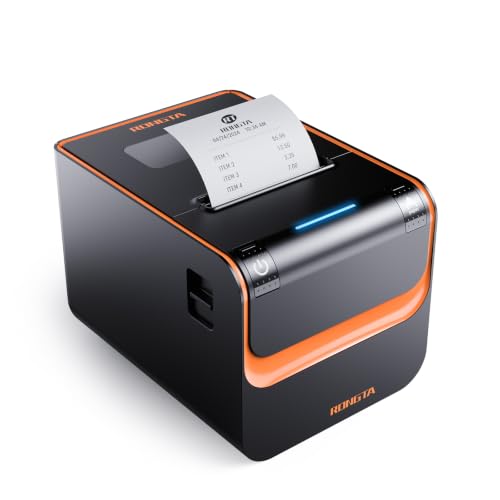 | Rongta RP332 | Paper: 80 or 58 mm per listing Laptop link: USB, serial, Ethernet Cutter: Automatic Best fit: Counter with multiple wired interfaces | Check Price on Amazon |
 | Rongta RP326 | Paper: 80 mm thermal roll Laptop link: USB, LAN, serial Cutter: Automatic Best fit: 80 mm network-capable counter | Check Price on Amazon |
 | MUNBYN P098 | Paper: 80 mm thermal roll Laptop link: USB only Cutter: Automatic Best fit: Windows USB-only station | Check Price on Amazon |
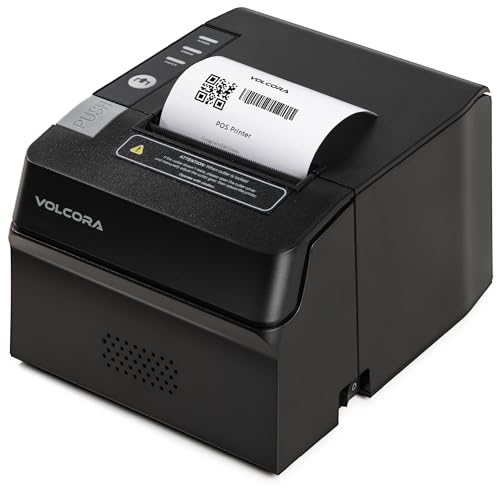 | Volcora 500108 | Paper: 80 mm thermal roll Laptop link: USB or Ethernet; SDK conditions Cutter: Automatic Best fit: Custom integration with verified software | Check Price on Amazon |
 | symcode MJ-5890K | Paper: 57.5 mm roll Laptop link: USB; older Windows/Linux claims Cutter: Not stated Best fit: Narrow-receipt legacy setup | Check Price on Amazon |
1. NetumScan 8360 — Best Straightforward USB Counter
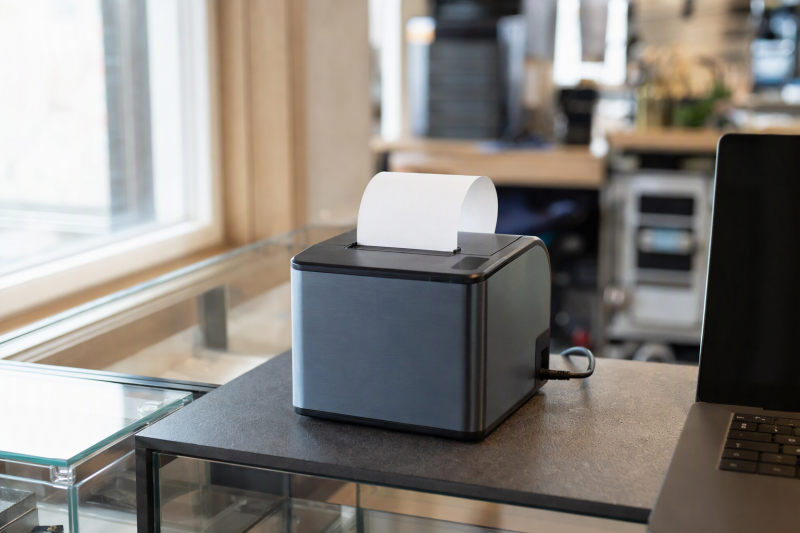
NetumScan’s 8360 listing describes an 80 mm direct-thermal receipt printer with USB as its only computer interface. It names Windows, Mac and Linux, plus an automatic cutter and cash-drawer connection. This interface set is sensible when one fixed laptop runs a compatible desktop POS and the owner does not need a network print queue. The seller claims up to 300 mm/s. The figure is not a measured speed from our desk.
Its compatibility note rules out Square, Shopify, Clover, several delivery platforms and mobile devices. Treat that warning as more important than the generic ESC/POS label. Before ordering, ask the POS vendor whether the 8360 model and your OS are supported. Our home-office monitor guide helps with the order dashboard, but cannot resolve a printer mismatch.
Our Take Choose the 8360 for a fixed wired counter after the POS software confirms model-level support. Its simplicity is valuable only if the application can send a receipt and drawer command. Do not treat the seller’s OS list as a tested integration.
- USB-only connectivity makes the host path unambiguous.
- The listing names an 80 mm roll, automatic cutter and drawer connection.
- Windows, Mac and Linux are explicitly mentioned for desktop use.
- No Ethernet or wireless printing is listed.
- The seller expressly excludes several popular POS services.
2. Rongta RP332 — Best Multiple Wired Interfaces
Rongta lists USB, serial and Ethernet for the RP332, with ESC/POS and OPOS command claims and a cash-drawer output. You get more deployment choices than with a USB-only printer. One laptop can use a direct cable, while a local network may suit a fixed till or kitchen station. None of those ports by itself proves that your POS software supports this exact model or network mode.
The listing describes 80 mm and 58 mm paper, but says the correct driver selection is important. DIP switches control settings such as cutter and density. The switches are useful if someone can maintain the station, and they add setup work otherwise. The listing rules out Square, Shopify, Clover and many delivery apps. Check supported models before buying. For a laptop that moves between stations, our hot-desk dock guide covers the connection plan.
More ports increase placement options; they do not increase software compatibility automatically.Our Take The RP332 is for a shop that knows whether it needs USB, serial or Ethernet and can configure the matching driver and paper mode. Skip it if the POS platform’s certified printer list does not include this model.
- Three wired computer interfaces are stated.
- The listing describes drawer kick, auto cutter and DIP-switch settings.
- Both 80 mm and 58 mm paper are named, subject to driver setup.
- Paper and driver options add setup decisions.
- The seller warns against multiple major POS and delivery platforms.
3. Rongta RP326 — Best 80 mm Network-Capable Counter
RP326 is another Rongta model, not a color variation of RP332. The listing calls out USB, LAN and serial ports with an 80 mm roll, automatic cutter and cash-drawer driving. Its stated 250 mm/s speed is a seller claim. A LAN port may be useful if the laptop sits away from the counter, provided the transaction application can send to that printer and the network is configured correctly.
The RP326 description says it can be wall-mounted and needs no ink or ribbon because it uses thermal rolls. It also warns that Square, Clover, Lightspeed and several delivery services are not supported. Do not buy it merely because another RP-series model appears on a POS vendor’s list. Verify RP326 and its interface mode. Our USB-C docking guide covers how a counter laptop can keep display, scanner and printer cables in one place.
Network-capable means a wired LAN port is listed, not that any cloud POS can discover or certify it.Our Take Consider RP326 when the shop needs a dedicated 80 mm wired printer at a fixed station and the POS application supports it. If the app requires a certified USB model, the extra LAN and serial ports add no benefit.
- USB, LAN and serial paths are listed.
- Automatic cutter, cash-drawer drive and wall mounting are described.
- Uses common 80 mm thermal receipt rolls.
- No Wi-Fi or Bluetooth path is claimed.
- Major named POS platforms are explicitly excluded by the seller.
4. MUNBYN P098 — Best Windows USB-Only Station
MUNBYN’s P098 is described as an 80 mm USB-only Windows receipt printer with a cash-drawer interface and automatic cutter. Its stated maximum is 200 mm/s, below several claimed speeds here, but throughput should come after software support in the buying decision. A clearly bounded Windows and USB path is useful if this is a dedicated checkout laptop rather than a phone or tablet till.
The listing says to follow its driver-installation guide and explicitly states that it will not work with iOS, Square, DoorDash, Uber or Grubhub. It also says there is no LAN, Wi-Fi or Bluetooth. Before replacing an existing printer, verify the POS app’s driver model and test a sample receipt with the exact paper width. If the laptop has one usable USB-C port, our USB-C hub guide helps reserve a stable path for both printer and scanner.
Our Take P098 suits a Windows laptop station where USB and 80 mm paper are already specified and the seller’s excluded platforms are not in use. Do not buy it as a general mobile-POS accessory.
- Simple USB-only Windows positioning.
- 80 mm roll, cutter and drawer connection are listed.
- No LAN or wireless option.
- Several popular POS and delivery platforms are explicitly ruled out.
- Mac support is not established for this exact listing.
5. Volcora 500108 — Best for Verified Custom Integration
Volcora lists USB and Ethernet plus an RJ11 cash-drawer port on this 80 mm printer. It describes ESC/POS commands, 203 dpi resolution and an automatic cutter. The seller says USB can be used with Windows, Linux and Android, while custom Ethernet development on Windows, Linux, Mac or Android requires its SDK. The two paths differ. An SDK path is for software integration work, not proof of plug-and-play support in a retail app.
Its own listing says it is not compatible with Square, Clover, Shopify or several delivery platforms. A developer building an in-house laptop POS may be able to evaluate the provided SDK and test the receipt/cutter/drawer command sequence, but that integration has not been done here. Check the current software and support material before choosing it. A home-office monitor could help a back-office POS screen, but the printer’s protocol check comes first.
Our Take Volcora offers useful physical interfaces for a controlled custom POS, but its exclusions make it a poor blind choice for a subscription POS platform. Treat the SDK claim as an invitation to test, not a compatibility certificate.
- USB and Ethernet paths are stated.
- The listing names an SDK for custom network integration.
- 80 mm paper, cutter and drawer port are described.
- SDK integration needs development and end-to-end testing.
- Square, Shopify and Clover are excluded by the seller.
6. symcode MJ-5890K — Best Narrow-Receipt Legacy Setup
The symcode MJ-5890K is the 58 mm alternative to the 80 mm units above. Its listing calls for a 57.5 mm thermal roll, USB connection and ESC/POS command support, with a stated print speed up to 90 mm/s. A narrower counter and smaller receipts can make sense for a low-volume legacy station. The narrow roll does not make it the right printer for every itemized modern receipt. Check whether your software template fits the paper width.
The operating-system list emphasizes older Windows versions through Windows 10 and Linux. It does not establish current Windows 11, macOS or a particular hosted POS platform. Nor does the listing clearly promise an automatic cutter, so do not budget for one. The maker claims cash-drawer drive, which must be verified with the actual drawer wiring and app command. For a laptop with other USB peripherals, our USB-C-to-HDMI adapter guide covers display and charging port planning, though it is not a printer adapter.
Only choose 58 mm stock after checking a real receipt template, especially if taxes, SKU detail or customer information must fit.Our Take This printer suits a verified older USB workflow with a narrow roll, not the default recommendation for a new cloud POS. Confirm the driver, receipt layout and cutter needs before ordering.
- Narrow 58 mm roll can fit a compact receipt station.
- USB, ESC/POS and drawer drive are claimed.
- Current OS and specific POS compatibility are not established.
- Automatic cutter is not clearly listed.
- 58 mm paper constrains longer receipt templates.
Buying Guide
1. Verify the POS Application Before the Port
Find the exact model on your POS vendor’s supported-printer list or get a written integration answer for your desktop OS. Square and Shopify POS publish their own compatibility material, so do not extrapolate from a generic USB or ESC/POS bullet. Several sellers in this roundup explicitly exclude those services. A printer can respond to ESC/POS commands and still fail an app’s discovery, driver or payment-workflow requirements.
For a custom application, test an end-to-end sample: sale completion, receipt formatting, cutter and cash-drawer kick. One successful text print is not a completed checkout test. Volcora’s SDK is a potential developer route, not a consumer setup shortcut. Record the driver version and connection mode that worked on the actual laptop. Our USB-C dock guide can help keep the physical wiring stable after the software is proven.
2. Match Paper Width and the Receipt Layout
Five picks use or name 80 mm stock, while symcode calls for about 58 mm paper. Some RP332 listing language also mentions 58 mm operation, with a matching driver setting. Check the actual thermal roll width, printable width and template before purchase. Long product names, returns text, tax lines and QR codes are harder to fit on narrow rolls.
Print a realistic receipt with your busiest transaction instead of a short demo. Cutter support and paper loading also affect cashier time when the line grows. Seller speed numbers were not independently measured here, and a fast printer cannot compensate for a clipped template. Keep the replacement roll specification handy so staff do not load the wrong width at closing time.
3. Plan Cutter, Drawer and Network Wiring
An automatic cutter is listed for the five 80 mm units. The symcode listing does not clearly promise it. Cash-drawer driving needs the right port and command, not a plug that merely fits. Check voltage and wiring with the drawer and printer makers before attaching it. A dry-run receipt without a drawer can pass while the till never opens.
USB-only models fit a fixed laptop. Ethernet on the Rongta and Volcora models can place the printer elsewhere, but network setup and software support are separate checks. LAN is not Wi-Fi, and none of these product descriptions warrants assuming a cloud service can discover the printer. If a scanner and printer share a small laptop, plan stable USB ports using our USB-C hub guide.
FAQ
Will any USB ESC/POS receipt printer work with Square or Shopify POS?
No. ESC/POS is a command language, not a certification for a named service. Several listings here expressly say they do not work with Square or Shopify. Check the POS provider’s current supported accessories for your country, platform and connection method, then confirm the exact printer model.
If the service does not list that model, do not infer support from a similar-looking printer or a different model in the same brand family. A custom desktop app may have a broader driver route, but it needs its own receipt, cutter and drawer test before business use.
Should a laptop checkout use USB or Ethernet?
USB is a direct physical path for one laptop, provided its operating system has the right driver and the POS app supports the model. Ethernet helps only when the application can address a network printer and the shop can maintain its network settings. Rongta RP332/RP326 and Volcora list both paths, while NetumScan and MUNBYN are USB-only in their listings.
Choose from the actual counter layout and software requirements, not a theoretical flexibility score. If a laptop moves daily, record which cable or network endpoint staff should use and make a trial sale before opening.
Is a 58 mm printer enough for an itemized receipt?
It depends on the receipt template. Print the longest realistic order with item names, totals, tax, returns notice and any required QR or barcode. The symcode model is narrower than the 80 mm picks and its listing does not clearly promise an auto cutter. Its compactness is useful only if the required information still reads clearly.
An 80 mm roll gives more layout room but occupies a different paper supply and printer footprint. Check the application’s paper-width setting before changing formats, because a correct-size roll can still receive a clipped software layout.
Bottom Line
First prove the exact printer against the POS software. Then decide between 80 mm or 58 mm receipts, cutter, drawer drive and USB or Ethernet. NetumScan is a USB-only starting point, RP332 has multiple wired interfaces, and MUNBYN is a Windows-focused USB choice. None suits a POS platform its seller explicitly excludes.