An RTX 5080 label names the graphics, but not the screen size, panel, memory, storage, or ports. Six listings that each state an RTX 5080 are compared here: four 16-inch models and two 18-inch models, with OLED, Mini LED, QHD+, WQXGA, and 4K panels at 240Hz to 300Hz.
Start with 16 inches versus 18 inches. The Razer, GIGABYTE, MSI, and Lenovo are 16-inch models, and the ASUS and Alienware are 18-inch models. Every figure comes from the Amazon listing for its model code, and a different code under the same name can carry different parts.
RTX 5080 Laptops Compared
| Image | Product | Details | Check Price |
|---|---|---|---|
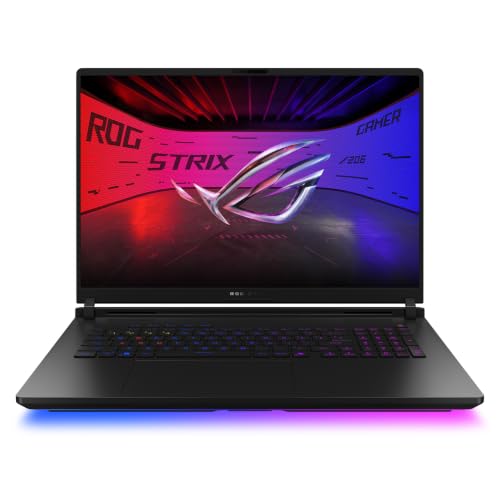 | ASUS ROG Strix Scar 18 | Best fit: 4K 240Hz Mini LED panel Screen: 18-inch 4K 240Hz Mini LED, 3ms Processor and graphics: Core Ultra 9 290HX Plus, RTX 5080 Memory and storage: 32GB DDR5-6400, 1TB PCIe Gen 4 SSD Listed connections: Two Thunderbolt 5 ports, Wi-Fi 7, 2.5G LAN | Check Price on Amazon |
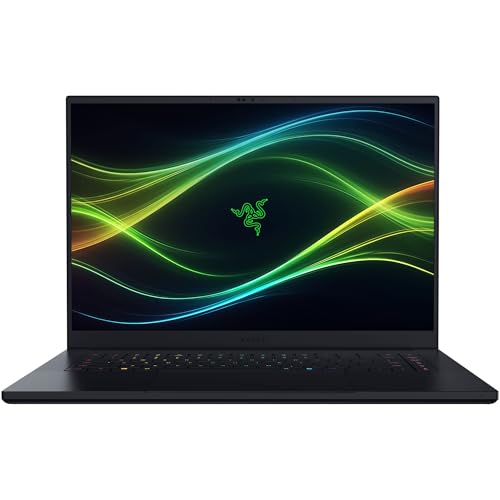 | Razer Blade 16 | Best fit: Thin 16-inch OLED with fixed LPDDR5X Screen: 16-inch QHD+ OLED, 240Hz, 0.2ms Processor and graphics: Core Ultra 9 386H, RTX 5080 Memory and storage: 64GB LPDDR5X-9600, 1TB PCIe 4.0 SSD Listed connections: Thunderbolt 5, HDMI 2.1, Wi-Fi 7 | Check Price on Amazon |
 | GIGABYTE AORUS Master 16 Gen 2 | Best fit: Ryzen 9 9955HX3D and 16-inch OLED Screen: 16-inch 2560 x 1600 OLED, 240Hz Processor and graphics: Ryzen 9 9955HX3D, RTX 5080 Memory and storage: 32GB DDR5, 1TB SSD Listed connections: USB4 Type-C with DisplayPort 2.1, HDMI 2.1, Wi-Fi 7 | Check Price on Amazon |
 | MSI Vector 16 HX AI | Best fit: 2TB 16-inch Thunderbolt 5 option Screen: 16-inch QHD+, 240Hz Processor and graphics: Core Ultra 9 275HX, RTX 5080 Memory and storage: 32GB DDR5, 2TB NVMe SSD Listed connections: Thunderbolt 5, Wi-Fi 7 | Check Price on Amazon |
 | Alienware 18 Area-51 | Best fit: 18-inch WQXGA 300Hz screen Screen: 18-inch WQXGA, 300Hz Processor and graphics: Core Ultra 9 290HX, RTX 5080 Memory and storage: 32GB DDR5, 2TB NVMe SSD Listed connections: No port named in the listing | Check Price on Amazon |
 | Lenovo Legion Pro 7i Gen 10 | Best fit: 64GB in two modules, 16-inch OLED Screen: 16-inch WQXGA OLED, 240Hz Processor and graphics: Core Ultra 9 275HX, RTX 5080 Memory and storage: 64GB DDR5-6400, 2TB SSD Listed connections: No port named in the listing | Check Price on Amazon |
1. ASUS ROG Strix Scar 18 — Best 4K 240Hz Screen Option
The ASUS ROG Strix Scar 18 suits a buyer who wants the 18-inch 4K Mini LED panel at 240Hz more than a smaller chassis. The Amazon title lists the screen as 4K 240Hz/3ms and pairs it with a Core Ultra 9 290HX Plus, an RTX 5080, 32GB DDR5, a 1TB PCIe Gen 4 SSD, and Wi-Fi 7. The model field repeats the code G835LWG-DB96.
ASUS’s bullets add DDR5-6400 memory, a Mini LED panel with more than 2,000 dimming zones, 2.5G LAN, and tool-free access to the RAM, SSD, and fans. They state two Thunderbolt 5 ports and say the ports connect to docks and external displays, but they give no dock or monitor model. Match G835LWG-DB96 when you compare another Scar 18.
The G835LWG-DB96 listing pairs an 18-inch 4K 240Hz Mini LED panel with two Thunderbolt 5 ports and 32GB DDR5-6400.Our Take Pick the Scar 18 when the 18-inch 4K Mini LED screen and two Thunderbolt 5 ports lead the decision. Pick a 16-inch model when you want a smaller panel and chassis.
- ASUS lists the laptop with an 18-inch 4K Mini LED panel at 240Hz and a 3ms figure, which suits a buyer who values the screen over a smaller chassis.
- ASUS states 32GB of DDR5-6400 memory and a 1TB PCIe Gen 4 SSD for the G835LWG-DB96 model code, so you can match other listings of this laptop against that code.
- ASUS states two Thunderbolt 5 ports and tool-free access to the RAM and SSD, and it is the only listing here that gives a Thunderbolt port count.
- At 18 inches, the ASUS is a larger machine than the 16-inch Razer, GIGABYTE, MSI, and Lenovo.
- ASUS says its two Thunderbolt 5 ports connect to docks and external displays but names no dock or monitor model.
2. Razer Blade 16 — Best Thin 16-Inch OLED Option
The Razer Blade 16 is the 16-inch alternative to the larger Scar 18 and Area-51, and it has the thinnest body on this page. Razer’s bullets describe a 14.9 mm CNC aluminum design around a 16-inch QHD+ OLED at 240Hz with a 0.2 ms response time. GIGABYTE states 19 mm, and the Amazon dimension fields for the other four give 1.05 to 1.38 inches. The title adds a Core Ultra 9 386H, an RTX 5080, 64GB, a 1TB SSD, Wi-Fi 7, and TB5, and the model field reads RZ09-05818EN4-R3U1.
Razer’s bullets call the memory 64GB LPDDR5X-9600 and non-upgradeable, while the title says DDR5. They add a 1TB PCIe 4.0 SSD with two M.2 NVMe slots for up to 8TB, HDMI 2.1, Thunderbolt 5, and SD card support. Neither the title nor the bullets give a Thunderbolt 5 port count. A buyer who wants to replace memory later should look at the ASUS, whose bullets describe tool-free RAM access.
Razer’s listing pairs a 14.9 mm body with a 16-inch QHD+ OLED at 240Hz and an RTX 5080.Our Take Choose the Blade 16 when a 14.9 mm body, a 16-inch 240Hz OLED, and an RTX 5080 fit the plan. Choose the ASUS when tool-free memory access outranks a thin body.
- Razer describes a 14.9 mm CNC aluminum design around a 16-inch QHD+ OLED at 240Hz, the thinnest body on this page.
- Razer lists two M.2 NVMe slots beside the 1TB PCIe 4.0 SSD, and its bullets tie those slots to a larger maximum capacity.
- Razer’s bullets name Thunderbolt 5, HDMI 2.1, and SD card support, so the ports are stated beyond the TB5 mention in the title.
- Razer lists the 64GB LPDDR5X-9600 memory as non-upgradeable, while the ASUS bullets describe tool-free RAM access.
- The Amazon title says DDR5 for the memory, and Razer’s bullet gives the more specific LPDDR5X.
- Razer’s title and bullets give no Thunderbolt 5 port count.
3. GIGABYTE AORUS Master 16 Gen 2 — Best Ryzen 9 9955HX3D 16-Inch OLED
The GIGABYTE AORUS Master 16 Gen 2 is the only AMD model on this page. The Amazon title states a Ryzen 9 9955HX3D, an RTX 5080, 32GB DDR5, a 1TB SSD, and a 2560 x 1600 OLED at 240Hz, and the model field reads AORUS MASTER 16 6YJM5USE64SH. It sits beside the Razer as a 16-inch OLED with a different processor.
GIGABYTE’s bullets describe a 16:10 panel with DisplayHDR True Black 1000 and up to 0.2ms response time. They list Wi-Fi 7, HDMI 2.1, a MicroSD slot, and a Type-C USB4 port with DisplayPort 2.1 and Power Delivery 3.0. The listing names USB4 and no Thunderbolt port. The 32GB and 1TB figures appear in the title only, so they may be a seller configuration.
Our Take Pick the AORUS Master 16 Gen 2 when you want a Ryzen 9 9955HX3D with a 16-inch 240Hz OLED and a USB4 Type-C port. Confirm the 32GB and 1TB configuration in the listing before you order.
- GIGABYTE lists a Ryzen 9 9955HX3D with an RTX 5080 Laptop GPU, the only AMD processor among the six listings.
- GIGABYTE lists a 2560 x 1600 OLED at 240Hz with DisplayHDR True Black 1000, which puts it beside the Razer as an OLED option with a different processor.
- GIGABYTE names a USB4 Type-C port with DisplayPort 2.1 and Power Delivery 3.0, plus HDMI 2.1.
- GIGABYTE’s listing names a USB4 Type-C port and no Thunderbolt port.
- The 32GB DDR5 and 1TB SSD appear in the title only, so they may be a seller configuration.
4. MSI Vector 16 HX AI — Best 2TB 16-Inch Thunderbolt 5 Option
The MSI Vector 16 HX AI is the 16-inch model that pairs a 2TB SSD with a named Thunderbolt 5 port. The Amazon title states a Core Ultra 9 275HX, an RTX 5080, 32GB DDR5, a 16-inch 240Hz QHD+ display, Thunderbolt 5, Wi-Fi 7, Windows 11 Pro, and the code A2XWIG-058US. The model field reads VECTOR16HXA2058.
MSI’s bullets repeat the RTX 5080 Laptop GPU and the 16-inch 240Hz display and add Wi-Fi 7. They give no memory-slot count, HDMI version, or Thunderbolt port count, and Thunderbolt 5 appears only in the title. The 32GB and 2TB figures also come from the title alone, so they may be a seller configuration.
The VECTOR16HXA2058 title states a 2TB NVMe SSD, Thunderbolt 5, and a 16-inch QHD+ 240Hz display.Our Take Choose the Vector 16 HX AI when 2TB of storage, Thunderbolt 5, and a 16-inch 240Hz QHD+ screen fit the plan. Check MSI’s own port list before you build a multi-monitor desk around it.
- The Amazon title for the MSI states a 2TB NVMe SSD with 32GB DDR5, more storage than the ASUS, Razer, and GIGABYTE list.
- The MSI title names a Core Ultra 9 275HX and an RTX 5080, and MSI’s bullets repeat the RTX 5080 Laptop GPU.
- MSI’s title names Thunderbolt 5, and its bullets list Wi-Fi 7 and a 16-inch 240Hz QHD+ display.
- MSI’s bullets give no memory-slot count, HDMI version, or Thunderbolt port count, and the Thunderbolt mention sits in the title alone.
5. Alienware 18 Area-51 — Best 18-Inch 300Hz Screen Option
The Alienware 18 Area-51 is the other 18-inch model. It swaps the Scar 18’s 4K 240Hz Mini LED panel for a WQXGA 300Hz screen, the highest refresh rate on this page. The Amazon title states a Core Ultra 9 290HX, an RTX 5080, 32GB DDR5, a 2TB NVMe SSD, and the code AA18250. The model field reads LAA18250-9694BLU-PUS, and the part field reads TM6KV.
Amazon lists Dell as the manufacturer, and the bullets describe RTX 50 Series laptop graphics and the Cryo-Chamber cooling structure. No port appears anywhere in the listing, so this page credits the Alienware with none. Silence does not prove a port is missing, so check Dell’s specification page before you pair it with a dock. The 32GB and 2TB figures appear in the title only and may be a seller configuration.
The Alienware listing states a 300Hz WQXGA screen, an RTX 5080, and a 2TB SSD, and it names no port.Our Take Consider the Area-51 when an 18-inch WQXGA 300Hz screen and a 2TB SSD lead the decision. Choose the ASUS when the 4K Mini LED panel and two stated Thunderbolt 5 ports fit better.
- The Amazon title for the Alienware states an 18-inch WQXGA display at 300Hz, the highest refresh rate on this page.
- The Alienware title states a Core Ultra 9 290HX, an RTX 5080, 32GB DDR5, and a 2TB NVMe SSD.
- The Amazon bullets for the Alienware describe RTX 50 Series laptop graphics and the Cryo-Chamber cooling structure.
- The Alienware listing names no port, so this page credits it with none.
- The 32GB and 2TB figures appear in the title only, so they may be a seller configuration.
6. Lenovo Legion Pro 7i Gen 10 — Best 16-Inch OLED With 64GB in Two Modules
The Lenovo Legion Pro 7i Gen 10 is the 16-inch model that states its 64GB as two 32GB DDR5-6400 modules. The Amazon title lists a Core Ultra 9 275HX, an RTX 5080 with 16GB GDDR7, 64GB RAM, 2TB (1TB+1TB) NVMe storage, and a 16-inch WQXGA OLED at 240Hz. The model and part fields both read 83F5006HUS.
Lenovo’s bullets call the memory CSODIMM and add two 1TB M.2 2280 PCIe Gen4 SSDs, a 500-nit panel with DisplayHDR True Black 1000, G-SYNC, and a 400W slim-tip adapter. They name no port. The size field reads “Ultra 9_64GB DDR5_2TB SSD”, so the 64GB and 2TB figures may be a seller configuration and not a standard Lenovo model.
Our Take Choose the Legion Pro 7i Gen 10 when 64GB in two DDR5-6400 modules, 2TB across two drives, and a 16-inch 240Hz WQXGA OLED are the priorities. Confirm its ports with Lenovo before you pair it with a dock.
- The Amazon bullets for the Lenovo state 64GB DDR5-6400 as two 32GB CSODIMMs, a layout of two modules.
- Lenovo’s bullets state two 1TB M.2 2280 PCIe Gen4 SSDs for 2TB total.
- Lenovo’s bullets list a 16-inch WQXGA OLED at 240Hz with DisplayHDR True Black 1000 and G-SYNC.
- The Lenovo listing names no port, so confirm its ports with Lenovo before you pair it with a dock.
- The size field suggests the 64GB and 2TB figures may be a seller configuration.
- At 16 inches, the panel is smaller than the ASUS and Alienware 18-inch screens.
Buying Guide
1. Choose 16 inches or 18 inches before comparing refresh rates
The Razer, GIGABYTE, MSI, and Lenovo are 16-inch models, and the ASUS and Alienware are 18-inch models. Razer lists a QHD+ OLED at 240Hz, GIGABYTE a 2560 x 1600 OLED at 240Hz, MSI a QHD+ panel at 240Hz, and Lenovo a WQXGA OLED at 240Hz. Their processors, memory, storage, and ports differ.
The two 18-inch models split on the panel. ASUS lists 4K Mini LED at 240Hz, and Alienware lists WQXGA at 300Hz. The higher refresh rate does not make the Alienware the better pick for everyone, because resolution and panel type differ too. Choose the screen size first, then compare the panel descriptions.
2. Treat RTX 5080 as the shared GPU, not the whole configuration
Every listing states an RTX 5080, but the processors differ. ASUS lists a Core Ultra 9 290HX Plus, Razer a Core Ultra 9 386H, GIGABYTE a Ryzen 9 9955HX3D, MSI and Lenovo a Core Ultra 9 275HX, and Alienware a Core Ultra 9 290HX.
Check the model code on the listing before you order. G835LWG-DB96, RZ09-05818EN4-R3U1, AORUS MASTER 16 6YJM5USE64SH, VECTOR16HXA2058, LAA18250-9694BLU-PUS, and 83F5006HUS are six different offers. The gaming laptop guide gives wider context on the category.
3. Separate fixed LPDDR5X from two-module DDR5 memory
Razer lists 64GB of fixed LPDDR5X-9600 memory, and Lenovo lists 64GB DDR5-6400 as two 32GB modules. ASUS lists 32GB DDR5-6400 with tool-free RAM access. GIGABYTE, MSI, and Alienware give 32GB DDR5 in their titles only.
ASUS is the only listing that says the memory can be changed without tools. Razer says its memory is non-upgradeable, and the other four say nothing either way. Check the listing for your model code before you count on an upgrade. The Thunderbolt laptops list shows more models to compare.
4. Use a port claim only where the listing states it
ASUS lists two Thunderbolt 5 ports, Razer lists Thunderbolt 5 with HDMI 2.1, MSI’s title names Thunderbolt 5, and GIGABYTE lists a USB4 Type-C port with DisplayPort 2.1. ASUS is the only one that gives a Thunderbolt port count. Alienware and Lenovo list no port, so this page credits neither with one.
A fast GPU and a high-refresh screen do not tell you what an external-monitor or dock setup will do. Check the maker’s port documentation for your model code, then the dock and monitor documentation. The Thunderbolt 5 gaming laptop guide compares more hosts with that port.
5. Compare storage capacity for the model code you buy
ASUS, Razer, and GIGABYTE list 1TB, while MSI, Alienware, and Lenovo list 2TB. Lenovo states its 2TB as two 1TB PCIe Gen4 drives, Razer lists a 1TB PCIe 4.0 SSD with two M.2 slots, and ASUS lists a 1TB PCIe Gen 4 SSD with tool-free storage access. The GIGABYTE, MSI, and Alienware figures come from titles alone.
A dock, external SSD, monitor, or cable has its own compatibility documentation. An internal drive size says nothing about the speed of an external one. The Thunderbolt 4 docking-stations guide lists docks to compare.
FAQ
Which RTX 5080 laptop here has the largest screen?
The ASUS ROG Strix Scar 18 and Alienware 18 Area-51 both list 18-inch screens. ASUS lists a 4K 240Hz Mini LED panel with a 3ms figure, and Alienware lists a WQXGA 300Hz panel. The two panels are different specifications.
The Razer, GIGABYTE, MSI, and Lenovo list 16-inch panels. A 16-inch model fits a buyer who wants a smaller screen, even when the 18-inch models list different panel terms.
Which RTX 5080 laptops list 64GB of memory?
The Razer Blade 16 and Lenovo Legion Pro 7i Gen 10 both list 64GB of memory, but the arrangement differs. Razer’s bullets say fixed LPDDR5X-9600 memory, and Lenovo’s bullets say DDR5-6400 as two 32GB modules.
Equal capacity does not mean equal memory access. Razer calls its memory non-upgradeable, and Lenovo does not say whether its two modules can be replaced.
Which listings name Thunderbolt 5?
The ASUS ROG Strix Scar 18 bullets state two Thunderbolt 5 ports. The Razer Blade 16 title and bullets name Thunderbolt 5, and the MSI Vector 16 HX AI title names it. GIGABYTE lists a USB4 Type-C port with DisplayPort 2.1 instead.
Alienware and Lenovo list no port. Silence does not prove a port is missing, so check those two models with the maker before you choose a dock, external drive, or monitor layout.
Does the 300Hz Alienware screen make it the right pick for everyone?
No. The Alienware title lists an 18-inch WQXGA 300Hz display, and the ASUS title lists an 18-inch 4K 240Hz Mini LED panel. Neither listing says which screen suits a given game, application, or desk.
Choose panel size, resolution, refresh rate, and the rest of the configuration together. The Alienware fits when its WQXGA 300Hz screen is the priority, and the ASUS fits when its 4K Mini LED panel and two stated Thunderbolt 5 ports are.
Are the storage sizes the same across these laptops?
No. The ASUS Scar 18, Razer Blade 16, and GIGABYTE AORUS Master 16 list 1TB, and the MSI Vector, Alienware Area-51, and Lenovo Legion Pro 7i list 2TB. Lenovo lists two 1TB M.2 2280 PCIe Gen4 drives, and Razer lists two M.2 NVMe slots with its 1TB SSD.
An external drive does not add to the internal storage listed for a model code. Compare the installed capacity and expansion wording on the listing you plan to buy.
Bottom Line
The ASUS ROG Strix Scar 18 is the best starting point when a 4K 240Hz Mini LED screen and two stated Thunderbolt 5 ports shape the decision. The Razer Blade 16 is the thin 16-inch OLED with fixed 64GB LPDDR5X memory, and the Alienware 18 Area-51 is the pick for an 18-inch WQXGA 300Hz screen. The GIGABYTE, MSI, and Lenovo each add a different processor, storage, memory, or port combination at the same RTX 5080 graphics level.