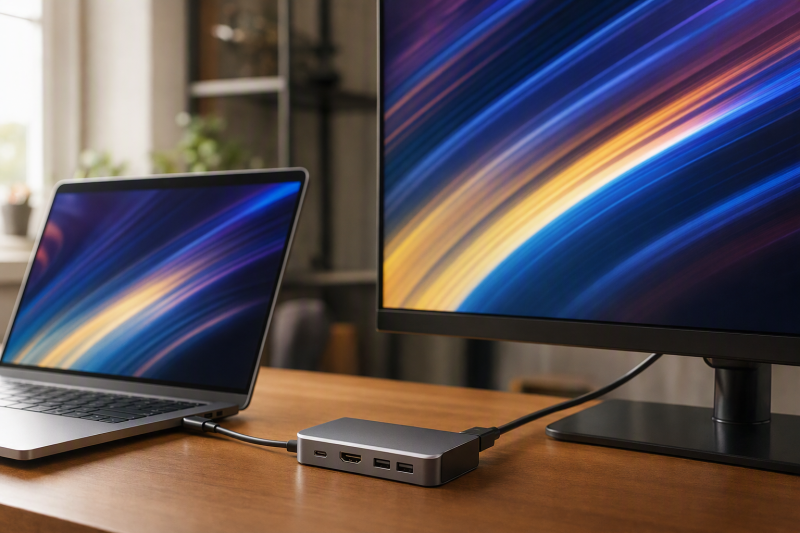
Want a compact adapter with useful data, card, network, and charging connections? The Satechi 8-in-1 USB-C Hub V3 is the best USB-C hub with HDMI 2.1. For a qualified Windows or handheld 4K120 path, BenQ GR10 is the better mobile dock; j5create JCD403 exposes the clearest DSC versus non-DSC Windows branches, Targus DOCK425GLZ adds DisplayPort beside HDMI, and Razer USB 4 Dock Mercury is the desktop-leaning USB4 option.
This page covers compact and mobile expansion products, so larger powered desktop docks belong in our USB-C docks with HDMI 2.1 guide. HDMI 2.1 on a product sheet identifies the maker’s physical output rather than a universal 4K120 or 8K result. The exact host GPU, USB-C or USB4 path, DisplayPort version, lane allocation, DSC, operating system, display input, cable, and selected mode all have to qualify. Nothing here proves VRR, HDR, HDCP, color depth, chroma, or gaming performance.
Quick picks
- Satechi 8-in-1 USB-C Hub V3: Best overall compact HDMI 2.1 hub.
- BenQ beCreatus GR10: Best for a qualified Windows or handheld 4K120 path.
- j5create JCD403: Best when DSC and non-DSC mode boundaries matter.
- Targus DOCK425GLZ: Best portable HDMI plus DisplayPort option.
- Razer USB 4 Dock Mercury: Best USB4 desk dock in this mobile-focused slate.
Compare USB-C hubs with HDMI 2.1
| Image | Product | Details | Check Price |
|---|---|---|---|
 | Satechi 8-in-1 USB-C Hub V3 ST-P8KES | HDMI path: One manufacturer-documented HDMI 2.1 output Data and media: Three USB-C data ports and UHS-II slots Network: Ethernet Power: Conditional pass-through; host delivery unknown Buyer check: Use Satechi's exact host and display matrix | Check Price on Amazon |
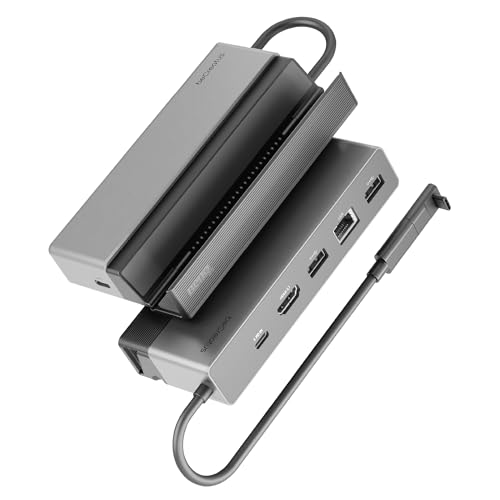 | BenQ beCreatus GR10 | HDMI path: HDMI 2.1; Windows/handheld up to 4K120 Mac ceiling: Up to 4K60 Network: 2.5GbE Power: Up to 85W host from suitable 100W input Buyer check: Host, OS, cable and display mode control | Check Price on Amazon |
 | j5create JCD403 USB4 8K Multi-Port Hub | HDMI path: DSC and non-DSC Windows branches Mac ceiling: Up to 4K60 Network: 2.5GbE Power: Up to 95W host; charger excluded Buyer check: Confirm DP 1.4 DSC before using higher mode | Check Price on Amazon |
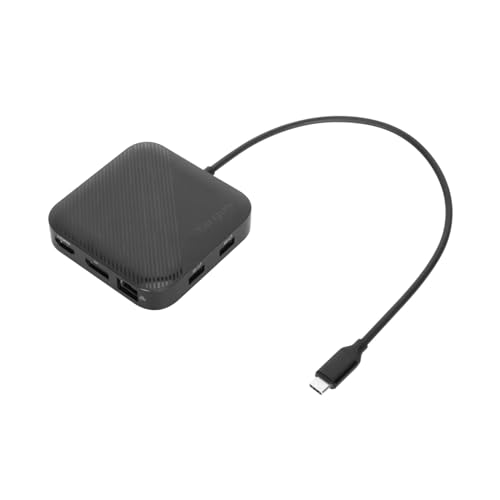 | Targus DOCK425GLZ USB4 Dual Video Dock | HDMI path: HDMI 2.1 plus DisplayPort 1.4 Display ceiling: One 8K30 or two 4K60, host dependent Form factor: Portable USB4 dock Power: Bus power or up to 85W pass-through Buyer check: Separate charger required for host charging | Check Price on Amazon |
 | Razer USB 4 Dock Mercury | HDMI path: HDMI 2.1 plus DisplayPort 1.4 Display ceiling: Primary display up to 4K120 Host link: USB4 40Gbps Power: Up to 100W peak and 96W sustained Buyer check: Secondary display remains host dependent | Check Price on Amazon |
1. Satechi 8-in-1 USB-C Hub V3 ST-P8KES — best overall
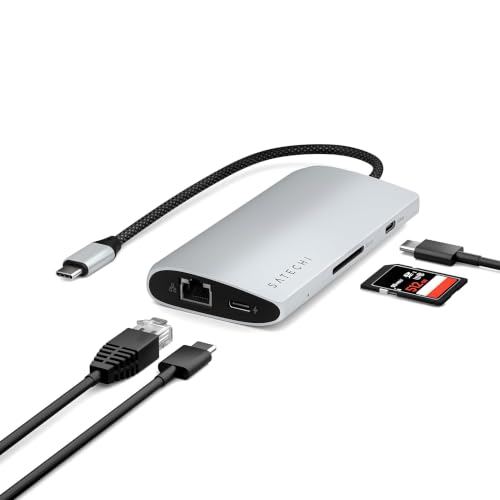
Satechi documents the exact ST-P8KES compact hub with one HDMI 2.1 path, three USB-C data ports, UHS-II media slots, Ethernet, and conditional pass-through charging. It takes first position because those ports cover a broad mobile workflow without growing into a large AC-powered desk dock.
Keep the HDMI mode tied to Satechi’s exact host and display matrix. Connector generation on its own proves no FRL bandwidth, DSC, 4K120, 8K, HDR, VRR, HDCP, or particular chroma and color-depth combination. The laptop USB-C port also needs the required display output, and a charging-only or data-only Type-C port creates no missing video path.
Pass-through power comes with conditions. The charger connects to the hub, the hub consumes some power, and the laptop negotiates what remains, so a high input label is not the laptop’s accepted draw. The frozen record authorizes no universal delivered-wattage figure, cable-in-box promise, or every-host display mode.
Our Take
Choose the Satechi when compact size, media cards, Ethernet, and several USB-C data connections all matter alongside HDMI 2.1. Buying for a high-refresh screen means confirming the exact Satechi mode and charging chain first.
- Compact 8-in-1 format
- HDMI 2.1 plus three USB-C data ports
- UHS-II media slots and Ethernet
- High-resolution and high-refresh modes are host dependent
- Pass-through input is not guaranteed laptop delivery
2. BenQ beCreatus GR10 — best qualified 4K120 path

BenQ documents GR10 as a USB4 mobile dock with one HDMI 2.1 output. Its retained matrix includes a Windows or supported handheld ceiling up to 4K120 or 8K60, while the Mac ceiling is 4K60. That OS split is the reason to choose it, because you can compare your exact host against a stated branch instead of treating the HDMI socket as the whole answer.
GR10 also includes 2.5GbE. BenQ states up to 85W host power when a suitable 100W input is used, and the 100W supply side and 85W host side stay different figures because the dock needs power too. Even then, the laptop can accept less after USB PD negotiation.
Read the 4K120 and 8K60 values as manufacturer ceilings rather than measured results from this site. They establish no VRR, HDR, HDCP, 10-bit color, 4:4:4 chroma, or game performance. Confirm the exact GPU, OS, cable, display input, and chosen mode. Mac buyers should work from the retained 4K60 branch, never the Windows maximum.
Our Take
Pick GR10 when a documented Windows or handheld 4K120 branch and 2.5GbE earn a mobile dock’s place. Mac buyers should choose it only after accepting BenQ’s lower retained Mac ceiling.
- USB4 mobile-dock design
- Windows and handheld ceiling up to 4K120
- 2.5GbE and up to 85W host power
- Retained Mac ceiling is 4K60
- 100W input does not equal 100W laptop delivery
3. j5create JCD403 USB4 8K Multi-Port Hub — best DSC decision

j5create documents JCD403 with a 40Gbps USB4 upstream connection and one HDMI output. Its strongest evidence is the split display matrix: on a supported Windows host, j5create lists up to 8K60 or 4K144 with DisplayPort 1.4 DSC, and up to 8K30 or 4K120 without DSC. The retained Mac ceiling is 4K60.
Those branches turn DSC into a pre-purchase requirement rather than a footnote. A GPU and host port lacking the named compressed path cannot reach the higher DSC row simply because the hub says USB4 or HDMI, and the cable and monitor input have to support the selected mode as well.
JCD403 uses pass-through charging, with j5create listing input up to 100W and host power up to 95W after hub needs, charger excluded. The laptop may negotiate lower still. Its retained record also includes 2.5GbE, and no simultaneous performance is claimed while display, network, and USB traffic share the host link.
Our Take
Choose JCD403 once your Windows host’s DSC status is known and its exact high-mode branch is what you want. Skip it where you expect the Windows maximum on a Mac or need a charger in the package.
- 40Gbps USB4 host connection
- Separate DSC and non-DSC Windows ceilings
- 2.5GbE and up to 95W host pass-through
- Charger is not included
- Mac ceiling remains 4K60 in retained evidence
4. Targus DOCK425GLZ USB4 Dual Video Dock — best mixed-output portable dock
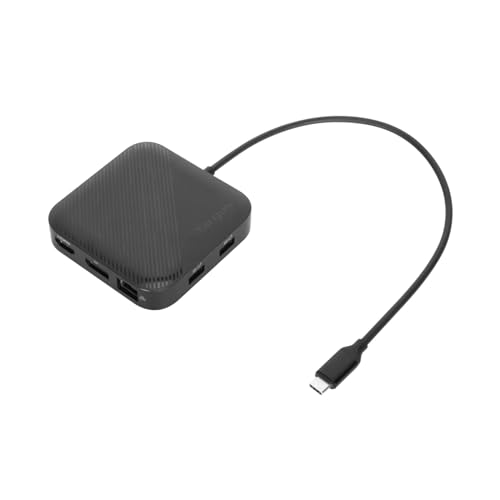
Targus documents DOCK425GLZ as a portable 40Gbps USB4 dock with HDMI 2.1 and DisplayPort 1.4. Two output types earn their place when the available monitor cable or input changes between desks. Targus lists up to one 8K30 or two 4K60 displays subject to the exact host and operating system.
That two-display ceiling proves nothing about every host driving both outputs. The laptop’s native display count, GPU, OS, USB4 display resources, cable, and monitor inputs keep control. On a host with a lower display limit, the extra socket stays physical expansion rather than proof of another independent desktop.
Targus states the DOCK425GLZ can run from bus power or pass through up to 85W from a separately supplied USB-C charger, and no charger is included. Bus-powered operation does not mean every attached device receives the same power budget, and pass-through input guarantees no laptop accepts the maximum.
Our Take
Pick the Targus when portable HDMI and DisplayPort flexibility outweighs a bundled power supply. Verify the host’s one- or two-display branch before planning around both outputs.
- Portable USB4 format
- HDMI 2.1 plus DisplayPort 1.4
- Bus-powered or up to 85W pass-through operation
- Charger is supplied separately
- Two physical outputs do not prove two displays on every host
5. Razer USB 4 Dock Mercury RC21-02280200-R3U1 — best desk-leaning option

Razer documents the exact Mercury revision RC21-02280200-R3U1 with a 40Gbps USB4 upstream connection, HDMI 2.1, and DisplayPort 1.4, and its retained primary-display ceiling reaches up to 4K120 on a qualifying host. Want a more desk-oriented USB4 dock while keeping one direct HDMI 2.1 path? This is the pick.
Never let that primary-display claim become a universal second-display promise. Razer’s exact host controls the secondary path, and a physical DisplayPort connector overrides no laptop’s native display limit. No VRR, HDR, HDCP, color-depth, chroma, or gaming result is inferred from the 4K120 ceiling.
Razer lists up to 100W peak and 96W sustained host charging under its conditions. Both are manufacturer power ceilings rather than measured accepted draw on every laptop, since the dock, supply, cable, and host negotiation all come into play.
Our Take
Choose the Razer when a desk dock with HDMI 2.1, DisplayPort 1.4, and a qualified primary 4K120 ceiling suits the setup. Confirm any second display and charging result against the exact host.
- 40Gbps USB4 upstream
- HDMI 2.1 and DisplayPort 1.4
- Primary-display ceiling up to 4K120
- No universal second-display result
- Peak power is not every laptop’s accepted draw
How to choose an HDMI 2.1 USB-C hub
Start with the exact host display path
USB-C shape proves no video at all. Confirm DisplayPort Alt Mode, USB4, or Thunderbolt on the laptop port, then match the GPU and OS against the manufacturer’s matrix. A base Mac with one native external-display path gains no second native desktop from extra outputs. Our USB4 hubs and docks guide explains the broader host distinction.
Treat 4K120 and 8K as qualified ceilings
BenQ, j5create, Targus, and Razer each publish different maximum branches. DSC changes the j5create result, and macOS changes both the BenQ and j5create ceiling. HDMI 2.1 by itself identifies no transport mode, chroma, color depth, HDR, VRR, or content-protection behavior. Match the whole row, cable and display input included.
Separate power input from host delivery
BenQ states the GR10 needs a suitable 100W input for up to 85W to the host, JCD403 lists up to 95W after hub needs, Targus requires a separate charger for pass-through, and Razer uses its own peak and sustained labels. Whatever the label, the laptop negotiates its accepted profile. The USB Power Delivery explainer covers why the numbers differ.
Decide whether this should really be a desktop dock
Satechi, j5create, and Targus serve mobile expansion, BenQ sits between mobile and desktop use, and Razer leans toward a fixed desk. Where the setup needs its own large power supply, many high-speed peripherals, or several always-connected displays, compare a full dock rather than forcing the job onto a pocket hub.
Frequently asked questions
Does HDMI 2.1 guarantee 4K at 120Hz from USB-C?
No. The host GPU, USB-C display path, DP version, lane allocation, DSC support, OS, hub implementation, cable, display input, and selected mode all have to support the result. Work from the exact manufacturer’s mode table.
Can these hubs add a second extended display to any Mac?
No. Physical outputs exceed no Mac’s supported native display topology. Nothing in these sections turns an extra socket into a universal additional desktop.
Does a 100W pass-through input charge the laptop at 100W?
Not necessarily. The hub consumes power, the cable carries a rating, and the laptop negotiates accepted input. Use the maker’s host-delivery figure where it is stated, then check the laptop.
Final recommendation
Satechi 8-in-1 USB-C Hub V3 is the best overall compact pick because it brings an exact HDMI 2.1 path together with three USB-C data ports, UHS-II cards, Ethernet, and conditional charging. After that, one requirement selects each alternative: BenQ for its qualified Windows or handheld 4K120 branch, j5create for explicit DSC choices, Targus for mixed portable outputs, Razer for a desk-leaning USB4 dock. Whichever you buy, qualify the host, OS, GPU, display mode, cable, and power path rather than buying from the connector label alone.