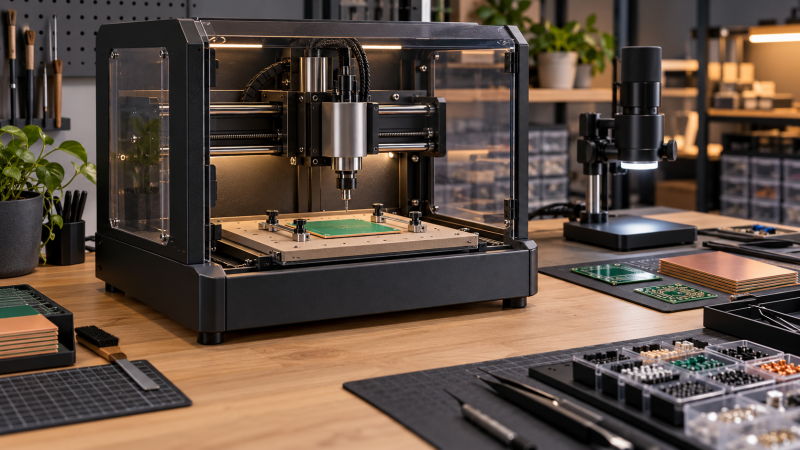
A desktop CNC router for PCB work needs more than a small footprint. Buyers need to compare usable work area, spindle specification, probing or leveling support, motion hardware, controller workflow, enclosure design, and setup before the first board. A machine that engraves wood is not automatically a sensible choice for fine isolation paths.
The five routers below explicitly name PCB work in their listings. They range from compact GRBL machines with a 120 W spindle to enclosed systems with automatic probing, plus a 400 mm router for buyers who also cut larger panels. Choose the work envelope and setup method before treating router power or an extra axis as the primary decision.
For PCB milling, start with work area, probing, rigidity, and controller workflow, then select the spindle and enclosure that fit the actual boards.Best Desktop CNC Routers for Precision PCB Milling Compared
| Image | Product | Details | Check Price |
|---|---|---|---|
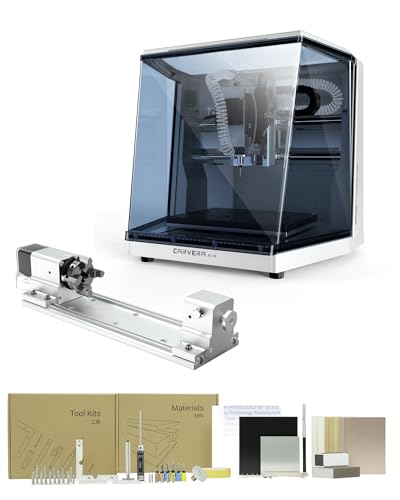 | Makera Carvera Air | Best fit: Automated enclosed PCB and multi-step work Spindle: Closed-loop, 0 to 13,000 RPM Automation: Quick tool changer, auto probing, leveling Extra axis: 4th-axis kit, 3.6 by 7.9 inch rotary area | Check Price on Amazon |
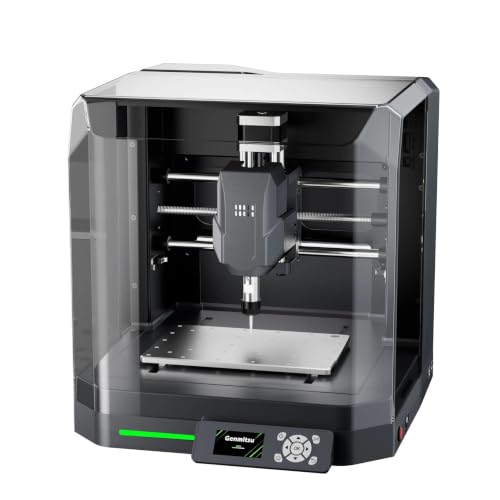 | Genmitsu Cubiko | Best fit: Enclosed beginner PCB workflow Setup: Pre-assembled PCB setup: Auto Z-probing and height mapping Safety: Enclosure with cover-open stop | Check Price on Amazon |
 | CNCTOPBAOS 3018-PRO | Best fit: Larger entry-level PCB panels Work area: 300 by 180 by 45 mm Spindle: 120 W, 10,000 RPM Control: GRBL 1.1f | Check Price on Amazon |
 | CNCTOPBAOS 1610-PRO | Best fit: Small compact PCB boards Work area: 180 by 100 by 45 mm Spindle: 120 W, 10,000 RPM Control: GRBL 1.1f | Check Price on Amazon |
 | LUNYEE 4040 Nova | Best fit: Large rigid PCB and mixed-material work Work area: 400 by 400 mm Router: 800 W, up to 30,000 RPM Motion: HG15 rails and XYZ ball screws | Check Price on Amazon |
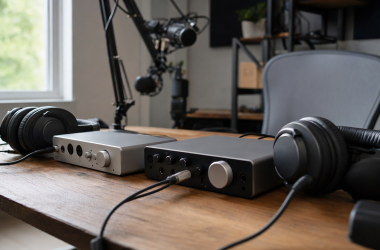
A PCB-milling bench also benefits from precision tweezers, a digital microscope, fume extraction, a soldering mat, USB-C breakout boards, a bench power supply, a logic analyzer, and a thermal camera once the board moves into assembly and testing.
1. Makera Carvera Air — Best Automated Enclosed PCB Workflow
Makera Carvera Air is an enclosed desktop CNC with a 0 to 13,000 RPM closed-loop spindle, auto probing, auto leveling, and a quick tool changer stated to swap tools in 10 seconds. Those features suit a multi-step board workflow, where probing and tool changes recur across jobs. The listing positions the machine for metal, wood, and PCB milling rather than one material alone.
The 4th-axis kit supports cylindrical and double-sided objects with a stated 3.6 by 7.9 inch rotary work area. A flat circuit board does not need that extra axis, but the kit broadens the machine for other maker work. You get a more guided process than on the basic GRBL machines below, through Wi-Fi or USB connection and Makera software for macOS and Windows.
Decision point: A 0-to-13,000 RPM spindle, 10-second tool changes, auto probing, leveling, enclosure, and fourth-axis kit favor multi-step PCB work. Our TakeChoose Carvera Air when automated probing, tool changes, and an enclosure will make complex small-run work easier to repeat. It suits buyers who expect one desktop mill to handle PCBs, small metal parts, and other maker projects.
- The 0-to-13,000 RPM closed-loop spindle gives a stated controlled speed range for detailed desktop milling work.
- Auto probing and leveling reduce repeated setup steps when PCB stock needs a measured reference surface.
- A 10-second listed tool changer helps multi-tool projects avoid long manual swaps between operations.
- The fourth-axis kit adds a stated 3.6-by-7.9-inch rotary work area beyond flat circuit boards.
- Wi-Fi and USB connections plus macOS and Windows support fit varied desktop workshop workflows.
- The fourth-axis kit expands project types, but simple flat PCB isolation milling does not need it.
- The broader automation system requires learning Makera software rather than using a basic GRBL routine.
2. Genmitsu Cubiko — Best Enclosed Beginner PCB Workflow
Genmitsu Cubiko is a pre-assembled enclosed desktop CNC that explicitly supports PCB milling, engraving, wood, acrylic, plastics, and selected soft metals. Its auto Z-probing and height mapping can establish a board surface before a job, although the listing says correct calibration and a conductive probe connection are required. The one-piece frame is intended to improve desktop engraving stability.
The protective enclosure is designed to contain dust and reduce operating noise, while its cover-open stop function pauses the machine on access. Genmitsu names its app, Fusion 360, Candle, Easel, and Carveco compatibility. Its main advantage is a guided, enclosed starting point, and the listing does not imply that every software option works the same way.
Decision point: Pre-assembly, auto Z-probing, height mapping, enclosure, and a cover-open stop suit beginners who need contained PCB milling. Our TakeChoose Cubiko when an enclosure and a less assembly-heavy start count for more than the largest work envelope. It is a practical first CNC for PCB and light maker work when probing support and safer bench operation are part of the purchase decision.
- The pre-assembled design reduces initial mechanical setup before a buyer starts learning PCB milling workflows.
- Auto Z-probing and height mapping directly address surface-reference setup for listed PCB milling applications.
- An enclosure is designed to contain dust and reduce operating noise around a shared workbench.
- The cover-open stop function pauses machine operation, adding a stated safety behavior during enclosure access.
- Auto probing requires correct calibration and a conductive probe connection according to the product listing.
- The enclosure favors contained work, while buyers needing 400-by-400-mm panels should consider LUNYEE 4040 Nova.
- Five listed software options still require the buyer to choose one toolchain before first use.
3. CNCTOPBAOS 3018-PRO — Best Entry-Level Larger PCB Panels
CNCTOPBAOS 3018-PRO supplies a 300 by 180 by 45 mm work area, which gives it more listed board space than the compact 1610-PRO. Its 120 W 775 spindle reaches 10,000 RPM at 24 V, while NEMA 17 motors and an aluminum-alloy workbench form the basic desktop platform. The listing explicitly names PCB, acrylic, wood, PVC, copper, and aluminum among application materials.
Its GRBL 1.1f controller includes ports for emergency stop, offline control, probing, axis limits, and a fan. The listing says the controller can support a 20,000 RPM spindle and engraving module, but the supplied 120 W 10,000 RPM configuration is the published starting point. Windows and Linux are named for the supplied GRBL software.
Choose 3018-PRO when planned boards need more workspace than a 180 by 100 mm compact machine, and a basic GRBL desktop platform is appropriate. It is a straightforward option for buyers who want a clear 300 mm work width and conventional controller.
- The 300-by-180-mm work area accommodates wider panels than the 180-by-100-mm 1610-PRO workspace.
- A 120 W 775 spindle with a 10,000 RPM figure gives a clear listed entry-level milling specification.
- GRBL 1.1f includes probe, emergency-stop, offline-controller, fan, and axis-limit connections for planned expansion.
- Windows and Linux are listed for the supplied GRBL software, helping buyers plan the controller computer.
- The listing explicitly includes PCB, copper, and aluminum among the materials the machine can work with.
- The 45 mm listed Z work area is shallow for buyers who need tall fixtures or three-dimensional parts.
- A basic 120 W spindle does not match the 800 W and 30,000 RPM specification of LUNYEE 4040 Nova.
4. CNCTOPBAOS 1610-PRO — Best Compact PCB Boards
CNCTOPBAOS 1610-PRO is the compact machine here, with a 180 by 100 by 45 mm work area and an 11.81 by 10.23 by 9.84 inch frame. Its 120 W 10,000 RPM spindle, ER11 3.175 mm collet, NEMA 17 motors, USB interface, and GRBL control system give it a focused desktop CNC specification. The listing explicitly names PCB, copper, aluminum, plastic, wood, acrylic, and PVC applications.
The GRBL 1.1f board provides emergency-stop, probe, axis-limit, and tool-setting connections, and the listing says it supports G-code, NC, TXT, tape, and gcode files. Small size is useful when boards are compact and bench space is scarce. That same 180 mm width is a fixed physical limit, so measure the largest panel and fixture before choosing it.
Choose 1610-PRO when compact board size and a small CNC footprint are more important than wide panel capacity. It is the space-saving GRBL option for a repair or prototype bench where boards stay below its 180 mm working width.
- The 180-by-100-mm work area and 11.81-inch frame fit a tighter bench than 300 or 400 mm machines.
- A 120 W spindle at 10,000 RPM provides the same stated basic figure as the larger 3018-PRO.
- The ER11 3.175 mm collet gives a named tooling interface for compact routing and engraving workflows.
- GRBL 1.1f adds probe, tool-setting, axis-limit, and emergency-stop connections for an expandable control setup.
- The 180-by-100-mm work area limits panel size compared with the 300-by-180-mm 3018-PRO workspace.
- Its 120 W 10,000 RPM spindle is much lower than LUNYEE 4040 Nova’s listed 800 W router.
- The 45 mm Z capacity can constrain taller fixtures despite its useful compact desktop footprint.
5. LUNYEE 4040 Nova — Best Large Rigid PCB and Mixed-Material Work
LUNYEE lists 4040 Nova as the large-work-area option, with a 400 by 400 mm work area, 800 W six-speed router, and ER11 collet. The manufacturer states the router reaches up to 30,000 RPM, while the all-metal structure, HG15 linear rails, ball screws on every axis, and NEMA 23 motors target more rigid desktop cutting. The listing explicitly includes PCB, aluminum, wood, and acrylic.
Its base, gantry, and Z-axis router mount arrive 90 percent pre-assembled, with an estimated 15-minute setup. Nova is not a tiny board-milling tool, so its workspace makes sense when PCB work shares the machine with larger panels, enclosures, or mixed-material projects. Allocate permanent bench space around the 400 mm envelope before choosing it for power alone.
Decision point: A 400-by-400-mm work area, 800 W router up to 30,000 RPM, HG15 rails, XYZ ball screws, and NEMA 23 motors favor larger rigid projects. Our TakeChoose LUNYEE 4040 Nova when PCB work shares the CNC with larger, more rigid mixed-material projects and a 400 mm envelope is useful. Its motion hardware and 800 W router are the reasons to accept the larger desktop footprint.
- The 400-by-400-mm work area gives the largest listed panel capacity in this five-machine PCB comparison.
- An 800 W router reaching 30,000 RPM provides a higher stated cutting specification for mixed materials.
- HG15 rails and ball screws on XYZ axes target smoother motion and improved rigidity.
- NEMA 23 motors provide stated axis-drive hardware for PCB, non-ferrous metal, wood, and acrylic work.
- The base, gantry, and Z mount arrive 90 percent pre-assembled for an estimated 15-minute initial setup.
- A 400-by-400-mm work area requires more permanent bench space than compact 1610-PRO or 3018-PRO machines.
- The 800 W router and larger platform are excessive when every planned PCB is small and simple.
Buying Guide: Choosing a Desktop CNC Router for PCB Milling
Measure the board and fixture before comparing router power
Work area is the first hard limit. CNCTOPBAOS 1610-PRO lists 180 by 100 mm, while 3018-PRO lists 300 by 180 mm and LUNYEE 4040 Nova lists 400 by 400 mm. Measure the board blank, edge allowance, clamps, and the largest likely future panel before choosing a machine.
The right envelope also limits wasted bench space. A 400 by 400 mm Nova area is useful when PCBs share the machine with cases, front panels, or wide acrylic templates. A compact 1610-PRO makes more sense when boards stay small beside a microscope and soldering station.
Prefer a repeatable surface-reference process
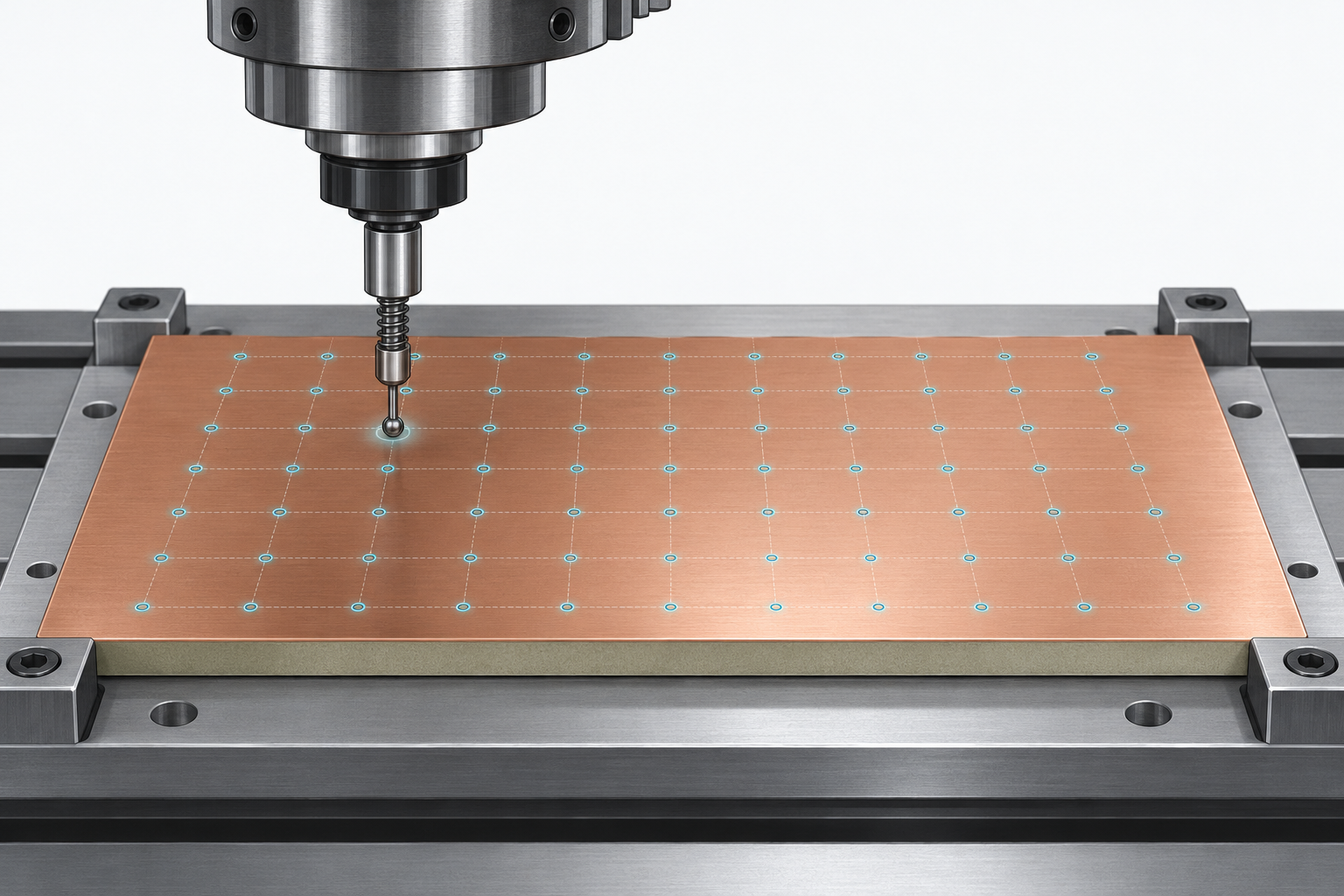
For PCB stock, surface reference is more important than a headline power figure. Cubiko lists auto Z-probing and height mapping, while Carvera Air lists auto probing and leveling. Cubiko specifically requires correct calibration and a conductive probe connection, so treat probing as a planned setup step.
Basic GRBL machines can still support a repeatable process. Both CNCTOPBAOS models list probe ports, allowing a buyer to plan the reference workflow before cutting very narrow isolation paths. A large router does not settle board surface height by itself.
Match rigidity and spindle to the broader job range
The CNCTOPBAOS machines each list a 120 W 10,000 RPM spindle, a clear entry configuration for compact milling. Nova lists an 800 W router up to 30,000 RPM, HG15 rails, ball screws, and NEMA 23 motors. Those figures are relevant when the CNC also cuts larger or tougher material.
For mostly PCB work, treat power as a fit decision rather than an automatic ranking. Carvera Air’s 0 to 13,000 RPM closed-loop spindle works with automated probing and tool changes, while Nova is designed around a wide envelope. Match the machine to the panel and process.
Decide how much containment and setup the bench needs
An enclosure changes how CNC work fits indoors. Cubiko includes an enclosure and cover-open stop, while Carvera Air is also enclosed. These designs suit shared workshops where debris management and access safety belong in the buying decision.
Open GRBL machines have a direct controller layout. 3018-PRO and 1610-PRO use GRBL 1.1f and list emergency-stop and axis-limit connections. Choose an open machine only when the surrounding bench, workholding, and cleanup routine suit that exposed arrangement.
Select the software path before buying accessories
Controller and software choices decide how a board design becomes a cut path. Carvera Air lists macOS and Windows Makera software, while Cubiko names Genmitsu App, Fusion 360, Candle, Easel, and Carveco. Settle the platform and toolchain before planning fixtures and tool libraries.
The CNCTOPBAOS listings name Windows and Linux support for supplied GRBL software. GRBL 1.1f on both open machines exposes probe, limit, and emergency-stop connections for later expansion. Begin with a simple board and repeatable toolpath, then add accessories only when that routine is stable.
Frequently Asked Questions
What work area is enough for PCB milling?
Use the board size plus clamp and edge allowance. A 180 by 100 mm 1610-PRO area suits small boards, while 3018-PRO offers 300 by 180 mm and Nova reaches 400 by 400 mm for wider panels.
Choose smaller hardware when compact boards and bench space decide the purchase. Nova’s 400 by 400 mm envelope is justified when boards share the CNC with larger panels, not merely because a larger area exists.
Why do auto Z-probing and height mapping matter?
They establish a board-surface reference before cutting. Cubiko lists both functions for PCB milling and uneven material setup, while Carvera Air lists auto probing and leveling for its enclosed workflow.
They still need a planned process. Cubiko requires calibration and a conductive probe connection, so probing does not replace secure workholding and measured toolpaths.
Is a higher-RPM router always better for PCB work?
No. Work area, rigidity, probing, tooling, and workflow must be settled alongside speed. Nova lists 30,000 RPM and 800 W, while compact CNCTOPBAOS routers list 120 W and 10,000 RPM.
Carvera Air lists a 0 to 13,000 RPM closed-loop spindle with automatic setup features, which can be more useful for repeatable multi-step work than a high power number alone.
Should a PCB CNC router have an enclosure?
An enclosure is useful when dust containment, operating noise, and access safety matter. Cubiko’s enclosure includes a cover-open stop and is designed to contain dust and reduce noise.
Open-frame hardware is suitable with a dedicated cleanup area. 3018-PRO and 1610-PRO list GRBL controls, but enclosure design is not central to their stated workflow.
Can one desktop CNC handle PCBs and other materials?
Yes. Nova explicitly lists aluminum, wood, acrylic, and PCB, while Carvera Air names metal, wood, and PCB milling in its automated desktop configuration.
Nova’s 400 by 400 mm area and 800 W router fit larger rigid work, while Carvera Air’s quick tool changer and fourth-axis kit suit a different multi-step project range.
Bottom Line
Choose Makera Carvera Air for enclosed automated work with probing, leveling, a 0 to 13,000 RPM spindle, and quick tool changes. Choose Genmitsu Cubiko for a pre-assembled enclosed PCB workflow with auto Z-probing and height mapping. Choose CNCTOPBAOS 3018-PRO when a 300 by 180 mm entry-level work area and GRBL control fit the bench.