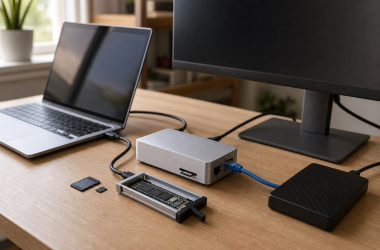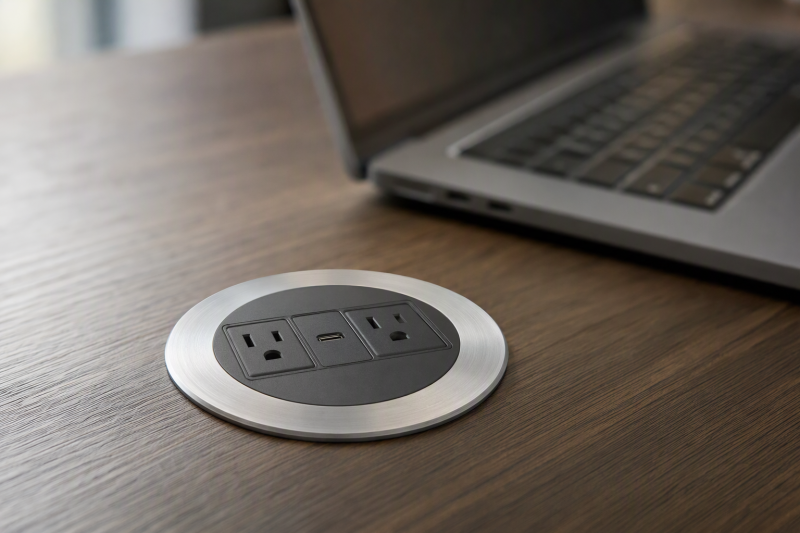
A recessed desk outlet brings power to the work surface without a loose charger block in the middle of it. Installation is the main buying decision. The cutout diameter, underside depth, cord route, and electrical ratings must match the desk and the devices. USB-C wattage printed in a title is not proof that every port delivers that power simultaneously, and a phone-charging port will not necessarily charge a laptop.
We checked six exact Amazon US power grommets with active New offers, covering several common hole sizes and USB-C output claims. We did not install or electrically test any product, and listing statements about certification are not independently verified. If cutting furniture or routing AC power is unfamiliar, use a qualified installer and follow the product, desk, and local electrical requirements. A freestanding USB-C desktop charger is a different route when drilling is unwanted.
Check the actual hole diameter and underside clearance before ordering. A 3-inch opening, a 3.15-inch outer ring, and a 3-1/8-inch cutout are not interchangeable labels.Desk Power Grommets Compared
| Image | Product | Details | Check Price |
|---|---|---|---|
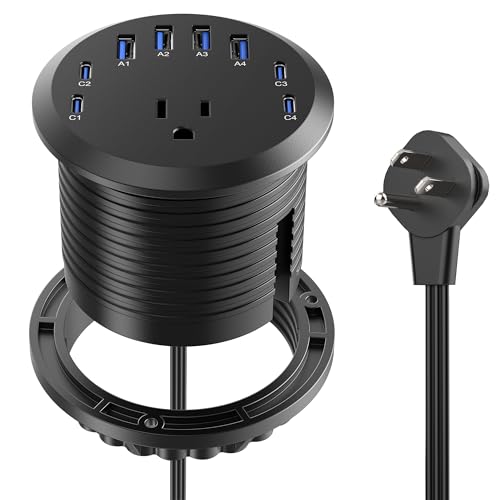 | 3-inch 65W-listed grommet | Cutout claim: 3 in USB-C claim: Up to 65W; port sharing unverified AC / cord: 125V, 12A, 1500W; 6 ft Best fit: 3-in hole with several USB ports | Check Price on Amazon |
 | VILONG 2-inch | Cutout claim: 2 in USB-C claim: 20W PD AC / cord: 125V, 12A; 6 ft Best fit: Small existing hole; phone charging | Check Price on Amazon |
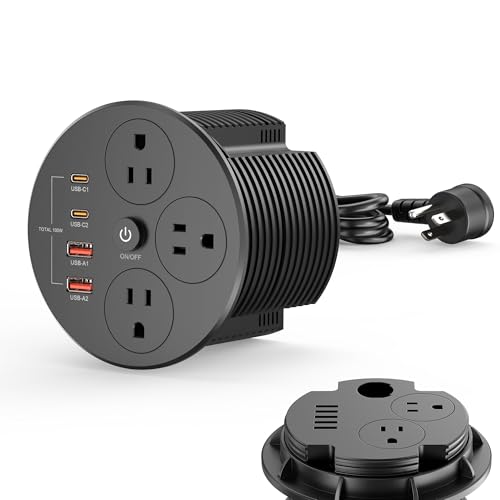 | HEZI 4-inch 100W-listed | Cutout claim: 4 in USB-C claim: Up to 100W C1; 30W C2 AC / cord: 5 outlets; 15A, 125V; 6 ft Best fit: Large hole and higher USB-C demand | Check Price on Amazon |
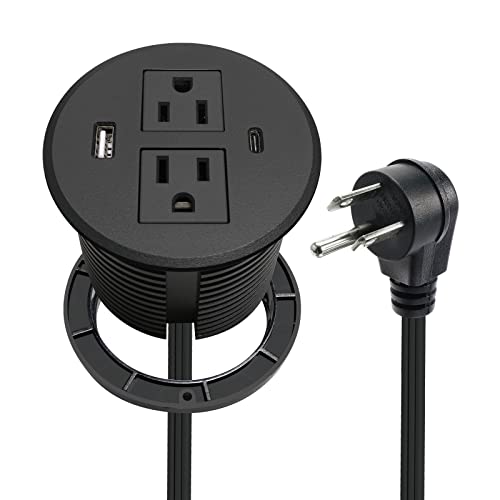 | 3-inch 20W USB-C grommet | Cutout claim: 3-in opening; 3.15-in outer ring USB-C claim: 20W C; 30W C+A total claim AC / cord: 2 outlets; 12A, 125V; 6.56 ft Best fit: Existing 3-in cutout; two AC outlets | Check Price on Amazon |
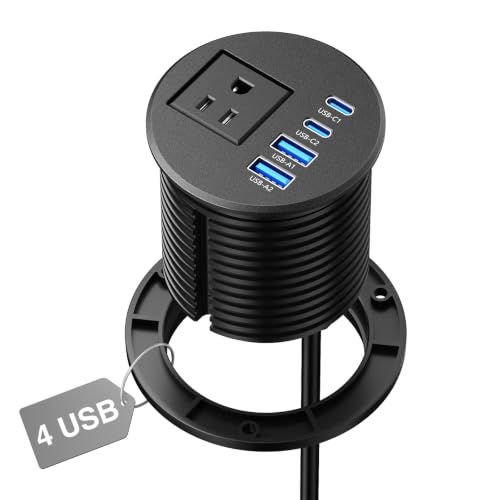 | 2.5-inch four-USB grommet | Cutout claim: 2.5 in USB-C claim: 20W each listed; single-port claim AC / cord: 1 outlet; 12A, 1500W; 6 ft Best fit: Phone/tablet ports in mid-size hole | Check Price on Amazon |
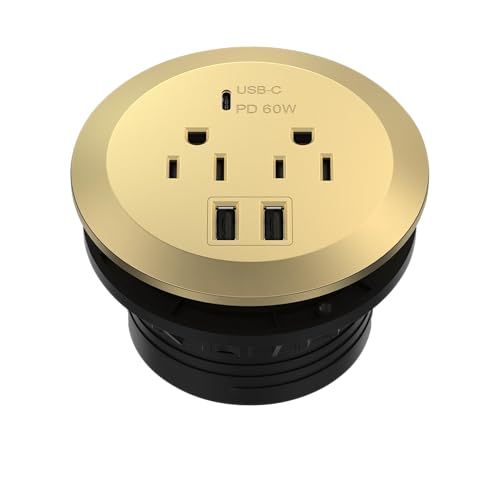 | TOPGREENER 60W-listed | Cutout claim: 3-1/8 in USB-C claim: 60W C in spec; conflicting 65W bullet AC / cord: Duplex; 15A, 125V; 6.2 ft Best fit: Higher USB-C power with listed label claim | Check Price on Amazon |
1. 3-Inch 65W-Listed Grommet — Best Many-USB Layout
This module is described for a 3-inch desk opening with four USB-C and four USB-A ports. The title advertises 65W USB-C, while the listing bullets also name USB PD 3.0 and PPS. The headline figure does not establish which single port gets 65W or how power is shared among eight USB ports. Verify the current per-port specification and the laptop’s charging requirement before counting on it as a laptop power source.
The seller lists a 6-foot cord and 125V/12A/1500W AC rating. It also describes a thin flat wall plug and a near-flush top. Measure the underside housing and the path to a grounded receptacle. A flat plug does not make a pinched cord safe. We did not check whether the unit’s actual cutout tolerance fits your desk’s existing hole or whether its safety marks are verified.
Our Take Shortlist this only if you need several USB plugs at one desk opening. Ask for the per-port and shared-power chart before treating the 65W headline as an eight-port promise.
- 3-inch mounting claim and six-foot cord are stated.
- Four USB-C and four USB-A ports are described.
- Shared USB power behavior is not in checked bullets.
- 65W headline may not apply while multiple ports are used.
2. VILONG 2-Inch Grommet — Best Small Hole
VILONG states a 2-inch cutout, a locking ring, a 20W USB-C PD port, USB-A charging, and a 6-foot cord. Those figures make it a candidate when the desk already has a small cable hole and you mainly charge a phone or tablet. A 20W USB-C output is not the right basis for promising laptop charging. Use the laptop’s supplied adapter or a power module with a verified matching output.
The listing gives 125V/12A for AC and claims an ETL certification. We did not validate the certification listing or inspect the physical mark. Check the exact unit’s current documentation and electrical label, especially if the desk is used in a workplace. Ensure the underside locking ring has room to tighten without hitting a frame. The cord must stay clear of sharp hole edges and moving desk parts.
A 20W USB-C port is suited to many smaller devices, not a general-purpose laptop charger.Our Take VILONG is the compact existing-hole option for phones and small devices. Its hole fit and independent certification status need confirmation before installation.
- 2-inch opening and locking-ring method are named.
- 20W USB-C and six-foot cord are stated.
- 20W is not a laptop-charging guarantee.
- Certification claim was not independently verified.
3. HEZI 4-Inch Grommet — Best Large Power Module
HEZI’s listing specifies a 4-inch cutout, five AC outlets split across top and underside, and two USB-C ports. It advertises up to 100W on the first USB-C and 30W on the second, plus an 18W USB-A port. Those figures are maximum individual claims, and the checked bullets do not resolve combined USB allocation. A laptop needing 100W should be matched to the exact output profile, cable, and simultaneous-use limits.
The seller also describes a 6-foot cord, a switch, and a 15A, 125V, 1500W overall AC rating. Do not multiply the five outlet count by 15A. The module and supplying circuit still have overall limits. A 4-inch hole is a substantial cut into a desktop, so verify the desk maker allows it and leave enough material around the opening. The listing claims surge protection, but we did not test its rating or certification. Keep bottom outlets and plugs clear of knee space and moving frames.
Our Take HEZI is the candidate with five AC outlets when a large opening is acceptable. The combined electrical limits and two-sided plug clearance count for more than the advertised maximum USB-C number alone.
- 4-inch hole and five AC positions are stated.
- 100W and 30W individual USB-C claims are listed.
- Large hole permanently changes the desk.
- Shared USB output and surge claim remain unverified.
4. 3-Inch 20W USB-C Grommet — Best Two-Outlet Phone Charging
This recessed module describes a 3-inch desk hole under a 3.15-inch outer ring. The distinction is useful. The lip can cover the cut edge, but it does not mean the hole should be 3.15 inches. The unit provides two AC outlets and lists 20W USB-C plus 10W USB-A, with a claimed 30W total when both USB ports are used. Those output figures make it an option for phones and accessories rather than a general laptop power source.
Its AC line states 12A, 125V, 1500W with a 6.56-foot cord. The seller calls the shell fire resistant and mentions a safety standard, but neither statement was independently checked. Confirm the actual label and intended installation environment before cutting. A flat angled plug may save wall space, but keep it fully seated in a suitable outlet and route the cord away from sharp edges and moving desk legs.
Our Take Separating the 3-inch cutout from the 3.15-inch lip is useful for a common size of desk hole. Buy it for two AC outlets and modest USB charging, not for powering a work laptop.
- Hole and outer-ring sizes are distinguished.
- Two AC outlets and USB sharing claim are stated.
- 20W USB-C is limited for laptops.
- Safety-mark claims need independent confirmation.
5. 2.5-Inch Four-USB Grommet — Best Mid-Size Phone Ports
This model calls for a 2.5-inch opening and provides one AC outlet, two USB-C ports, and two USB-A ports. The listing advertises up to 20W from a USB-C port in single-port use and explicitly says the USB-C ports are not designed for laptop charging. The warning is decisive. Choose it for phone, tablet, and smaller accessories, while the computer keeps its own rated charger.
The seller gives a 6-foot cord and 12A/1500W maximum. It says each USB-C is 20W, but the single-port qualification means you should not assume two independent 20W outputs while both are occupied. Check the product’s actual power-sharing chart. A 2.5-inch cutout is not a drop-in replacement for a 2-inch or 3-inch hole. We did not verify installation tolerance or heat under a full USB load.
The exact listing says its USB-C ports are not designed for laptop charging.Our Take This grommet is a focused mid-size option for several small devices. Its explicit laptop limitation is useful honesty. Respect it rather than treating the USB-C shape as a power guarantee.
- 2.5-inch opening and four USB ports are specified.
- Listing explicitly rules out laptop charging.
- Only one AC outlet.
- 20W USB-C claim is qualified as single-port use.
6. TOPGREENER 60W-Listed Grommet — Best Mid-Size Higher Output
TOPGREENER lists a 3-1/8-inch cutout and a module depth of about 2.4 inches without its flange. It has a duplex AC outlet, one USB-C, and two USB-A ports. The detailed specification says 60W USB-C Power Delivery even with the other ports used, but another checked bullet says “up to 65W.” Use the lower 60W figure for planning and confirm the current label and output profile before connecting a laptop.
The listing states 15A, 125V AC, a 6.2-foot cord, and an ETL-listed claim. We did not verify that certification in an independent database. Its 3-1/8-inch cutout is not the same as a nominal 3-inch hole. Measure before drilling or widening anything. The gold finish is a visible style choice, not a safety or charging advantage. Keep power plugs within the grommet’s total rating and avoid hidden cord loops that can be pinched by the desk.
Our Take TOPGREENER is the stronger USB-C candidate for a mid-size hole if a verified 60W profile meets your laptop. The 60-versus-65W listing conflict and exact hole size both need confirmation.
- Cutout, depth, cord, and AC figures are listed.
- Detailed spec describes 60W USB-C under shared use.
- Another bullet says 65W, creating a specification conflict.
- Certification claim was not independently checked.
Buying Guide
1. Measure the Existing Hole and Desk Structure
Measure the actual cutout diameter and desktop thickness with a ruler or caliper. A nominal 2-, 2.5-, 3-, 3-1/8-, or 4-inch opening needs a matching product. An outer flange dimension is different. For example, the 20W two-outlet model claims a 3-inch hole beneath a 3.15-inch outer ring. Do not cut or widen a desk merely because a seller uses “standard” in the title.
Look beneath the hole location for frame rails, motor cables, drawers, and knee room. Desk makers may restrict where openings can be cut. Use the unit’s current template and installation instructions. A qualified installer is prudent when electrical power and furniture modification meet. Protect cord exits from sharp edges and moving parts as applicable to the product instructions and local rules.
2. Separate USB-C Power from AC Capacity
Check the laptop’s required voltage, current, and USB-C Power Delivery profile. A 20W phone port may fit a phone but not a laptop. The 2.5-inch model expressly rules out laptop charging. HEZI advertises 100W for one port and TOPGREENER’s detailed spec says 60W. Neither figure guarantees compatibility with every computer or cable.
Treat combined-use behavior as a separate question. A single-port maximum can fall when other USB ports are occupied. Read the exact maker chart before buying for multiple devices. The AC outlet rating is a total unit or circuit limit, not a per-outlet budget. Five sockets do not multiply allowed current. Do not daisy-chain strips or exceed the supplying circuit’s rating.
3. Verify Labels and Route the Cord Safely
A listing may claim an ETL mark, surge protection, or fire-resistant housing, but those claims were not independently validated here. Check the physical unit’s label, exact model, and any listing in the relevant certification database if certification is required for your installation. Follow local electrical rules and workplace requirements rather than using a marketplace bullet as approval.
Keep the power cord visible and protected from pinching, abrasion, and desk motion. Do not run it through a sharp opening without the protection specified by the product’s instructions. A sit-stand desk needs slack throughout its full travel and a grounded receptacle within the cord’s safe reach. If the installation cannot be done correctly, use a suitable freestanding USB-C desktop charging station instead.
FAQ
Can a 20W desk grommet charge my laptop?
Do not assume it can. 20W USB-C is a phone-class claim in several of these listings, and the 2.5-inch model specifically says its ports are not for laptop charging. A laptop’s USB-C connector does not imply it accepts every USB-C power source.
Check the computer’s charger requirements and the grommet’s exact output profile and cable rating. If they do not match, use the supplied laptop adapter in an appropriately rated AC outlet or another verified power source.
Are all “3-inch” grommets interchangeable?
No. The installation cutout and the top lip are different measurements. The two-outlet 20W model names a 3-inch hole and 3.15-inch outside ring, and TOPGREENER calls for 3-1/8 inches. Even within one nominal size, locking-ring depth and desk-thickness range can differ.
Measure the existing hole and underside space, then compare the current installation drawing for the exact product. Avoid freehand drilling around a powered desk frame or through an area whose structure you have not checked.
Does an ETL claim in the Amazon listing prove the exact unit is certified?
Not by itself. A seller bullet is not independent certification evidence. VILONG and TOPGREENER make listing claims about ETL. We did not verify their exact model identifiers against a certification database or inspect a shipped unit.
If a certified device is required, check the model and marks with the certification body and the current product documentation before purchase or installation. If details do not match, do not assume the marketplace description is enough.
Bottom Line
Start from the hole and the power job. VILONG is a 2-inch phone-charging choice, HEZI fits a much larger 4-inch opening with a high individual USB-C claim, and TOPGREENER targets a 3-1/8-inch cutout with a 60W detailed spec. Verify labels, shared power, desk structure, and cord routing before installing any of them.