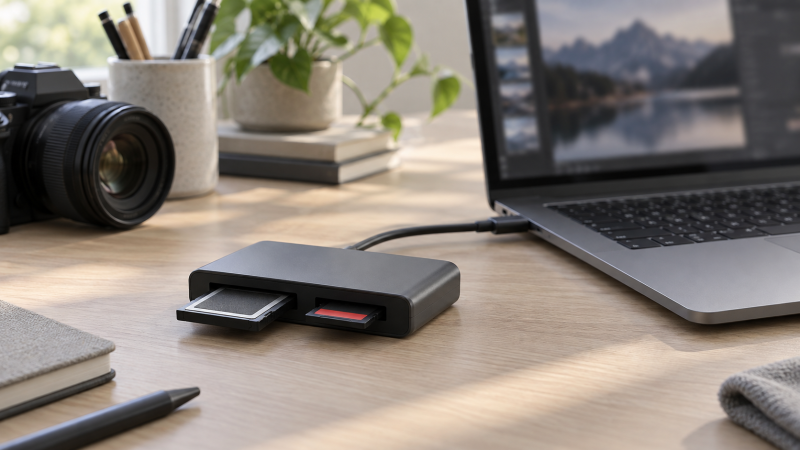
A camera bag with both CFexpress Type B and SD cards calls for a reader that accepts both formats. The largest speed number on the box is not the whole comparison. Check which CFexpress type, whether the SD slot supports UHS-II, and what the computer port can actually deliver. A single-slot Type B reader or a Type A/SD reader will not solve the same problem.
These five exact Amazon US listings had active New offers on September 29, 2026. They span inexpensive 10Gbps readers, more considered desk and travel designs, and one USB4 option. We have not benchmarked them. The links and specifications describe listed compatibility and features, not measured transfer results. The older ProGrade PG05.5 in the original research pack was out of stock at this check and is not recommended as a current buy.
Buy for the cards you own and the port you will use, then decide whether simultaneous ingest, write protection or USB4 speed justifies the extra cost.CFexpress Type B and SD Readers Compared
| Image | Product | Details | Check Price |
|---|---|---|---|
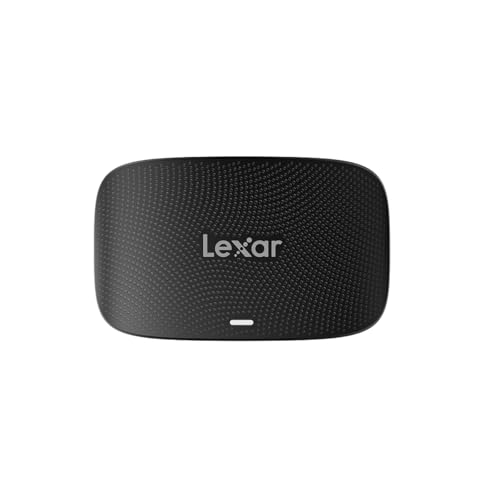 | Lexar Professional CFexpress Type B/SD | Host link: USB 3.2 Gen 2, 10Gbps SD slot: UHS-II Useful detail: USB-C cable and USB-A adapter listed Buyer fit: Value dual-slot ingest | Check Price on Amazon |
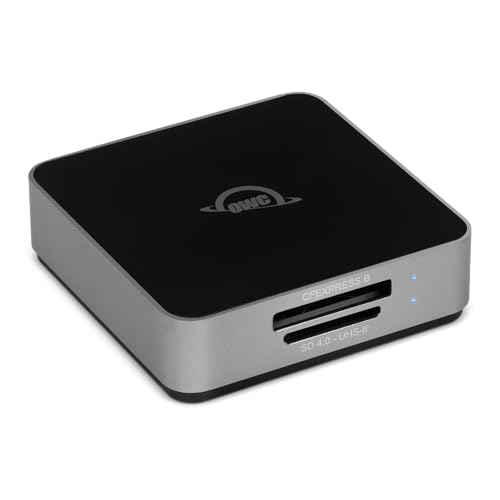 | OWC Atlas Dual CFexpress + SD | Host link: USB-C, 10Gbps SD slot: UHS-II Useful detail: Write-protection switch; built-in cable Buyer fit: Travel and file protection | Check Price on Amazon |
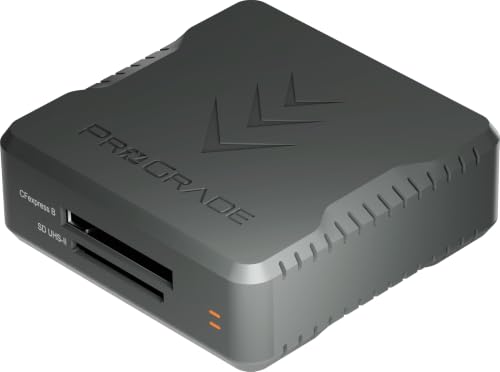 | ProGrade Digital PG05.7 | Host link: USB4, up to 40Gbps SD slot: UHS-II Useful detail: Magnetic base; dual transfer Buyer fit: Fast compatible host and cards | Check Price on Amazon |
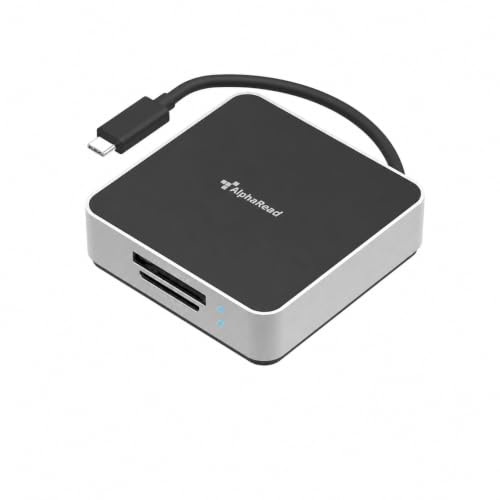 | DataLocker AlphaRead Dual | Host link: USB-C, 10Gbps SD slot: UHS-II Useful detail: Write protection; TAA claim Buyer fit: Controlled ingest desks | Check Price on Amazon |
 | MTAKYA dual-slot reader | Host link: USB-C, 10Gbps listed SD slot: UHS-II listed Useful detail: USB-A adapter listed Buyer fit: Low-cost occasional ingest | Check Price on Amazon |
1. Lexar Professional — Best Value Dual-Slot Reader
Lexar’s LRW520U listing pairs one CFexpress Type B slot and one SD slot on a USB 3.2 Gen 2 connection rated up to 10Gbps. Lexar’s setup sheet lists SD UHS-II support, and the Amazon feature list says the two cards can be offloaded at the same time. A single reader can therefore stay on the editing desk when a camera alternates between its fast Type B card and an SD card.
The listing includes a USB-C cable and USB-C-to-USB-A adapter. The adapter helps with older laptops, but it cannot turn a slower USB-A port into a 10Gbps one. The advertised link is a ceiling, not an observed copy speed. If you routinely fill fast CFexpress cards and have a USB4 machine, ProGrade PG05.7 has the higher listed host bandwidth. For ordinary dual-card intake, Lexar makes a simpler starting point. Pairing a reader with a photo-editing monitor is a separate desk choice, not a requirement for transfer.
Our Take Pick Lexar when you need dependable format coverage on a 10Gbps-capable computer. Check your actual port speed and confirm the listing still names the LRW520U reader before buying.
- Type B and SD UHS-II slots in one reader.
- Listing states simultaneous offload.
- USB-A adapter broadens physical laptop fit.
- 10Gbps host link will not exploit a faster USB4 port by itself.
- Listed link speed is not a measured file-copy result.
2. OWC Atlas Dual — Best Travel-Ready Ingest
OWC’s Atlas Dual takes the same two card formats but puts more attention into handling files away from a fixed desk. The official product page confirms CFexpress Type B and SDXC UHS-II slots, a 10Gbps USB-C connection and simultaneous access. The Amazon listing adds a built-in cable that tucks away, separate activity lights and a write-protection switch. Those extras are useful when cards move between a camera bag and an editor’s laptop.
Write protection can help prevent accidental changes to a card, but it does not make a backup or prove a copy succeeded. Confirm the switch position, copy to the intended drive and check the files before formatting any card. OWC also lists a second USB-C port for a longer cable on a desk. It is still a 10Gbps reader, not a substitute for a dedicated USB4 reader when transfer bandwidth is the overriding concern. A video-editing laptop may have a faster port, but that does not raise this reader’s link rating.
A write-protection switch protects the source card only when it is engaged. Verify the copied files separately.Our Take Choose Atlas Dual when the physical workflow counts as much as the slot list. Its card protection and stowed cable justify the extra consideration for travel. Do not mistake them for automatic backup verification.
- OWC explicitly documents Type B plus SDXC UHS-II.
- Write-protection switch and per-slot activity lights.
- Built-in cable stores in the body for travel.
- Host connection remains at 10Gbps.
- Protected cards still require a verified destination copy.
3. ProGrade PG05.7 — Best USB4 Upgrade
The PG05.7 is the USB4 model with both CFexpress Type B and SDXC UHS-II slots, not ProGrade’s single-slot PG05.6 or the older PG05.5. ProGrade’s product page confirms that exact pairing. The Amazon listing describes a USB4 link rated up to 40Gbps, simultaneous transfers and a magnetic base with a metal mounting plate. It is the premium choice here for a desk that already uses fast media and a suitable port.
The listing’s large transfer figure is a best-case claim conditional on cards, host, cable and file workload. We did not verify it with a stopwatch. A USB-C socket alone does not promise USB4. Check the laptop’s port specification. If the computer is limited to USB 3.2 Gen 2 or the cards rarely hold large files, the Lexar Professional or OWC Atlas Dual may cover the actual job with less cost. A USB-C docking station can also change which port the reader reaches, so test direct connection when diagnosing slow copies.
Our Take Buy PG05.7 only when the host, cable and cards make its USB4 ceiling relevant. It is the clearest forward-looking choice in this selection, not a promise of a particular measured copy time.
- USB4 link with both required card slots.
- Simultaneous card transfers are listed.
- Magnetic base helps organize a fixed desk.
- Higher cost is hard to justify on a 10Gbps host.
- Headline throughput is conditional, not our benchmark.
4. DataLocker AlphaRead Dual — Best Controlled Ingest Desk
DataLocker’s AlphaRead Dual is aimed at teams that care about controlled intake of source media. Its manufacturer page names CFexpress 2.0 Type B and SDXC UHS-II, simultaneous reading, write protection and TAA compliance. The exact Amazon listing states a USB-C 10Gbps connection, bus power and separate activity indicators. Those features distinguish it from the other 10Gbps choices when the reader is part of a repeatable studio ingest procedure.
TAA compliance is a procurement attribute, not proof of better image files or a security certification for the whole workflow. A write-protected source still needs a destination, checksum or other verification step appropriate to the job. If those requirements are irrelevant, the OWC Atlas Dual offers a related switch design, while the Lexar Professional keeps the buying decision simpler. For a broader workspace, see our monitor selection guide.
A controlled ingest process is more than a reader feature. Verify the destination and keep the source card until the copy is checked.Our Take Pick AlphaRead Dual when your desk needs its documented TAA attribute and write-protected handling. Without those needs, another active-New 10Gbps reader may be the more direct purchase.
- Manufacturer confirms both card standards.
- Write protection and separate activity indicators.
- TAA attribute may affect a purchasing policy.
- 10Gbps connection is not a USB4 performance upgrade.
- TAA status does not replace file-integrity checks.
5. MTAKYA Dual-Slot Reader — Best Low-Cost Occasional Choice
MTAKYA’s exact listing says its two slots take CFexpress Type B and SD UHS-II/UHS-I cards. It also lists USB 3.2 Gen 2 up to 10Gbps, an aluminum body and a USB-C-to-USB-A adapter. That specification set is practical for an occasional card transfer from a mixed-format camera kit. We found an active New offer, so this is an actual listed option rather than an unavailable catalogue entry.
This reader is the least independently documented in this selection. We have only the exact Amazon listing for its format and performance claims, not a separate manufacturer technical sheet or our own benchmark. Confirm card fit, host compatibility, warranty terms and return terms before depending on it for paid shoots. A professional moving irreplaceable media every day has stronger manufacturer documentation from Lexar Professional, OWC Atlas Dual and ProGrade. A camera battery charger solves a different field constraint. It does not make a reader more reliable.
Our Take Consider MTAKYA for occasional, price-sensitive use if the return terms and exact listing are acceptable. For repeated professional ingest, buy the reader whose support and specifications you can verify more fully.
- Listing names Type B and SD UHS-II support.
- USB-A adapter is included in the stated package.
- No independent manufacturer specification was used here.
- Listed speed and long-term reliability are unverified.
Buying Guide
1. Identify the card format before comparing speeds
CFexpress Type A and Type B are physically different. A reader that mentions only Type A will not accept the Type B card this guide targets. Nor does an SD-only dual-slot reader solve a Type B workflow. Look at the exact camera card and exact reader model, then check for one Type B slot and one full-size SD slot on the same device.
Confirm SD UHS-II explicitly if your SD cards use it. An SD slot may still read those cards at a slower UHS-I rate, so a generic “SD compatible” label is not enough for a fast mixed-format workflow. The selected Lexar, OWC, ProGrade, DataLocker and MTAKYA listings or manufacturer materials identify UHS-II support, with the weaker independent evidence for MTAKYA noted above.
2. Match the reader to the computer port
A USB-C plug is a shape, not a speed guarantee. Most readers here list 10Gbps USB 3.2 Gen 2. PG05.7 lists USB4 up to 40Gbps. Check the computer’s port rating and the path through any dock. A slower hub or cable can become the limit even when both card and reader are faster. Our dock-versus-monitor guide explains why the desk connection path can change the purchase decision.
Treat advertised transfer rates as conditional ceilings. The card’s sustained read speed, file size mix, destination drive and simultaneous use of both slots all affect actual copy time. Put the reader directly on a known-good port, copy a representative folder and verify its contents. Do not cite a vendor’s best-case number as a result from our own testing. We have not run that test.
3. Decide how you will protect source cards
Write protection is useful but narrow. OWC and DataLocker state switches designed to prevent accidental edits to inserted cards. A switch does not guarantee that the destination copy is complete, readable or backed up in another place. Use a consistent naming scheme, verify a few files and retain the original card until the job is safely copied. A second copy is more useful than a faster first copy that no one checks.
Pay attention to physical handling when a reader travels. An integrated cable can reduce loose parts. A magnetic base can keep a reader in place on a desk. Activity lights show access but not file integrity. Pick these extras according to where you work rather than treating them as universal ranking criteria. A portable monitor may help a mobile edit, but it does not replace a verified media handoff.
4. Check the exact model and offer
Nearby model numbers can hide different slot layouts. ProGrade’s PG05.6 is Type B-only, PG05.7 is the Type B/SD USB4 model, and PG05.5 is an older dual-slot model whose checked Amazon offer was unavailable. Some competitor roundups mix all three alongside Type A readers. Search the full model number and confirm both slot photos before ordering.
Recheck the active New listing at checkout. Availability, seller, bundled cable and price can change after our September 29 check. The product link is the starting point, not a guarantee that a later offer has the same accessories or condition. For a desk that also handles camera power, our USB-C camera charger guide covers that separate equipment choice.
FAQ
Can a CFexpress Type A reader read my Type B card?
No. Type A and Type B use different physical card formats, so a reader sold for Type A is not an interchangeable Type B reader. The same warning applies even when both listings use a USB-C plug on the computer side.
Check the card label or camera manual first. Then confirm the exact reader listing explicitly says CFexpress Type B and SD UHS-II. ProGrade’s neighboring model names are a good reason to read the whole product title.
Will a 40Gbps USB4 reader make every card transfer four times faster?
No. That figure is the rated host link, not a promise about a folder of images or videos. The card, cable, port, destination drive and file mix can each be the bottleneck. A 10Gbps reader may be enough if one of those limits dominates.
PG05.7 is a sensible upgrade if you already have a suitable USB4 computer and fast media. Otherwise, start with the reader that has the right formats and test an ordinary transfer before paying for more bandwidth.
Is simultaneous offload the same as a verified backup?
No. Simultaneous card access means the reader can address the Type B and SD cards during the same ingest session. It does not prove that every file arrived or that a second independent copy exists.
Copy to a known destination, check the file count and open representative files. Keep the source cards untouched until the work is backed up by the process your shoot requires. A reader’s activity LED does not confirm that a copy finished.
Bottom Line
Choose Lexar Professional for a simple 10Gbps dual-slot reader, OWC Atlas Dual for travel handling and write protection, or ProGrade PG05.7 when your host and media justify USB4. DataLocker fits a specific controlled ingest workflow. MTAKYA is the lower-cost but less independently documented choice. The right slots and a verified copy count more than a headline speed.