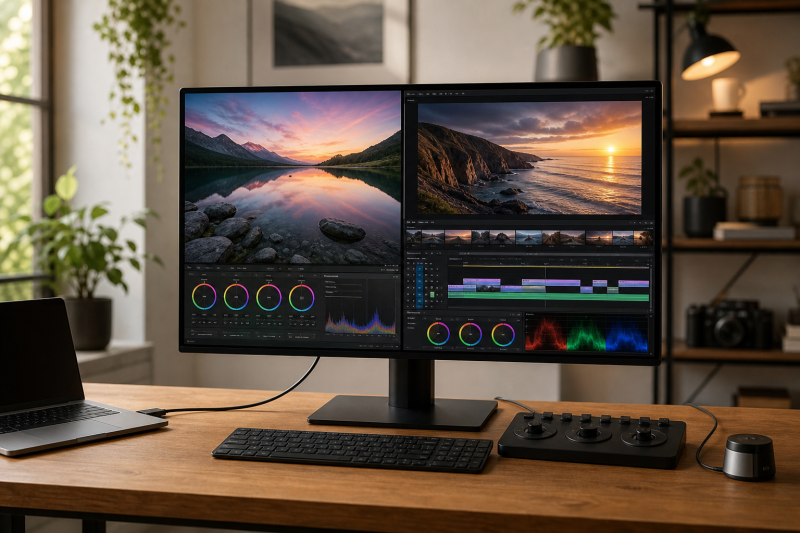
The ASUS ProArt Display 6K PA32QCV is the best monitor for photo and video editing for most buyers in this guide. ASUS gives it a 31.5-inch 6016 x 3384 IPS panel at 218 PPI, creator-focused color presets, dual Thunderbolt 4, and up to 96W charging. That mix provides a dense canvas for detailed images and video interfaces.
The right alternative depends on the delivery job. The BenQ SW272U is our print-photography pick because BenQ documents Adobe RGB coverage, hardware calibration with a supported external probe, a 16-bit 3D LUT, uniformity technology, and an included hood. The ASUS PA32UCDM is the stronger HDR-oriented option because ASUS specifies a QD-OLED panel, several HDR formats, and hardware calibration.
This post includes affiliate links, for which we may earn a commission at no extra cost to you should you make a purchase using our links. As an Amazon Associate, we can earn from qualifying purchases. Learn more.Table of Contents
Updated November 1, 2026
We checked the manufacturer documentation and US Amazon identity and New-offer data for six of the eight selections on July 16, 2026, and for the ASUS PA32UCDM and EIZO CG2700S-BK on November 1, 2026. The BenQ SW272U had an active New listing with an AVAILABLE_DATE status rather than confirmed in-stock status. The Dell U4025QW and EIZO CG2700S-BK had scarce New offers, so every exact ASIN should be checked again before purchase.
Quick Picks
The feature summaries below come from the named manufacturers’ documentation checked July 16 and November 1, 2026, not independent measurements.
- Best overall: ASUS ProArt Display 6K PA32QCV for a high-density mixed photo and video workspace.
- Best for print photography: BenQ PhotoVue SW272U for an external-probe hardware-calibration workflow, Adobe RGB work, and an included hood.
- Best for HDR video workflows: ASUS ProArt Display OLED PA32UCDM for QD-OLED, HDR formats, and hardware calibration.
- Best Thunderbolt workflow for Mac and Windows: BenQ DesignVue PD3225U for a 31.5-inch 4K IPS Black panel, KVM, and Thunderbolt 3 hub functions.
- Best Mac-focused 5K all-in-one: Apple Studio Display MFEX4LL/A for 218 PPI, Apple reference modes, camera, speakers, and microphones.
- Best ColorNavigator workflow: EIZO ColorEdge CG2700S-BK for an integrated calibration sensor and ColorNavigator 7.
- Best ultrawide timeline and hub: Dell UltraSharp U4025QW for a 39.7-inch 5120 x 2160 canvas, Thunderbolt 4, KVM, and 2.5GbE.
- Best value 4K creator monitor: ASUS ProArt Display PA279CRV for broad manufacturer-stated gamut coverage, USB-C, and an adjustable stand.
Photo and Video Editing Monitor Comparison
| Image | Product | Details | Check Price |
|---|---|---|---|
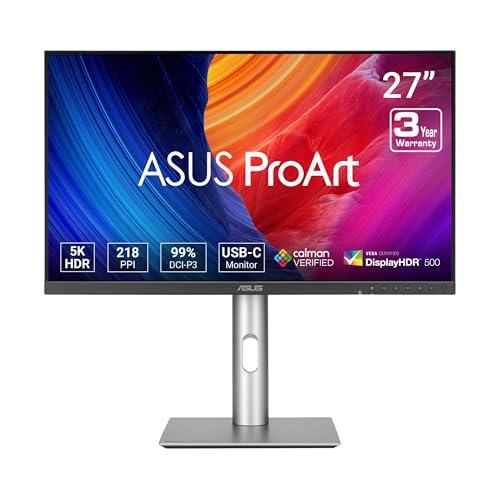 | ASUS ProArt Display 6K PA32QCV | Size and native resolution: 31.5-inch, 6016 x 3384, 218 PPI Panel and maximum refresh: IPS; exact refresh ceiling not frozen Manufacturer-stated color spaces: ASUS: 98% DCI-P3, 100% sRGB Calibration and uniformity: Factory calibrated, Calman Verified, Delta E below 2; no built-in colorimeter documented HDR and brightness scope: VESA DisplayHDR 600 Host ports and charging ceiling: Dual Thunderbolt 4, DP 1.4 DSC, HDMI 2.1; up to 96W Hub, KVM, card reader, camera, and audio: USB hub, Auto KVM, daisy chain Stand, hood, and VESA: Adjustable stand Best for: High-density mixed photo and video work | Check Price on Amazon |
 | BenQ PhotoVue SW272U | Size and native resolution: 27-inch, 3840 x 2160, 163 PPI Panel and maximum refresh: IPS; 4K at 60Hz Manufacturer-stated color spaces: BenQ: 99% Adobe RGB and P3, 100% sRGB and Rec.709 Calibration and uniformity: External-probe hardware calibration, 16-bit 3D LUT, uniformity technology HDR and brightness scope: HDR10, HLG; 400-nit typical manufacturer rating Host ports and charging ceiling: USB-C, DP 1.4, 2 x HDMI 2.0; up to 90W Hub, KVM, card reader, camera, and audio: KVM, card reader, Hotkey Puck G3 Stand, hood, and VESA: Included hood, adjustable stand, 100 x 100 VESA Best for: Print photography and hardware calibration | Check Price on Amazon |
 | ASUS ProArt Display OLED PA32UCDM | Size and native resolution: 31.5-inch, 3840 x 2160 Panel and maximum refresh: QD-OLED; up to 240Hz Manufacturer-stated color spaces: ASUS: 100% sRGB, 99% DCI-P3 Calibration and uniformity: ASUS ProArt Hardware Calibration with supported color calibrators; no built-in sensor documented HDR and brightness scope: Dolby Vision (firmware update), HLG, HDR10, DisplayHDR True Black 400; 1000-nit peak ASUS rating Host ports and charging ceiling: Dual Thunderbolt 4, HDMI 2.1; up to 96W Hub, KVM, card reader, camera, and audio: Built-in USB hub Stand, hood, and VESA: Height, pivot, and tilt adjustment; 100 x 100 VESA Best for: HDR video workflows with QD-OLED and hardware calibration | Check Price on Amazon |
 | BenQ DesignVue PD3225U | Size and native resolution: 31.5-inch, 3840 x 2160, 140 PPI Panel and maximum refresh: IPS Black; 4K at 60Hz Manufacturer-stated color spaces: BenQ: 98% P3, 100% sRGB and Rec.709 Calibration and uniformity: Factory report, Delta E at or below 2, uniformity technology HDR and brightness scope: HDR10, DisplayHDR 400; 400-nit manufacturer rating Host ports and charging ceiling: Thunderbolt 3 upstream, DP 1.4, 2 x HDMI 2.0; up to 85W Hub, KVM, card reader, camera, and audio: KVM, USB hub, Hotkey Puck G2 Stand, hood, and VESA: Adjustable stand, 100 x 100 VESA Best for: Mixed Mac and Windows Thunderbolt desks | Check Price on Amazon |
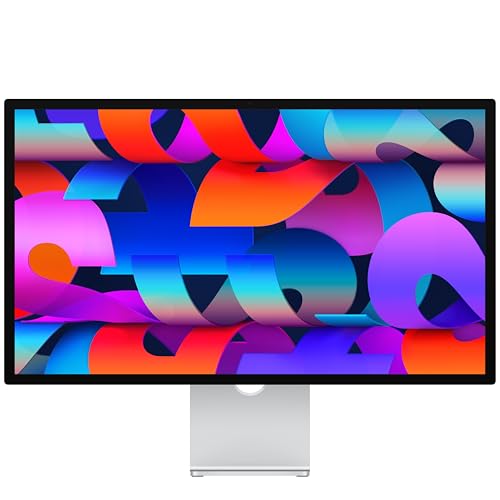 | Apple Studio Display MFEX4LL/A | Size and native resolution: 27-inch, 5120 x 2880, 218 PPI Panel and maximum refresh: 5K at 60Hz Manufacturer-stated color spaces: Apple: wide color P3 Calibration and uniformity: Photo, print, sRGB, HDTV, and cinema reference modes; no built-in calibrator or hardware-LUT claim frozen HDR and brightness scope: 600-nit Apple rating; no HDR tier frozen Host ports and charging ceiling: Thunderbolt 5 upstream; up to 96W Hub, KVM, card reader, camera, and audio: Downstream Thunderbolt 5, 2 x USB-C, camera, speakers, microphones Stand, hood, and VESA: Selected configuration has a tilt-only stand Best for: Mac-focused 5K all-in-one use | Check Price on Amazon |
 | EIZO ColorEdge CG2700S-BK | Size and native resolution: 27-inch, 2560 x 1440, 109 PPI Panel and maximum refresh: IPS; EIZO lists a 61Hz vertical scan maximum Manufacturer-stated color spaces: EIZO: 99% Adobe RGB, 98% DCI-P3 Calibration and uniformity: Built-in calibration sensor, ColorNavigator 7, 3D LUT, and Digital Uniformity Equalizer HDR and brightness scope: HLG and PQ curves; 400 cd/m2 typical manufacturer rating Host ports and charging ceiling: USB-C DisplayPort Alt Mode, DisplayPort, HDMI; up to 92W Hub, KVM, card reader, camera, and audio: Four USB-A ports and Gigabit Ethernet Stand, hood, and VESA: Monitor hood and 100 x 100 VESA Best for: Built-in-sensor ColorNavigator workflow | Check Price on Amazon |
 | Dell UltraSharp U4025QW | Size and native resolution: 39.7-inch, 5120 x 2160, 140 PPI Panel and maximum refresh: Curved IPS Black; up to 120Hz on a supported path Manufacturer-stated color spaces: Dell: 99% DCI-P3 and Display P3, 100% sRGB and BT.709 Calibration and uniformity: Average Delta E below 2 in the stated spaces; no hardware-calibration or built-in-calibrator claim frozen HDR and brightness scope: 450-nit typical, 600-nit HDR peak manufacturer ratings Host ports and charging ceiling: Thunderbolt 4, DP 1.4 DSC, HDMI 2.1; up to 140W EPR Hub, KVM, card reader, camera, and audio: USB hub, KVM, 2.5GbE Stand, hood, and VESA: Adjustable stand Best for: Wide editing timelines and hub duties | Check Price on Amazon |
 | ASUS ProArt Display PA279CRV | Size and native resolution: 27-inch, 3840 x 2160, 163 PPI Panel and maximum refresh: IPS; 4K at 60Hz Manufacturer-stated color spaces: ASUS: 99% Adobe RGB and DCI-P3, 100% sRGB Calibration and uniformity: Factory calibrated, Calman Verified, Delta E below 2; no built-in calibrator documented HDR and brightness scope: HDR10, DisplayHDR 400; 350-nit typical and 400-nit HDR peak ratings Host ports and charging ceiling: USB-C DP Alt Mode, DP 1.4 in/out, 2 x HDMI 2.0; up to 96W Hub, KVM, card reader, camera, and audio: USB hub and speakers Stand, hood, and VESA: Adjustable pivot stand, 100 x 100 VESA Best for: Value-focused 4K creator setup | Check Price on Amazon |
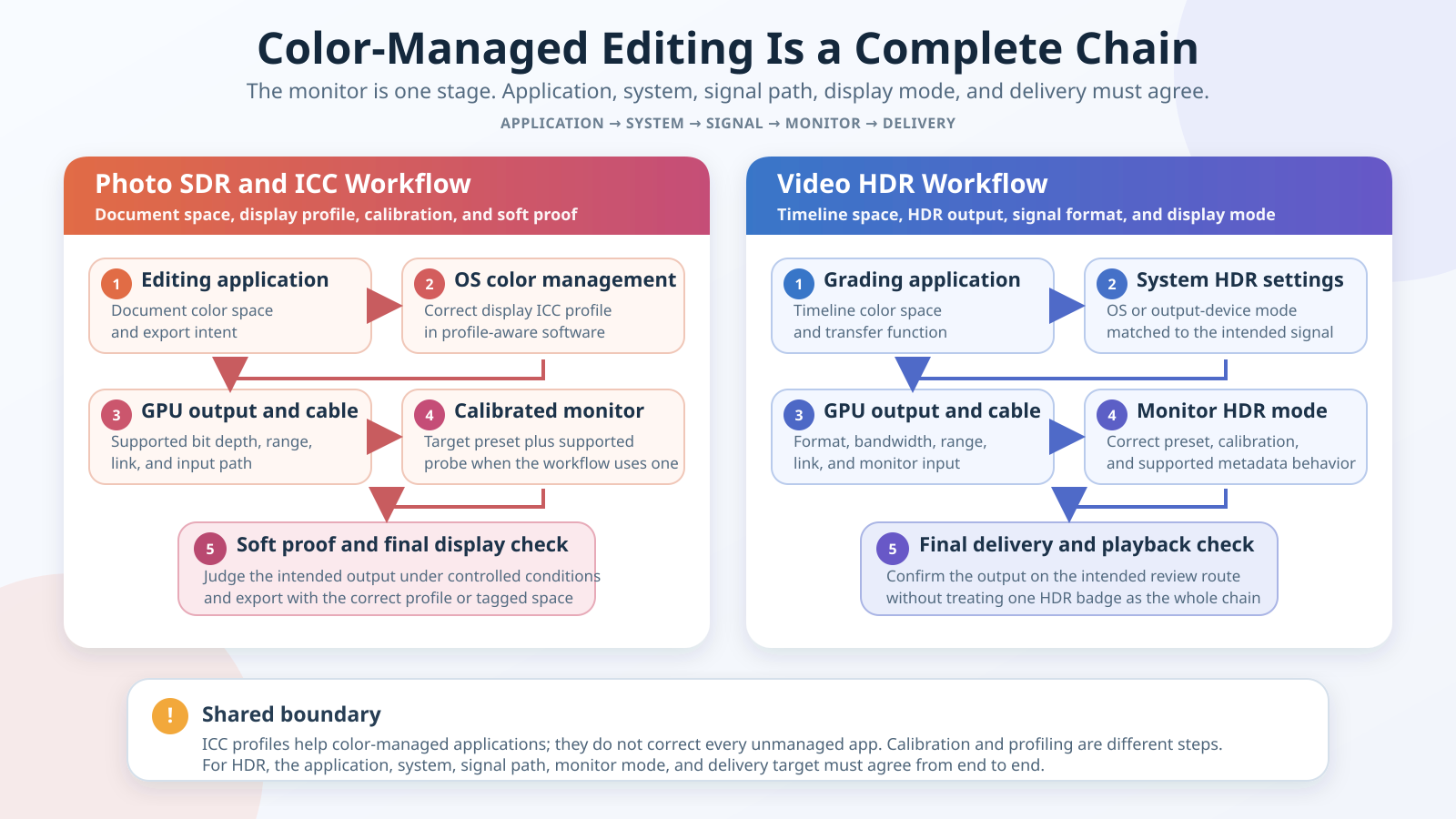
The diagram belongs here because product specifications are only one part of the buying decision. Its left lane shows an SDR photo moving through the application, ICC profile, output, cable, monitor preset, and final check. Its right lane shows HDR video moving through the timeline, HDR output settings, GPU or output device, cable, monitor mode, and delivery check.
The key lesson is shared by both lanes: every stage has to agree on what the signal means. An ICC profile describes display behavior for software that uses color management; it does not force every unmanaged application to transform color correctly. Calibration changes a device toward a target, while profiling characterizes the result. For HDR, the timeline, transfer function, application, operating system or output device, link, monitor mode, and deliverable all remain part of the chain.
Table of Contents
- ASUS ProArt PA32QCV, best overall
- BenQ SW272U, best for print photography
- ASUS ProArt PA32UCDM, best for HDR video
- BenQ PD3225U, best mixed-platform Thunderbolt workflow
- Apple Studio Display, best Mac-focused 5K all-in-one
- EIZO CG2700S-BK, best ColorNavigator workflow
- Dell U4025QW, best ultrawide timeline and hub
- ASUS PA279CRV, best value 4K creator monitor
- Buying guide
- Frequently asked questions
- Research methodology
- Exclusions
1. ASUS ProArt Display 6K PA32QCV — Best Overall
The ASUS ProArt PA32QCV leads because it combines high pixel density with creator-oriented connections and presets. ASUS specifies a 31.5-inch IPS panel with 6016 x 3384 native pixels and 218 pixels per inch. That density is useful when a workflow needs fine image detail, a large video preview, and several editing panels without moving to an ultrawide shape. This page does not state an exact refresh ceiling, so none is asserted from the resolution or ports.
ASUS states 98% DCI-P3 and 100% sRGB coverage, 10-bit color, factory calibration, Calman verification, Delta E below 2, and an M Model-P3 preset. These are ASUS claims, not evidence of every retail unit, gamut volume, or behavior in software that ignores color management.
The PA32QCV includes Light Sync ambient-light and backlight sensors, but they are not a colorimeter. No built-in calibration probe was documented. Buyers who need recurring measurement should plan a supported external instrument and software workflow.
ASUS lists VESA DisplayHDR 600. That is not proof of sustained full-screen brightness, tone mapping, local-dimming behavior, or mastering suitability. A video editor still needs to define the timeline and delivery target and confirm the output path.
Connectivity is unusually useful for a dense creative display. ASUS lists dual Thunderbolt 4, DisplayPort 1.4 with DSC, HDMI 2.1, a USB hub, Auto KVM, daisy-chain support, and up to 96W host charging. The stand is adjustable. The 96W value is a negotiated ceiling: the host, cable, supported Power Delivery profiles, attached devices, and monitor operating state determine actual delivery. Daisy chaining also depends on the host and operating system.
Our Take
Choose the PA32QCV when you want one high-density screen for both still-image and video interfaces and can build the color workflow around your actual delivery space. Its 6K panel, creator presets, hub features, and high charging ceiling make it the broadest fit here. Choose a different pick if a documented hardware-calibration workflow, built-in probe, or wide ultrawide timeline matters more than pixel density.
- ASUS specifies a 31.5-inch 6016 x 3384 panel at 218 PPI
- Manufacturer-stated 98% DCI-P3 and 100% sRGB coverage
- Dual Thunderbolt 4, Auto KVM, USB hub, DP, and HDMI
- Up to 96W host charging under supported conditions
- No built-in colorimeter is documented
- Exact refresh ceiling is not stated here
- DisplayHDR and factory-calibration claims are not independent performance measurements
For more displays built around 5120 x 2880 rather than this model’s 6K canvas, compare our best 5K monitors.
2. BenQ PhotoVue SW272U — Best for Print Photography
The BenQ SW272U is our print-photography choice. BenQ specifies a 27-inch 3840 x 2160 IPS panel at 60Hz and 163 PPI, with 100% sRGB and Rec.709 plus 99% Adobe RGB and P3 coverage. An included hood and card reader support a print-oriented desk.
BenQ lists a 16-bit 3D LUT, hardware calibration, uniformity technology, a factory calibration report, and average Delta E at or below 1.5. Every figure is a BenQ statement, not a measured result from this guide. The hardware-calibration workflow requires a supported external calibration probe. The SW272U does not have a documented built-in sensor, so it cannot measure itself without that separate instrument.
In this hardware-calibration workflow, compatible software and a supported probe control the monitor toward a target. A profile then describes the calibrated result to color-managed applications. Factory calibration is only the manufacturer’s starting condition.
BenQ specifies HDR10 and HLG plus 400-nit typical brightness. Those facts can help when previewing supported content, but they do not turn the SW272U into a proved HDR mastering display. This page has no independent full-screen brightness, tone-mapping, or uniformity measurements. Its clearer role is controlled SDR photo and print work with a repeatable external-probe routine.
The USB-C connection carries DisplayPort Alt Mode, data, and up to 90W Power Delivery. BenQ also lists two HDMI 2.0 inputs, DisplayPort 1.4, two downstream USB ports, a card reader, KVM, Hotkey Puck G3, an adjustable stand, pivot, and 100 x 100 VESA mounting. Charging remains subject to host acceptance, cable capability, and negotiation.
Amazon returned an exact New SW272U listing on July 16, 2026, but its status was AVAILABLE_DATE rather than IN_STOCK. Treat that as an active listing, not a stock promise.
Our Take
Pick the SW272U when print-oriented color spaces, an external-probe hardware-calibration path, uniformity technology, and a hood are more valuable than higher resolution or a built-in calibrator. It is the most specialized photography choice here. Budget for a supported probe if you intend to use the feature that separates it from an ordinary factory-calibrated 4K display.
- BenQ states 99% Adobe RGB and P3 coverage
- Hardware calibration through a 16-bit 3D LUT with a supported external probe
- Uniformity technology, factory report, hood, card reader, and KVM
- USB-C with up to 90W charging
- No built-in colorimeter
- Amazon New listing was AVAILABLE_DATE rather than confirmed in stock
- HDR support and manufacturer brightness do not establish mastering performance
3. ASUS ProArt Display OLED PA32UCDM — Best for HDR Video Workflows
The ASUS ProArt PA32UCDM is the HDR-oriented pick, built around a 31.5-inch 3840 x 2160 QD-OLED panel with a stated 240Hz maximum refresh rate. ASUS lists Dolby Vision through its latest firmware update, along with HLG, HDR10, VESA DisplayHDR True Black 400, and a 1000-nit peak-brightness rating. The manufacturer specifications describe the monitor’s feature set, not sustained full-screen output, tone mapping, or a particular grading result.
ASUS lists true 10-bit color, 100% sRGB, 99% DCI-P3, and Delta E below 1. ASUS also documents ProArt Hardware Calibration, which writes color parameters to the display’s internal scaler rather than the connected computer. ASUS refers buyers to a list of supported color calibrators for that software, and its page does not document a built-in calibration sensor for this model. The calibration capability supports a controlled workflow, but it does not remove the need to define the target, choose compatible software, and verify the complete output path.
HDR remains end to end. Dolby Vision, HDR10, or HLG support does not prove that the application, operating system, GPU output, cable, input, and chosen mode form a valid workflow.
ASUS lists dual Thunderbolt 4 ports, with up to 96W Power Delivery on one port and daisy-chain support, plus HDMI 2.1, a built-in USB hub, and a stand with height, pivot, and tilt adjustment. ASUS states the charging figure as an up-to ceiling, so check the power your laptop requires.
Our Take
Choose the PA32UCDM when QD-OLED, listed HDR formats, hardware calibration, and dual Thunderbolt 4 fit the delivery workflow. Buy it for its documented configuration and confirm the HDR chain rather than treating its DisplayHDR logo or peak-brightness rating as an independent mastering result.
- ASUS specifies a 31.5-inch 4K QD-OLED panel with up to 240Hz refresh for editors whose delivery workflow calls for QD-OLED.
- ASUS lists Dolby Vision through its latest firmware update, plus HLG, HDR10, and DisplayHDR True Black 400, as formats an editor can check against the delivery workflow.
- ASUS documents ProArt Hardware Calibration for the PA32UCDM, with color parameters written to the display’s internal scaler rather than the connected computer.
- ASUS lists dual Thunderbolt 4 ports and HDMI 2.1 on the PA32UCDM, along with a built-in USB hub and an adjustable stand.
- Manufacturer HDR and color figures lack independent measurement here
- Full HDR behavior on the PA32UCDM depends on the application, host, link, mode, and content.
- The PA32UCDM peak-brightness rating from ASUS does not establish sustained full-screen output or mastering behavior.
4. BenQ DesignVue PD3225U — Best Thunderbolt Workflow for Mac and Windows
The BenQ PD3225U is the desk-integration pick for editors who move between Mac and Windows systems. BenQ specifies a 31.5-inch 3840 x 2160 IPS Black panel at 60Hz and 140 PPI, plus Thunderbolt 3, downstream Thunderbolt, KVM, USB, and Hotkey Puck G2.
BenQ states 98% P3 and 100% sRGB and Rec.709 coverage. It includes a factory calibration report and states average Delta E at or below 2, Calman and Pantone validation, and uniformity technology. This page does not state a built-in calibrator or a user hardware-calibration workflow. ICCsync is a profile-management convenience, not a sensor, and it cannot make an unmanaged application color accurate.
The SW272U is the better fit when a supported probe and monitor-LUT calibration are central. The PD3225U is better when a large 4K canvas, Thunderbolt hub, KVM, and manufacturer presets matter most. Profiling it is not the same as the SW272U’s documented hardware calibration.
BenQ specifies HDR10, DisplayHDR 400, 400-nit typical and peak brightness, and a manufacturer-rated 2000:1 native contrast ratio. Those are official product specifications. They do not prove sustained HDR brightness, scene behavior, or suitability for a mastering deliverable. For many mixed SDR editing desks, the P3 and Rec.709 preset scope may be more relevant than the HDR badge.
The upstream Thunderbolt 3 port has an up to 85W charging ceiling, and BenQ lists 15W on the downstream Thunderbolt connection. Inputs also include two HDMI 2.0 ports and DisplayPort 1.4. The stand provides height, pivot, tilt, and swivel adjustment, with 100 x 100 VESA support. Daisy chains, KVM behavior, available video modes, and charging depend on the exact host, operating system, cable, and topology.
Our Take
The PD3225U fits an editor who values a large 4K IPS Black work area and wants one monitor to anchor peripherals for two computers. Its documented presets and factory report are useful starting points, while the KVM and Thunderbolt ports solve desk friction. Select the SW272U or PA32UCDM if hardware calibration is non-negotiable.
- 31.5-inch 4K IPS Black panel
- BenQ states 98% P3 and full sRGB and Rec.709 coverage
- Thunderbolt 3 hub, KVM, USB, and Hotkey Puck G2
- Adjustable stand and standard VESA support
- No built-in calibrator or hardware-calibration path is stated here
- ICCsync does not control color in unmanaged applications
- DisplayHDR 400 is not proof of HDR mastering performance
5. Apple Studio Display MFEX4LL/A — Best Mac-Focused 5K All-in-One
The selected Apple Studio Display is the standard-glass MFEX4LL/A configuration with a tilt-adjustable stand. Apple specifies a 27-inch 5120 x 2880 panel at 218 PPI and 60Hz, a 600-nit brightness rating, and wide color P3.
Apple lists reference modes for Apple Display P3, HDTV BT.709 and BT.1886, NTSC, PAL and SECAM, digital cinema, design and print, photography, and sRGB. Those modes give Mac-oriented workflows named starting points, but the official specification does not state a built-in calibrator or a user hardware-LUT calibration process. A reference-mode name is not independent proof that every retail unit meets a buyer’s delivery tolerance.
The official specification also does not assign this Studio Display an HDR tier. The article therefore does not infer HDR mastering suitability from the 600-nit rating, wide P3 support, or cinema-related reference modes. Editors who need documented HDR formats and hardware calibration should compare the PA32UCDM instead.
Apple lists one upstream Thunderbolt 5 port with up to 96W host charging, one downstream Thunderbolt 5 port, and two 10Gbps USB-C ports. Apple also lists a 12MP Center Stage camera, a six-speaker audio system, and a three-microphone array. That integrated hardware is the main reason to choose it over a monitor that needs separate conference and audio devices.
The selected ASIN is standard glass with a tilt-only stand. Height-adjustable, nano-texture, and VESA configurations are separate. Exact host behavior depends on Apple’s model-specific compatibility documentation; Thunderbolt alone is not a universal Mac or Windows promise.
Our Take
Choose the Studio Display for a Mac-focused desk that values 5K density, Apple reference modes, integrated camera and audio, and one-cable charging. Its evidence supports an excellent all-in-one role, not an HDR or hardware-calibration claim. If stand height matters, remember that the selected ASIN is tilt-only and do not assume another configuration is included.
- Apple specifies 5120 x 2880 at 218 PPI
- Named photo, print, sRGB, HDTV, and cinema reference modes
- Thunderbolt 5, up to 96W charging, and two USB-C ports
- Integrated 12MP camera, six speakers, and three microphones
- Selected configuration has a tilt-only stand
- No built-in calibrator or user hardware-LUT workflow is stated here
- No supported HDR tier should be inferred
Buyers choosing a display around a specific Apple notebook should also check our best monitors for MacBook Pro guide for model-level display and charging questions.
6. EIZO ColorEdge CG2700S-BK — Best Built-In-Sensor ColorNavigator Workflow
The EIZO ColorEdge CG2700S-BK is the ColorNavigator choice for a built-in calibration sensor. EIZO specifies a 27-inch 2560 x 1440 IPS panel at 109 PPI, 400 cd/m2 typical brightness, 99% Adobe RGB coverage, and 98% DCI-P3 coverage. Its 2560 x 1440 native resolution is lower than that of every other monitor in this guide, so check the workspace and text size you need first.
EIZO says the built-in sensor can be set to calibrate the monitor automatically at designated times. ColorNavigator 7 can schedule automatic recalibration and saves calibration information to the monitor instead of the operating system. The monitor also has a 3D LUT and Digital Uniformity Equalizer, which are EIZO features rather than independent accuracy measurements.
EIZO lists HLG and PQ gamma curves, plus preset modes for BT.2020, BT.709, DCI-P3, Adobe RGB, and sRGB. The listed curves and presets can support an HDR or SDR review workflow, but they do not establish the application, source, output, cable, or delivery chain required for a particular result.
EIZO lists a USB Type-C port with DisplayPort Alt Mode, USB signals, and up to 92W Power Delivery, along with DisplayPort, HDMI, four USB-A ports, Gigabit Ethernet, a monitor hood, and 100 x 100 VESA mounting. The host, cable, and attached devices determine the actual connection and charging result.
Our Take
Choose the CG2700S-BK when an integrated calibration sensor, ColorNavigator 7, and EIZO’s wide-gamut color-management features fit the workflow better than a 4K desktop. The built-in sensor can be set to calibrate the monitor automatically at designated times, while the 2560 x 1440 panel is a reason to check your resolution needs first.
- EIZO specifies an integrated calibration sensor and ColorNavigator 7 support, and the sensor can be set to calibrate the CG2700S-BK automatically at designated times.
- EIZO lists 99% Adobe RGB and 98% DCI-P3 color coverage for the CG2700S-BK.
- EIZO documents a 3D LUT and Digital Uniformity Equalizer for the CG2700S-BK, which are EIZO features rather than independent accuracy measurements.
- EIZO lists USB-C with up to 92W Power Delivery on the CG2700S-BK, plus Gigabit Ethernet, four USB-A ports, and a monitor hood.
- The CG2700S-BK has a 2560 x 1440 native resolution, lower than that of every other monitor in this guide, so check the workspace and text size you need first.
- HDR behavior on the CG2700S-BK depends on the complete application and output chain.
- USB-C charging and data behavior on the CG2700S-BK depend on the host, cable, and connected devices.
7. Dell UltraSharp U4025QW — Best Ultrawide Timeline and Hub
The Dell U4025QW serves a different editing need: horizontal room. Dell specifies a 39.7-inch curved IPS Black panel with 5120 x 2160 resolution, 140 PPI, and up to 120Hz. It provides more timeline width than the 16:9 selections, but its pixel density is lower than the 218 PPI Studio Display and PA32QCV. This is a workspace choice, not a claim that one format is sharper in every scaled setup.
Dell states 99% DCI-P3 and Display P3 plus 100% sRGB and BT.709 coverage. It also states average Delta E below 2 in those spaces. These remain Dell specifications. No hardware-calibration workflow or built-in colorimeter is stated here, and this guide has no independent measurements of gamut volume, unit accuracy, uniformity, or calibration stability.
Brightness needs manufacturer scope. Dell rates typical brightness at 450 cd/m2 and HDR peak brightness at 600 cd/m2. Amazon’s structured catalog returned 300 cd/m2, so this guide keeps Dell’s exact official fields attributed instead of merging the values. A peak field is not sustained full-screen output, and neither number establishes tone mapping or mastering performance.
The monitor has a substantial hub. Dell lists Thunderbolt 4 with up to 140W EPR, DisplayPort 1.4 with DSC, HDMI 2.1, USB connectivity, KVM switching, and 2.5Gb Ethernet. The stand supports height, tilt, and swivel adjustments. That package can reduce separate desk hardware when the laptop and cable support the required video and power paths.
5120 x 2160 at up to 120Hz is an end-to-end mode, not a promise made by the panel alone. Dell’s documented path depends on a compatible host GPU and output, operating system, cable, monitor input, and DSC or HDMI FRL support where required. The 140W figure is likewise an EPR ceiling that needs compatible negotiation. A basic USB-C cable or an older host may provide a lower supported combination.
The New offer was scarce and third-party at the cutoff, so verify the seller, condition, and exact model.
Our Take
Pick the U4025QW when a wide editing timeline, multiple large panels, 120Hz under supported conditions, KVM, and wired networking matter more than high pixel density or hardware calibration. It is the desk-hub and workspace choice. Color-critical buyers who need a monitor-LUT workflow should pair it with the right process or choose one of the specialist calibration models.
- Wide 5120 x 2160 canvas at up to 120Hz on a supported path
- Dell-stated P3, sRGB, and BT.709 coverage
- Thunderbolt 4, KVM, USB hub, and 2.5GbE
- Up to 140W EPR with a compatible host and cable
- Full mode requires host, cable, input, and DSC or FRL compatibility
- No hardware-calibration or built-in-colorimeter claim is stated here
- Lower PPI than the selected 5K and 6K monitors
Our 49-inch and 43-inch ultrawide monitor guide covers larger formats when one 40-inch-class 5K2K canvas is not the right shape. For other one-screen hub designs, see monitors with built-in docking stations.
8. ASUS ProArt Display PA279CRV — Best Value 4K Creator Monitor
The ASUS PA279CRV is the straightforward 27-inch 4K entry. ASUS specifies a 3840 x 2160 IPS panel at 60Hz and 163 PPI. It combines a familiar 4K desktop with creator presets, broad inputs, an adjustable stand, and a useful USB hub.
ASUS states 100% sRGB, 99% Adobe RGB, and 99% DCI-P3 coverage, with 10-bit display, factory calibration, Calman verification, and Delta E below 2. It also lists a pre-calibration report. These claims support the value verdict inside this selected list, but they do not prove the exact shipped unit’s behavior or make an external profile unnecessary for a controlled workflow.
No built-in colorimeter or user hardware-calibration path is documented. The PA279CRV better fits buyers using factory presets and a profile-aware software workflow than those who need monitor-LUT calibration.
ASUS specifies HDR10 and DisplayHDR 400, with 350 cd/m2 typical brightness and 400 cd/m2 HDR peak. Those manufacturer figures do not establish HDR mastering capability. An editor should treat HDR preview as conditional and keep the complete application-to-display chain in view.
The host connection is USB-C with DisplayPort Alt Mode and up to 96W charging. ASUS also lists DisplayPort 1.4 input and output, two HDMI 2.0 inputs, three USB-A ports, one downstream USB-C hub port, speakers, an adjustable pivot stand, and 100 x 100 VESA mounting. DisplayPort daisy chaining depends on host and operating-system MST behavior, so it should not become a universal multi-monitor promise for Mac or Windows.
Our Take
Choose the PA279CRV when a well-specified 27-inch 4K creator monitor fits the job and the specialist calibration, HDR, or 5K and 6K features would go unused. It offers the most accessible role on this list without turning its factory report into independent accuracy evidence. Confirm the exact host display mode and charging negotiation before relying on one cable.
- ASUS states broad sRGB, Adobe RGB, and DCI-P3 coverage
- Factory calibration, Calman verification, and pre-calibration report listed
- USB-C, DP input and output, two HDMI inputs, and USB hub
- Adjustable pivot stand, speakers, and VESA support
- No built-in sensor or hardware-calibration path is stated here
- DisplayHDR 400 does not prove mastering suitability
- Daisy-chain behavior depends on the exact host and operating system
If the creator-specific features are optional, our best 4K monitors guide covers the broader resolution category, while the best USB-C monitors guide focuses on one-cable desk needs.
How to Choose a Monitor for Photo and Video Editing
Start With the Delivery Job
Photo, SDR video, and HDR are related but different monitor jobs. Web photography may center on sRGB, while print can require Adobe RGB, controlled lighting, a supported instrument, and soft-proofing. SDR video often centers on Rec.709 and a defined transfer function. HDR adds format, luminance, tone-mapping, and local-dimming questions. Write down the deliverable first, then decide whether a profiled 4K display, print-oriented calibration workflow, or HDR-capable review chain fits it.
Read Color-Space Claims Narrowly
sRGB serves many web workflows, Rec.709 serves HDTV contexts, and Adobe RGB is common in print-oriented work. Display P3, DCI-P3, and Rec.2020 have different targets. A percentage should always name its space. Coverage is not gamut volume and does not prove neutral tracking or long-term behavior. Delta E also needs its manufacturer and scope. This guide has no independent measurements for a cross-brand accuracy ranking.
Separate Factory Calibration, Profiling, and Hardware Calibration
Factory calibration means the manufacturer says it adjusted or checked the monitor before sale, often with a report. That is useful evidence of product intent, not proof of the exact unit under your lighting and target settings. A user calibration measures and adjusts the display toward a defined white point, luminance, tone response, and color target. Profiling then characterizes the resulting behavior so color-managed software can transform colors correctly.
Hardware calibration is more specific. On the SW272U, BenQ documents a supported external-probe workflow and a 16-bit 3D LUT. EIZO says the CG2700S-BK has a built-in calibration sensor and supports ColorNavigator 7. ASUS documents ProArt Hardware Calibration for the PA32UCDM. Those are not interchangeable with factory presets, ICCsync, or a light sensor.
The CG2700S-BK has a documented built-in calibration sensor. The SW272U needs a supported external probe, and ASUS refers PA32UCDM buyers to a list of supported color calibrators. The remaining models may still participate in profiled workflows, but this evidence does not support calling them self-calibrating or claiming that their internal LUT can be rewritten by the user.
Match Resolution, PPI, and Scaling to the Interface
Resolution sets the native pixel grid, while screen size determines density. The 27-inch Studio Display and 31.5-inch PA32QCV both have manufacturer-stated 218 PPI. The selected 27-inch 4K monitors sit around 163 PPI, BenQ’s 31.5-inch 4K model is listed at 140 PPI, and Dell’s 39.7-inch 5K2K display is also 140 PPI. These physical differences affect text size and the scaling choices that feel comfortable.
A higher native resolution does not guarantee more usable workspace because the operating system may scale interface elements. It can instead provide finer text and image detail at a similar logical size. The Dell uses its pixels differently by extending the canvas sideways, which helps timelines and multiple panels. Decide whether detail density or horizontal working room solves the actual problem.
Choose the Panel and Backlight for the Work
The picks use IPS or IPS Black panels, except the PA32UCDM, which uses QD-OLED. These categories do not prove measured retail-unit outcomes. OLED has a different contrast and response profile, while persistent interfaces make exact care and warranty terms relevant. This page cites no burn-in timeline. Compare our best OLED monitors and LCD panel type guide for broader category context.
Treat HDR as a Complete Chain
An HDR logo does not prove sustained output, tone mapping, near-black handling, blooming, or calibration stability. PA32UCDM is the HDR-oriented pick here because ASUS lists a QD-OLED panel, several HDR formats, DisplayHDR True Black 400, a 1000-nit peak rating, and hardware calibration. That supports its rank, not an unqualified mastering conclusion. Apple states no HDR tier for the selected Studio Display, so none is assigned.
Verify the Host, Cable, Mode, and Charging Separately
Thunderbolt and USB-C can carry video, data, and power, but each has separate conditions. High-resolution or high-refresh modes may require specific DisplayPort or HDMI support, DSC or FRL, a capable GPU, operating-system support, and a suitable cable. Dell’s 5120 x 2160 at up to 120Hz path illustrates that chain. The PA32QCV’s refresh is omitted because no refresh ceiling is stated for it here. Our high-refresh monitor cable guide explains why connector shape is insufficient.
Power needs its own check. Up to 60W, 85W, 90W, 96W, or 140W describes a monitor-side ceiling under supported conditions. It does not force that amount into a laptop. The host’s accepted Power Delivery or EPR profiles, the cable, the display’s power budget, and connected devices determine the negotiated result.
Decide Which Desk Extras Replace Separate Hardware
A KVM can share peripherals, a card reader can simplify photo transfers, and Ethernet can make a monitor a desk hub. Hoods, stand adjustment, and VESA support affect the physical setup. Studio Display integrates camera and audio; Dell adds 2.5GbE and KVM; BenQ adds photo-desk controls. Count only the functions the workflow will use.
Frequently Asked Questions
Is 4K Enough for Photo Editing?
Yes, 4K can be enough when the screen size, scaling, color-space support, profile behavior, viewing conditions, and delivery target fit the job. The SW272U and PA279CRV are 27-inch 4K choices, while the CG2700S-BK is a 27-inch 2560 x 1440 option with a different calibration workflow. Higher pixel density can improve interface and image detail, but it does not replace a controlled color workflow.
Is 5K or 6K Better for macOS?
The 218 PPI Studio Display and PA32QCV offer high physical density, but no universal macOS verdict follows from the pixel count. Check the exact Mac model’s supported external-display mode, port, cable, scaling choices, and charging needs. Apple provides an integrated 5K package, while ASUS provides a larger 6K panel with different inputs and hub features.
Do Photographers Need Adobe RGB?
Not every photographer does. Adobe RGB matters most when the capture, editing, proofing, and print workflow uses that space or output beyond sRGB. Web-focused work may center on sRGB. Buying a wide-gamut monitor without setting application color management, display profiling, and export intent can create confusion rather than better output.
Is Factory Calibration Enough?
It can be a useful starting point, but it is not independent proof of the exact unit under your target luminance, white point, room lighting, and software. Work that requires repeatability should define a calibration and profiling schedule with supported hardware and software. The right tolerance depends on the delivery job.
What Is the Difference Between Calibration and Profiling?
Calibration adjusts a display toward a target state. Profiling measures and describes the calibrated display so color-managed software can translate colors for it. Hardware calibration can adjust the monitor’s internal LUT when the manufacturer, software, and probe support that process. Creating an ICC profile alone is not the same as rewriting a monitor LUT.
Can an ICC Profile Fix Every Application?
No. The profile is useful only when the application and operating system use it correctly. Unmanaged software can ignore the transform, and some video paths use different color-management systems. Check the editing application, player, browser, output device, and review route that will be used for the final work.
Is OLED Good for Editing?
OLED can be useful for some editing workloads, but the decision needs exact product evidence for color behavior, HDR handling, care guidance, and warranty terms. Persistent toolbars and panels make static-content policy relevant. The PA32UCDM is the QD-OLED monitor on this eight-monitor list, but one OLED model does not create a universal OLED verdict.
What Does an HDR Logo Prove?
It proves only the certification or format scope stated by the manufacturer and certifying body. It does not independently prove sustained brightness, tone mapping, local-dimming behavior, color accuracy, or mastering suitability. The full application, output, cable, monitor-mode, and content chain still matters.
Does Thunderbolt Guarantee Full Resolution, Refresh, and Charging?
No. Thunderbolt identifies a connection family, not the complete result for every monitor and host. The GPU, supported display mode, DSC requirements, operating system, topology, cable, Power Delivery profiles, and monitor input all affect the outcome. Check video and charging as separate requirements.
Should Photo and Video Editors Use the Same Monitor Preset?
Only when the two jobs share the same target. A print-oriented Adobe RGB workflow, an sRGB web export, Rec.709 SDR video, and an HDR timeline have different target conditions. Select or calibrate the monitor mode for the deliverable, and ensure the application and output path use the same assumptions.
How We Research and Select Editing Monitors
We required an exact US Amazon identity, an active New-condition listing on July 16, 2026 (November 1, 2026 for the PA32UCDM and CG2700S-BK), and an exact manufacturer specification surface. Eight ordinary computer monitors passed. TVs, accessories, and broadcast-only displays did not fit the intent.
Manufacturer sources control technical claims. Amazon controls ASIN identity, selected configuration, and offer state at the cutoff; it is not the technical source when an official specification exists.
This page cites no independent measurements, so we do not claim measured Delta E, gamut volume, uniformity, sustained HDR brightness, blooming, response, calibration drift, or real-unit stability. Manufacturer values remain attributed. There are no personal-testing claims or hardcoded prices.
The order reflects distinct workflows rather than one score: high-density mixed use, print calibration, HDR with hardware calibration, mixed-platform Thunderbolt, Mac all-in-one use, ColorNavigator with a built-in sensor, an ultrawide hub, and value-oriented 4K.
Exclusions and Honorable Mentions
The EIZO ColorEdge CG2700X, ASIN B0BLR3D6YM, had an exact identity but its New offer was unavailable at the cutoff. The LG UltraFine OLED Pro 32EP950-B search returned accessories rather than an exact active monitor listing. Both failed required commerce checks and are not recommendations.
The Dell U2723QE duplicated the ordinary 27-inch 4K role and lacked manufacturer evidence. Apple listings with different glass, stands, or VESA mounts are alternate configurations, not substitutes for the selected MFEX4LL/A ASIN.
ASUS PA32UCE, BenQ PD3226G, and LG 32U990A-S were unused alternates and are not promoted without complete evidence. TVs, broadcast-only monitors, accessories, bundles, regional variants, used-only listings, and wrong-model offers were excluded.
This page owns monitor selection for photo and video color workflows. It does not replace the site’s generic 4K, 5K, USB-C, Thunderbolt, OLED, or ultrawide guides. Product overlap is intentional only when the editing role is distinct and supported by the manufacturer evidence.
About the Author
The ThunderboltLaptop editorial team covers monitors, docking displays, cables, USB-C, USB4, and Thunderbolt hardware. Our buying guides separate connection labels and manufacturer ratings from the host, cable, calibration, software, and delivery conditions that determine what an editing setup can actually do.