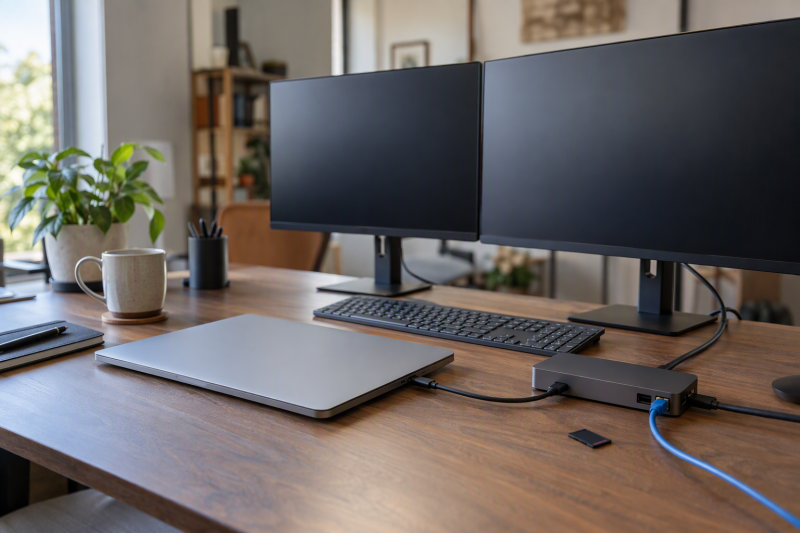
Anker’s model names say little about screens. The six hubs and docks below are sorted by how many monitors each is stated to run: three monitors first, then two. Anker’s product page or Amazon listing gives each one’s video outputs, operating-system limits, and charging ceiling. The laptop’s own USB-C video support sets the final result.
Anker USB-C Hubs and Docking Stations Compared
| Image | Product | Best fit | Displays | Host connection | Data and network | Power and limit | Check Price |
|---|---|---|---|---|---|---|---|
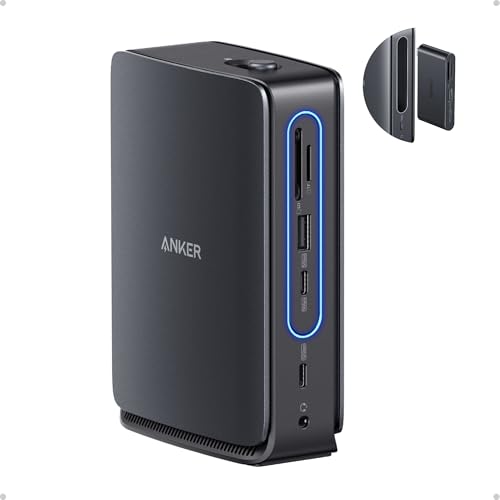 | Anker Nano Dock A83C3 | Three screens on a desk dock with a removable travel hub | Three 1080p 60Hz, two 2K 60Hz, or one 4K 60Hz | USB-C upstream; Windows 10 and 11, macOS 13.5 or later, not Linux | USB-C at 10Gbps and 5Gbps, three USB-A, Ethernet, SD and TF | Up to 100W host charging, 140W adapter included; macOS mirrors | Check Price on Amazon |
 | Anker 575 Dock A8392 | Three 1080p screens on a Windows or ChromeOS laptop | Three 1080p 60Hz, two 4K 30Hz, or one 4K 60Hz | Full-function USB-C, USB4, or Thunderbolt 3, 4, or 5 | Two HDMI, DisplayPort, 10Gbps USB-C, Ethernet, SD and microSD | 85W host charging, 135W adapter included; macOS mirrors | Check Price on Amazon |
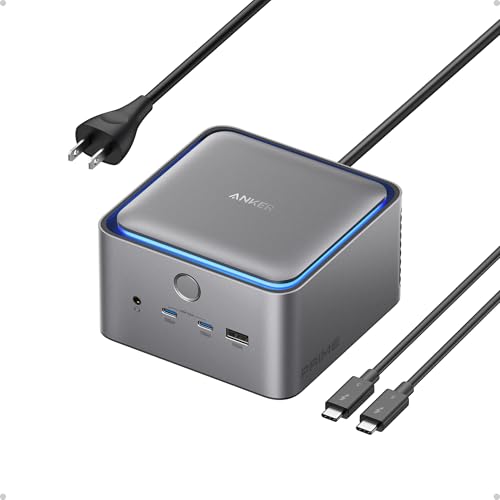 | Anker Prime TB5 Dock A83B5 | Two 8K screens on a Thunderbolt 5 Windows laptop | Dual 8K 60Hz on Thunderbolt 5 Windows laptops; one monitor if USB-C offers only DP Alt Mode | Thunderbolt 5 or 4 laptops; Windows 10 and 11, macOS 15 or later | Two Thunderbolt 5 downstream ports and 2.5Gbps Ethernet | Up to 140W host charging; HDMI and DisplayPort cannot run together | Check Price on Amazon |
 | Anker 364 USB-C Hub A83A2 | Two HDMI screens with Ethernet and an SD slot | Two 4K 30Hz or one 4K 60Hz | USB-C, USB4, or Thunderbolt with DP Alt Mode and PD; not Linux | 5Gbps USB-C and USB-A, Ethernet and an SD slot | Up to 85W pass-through, no charger included; macOS shows the same image on both | Check Price on Amazon |
 | Anker Prime Charging Dock A83B6 | Two screens plus charging for several devices | Two 2K 60Hz with DP 1.4, or two 1080p 60Hz with DP 1.2 | USB-C, USB4, or Thunderbolt with DP Alt Mode and PD; not Linux | Two HDMI 2.0, two 10Gbps USB-C data ports, Ethernet and audio | 160W total output; macOS shows the same image on both | Check Price on Amazon |
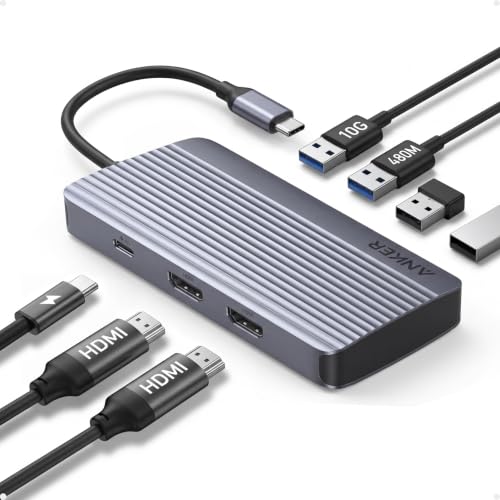 | Anker 7-in-1 Dual-Display Hub A8374 | Two 1080p screens in the smallest hub of the six | Two 1080p 60Hz | USB-C, USB4, or Thunderbolt with DP Alt Mode and PD; not Linux | 10Gbps data port and two HDMI outputs; no Ethernet | 100W input and 85W output; no wall charger | Check Price on Amazon |
1. Anker Nano Dock A83C3 — Three Monitors with a Removable Hub
The A83C3 is a 13-in-1 desktop dock with a detachable 6-in-1 hub. Anker’s Amazon listing names two HDMI ports, one DisplayPort, one USB-C upstream port, USB-C data ports at 5Gbps and 10Gbps, three USB-A ports, Gigabit Ethernet, a 3.5mm audio jack, SD and TF slots, and DC input. Anker states up to 100W laptop charging and includes a 140W power adapter.
The listing gives three display modes: one 4K 60Hz screen, two 2K 60Hz screens, or three 1080p 60Hz screens. Anker’s product page adds dual 4K 60Hz when both the laptop and the monitors support DSC, and says only the HDMI and DisplayPort outputs carry video. The listing says multiple macOS external displays mirror. Anker’s page lists Windows 10 and 11 and macOS 13.5 or later, says the dock is not compatible with Linux, and warns that on some laptops the hub can block adjacent ports.
Our Take Choose the A83C3 for a Windows desk that needs three screens and a hub that leaves with the laptop. On a Mac, Anker’s listing says external displays mirror, and it does not state three separate desktops.
- Anker’s listing names two HDMI ports and one DisplayPort on the A83C3 and states three 1080p 60Hz screens.
- Anker’s page pairs the A83C3’s 13-in-1 dock with a removable 6-port portable hub.
- Anker’s listing includes a 140W power adapter with the A83C3 and states up to 100W laptop charging.
- Anker’s page states dual 4K 60Hz on the A83C3 when both the laptop and the monitors support DSC.
- Anker’s listing says multiple macOS external displays mirror instead of extending on the A83C3.
- Anker’s page says only the A83C3’s HDMI and DisplayPort outputs carry video, not its USB-C or USB-A ports.
- Anker’s page warns that the A83C3’s detachable hub can block adjacent ports on some laptops.
2. Anker 575 Dock A8392 — Three 1080p Monitors on Windows and ChromeOS
Anker’s product page names model A8392 the Anker 575 USB-C Docking Station, a 13-port dock that Amazon’s title describes only as a triple-display 13-in-1. The Amazon listing counts two HDMI ports, one DisplayPort, three USB-C ports (85W for the host, 18W PD, and 10Gbps data), three 5Gbps USB-A ports, Gigabit Ethernet, SD and microSD slots, audio, and DC input. A 135W power adapter is included, and Amazon lists the body at 4.9 by 3.5 by 1.6 inches and 0.82 pound.
Anker’s page states one 4K 60Hz screen, two 4K 30Hz screens, or three 1080p screens. The listing says extended triple displays work on Windows 10 and 11 and ChromeOS with MST, and that macOS limits external monitors to mirror mode. Anker’s page lists macOS and Windows support but does not name ChromeOS. It also says a Thunderbolt 3 laptop gets at most 10Gbps, and that video needs a USB-C port with DisplayPort Alt Mode while charging needs Power Delivery.
Windows and ChromeOS: Anker’s Amazon listing ties extended triple-display use to MST on those two systems.Our Take Choose the 575 for three extended 1080p screens on a Windows laptop, with an adapter in the box. On a Mac, Anker’s listing limits it to mirrored screens.
- On Windows 10 and 11 and ChromeOS with MST, Anker’s listing states three 1080p 60Hz extended screens.
- Anker’s page also states two 4K 30Hz screens or one 4K 60Hz screen.
- Anker’s listing includes a 135W power adapter in the box and states 85W host charging.
- Anker’s listing accepts full-function USB-C, USB4, and Thunderbolt 3, 4, or 5 hosts.
- Anker’s listing says macOS limits external monitors to mirror mode on this dock.
- Anker’s page states the three-screen mode at 1080p, with no triple 4K mode.
- Anker’s page lists macOS and Windows support for this dock but does not name ChromeOS.
3. Anker Prime TB5 Dock A83B5 — Two 8K Monitors on a Thunderbolt 5 Windows Laptop
The A83B5 is a 14-in-1 Thunderbolt 5 dock. Anker’s page lists a Thunderbolt 5 upstream port at up to 140W, two Thunderbolt 5 downstream ports, two 10Gbps USB-C ports sharing 45W, three 10Gbps USB-A ports, SD and TF slots, 2.5Gbps Ethernet, an audio jack, and one HDMI 2.1 or DisplayPort 2.1 port used one at a time. It measures 4.6 by 4.6 by 3.0 inches.
Anker’s Amazon listing states up to 8K 60Hz on a single display, or dual 8K 60Hz on Thunderbolt 5 Windows laptops. Anker’s page gives the limits that decide the count. A Windows laptop whose USB-C port only supports DisplayPort Alt Mode can connect one external monitor. An Apple Silicon MacBook with a standard M1, M2, or M3 chip supports one external display, and Pro, Max, and all M4 models support two. The dock has outputs for three displays, but Anker says very few laptops can drive three and names only the Razer Blade 18 with an RTX 4090 as one it confirmed. The front USB-C ports carry no video. Anker lists Thunderbolt 5 and 4 laptops on Windows 10 and 11 or macOS 15 and later, and excludes Thunderbolt 3, ChromeOS, and Linux.
Our Take Choose the A83B5 for a two-monitor desk that needs the highest stated resolution, on a Thunderbolt 5 Windows laptop or a Mac whose chip Anker lists for two displays. A laptop whose USB-C port only offers DisplayPort Alt Mode is limited to one external monitor.
- Anker lists two Thunderbolt 5 downstream ports beside 2.5Gbps Ethernet on the A83B5.
- Anker’s page lists up to 140W charging through the A83B5’s Thunderbolt 5 upstream port.
- Anker’s Amazon listing states dual 8K 60Hz on Thunderbolt 5 Windows laptops for the A83B5.
- Anker says the A83B5 cannot use HDMI and DisplayPort at the same time.
- Anker says a Windows laptop with only DisplayPort Alt Mode can connect one external monitor to the A83B5.
- Anker’s page excludes Thunderbolt 3, ChromeOS, and Linux hosts for the A83B5.
4. Anker 364 USB-C Hub A83A2 — Two HDMI Monitors with Ethernet and SD
The A83A2 is a 10-in-1 USB-C hub. Anker’s Amazon listing names two HDMI ports, a 5Gbps USB-C data port, a 5Gbps USB-A port, two 480Mbps USB-A ports, a USB-C PD-IN port, Ethernet, an SD slot, and a USB-C upstream connection. Amazon lists the hub at 5.6 by 2.5 by 0.6 inches and 0.22 pound.
The listing states one 4K 60Hz display, or two 4K 30Hz displays on the two HDMI ports. On macOS, the listing says both external monitors show the same image. It states up to 85W pass-through charging, says a charger is not included, and says only the PD-IN port charges while the 5Gbps USB-C port carries data only. The listing names USB-C, USB4, and Thunderbolt connections with DisplayPort Alt Mode and Power Delivery, plus Windows 10 and 11, ChromeOS, and macOS 12 or newer, and says the hub is not compatible with Linux.
Our Take Choose the A83A2 for two 4K monitors that can run at 30Hz, with Ethernet and an SD slot in the same hub. Bring a charger, because Anker does not include one.
- Anker’s listing states two 4K 30Hz displays on the A83A2’s two HDMI ports.
- Anker’s listing names Ethernet, an SD slot, and 5Gbps USB-C and USB-A ports on the A83A2.
- Anker’s listing states up to 85W pass-through charging to the laptop.
- Anker’s listing says a charger is not included, and pass-through charging needs one.
- Anker’s listing states two-screen output at 4K 30Hz, not 4K 60Hz.
- Anker’s listing says macOS shows the same image on both external monitors.
5. Anker Prime Charging Dock A83B6 — Two Monitors and Charging for Several Devices
Anker calls the A83B6 a 14-in-1 charging dock. Anker’s page lists a 10Gbps USB-C upstream port, two 10Gbps USB-C data ports, two USB-C charging ports at up to 100W, one 10Gbps USB-A port, three 480Mbps USB-A ports, one USB-A charging port at 12W, two HDMI 2.0 ports, Gigabit Ethernet, and an audio jack. The listing states 160W of total output for up to four devices at once, and the page describes an integrated GaN AC-DC power module.
Anker’s listing and page state two displays at up to 2K 60Hz with a DP 1.4 laptop, or 1080p 60Hz with a DP 1.2 laptop, and say a 5120×1440 monitor is not supported. Both say macOS shows identical images on the two monitors, and the page adds that macOS does not support MST. For Windows, the page gives Intel 10th generation or earlier as DP 1.2, and Intel 11th generation or later, or a workstation laptop with an Nvidia GPU, as DP 1.4. The page says the USB-C data ports do not carry charging or video. The listing names Windows 10 and 11, ChromeOS, and laptops with DisplayPort Alt Mode and Power Delivery, and says Linux is not compatible.
Our Take Choose the A83B6 for two monitors at 2K or 1080p on a desk that also charges up to four devices. Skip it for a 5120×1440 monitor or a Mac that needs two separate desktops.
- Anker’s listing states 160W of total output from the A83B6 for up to four devices at once.
- Anker’s page lists two HDMI 2.0 ports with Gigabit Ethernet and 10Gbps data ports on the A83B6.
- Anker states that the A83B6 runs two displays at up to 2K 60Hz from a DP 1.4 laptop.
- Anker says the A83B6 does not support a 5120×1440 monitor.
- Anker says macOS shows identical images on both A83B6 external monitors.
- Anker limits a DP 1.2 laptop to two 1080p 60Hz displays on the A83B6.
6. Anker 7-in-1 Dual-Display Hub A8374 — Two 1080p Monitors without Ethernet
The A8374 is a 7-in-1 USB-C hub. Anker’s Amazon listing describes dual HDMI output, a 10Gbps data port, 100W input, and 85W output, and says no Ethernet port is included. Amazon lists it at 4.5 by 2.1 by 0.7 inches and 0.21 pound, the smallest size and lowest weight among the six models here.
The listing states two screens at 1080p 60Hz and says a wall charger is not included. It names USB-C, USB4, and Thunderbolt connections with DisplayPort Alt Mode and Power Delivery, plus Windows 10 and 11, ChromeOS, and macOS 12 or newer, and says Linux is not compatible. The listing does not say how macOS arranges the two screens.
Two screens, no Ethernet: Anker states two 1080p 60Hz HDMI screens, a 10Gbps data port, and 85W output, and says no Ethernet port is included.Our Take Choose the A8374 for two 1080p monitors on a laptop that does not need a wired network. Pick the A83A2 instead when Ethernet or an SD slot belongs on the same desk.
- Anker states two 1080p 60Hz screens from the dual HDMI output.
- Anker lists a 10Gbps data port, where the A83A2 lists 5Gbps for its USB-C data port.
- Amazon lists the A8374 as the smallest and lightest of these six at 4.5 by 2.1 by 0.7 inches and 0.21 pound.
- Anker’s listing says no Ethernet port is included on the A8374.
- Anker says the A8374 is not compatible with Linux.
- A wall charger is not included with the A8374, Anker says.
Buying Guide
Count the outputs, then the laptop’s limit
A dock’s output count is not the number of monitors the laptop will run. The Anker Nano Dock A83C3 and the Anker 575 Dock each have two HDMI ports and one DisplayPort and state three-screen modes at 1080p. The Anker Prime TB5 Dock has outputs for three displays, yet Anker says very few laptops can drive three.
Check the laptop’s USB-C video support and graphics before choosing. Anker says a Windows laptop with only DisplayPort Alt Mode can connect one external monitor to the A83B5, and gives the Anker Prime Charging Dock different two-screen limits for DP 1.4 and DP 1.2 laptops. The site’s three-monitor docking station guide and dual-monitor docking station guide cover docks from other makers.
Expect different results on Windows, ChromeOS, and macOS
Anker’s listing states extended triple displays for the 575 on Windows and ChromeOS with MST. The A83C3 listing gives three-screen modes without naming MST, and the A83C3 page lists Windows and macOS only. A buyer who runs ChromeOS should treat ChromeOS support as unconfirmed for the A83C3.
Anker’s listings say the A83C3, the 575, the A83B6, and the A83A2 mirror or duplicate multiple macOS external displays. The Anker 7-in-1 Dual-Display Hub listing does not say how macOS arranges its two screens. Anker’s A83B5 page differs again. It says Apple Silicon MacBooks with Pro, Max, or M4 chips support two displays.
Match the USB-C connection to the dock
Thunderbolt 5 applies only to the A83B5. Anker lists its upstream port as Thunderbolt 5 and excludes Thunderbolt 3 laptops. The other five accept USB-C, USB4, or Thunderbolt hosts under their own conditions, and Anker’s 575 page says a Thunderbolt 3 laptop gets at most 10Gbps. The site’s Anker Prime Thunderbolt 5 dock review covers the A83B5 in more depth.
A USB-C connector does not by itself carry video or charging. The 575, the A83B6, the A83A2, and the A8374 name DisplayPort Alt Mode and Power Delivery as host requirements, so the laptop manual is part of the purchase decision.
Compare the charging figures
The A83B5 lists up to 140W through its upstream port, and the A83B6 lists 160W of total output. The first is a host figure. The second is a dock-wide figure, with USB-C charging ports of up to 100W each.
The A83A2 and the A8374 state 85W and say a charger is not included. The A83C3 and the 575 include a 140W and a 135W adapter and state up to 100W and 85W of laptop charging. Compare the laptop’s requirement with the stated output, not with the largest input number.
Choose a hub for travel or a dock for the desk
The A8374 and the A83A2 are the two small hubs. Amazon lists the A8374 at 0.21 pound and the A83A2 at 0.22 pound, and only the A83A2 has Ethernet and an SD slot.
The A83C3 is the dock with a hub that detaches. The 575, the A83B5, and the A83B6 are fixed desk docks with Ethernet. The A83B5 adds Thunderbolt 5 and the A83B6 adds 160W of total output.
FAQ
Which Anker option runs the most monitors?
The A83C3 and the 575 each state three-screen modes, both at 1080p 60Hz. Anker’s A83C3 page adds dual 4K 60Hz when the laptop and monitors support DSC, and the 575 page adds two 4K 30Hz.
The A83B5 has outputs for three displays, but Anker says very few laptops support three and states dual 8K 60Hz only for Thunderbolt 5 Windows laptops.
Why might two connected macOS displays show the same image?
Anker’s listings say multiple macOS external displays mirror on the A83C3 and the 575, and show identical images on the A83B6 and the A83A2. The video outputs can accept more than one monitor, and the macOS statement is the limit.
Windows and ChromeOS get a different statement on the 575, because its listing names MST extended triple displays for them.
Does the A83B5 work with every Thunderbolt laptop?
No. Anker lists the A83B5 for Thunderbolt 5 and Thunderbolt 4 laptops and says it is not compatible with Thunderbolt 3, ChromeOS, or Linux. The dual 8K statement is narrower, because the Amazon listing gives it for Thunderbolt 5 Windows laptops.
The 575 lists a wider range of full-function USB-C, USB4, and Thunderbolt 3, 4, or 5 hosts. A wider host list does not give it the A83B5’s display figures.
Is a hub’s input wattage the same as laptop charging wattage?
No. The A8374 lists 100W input and 85W output, and the A83A2 lists up to 85W pass-through. The output or pass-through figure is the one to compare with the laptop’s requirement.
The A83B6 lists 160W of total output with up to 100W on each USB-C charging port. Compare Anker’s figure with the laptop and with the other devices on the dock.
Can the USB-C data ports connect a monitor?
Not on the A83C3. Anker’s page says only its HDMI and DisplayPort outputs carry video. The A83B5 page says the front USB-C ports do not support video, and the A83B6 page says its USB-C data ports do not carry video or charging.
Use the HDMI or DisplayPort output named for each model when connecting a monitor.
Bottom Line
Choose Anker Nano Dock A83C3 for three monitors and a detachable hub, Anker Prime TB5 Dock A83B5 for two 8K monitors on a Thunderbolt 5 Windows laptop, or Anker 364 Hub A83A2 for two HDMI monitors with Ethernet and an SD slot.