Choose the screen size first, then check the ports. Alienware sells a 15.3-inch Alienware 15, three 16-inch laptops (the Aurora 16, the Area-51 16 and the 16X) and an 18-inch Area-51, and Dell’s pages list very different ports on them. Dell lists two Thunderbolt 5 ports on the Area-51 16 and the 18 Area-51 when they carry an RTX 5070 Ti or a faster chip, one Thunderbolt 4 port on the 16X, and no Thunderbolt port on the Aurora 16 or the Alienware 15.
Each laptop below has a dedicated Nvidia RTX chip, from the RTX 4050 in the Alienware 15 to the RTX 5080 in the 18 Area-51. Amazon’s titles name the memory and storage, and no bullet repeats them, so treat those figures as the seller’s configuration until the product page confirms them.
Screen size, refresh rate and ports separate these five laptops more than the graphics chip does.Alienware Models Compared
| Image | Product | Details | Check Price |
|---|---|---|---|
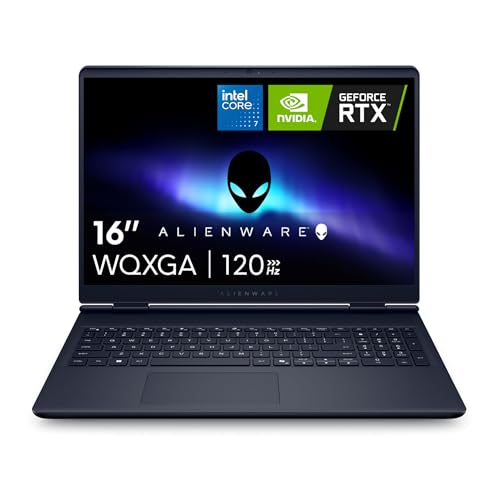 | Alienware 16 Aurora | Best fit: 16-inch RTX 5060 option Processor: Intel Core 7 240H Screen: 16-inch WQXGA, 120Hz, 300 nits Graphics: NVIDIA GeForce RTX 5060 Thunderbolt: None listed by Dell | Check Price on Amazon |
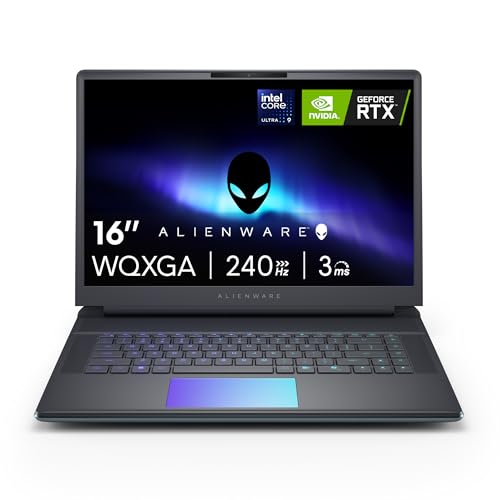 | Alienware 16 Area-51 | Best fit: Thunderbolt 5 at 16 inches Processor: Intel Core Ultra 9 275HX Screen: 16-inch 2560x1600, 240Hz Graphics: NVIDIA GeForce RTX 5070 Ti Thunderbolt: Two Thunderbolt 5 ports (Dell) | Check Price on Amazon |
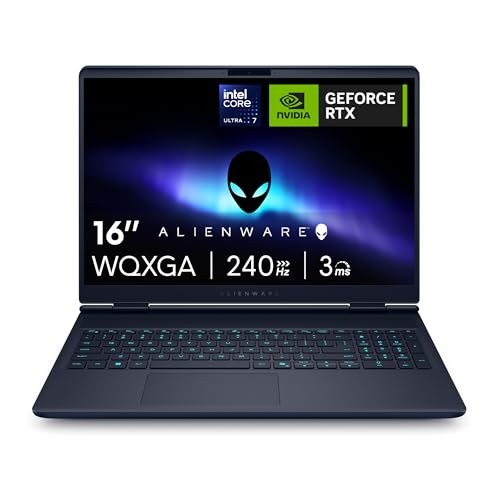 | Alienware 16X | Best fit: 500-nit 16-inch OLED panel Processor: Intel Ultra 7 Plus Screen: 16-inch WQXGA OLED, 240Hz, 500 nits Graphics: NVIDIA GeForce RTX 5060 Thunderbolt: One Thunderbolt 4 port (Dell) | Check Price on Amazon |
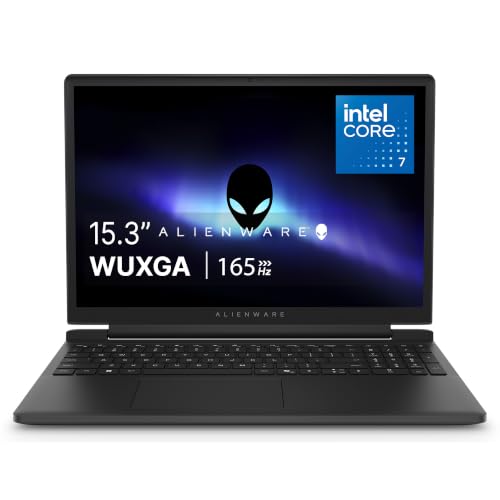 | Alienware 15 | Best fit: 15.3-inch 165Hz option Processor: Intel Core 7 240H Screen: 15.3-inch WUXGA, 165Hz Graphics: NVIDIA GeForce RTX 4050 Thunderbolt: None listed by Dell | Check Price on Amazon |
 | Alienware 18 Area-51 | Best fit: 18-inch 300Hz option Processor: Intel Ultra 9 290HX Screen: 18-inch WQXGA, 300Hz Graphics: NVIDIA GeForce RTX 5080 Thunderbolt: Two Thunderbolt 5 ports (Dell) | Check Price on Amazon |
1. Alienware 16 Aurora — Best for a 16-Inch RTX 5060 Configuration
Amazon’s title names an NVIDIA RTX 5060, an Intel Core 7 240H and a 120Hz screen, and a bullet describes a 16-inch 16:10 WQXGA display at 300 nits. Dell’s Aurora 16 page lists the same 120Hz, 300-nit panel and adds 100% sRGB coverage. The 120Hz figure is the lowest of the five laptops here.
Dell’s port list is two 5 Gbps USB-A ports, one 10 Gbps USB-C port with DisplayPort 1.4a, one 10 Gbps USB-C port with Power Delivery, HDMI 2.1, an audio jack and a 1 Gb Ethernet port. Dell lists no Thunderbolt port. On cooling, an Amazon bullet describes a Cryo-Chamber structure that focuses airflow on the core components and says the design needs no rear thermal shelf. The title adds 16GB of DDR5 and a 1TB SSD, which may be the seller’s configuration.
The catch: Dell’s Aurora 16 page lists no Thunderbolt port, so a Thunderbolt dock or monitor chain is a reason to look at the Area-51 16 or the 16X.Our Take Buy the Aurora 16 if you want an RTX 5060 in a 16-inch body and plan to connect accessories through USB-C at 10 Gbps, HDMI or Ethernet.
- Amazon’s title names an RTX 5060 and an Intel Core 7 240H for the Alienware Aurora, giving a buyer the graphics chip and processor in one line.
- Dell’s page lists a 300-nit, 100% sRGB WQXGA display for the Aurora 16, a brightness and color coverage figure from the maker.
- Dell’s page lists two USB-C ports, HDMI 2.1 and 1 Gb Ethernet, enough for USB-C accessories, an HDMI display and a wired network.
- Dell’s page lists no Thunderbolt port for the Aurora 16, a gap for anyone planning a Thunderbolt dock or monitor chain.
- Amazon’s title gives the Alienware Aurora a 120Hz refresh rate, the lowest of the five laptops here.
2. Alienware 16 Area-51 — Best for Thunderbolt 5 in a 16-Inch Laptop
An Amazon bullet names the RTX 5070 Ti, and the title adds an Intel Core Ultra 9 275HX and a 2560×1600 240Hz display. The title also names 32GB of DDR5 and a 1TB SSD, which may be the seller’s configuration. Dell’s Area-51 16 page describes the panel as 16-inch OLED at 240Hz with 620 HDR nits, a detail the Amazon title leaves out.
Dell’s page lists two Thunderbolt 5 ports for configurations with an RTX 5070 Ti or faster, and two Thunderbolt 4 ports for an RTX 5070 or slower. It also lists three 5 Gbps USB-A ports, HDMI 2.1, a headset jack and an SD-card slot, with no Ethernet port. Amazon describes a Cryo-Chamber that props the laptop up for a larger air intake, with a clear Gorilla Glass panel over the AlienFX fans.
Our Take Buy the Area-51 16 if you want Thunderbolt 5 and a 240Hz screen in a 16-inch laptop and can do without a wired Ethernet jack.
- Dell lists two Thunderbolt 5 ports for Area-51 16 configurations with an RTX 5070 Ti or faster, the same chip Amazon names for this laptop.
- Amazon’s title states a 2560×1600 display at 240Hz, the screen figures a buyer can compare across listings.
- Amazon describes a Cryo-Chamber with a larger air intake and a clear panel over the fans.
- Dell’s port list for the Area-51 16 has no Ethernet port, a gap for anyone who wants a wired network connection.
- Amazon’s title, not a bullet, names the 32GB of memory and 1TB SSD, which may be the seller’s configuration.
3. Alienware 16X — Best for a 500-Nit 16-Inch Panel
An Amazon bullet states a 16-inch WQXGA 240Hz display with 500 nits, and the title calls it OLED. Dell’s 16X page describes a 16-inch anti-glare OLED at 240Hz with 120% DCI-P3 and 620 HDR nits. The bullets name an RTX 5060, and the title adds an Intel Ultra 7 Plus, Wi-Fi 7, 16GB of DDR5 and a 1TB SSD, which may be the seller’s configuration.
Dell lists one Thunderbolt 4 port (40 Gbps, with DisplayPort 2.1) on the 16X, plus one 10 Gbps USB-C port with Power Delivery, two 5 Gbps USB-A ports, HDMI 2.1, an audio jack and 1 Gb Ethernet. Dell’s note says to use an HDMI cable for NVIDIA G-SYNC, or a USB-C to DisplayPort cable, bought separately, in the Thunderbolt 4 port.
The bullets name Alienware Cryo-tech cooling, which they describe as designed to maintain system stability in demanding sessions. A bullet also says F7 turns on Stealth Mode, which sets the keyboard lighting to white and switches to Quiet Mode. The bullet adds that Quiet Mode lowers fan noise when possible, that performance might be slightly impacted, and that the mode may reduce both CPU and GPU power consumption.
Our Take Buy the 16X if you want a 500-nit OLED screen at 16 inches and one Thunderbolt 4 port, and can accept the slight performance cost Amazon’s bullet describes when Quiet Mode is on.
- An Amazon bullet states a 16-inch WQXGA panel at 240Hz and 500 nits.
- Dell lists a Thunderbolt 4 port with DisplayPort 2.1 on the 16X, the laptop’s only Thunderbolt connection.
- Amazon’s bullets name Alienware Cryo-tech cooling and an RTX 5060.
- Dell lists one Thunderbolt 4 port on the 16X, against two Thunderbolt 5 ports on the Area-51 laptops with an RTX 5070 Ti or faster.
- Amazon’s bullet says Quiet Mode may reduce CPU and GPU power consumption and that performance might be slightly impacted.
4. Alienware 15 — Best for a 15.3-Inch 165Hz Screen
An Amazon bullet states a 15.3-inch 16:10 WUXGA (1920×1200) display at 165Hz, and Dell’s Alienware 15 page adds 300 nits and 62.5% sRGB. The bullet says the laptop is available with RTX 40 Series graphics, and the title names the RTX 4050 together with an Intel Core 7 240H, Wi-Fi 6, 16GB of DDR5 and a 1TB SSD, which may be the seller’s configuration. Dell’s page lists the RTX 4050 with 6 GB of GDDR6.
Dell lists two 5 Gbps USB-A ports, one 10 Gbps USB-C port with Power Delivery and DisplayPort 1.4a (charging up to 100 W), one 5 Gbps USB-C port, HDMI 2.1, an audio port and 1 Gb Ethernet. Dell lists no Thunderbolt port. Amazon’s bullets add Alienware Cryo-tech cooling, a one-click Stealth Mode for quieter settings and the Alienware Command Center for lighting, performance monitoring and game profiles.
Smallest of the five: Dell lists a 54 Whr battery for the Alienware 15, against 96 Whr on the other four.Our Take Buy the Alienware 15 if you want the smallest screen here and an RTX 4050, and you do not need Thunderbolt.
- An Amazon bullet states a 15.3-inch 1920×1200 display at 165Hz.
- Dell lists a USB-C port with DisplayPort 1.4a and charging up to 100 W on the Alienware 15.
- Amazon’s bullets name the Alienware Command Center for lighting and game profiles.
- Amazon’s title names the RTX 4050, the lowest-numbered graphics chip among the five laptops here.
- Dell lists no Thunderbolt port and a 54 Whr battery for the Alienware 15, the smallest battery of the five.
5. Alienware 18 Area-51 — Best for an 18-Inch 300Hz Screen
Amazon’s title names an RTX 5080, an Intel Ultra 9 290HX and a WQXGA 300Hz display, and the size field reads 18.0 WQXGA. Dell’s 18 Area-51 page describes an 18-inch WQXGA panel at 300Hz with 500 nits and G-SYNC. The title also names 32GB of DDR5 and a 2TB NVMe SSD, which may be the seller’s configuration. It has the largest screen, the fastest refresh rate and the highest-numbered graphics chip of the five.
Dell’s owner’s manual lists two Thunderbolt 5 ports (80 Gbps) for configurations with an RTX 5070 Ti or faster, which includes the RTX 5080 here. It also lists two 5 Gbps USB-A ports, a third with PowerShare, HDMI 2.1, a 5 Gbps Ethernet port, an audio jack and an SD-card slot. Amazon describes a Cryo-Chamber at the bottom of the laptop that focuses air on the core components.
Our Take Buy the 18 Area-51 if you want the largest screen, a 300Hz refresh rate and Thunderbolt 5, and can carry the weight Dell lists.
- Amazon’s title states an RTX 5080 and a WQXGA 300Hz display.
- Dell’s owner’s manual lists two Thunderbolt 5 ports for configurations with an RTX 5070 Ti or faster.
- Dell’s owner’s manual lists a 5 Gbps Ethernet port and an SD-card slot.
- Dell lists a maximum weight of 9.56 lb for the 18 Area-51.
- Dell lists a 360W power adapter that weighs 2.20 lb, extra weight on top of the laptop’s own.
Buying Guide
Choose the screen size before the graphics chip
The first decision is 15.3, 16 or 18 inches. Amazon’s bullets state a 15.3-inch panel for the Alienware 15 and 16-inch panels for the Aurora 16 and the 16X, the Area-51 16 title states a 2560×1600 display, and the 18 Area-51 title names a WQXGA screen with the size field at 18.0.
Dell’s weights rise with screen size. Dell lists a maximum weight of 9.56 lb for the 18 Area-51 and 7.49 lb for the Area-51 16, and the Aurora 16 and the 16X start at 5.49 lb and 5.66 lb. Dell lists a starting weight of 4.85 lb for the Alienware 15.
Check the ports before you buy a dock or monitor
Dell’s pages split the five laptops into three groups. The Area-51 16 and the 18 Area-51 list two Thunderbolt 5 ports with an RTX 5070 Ti or faster, the 16X lists one Thunderbolt 4 port, and the Aurora 16 and the Alienware 15 list USB-C ports at 10 Gbps and 5 Gbps without Thunderbolt.
Only the Area-51 16 lacks an Ethernet port on Dell’s list. For a broader explanation of what each connection does, see the Thunderbolt laptop list and the USB4 laptop list, and confirm the ports on the configuration you order.
Compare refresh rate and brightness together
Amazon states 120Hz for the Aurora 16, 165Hz for the Alienware 15, 240Hz for the Area-51 16 and the 16X, and 300Hz for the 18 Area-51. Among these five, only the 18-inch laptop has a 300Hz panel, and it is also the largest and heaviest, so decide on size first.
Brightness figures differ by source. An Amazon bullet gives 300 nits for the Aurora 16 and 500 nits for the 16X, while Dell’s pages give 300 nits for the Alienware 15, 500 nits for the 18 Area-51 and 620 HDR nits for the OLED panels on the Area-51 16 and the 16X.
Treat title-only memory and storage as the seller’s configuration
Amazon’s titles name 16GB or 32GB of DDR5 and 1TB or 2TB of storage, and no bullet repeats them. Dell’s pages list their own default configurations, which differ from these listings in the processor, graphics chip or memory. A figure from Amazon’s title may be the seller’s configuration.
The Area-51 16 title states 32GB and 1TB, and the 18 Area-51 title states 32GB and 2TB. Confirm the figures with the seller when capacity decides the purchase.
Read the Quiet Mode and cooling wording as Amazon’s description
Amazon’s bullets describe the Cryo-Chamber on both Area-51 laptops and the Aurora 16, and Alienware Cryo-tech on the 16X and the Alienware 15. Both names are cooling descriptions from Amazon’s bullets, and no bullet gives a noise or temperature measurement.
The 16X bullet says Quiet Mode lowers fan noise when possible and may reduce CPU and GPU power consumption, and that performance might be slightly impacted. The Alienware 15 bullet describes a one-click Stealth Mode for quieter settings and gives no detail on power use.
FAQ
Which Alienware here has Thunderbolt 5?
Dell lists two Thunderbolt 5 ports on the Area-51 16 and the 18 Area-51 for configurations with an RTX 5070 Ti or faster. Amazon names an RTX 5070 Ti for the Area-51 16 and an RTX 5080 for the 18 Area-51.
The 16X is the only laptop here with a single Thunderbolt 4 port on Dell’s page. The Aurora 16 and the Alienware 15 list none.
Which Alienware here has the largest screen and fastest refresh rate?
The 18 Area-51 has both. Amazon’s title states WQXGA at 300Hz, the size field reads 18.0, and Dell’s page describes an 18-inch panel.
The 16X and the Area-51 16 are both stated at 240Hz, and the 16X adds a 500-nit figure in an Amazon bullet.
Do the Aurora 16 and the Alienware 15 have Thunderbolt?
Dell’s pages list no Thunderbolt port on either laptop. The Aurora 16 page lists two USB-C ports at 10 Gbps, and the Alienware 15 page lists one at 10 Gbps and one at 5 Gbps.
Both pages list HDMI 2.1 and 1 Gb Ethernet.
Are the memory and storage figures fixed for each laptop?
No. Amazon’s titles name them and no bullet repeats them, so they may be the seller’s configuration.
The 18 Area-51 title states 32GB DDR5 and a 2TB NVMe SSD, and the Aurora 16 title states 16GB and 1TB. Confirm the figures with the seller before you order.
What does Quiet Mode change on the 16X?
Quiet Mode lowers fan noise when possible. An Amazon bullet says F7 turns on Stealth Mode, which sets the keyboard lighting to white and switches to Quiet Mode.
The bullet adds that performance might be slightly impacted and that the mode may reduce both CPU and GPU power consumption.
Bottom Line
Pick the Alienware 15 for the smallest screen and the Aurora 16 for an RTX 5060 without Thunderbolt. Pick the 16X for one Thunderbolt 4 port and the 500-nit panel, the Area-51 16 for two Thunderbolt 5 ports at 16 inches, and the 18 Area-51 for the 18-inch 300Hz screen.