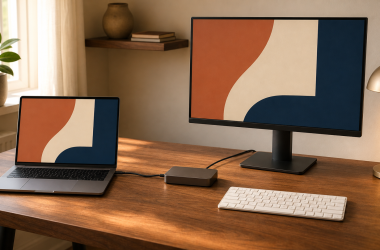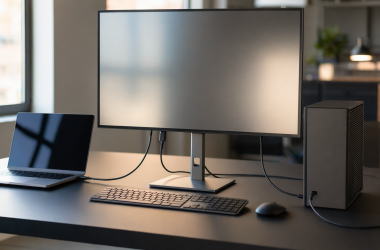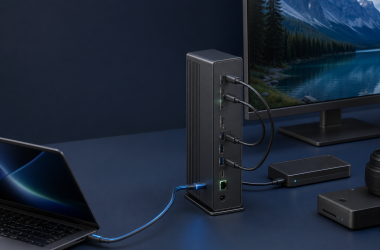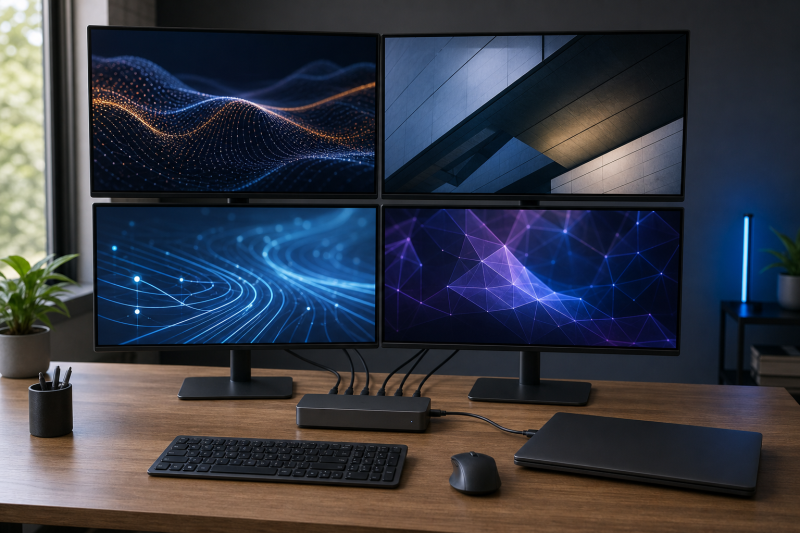
The StarTech.com 132N-TB4USB4DOCK is the best overall native four-display dock in this guide for a fully compatible Windows host. StarTech documents a native MST route with up to four 3840 x 2160 displays at 60Hz, but the headline mode has a strict boundary: Windows, an Intel 12th-generation or later processor, DisplayPort 1.4, DSC, and a host that exposes the required display capability. That is a manufacturer ceiling, not a universal result or a hands-on measurement.
The rest of the list covers a supported HP mobile-workstation route, a managed ThinkPad workstation path, a hybrid Plugable design, and two full DisplayLink options. They do not reach four screens in the same way. Before choosing one, decide whether your computer can supply four native streams through MST and DSC or whether you need software-created DisplayLink screens.
Four monitors in this guide means four independently extended external displays. Four sockets, mirrored outputs, or three external displays plus an undocumented laptop panel do not meet that definition. If you need only two screens, start with our dual-monitor docking-station guide instead.
This post includes affiliate links, for which we may earn a commission at no extra cost to you should you make a purchase using our links. As an Amazon Associate, we can earn from qualifying purchases. Learn more.Updated July 16, 2026
We checked the exact product identities, manufacturer evidence, and Amazon offer records on July 16, 2026. All six exact ASINs had at least one active New offer on that date. Five were marked in stock. The HP Thunderbolt Dock 280W G4 was not marked in stock and showed no availability message, so it was not confirmed in stock. Offer state, merchant, and condition can change.
This update also records the evidence limits that matter most. Lenovo’s official brochure identifies the 40B00300xx family while Amazon identifies the selected US part as 40B00300US. Targus conflicts on the four-HDMI refresh ceiling, so this guide uses the more conservative 4K50 figure. Plugable’s FAQ narrows its four-screen host requirement to Thunderbolt 4 or USB4, which controls over broader marketing language.
Quick Picks
- Best overall native four-display dock: StarTech.com 132N-TB4USB4DOCK for a documented Windows MST route to quad 4K60 on an Intel 12th-generation or later DP 1.4 host with DSC.
- Best supported HP mobile-workstation path: HP Thunderbolt Dock 280W G4 for HP’s exact DP 1.4 plus DSC matrix, subject to its availability and missing connector-combination details.
- Best managed ThinkPad workstation path: Lenovo ThinkPad Thunderbolt 4 Workstation Dock for the official family’s stated support for up to four 4K60 displays.
- Best hybrid Thunderbolt 4 plus DisplayLink dock: Plugable TBT-6950PD for two native downstream video paths plus two HDMI DisplayLink paths.
- Best broad-host enterprise DisplayLink dock: Targus DOCK570USZ for four extended screens through four DisplayPort, four HDMI, or a mixed four-output selection.
- Best flexible HDMI-or-DisplayPort layout: StarTech.com DK31C4DPPD for any four outputs from four HDMI and four DisplayPort sockets through DisplayLink.
Four-Monitor Dock Comparison
| Image | Product | Details | Check Price |
|---|---|---|---|
 | StarTech.com Thunderbolt 4 Dock, 132N-TB4USB4DOCK | Display route: Native MST; DSC is required for the headline quad 4K60 mode Host interface: Thunderbolt 4 or USB4 recommended; lower-capability USB-C paths reduce function Active video-output combination: Two HDMI plus two DisplayPort Maximum documented four-display layout: StarTech states up to four 3840 x 2160 displays at 60Hz Exact host / GPU / DSC condition: Windows, Intel 12th generation or later, DisplayPort 1.4, and DSC OS and driver requirement: Driverless MST route; macOS is limited to two external displays Laptop-panel condition: Not stated for the Windows four-display mode Ethernet: 2.5GbE USB / card / audio I/O: USB-C and USB-A data, SD, microSD, and 3.5mm audio Host charging: StarTech states up to 98W from the included 180W adapter Best for: Native four-display use on a fully compatible Windows host Key caveat: Older, non-Intel, or DSC-disabled hosts are not promised quad 4K60 | Check Price on Amazon |
 | HP Thunderbolt Dock 280W G4 with Combo Cable, 4J0G4AA | Display route: Native DisplayPort and Thunderbolt route; DSC is required for four 4K60 displays Host interface: Thunderbolt 4 or a qualified USB-C DisplayPort Alt Mode host Active video-output combination: Two DisplayPort, HDMI, USB-C DisplayPort, and downstream Thunderbolt are available; exact four-output combination is not stated Maximum documented four-display layout: HP lists four FHD60, four QHD60, or four 4K60 with DisplayPort 1.4 plus DSC Exact host / GPU / DSC condition: DP 1.4 plus DSC for four QHD60 or 4K60; DP 1.3/1.4 reaches four FHD60 only OS and driver requirement: HP lists multi-OS scope but its version rows conflict; avoid an exact version promise Laptop-panel condition: Not stated Ethernet: 1GbE and 2.5GbE support USB / card / audio I/O: USB-C, four USB-A ports, and the documented HP dock peripheral path Host charging: Up to 230W only for supported HP platforms through the combo cable Best for: A supported HP mobile workstation with a qualified four-display path Key caveat: New offer was not confirmed in stock on July 16, 2026; DP 1.2 supports at most three screens | Check Price on Amazon |
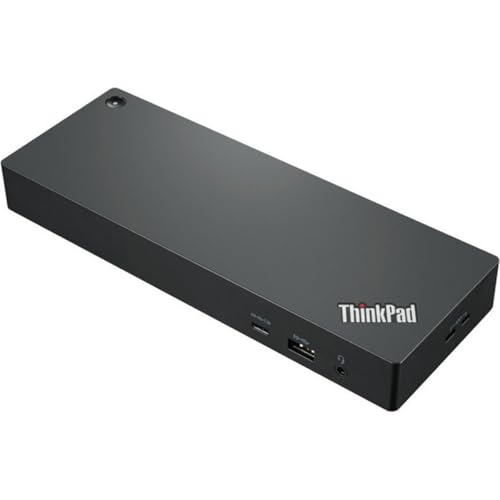 | Lenovo ThinkPad Thunderbolt 4 Workstation Dock, 40B00300US | Display route: Native Thunderbolt and DisplayPort route; Lenovo does not state MST or DSC Host interface: Thunderbolt 4 workstation split-cable path Active video-output combination: Two DisplayPort 1.4, one HDMI 2.1, and one downstream Thunderbolt; exact four-output combination is not stated Maximum documented four-display layout: Lenovo states up to four 4K displays at 60Hz Exact host / GPU / DSC condition: Supported workstation required; exact GPU, MST, and DSC matrix is not stated OS and driver requirement: Brochure lists Windows 10, macOS, and Linux without a per-OS four-display matrix Laptop-panel condition: Not stated Ethernet: Gigabit Ethernet USB / card / audio I/O: Four USB 3.1 Gen 2, two USB-C or Thunderbolt, and 3.5mm audio Host charging: Up to 230W on supported workstations with the included 300W adapter and split cable Best for: A managed ThinkPad workstation deployment Key caveat: Official family is 40B00300xx; Amazon supplies the selected US suffix 40B00300US | Check Price on Amazon |
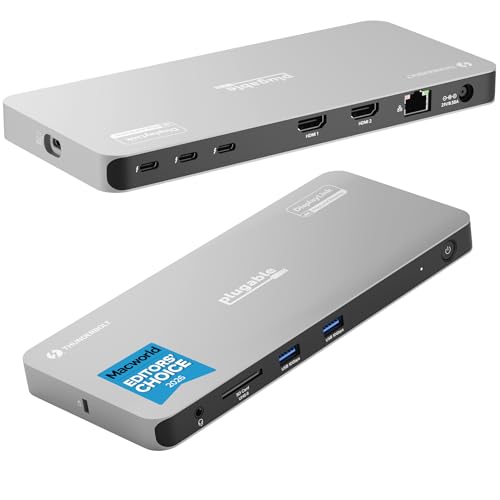 | Plugable Thunderbolt 4 Dock, TBT-6950PD | Display route: Hybrid: two native downstream Thunderbolt video paths plus two HDMI DisplayLink paths Host interface: Thunderbolt 4 or USB4 for the supported Windows four-display route Active video-output combination: Two HDMI plus two downstream Thunderbolt or USB-C video outputs Maximum documented four-display layout: Plugable states up to four 3840 x 2160 displays at 60Hz Exact host / GPU / DSC condition: Host must supply both native downstream video paths; use Plugable's narrower TB4 or USB4 boundary OS and driver requirement: Windows 10 or later for the clearest four-screen route; DisplayLink software is required for HDMI Laptop-panel condition: Not stated for the supported Windows four-display route Ethernet: Gigabit Ethernet USB / card / audio I/O: Two USB-A 10Gbps, UHS-II SD, audio, and three downstream Thunderbolt ports Host charging: Plugable states up to 96W certified Best for: A hybrid native plus DisplayLink four-screen desk Key caveat: The HDMI outputs are USB virtual graphics, not native GPU output | Check Price on Amazon |
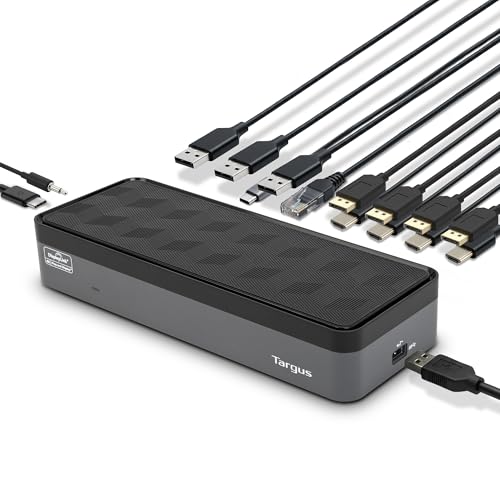 | Targus USB-C Universal Quad 4K Dock, DOCK570USZ | Display route: Dual DisplayLink DL-6910 USB graphics Host interface: USB 3.2 Gen 1 through USB-C or the included USB-C-to-USB-A adapter Active video-output combination: Four DisplayPort, four HDMI, or a mixed four-output selection from eight sockets Maximum documented four-display layout: Four DisplayPort displays at 4K60 or four HDMI displays at conservative 4K50 Exact host / GPU / DSC condition: Compatible DisplayLink software and host support required; native GPU streams are not used for the four-screen route OS and driver requirement: Targus lists several operating systems but does not prove identical four-screen behavior on each Laptop-panel condition: Not stated Ethernet: Gigabit Ethernet USB / card / audio I/O: Four USB-A, one USB-C, and 3.5mm audio Host charging: Up to 100W PD 2.0 on compatible USB-C hosts; no USB-C host charging through USB-A Best for: Broad-host enterprise DisplayLink deployment Key caveat: Targus conflicts on four-HDMI refresh, so this guide uses 4K50 | Check Price on Amazon |
 | StarTech.com USB-C Quad 4K Dock, DK31C4DPPD | Display route: DisplayLink DL-6910 USB graphics Host interface: USB-C 10Gbps; compatible Thunderbolt 3 hosts are also named Active video-output combination: Any four outputs from four HDMI and four DisplayPort sockets Maximum documented four-display layout: StarTech states up to four 3840 x 2160 extended displays at 60Hz Exact host / GPU / DSC condition: DisplayLink route rather than an inferred native MST or DSC route OS and driver requirement: Windows and macOS require driver installation; Linux is not promised because the formal OS table omits it Laptop-panel condition: Not stated Ethernet: Gigabit Ethernet USB / card / audio I/O: One USB-C 10Gbps, three USB-A 5Gbps, and 3.5mm audio Host charging: StarTech states up to 100W with the included adapter Best for: A flexible HDMI-or-DisplayPort four-screen layout Key caveat: Eight sockets allow connector choice, not eight simultaneous displays | Check Price on Amazon |
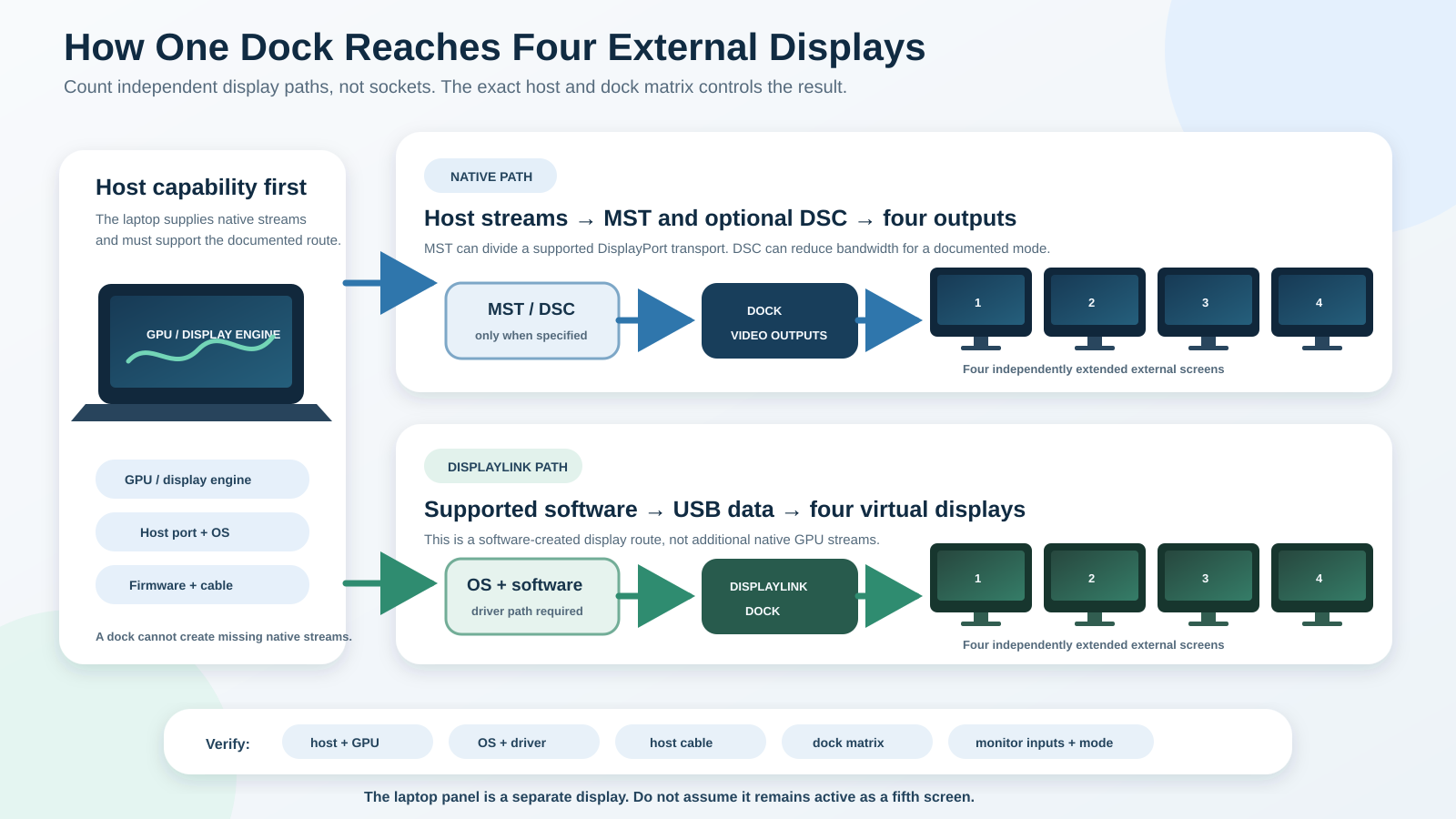
The diagram shows why the most important difference is not the number of sockets. A native route starts with display streams supplied by the host GPU and may depend on MST and DSC. A DisplayLink route creates virtual displays in software and sends them over USB data. Both still depend on the exact dock, host, operating system, cable, monitor, and documented mode table.
Table of Contents
- What counts as a four-monitor dock
- StarTech.com 132N-TB4USB4DOCK
- HP Thunderbolt Dock 280W G4
- Lenovo ThinkPad Thunderbolt 4 Workstation Dock
- Plugable TBT-6950PD
- Targus DOCK570USZ
- StarTech.com DK31C4DPPD
- Native output, MST, DSC, and DisplayLink
- How to verify the fourth external display
- Charging and peripheral limits
- How to choose a four-monitor dock
- Frequently asked questions
- How we research and select
- Exclusions and adjacent intent
What Counts as a Four-Monitor Dock
A qualifying dock must provide four independently extended external displays under a documented set of conditions. The laptop’s built-in panel is not one of those four. A mirrored desktop also does not qualify because every screen does not provide separate workspace. This distinction removes many products advertised around socket count rather than a simultaneous display matrix.
The route matters as much as the count. Native GPU output may travel through Thunderbolt, USB4, or DisplayPort Alt Mode. MST can divide one DisplayPort transport into several streams. DSC can reduce the bandwidth required for a high-resolution mode when the host, dock, and displays support the documented route. DisplayLink takes a different approach by creating virtual displays in software and transporting them over USB data.
None of these labels overrides the computer. The GPU or display engine must supply the required native streams where the route needs them. The operating system must support the topology. The cable and adapters must carry the required signal. Firmware and driver versions can matter, and the displays must accept the selected mode. Our Thunderbolt 3, 4, and 5 comparison and USB4 explainer provide interface context, but the exact dock matrix still controls the recommendation.
The fourth stream is the feature to prove. The laptop panel is a separate question. None of the selected Windows four-screen matrices proves that it remains active as a fifth display, so this guide does not promise it.
1. StarTech.com Thunderbolt 4 Dock, 132N-TB4USB4DOCK: Best Overall Native Four-Display Dock
StarTech.com’s 132N-TB4USB4DOCK ranks first because its data sheet proves both the native route and the headline conditions. The dock uses MST and provides two HDMI plus two DisplayPort outputs. StarTech states up to four 3840 x 2160 displays at 60Hz on Windows when the computer has an Intel 12th-generation or later processor, DisplayPort 1.4, and DSC.
Those conditions are the recommendation, not fine print. StarTech says older systems can fall back to dual or triple displays, some computer makers disable DSC, and the host’s video capability controls resolution and refresh. A USB-C connector alone does not qualify a laptop for quad 4K60. StarTech also limits macOS to two external displays, so this is a Windows-first native pick rather than a broad cross-platform promise.
The physical port set supports a fixed desk. StarTech documents 2.5GbE, USB-C and USB-A data ports, SD and microSD readers, and 3.5mm audio. The included 180W adapter supports a manufacturer-rated host-charging ceiling of 98W. The host negotiates what it accepts, and charging support does not establish the display matrix.
The source we checked does not state whether the internal laptop panel can remain active with four external displays. It also does not prove HDR, VRR, protected-content behavior, or measured stability. Buyers should skip this dock if the intended computer is older, uses an undocumented graphics platform, disables DSC, or lacks the exact Windows DP 1.4 path. A qualified Thunderbolt 4 cable removes one variable, but it cannot create missing GPU capability.
Our Take
Choose the StarTech 132N when the exact Windows laptop satisfies the Intel, DP 1.4, DSC, and MST conditions. It offers the strongest official native four-display proof in this group, but its specificity is also the reason it is not universal.
- Exact native MST route for four external displays
- Quad 4K60 conditions are stated by StarTech
- 2.5GbE, card readers, audio, and several USB ports
- Headline mode needs Intel 12th generation or later, DP 1.4, and DSC
- Some systems disable DSC
- Concurrent laptop-panel state is not documented
2. HP Thunderbolt Dock 280W G4 with Combo Cable, 4J0G4AA: Best Supported HP Mobile-Workstation Path
The HP Thunderbolt Dock 280W G4 earns its place through HP’s external-monitor table. For a host with DisplayPort 1.4 and DSC, HP lists four FHD60, four QHD60, or four 4K60 external displays. A DP 1.3 or 1.4 host without the stated DSC condition reaches four FHD60 but only three QHD60 or 4K60. A DP 1.2 host reaches at most three displays and fails this article’s four-screen requirement.
The dock exposes two DisplayPort 1.4 connections, HDMI 2.0, USB-C DisplayPort, and downstream Thunderbolt 4. HP notes that the lower DisplayPort and USB-C DisplayPort outputs are mutually exclusive. The data sheet does not state the exact four-output socket combination for its external-monitor table, so the article cannot turn the port list into a wiring diagram. It also does not state whether the laptop panel can stay active.
This 280W combo-cable configuration is model 4J0G4AA. HP documents four USB-A ports, USB-C data, 1GbE and 2.5GbE support, and the 0.8m combo host cable. Up to 230W applies only to supported HP platforms through that combo-cable path. It is not a general USB-C charging promise and does not apply to every laptop that can attach to the dock.
Availability needs a separate caution. The exact Amazon record had an active New offer from Best Products Prime that was not marked in stock and carried no availability message. It was not confirmed in stock on July 16, 2026. Buyers should skip this option if they cannot verify both present availability and an exact HP host that meets the display and power conditions. HP’s operating-system rows and footnotes also conflict, so this guide avoids an exact version promise.
Our Take
Choose the HP G4 when a supported HP mobile workstation and DP 1.4 plus DSC route match HP’s matrix. The source supports the four-display ceiling, but exact cable placement, internal-panel behavior, non-HP features, and availability still require confirmation.
- Official table distinguishes DP 1.4 plus DSC from lower host paths
- Four 4K60 displays are documented for the qualified path
- Combo-cable power path is explicit for supported HP platforms
- New offer was not confirmed in stock
- Exact four-output socket combination is not stated
- DP 1.2 supports at most three external displays
3. Lenovo ThinkPad Thunderbolt 4 Workstation Dock, 40B00300US: Best Managed ThinkPad Workstation Path
Lenovo’s workstation dock is the managed ThinkPad choice because its official brochure says the dock can add up to four 4K displays at 60Hz. The document identifies the family as 40B00300xx; Amazon identifies the selected US listing as 40B00300US. The family-to-US-suffix bridge is explicit, not assumed.
Lenovo lists two DisplayPort 1.4 outputs, one HDMI 2.1 output, and one downstream Thunderbolt path. It also documents four USB 3.1 Gen 2 ports, two USB-C or Thunderbolt connections, 3.5mm audio, and Gigabit Ethernet. The dock uses an included 300W adapter and a 0.7m passive Thunderbolt 4 split cable, with up to 230W stated for supported workstations.
The official brochure does not provide the full matrix behind its four-display headline. It does not name MST or DSC, identify the exact four-port combination, bind the result to a particular operating system, or say whether the internal panel remains active. That means the four 4K60 statement is a manufacturer ceiling for the documented workstation family, not permission to invent a topology for any USB-C laptop.
This is the right pick for a managed ThinkPad workstation deployment where the administrator can validate the exact computer, split cable, firmware, and Lenovo compatibility path. Skip it for a generic host that cannot use the workstation power route or when you need a fully specified connector-by-connector display matrix before purchase. The dock-versus-hub guide also helps explain why this powered workstation device is not just a small Thunderbolt branch.
Our Take
Choose the Lenovo 40B0 Workstation Dock when the selected US part and supported ThinkPad workstation are managed as one system. Lenovo proves the four-display ceiling, while the missing MST, DSC, output-combination, OS, and laptop-panel details remain buyer checks.
- Lenovo states up to four 4K60 displays
- Workstation split-cable and power path are documented
- Useful USB, Ethernet, audio, and video connections
- Official brochure uses 40B00300xx rather than the full US suffix
- No exact four-output or per-OS matrix
- Up to 230W is not a general USB-C host claim
4. Plugable Thunderbolt 4 Dock, TBT-6950PD: Best Hybrid Thunderbolt 4 Plus DisplayLink Dock
The Plugable TBT-6950PD is the hybrid pick. Its four-display layout combines two downstream Thunderbolt or USB-C video paths with two HDMI outputs driven by DisplayLink. Plugable states up to four 3840 x 2160 displays at 60Hz when the host supplies both native downstream video paths and the DisplayLink route is installed for HDMI.
This is neither four native outputs nor four DisplayLink outputs. The two downstream video connections rely on host GPU capability. The HDMI pair uses USB virtual graphics and requires DisplayLink software. Plugable’s broad marketing mentions full-featured USB-C, but its FAQ narrows supported computers to Thunderbolt 4 or USB4 running Windows 10 or later or another named supported system. For the Windows four-display recommendation, this guide uses that narrower Thunderbolt 4 or USB4 boundary.
Plugable documents three downstream Thunderbolt ports, two HDMI connections, two USB-A 10Gbps ports, Gigabit Ethernet, UHS-II SD, audio, and host charging up to 96W certified. The manufacturer describes the four-screen mode as two HDMI plus two downstream video paths, so extra physical Thunderbolt ports do not become an extra fifth display. The internal-panel condition is not stated for the Windows quad route.
Skip this dock if installing DisplayLink software is prohibited, if the host cannot supply two native downstream display paths, or if every screen must use native GPU output. The evidence does not establish latency, protected-content behavior, gaming suitability, or measured throughput. Use the exact TBT-6950PD sections only, because a later paragraph on the same page contains a different TBT-690PD model token.
Our Take
Choose the Plugable TBT-6950PD when a supported Thunderbolt 4 or USB4 Windows host can provide two native displays and company policy allows DisplayLink for the other two. Its strength is the documented hybrid topology, not universal USB-C support.
- Exact two-native plus two-DisplayLink topology
- Up to four 4K60 displays under supported conditions
- Three downstream Thunderbolt ports plus useful desk I/O
- HDMI outputs require DisplayLink software
- Host must supply both native downstream video paths
- Internal laptop-panel state is not documented
5. Targus USB-C Universal Quad 4K Dock, DOCK570USZ: Best Broad-Host Enterprise DisplayLink Dock
The Targus DOCK570USZ provides a full DisplayLink route through two DL-6910 chips. Targus explicitly calls the four screens extended displays and lets the buyer use four DisplayPort outputs, four HDMI outputs, or a mixed four-output selection. The eight physical sockets provide connector choice, but only four outputs are active.
Targus states four DisplayPort displays at up to 3840 x 2160 and 60Hz. Its feature list gives four HDMI displays at 3840 x 2160 and 50Hz, while later copy says 60Hz. This guide uses the conservative 4K50 ceiling for a four-HDMI layout until Targus resolves the conflict. A mixed selection also needs to stay within the official display route and the monitors’ supported inputs.
The host connects through USB 3.2 Gen 1 by USB-C or the included USB-C-to-USB-A adapter. Targus lists Windows, Mac, Android, Chrome, and Ubuntu Linux, but a broad operating-system list does not prove identical four-screen behavior on every computer. Compatible DisplayLink software is part of the route, and the product page does not freeze an exact current driver version.
The dock adds four USB-A ports, one USB-C port, Gigabit Ethernet, and 3.5mm audio. Targus includes a 180W adapter and states USB-C Power Delivery up to 100W on a compatible host. A USB-A host connection cannot provide USB-C host charging. Charging also does not prove the display path or the amount a particular laptop accepts.
Skip this product when software installation is unavailable, when native GPU output is required for all four screens, or when you need a manufacturer promise that every listed OS exposes the same layout. The laptop-panel condition is not documented, and no measured behavior is claimed here.
Our Take
Choose the Targus DOCK570USZ for an enterprise desk that needs four extended DisplayLink screens and benefits from HDMI, DisplayPort, USB-C, or USB-A host flexibility. Treat the four-HDMI route as 4K50 and validate the current software path before deployment.
- Four extended displays are stated explicitly
- Four DisplayPort, four HDMI, or mixed connector choice
- USB-C and included USB-A host options
- DisplayLink software is required by the route
- Four-HDMI refresh conflicts, so this guide uses 4K50
- USB-A host use does not provide USB-C laptop charging
6. StarTech.com USB-C Quad 4K Dock, DK31C4DPPD: Best Flexible HDMI-or-DisplayPort Layout
The StarTech.com DK31C4DPPD is the flexible DisplayLink choice. Its exact data sheet identifies the DL-6910 chipset and says the dock supports four extended external displays using any four-output combination from four HDMI and four DisplayPort sockets. StarTech states up to four 3840 x 2160 displays at 60Hz by HDMI, DisplayPort, or a mix.
That flexibility is about connector selection, not native GPU streams. The host route is USB-C 10Gbps, and StarTech also names compatible Thunderbolt 3 hosts. Windows and macOS require driver installation. Marketing copy mentions Linux, but the formal operating-system table omits it, so this guide does not promise Linux support.
StarTech documents one USB-C 10Gbps port, three USB-A 5Gbps ports, Gigabit Ethernet, 3.5mm audio, an included USB-IF-certified 1m cable, and an included power adapter. Host Power Delivery is rated up to 100W, subject to what the computer accepts. The eight video sockets still support four active displays, and the internal-panel condition is not stated.
This dock suits buyers who know they need DisplayLink and want to mix connector types without separate video adapters. Skip it when company policy blocks the driver, when native output is mandatory, or when Linux support is a requirement. The source does not establish measured cooling, throughput, protected-content behavior, or latency.
Our Take
Choose the StarTech DK31C4DPPD when a supported Windows host needs four DisplayLink screens and the physical monitors use a mix of HDMI and DisplayPort. The connector flexibility is clear, while the software and OS boundaries remain part of the purchase.
- Any four-output combination from HDMI and DisplayPort sockets
- Four extended 4K60 displays are documented
- Included adapter and 1m USB-C cable
- DisplayLink route requires software
- Linux is omitted from the formal OS table
- Eight sockets do not support eight active screens
Native Output, MST, DSC, and DisplayLink
Native output starts with a stream generated by the host GPU. Thunderbolt, USB4, and DisplayPort Alt Mode can transport that stream, but the dock cannot create a native stream the computer does not have. StarTech 132N uses MST to divide a supported transport into several outputs, while its quad 4K60 mode also needs DSC on the exact Windows and Intel path.
MST and DSC solve different parts of the route. MST carries multiple streams through a compatible topology. DSC reduces the bandwidth needed for a documented display mode. Neither should be inferred from a connector logo. The host, dock, cable, adapters, and displays must support the exact path. Our DisplayPort 2.1 explainer covers version and bandwidth concepts without replacing each product matrix.
DisplayLink creates virtual displays in software and transports them as USB data. Targus and StarTech DK31 use DisplayLink for all four selected screens. Plugable combines two DisplayLink HDMI outputs with two native downstream paths. DisplayLink is not native Thunderbolt or DisplayPort output, and it cannot be described as a universal override for host, OS, driver, dock, or bandwidth limits.
How to Verify the Fourth External Display
Start with the exact laptop model and its GPU or display-engine specification. A Thunderbolt 4 port can transport display data, but the label does not state how many native streams the computer exposes. A USB-C port may support data without the complete display route. If the manufacturer does not state the four-screen topology, ask for a model-specific matrix rather than extrapolating from another laptop.
Next, match the dock route. StarTech 132N needs the documented Windows, Intel, DP 1.4, DSC, and MST path for quad 4K60. HP’s table changes sharply between DP 1.2, DP 1.3 or 1.4, and DP 1.4 with DSC. Lenovo states a four 4K60 ceiling but leaves the underlying MST, DSC, and connector combination unstated. DisplayLink products need compatible software and their exact supported OS path.
Then map the physical connections. HP says two of its outputs are mutually exclusive. Plugable needs two downstream native video paths and two HDMI DisplayLink paths. Targus and StarTech DK31 have eight sockets but four active outputs. The cable must support the intended transport, and adapters can introduce their own limits. Our USB-C cable guide explains why connector shape alone does not prove video support.
Finally, check the internal panel separately. None of the selected Windows/general four-display sources proves the laptop screen can remain active as a fifth display. If five total active screens matter, obtain an exact host-and-dock statement before buying.
Charging and Peripheral Limits
Host charging is an up to ceiling, not a display feature. The dock’s power supply feeds the dock, while USB Power Delivery negotiates what the laptop accepts. HP’s 230W statement belongs to supported HP platforms using its combo cable. Lenovo’s 230W statement belongs to supported workstations using its split cable. Standard USB-C hosts can have different limits.
The same caution applies to lower wattage figures. StarTech rates the 132N at up to 98W host charging, Plugable states 96W certified, and Targus and StarTech DK31 state up to 100W. A computer may accept less or may use a separate proprietary adapter. Charging support does not raise the display count.
Ethernet, USB, cards, audio, DisplayLink data, and other devices also share the dock’s host route and controller resources. Do not add the port rates into an aggregate throughput promise. If heavy storage and four displays must operate together, look for independent measurements of that exact host, dock, firmware, cables, and workload rather than assuming every label is simultaneous.
How to Choose a Four-Monitor Dock
Choose Native or DisplayLink First
Use StarTech 132N when the host meets its native MST and DSC requirements. Use HP or Lenovo only within the supported workstation path. Choose Plugable when a hybrid two-native plus two-DisplayLink layout fits. Choose Targus or StarTech DK31 when software-created screens are acceptable for all four outputs.
Match the Exact Resolution and Refresh Matrix
Four FHD60, four QHD60, and four 4K60 are different requirements. HP’s matrix proves how a lower DisplayPort capability changes the ceiling. Targus also shows why connector type can change the documented refresh. Do not replace a missing matrix with a general quad display headline.
Check Software and Administration
DisplayLink needs compatible software. A managed computer may require administrator approval for installation or updates. Confirm the selected operating system, driver availability, security policy, and update process before deploying several desks. Native MST routes avoid the DisplayLink application but retain host, firmware, GPU, and OS dependencies.
Count Useful Desk I/O
Four screens are only part of the desk. Compare Ethernet, USB, card-reader, audio, and charging needs without assuming a larger total is better. A full dock differs from a smaller branch; our docking station versus monitor with built-in dock comparison covers another way to arrange the desk.
Verify Every Cable and Adapter
Use the manufacturer-specified host cable and qualified display cables or adapters. DisplayPort and HDMI adapters may be active or passive and may have their own resolution and refresh ceilings. An included cable proves only the documented connection it was supplied for.
Frequently Asked Questions
Can Any Laptop Run Four External Monitors Through a Dock?
No. The laptop must support the exact native or DisplayLink route. Native layouts depend on GPU streams, host port, operating system, MST or DSC support, cable, and dock matrix. DisplayLink layouts need supported software, operating system, dock, and bandwidth conditions.
Do Four HDMI or DisplayPort Sockets Guarantee Four Extended Screens?
No. A dock can expose more sockets than active outputs. Targus and StarTech DK31 each provide eight video sockets but support four active selections. Other products can have four connectors while the host supports only two or three streams.
What Is the Difference Between MST, DSC, and DisplayLink?
MST transports multiple DisplayPort streams through a compatible route. DSC reduces the bandwidth needed for a supported display mode. DisplayLink creates virtual displays in software and sends them over USB data. They are different technologies and must not be treated as interchangeable.
Can a Thunderbolt 4 Dock Run Four 4K60 Monitors?
Some exact routes can. StarTech documents quad 4K60 for its 132N on Windows with Intel 12th generation or later, DP 1.4, and DSC. HP documents four 4K60 with DP 1.4 plus DSC. A Thunderbolt 4 label alone does not prove either result.
Does the Laptop’s Internal Screen Stay Active?
The selected four-display matrices do not prove it. They establish four external screens but leave the concurrent laptop-panel condition undocumented. Do not count on a fifth active screen without exact host-and-dock evidence.
Does DisplayLink Require a Driver?
It requires a compatible software path. Plugable states that its HDMI outputs require DisplayLink software. StarTech DK31 requires driver installation on Windows and macOS, and Targus’s dual-DL-6910 route also depends on compatible DisplayLink software. Managed computers may require administrator approval.
Can a Dock Override the Laptop GPU’s Display Limit?
A dock cannot add native GPU streams. DisplayLink can create USB virtual displays under supported conditions, but that is not native output and does not erase product, operating-system, driver, dock, or bandwidth limits.
Does High-Wattage Charging Mean Every Laptop Receives It?
No. The stated value is a ceiling for a documented power route. The host negotiates what it accepts. HP and Lenovo reserve their highest workstation figures for supported computers and proprietary combo or split cables.
Which Cables Do I Need for Four Displays?
Follow the exact dock matrix. You may need the included Thunderbolt or USB-C host cable plus qualified HDMI, DisplayPort, USB-C video, or active adapter paths for each screen. The cable must support the intended resolution, refresh, and transport.
Are These Docks Proven for Gaming, Protected Video, or Color-Critical Work?
No such universal conclusion is supported here. The source set contains manufacturer specifications, not independent measurements of latency, protected-content behavior, color accuracy, stability, or gaming. Choose a route only for the claims the exact evidence supports.
Why Is Dell SD25TB4 Excluded?
Its Amazon identity and active New offer appeared during research, but the exact Dell support page and the single permitted official-guide recovery both returned HTTP 403 error content. Without usable exact official four-display evidence, it did not qualify for selection.
How We Research and Select
We required exact product and model identity, an exact US ASIN, an active New offer on July 16, 2026, a current exact manufacturer source, and explicit official proof of four independently extended external displays. Six products across five brands passed. All six returned in the exact selected order through Amazon’s offer records, five were marked in stock, and HP’s offer was not marked in stock and showed no availability message.
Amazon records control listing identity, selected configuration, ASIN, merchant, condition, and dated offer state. Manufacturer pages, brochures, and data sheets control ports, topology, display modes, charging, cables, software, operating systems, and compatibility. No independent measured-review evidence was used, so the article does not claim measured performance.
The order reflects evidence quality and buyer role: a fully conditioned native Windows path, two workstation-specific native paths, one hybrid route, and two full DisplayLink options. We did not rank by a hardcoded price, customer reviews, or socket count.
Exclusions and Adjacent Intent
Dell SD25TB4 failed because no usable exact official source was recovered. We also excluded products that proved only two or three external displays, counted the laptop panel ambiguously, mirrored outputs, or relied on connector count rather than a simultaneous four-screen statement. No excluded product is an affiliate honorable mention.
The HP G4 also appears in the three-monitor package, where it keeps its triple-display role. This guide owns only the DP 1.4 plus DSC four-screen qualification. No selected ASIN overlaps the dual-monitor slate. Targus also appears in specialist DisplayLink coverage, which retains technology-category ownership while this page focuses on its proved four-external-display topology.
Generic USB-C docking-station coverage and the broader Thunderbolt docking-station guide retain interface-category intent. We also excluded eGPU and OCuLink enclosures, generic hubs, KVM switches, chargers, cables, adapters, capture cards, storage enclosures, bundles, renewed listings, colors, regions, and same-chassis duplicates.
About the Author
The ThunderboltLaptop editorial team covers laptops, docks, hubs, displays, storage, and cables. Our guides separate manufacturer specifications, dated Amazon identity records, and independent measurements so you can see what is documented and what still depends on the exact host.