BenQ sells USB-C and Thunderbolt monitors for three kinds of buyer: Mac users who want matched colors and one cable, designers who work from color figures, and a colorist who needs hardware calibration. Seven models cover that range, and Amazon lists three 27-inch screens in QHD, 4K, and 5K, plus four 32-inch 4K displays. Your choice comes down mostly to panel size and the connection on the back.
Neither the Amazon listings nor BenQ’s model pages describe these seven as coding monitors, so the programmer advice below rests on resolution and pixel density. Every power figure is what the monitor sends out, and every display result depends on the Mac and cable you plug in.
| Image | Product | Details | Check Price |
|---|---|---|---|
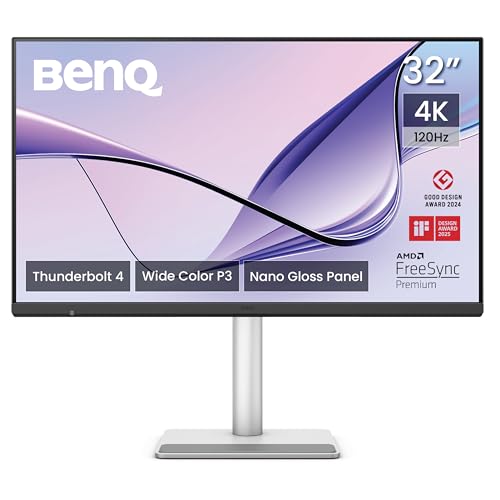 | BenQ MA320UG | Best fit: 32-inch MacBook workspace Panel: 32-inch 4K 120Hz Nano Gloss Connection: 2x Thunderbolt 4, 96W and 15W power delivery Desk features: KVM, HDMI, USB-C, height-adjustable stand Color figure: P3 color gamut, no percentage listed | Check Price on Amazon |
 | BenQ PD2725U | Best fit: 27-inch 4K Thunderbolt 3 creator monitor Panel: 27-inch 4K IPS Connection: Thunderbolt 3, 65W USB-C power delivery Desk features: KVM, USB hub, HDMI and DisplayPort Color figure: 95% P3; 100% sRGB and Rec.709 | Check Price on Amazon |
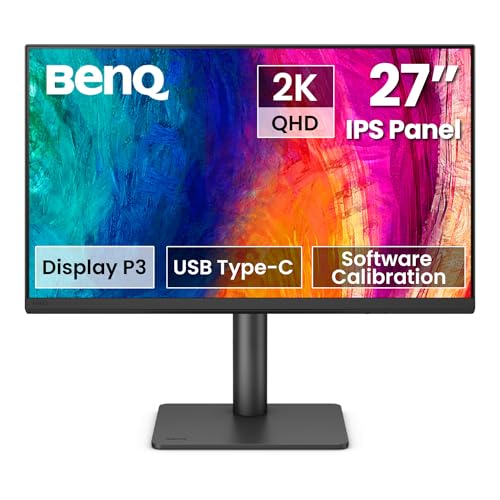 | BenQ PD2706QN | Best fit: QHD programming and design desk Panel: 27-inch QHD IPS at 100Hz Connection: USB-C, 90W power delivery Desk features: KVM, Nano Matte, adjustable stand Color figure: 95% P3; 100% sRGB and Rec.709 | Check Price on Amazon |
 | BenQ PD2730S | Best fit: 27-inch 5K designer screen Panel: 27-inch 5K at 218 PPI Connection: Thunderbolt 4, up to 90W power delivery Desk features: KVM, daisy chain, adjustable stand Color figure: 98% P3; 2000:1 listed | Check Price on Amazon |
 | BenQ PD3225U | Best fit: 32-inch Mac color workspace Panel: 32-inch 4K IPS Black Connection: Thunderbolt 3, 85W USB-C power delivery Desk features: KVM, USB hub, daisy chain Color figure: 98% P3; 100% sRGB and Rec.709 | Check Price on Amazon |
 | BenQ PD3226G | Best fit: 4K 144Hz design monitor Panel: 32-inch 4K IPS at 144Hz Connection: Thunderbolt 4, up to 90W power delivery Desk features: KVM, daisy chain, Nano Matte Color figure: 95% P3; 100% sRGB and Rec.709 | Check Price on Amazon |
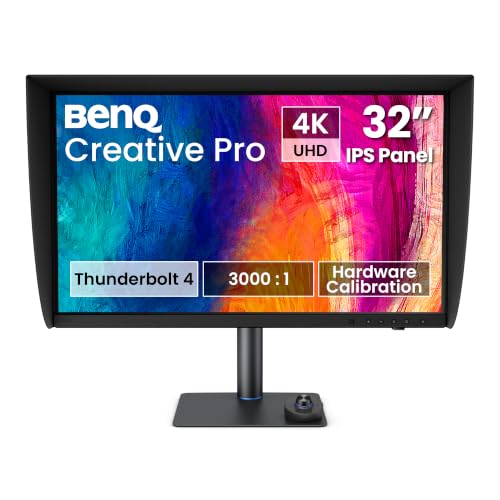 | BenQ PV3250U | Best fit: Color grading workflow Panel: 32-inch 4K at 120Hz Connection: Thunderbolt 4, up to 96W power delivery Desk features: Hardware calibration, KVM, daisy chain Color figure: 99% P3; 16-bit 3D LUT | Check Price on Amazon |
1. BenQ MA320UG — Best MacBook workspace
BenQ makes the MA320UG for Mac desks, and Amazon lists a 32-inch 4K panel at 120Hz with a Nano Gloss finish. Amazon says two Thunderbolt 4 ports deliver the 4K 120Hz signal, data, and 96W or 15W of power delivery. Amazon also lists HDMI, a USB-C port, a Smart KVM for two computers, and a stand that adjusts for height, tilt, swivel, and pivot.
BenQ says a MacBook’s brightness and volume keys adjust the monitor at the same time, and that two MA320UG monitors can be daisy chained over Thunderbolt at 120Hz. BenQ also states that daisy chaining does not work on M1 and M2 Macs and does work on Pro, Max, and Ultra chips. Amazon lists a 3-year manufacturer warranty.
The MA320UG is the model whose Amazon listing names two Thunderbolt 4 ports and whose BenQ page describes brightness and volume sync with a Mac.Our Take Choose the MA320UG for a large Mac desk where smooth 120Hz motion and two Thunderbolt 4 ports count for more than a 5K panel. Choose the PD2730S when 27-inch 5K density is the stronger fit.
- Amazon lists two Thunderbolt 4 ports on the MA320UG that deliver 4K 120Hz, data, and 96W or 15W of power.
- BenQ says a MacBook’s brightness and volume keys adjust the MA320UG too.
- The MA320UG has a Smart KVM that switches one keyboard and mouse between two computers, Amazon says.
- Amazon says the MA320UG’s stand adjusts for height, tilt, swivel, and pivot.
- The MA320UG’s 4K panel has fewer pixels than the 5K panel on BenQ’s PD2730S.
- BenQ states that the MA320UG’s Thunderbolt daisy chain does not work on M1 and M2 Macs.
2. BenQ PD2725U — Best 27-inch 4K Thunderbolt 3 creator monitor
The PD2725U comes with a long input list. Amazon lists two USB-C ports, two HDMI ports, one DisplayPort, and a three-port USB hub on a 27-inch 4K IPS panel with Thunderbolt 3 and a built-in KVM. Amazon gives the color figures as 100% sRGB and Rec.709, 95% P3, and Delta E of 3 or less, factory calibrated and Pantone validated.
Amazon puts power delivery at 65W, so check it against the charger that came with the laptop. BenQ’s page adds DisplayHDR 400 and an M-Book mode that syncs colors with a Mac, and says a Thunderbolt 4 cable comes in the box. BenQ states that Thunderbolt daisy chaining does not work on M1 and M2 Macs. Amazon’s listing shows a 3-year warranty.
Our Take Pick the PD2725U when a 27-inch 4K screen with extra HDMI and DisplayPort inputs suits a desk that mixes Macs and other devices. Pick the PD2706QN when 90W USB-C and a QHD panel at 100Hz fit better.
- Amazon lists two USB-C ports, two HDMI ports, one DisplayPort, and a three-port USB hub on the PD2725U, a long input list for a desk that mixes Macs and other devices.
- The PD2725U covers 100% sRGB and Rec.709 plus 95% P3 and is factory calibrated, Amazon says.
- Amazon lists a built-in KVM on the PD2725U for two computers.
- Amazon lists 65W of power delivery for the PD2725U, the lowest of the figures Amazon lists for these seven monitors.
- Amazon puts the PD2725U on Thunderbolt 3, while Amazon lists Thunderbolt 4 for the MA320UG, PD2730S, PD3226G, and PV3250U.
- BenQ states that the PD2725U’s daisy chain does not work on M1 and M2 Macs.
3. BenQ PD2706QN — Best 27-inch QHD 100Hz monitor
The PD2706QN is the only QHD monitor here. Amazon lists a 27-inch 2560 by 1440 IPS panel at 100Hz with 95% P3, 100% sRGB and Rec.709, an average Delta E of 2 or less, an anti-glare Nano Matte finish, and 90W of power over USB-C. BenQ’s page confirms the 90W figure and says Thunderbolt 3 and 4 devices work with the USB-C port. Neither source lists a Thunderbolt port on this model.
Amazon’s title mentions daisy chaining by MST, and BenQ’s page explains that the MST daisy chain uses the DisplayPort output. BenQ adds that Mac devices do not support DisplayPort MST, so a MacBook cannot use that daisy chain. BenQ lists a built-in KVM for two systems, and Amazon shows a 2-year manufacturer warranty, one year shorter than the other six.
The PD2706QN is a QHD monitor with 90W USB-C, not a 4K one, and BenQ says a Mac cannot use its MST daisy chain.Our Take Choose the PD2706QN for a 27-inch desk where QHD text at 100Hz and a one-cable 90W connection are the goal. Choose the PD3226G when 32-inch 4K at 144Hz is the bigger priority.
- Amazon lists a 27-inch QHD panel at 100Hz on the PD2706QN.
- BenQ states that the PD2706QN provides 90W of power over USB-C for a single-cable connection.
- The PD2706QN covers 95% P3 and 100% sRGB and Rec.709 and is factory calibrated, Amazon says.
- Amazon shows an anti-glare Nano Matte finish and a stand that adjusts for height, tilt, swivel, and pivot.
- BenQ states that Mac devices do not support DisplayPort MST, the daisy chain Amazon names for the PD2706QN.
- Amazon shows a 2-year warranty for the PD2706QN, while the other six monitors list 3 years.
- The PD2706QN has fewer pixels than every 4K or 5K monitor here.
4. BenQ PD2730S — Best 5K designer screen
For buyers who want detail more than screen width, the PD2730S has 5120 by 2880 pixels at 218 PPI on a 27-inch panel. Amazon says the panel has 77.8% more pixels than 4K, and lists 98% P3, 2000:1 contrast, a Nano Matte panel, a built-in KVM, and a height-adjustable stand. BenQ’s page says Delta E is below 2.
Amazon lists Thunderbolt 4 with 90W of power and 40Gbps transfers and states that the monitor supports two 5K displays or one 8K display with Thunderbolt 4 certified cables. BenQ’s page lists the same dual 5K or single 8K figure. BenQ states that the daisy chain does not work on M1 and M2 Macs, and Amazon shows a 3-year warranty.
Our Take Choose the PD2730S when a 27-inch 5K screen and a 90W Thunderbolt 4 cable are the reasons to buy. Choose the MA320UG when the 32-inch 4K 120Hz screen Amazon lists for it gives the better desk.
- Amazon lists 5120 by 2880 pixels at 218 PPI on the PD2730S’s 27-inch panel, for buyers who want detail more than screen width.
- The PD2730S has Thunderbolt 4 with up to 90W of power and 40Gbps transfers, Amazon says.
- Amazon gives the PD2730S 98% P3 and 2000:1 contrast.
- Amazon lists a built-in KVM and a height-adjustable stand for the PD2730S.
- At 27 inches, the PD2730S has less screen area than the four 32-inch monitors here.
- Amazon states that the PD2730S’s two-5K or one-8K figure needs Thunderbolt 4 certified cables.
- BenQ states that the PD2730S’s daisy chain does not work on M1 and M2 Macs.
5. BenQ PD3225U — Best 32-inch Mac color workspace
BenQ’s page calls the PD3225U a 32-inch 4K IPS Black monitor made for Mac designers, with a 2000:1 contrast ratio and 98% P3 with 100% sRGB and Rec.709. Amazon lists a Delta E of 2 or less, factory calibration, and an M-Book mode that matches colors to a MacBook. Amazon also lists an anodized metal stand that adjusts for tilt, swivel, pivot, and height.
Amazon lists Thunderbolt 3 at 40Gbps, with 85W of USB-C power, a USB hub, and a KVM. BenQ lists HDMI and DisplayPort inputs and HDR10 with DisplayHDR 400. BenQ’s page lists a Thunderbolt 3 daisy chain of two 4K monitors on a Mac that allows it, and says M1 and M2 Macs are excluded.
The PD3225U adds IPS Black contrast and a higher P3 figure than the other Thunderbolt 3 model, the PD2725U, in a 32-inch 4K size.Our Take Pick the PD3225U when a 32-inch 4K screen with the 2000:1 contrast and 98% P3 that BenQ’s page lists beats a faster refresh rate. Pick the PV3250U when hardware calibration and video tools are the main goal.
- BenQ states that the PD3225U has a 2000:1 contrast ratio with IPS Black technology.
- Amazon lists the PD3225U at 98% P3 and a Delta E of 2 or less, factory calibrated.
- The PD3225U has Thunderbolt 3 with 85W of USB-C power, a USB hub, and a KVM, Amazon says.
- Amazon lists the PD3225U at 85W of power, below the 90W or 96W Amazon lists for five other monitors here.
- The PD3225U has Thunderbolt 3 on Amazon’s listing, while Amazon lists Thunderbolt 4 for the MA320UG, PD2730S, PD3226G, and PV3250U.
6. BenQ PD3226G — Best 4K 144Hz design monitor
Refresh rate sets the PD3226G apart, since Amazon lists a 3840 by 2160 IPS panel at 144Hz on a 32-inch screen. Amazon also lists 95% P3, 100% sRGB and Rec.709, a factory-calibrated Delta E of 2 or less, and a TUV certified reflection-free Nano Matte panel. BenQ’s page adds a height stand with 150mm of travel and says a daisy chain keeps both 4K monitors at 144Hz.
Amazon says Thunderbolt 4 provides up to 90W and 40Gbps and supports two 4K displays or one 8K display with certified cables. Amazon lists BenQ’s Palette Master Ultimate software for calibration and a wireless Hotkey Puck that switches the built-in KVM. BenQ states that the daisy chain does not work on M1 and M2 Macs.
The PD3226G is the only monitor here that pairs a 4K panel with a 144Hz refresh rate.Our Take Choose the PD3226G when 32-inch 4K at 144Hz and Thunderbolt 4 meet both the design and the motion needs of one desk. Choose the PD3225U when the 98% P3 and 2000:1 IPS Black panel that BenQ’s page lists for it fit the comparison better.
- Amazon lists a 32-inch 4K panel at 144Hz on the PD3226G.
- Amazon says Thunderbolt 4 on the PD3226G provides up to 90W of power and 40Gbps transfers.
- The PD3226G covers 95% P3 and 100% sRGB and Rec.709, with a factory-calibrated Delta E of 2 or less, Amazon says.
- Amazon lists a built-in KVM, a Nano Matte panel, and a wireless Hotkey Puck for the PD3226G.
- The PD3226G’s 95% P3 on Amazon is below the 98% P3 the PD3225U lists.
- Amazon states that the PD3226G’s two-4K or one-8K figure needs Thunderbolt 4 certified cables.
7. BenQ PV3250U — Best color grading workflow
The PV3250U is aimed at colorists, and Amazon’s title names color grading and video editing on a 32-inch 4K panel at 120Hz. Amazon lists 99% P3, 100% sRGB and Rec.709, HDR600, and 3000:1 contrast, and BenQ’s page confirms the 3000:1 IPS Black panel. Amazon gives Delta E as 1 or less, while BenQ’s page says 2 or less out of the box, so check which figure applies.
BenQ says calibration is stored in the monitor itself through a 16-bit 3D LUT. BenQ’s page also lists Shadow Check mode, markers, Area Zoom, and a magnetic shading hood. BenQ’s page says Thunderbolt 4 carries video, data, and up to 96W, and Amazon lists a KVM and daisy chain. BenQ states that M1 and M2 Macs cannot daisy chain.
The PV3250U is the one monitor here whose BenQ page lists hardware calibration and a 3000:1 contrast figure.Our Take Choose the PV3250U when hardware calibration and the grading tools BenQ lists are central to the work. Choose the MA320UG for a Mac desk if you want a monitor Amazon lists at the same 32-inch 4K 120Hz size, without the grading tools BenQ lists for the PV3250U.
- Amazon lists the PV3250U at 99% P3 and 100% sRGB and Rec.709, with a 16-bit 3D LUT and hardware calibration.
- BenQ states a 3000:1 IPS Black contrast ratio for the PV3250U, and Amazon lists HDR600.
- BenQ’s page for the PV3250U lists Shadow Check mode, markers, Area Zoom, and a magnetic shading hood.
- BenQ states that the PV3250U carries video, data, and up to 96W over one cable on Thunderbolt 4.
- Amazon and BenQ give different Delta E figures for the PV3250U.
- BenQ states that the PV3250U’s daisy chain does not work on M1 and M2 Macs.
Buying Guide
1. Pick 27 or 32 inches from the desk
Pick a 27-inch 5K panel for detail and a 32-inch 4K panel for screen area. Amazon lists the PD2730S at 5120 by 2880 pixels and 218 PPI on 27 inches. Amazon lists the MA320UG, PD3225U, PD3226G, and PV3250U as 32-inch 4K screens with more physical area and fewer pixels per inch.
For code and documents, the PD2706QN is a third option, since Amazon lists its 27-inch QHD panel at 100Hz with fewer pixels than the 4K and 5K models. Choose the native resolution you can read comfortably at your usual distance. The best monitors for coding and programming guide compares screens from other brands as well.
2. Match the color figures to the work
Color coverage figures compare monitors, and they do not rank them. Amazon lists 95% P3 for the PD2725U, PD2706QN, and PD3226G, 98% for the PD3225U and PD2730S, and 99% for the PV3250U. The MA320UG’s listing names a P3 gamut without a figure.
Hardware calibration appears only on the PV3250U, where Amazon and BenQ both list it with a 16-bit 3D LUT. The other monitors list factory calibration, and the PV3250U adds grading tools such as Shadow Check mode. For stills work, the best 4K USB-C monitors for photo editing guide compares more brands.
3. Read the USB-C power figure as a ceiling
Amazon lists 65W for the PD2725U, 85W for the PD3225U, 90W for the PD2706QN, PD2730S, and PD3226G, and up to 96W for the MA320UG and PV3250U. The listed wattage is the most the monitor can send to a laptop. A laptop that ships with a bigger charger may not get that wattage from the monitor.
Use the USB-C monitor guide to compare other brands, and the MacBook Pro monitor guide for Apple-specific picks. Read the wattage on your own charger first, then pick the monitor.
4. Check the Mac before counting on a daisy chain
Six Thunderbolt models list a daisy chain, and BenQ states that M1 and M2 Macs cannot use it, while Pro, Max, and Ultra chips can. BenQ’s pages do not address other Mac chips, so ask BenQ about the exact MacBook before buying a second monitor.
The PD2706QN works differently, since BenQ says Mac devices do not support its DisplayPort MST daisy chain at all. A dock is another way to add a second monitor to a Mac that cannot daisy chain. The dual-monitor dock guide lists docks for that case, and the Mac’s own display limit applies in every case.
5. Use the KVM and the inputs
Amazon or BenQ lists a KVM switch on the MA320UG, PD2725U, PD2706QN, PD2730S, PD3225U, PD3226G, and PV3250U. A KVM only helps when two computers share one keyboard, mouse, and monitor. Amazon lists a wireless Hotkey Puck for switching on the PD2730S and PD3226G.
Amazon lists two USB-C, two HDMI, and one DisplayPort on the PD2725U, while the MA320UG lists two Thunderbolt 4 ports, HDMI, and a USB-C port. A MacBook-only desk needs few inputs, and a desk with a second PC needs more.
FAQ
Which BenQ monitor is best for a MacBook?
The MA320UG is a BenQ model made for Mac desks, and Amazon lists two Thunderbolt 4 ports, up to 96W of power, and a 32-inch 4K 120Hz panel for it. BenQ also says the MacBook’s brightness and volume keys control it.
The PD2730S is the alternative for the 27-inch 5K screen Amazon lists for it. Amazon lists a Thunderbolt 4 connection for both, and BenQ says daisy chaining does not work on M1 and M2 MacBooks.
Is Thunderbolt better than USB-C on these monitors?
Thunderbolt describes the speed and features of a connection, and USB-C describes only the plug. Amazon lists Thunderbolt 3 for the PD2725U and PD3225U, and Thunderbolt 4 for the MA320UG, PD2730S, PD3226G, and PV3250U. Amazon lists USB-C only for the PD2706QN.
USB-C is enough for one monitor, and BenQ lists Thunderbolt daisy chaining on the Thunderbolt models. The labels describe different connections and do not rank picture quality.
Can these monitors charge a MacBook?
Amazon lists 65W on the PD2725U, 85W on the PD3225U, 90W on the PD2706QN, PD2730S, and PD3226G, and up to 96W on the MA320UG and PV3250U. Each figure is what the monitor sends out.
BenQ does not state how fast any particular MacBook charges. Compare the monitor’s wattage with the charger that came with your laptop. Cable quality and the work being done also change the result.
Can one MacBook run two BenQ monitors?
BenQ’s pages say two monitors can daisy chain on Thunderbolt models, with the PD2730S and PD3226G citing two displays with Thunderbolt 4 certified cables. BenQ also states that M1 and M2 Macs cannot do it, and that the PD2706QN’s MST daisy chain does not work on any Mac.
The MacBook’s chip, the cable, and the first monitor all decide the result. Apple’s specifications for the exact MacBook state its external display support.
Do programmers need a 5K BenQ monitor?
No. Neither BenQ nor Amazon calls the PD2730S a coding monitor, though the 218 PPI that Amazon lists for it gives sharp text. Amazon lists the PD2706QN at 27-inch QHD and 100Hz, and the MA320UG and PD3226G at 32-inch 4K.
Pick the pixel density and size you can read at your own distance.
Bottom Line
By Amazon’s and BenQ’s listed figures, the BenQ MA320UG is the MacBook desk pick, with a 32-inch 4K 120Hz panel, two Thunderbolt 4 ports, a KVM, and 96W of power. The PD2730S is the compact 5K choice, the PD2706QN is the QHD 100Hz option with 90W over one USB-C cable, and the PV3250U is the grading monitor.