The ASUS CM15, CM14, CM14 Flip and CX14 Chromebooks stop receiving updates on different dates. Google’s update list gives June 2036 for the CM15, June 2033 for the CM14 and CM14 Flip, and June 2031 for the CX14. The five Amazon offers below cover all four models, and two of the five are CM14 offers that differ in storage, accessories and sellers.
Choose by screen size and update date first, then by what comes in the box. The CM15 has the largest screen and the longest update window. The CM14 Flip is the one offer that states a touchscreen, and the CX14 is the lightest and the only one with an Intel processor.
Check the update date before you compare offers. Google’s update list gives support until June 2036 for the CM15, June 2033 for the CM14 (CM1402C) and CM14 Flip, and June 2031 for the CX14 (CX1405CKA).ASUS Chromebooks Compared
| Image | Product | Details | Check Price |
|---|---|---|---|
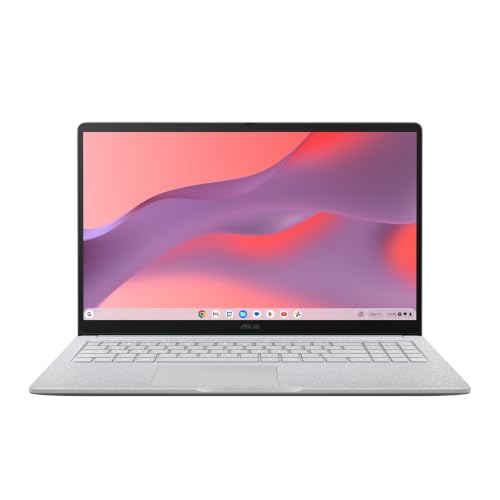 | ASUS Chromebook CM15 | Best fit: 15.6-inch screen Screen: 15.6-inch Full HD, non-touch Memory and storage: 8GB and 128GB, title only Ports: 2x USB-C, 1x USB-A, HDMI 1.4 Auto updates until: June 2036 | Check Price on Amazon |
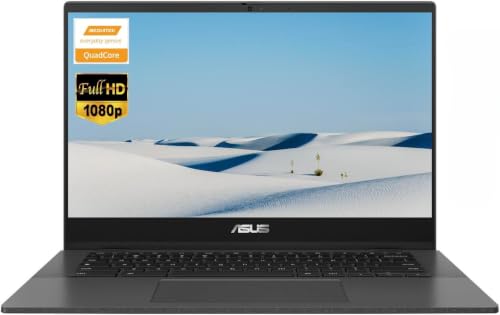 | ASUS Chromebook CM14 With Accessory Kit | Best fit: Hub, HDMI cable and mouse included Screen: 14-inch Full HD Memory and storage: 4GB, 64GB eMMC plus 64GB card Ports: 2x USB-C, 1x USB-A, microSD Auto updates until: Not stated | Check Price on Amazon |
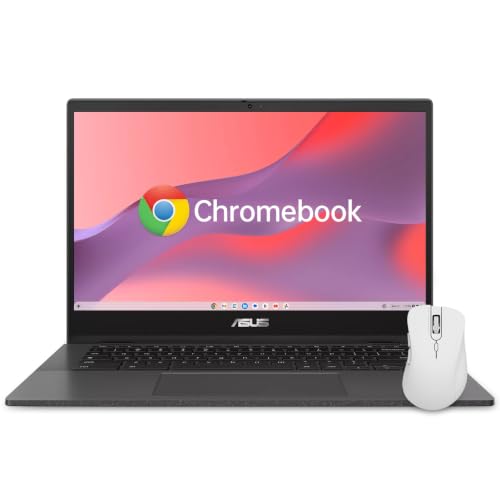 | ASUS Chromebook CM14 CM1402CM2 | Best fit: Antimicrobial Guard coating Screen: 14-inch Full HD Memory and storage: 4GB and 64GB Ports: 2x USB-C, 1x USB-A, microSD Auto updates until: June 2033 | Check Price on Amazon |
 | ASUS Chromebook CM14 Flip CM1402F | Best fit: Touchscreen convertible Screen: 14-inch Full HD touch Memory and storage: 8GB and 64GB, title only Ports: 2x USB-C, 1x USB-A, microSD Auto updates until: June 2033 | Check Price on Amazon |
 | ASUS Chromebook CX14 CX1405CKA | Best fit: Lightest, with an Intel processor Screen: 14-inch Full HD Memory and storage: 4GB and 64GB eMMC Ports: Not named in the listing Auto updates until: June 2031 | Check Price on Amazon |
1. ASUS Chromebook CM15 — Best for a 15.6-Inch Screen
If screen size is the first thing you shop for, the CM15 has the largest screen of the five. ASUS’s spec page gives it a 15.6-inch Full HD (1920 x 1080) anti-glare screen at 300 nits, and Amazon’s listing adds an 87 percent screen-to-body ratio. Amazon’s bullets name a MediaTek Kompanio 540 processor, two USB 3.2 Gen 1 Type-C ports with display and power delivery, one Type-A port, one HDMI 1.4 port and a headphone jack.
Amazon sells this offer itself, New. The title names 8GB of memory and 128GB of storage, but the bullets repeat neither figure. ASUS’s spec page shows 8GB and 128GB among the options for the CM1505CM4A, so confirm both on the order page. Amazon’s listing says the laptop starts at 3.26 pounds, while ASUS’s spec page says from 3.51 pounds. The listing also adds a three-month Google AI Pro trial with its own terms. ASUS’s page also lists one configuration without a charger and recommends a USB-C Power Delivery charger of at least 45W, and Amazon’s listing does not say whether one is included.
Our Take Choose the CM15 if you want the largest screen and the longest update window in this comparison. Check the memory and storage on the order page, and look at the Chromebook charger guide if no charger comes in the box.
- ASUS’s spec page gives the CM15 a 15.6-inch Full HD anti-glare screen at 300 nits, the largest screen of the five.
- Amazon’s bullets name two USB 3.2 Gen 1 Type-C ports with display and power delivery on the CM15, plus a Type-A port and an HDMI 1.4 port.
- Google’s update list gives the CM15 (CM1505) support until June 2036, the longest window of the five.
- ASUS’s spec page gives the CM15 a starting weight of 3.51 pounds, the heaviest of the five, and Amazon’s listing gives 3.26 pounds.
- Amazon’s title names the CM15’s 8GB of memory and 128GB of storage, and the bullets repeat neither.
2. ASUS Chromebook CM14 With Accessory Kit — Best for a Hub, HDMI Cable and Mouse in the Box
The kit offer is the CM14 sold with extras, which suits a buyer who would otherwise shop for a hub, a cable and a mouse separately. Amazon’s listing states a 14-inch Full HD screen with a privacy shutter over the webcam and a MediaTek Kompanio 520 with eight cores at up to 2.0 GHz. The same listing gives 4GB of RAM, Wi-Fi 6 and a battery of up to 15 hours. The ports are two USB 3.2 Gen 1 Type-C, one Type-A, a headphone jack and a microSD reader, and the listing gives the weight as 3.20 pounds.
The storage is split. The listing states 64GB of built-in eMMC and a 64GB media card, which is how the title reaches 128GB. The seller, e@World, describes a kit with a 64GB memory card, a 6-in-1 USB-C docking hub, a USB extension cord, an HDMI cable, a mouse pad and a wireless mouse. The listing gives no model code and no update date, so match the code on the order page against Google’s update list before you buy.
Our Take Choose this offer if you want the CM14 with a hub, HDMI cable and mouse already included. Read the kit list again at checkout, and use the USB-C hub guide if you want to compare the included hub with others.
- e@World describes a wider kit than any other offer here, with a 6-in-1 USB-C hub, an HDMI cable, an extension cord, a mouse pad and a wireless mouse.
- Amazon’s listing gives a Full HD 14-inch screen with a webcam privacy shutter, Wi-Fi 6 and up to 15 hours of battery.
- Amazon’s listing names two USB 3.2 Gen 1 Type-C ports, one Type-A port and a microSD reader for the laptop.
- Amazon’s title names 128GB of storage, but the listing gives 64GB of built-in eMMC and a 64GB media card.
- Amazon’s port list for the laptop has no HDMI port, and the listing does not name the ports on the 6-in-1 hub.
3. ASUS Chromebook CM14 CM1402CM2 — Best for Shared Use With Antimicrobial Guard
The CM1402CM2 offer gives hygiene and spill figures that no other offer here does. Amazon’s listing calls its hygiene treatment family-friendly and says ASUS Antimicrobial Guard treats high-touch areas to inhibit bacterial growth by up to 99 percent over 24 hours, and that the keyboard handles spills up to 13 oz (300 ml). The listing also cites MIL-STD 810H durability, a 14-inch Full HD NanoEdge anti-glare screen, and a webcam with face lighting adjustment and a physical shutter.
The listing’s bullets state a MediaTek Kompanio 520, 4GB of RAM and 64GB of storage, Wi-Fi 6 and Bluetooth 5.4. The ports are two USB 3.2 Type-C ports with display and power delivery, one Type-A port and a microSD reader, and the title adds a wireless mouse. PCOnline US sells it, New. Amazon’s model field reads CM1402CM2, while ASUS’s CM14 spec page lists CM1402CM2A. Google’s update list gives the CM14 (CM1402C) June 2033.
Our Take Choose this offer for a shared family laptop if the coating and spill figure appeal to you. Check that the model on the order page reads CM1402CM2 before relying on ASUS’s spec page for the rest.
- Amazon’s listing describes a keyboard that handles spills up to 13 oz (300 ml) and cites MIL-STD 810H durability.
- Amazon’s listing says ASUS Antimicrobial Guard treats high-touch areas to inhibit bacterial growth by up to 99 percent over 24 hours.
- Amazon’s bullets give 4GB of RAM and 64GB of storage, with a wireless mouse named in the title.
- Amazon’s model field reads CM1402CM2, one letter short of the CM1402CM2A that ASUS’s spec page lists.
- The offer’s 4GB of RAM is half the 8GB that the CM15 and CM14 Flip titles name.
4. ASUS Chromebook CM14 Flip CM1402F — Best for a Touchscreen
The CM14 Flip is the only offer here whose listing states a touchscreen. Amazon’s title calls it a 14-inch touchscreen convertible 2-in-1 with a Full HD display, an octa-core ARM processor with Cortex A76 and Cortex A55 cores, 8GB of memory and 64GB of flash storage. Adorama sells it, New, and another seller offers a Used Like New copy on the same page.
Amazon’s bullets give only processor details, so the screen, ports and weight come from ASUS. ASUS’s spec page for the CM1402FM2A lists a 14-inch Full HD touch screen with stylus support, a MediaTek Kompanio 520, two USB 3.2 Gen 1 Type-C ports with display and power delivery, one Type-A port and a Micro SD reader. The page also gives a 720p camera with a privacy shutter and a starting weight of 3.44 pounds. Amazon’s own weight field reads 27.1 pounds, which is wrong, so use ASUS’s figure. The 8GB and 64GB appear only in the title and may be a seller configuration, though ASUS lists both among its options.
ASUS’s spec page names stylus support, and neither the title nor the bullets say a stylus comes in the box.Our Take Choose the CM14 Flip if you want a 14-inch touchscreen that folds over, sold by Adorama. Confirm the memory and storage on the order page.
- Amazon’s title calls it a 14-inch touchscreen convertible, and ASUS’s spec page lists a Full HD touch screen with stylus support.
- ASUS’s spec page lists two USB-C ports with display and power delivery, one USB-A port and a Micro SD reader on the CM14 Flip.
- Google’s update list gives the CM14 Flip (CM1402F) support until June 2033.
- Amazon’s bullets give only processor details for the CM14 Flip, and Amazon’s weight field of 27.1 pounds is not usable.
- ASUS’s CM14 Flip starts at 3.44 pounds, heavier than the 3.20 pounds ASUS gives the CM14.
5. ASUS Chromebook CX14 CX1405CKA — Best for the Lightest Body and an Intel Processor
The CX14 is the only offer here with an Intel processor, and ASUS gives it the lowest starting weight of the five. Amazon’s bullets name an Intel Celeron N4500, 4GB of LPDDR4x memory and 64GB of eMMC storage, a 14-inch Full HD (1920 x 1080) display, MIL-STD 810H durability and a weight of 3.06 pounds. ASUS’s spec page for the CX1405CKA confirms the 3.06-pound starting weight and gives the N4500 two cores at up to 2.8 GHz, where the MediaTek chips on the CM14 and CM15 have eight cores each.
Amazon sells this offer itself, New, and the listing adds a three-month Google AI Pro trial with its own terms. The listing names no ports and does not say whether the screen is touch. ASUS’s CX14 page lists HDMI 1.4, a Type-A port and one or two USB-C ports, and both touch and non-touch screens, across its configurations. Google’s update list gives the CX1405CKA June 2031. ASUS sells a Chromebook Plus CX14 under the code CX1405CTA, a different model from this CKA.
Our Take Choose the CX14 if you want the lightest of these five, from Amazon itself, with an Intel processor. Confirm the ports and screen type on the order page, because Amazon’s listing names neither.
- Amazon’s bullets name an Intel Celeron N4500, unlike the MediaTek chips in the other four offers, with 4GB of LPDDR4x memory and 64GB of eMMC.
- ASUS’s spec page gives the CX14 a starting weight of 3.06 pounds, the lightest of the five, and Amazon’s listing says the same.
- Google’s update list gives the CX1405CKA support until June 2031.
- Amazon’s listing names no ports and does not say whether the screen is touch.
- ASUS’s page gives the N4500 two cores, against eight on the MediaTek chips in the other four offers.
Buying Guide
Check the update date before anything else
Every Chromebook stops receiving updates on a set date. Google’s update list gives the CM15 (CM1505) support until June 2036 and the CM14 (CM1402C) and CM14 Flip (CM1402F) until June 2033. Google’s list gives the CX14 (CX1405CKA) June 2031, the shortest of the five.
None of the five listings writes an update date in its bullets. Compare the model code on the order page with Google’s list. The CM15 offer gives CM1505CM4A, the CM14 Flip gives CM1402FM2A and the CX14 gives CX1405CKA, and the CM1402CM2 offer carries its code in its name. The accessory kit states none, so confirm the model code before you buy.
Match the screen and ports to the desk
The screen separates the CM15 from the rest, at 15.6 inches against 14 inches for the other four. All five offers name a Full HD screen.
Your need for extra hardware depends on the ports. Amazon’s CM15 listing names a built-in HDMI port, and ASUS’s page lists HDMI 1.4 for the CX14 as well. ASUS’s CM14 and CM14 Flip pages list no HDMI port, so an HDMI display on those would go through a hub, and the USB-C hub guide covers the options.
Read the memory, storage and seller carefully
The memory range is narrow. The accessory kit, the CM1402CM2 offer and the CX14 all give 4GB of RAM, while the CM15 and CM14 Flip titles name 8GB.
Capacity named only in a title may be a seller configuration. The 8GB and 128GB on the CM15 and the 8GB and 64GB on the CM14 Flip appear only in their titles. The accessory kit reaches 128GB by adding a 64GB card to 64GB of built-in storage, and a card is not built-in storage, because the laptop keeps only the 64GB of eMMC once the card comes out.
Plan the charger and the add-ons
ASUS’s spec pages list a 45W USB-C adapter for the CM14 and CX14, and the CM15 page includes a configuration with no adapter or cord. ASUS’s CM15 and CX14 pages recommend a USB-C Power Delivery charger of at least 45W. None of the five Amazon listings says whether a charger is in the box, so check before you order. The Chromebook charger guide covers 45W and 65W picks.
Extras differ by offer. The accessory kit names a hub, an HDMI cable, an extension cord, a mouse pad and a wireless mouse, and the CM1402CM2 offer names a wireless mouse. A CM14 sold without the kit needs a hub if you want HDMI, and the school Chromebook guide compares more classroom models.
FAQ
Which of these ASUS Chromebooks has the longest update window?
The CM15 does. Google’s update list gives the CM15 (CM1505) support until June 2036, against June 2033 for the CM14 (CM1402C) and CM14 Flip (CM1402F) and June 2031 for the CX14 (CX1405CKA).
Google’s dates follow the model code, so compare the code on the order page with the list. The accessory-kit listing gives no code.
Which of these ASUS Chromebooks has a touchscreen?
The CM14 Flip is the only offer whose listing states one. ASUS’s spec page for it lists a 14-inch Full HD touch screen with stylus support.
ASUS’s pages for the CM15 and CM14 (CM1402C) list non-touch screens. ASUS’s CX14 page lists both touch and non-touch screens across its configurations, and the CX14 listing does not say which this is. The accessory kit says nothing.
Do these Chromebooks work with Thunderbolt docks?
None of the five names a Thunderbolt port. The CM15 and CM14 listings and ASUS’s spec pages give USB 3.2 Gen 1 Type-C ports with display and power delivery, and Amazon’s CX14 listing names no ports.
If you need Thunderbolt, start with the Thunderbolt laptop list. The Thunderbolt 4 dock guide covers docks for those laptops.
Is any of these a Chromebook Plus?
No, none of the five listings names Chromebook Plus. ASUS sells a Chromebook Plus CX14 under the code CX1405CTA, while the CX14 offer here carries CX1405CKA.
The Chromebook Plus guide compares Plus models from Acer, Lenovo, HP and ASUS.
Bottom Line
Pick the CM15 for the largest screen and the longest update window. Pick the CM14 Flip for a touchscreen, and the CX14 for the lightest body and an Intel processor. The accessory kit adds a hub, HDMI cable and mouse to a CM14, and the CM1402CM2 offer adds a coating and spill figure.
Before any order, confirm the model code, memory, storage and seller on the order page.