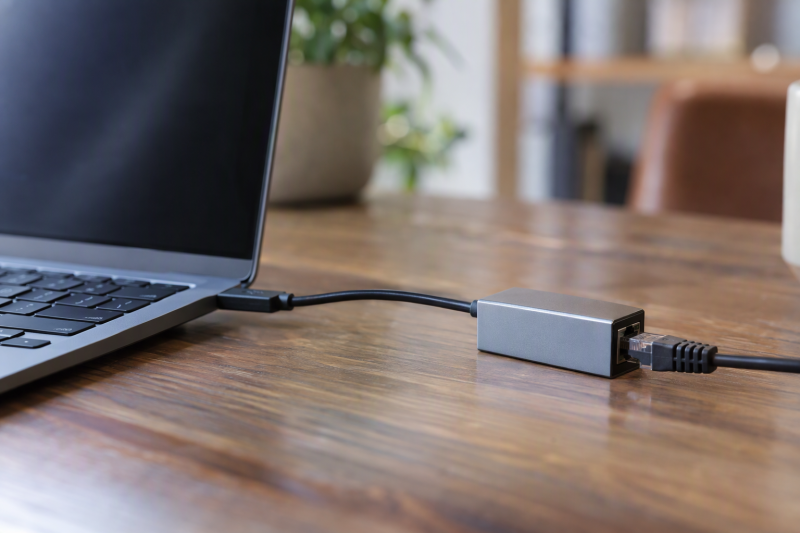
An Ethernet adapter has to fit the laptop’s port before its top speed counts for anything. The page covers seven adapters: the TP-Link UE300 and StarTech USB31000S at gigabit, the TP-Link UE310C, which states both USB-A and USB-C, at gigabit, the UGREEN and Cable Matters adapters at up to 2.5Gb, and the Plugable and TRENDnet USB-C adapters at 2.5Gb. No listing names a video output, and only Plugable’s names charging pass-through, so a dock fits better when the desk needs video or more ports.
Every speed here is the ceiling a maker or listing states, not a promised result. UGREEN says to pair its adapter with 2.5Gb-capable switches and routers, and Cable Matters says its adapter is backward compatible with 10/100/1000Mbps networks.
USB Ethernet Adapters Compared
| Image | Product | Details | Check Price |
|---|---|---|---|
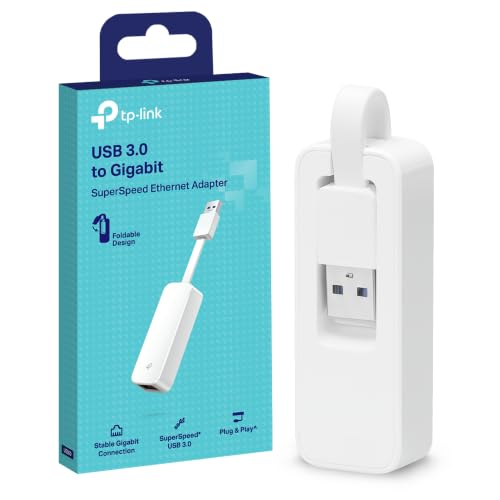 | TP-Link UE300 | Best fit: Foldable gigabit adapter Host: USB 3.0 port Ethernet: 10/100/1000Mbps Systems: Windows XP+, macOS 10.9+, ChromeOS, Linux Notes: Excludes Nintendo Switch, Wii U, Wii | Check Price on Amazon |
 | TP-Link UE310C | Best fit: One adapter for USB-A or USB-C Host: USB-A and USB-C Ethernet: Up to 1000Mbps; 10/100 fallback Systems: Windows, macOS, ChromeOS, Linux, iPadOS, iOS, Android Notes: Aluminum case; foldable | Check Price on Amazon |
 | StarTech USB31000S | Best fit: VLAN and Wake on LAN Host: USB 3.2 Gen 1 Type-A Ethernet: 10/100/1000Mbps Systems: Windows 7+, macOS 10.14+, ChromeOS, Linux kernel 4.11+ LTS Notes: ASIX AX88179A; VLAN, Wake on LAN, jumbo frames | Check Price on Amazon |
 | UGREEN USB to Ethernet Adapter 2.5Gb | Best fit: 2.5Gb upgrade Host: USB 3.0 port Ethernet: Up to 2.5Gb Systems: Windows and macOS in title; no versions Notes: RTL8156BG; not for all Switch, TV, Synology NAS, Wii | Check Price on Amazon |
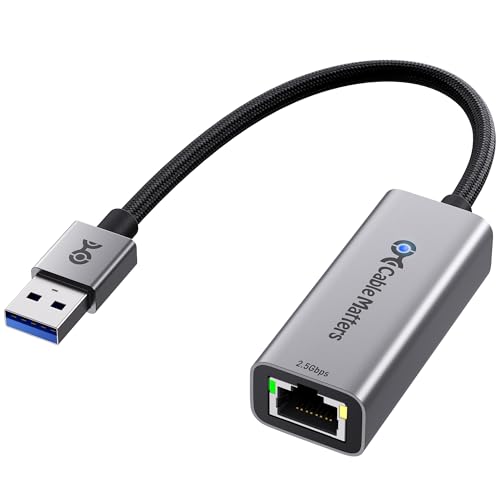 | Cable Matters USB-A to 2.5Gb Ethernet Adapter | Best fit: USB-A-only 2.5Gb adapter Host: USB-A only Ethernet: Up to 2500Mbps; 10/100/1000 fallback Systems: Windows, macOS, Linux, ChromeOS Notes: RTL8156BG; latest Realtek driver recommended on older systems | Check Price on Amazon |
 | Plugable USBC-E2500PD | Best fit: USB-C 2.5Gb with charging pass-through Host: USB-C Ethernet: 2.5Gbps Systems: Windows 10+, macOS 11+, ChromeOS Notes: Pass-through charging up to 100W; does not name Linux | Check Price on Amazon |
 | TRENDnet TUC-ET2G | Best fit: USB-C 2.5Gb with a USB-A converter Host: USB 3.1 Gen 1 Type-C; USB-C to USB-A converter included Ethernet: 2.5Gbps, 1Gbps, or 100Mbps Systems: Windows 11, 10, 8.1, 7; macOS 10.10 to 10.15 Notes: 802.1Q VLAN and 802.1p CoS; NDAA and TAA compliant | Check Price on Amazon |
1. TP-Link UE300 — Best for a Foldable Gigabit Adapter
TP-Link’s UE300 page lists one USB 3.0 input port, one 10/100/1000Mbps RJ45 port, a Realtek RTL8153 chipset, and a data rate up to 1000 Mbps. The same page gives the size as 2.8 by 1.0 by 0.6 inches, and the Amazon listing describes the body as foldable.
The Amazon listing says driver-free installation covers Windows XP and later, macOS 10.9 and later, ChromeOS, and Linux. TP-Link’s page says macOS 10.6 through 10.8 needs a driver from TP-Link, and the listing says Nintendo Switch, Wii U, and Wii are not supported.
Pick this one when: the laptop runs one of the listed systems and a 1000Mbps ceiling is enough.Our Take The UE300 suits a laptop on a gigabit network that runs one of the listed systems.
- For a laptop on a gigabit network, TP-Link states a data rate up to 1000 Mbps over a USB 3.0 port.
- The UE300’s Realtek RTL8153 chipset and its size of 2.8 by 1.0 by 0.6 inches come from TP-Link’s own page.
- According to the Amazon listing, a laptop running Windows, macOS, ChromeOS, or Linux needs no driver for the UE300 on the versions the listing names.
- The UE300 is not an option for a Nintendo Switch, Wii U, or Wii, because the Amazon listing says those consoles are not supported.
- A Mac on macOS 10.6 through 10.8 needs a driver downloaded from TP-Link, according to TP-Link’s page for the UE300.
2. TP-Link UE310C — Best for USB-A and USB-C at Gigabit
TP-Link’s listing describes the UE310C as a dual-interface adapter that converts between USB-C and USB-A, with network speeds up to 1000Mbps on either one. It adds that the adapter is backward compatible with 10/100Mbps networks and that performance varies with network conditions and connected devices.
The listing names Windows 7 and later, macOS, ChromeOS, Linux, iPadOS, iOS, and Android, and says a driver download may be needed on older versions. It gives macOS 10.9 and later in one bullet and 10.11.6 and later in another. It also describes an aluminum case and a foldable body, and its title says Thunderbolt 4/3 compatible.
Our Take The UE310C suits a buyer who wants one adapter for both plugs and is content with a gigabit ceiling.
- A buyer with both a USB-A laptop and a USB-C laptop gets one adapter, because TP-Link’s listing states both connections at up to 1000Mbps.
- TP-Link’s listing names iPadOS, iOS, and Android as well as Windows, macOS, ChromeOS, and Linux for the UE310C.
- TP-Link’s listing describes the UE310C with an aluminum case and a foldable body.
- A Mac buyer gets two different minimum macOS versions from TP-Link’s listing, 10.9 in one bullet and 10.11.6 in another.
- The UE310C is not a 2.5Gb option, because TP-Link states 1000Mbps as the ceiling on either connection.
3. StarTech USB31000S — Best for VLAN and Wake on LAN
StarTech states 10/100/1000Mbps Ethernet over a USB 3.2 Gen 1 Type-A connection rated at 5 Gbps, and names an ASIX AX88179A chipset. The listing says the adapter is USB bus powered, has status and activity LEDs, and is compatible with USB 3.0 and 2.0.
StarTech also lists jumbo frames, VLAN tagging, Wake on LAN, Energy Efficient Ethernet, and Auto-MDIX. It says the adapter comes with MAC Address Changer and Wi-Fi Auto Switch utilities. StarTech names Windows 7 and later, Windows Server, macOS 10.14 and later, ChromeOS, and Linux distributions with kernel 4.11 and later (LTS only), and says the adapter is TAA compliant.
Our Take StarTech is the gigabit pick for a buyer who wants the network functions on StarTech’s list.
- StarTech names a USB 3.2 Gen 1 Type-A connection for the laptop and states 10/100/1000Mbps Ethernet over it.
- StarTech’s listing names the ASIX AX88179A chipset and describes status and activity LEDs.
- A laptop that needs VLAN tagging or Wake on LAN finds both on StarTech’s list, along with jumbo frames, Energy Efficient Ethernet, and Auto-MDIX.
- A Linux laptop falls under StarTech’s wording on distributions with kernel 4.11 and later, LTS only.
4. UGREEN USB to Ethernet Adapter 2.5Gb — Best for Adding 2.5Gb to a USB 3.0 Port
UGREEN’s listing says the adapter supports up to 2.5Gb Ethernet and uses a Realtek RTL8156BG chip. It tells buyers to pair the adapter with 2.5Gb-capable devices such as switches and routers to upgrade a 1Gb network.
The listing describes an aluminum body and indicator lights for transmission status, and its title names a USB 3.0 connection, MacBook Air and Pro, XPS, Windows, and macOS. It also names iMac and Mac Mini, and says the adapter is not compatible with all Nintendo Switch, TV, Synology NAS, or Wii devices. UGREEN does not name Linux or ChromeOS or give operating-system versions.
Pick this one when: a laptop with a USB 3.0 port connects to a router or switch that already supports 2.5Gb.Our Take UGREEN is the plain 2.5Gb option when the switch or router on the other end supports 2.5Gb too.
- UGREEN’s listing states Ethernet support up to 2.5Gb and names a Realtek RTL8156BG chip for the adapter.
- UGREEN describes an aluminum body and indicator lights for transmission status.
- Buyers moving off a 1Gb network get UGREEN’s advice to pair the adapter with 2.5Gb-capable switches and routers.
- Anyone planning to use the adapter with a Nintendo Switch, TV, Synology NAS, or Wii device meets UGREEN’s statement that it is not compatible with all of them.
- UGREEN’s listing names Windows and macOS but does not give operating-system versions, and it does not name Linux or ChromeOS.
5. Cable Matters USB-A to 2.5Gb Ethernet Adapter — Best for a USB-A-Only Laptop at 2.5Gb
Cable Matters states up to 2500Mbps with backward compatibility for 10/100/1000Mbps networks, and says the adapter supports USB-A host devices only. The listing names a Realtek RTL8156BG controller and describes an aluminum housing with a braided cable.
The listing calls the adapter plug and play on most systems and recommends the latest Realtek USB 2.5G Ethernet Controller driver for best speed and stability, especially on older operating systems or certain Linux kernels. It names many Windows, macOS, Linux, and ChromeOS systems and says the adapter is not compatible with Nintendo Switch, Nintendo Wii, or TV devices.
Our Take Cable Matters suits a USB-A laptop that will run the Realtek driver Cable Matters recommends.
- Cable Matters states up to 2500Mbps for USB-A hosts and 10/100/1000Mbps fallback on slower networks.
- Cable Matters says the adapter supports USB-A host devices, and the listing names a Realtek RTL8156BG controller.
- Cable Matters calls the adapter plug and play on most systems in its listing.
- Cable Matters describes the adapter with an aluminum housing and a braided cable.
- A USB-C-only laptop needs a different adapter, because Cable Matters says the adapter supports USB-A hosts only.
- Cable Matters recommends installing the latest Realtek driver for best speed and stability, especially on older operating systems or certain Linux kernels.
6. Plugable USBC-E2500PD — Best for USB-C 2.5Gb With Charging Pass-Through
Plugable’s listing describes a USB-C adapter with 2.5Gbps Ethernet and 100W Power Delivery, and says it converts Thunderbolt, USB4, or USB-C to 2.5Gbps Ethernet. It adds pass-through charging up to 100W so the laptop can charge while it is connected, without a separate charger.
The listing says the adapter works with Thunderbolt, USB4, and USB-C computers running Windows 10 or later, M1 to M5 and Neo MacBooks with macOS 11 or later, and ChromeOS, and names iPhone 15 and 16 Pro and Pro Max among mobile devices. Its title names Thunderbolt 4 and USB4, and it does not name Linux.
Pick this one when: a USB-C laptop needs 2.5Gb Ethernet and the laptop’s charger has to stay connected through the same port.Our Take The USBC-E2500PD is the 2.5Gb adapter on this page that passes charging through to the laptop.
- For a USB-C laptop, Plugable states 2.5Gbps Ethernet over a USB-C connection.
- Plugable states pass-through charging up to 100W, so the laptop can charge while it is connected.
- Plugable’s listing names Thunderbolt, USB4, and USB-C computers running Windows, macOS, or ChromeOS.
- Plugable’s listing does not name Linux among its supported systems.
7. TRENDnet TUC-ET2G — Best for USB-C 2.5Gb With a USB-A Converter
TRENDnet’s listing describes a 2.5GBASE-T port that runs at 2.5Gbps, 1Gbps, or 100Mbps over Cat5e or better cabling, and says it is IEEE 802.3bz compliant. The adapter has a USB 3.1 Gen 1 Type-C connector on an integrated 14.2 cm (5.59 in.) cable, and TRENDnet includes a USB-C to USB-A converter for desktop computers.
The listing says the adapter is USB powered, supports 802.1p (CoS) and 802.1Q (VLAN), and is NDAA and TAA compliant. It names Windows 11, 10, 8.1, and 7 and macOS 10.10 through 10.15, and says TRENDnet backs it with two years of manufacturer protection.
Our Take The TUC-ET2G is the 2.5Gb adapter on this page that reaches USB-A through an included converter.
- TRENDnet describes a 2.5GBASE-T port that runs over Cat5e or better cabling.
- TRENDnet includes a USB-C to USB-A converter for desktop computers along with the adapter.
- TRENDnet lists support for 802.1p (CoS) and 802.1Q (VLAN) on the TUC-ET2G.
- TRENDnet names macOS 10.10 through 10.15 and no later macOS version.
Buying Guide
Pick the host connector first
TP-Link says the UE310C converts between USB-C and USB-A, and TRENDnet includes a USB-C to USB-A converter. Plugable names a USB-C connection, StarTech and Cable Matters name USB-A host connections, and TP-Link’s UE300 page and UGREEN’s listing name a USB 3.0 port without naming the plug shape.
Check the port on the laptop and the plug shape in the listing photos before ordering. A USB-C-only laptop can use the UE310C, Plugable, or TRENDnet, and the 2.5GbE adapter guide covers more USB-C models at the higher speed.
Use gigabit for a gigabit network
TP-Link states 10/100/1000Mbps for the UE300 and up to 1000Mbps for the UE310C, and StarTech states 10/100/1000Mbps. The stated speeds are gigabit ceilings for a laptop joining a gigabit router, switch, or NAS.
TP-Link’s UE300 page says actual speed may be limited by the Ethernet port rate, the network cable, internet provider factors, and other conditions. Treat each stated speed on this page as a ceiling that the rest of the path can lower.
Upgrade to 2.5Gb only with supporting gear
UGREEN states up to 2.5Gb and says to pair the adapter with 2.5Gb-capable switches and routers. Cable Matters states up to 2500Mbps with fallback to 10/100/1000Mbps networks, Plugable states 2.5Gbps, and TRENDnet says its port works over Cat5e or better cabling.
A move to 2.5Gb therefore involves the switch, the router, and the cable as well as the adapter. Check the switch port, the router port, and the Ethernet cable before paying for the higher class.
Keep compatibility claims model-specific
TP-Link’s listing names Windows, macOS, ChromeOS, and Linux for the UE300, and StarTech names Linux kernel 4.11 and later, LTS only. Cable Matters recommends the latest Realtek driver for older operating systems or certain Linux kernels, while Plugable names macOS 11 or later and TRENDnet names macOS 10.10 through 10.15.
UGREEN’s listing gives no operating-system versions and excludes some Nintendo Switch, TV, Synology NAS, and Wii devices, while Cable Matters excludes Nintendo Switch, Wii, and TV devices and Plugable does not name Linux. Read the support statement for the exact adapter against the system that will use it, since the lists differ from one listing to the next.
Choose an adapter instead of a dock only for Ethernet
No listing mentions a video output or extra USB ports, so each one is a dedicated Ethernet adapter, and only Plugable’s states pass-through charging up to 100W. A dedicated adapter suits a laptop that only lacks a wired network port.
For broader desk expansion, choose a dock or hub around every port the desk needs. A dock is the better fit for a wider port plan, and the USB4 docks guide covers that group.
FAQ
Can USB-A work with a newer laptop?
Yes, if the laptop has a USB-A port. StarTech and Cable Matters name USB-A host connections, TP-Link’s UE310C states both USB-A and USB-C, and TRENDnet includes a USB-C to USB-A converter. TP-Link’s UE300 page and UGREEN’s listing name a USB 3.0 port only.
A laptop with only USB-C ports can use the UE310C, Plugable, or TRENDnet. Cable Matters says its adapter supports USB-A hosts only.
Does 2.5Gb work on every network?
No. UGREEN says to pair its adapter with 2.5Gb-capable switches and routers, Cable Matters says its adapter falls back to 10/100/1000Mbps networks, and TRENDnet says its port runs at 2.5Gbps, 1Gbps, or 100Mbps.
Check the switch port, the router port, and the cable against the 2.5Gb rate before relying on it.
Which pick has USB-A and USB-C?
TP-Link’s UE310C listing describes a two-in-one USB-A and USB-C design with up to 1000Mbps on either connection. TRENDnet’s TUC-ET2G has a USB-C connector and includes a USB-C to USB-A converter.
The UE310C’s stated ceiling is 1000Mbps, so a network built around 2.5Gb needs the TRENDnet, Plugable, UGREEN, or Cable Matters adapter instead.
Which adapter states VLAN and Wake on LAN?
StarTech’s USB31000S listing names VLAN tagging and Wake on LAN, along with jumbo frames, Energy Efficient Ethernet, and Auto-MDIX.
TRENDnet’s listing names 802.1Q VLAN and 802.1p CoS support but not Wake on LAN, and the listings for the other five adapters mention neither.
Is Thunderbolt required for Ethernet?
No listing on this page requires Thunderbolt. TP-Link’s UE310C title says Thunderbolt 4/3 compatible, and Plugable’s listing names Thunderbolt, USB4, and USB-C computers. The other five listings do not mention Thunderbolt.
The UE310C listing also states USB-A use at up to 1000Mbps.
Bottom Line
Choose the UE300 or StarTech USB31000S for a gigabit network, the UE310C when one adapter must serve USB-A and USB-C laptops at gigabit, UGREEN or Cable Matters for a USB-A laptop on a 2.5Gb network, and Plugable or TRENDnet for a USB-C laptop on one.