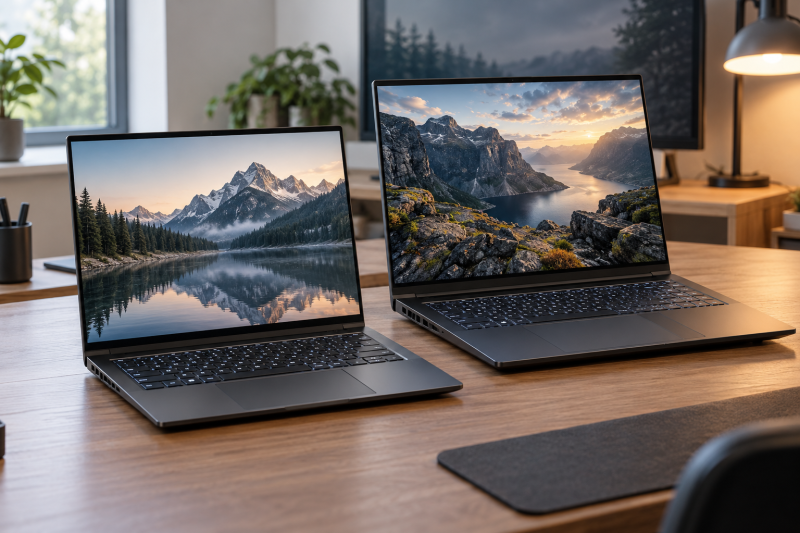
Six RTX 5090 laptops are on this page, two with 16-inch screens and four with 18-inch screens. The Razer Blade 16 and the Eluktronics HYDROC 16 are the 16-inch models. The MSI Raider 18 HX AI, MAINGEAR Ultima 18, Razer Blade 18 and MSI Titan 18 HX AI are the 18-inch models.
Pick the screen size first. Each listing then gives its own ports, storage and memory, and those differ from model to model more than the RTX 5090 name suggests.
The Thunderbolt 5 gaming laptop guide groups systems by that connection. For a broader category view, use the gaming laptop guide, the USB4 laptop guide, and the Thunderbolt 4 docking station guide.
RTX 5090 Laptops Compared
| Image | Product | Details | Check Price |
|---|---|---|---|
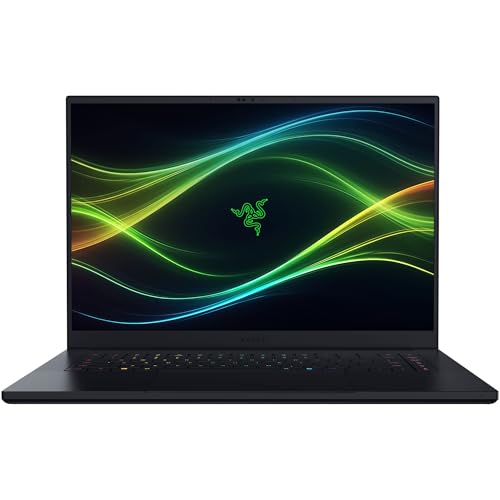 | Razer Blade 16 | Best fit: 16-inch OLED at 240Hz Screen: 16-inch 2560 x 1600 OLED 240Hz Processor: Core Ultra 9 386H Listed connections: Thunderbolt 5, HDMI 2.1, USB Memory and storage: 64GB LPDDR5X, 2TB SSD | Check Price on Amazon |
 | MSI Raider 18 HX AI | Best fit: Dual Thunderbolt 5 with MiniLED Screen: 18-inch UHD+ MiniLED 120Hz Processor: Core Ultra 9 285HX Listed connections: Dual Thunderbolt 5 Memory and storage: 64GB DDR5, 2TB Gen 5 SSD | Check Price on Amazon |
 | Eluktronics HYDROC 16 | Best fit: 16-inch QHD at 300Hz Screen: 16-inch 2560 x 1600 QHD 300Hz Processor: Core Ultra 9 275HX Listed connections: Thunderbolt 4 with 140W charging, RJ-45 Memory and storage: 32GB DDR5, 1TB SSD | Check Price on Amazon |
 | MAINGEAR Ultima 18 | Best fit: 4K 240Hz with 4TB storage Screen: 18-inch 3840 x 2400 240Hz Processor: Core Ultra 9 290HX Plus Listed connections: Dual Thunderbolt 5 Memory and storage: 64GB DDR5-4800, 4TB SSD | Check Price on Amazon |
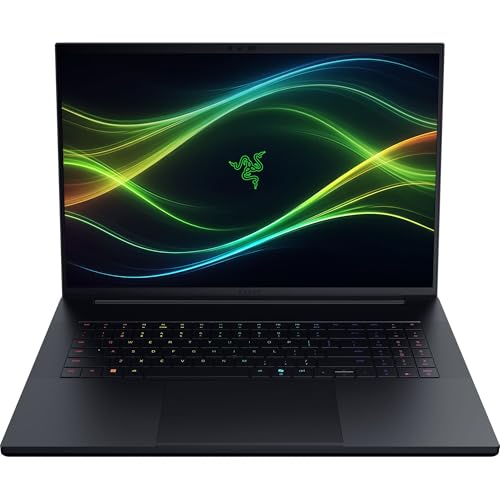 | Razer Blade 18 | Best fit: Switchable 240Hz and 440Hz screen Screen: 18-inch UHD+ 240Hz / FHD+ 440Hz Processor: Core Ultra 9 290HX Listed connections: Thunderbolt 5, Thunderbolt 4, HDMI 2.1, SD UHS-II, 2.5Gb Ethernet, USB-A Memory and storage: 64GB DDR5-6400, 2TB SSD | Check Price on Amazon |
 | MSI Titan 18 HX AI | Best fit: 6TB storage and 3-year warranty Screen: 18-inch UHD+ MiniLED 120Hz Processor: Core Ultra 9 285HX Listed connections: Thunderbolt 5, port count not stated Memory and storage: 64GB DDR5, 6TB SSD | Check Price on Amazon |
1. Razer Blade 16 — Best 16-Inch OLED Pick
Razer’s Amazon listing for the Blade 16 (part RZ09-05819EN9-R3U1) gives a 16-inch 2560 x 1600 OLED screen at 240Hz with a 0.2ms response time and 100% DCI-P3 color. It pairs the screen with a Core Ultra 9 386H, an RTX 5090 with 24GB GDDR7 at up to 165W, 64GB LPDDR5X memory (the title says DDR5) and a 2TB PCIe 4.0 SSD. The 165W figure is lower than the 175W given for the HYDROC 16, Ultima 18 and Blade 18.
Razer lists Thunderbolt 5, HDMI 2.1 and USB ports, plus Wi-Fi 7. Razer also says the memory is non-upgradeable and that two M.2 slots expand storage up to 8TB total. The Blade 16 is the one 16-inch model here that Amazon calls OLED.
Our Take Choose the Blade 16 for a 16-inch OLED screen with Thunderbolt 5, and accept that its 64GB of memory cannot be upgraded.
- Razer lists a 16-inch 2560 x 1600 OLED screen at 240Hz with 100% DCI-P3 color.
- Razer lists Thunderbolt 5, HDMI 2.1 and USB ports on the Blade 16.
- Razer lists two M.2 slots that expand storage up to 8TB total, beyond the SSD the laptop ships with.
- Razer lists the Blade 16’s 64GB of LPDDR5X memory as non-upgradeable, and you accept that amount when you buy.
- Razer lists the laptop’s RTX 5090 at up to 165W, a lower figure than the 175W listed for the HYDROC 16, Ultima 18 and Blade 18.
2. MSI Raider 18 HX AI — Dual Thunderbolt 5 With a MiniLED Screen
Amazon’s title for the MSI Raider 18 HX AI (A2XWJG-445CA) says 18-inch QHD+ 240Hz, but the display bullet says 18-inch UHD+ 3840 x 2400 MiniLED at 120Hz with 100% DCI-P3 and VESA DisplayHDR 1000 certification. The two descriptions conflict. The table and this section use the bullet, which is the more detailed of the two. Ask the seller which screen ships before you buy.
MSI’s bullets list a Core Ultra 9 285HX, an RTX 5090 Laptop GPU with 24GB GDDR7 and dual Thunderbolt 5 with up to 120Gbps transmit bandwidth. The title adds 64GB DDR5 memory and a 2TB Gen 5 NVMe SSD, and no bullet repeats those two figures.
Our Take Choose the Raider 18 HX AI for dual Thunderbolt 5 ports and a MiniLED screen, once the seller confirms which screen it ships with.
- MSI lists dual Thunderbolt 5 for the Raider with up to 120Gbps of transmit bandwidth.
- MSI’s display bullet lists an 18-inch UHD+ MiniLED screen with 100% DCI-P3 and VESA DisplayHDR 1000 certification.
- MSI lists a Core Ultra 9 285HX for the Raider, paired with an RTX 5090 Laptop GPU and 24GB GDDR7.
- Amazon’s title for the Raider says QHD+ 240Hz while the display bullet says UHD+ MiniLED at 120Hz, so you need to ask the seller which screen ships.
- The Raider 18 HX AI’s 64GB memory and 2TB SSD appear only in Amazon’s title, because no bullet repeats those figures.
3. Eluktronics HYDROC 16 — Best 300Hz 16-Inch Pick
Eluktronics’ listing for the HYDROC 16 (model HYDROC 16 G2) gives a 16-inch 2560 x 1600 QHD screen at 300Hz with up to 500 nits of brightness. It lists a Core Ultra 9 275HX, an RTX 5090 with 24GB GDDR7 running up to 175W, 32GB DDR5-5600 memory and a 1TB PCIe Gen 4 NVMe SSD. The 32GB of memory and 1TB of storage are the smallest of the six models.
Eluktronics lists Thunderbolt 4 with 140W Type-C charging and an RJ-45 port that the listing labels “2,500GB”, probably a typo for 2.5Gb Ethernet. Confirm the Ethernet speed with the seller before buying. Eluktronics says its systems do not contain soldered memory or storage, and that the laptop includes an external liquid cooler that works with an internal hydraulic chamber.
Our Take Choose the HYDROC 16 for a 300Hz 16-inch screen and Thunderbolt 4 charging at 140W, with memory and storage that Eluktronics says are not soldered.
- Eluktronics lists a 16-inch 2560 x 1600 QHD screen at 300Hz with up to 500 nits of brightness.
- Eluktronics lists an RTX 5090 with 24GB GDDR7 running up to 175W.
- Eluktronics lists Thunderbolt 4 with 140W Type-C charging.
- Eluktronics says its systems do not contain soldered memory or storage.
- Eluktronics includes an external liquid cooler with the HYDROC 16 that works with an internal hydraulic chamber.
- Eluktronics lists 32GB of memory and a 1TB SSD, the smallest of the six models and less than the 64GB and 2TB or more listed for the other five.
- Eluktronics labels its RJ-45 port “2,500GB”, probably a typo, so confirm the Ethernet speed with the seller before buying.
4. MAINGEAR Ultima 18 — 4K 240Hz With 4TB Storage
MAINGEAR’s listing for the Ultima 18 gives an 18-inch 3840 x 2400 screen at 240Hz in a 16:10 shape, with 100% DCI-P3, 400 nits and G-SYNC. It lists a Core Ultra 9 290HX Plus, an RTX 5090 with 24GB GDDR7 at 175W, 64GB DDR5-4800 memory and a 4TB Gen4 NVMe SSD.
MAINGEAR lists dual Thunderbolt 5, Wi-Fi 7 and Bluetooth 5.4, a one-year limited warranty and lifetime technical support. The 4TB SSD is the second largest of the six, behind the Titan’s 6TB. The 400 nits is below the 500 nits Eluktronics lists for the HYDROC 16 and the 600 nits Razer lists for the Blade 18. The DDR5-4800 memory is slower than the DDR5-6400 Razer lists for the Blade 18.
Our Take Choose the Ultima 18 for a 4K 240Hz 18-inch screen with 4TB of storage and two Thunderbolt 5 ports.
- MAINGEAR lists an 18-inch 3840 x 2400 screen at 240Hz with 100% DCI-P3 and G-SYNC.
- MAINGEAR lists dual Thunderbolt 5 and a 4TB Gen4 NVMe SSD, the second largest storage of the six models.
- MAINGEAR lists a one-year limited warranty and lifetime technical support for the laptop.
- MAINGEAR lists 400 nits, below the 500 nits Eluktronics lists for the HYDROC 16 and the 600 nits Razer lists for the Blade 18.
- MAINGEAR lists DDR5-4800 memory, slower than the DDR5-6400 Razer lists for the Blade 18.
5. Razer Blade 18 — Dual-Mode 240Hz and 440Hz Display
Razer’s listing for the Blade 18 gives an 18-inch screen that switches between UHD+ at 240Hz and FHD+ at 440Hz, with a 3ms response time, 600 nits and 100% DCI-P3. Razer pairs the 440Hz figure with the FHD+ mode and the 240Hz figure with UHD+. It lists a Core Ultra 9 290HX, an RTX 5090 with 24GB GDDR7 at 175W plus 25W of Dynamic Boost, and 64GB DDR5-6400 memory. The title lists a 2TB SSD.
Razer lists Thunderbolt 5 plus Thunderbolt 4, HDMI 2.1, SD UHS-II, 2.5Gb Ethernet and USB-A ports, the longest port list of the six. Razer also says the memory upgrades to 128GB and that two M.2 slots take up to 8TB each.
Our Take Choose the Blade 18 for a switchable 240Hz and 440Hz screen, the longest port list here, and memory and storage that Razer says can be upgraded.
- Razer lists a screen that switches between UHD+ at 240Hz and FHD+ at 440Hz, with 600 nits of brightness.
- Razer lists Thunderbolt 5, Thunderbolt 4, HDMI 2.1, SD UHS-II, 2.5Gb Ethernet and USB-A ports, the longest port list of the six.
- Razer lists memory upgradeable to 128GB and two M.2 slots that take up to 8TB each.
- Razer pairs the 440Hz figure with the lower FHD+ resolution, and the UHD+ mode runs at 240Hz.
- Amazon’s title lists a 2TB SSD, less than the 4TB and 6TB listed for the Ultima 18 and Titan 18 HX AI.
6. MSI Titan 18 HX AI — 6TB Storage and a 3-Year Warranty
Amazon’s title for the MSI Titan 18 HX AI (A2XWJG-614US) lists an 18-inch 120Hz MiniLED UHD+ screen, a Core Ultra 9 285HX, an RTX 5090, 64GB DDR5 memory, a 6TB NVMe SSD and Thunderbolt 5. A display bullet calls the screen an 18-inch 4K UHD mini LED display, and no bullet repeats the memory or storage figures.
MSI lists a 3-year manufacturer limited warranty in the product details, against one year for the Razer and MAINGEAR listings. The 6TB SSD is the largest of the six. Amazon does not say how many Thunderbolt 5 ports the Titan has or give their bandwidth.
Our Take Choose the Titan 18 HX AI for 6TB of storage and a 3-year warranty, and ask the seller how many Thunderbolt 5 ports it has.
- Amazon’s title lists a 6TB NVMe SSD, the largest storage figure of the six.
- MSI lists a 3-year manufacturer limited warranty in the product details, against one year for the Razer and MAINGEAR listings.
- Amazon’s display bullet calls the Titan’s screen an 18-inch 4K UHD mini LED display, and its title lists an RTX 5090.
- Amazon names Thunderbolt 5 in the Titan’s title but gives no port count or bandwidth, so ask the seller how many ports it has.
Buying Guide
1. Start with the 16-inch versus 18-inch decision
Two models have 16-inch screens, the Blade 16 and the HYDROC 16. The Blade 16 lists a 240Hz OLED panel and the HYDROC 16 lists a 300Hz QHD panel. The other four models have 18-inch screens.
The 18-inch models list more screen types. The Ultima 18 lists 4K at 240Hz, the Raider and Titan list MiniLED at 120Hz, and the Blade 18 switches between UHD+ at 240Hz and FHD+ at 440Hz. Choose the screen size and panel first, then use ports and storage to separate close choices.
2. Check the screen description before you buy
The Raider’s title and display bullet disagree. Amazon’s title says QHD+ 240Hz and the bullet says UHD+ MiniLED at 120Hz. Ask the seller which screen ships before you buy.
No other model’s screen description conflicts with itself. Eluktronics lists QHD at 300Hz, MAINGEAR lists 4K at 240Hz and Razer lists the Blade 18’s two modes. Each figure belongs to that model alone.
3. Compare ports model by model
The Blade 18 has the longest port list: Thunderbolt 5, Thunderbolt 4, HDMI 2.1, SD UHS-II, 2.5Gb Ethernet and USB-A. The Ultima 18 and Raider 18 HX AI both list dual Thunderbolt 5, and the Blade 16 lists Thunderbolt 5, HDMI 2.1 and USB ports.
Eluktronics lists Thunderbolt 4 with 140W Type-C charging, and its listing is the one here that names no Thunderbolt 5 port. Amazon names Thunderbolt 5 in the Titan’s title without a port count.
4. Compare memory and storage
Storage runs from 1TB on the HYDROC 16 to 6TB on the Titan 18 HX AI. The Blade 16, Raider and Blade 18 list 2TB, and the Ultima 18 lists 4TB.
Razer lists the Blade 16’s 64GB of memory as non-upgradeable and the Blade 18’s as upgradeable to 128GB. Eluktronics says its systems do not contain soldered memory or storage. Amazon’s listings for the MSI and MAINGEAR models do not say whether memory can be upgraded.
5. Read power and cooling figures as listed
Eluktronics, MAINGEAR and Razer’s Blade 18 list the RTX 5090 at 175W, and the Blade 16 lists up to 165W. Razer adds 25W of Dynamic Boost for the Blade 18. MSI lists total power up to 260W for the Raider and gives no graphics wattage.
The listings give specifications, not test results. Eluktronics includes an external liquid cooler, and Razer lists vapor chamber cooling for both Blades. Compare the wattage figures rather than the RTX 5090 name alone.
FAQ
Which RTX 5090 laptop here lists the highest refresh rate?
The Razer Blade 18 lists FHD+ at 440Hz, and the same listing gives UHD+ at 240Hz as its other mode.
The HYDROC 16 lists a 300Hz QHD screen, and the Blade 16 and Ultima 18 list 240Hz. The Raider’s bullet lists 120Hz although its title says 240Hz, and the Titan’s title lists 120Hz.
Which laptops list dual Thunderbolt 5?
The MSI Raider 18 HX AI and MAINGEAR Ultima 18 each list dual Thunderbolt 5. MSI adds up to 120Gbps of transmit bandwidth.
Razer lists Thunderbolt 5 plus Thunderbolt 4 for the Blade 18, and Thunderbolt 5 without a count for the Blade 16. Amazon names Thunderbolt 5 for the Titan 18 HX AI without a count.
Which models have 16-inch screens?
The Razer Blade 16 and Eluktronics HYDROC 16 are the two 16-inch models. Razer lists an OLED screen at 240Hz and Eluktronics lists a QHD 2560 x 1600 screen at 300Hz.
The ports differ too. Razer lists Thunderbolt 5 and HDMI 2.1 for the Blade 16, and Eluktronics lists Thunderbolt 4 with 140W Type-C charging for the HYDROC 16.
Which laptop lists the most storage?
The MSI Titan 18 HX AI lists a 6TB NVMe SSD in its title, the largest storage figure of the six. MSI also lists a 3-year manufacturer limited warranty.
The MAINGEAR Ultima 18 is next at 4TB, and both are 18-inch models. The Blade 16, Raider and Blade 18 list 2TB, and the HYDROC 16 lists 1TB.
Why does the MSI Raider have two different screen descriptions?
Amazon’s title says QHD+ 240Hz, and the display bullet says 18-inch UHD+ 3840 x 2400 MiniLED at 120Hz. Both appear on the same listing.
The table and the Raider section use the bullet. Ask the seller which screen ships before you buy.
Bottom Line
Choose the Blade 16 for a 16-inch OLED, the HYDROC 16 for a 300Hz QHD screen, or the Ultima 18 for 4K 240Hz and 4TB of storage. The Blade 18 suits a buyer who wants a switchable 240Hz and 440Hz screen and the longest port list. The Raider 18 HX AI suits dual Thunderbolt 5 once the seller confirms its screen, and the Titan 18 HX AI suits 6TB of storage and a 3-year warranty.