Bright rooms make a glossy panel hard to live with, but an anti-glare label alone does not settle the laptop purchase. Screen size, touch input, Ethernet, a card reader, and the port that will connect a dock all change the fit. Each of the six laptops below has an Amazon listing that calls its display anti-glare and names Thunderbolt 4.
All six listings say anti-glare and none says matte, so this guide repeats each listing’s own wording and makes no claim about how much light a panel reflects. Memory, storage, and warranty details come from the listing, and five of the six listings say the seller resealed the laptop to upgrade it.
Pick the screen size first, then check how many Thunderbolt 4 ports the listing states against the dock and monitors you plan to connect.Matte Screen Laptops Compared
The table records what each Amazon listing says about the anti-glare screen, the Thunderbolt 4 ports, and the desk ports. A Thunderbolt 4 port does not tell you how a particular dock, monitor, cable, or charger will behave.
| Image | Product | Details | Check Price |
|---|---|---|---|
 | Lenovo ThinkBook 14 Gen 8 | Best fit: 14-inch screen with an SD card reader Screen: 14-inch FHD+ IPS anti-glare Connection: Thunderbolt 4, port count not stated Desk ports: RJ45 Ethernet, HDMI 2.1, 4-in-1 SD reader Buyer check: No brightness figure listed | Check Price on Amazon |
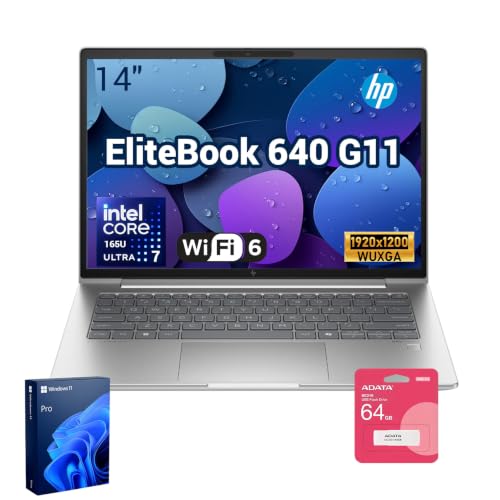 | HP EliteBook 640 G11 | Best fit: 14-inch screen at 300 nits with two Thunderbolt 4 ports Screen: 14-inch 1920 x 1200 IPS anti-glare, 300 nits Connection: Two Thunderbolt 4 ports Desk ports: RJ-45 Ethernet, HDMI, two USB-A Buyer check: Seller upgraded the RAM and SSD | Check Price on Amazon |
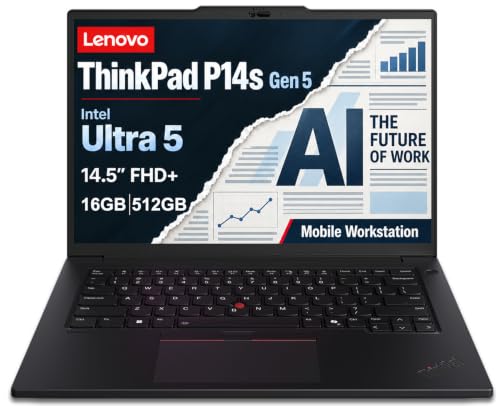 | Lenovo ThinkPad P14s Gen 5 | Best fit: 14.5-inch mobile workstation Screen: 14.5-inch 1920x1200 IPS anti-glare, 300 nits Connection: Two Thunderbolt 4 ports Desk ports: HDMI 2.1 and USB-A Buyer check: Seller resealed it to upgrade the system | Check Price on Amazon |
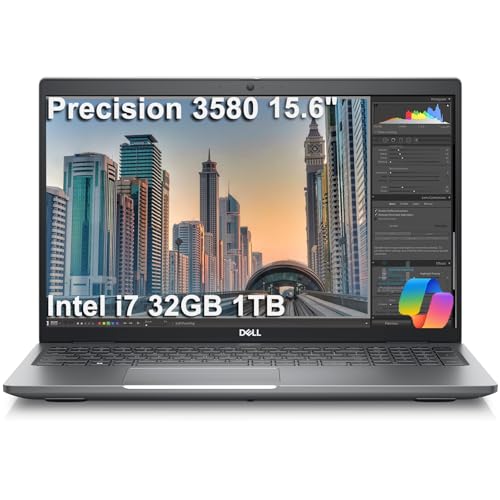 | Dell Precision 3580 | Best fit: 15.6-inch screen at 400 nits with microSD Screen: 15.6-inch FHD anti-glare, 400 nits Connection: Two Thunderbolt 4 ports Desk ports: HDMI 2.0, RJ45 Ethernet, microSD Buyer check: Seller upgraded the SSD | Check Price on Amazon |
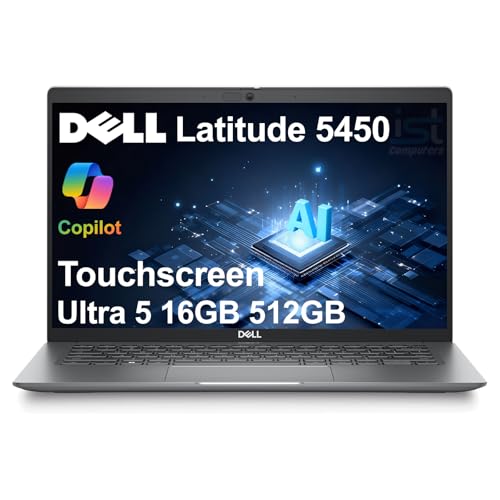 | Dell Latitude 5450 | Best fit: 14-inch anti-glare touchscreen Screen: 14-inch FHD 1920 x 1080 IPS anti-glare touchscreen Connection: Two Thunderbolt 4 (USB4 Type-C) ports Desk ports: RJ-45 Ethernet, HDMI 2.0, two USB-A Buyer check: Seller resealed it for an unspecified upgrade | Check Price on Amazon |
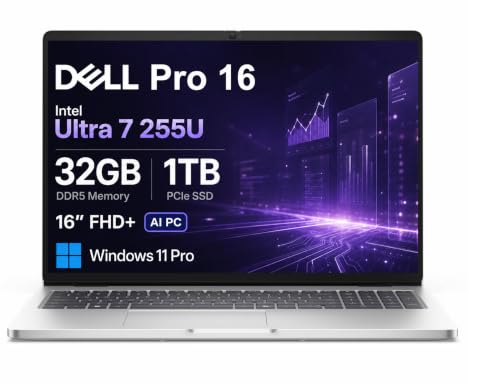 | Dell Pro 16 PC16250 | Best fit: 16-inch screen with a numeric keypad Screen: 16-inch 1920x1200 anti-glare, 300 nits Connection: Thunderbolt 4, port count not stated Desk ports: RJ45 Ethernet, HDMI 2.1, USB-A, USB-C Buyer check: Seller upgraded the memory and SSD | Check Price on Amazon |
1. Lenovo ThinkBook 14 Gen 8 — Best 14-Inch Pick With an SD Card Reader
Amazon lists the ThinkBook 14 Gen 8 with a 14-inch FHD+ anti-glare IPS display that carries TÜV Eyesafe certification, a Core Ultra 5 225U, 16GB DDR5 memory, and a 512GB SSD. The ports named are Thunderbolt 4, USB-C, two USB-A, HDMI 2.1, RJ45 Ethernet, and a 4-in-1 SD reader, so a wired desk and a memory card both connect without an adapter.
The listing gives no Thunderbolt 4 port count, no brightness figure, and no seller upgrade disclosure. It names USB-C separately from Thunderbolt 4, so confirm which port carries 40Gbps before you plan around a dock. Choose it when a 14-inch anti-glare screen and a built-in SD reader decide the purchase.
Our Take Start here when you want the 14-inch screen, the Ethernet jack, and the SD reader in the laptop instead of in a dock.
- Amazon lists the ThinkBook 14 Gen 8 with a 14-inch FHD+ anti-glare IPS display and TÜV Eyesafe certification.
- Amazon names Thunderbolt 4, HDMI 2.1, RJ45 Ethernet, and a 4-in-1 SD reader, so the ThinkBook connects a wired desk and a memory card without an adapter.
- Amazon lists 16GB of DDR5 memory and a 512GB SSD for this ThinkBook, and the listing gives no seller upgrade disclosure.
- Amazon does not state how many Thunderbolt 4 ports the ThinkBook 14 Gen 8 has and names USB-C separately, so a buyer planning around a dock should confirm which port to use.
- The ThinkBook’s anti-glare screen has no brightness rating on Amazon, so its brightness cannot be compared with other laptops from this listing.
2. HP EliteBook 640 G11 — Best 14-Inch Pick With a 300-Nit Screen and Two Thunderbolt 4 Ports
Amazon lists the EliteBook 640 G11 with a 14-inch 1920 x 1200 IPS anti-glare display at 300 nits, two Thunderbolt 4 ports at 40Gbps, two USB-A ports, HDMI, RJ-45 Ethernet, Wi-Fi 6E, and a 5MP IR camera. The configuration has a Core Ultra 7 165U, 32GB of memory, and a 1TB SSD.
The seller says the original seal was opened to upgrade the RAM and SSD, with a 1-year warranty on the upgraded parts from HP US and the original 1-year manufacturer’s warranty on the rest. The offer also includes an A-DATA UC310 64GB USB flash drive. Pick it when you want a 14-inch anti-glare screen with a stated brightness and two stated Thunderbolt 4 ports, and confirm the bundle and warranty at checkout.
Amazon lists a 14-inch 300-nit anti-glare screen, two Thunderbolt 4 ports, and RJ-45 Ethernet for this EliteBook.Our Take Choose the EliteBook 640 G11 if two stated Thunderbolt 4 ports and a stated 300-nit screen count for more at your desk than a built-in card reader.
- Amazon lists the EliteBook 640 G11 with a 14-inch 1920 x 1200 anti-glare IPS display at 300 nits, a stated brightness for a buyer who wants one.
- Amazon states two Thunderbolt 4 ports at 40Gbps for the EliteBook, along with two USB-A ports, HDMI, and RJ-45 Ethernet.
- Amazon lists 32GB of memory and a 1TB SSD for this EliteBook, and the offer also includes a USB flash drive.
- Amazon names Wi-Fi 6E and a 5MP IR camera in the EliteBook’s configuration.
- Amazon says the seller opened the EliteBook’s original seal to upgrade the RAM and SSD, and the warranty is split between HP US for those parts and the original maker for the rest.
- A buyer who wants a built-in card reader should look elsewhere, because the EliteBook listing does not mention an SD card reader.
3. Lenovo ThinkPad P14s Gen 5 — Best 14.5-Inch Mobile Workstation
Amazon titles the ThinkPad P14s Gen 5 a mobile workstation and lists a 14.5-inch 1920×1200 anti-glare IPS display at 300 nits, two Thunderbolt 4 ports, HDMI 2.1, USB-A, a Core Ultra 5 125H with Intel Graphics, 16GB DDR5 memory, and a 512GB SSD. The listing also gives a 3.55-pound weight and says the laptop can drive three external monitors at up to 4K at 60Hz without a dock.
The seller says the laptop was resealed to upgrade the system, without naming which part changed, and gives a 1-year warranty from Lenovo on the remaining components. The listing does not mention Ethernet or a card reader. Pick it when a 14.5-inch screen between the 14-inch and 15.6-inch laptops suits your desk.
Our Take The P14s Gen 5 suits a buyer who wants a 14.5-inch anti-glare screen at 300 nits with two Thunderbolt 4 ports and HDMI 2.1.
- Amazon lists the ThinkPad P14s Gen 5 with a 14.5-inch 1920×1200 anti-glare IPS screen at 300 nits.
- The P14s listing states two Thunderbolt 4 ports, HDMI 2.1, and USB-A.
- Amazon lists 16GB DDR5 memory and a 512GB SSD for this ThinkPad, along with Intel Graphics.
- The seller says it resealed the ThinkPad P14s to upgrade the system without naming the component, and the Lenovo warranty covers only the remaining components.
- A buyer who wants wired networking or a card slot in the laptop will not find either named in the P14s listing.
4. Dell Precision 3580 — Best 15.6-Inch Pick With microSD
Amazon lists the Precision 3580 with a 15.6-inch FHD anti-glare display at 400 nits, two Thunderbolt 4 ports, two USB-A ports, HDMI 2.0, RJ45 Ethernet, a microSD reader, and a backlit keyboard. The 400-nit figure is the highest brightness any of the six listings gives, and the 15.6-inch screen is the largest below the Dell Pro 16.
The listing names a Core i7-1355U with integrated Intel graphics, 32GB DDR4 memory, and a 1TB SSD. The seller says it resealed the laptop to upgrade the SSD, with a three-year seller warranty on that SSD and Dell ProSupport on the remaining components until November 2028. Select this Dell when a 15.6-inch anti-glare panel and microSD decide the purchase.
Amazon states a 15.6-inch 400-nit anti-glare display, two Thunderbolt 4 ports, Ethernet, and microSD for this Precision 3580.Our Take Choose the Precision 3580 when a 15.6-inch screen, a stated 400-nit brightness, Ethernet, and microSD all belong in the laptop.
- Amazon lists the Precision 3580 with a 15.6-inch FHD anti-glare screen at 400 nits, the highest brightness any of the six listings gives.
- The Precision listing states two Thunderbolt 4 ports, HDMI 2.0, RJ45 Ethernet, and a microSD reader, so Ethernet and microSD are both in the laptop.
- Amazon lists 32GB DDR4 memory and a 1TB SSD for this Dell Precision.
- Amazon names a backlit keyboard and a 1080p IR webcam for the Precision.
- The seller says it upgraded the Precision 3580’s SSD, with a three-year seller warranty on that part and Dell ProSupport on the remaining components.
- For the Precision 3580, Amazon lists integrated Intel graphics and no discrete GPU.
5. Dell Latitude 5450 — Best 14-Inch Anti-Glare Touchscreen
Amazon lists the Latitude 5450 with a 14-inch FHD 1920 x 1080 IPS anti-glare touchscreen rated at 72% NTSC, two Thunderbolt 4 ports labeled USB4 Type-C, two USB-A ports, HDMI 2.0, RJ-45 Ethernet, a backlit keyboard, and an IR webcam with a privacy shutter. It is the only one of the six listings that states a touchscreen.
The listing names a Core Ultra 5 125U, 16GB DDR5 memory, and a 512GB SSD. The seller says it resealed the New laptop to upgrade the system without naming components, and gives a one-year seller warranty. Pick it when touch is part of the purchase decision, and confirm the warranty and the exact parts before ordering.
Our Take Pick the Latitude 5450 for a 14-inch anti-glare touchscreen with two stated Thunderbolt 4 ports and built-in Ethernet.
- Amazon lists the Latitude 5450 with a 14-inch FHD IPS anti-glare touchscreen, the only touchscreen stated among the six listings.
- Amazon states two Thunderbolt 4 ports for the Latitude, labeled USB4 Type-C, plus RJ-45 Ethernet.
- For the Latitude, Amazon lists HDMI 2.0, two USB-A ports, and a backlit keyboard.
- The Latitude 5450 listing gives no brightness rating for its anti-glare touchscreen.
- The seller says it resealed the Latitude 5450 without naming the upgraded parts, so the exact parts need checking at purchase.
6. Dell Pro 16 PC16250 — Best 16-Inch Pick With a Numeric Keypad
Amazon lists the Dell Pro 16 PC16250 with a 16-inch 1920×1200 anti-glare display at 300 nits, Thunderbolt 4, USB-C, USB-A, HDMI 2.1, RJ45 Ethernet, a numeric keypad, a Core Ultra 7 255U, 32GB DDR5 memory, and a 1TB SSD. It is the only 16-inch laptop of the six and the only one whose title names a numeric keypad.
The seller says the laptop was resealed to upgrade the memory and SSD and gives a one-year seller warranty. Like the ThinkBook, the Dell Pro 16 listing gives no Thunderbolt 4 port count, and it names USB-C separately. Choose it when a 16-inch anti-glare screen and a numeric keypad decide the purchase, then check the port layout before buying a dock.
Amazon lists a 16-inch 300-nit anti-glare display, Thunderbolt 4, RJ45 Ethernet, and a numeric keypad for this Dell Pro 16.Our Take The Dell Pro 16 suits a desk that needs a 16-inch anti-glare screen, Ethernet, and a numeric keypad, with a port-count check before you buy accessories.
- Amazon lists the Dell Pro 16 PC16250 with a 16-inch 1920×1200 anti-glare display at 300 nits, the only laptop of the six with a screen that size.
- Amazon names Thunderbolt 4, HDMI 2.1, RJ45 Ethernet, and a numeric keypad, and the title is the only one of the six that names a keypad.
- Amazon lists 32GB DDR5 memory and a 1TB SSD for this Dell Pro 16, with a one-year seller warranty.
- Amazon does not state how many Thunderbolt 4 ports the Dell Pro 16 PC16250 has and names USB-C separately, so check the port layout before buying a dock.
- The seller says it resealed the Dell Pro 16 PC16250 to upgrade the memory and SSD, and gives a one-year seller warranty.
Buying Guide
1. Treat anti-glare as a stated finish, not a measured performance score
All six listings call the display anti-glare, and none gives a reflection measurement. The ThinkBook, EliteBook, P14s, Precision, Latitude, and Dell Pro share the same stated screen finish. Nothing in the listings shows that the panels look the same beside a window or under an overhead light.
Use the word the purchase page uses. A glossy screen with high brightness is a different buy from an anti-glare screen, and an anti-glare label says nothing about color range or touch. The Precision lists 400 nits and the EliteBook, P14s, and Dell Pro list 300 nits, while the ThinkBook and Latitude give no brightness figure.
2. Pick the physical screen size before comparing small specification gaps
The 14-inch ThinkBook, EliteBook, and Latitude are the smallest group. The P14s is 14.5 inches, the Precision is 15.6 inches, and the Dell Pro is 16 inches. A larger panel can make side-by-side work easier, and it also changes the bag and the desk footprint. Screen size is a direct purchase choice, not a shorthand for panel quality.
The Latitude is the only listing that states a touchscreen. Choose touch because you will use touch, not because the resolution looks similar to the others. If you use a separate monitor most of the time, the 14-inch ThinkBook or EliteBook may suit you better.
3. Count the stated Thunderbolt 4 ports around the dock you actually own
The EliteBook, P14s, Precision, and Latitude listings each state two Thunderbolt 4 ports. The ThinkBook and Dell Pro listings name Thunderbolt 4 without a count. With a count, you can tell whether a second Thunderbolt 4 accessory has its own port once a dock is connected.
The Thunderbolt 4 docking-station guide and USB4 hubs and docks guide cover the accessory side. The laptop, dock, cable, charger, and monitor documentation determine the finished setup. Do not infer a monitor count, refresh rate, or charging result from a Thunderbolt 4 label alone.
4. Decide which built-in desk connections remove adapters
The ThinkBook lists Ethernet and an SD reader, the Precision lists Ethernet and microSD, and the EliteBook, Latitude, and Dell Pro each list Ethernet. The P14s listing mentions neither Ethernet nor a card reader. A dock can add ports, but a dock is another product with its own compatibility requirements.
All six listings name HDMI, at version 2.1 for the ThinkBook, P14s, and Dell Pro and version 2.0 for the Precision and Latitude, while the EliteBook listing gives no version. Buy the laptop with the port you use on the move, then let a dock handle the remaining desk expansion. The guide to identifying a Thunderbolt port helps when the chassis has several similar USB-C connectors.
5. Read each seller’s upgrade note before comparing memory and storage
Five of the six listings say the seller resealed the laptop or opened its seal to upgrade it: the EliteBook, P14s, Precision, Latitude, and Dell Pro. Their memory, storage, and warranty figures describe the seller’s configuration. The ThinkBook listing gives no upgrade note.
Read the exact title, the seller’s disclosure, and the warranty terms before you buy. The EliteBook’s warranty is split between HP US for the upgraded RAM and SSD and the original maker for the rest, the Precision’s three-year seller warranty covers the upgraded SSD, and the Latitude and Dell Pro list one-year seller warranties. The Thunderbolt laptop list gives broader context on Thunderbolt laptops.
FAQ
Is anti-glare the same thing as a matte laptop screen?
All six listings use the phrase anti-glare, so this guide uses that term for every laptop. Shoppers often search for matte instead, and none of the six listings uses that word. An anti-glare label alone does not give a measured reflection result.
Compare the stated finish with the room where you work. The Precision lists a 400-nit anti-glare panel, and the EliteBook, P14s, and Dell Pro list 300 nits, while the ThinkBook and Latitude give no brightness. A brightness figure and an anti-glare label describe different parts of the display.
Which matte-screen pick has two Thunderbolt 4 ports?
The EliteBook 640 G11, ThinkPad P14s Gen 5, Dell Precision 3580, and Dell Latitude 5450 listings each state two Thunderbolt 4 ports. The Latitude calls them Thunderbolt 4 (USB4 Type-C) ports.
The ThinkBook 14 Gen 8 and Dell Pro 16 listings state Thunderbolt 4 without a count. Check the exact port layout before ordering a dock around a second high-speed device. A second port helps only when the laptop, dock, cable, and accessory all support the use you have planned.
Which option has a card reader?
Amazon lists a 4-in-1 SD reader for the ThinkBook 14 Gen 8 and a microSD reader for the Precision 3580. The two use different card sizes, so confirm which media your camera or device uses before choosing either laptop.
The other four listings do not mention a card reader. Choose the ThinkBook for an SD reader and the Precision for a microSD reader, rather than assuming a laptop with Thunderbolt 4 includes one. An external reader is a separate purchase with its own connection and card-speed details.
Are the listed memory and SSD capacities guaranteed for every model?
No. Amazon lists 16GB and 512GB for the ThinkBook, P14s, and Latitude, and 32GB and 1TB for the EliteBook, Precision, and Dell Pro. Five of the six listings say the seller resealed the laptop to upgrade it.
Treat the exact product title and the seller’s disclosure as the authority for capacity and warranty. The same model name can appear with other memory, storage, display, or operating-system options. The port and anti-glare comparison does not cover those offer-specific details.
Can a Thunderbolt or USB4 port guarantee my monitor setup?
No. A Thunderbolt 4 label names a connection type, not the finished result. A monitor setup also depends on the laptop graphics, dock, cable, monitor inputs, resolution, refresh target, power requirements, and the operating system.
Use the USB4 hubs and docks guide to narrow the accessory type, then read the manuals for the exact laptop and monitor. The four listings that state two ports give a clearer starting point for a dock plus another accessory, but none of them promises a particular display arrangement.
Bottom Line
Choose the ThinkBook 14 Gen 8 for a 14-inch screen with an SD reader, the EliteBook 640 G11 for 300 nits and two Thunderbolt 4 ports, or the Precision 3580 for a 15.6-inch 400-nit screen with microSD. Pick the Latitude 5450 when touch is the priority, the P14s Gen 5 for a 14.5-inch screen, or the Dell Pro 16 for a 16-inch screen with a numeric keypad.